1
User’s Manual
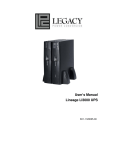
Lineage LI2200 UPS
K01-1120004-00
TABLE OF CONTENTS
IMPORTANT SAFETY WARNINGS…………….……………………………………….…… 1
INSTALLING YOUR UPS SYSTEM…………………….………………………………………2
- UNPACKING…… ……………………………………………………………….2
- HARDWARE INSTALLATION GUIDE…………………………………………2
BASIC OPERATION……………………………………….....................................................3
- FRONT PANEL DESCRIPTION..................................................................3
- REAR PANEL DESCRIPTION…………………………………………...…….4
BATTERY REPLACEMENT AND STORAGE………………………………………….……..6
- BATTERY REPLACEMENT PROCEDURE……………....................…..….7
DEFINITION FOR ILLUMINATED LED INDICATORS………………………………….……8
TROUBLESHOOTING…………………………………………..………………….……………9
TECHNICAL SPECIFICATIONS………………………………………………….………..…..10
LIMITED WARRANTY ……………………..………………………………..…………….........11
Thank you for purchasing a Legacy Power Conversion Product. To enjoy all the
features and benefits of this Uninterruptible Power System (UPS), please read and
follow all installation and operation instructions completely. This UPS is designed
to provide guaranteed power protection for connected electronic equipment. The
accompanying SeeUPS2020 software saves data, closes open applications and
automatically shuts down your computer system in an intelligent and orderly manner.
2
Lineage LI2200
Uninterruptible Power System
IMPORTANT SAFETY WARNINGS
(SAVE THESE INSTRUCTIONS)
This manual contains important instructions that should be followed during installation and
maintenance of the UPS and batteries. Please read and follow all instructions carefully
during installation and operation of the unit. Read this manual thoroughly before attempting
to unpack, install, or operate.
CAUTION! The UPS must be connected to an AC power outlet with fuse or circuit
breaker protection. DO NOT plug the machine into an outlet that is not grounded.
need to de-energize this equipment, turn off and unplug the UPS.
If you
CAUTION! DO NOT USE FOR MEDICAL OR LIFE SUPPORT
EQUIPMENT! Legacy Power Conversion does not sell products for life support or
medical applications. DO NOT use in any circumstance that would affect operation or safety
of any life support equipment, with any medical applications, or patient care.
CAUTION! The battery can energize hazardous live parts inside even when the AC
input power is disconnected.
CAUTION! To prevent the risk of fire or electric shock, install in a temperature and
humidity controlled indoor area, free of conductive contaminants. (Please see specifications
for acceptable temperature and humidity range).
CAUTION! To reduce the risk of electric shock, do not remove the cover, except to
service the battery. No user serviceable parts inside, except for the battery.
CAUTION! To avoid electrical shock, turn off the unit and unplug it from the AC power
source before servicing the battery or installing a computer component.
CAUTION! DO NOT USE WITH OR NEAR AQUARIUMS! To reduce the risk of fire,
do not use with or near aquariums. Condensation from the aquarium can come in contact
with metal current contacts and cause the machine to short out.
CAUTION! DO NOT USE WITH LASER PRINTERS! The power demands of laser
printers are too large for a UPS.
1
INSTALLING YOUR UPS SYSTEM
UNPACKING
Inspect the UPS upon receipt. The box should contain the following:
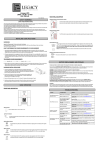
(1) UPS Unit; (1) User’s Manual for UPS; (2) Rack mount Brackets; (2) Stands; (1) Telephone Cable
(1) SeeUPS2020 Software Disk; (1) User’s Manual for SeeUPS2020;
(2) Serial Interface Cable (DB-9); (1) Serial-to-USB cable; (1) Warranty Registration Card.
HARDWARE INSTALLATION GUIDE
1. Your new UPS may be used immediately upon receipt.
However,
recharging the battery for at least four hours is recommended to insure
that the battery’s maximum charge capacity is achieved. Charge loss may
occur during shipping and storage. To recharge the battery, simply leave the
unit plugged into an AC outlet. The unit will charge in both the on as well as
the off position.
2. If you wish to use the software, connect the enclosed serial
interface cable to the serial port on the UPS and an open
serial port on the computer. If you would like to use USB
interface, please connect the USB adapter with the Serial
Cable then connect the USB to your computer.
3. With the UPS unit off and unplugged, connect your
computer, monitor, and any externally powered data storage device (Zip drive,
Jazz drive, Tape drive, etc…) into the battery power supplied outlets. DO NOT
plug a laser printer, copier, space heater, vacuum, paper shredder or other large
electrical device into the UPS. The power demands of these devices will
overload and possibly damage the unit.
4. To protect a fax, telephone, modem line or network cable, connect a telephone
cable or network cable from the wall jack outlet to the IN jack of the UPS. Then
connect a telephone cable or network cable from the OUT jack on the UPS to the
modem, computer, telephone, fax machine, or network device.
5. Plug the UPS into a 2 pole, 3 wire grounding receptacle (wall outlet). Make sure
the wall branch outlet is protected by a fuse or circuit breaker and does not
service equipment with large electrical demands (e.g. refrigerator, copier, etc…).
Avoid using extension cords. If used, the extension cord must be rated for 15
Amps.
6. Depress the power switch to turn the unit on. The power on indicator light will illuminate. If an
overload is detected, an audible alarm will sound and the unit will emit one long beep. To correct
this, turn the UPS off and unplug at least one piece of equipment from the battery power supplied
outlets. Wait 10 seconds. Make sure the circuit breaker is depressed and then turn the UPS on.
7. If an overload is detected, an audible alarm will sound and the unit will emit one long beep. To
correct this, turn the UPS off, unplug at least one piece of equipment, wait 10 seconds, check to
make sure that the circuit breakers are depressed, and turn the unit on.
8. Your UPS is equipped with an auto-charge feature. When the UPS is plugged into an AC outlet, the
battery will automatically recharge.
2
4
Lineage LI2200
Uninterruptible Power System
9. To maintain optimal battery charge, leave the UPS plugged into an AC outlet at all times.
10. To store your UPS for an extended period, cover it and store with the battery fully charged.
Recharge the battery every three months to insure battery life.
BASIC OPERATION
FRONT PANEL DESCRIPTION
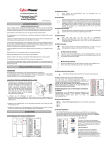
◆ Power
Switch
Press the power button to turn the UPS ON or OFF
◆ Test
Switch
Lineage LI2200 UPS performs a self-test automatically. When powered
on. When the UPS passes the test, it returns to on-line operation. If the
UPS fails the self-test, please recharge the battery for hours and
perform another self-test. If it fails after recharging the battery, please
replace the battery.
◆ Wiring
Fault Indicator
This LED will illuminate to warn the user that a wiring problem exists
within the AC receptacle, such as a bad ground, miss ground or
reversed wiring. If illuminated, disconnect all equipment and contact
an electrician to insure outlet is properly wired.
◆ Battery
Indicator
This illuminates during utility failure, indicating that the battery is
supplying power to the battery-power supplied outlets.
◆ AVR
Indicator
This LED indicates that the UPS is operating in automatic voltage
regulation mode. When the led is illuminated continuously, it
indicates input over-voltage and the UPS unit bucks the voltage.
When the led is flashed in rotation, it indicates that the UPS unit
boosts input voltage.
◆Power
On Indicator
This LED is illuminated when the utility condition is normal and the
UPS outlets are providing “clean power”, free of surges and spikes.
3
◆ Battery
Indicators
This indicator shows a visual indication of the battery charge. If battery
capacity is under 20%, no indicator LED will illuminate and UPS starts
beeping.
◆ Load
Level Indicators
This indicator shows a visual induction of the UPS load. The load indicator
LED will turn orange if the load is between 80 and 100%. If the load is
under 20%, no indicator LED will illuminate.
REAR PANEL DESCRIPTION
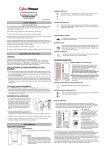
◆ Circuit
Breaker Reset for Overload Protection
Resettable circuit breakers provide optimal overload protection.
◆
Battery Backup and surge Protection Outlets
The UPS provides four battery powered, surge protected and
AVR outlets for connected equipment and insures temporary
uninterrupted operation of connected equipment during a
power failure
◆ Individual
Backup Power for Critical Load
The UPS provides two battery powered, surge protected and
AVR outlets for the most critical connected equipment and
insures temporary uninterrupted operation of connected
equipment during a power failure
NOTE: When the the UPS is overloaded, two circuit
breakers will be tripped to interrupt power supply to the
four battery outlets and leaves the two outlets for critical
loads uninterrupted.
4
6
Lineage LI2200
Uninterruptible Power System
•
Communication Protection Ports (RJ11/RJ45)
•
Dual Serial Ports
Ports protect standard modem, fax, telephone line or network
cable.
Lineage LI2200 UPS provides two serial ports to allow connection
and communication between the UPS and two computers. This
allows the simultaneous shutdown of two computer systems.
The Primary computer (with SeeUPS2020 Plus installed) is the computer that you will use to
control the UPS and make any changes to the operation of the UPS. The Secondary
computer (with SeeUPS2020 installed) is unable to exhibit any control over the UPS.
When there is a power failure, the Primary computer will start to shutdown after a user
controlled delay. Once the Primary computer is shutdown, the UPS will signal the secondary
computer and initiate a shutdown. The secondary computer will then shutdown. Once the
secondary computer has completed its shutdown, the UPS will power off..
SeeUPS2020 will save and close any open files prior to shutting the system down.
5
BATTERY REPLACEMENT
Contact your dealer or call the number in this manual for information on battery replacement.
The order numbers for the battery assembly are BBAT-LI2200 for LI2200.
Read and follow the IMPORTANT SAFETY INSTRUCTIONS before servicing the battery.
Service the battery under the supervision of personnel knowledgeable of batteries and their
precautions. Servicing the battery can only be performed by trained personnel.
CAUTION! Use only the specified type of battery. See your dealer for replacement batteries.
CAUTION! The battery may present the risk of electrical shock. Do not dispose of batteries
in a fire, as they may explode. Follow all local ordinances regarding proper disposal of
batteries.
CAUTION! Do not open or mutilate the batteries. Release electrolyte is harmful to the skin
and eyes and may be toxic.
CAUTION! A battery can present a high risk of short circuit current and electrical shock.
Take the following precautions before replacing the battery:
1. Remove all watches, rings or other metal objects.
2. Only use tools with insulated handles.
3. Do not lay tools or metal parts on top of battery or any terminals.
4. Wear rubber gloves and boots.
5. Determine if the battery is inadvertently grounded. If inadvertently grounded, remove
source of ground. CONTACT WITH GROUNDED BATTERY CAN RESULT IN
ELECTRICAL SHOCK! The likelihood of such shock will be reduced if such grounds
are removed during installation and maintenance (applicable to a UPS and a remote
battery supply not having a grounded circuit).
6
8
Lineage LI2200
Uninterruptible Power System
BATTERY REPLACEMENT PROCEDURE:
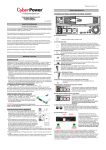
2. Remove the two retaining screws of
the cable protection cover then
remove the cover.
1. Remove the right side front
panel.
4. Remove the four retaining screws.
3. Disconnect the black and red cable.
6. Slide a new battery pack into the unit.
Assemble the screws, cover, cable and
front panel in the reverse sequence of
above steps.
5. Pull the battery pack out from the unit.
7. Recharge the unit for 4-8 hours to
ensure the UPS performs expected
runtime
7
DEFINITIONS FOR LED INDICATORS
Using Circuit
Power Wiring
On
On
Fault
Off
On
AVR
Condition
Alarm
Battery Breaker
Off
Off
Set
Off
Off
Flash
Off
Set
Off
ON
Off
On
Off
Set
Off
Off
On/Off
Off
On
Set
Two
Beeps
Off
On/Off
Off
On
Set
Rapid
Beeps
Set
Long
Beep
On
Up
Long
Beep
Off
Set
None
Off
Set
Off
Off
On/Off On/Off On/
/Flash On/Off
Off
On
Off
Off
Off
On/Off On/
/Flash
Off
Off
On/Off
On
Off
On/ Off On/Off Set/Up
/Flash
None
8
1
Normal
AVR- Max. boost 15% of input
voltage for output regulation while
input voltage is from 8% to 30%
under nominal.
AVR- Max. buck 15% of input
voltage for output regulation while
input voltage is from 8% to 26%
over nominal.
Utility Failure- The UPS is
providing battery power to the
Battery-Power Supplied outlets.
Utility Failure- The UPS is
providing battery power. Rapid
beeps indicate the battery will run
out of charge within a few minutes.
Overload- Turn the UPS off and
unplug at least one piece of
equipment from the UPS. Wait 5
seconds, reset the circuit breaker
and restart the UPS.
Overload- Turn the UPS off and
unplug at least one piece of
equipment from the UPS. Wait 5
seconds, reset the circuit breaker
and restart the UPS.
Weak Battery- Recharge the
battery for at least 8 hours. If
Check Battery is illuminated,
contact Legacy Power Conversion
for battery replacement
information.
Surge Protection MalfunctionPower surge has damaged the
unit. Please contact Legacy Power
Conversion
Electrical Wiring Fault- Indicates
wiring problems such as a bad
ground, missed ground or
reversed wiring within the AC
outlet. User is advised to
disconnect all electrical equipment
from the outlet and have the outlet
checked by an electrician.
Lineage LI2200
Uninterruptible Power System
TROUBLESHOOTING
Problem
Outlets do not
provide power
to equipment
The UPS does
not perform
expected
runtime.
The UPS will
not turn on.
Possible Cause
Solution
Circuit breaker is tripped
due to overload.
Turn the UPS off and unplug at
least one piece of equipment.
Wait 10 seconds, reset the circuit
breaker and then turn the UPS on.
Batteries are discharged.
Recharge the unit for at least 4
hours
Unit has been damaged by
a surge or spike.
Recharge the battery by leaving
the UPS plugged in.
Recharge the battery by leaving
the UPS lugged in.
Contact Legacy Power Conversion
about replacement batteries at
[email protected] or
800-859-5711.
Battery is not fully charged.
Battery is slightly worn out.
The on/off switch is
designed to prevent
damage by rapidly turning
it off and on.
Turn the UPS off. Wait 10 seconds
and then turn the UPS on.
The unit is not connected to
an AC outlet.
The unit must be connected to a
110/120v 60Hz outlet.
Contact Legacy Power Conversion
about replacement batteries at
[email protected] or
800-859-5711.
Contact Legacy Power Conversion
at [email protected] or
800-859-5711.
The battery has failed.
Mechanical problem.
SeeUPS2020
is inactive (all
icons are
gray).
The serial cable is not
connected.
Connect the serial cable to the
UPS unit and an open serial port of
your computer. You must use the
cable that came with the unit.
The serial cable is
connected to the wrong
port.
Try another serial port of your
computer
The unit is not providing
battery power.
Shutdown your computer and turn
the UPS off. Wait 10 seconds
and turn the UPS on. This should
reset the unit.
The serial cable is not the
cable that was provided
with the unit.
You must use the cable included
with the unit for the software.
9
TECHNICAL SPECIFICATIONS
Model
LI2200
Capacity (VA)
2200VA
Capacity (Watts)
1500W
Input
Voltage Range
85 -150Vac
Frequency Range
47 - 63Hz
Output
On Battery Output Voltage
Pure Sine Wave at 120Vac +/- 5%
On Battery Output Frequency
Transfer Time (Typical)
Overload Protection
60Hz +/- 1%
4ms
On Utility: Circuit Breaker,
On Battery: Internal Current Limiting
Surge Protection and Filtering
Lightning / Surge Protection
Yes
Internet Ready (DSL / Phone /
FAX / Modem Protection)
Physical
RJ11/RJ45(One In/One Out)
Total # of UPS Receptacles
Maximum Dimensions(cm)
6
2U Rack, 43.3x8.8x38.8
Weight (Kg)
Battery
32.1
Sealed Maintenance Free Lead
Acid Battery
12Vdc 9AHx4
Typical Recharge Time
Warning Diagnostics
Indicators
Audible Alarms
8 Hours
Power On, Using Battery, AVR, Wiring Fault,
Load Level, Battery Level
On Battery, Low Battery, Overload
Environmental
Operating Temperature
+ 32°F to 95°F (0°C to 35°C)
Operating Relative Humidity
Communication
SeeUPS2020 Software
Management
0 to 95% NON-CONDENSING
Windows 95/98/ME/NT/2000/XP compatible
Self-Test
Auto-Charger
Manual Self-Test
Yes
Auto-Restart
Yes
USB
Yes
10
1
Lineage LI2200
Uninterruptible Power System
LIMITED WARRANTY
In purchasing the LI2200 in the United States or Canada, the original end user receives a
Limited Warranty from Legacy Power Conversion, Inc. (for ease of reading, referred to as
"Legacy"). The Limited Warranty is intended to be the original end-user's exclusive rights
and remedies.
Limited Warranty. The original end user (referred to as the "Initial Customer") receives an
express limited warranty (referred to as the "Limited Warranty") for the LI2200 purchased
from Legacy (referred to as the "Product"). The Limited Warranty is for the Product itself.
The Limited Warranty is subject to the terms set forth below. Additionally, State or Provincial
law may adjust the terms of the Limited Warranty or the State or Province may impose
additional obligations, or additional "implied warranties." To the extent necessary to comply
with those laws, the terms of the Limited Warranty should be read to adjust to those
requirements only to the extent necessary to comply with such local law.
If you are an Initial Customer, you are asked to read the following terms and conditions
carefully before using the Product. By using the Product you consent to be bound by and
become a party to the Limited Warranty. If you do not agree to the terms and conditions of
the Limited Warranty, you should return the Product for a full refund prior to using it.
REGISTRATION
Legacy requests that you complete and return the Warranty Registration Card enclosed with
the Product or register the Product at its website (www.lpc-ups.com) to establish that you
are the Initial Customer of the Product, and therefore entitled coverage under the Limited
Warranty. (Registration is not required for Limited Warranty coverage, but note if you do not
complete a registration card you will be required to provide proof of purchase, as described
below, to have the benefits of this Limited Warranty.)
LIMITED WARRANTY
Legacy warrants to you, the Initial Purchaser, that the Product will be free from defects in
material and workmanship for three years from the date of original purchase, subject to the
terms of this Limited Warranty. This Limited Warranty gives you specific rights, and you may
have other rights, which vary from State to State or Province to Province.
Any Implied Warranty of Merchantability or for Fitness for a Particular Purpose, if applicable
to the Product, is limited in duration to the period of ownership by the Initial Customer. This
provision shall NOT create any Implied Warranty or Merchantability or of Fitness for a
Particular Purpose that would not otherwise apply to the Product. NOTE: Some States and
Provinces do not allow limitations on how long an implied warranty lasts, so the
above limitation may not apply to you.
To be covered you must still be the owner of the Product at the time of the failure that results
in the claim made under this Limited Warranty.
Exclusive Remedies Under Limited Warranty.
Your exclusive remedy and Legacys' sole obligations are as follows for the Product:
If (a) the Legacy Product you purchased and still own is defective in material or
workmanship under this Limited Warranty or any applicable warranty imposed by law, and
(b) all Limited Warranty requirements have been met, Legacy will repair or replace the
Product if it proves to be defective in material or workmanship during the Warranty Period.
11
Making a Limited Warranty Claim.
To make a Limited Warranty claim on a Product, you must do the following:
1.
2.
3.
4.
Complete and return the Legacy Warranty Registration Card, or provide reasonable
proof of purchase (for example, a sales receipt) that establishes you as the Initial
Customer (the original end-user consumer purchaser) of the Product and prove that
the Product was purchased within three (3) years of the event for which you want to
make a claim for warranty service.
Call Legacy at (608) 565-5878 or (800) 859-5711 (toll free), write to Legacy Power
Conversion at N9246 Hwy 80 South, Suite 7, Necedah, WI 54646, or e-mail Legacy at
[email protected], within ten (10) days of the event for which you want to make a
claim.
When you contact Legacy, identify the Product, the Purchase Date, and request
Return Materials Authorization (RMA) information from Legacy.
Pack and ship the Product to Legacy as instructed in your RMA. Show the RMA code
on the shipping label or include it with the Product.
You MUST prepay all shipping costs and you are responsible for packaging and
shipment.
Legacy will inspect and examine the Product within ten (10) days of receipt. If the Product is
not as warranted, Legacy will repair or replace the Product and return it to you at Legacy's
expense, or, if Legacy is unable to or decides not to repair or replace the Product (if
defective) within a reasonable time, Legacy will refund to you the full purchase price you
paid for the Product (purchase receipt showing price paid is required).
CONDITIONS TO THE LIMITED WARRANTY
The Limited Warranty is the only and the exclusive express warranty of Legacy with respect
to the Product. This exclusion of other express warranties applies to written and oral
express warranties.
LIMITATION: THE LIMITED WARRANTY DOES NOT COVER
The Limited Warranty is intended to exclusive rights and remedies and replace any other
rights, to the extent allowed by law.
As to the Legacy Product, the limited warranty does not cover or apply to: misuse,
modification, operation or storage outside environmental limits for the Products, in transit, in
shipment, or in storage, damage or deterioration, improper operation or maintenance, or
use with items or equipment not designed or intended for use with the product.
The Limited Warranty Does Not Apply Unless The Initial Customer:
1.
2.
3.
4.
Has properly connected the Product and the Connected Equipment to properly wired
and grounded outlets (including compliance with electrical and safety codes of the
most current electrical code (ANS/NFPA 70), without the use of any adapters,
extension cords of other connectors.
Has provided a suitable and proper environment for use and installation of the Product
and Connected Equipment.
Has properly installed and operated the Legacy Product and Connected equipment.
Has operated the Product at all times within the limitations on the Product’s VA
capacity as stated in this User Manual.
12
1
Lineage LI2200
Uninterruptible Power System
Legacy Does Not Cover or Undertake Any Liability in Any Event for Any of the
Following:
1.
2.
3.
4.
Loss of or damage to data, records, or software or the restoration of data or records, or
the reinstallation of software.
Damage from causes other than AC Power Line Transients, spikes, or surges on
properly installed, grounded and code-compliant 120 volt power lines in the United
States and Canada; transients, surges or spikes on standard telephone land lines,
PBX telephone equipment lines or Ethernet lines, when properly installed and
connected.
Damage from any circumstance described as excluded above with respect to the
product.
Damages from fire, flood, wind, rain, rising water, leakage or breakage of plumbing,
abuse, misuse or alteration of either the product or the Connected Equipment.
Exclusion of Consequential and Other Damages.
The sole and exclusive remedies of the Initial Customer are those provided by the Limited
Warranty. Legacy excludes any liability for personal injury under the Limited Warranty.
Legacy excludes any liability for direct, indirect, special, incidental or consequential
damages, whether for damage to or loss of property, loss of profits, business interruption,
loss of information or data. This exclusion applies even though damage or loss is caused by
negligence or other fault. NOTE: Some States or Provinces do not allow the exclusion or
limitation of incidental or consequential damages, so the above limitation may not apply to
you.
DO NOT USE FOR HIGH RISK ACTIVITIES.
Legacy does not sell the Products for use in high-risk activities. The Product is not designed
or intended for use in hazardous environments requiring fail-safe performance, including the
operation of nuclear facilities, aircraft navigation or communication systems, air traffic
control, weapons systems, life support or for use in any circumstance in which the failure of
the Product could lead directly to death, personal injury, or severe physical or property
damage, or that would affect operation or safety of life support device (collectively, "High
Risk Activities"). Legacy expressly disclaims any express or implied warranty of fitness for
High Risk Activities.
Legacy does not authorize use of any of its products use in any High Risk Activities. ANY
SUCH USE IS IMPROPER AND IS A MISUSE OF LEGACY PRODUCTS.
The Limited Warranty is governed by the laws of the United States and the State of
Wisconsin, without reference to conflict of law principles.
The application of the United Nations Convention of Contracts for the International Sale of
Goods is expressly excluded.
Contact Information: Legacy’s address is N9246 Hwy 80 South, Necedah, WI 54646 and its
phone number is (608) 565-5878 or (800) 859-5711 (toll free). Legacy is the warrantor
under this Limited Warranty. You may also contact Legacy on the Internet at
www.lpc-ups.com.
13
FCC Notice
This equipment has been tested and found to comply with the limits for a Class B Digital Device, pursuant
to Part 15 of the FCC Rules. These limits are designed to provide reasonable protection against
harmful interference in residential installation. This equipment generates, uses and can radiate radio
frequency energy and, if not installed and used in accordance with the instructions, may cause harmful
interference to radio communications. However, there is no guarantee that interference will not occur in
a particular installation. If this equipment does cause harmful interference to radio or television
reception, which can be determined by turning the equipment off and on, the user is encouraged to try to
correct the interference by one or more of the following measures: (1) Reorient or relocate the receiving
antenna. (2) Increase the separation between the equipment and receiver. (3) Connect the equipment
into an outlet on a circuit different from that to which the receiver is connected.
(4) Consult the dealer
or an experienced radio/TV technician for help. Any special accessories needed for compliance must
be specified in the instruction.
CAUTION: A shielded-type power cord is required in order to meet FCC emission limits and also to
prevent interference to the nearby radio and television reception. It is essential that only the supplied
power cord be used. Use only shielded cables to connect I/O devices to this equipment.
CAUTION: Any changes or modifications not expressly approved by the guarantee of this device could
void the user’s authority to operate the equipment.
For more information, contact us at:
Legacy Power Conversion, Inc.
N9246 Hwy 80 South, Suite 7
Necedah, WI 54646
Tel: (800) 859-5877
Fax:
(608) 565-5879
Email: [email protected]
Web: www.lpc-ups.com
Entire contents copyright ©2006 Legacy Power Conversion, Inc.
All rights reserved. Reproduction in whole or in part without permission is prohibited.
1