1
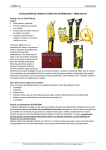
EZiCAT i700 series Introduction Every year site workers are injured due to inadvertently striking buried utilities such as electricity cables or gas pipelines. Obtaining accurate information about the location of buried utilities has never been more essential to protect employees and equipment during any excavation project. A safe system of work prescribes the use of a locating device before any kind of excavation takes place. It makes perfect sense to search for, trace and mark all utilities before digging commences. What is the EZiCAT i700 series? The new EZiCAT range comprises of: EZiCAT i700 EZiCAT i750 EZiCAT i750 xf The 700 series is the next generation of i-Series Locators, all models feature: GPS technology Memory Bluetooth connectivity The geographical position of use is added and stored to the locator’s memory. This information can be retrieved for analysis identifying when, where and how the locator has been used. Locators EZiCAT i700 Locator with memory, Bluetooth and GPS EZiCAT i750 Locator with memory, Bluetooth, GPS and Depth estimation EZiCAT i750xf Locator with memory, Bluetooth, GPS, Depth estimation and additional 512 & 640Hz tracing frequencies EZiCAT Overview 700 series basic controls Operating Mode Display High Contrast LCD Light Sensor with automatic backlight for low-light conditions Battery Indicator Dual Speakers Signal Strength Indicator Dynamic Display Area for utility depth & numeric signal strength indicator Depth Button also used for product menu Function Control Key Quickly cycles through operating modes On/Off Trigger Battery Hatch Overview Starts in Power Mode- Ensuring the most potentially dangerous current carrying utilities are detected first for maximum operator safety. Mode Lock – xf models start in the last mode of operation at maximum sensitivity simplifying the survey process. Mode lock can be switched off enabling a Power mode start up for avoidance users. Automatic controls- Making the EZiCAT easy to use, requiring minimal user experience. In-built test function- Allowing operators to test the hardware and software functionality of the EZiCAT before use. Service Due Indicator- Supporting customer planned maintenance schedules or quality systems by displaying a wrench icon after 12 months. Hazard Zone- The new feature which indicates the presence of a shallow buried utility in power, 8 and 33 kHz modes, (within approximately 30cm) alerting users to the increased risk. High contrast LCD screen- With built-in light sensor, automatically enabling the backlight in dark conditions. Overview Signal Strength Indication (SSI)- EZiCAT locators feature numeric signal strength readout, specifically designed for easy Sonde location and use with EZiCAT to identify an underground utility. Pinpoint Assist- Maintains the highest peak reading obtained on the signal strength indicator for a period of time, allowing the operator to quickly and accurately pinpoint the utility position. Depth Indication- (available on the i750 and i750 xf models only) When using the EZiCAT in conjunction with the EZiTEX signal transmitter or Sonde, operators can determine the depth of the buried utility, providing a clear advantage when conducting ground surveys. Current Indication – (available on 750xf only) Current measurement displayed following a depth reading. The current measurement helps to identify the utility to which the Ezitex signal transmitter is attached to. Overview Automatic pinpoint – Accurately positions the utility simplifying the detection process.No manual tuning. Overview Data logging - The 700 series locators record and store information whilst they are in use. The locators start to record information every second after completion of the initial start-up routine. These records (logs) are stored in the locators memory and can be retrieved and transferred via Bluetooth to a PC for analysis. Bluetooth Connectivity AS STANDARD- All of the 700 series locators have the added benefit of Bluetooth wireless connectivity. It allows the EZiCAT to integrate seamlessly with mobile mapping technology to log survey data, in addition to enabling wireless Bluetooth data transfer. LOGiCAT Smartworx Zeno Field LOGiCAT Allows you to upload the stored records to view the locators use, simply upload all records or search by date. The LOGiCAT Software package consists of: LOGiCAT CD-ROM Bluetooth Dongle Software User Manual Information extracted: GPS Positioning – Identifies where the ground survey took place. - NEW Time & Date Information – Identifies when and at what time ground surveys were conducted Usage Duration – Determines how long survey teams searched for buried utilities and discovers actual product utilisation. LOGiCAT Utility Detection - Discover quickly if any buried utilities were detected during surveys and even determines the signal strength shown on the locator. Product Fleet Management – Displays and monitors the service and calibration dates of your locator fleet, ensuring they are kept in perfect working order and not being used when calibration is due. Diagnostic Check- Displays locators which have failed the EST (Extended self test) and removes them from the active fleet for immediate repair. This reduces the possibility of defective equipment being used on site. Management Reports – Produces basic statistical reports from the logged data, allowing users to see how products are utilised and how ground survey teams are using them on-site. User Identification – Encourages users to become accountable for their actions and identifies those who need additional product training. Detection Mode Used - Allows managers to judge the quality and thoroughness of work. As more comprehensive ground surveys are conducted the locator records the mode of operation including the use of a signal transmitter. EZiCAT Model Selector Feature EZiCAT i700 EZiCAT i750 EZiCAT i750 xf High Contrast LCD Screen Automatic Pinpointing Starts in ‘Power Mode’ for Safety Automatic Sensitivity Adjustment 5 Operating Modes – including ‘Auto Mode’ ‘Hazard Zone’ - Shallow utility Warning In-built User Activated Self-Test Function Peak Assist Function Bluetooth Wireless Data Transfer utility Depth Indication Additional Tracing frequencies Mode Lock - Last Mode of operation start up