1
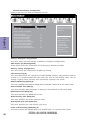
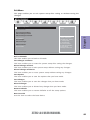
Boot Menu
This page enables you to set the keyboard NumLock state.
Main
Advanced
Chipset
M.I.B III
Boot
Boot Configuration
Operation System Select
Launch PXE OpROM
Launch Strorage OpROM
Windows 7 or other OS
Disabled
Enabled
On
Enabled
LEGACY
Bootup NumLock State
Quiet Boot
Boot mode select
Chapter 3
Set Boot Priority
Boot Option #1
Boot Option #2
Boot Option #3
Boot Option #4
Boot Option #5
Boot Option #6
Boot Option #7
Hard Disk
CD/DVD
USB Floppy
USB CD/DVD
USB Hard Disk
USB Key: Ut165 1.00
Network
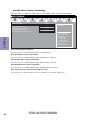
Hard Disk Drive Priorities
CD/DVD ROM Drive Priorities
USB/Floppy Drive Priorities
USB CD/DVD ROM Drive Priorities
USB HardDisk Drive Priorities
USB Flash Drive Priorities
NETWORK Device Priorities
[Press Enter]
[Press Enter]
[Press Enter]
[Press Enter]
[Press Enter]
[Press Enter]
[Press Enter]
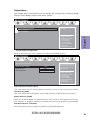
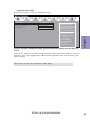
CSM parameters
[Press Enter]
Security
Windows 8: Boot policy for
UEFI OS without
Compatibility Support
Module(CSM)
Manual: User customized
CSM parameters & boot
policy
lk : Select Screen
mn /Click: Select Item
Enter/Dbl Click : Select
+/- : Change Opt.
F1: General Help
F2: Previous Values
F3: Optimized Defaults
F4: Save & Exit
ESC/Right Click: Exit
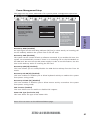
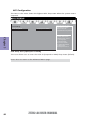
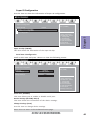
Boot Configuration
This item shows the information of the Boot Configuration.
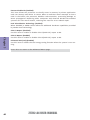
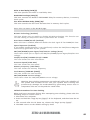
Operation System Select (Windows 7 or other OS)
This item is used to select the operation system.
Launch PXE OpROM (Disabled)
The item enables or disables launch PXE Option ROM.
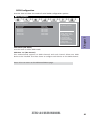
Launch Storage OpROM (Enabled)
Use this item to enable or disable the Storage OpROM.
Bootup NumLock State (On)
This item enables you to select NumLock state.
Quiet Boot (Enabled)
This item enables or disables quiet boot.
Boot mode select (LEGACY)
Use this item to select boot mode.
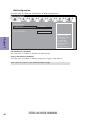
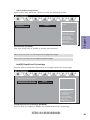
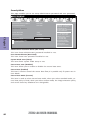
Set Boot Priority
This item enables you to set boot priority for all boot devices.
Boot Option #1/2/3/4/5/6/7
These items show the boot priorities.
54
Exit
Windows 7 or other OS:
Boot policy for Legacy OS
Z77H2-A4 USER MANUAL