1
Answering System
3
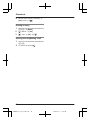
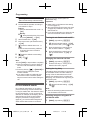
MbN: Select the desired setting. a MOKN
aM
N
Listening to messages
After you answer the new message alert, you
can listen to the messages as follows.
n When the remote access code is set to
“Inactivate”:
Press 4 to play the new message during
the announcement.
n When the remote access code is set to
“Activate”:
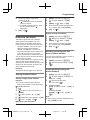
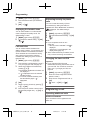
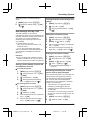
2
To turn on remote operation, enter the
desired 3-digit remote access code.
3
MOKN a M
N
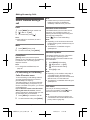
Deactivating remote operation
Press * in step 2 on “Remote access code”,
page 42.
R The entered remote access code is deleted.
Using the answering system
remotely
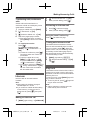
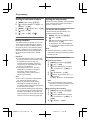
1
Enter the remote access code
(page 42) during the announcement.
1
2
Dial your phone number from a
touch-tone phone.
Press 4 to play the new message.
2
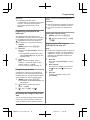
After the greeting message starts, enter
your remote access code.
3
Follow the voice guidance prompts as
necessary or control the unit using
remote commands (page 42).
4
When finished, hang up.
Note:
R Within 10 seconds after listening to new
messages, you can press #9 during the
call to turn off the new message alert by a
call feature.
R Even if the unit makes a new message alert
call, the handset redial list does not show
the record.
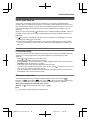
Remote operation
Using a touch-tone phone, you can call your
phone number from outside and access the
unit to listen to messages or change
answering system settings. The unit’s voice
guidance prompts you to press certain dial
keys to perform different operations.
Voice guidance
During remote operation, the unit’s voice
guidance starts and prompts you to press 1
to perform a specific operation, or press 2 to
listen to more available operations.
Note:
R If you do not press any dial keys within 10
seconds after a voice guidance prompt, the
unit disconnects your call.
Remote commands
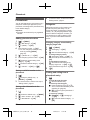
Remote access code
A 3-digit remote access code must be entered
when operating the answering system
remotely. This code prevents unauthorised
parties from listening to your messages
remotely.
Important:
R In order to operate the answering system
remotely, you must first set a remote
access code.
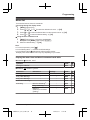
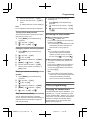
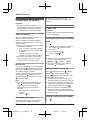
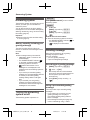
1
42
MMENUN (right soft key) #306
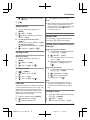
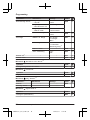
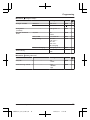
You can press dial keys to access certain
answering system functions without waiting for
the voice guidance to prompt you.
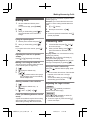
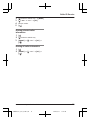
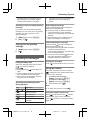
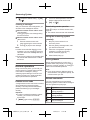
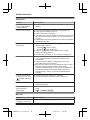
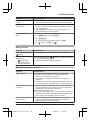
Key
Operation
1
Repeat message
(during playback)*1
2
Skip message
(during playback)
4
Play new messages
5
Play all messages
Helpline Tel. No.: U.K. 0844 844 3899 Ireland 01289 8333
TGH22xE(en)_1211_ver031.pdf
42
2013/12/11
17:47:44