1
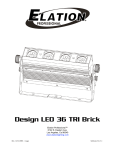
DESIGN LED 36 BRICK™
9. DMX TRAITS
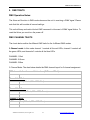
DMX Operation Notes:
The fixture will function in DMX mode whenever the unit is receiving a DMX signal. Please
note that this will override all manual settings.
This unit will keep and retain the last DMX command in the event of DMX signal failure. To
reset the fixture you must turn the power off.
DMX CHANNEL TRAITS
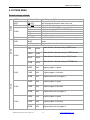
The charts below outline the different DMX traits for the 4 different DMX modes.
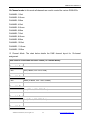
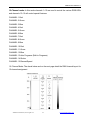
3-Channel mode: In this mode channel 1 controls all the red LEDs, channel 2 controls all
the green LEDs, and channels 3 controls all the blue LEDs.
CHANNEL 1:Red
CHANNEL 2:Green
CHANNEL 3:Blue
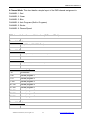
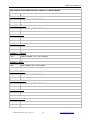
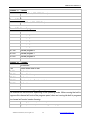
3 Channel Mode: The chart below details the DMX channel layout for 3-channel assignment.
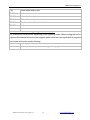
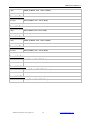
DMX channel’s functions and their values (3 Channel Mode):
Channel 1
- Red:
0-255
Red (0-Black, 255 - 100% Red)
Channel 2
- Green:
0-255
Green (0-Black, 255 - 100% Green)
Channel 3 - Blue:
0-255
Blue (0-Black, 255 - 100% Blue)
©Elation Professional, Los Angeles Ca.
21
www.ElationLighting.com