1
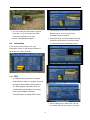
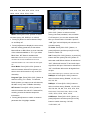
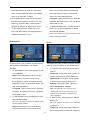
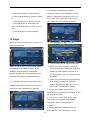
EN
USER’S MANUAL
WWW.AMIKOSTB.COM
CONTENTS
1.
SAFETY ............................................................................................................................................................. 3
2.
INTRODUCTION ............................................................................................................................................. 3
3.
FEATURES ........................................................................................................................................................ 4
4.
REMOTE CONTROL ...................................................................................................................................... 5
5.
FRONT PANEL................................................................................................................................................. 6
6.
REAR PANEL ................................................................................................................................................... 7
7.
CONNECTING YOUR SYSTEM ................................................................................................................... 8
8.
BASIC OPERATIONS ................................................................................................................................... 10
8.1
8.2
8.3
8.4
8.5
8.6
8.7
8.8
8.9
8.10
8.11
8.12
8.13
8.14
8.15
8.16
8.17
8.18
8.19
9.
TURN ON XFINDER .......................................................................................................................................... 10
POWER ............................................................................................................................................................ 10
CHANNEL UP/CHANNEL DOWN ...................................................................................................................... 10
VOLUME UP/VOLUME DOWN ......................................................................................................................... 10
NUMBER ......................................................................................................................................................... 10
MUTE .............................................................................................................................................................. 10
PAUSE ............................................................................................................................................................. 10
AUDIO ............................................................................................................................................................. 10
INFORMATION ................................................................................................................................................. 11
EPG ............................................................................................................................................................ 11
TV/RADIO ................................................................................................................................................. 12
CHANNEL LIST ............................................................................................................................................ 12
PAGE UP/PAGE DOWN ................................................................................................................................ 13
TXT ............................................................................................................................................................ 13
SUBTITLE .................................................................................................................................................... 13
ZOOM .......................................................................................................................................................... 13
MENU .......................................................................................................................................................... 13
VIDEO FORMAT ........................................................................................................................................... 14
EXIT ............................................................................................................................................................ 14
FINDER ............................................................................................................................................................ 14
9.1
9.2
9.3
SATELLITE INSTALLATION .............................................................................................................................. 14
TERRESTRIAL INSTALLATION ......................................................................................................................... 17
CABLE INSTALLATION .................................................................................................................................... 17
10.
ANGLE ............................................................................................................................................................. 18
11.
SPECTRUM ..................................................................................................................................................... 19
12.
SERVICE ......................................................................................................................................................... 20
12.1
12.2
12.3
12.4
12.5
12.6
13.
ORGANIZING SERVICE ................................................................................................................................. 21
ORGANIZING FAVOURITES .......................................................................................................................... 22
CHANNEL LIST ............................................................................................................................................ 23
EPG ............................................................................................................................................................ 24
COMMON INTERFACE .................................................................................................................................. 25
CA SETTING ................................................................................................................................................ 25
MEDIA ............................................................................................................................................................. 27
13.1
FILE LIST ..................................................................................................................................................... 27
13.1.1 Record Files ............................................................................................................................................... 27
13.1.2 MP3 Files ................................................................................................................................................... 27
13.1.3 Image Files ................................................................................................................................................. 28
13.1.5.Software ..................................................................................................................................................... 30
13.1.4All ................................................................................................................................................................ 30
13.2
STORAGE INFORMATION ............................................................................................................................. 30
13.3
PVR SETTING.............................................................................................................................................. 31
13.4
USB SPEED TEST ........................................................................................................................................ 31
13.5
REMOVE USB DEVICE SAFELY! .................................................................................................................. 31
14.
SYSTEM ........................................................................................................................................................... 31
14.1
INFORMATION ............................................................................................................................................. 31
14.2
BATTERY INFORMATION ............................................................................................................................. 32
14.3
DEFAULT SETTING ...................................................................................................................................... 32
14.3.1 Default Value: ......................................................................................................................................... 32
14.3.2 Delete All Channel: ................................................................................................................................ 32
14.3.3 Save default value ................................................................................................................................... 33
14.4
SOFTWARE UPGRADE .................................................................................................................................. 33
13.4.1 Upgrade by RS232: .................................................................................................................................... 33
1
13.4.2 Upgrade By USB ..................................................................................................................................... 33
13.4.3 Backup to USB ......................................................................................................................................... 34
13.4.4 Http Upgrade ............................................................................................................................................. 34
13.4.5 FTP Upgrade ............................................................................................................................................. 34
14.5
LANGUAGE .................................................................................................................................................. 34
14.6
A/V CONTROL............................................................................................................................................. 35
14.7
NETWORK LOCAL SETTING ......................................................................................................................... 36
14.8
TIME SETTING ............................................................................................................................................. 36
14.9
TIMER ......................................................................................................................................................... 36
14.10 CONSTELLATION ......................................................................................................................................... 37
15.
15.1
15.2
NEW FEATURES ........................................................................................................................................... 38
TIME SHIFT ................................................................................................................................................. 38
RECORD ...................................................................................................................................................... 38
16.
TROUBLE SHOOTING ................................................................................................................................. 40
17.
SPECIFICATIONS ......................................................................................................................................... 41
2
1. SAFETY
This HD Xfinder has been manufactured to satisfy the international safety standards.
Please read the following safety precautions carefully.
MAINS SUPPLY: 100 - 240V AC 50/60Hz
OVERLOADING: Do not overload wall outlet, extension cord or adapter as this may result in fire or
electric shock.
LIQUIDS: Keep liquids away from the HD Xfinder. The apparatus shall not be exposed to dripping or
splashing and that no objects filled with liquids, such as vases, shall be placed on the apparatus.
CLEANING: Disconnect the HD Xfinder from the wall outlet before cleaning .Use a light damp cloth
(no solvents) to dust the HD Xfinder.
VENTILATION: The slots on top of the HD Xfinder must be left uncovered to allow proper airflow to
the unit. Do not stand the HD Xfinder on soft furnishings or carpets. Do not expose the HD Xfinder to
direct sunlight or do not place it near a heater. Do not stack electronic equipments on top of the HD
Xfinder.
ATTACHMENTS: Do not use any attachments that are not recommended as these may cause
hazard or damage the HD Xfinder.
CONNECTION TO THE SATELLITE DISH LNB: Disconnect the HD Xfinder from the mains before
connecting or disconnecting the cable from the satellite dish.
FAILURE TO DO SO CAN DAMAGE THE LNB.
CONNECTION TO THE TV: Disconnect the HD Xfinder from the mains before connecting or
disconnecting the cable from the satellite dish.
FAILURE TO DO SO CAN DAMAGE THE TV.
EARTHING: The LNB cable MUST BE EARTHED to the system earth for the satellite dish.
LOCATION: Place the HD Xfinder indoor in order not to expose to lightening, rain or sunlight.
2. INTRODUCTION
Thank you for purchasing the HD Xfinder.
This HD Xfinder can fast spectrum analysis with 950 ~ 2150 MHz frequency span. Support
Constellation Chart. it has a High resolution 7"TFT LCD and a lithium battery can work at outdoors. It
has a 2GB of U disk , so you needless schlep hard disk when it work at outdoors. And also use as a
DVB-S+T/C Xfinder on a TV.
This HD Xfinder is fully compliant with the international DVB standard and thus transmits digital
images, sounds, information guides and teletext directly to your TV or Xfinder through the satellite
broadcasting.
Now you can comfortably see and receive digitally transmitted music, news, movie and sports satellite
broadcasts in your office or at your home.
In service search section, both the automatic service search method and the manual search mode
are provided. Also it supports DiSEqC 1.0, 1.2 and USALS, enabling you to move your antenna in
order to focus preferred satellite. You can save up to 6000 TV and Radio services and work around
with the favorite, Lock, Delete, Move and Sort functions.
The menu is very modern and supports multiple languages. All functions can be carried out using the
remote control and some of the functions can also be carried out using the front panel. The HD
3
Xfinder is easy to use and adaptable for future advances. Please be aware that new software may
change the functions of the HD Xfinder.
If you have any difficulties concerning the operation of your HD Xfinder, please refer to the relevant
section of this manual, including the ‘Troubleshooting’. This Manual will provide you with useful
information on using the HD Xfinder.
3. FEATURES
●
●
MPEG-Fully DVB-S / DVB-S2 HD compliant
DVB-T/DVB-T2/DVB-C
●
Fast spectrum analysis
●
Support Spectrum information save, load and compare.
●
Data parsing of frequency Selected
●
Constellation Chart
●
High resolution 7"TFT LCD
●
Large lithium battery capacity (5500mAh)
●
Auto Calculate Angle of AZ ,EL
●
6000 channels (TV and Radio) programmable
●
Multilingual menu text support
●
Channel switching time less than 1 second
●
Channel list editing
●
Favorite channel list editing
●
True-color On-Screen Display (OSD)
●
Full Picture In Graphic (PIG) function
●
Electronic Program Guide (EPG) for on screen channel information
●
Subtitle supported
●
Teletext supported by VBI insertion and software emulation
●
Program and Channel information transfer from Xfinder to Xfinder
●
DiSEqC 1.0, 1.1, 1.2 and USALS
●
HDMI HD Video/Audio Output
●
Easy upgrading by Ethernet & USB &RS 232 Port
●
USB 2.0 Host
●
Built in U disk (2GB)
●
LAN 10/100Mbps Ethernet
●
RTC (Real-Time-Clock)
●
Time Shift
●
Video Recording
●
Recording one channel and Time Shifting another channel
●
One key to start or stop recording of TS stream
4
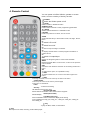
4. Remote Control
You can power on/off the Xfinder, operate on screen
menu, and use a variety of hot key function.
POWER
To switch the Xfinder power on/off
MUTE
Used to enable or disable the audio
NUMERIC KEYS
Used to select channels or enter programming parameters
TV / RADIO
Xfinder switches between TV and Radio mode.
0 (ZOOM)
Press 0 key select zoom times, from X1 to X16.
AUDIO
Audio channels setup, to select audio mode; Left, Right , Stereo,
Mono.
F1
To switch LCD on/off
F2
To switch fan on/off
F3
To start or stop recording of TS stream
F4
To display channel status or various program information of
current service.
F5
To switch AV output/input
EPG
Display the Programs guide on screen when available.
MENU
Displays the Main Menu on the screen, or return to the previous
menu or status.
EXIT
Cancel the user selection and return to the viewing mode from a
menu.
OK
To select menu option, or to updated on entry.
<,> KEY
To adjust volume level, or to move cursor left or right in the
menu.
^,v KEY
To change channels, or to move cursor up or down in the menu.
PAGE+/PAGETo move up the cursor to the next or previous page
in the menu or channel list.
● REC
To start the recording.
Red Key
Has different functions per menu.
TXT(YELLOW KEY)
Shows teletext information of the current channel supports.
Subtitle(Green KEY)
Subtitle Display.
V.FORMAT (blue Key)
Press V.FORMAT button to switch the display mode among
"Auto","ByNativeTV"720p_50","720p_60"”,”1080i_50”,”1080i_60",”1080p_50”
and "1080p_60".
Play
To play the MP3, JPEG, or Record files.
Stop
To stop the Time Shift, recording, or MP3/JPEG player.
5
PAUSE
Used to select the freeze function.
Press once to freeze the screen picture.
FB
To start Fast Backward function.
FF
To start Fast Forward function.
5. Front panel
POWER
To switch the Xfinder power on/off
NUMERIC KEYS
Used to select channels or enter programming parameters
0 (ZOOM)
Press 0key select zoom times, from X1 to X16.
FIND
shortcut key enter to Xfinder menu.
ANGLE
shortcut key enter to Angle menu.
SPCM
shortcut key enter to Spectrum menu.
SERVICE
shortcut key enter to Serice.
MEDIA
shortcut key enter to Media menu.
SYSTEM
shortcut key enter to System menu.
F1
To switch LCD display on/off
F2
To switch fan on/off
F3
To start or stop recording of TS stream
6
F4
To display channel status or various program information of current service.
F5
To switch AV output on/off
MENU
Displays the Main Menu on the screen, or return to the previous menu or status.
EXIT
Cancel the user selection and return to the viewing mode from a menu.
OK
To select menu option, or to updated on entry.
V-,V+ KEY
To adjust volume level, or to move cursor left or right in the menu.
CH+,CH-KEY
To change channels, or to move cursor up or down in the menu.
PAGE+/PAGETo move up the cursor to the next or previous page
in the menu or channel list.
AUDIO(Red)
Audio channels setup, to select audio mode; Left, Right , Stereo, Mono.
Red Key
Has different functions per menu.
TXT(YELLOW KEY)
Shows teletext or subtitle information of the current channel supports.
Subtitle(Green KEY)
Subtitle Display.
V.FORMAT (blue Key)
Press V.FORMAT button to switch the display mode among
"Auto","ByNativeTV"720p_50","720p_60"”,”1080i_50”,”1080i_60",”1080p_50” and "1080p_60".
FUN
To select brirhtness,contrast and colour of LCD screen.
<,> KEY
To adjust brirhtness,contrast and colour of LCD screen.
6. Rear Panel
7
Please refer to the diagram above for all possible connections of your Xfinder
Do not connect the unit to the mains socket until all other connections have been made and checked.
Your configuration can vary depending on model
DC 12V: Connect the external power supply(DC 14.5V/4A) .
RF OUT: This enables the connection of another Xfinder.
RF IN: This port is to connect the coaxial cable from terrestrial antenna/cable antenna
LOOP: This enables the connection of another Xfinder.
LNB IN 13/18V 300mA MAX: This port is to connect the coaxial cable from LNB of your Dish.
AV IN/Out: This port is used to connect the AV port of the television with a AV switch line that one
enter port and three output port.
HDMI: Audio and Video output socket for TV set with HDMI Input Jack only.
RS 232C: SERIAL PORT: This is used to connect your Xfinder to a computer through a serial cable
Ethernet: Network port, you can get a new software updates from this port.
USB: USB 2.0 Host, connect to USB hard disk, or flash disk.
U disk: Built in U disk (2GB)
SWITCH: To switch U disk /equipment
CA: One slot CA Interface for Conax.
CI: One socket for Conditional Access Modules CAM
7. Connecting Your System
This section describes how to connect your product to match your particular devices setup and to gain
optimum signal quality. The product provides various interfaces to connect to the TV, VCR or other
devices. Select the most appropriate depending on the device you have.
Warning: Connect all components before plugging any power cords into the wall outlet.
Always turn off the product, TV and other components before you connect or disconnect any cables.
Note: If you encounter any problems setting up your product, please contact your local retailer
helpline.
8
7.1 Connecting the Antenna
1.
Connect one or two satellite coaxial cable from the wall to LNB IN.
2.
Connect a cable/terrestrial coaxial cable to AERIAL IN.
Note: Cable and terrestrial can't concurrence.
Connecting the TV
1. TV with the HDMI connector:
For the best picture quality, connect the product and TV using an HDMI cable.
2. TV with the AV connector:
To output video and audio, connect the product and TV using an AV cable.
Note:
1. Connecting your TV directly to the audio/video output of the product will assure a more vivid
picture and enhance your viewing enjoyment.
Connecting to the LAN:
Connect one end of the Ethernet cable to the product and the other end to the LAN router.
TV with Motorized System (DiSEqC 1.2)
Connect one end of your coaxial cable to the LNB IN connector on the Xfinder and the other end to
the REC or Xfinder connector on the DiSEqC 1.2 motor.
Connect the coaxial cable from the LNB to the LNB connector on the DiSEqC 1.2 motor.
All our Xfinders are designed to be DiSEqC 1.0 and DiSEqC 1.2 compatible.
This allows multiple antennas to be connected to the Xfinder at the same time.
If you have two or more fixed antennas or LNBs, then we recommend you use a DiSEqC 1.0
switch.
Connect the coaxial cable from the first LNB to the LNB 1 or LNB A input connector of the DiSEqC
switch.
Do the same for any other LNBs that you have.
Connect one end of a coaxial cable to the RF output connector of the DiSEqC switch,
connect the other end to the LNB IN socket on the Xfinder.
To the digital Xfinder, you can connect either a single satellite antenna directly or LNB of
multi-feed equipment.
9
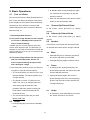
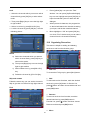
8. Basic Operations
8.1
2
In Standby state, press [Power] Key again
can call back the unit and go on play the
Turn on Xfinder
previous channel
First, press the Device’s Main [Power] button to
3
turn on the unit. When the Xfinder is first used,
User can also disconnect the device’s main
power to end the Standby state.
there will play the first channel from the default
Channel List. If the Xfinder is not first used,
8.3
Xfinder will play the same channel as last time
In full screen, press [CH+/CH-] to change
before turning off.
channel.
8.4
? Frequently Asked Question
Channel Up/Channel Down
Volume Up/Volume Down
In full screen, press [VOL+/VOL-] to adjust
Q: The power of my Xfinder has been turned
volume.
on and not in Standby mode, but the TV
8.5
screen showed nothing:
Number
In full screen, use number key and press [OK]
A: Make sure the TV set has been set to the
correct video input (not the TV channels). For
example, if you have connected the unit with the
Video1 input of the TV set, the TV set has to be
switched to Video1.
on the Remote Control Unit to change channel.
8.6
1
Q: The power of my Xfinder has been turn on
Mute
Press [MUTE] key to mute the sound and
the screen will show up mute OSD.
and not in Standby mode, but the TV
2
Press [MUTE] key again to restore sound.
screen showed nothing except one box
with “No Signal” image.
8.7
A: That means the channel, which you select, is
1
no signal. It could be several causes:
1
In playing mode, press [Pause] key, the
picture will be paused, but the sound of the
The channel which you select is not in your
channel will still continues.
allocate satellite. The simply solution is to
2
Pause
2
Press [Pause] key again, the screen’s
change channel.
picture will skip over to the current playing
The signal of current TV channel is too
picture, and the sound of the channel will
weak. You can try to change channel to
correspond playing.
other strong signal channels. If the
problems still exist, please consult your
.
8.8
local dealer or other professionals for
technical service.
3
1
1
In full screen, press [AUDIO] key can open
the “Audio” window on the screen.
You use the Dual LNB, and you need
Modify LNB Type
8.2
Audio
Power
Press [Power] Key can enter the Standby
state
10
2
2
You can modify the audio track by press
[CH+/CH-]
different group, such as by Favorite
key and modify the audio
/Satellite /Provider /CAS etc.
mode by press[VOL+/VOL-] key.
3
Press [Red] key can select the channels by
3
Mode: Left/Right/Stereo/Mono
Press [Green] key to select different display
mode among Now EPG, Next EPG, More
8.9
Information
and Schedule, like the following picture:
In full screen, press [F4] key can open
information screen, in the window shows the
parameters of current channel.
8.10 EPG
1
The Xfinder has an Electronic Program
Guide (EPG) to help you navigate channels
through all the possible viewing options.
The EPG supplies information such as
channel listings and starting and ending
times for all available channels.
Press [EPG] key to display EPG screen.
4
Press [Yellow] key in EPG menu can set
one record timer or go to Timer List menu.
11
3
Press [Red] key to display details
information for EPG Now.
5
In EPG menu, when you select one event
by high light item, you can set this event to
record timer list directly by press [REC]
4
button.
6
current channel’s property, such as FAV/
In EPG menu, press [Exit] to close EPG
Lock/ Skip/ Delete/ Rename.
screen.
8.11
Press [Green] key you can change the
TV/RADIO
In TV mode, pressing [TV/RADIO] key can
switch to Radio mode. In Radio mode, press
[TV/RADIO] key to switch to TV mode.
8.12 Channel List
1
In full screen, press [OK] key can enter
5
“Channel List”.
Press [Yellow] key can open the “Find”
window like below. You can press
[Up/Down/left/right] keys to move highlight
and press [OK] key to input the letter.
Select OK and press [ok] button to find you
want.
2
Press [CH+/CH-] key to change the
different group. Which you can watch like
below.
6
Press [Blue] key can open the “Sort”
windows like below. There are five kinds of
sorting ways. You can press [Ch+/Ch-] key
to move highlight and press [OK] key to
12
confirm you selection.
8.14
1
The five kinds of sorting way are:
TXT
Press [Yellow] key in full screen, you can
⑦
Number: Sorting by scanning result.
open
⑦
Free+PayTV: Sort channel through
has teletext information.
2
free and scramble sequence. Free
teletext page on the channel which
If the channel has no teletext information, it
will show “No Teletext Data” on the screen.
channel will in the front of channel list
and scramble channel will at the rear of
8.15 Subtitle
channel list
⑦
1
PayTV+Free: Sort channel through
scramble and free sequence. Scramble
open
channel will in the front of channel list
has subtitle information.
2
and free channel will at the rear of
7
8.16 Zoom
1
TP: Sorting by TP order.
2
3
Press [Page Up/Down] key to page up and
In “x2 ~ x16” image, using [Up/
page down.
Down/Left/Right]
Press [Exit] key to exit the channel list.
image center area you want to see.
4
8.13
Press [0] key again, the image will enlarge
rotate as x1, x2, x4, x6, x8, x12, x16.
channel.
9
The [0] key allows you to magnify a certain
area on the images
Press [CH+/CH-] key to move highlight and
press [OK] key to play the highlighted
8
If the channel has no subtitle information, it
Name (A-Z): Sorting in Alphabetical
Order, ignore “$” symbol.
⑦
subtitle page on the channel which
will show “No subtitle Data” on the screen.
channel list el List.
⑦
Press [Green] key in full screen, you can
keys to move the
In zoom mode, press [Exit] to close “Zoom”
window.
Page Up/Page Down
In Channel list, press [Page+/Page-] key can
8.17 Menu
page up and page down the channel list.
⑦ Press [MENU] key can open the menu, exit
the current menu to last menu or close the
window.
13
8.18 Video Format
1
Press [v.Format] (blue) key under Full
Screen playback for 1st, it will show the
current system outputting video resolution,
continuously press this key, system will
switch its outputting video resolution by
sequence “Auto-> By Native TV ->
720P_50> 720P_60-> 1080i_50->
1 You can move highlight by press [CH+/CH-]
1080i_60-> 1080p_50->1080p_60”.
key or Press [P+/P-] key to page up or page
down and [OK] key to select the Satellite.
2 Press [left] or [green] button to enter TP List.
Note: You can't edit and scan the TP when you press
[left] button, it only show the list.
3 Press [right] button to enter into DiSEqC
Setting menu.
8.19 Exit
1
Press [EXIT] key can exit the current menu
to last menu or close the window.
9. Finder
Auto DiSEqC: Press [ok] key to run Auto
DiSEqC function, it can find the satellite
connect to which port automatically.
DiSEqC1.0: Press [VOL+/VOL-] button to
select one item among Disable, 1/2, 2/2, 1/4,
2/4, 3/4, 4/4.
1
Press [VOL+/VOL-] key to select finder
2
Press[CH+/CH-] key to select one item.
3
Press [menu] key to back to main menu.
9.1
Satellite Installation
Satellite list
DiSEqC1.1: Press [VOL+/VOL-] button to
select one item among Disable, 1/8, 2/8, 3/8,
4/8, 5/8, 6/8, 7/8, 8/8, 1/16, 2/16, 3/16, 4/16,
14
5/16, 6/16, 7/16, 8/16, 9/16, 10/16, 11/16,
12/16, 13/16, 14/16, 15/16, 16/16.
LNB Type: Press [ok] button and then press
[VOL+/VOL-] button to select one item
among Universal, standard, user, unicable.
Motor: Press [VOL+/VOL-] button to select
For Example: If you use the unicable LNB,
one item among Off, DiSEqC1.2, USALS.
4
then you should select “Unicable” option in
Press [F3] button to switch between Beep
“LNB Type” and will display the submenu for
on and Beep off.
5
Unicable setting.
Press [red] button to display the scan menu,
and then setting parameter, at last select
TP Index: Press [VOL+/VOL-] button, or
Manual Scan or Blind Scan to scan channels
press [ok] button and then press [CH+/CH-]
of the selected satellites or TP. If you select
button to switch TP.
Blind Scan, NIT Search needless edit.
22K: Press [VOL+/VOL-] button, or press [ok]
Note: Manual Scan can only scan channels of the
button and then press [CH+/CH-] button to
TP that in the TP list, but Blind Scan can scan
select on or off. When this item is switched to
channels needless TP, it can search the has signal
“ON”, Xfinder will receive TV and radio input
TP.
signal from 22K port. If the item is switched to
Scan Mode: Press [VOL+/VOL-] button to
“Off”, the Xfinder will receive all signals from
switch it between All and Free (means you
0K port.
want to scan all channels or only scan free
Note: When LNB Type is universal, 22K can’t edit.
channels).
DiSEqC1.0: Press [VOL+/VOL-] button to
Program Type: Press [VOL+/VOL-] button to
select one item among Disable, 1/2, 2/2, 1/4,
switch it among TV + Radio, TV Channel,
2/4, 3/4, 4/4.
Radio (means you want to scan all channels,
DiSEqC1.1: Press [VOL+/VOL-] button to
all radio or only scan TV/Radio channels).
select one item among Disable, 1/8, 2/8, 3/8,
NIT Search: Press [VOL+/VOL-] button to
4/8, 5/8, 6/8, 7/8, 8/8, 1/16, 2/16, 3/16, 4/16,
switch it between On and Off. If selected On,
5/16, 6/16, 7/16, 8/16, 9/16, 10/16, 11/16,
meaning receive the latest transponder
12/16, 13/16, 14/16, 15/16, 16/16.
information.
6
LNB Power: Press [VOL+/VOL-] button, or
Press [yellow] button to switch to antenna
press [ok] button and then press [CH+/CH-]
parameter list of highlight satellite.
button to switch it among 13V/18V,
13.5V/18.5V, off.
15
[VOL+/VOL-] button select the letter and
7 Press [blue] button to enter into edit menu.
When in the satellite list it enter edit satellite
press [ok] button to input it, when finish
menu, or it enter edit TP menu.
select “ok” and press [ok] button.
8 Press [white] button enter into SI Info menu.
Longitude: Press number keys to input the
It shows the information of current TP. Like
longitude, and press [VOL+/VOL-] button to
frequency, provider name, network name,
select east or west.
3.
network ID, Stream ID, Network TP Count,
In "Delete Satellite" item, press[ok] key and
TV list, radio list, level, quality, RF Level,
select “yes” to press [ok] button to delete
FEC, C/N, BER, MER. Press [red] button to
the selected Satellite.
display the Network TP List.
Note: If you selected more than one satellite, it will
delete the highlight satellite.
Edit Satellite
TP list
Press [CH+/CH-] key to select one item among
Press[CH+/CH-] key to select one item among
Add Satellite, Edit Satellite, and Delete
Add TP, Edit TP, Delete TP and Delete All TP.
Satellite.
1.
2.
1.
In "Add TP" item, press [ok] key to add a
In "Add Satellite" item, press [ok] key to add
new TP.
a new Satellite.
Frequency: Press [VOL+/VOL-] button or
Name: Press [ok] button to enter into key
press number keys to set the frequency.
board menu to input the name. Press
Symbol Rate: Press [VOL+/VOL-] button
[V-/V+]button to select the letter and press
or press number keys to set the rate.
[ok] button to input it, when finish select “ok”
Polarity: Press [VOL+/VOL-] button to
and press [ok] button.
select Horizontal or vertical.
Longitude: Press number keys to input the
Note: The parameters of “Frequency” and
longitude, and press [VOL+/VOL-] button to
“Symbol Rate” can set by number keys. The
select east or west.
available range are “3000~13450 MHz” and
“1000~45000Ks/s”.
In "Edit Satellite" item, press[ok] key to edit
2.
the selected Satellite
In "Edit TP" item, press[ok] key to edit the
selected TP
Note: If you selected more than one satellite, it will
Note: If you selected more than one TP, it will edit
edit the highlight satellite.
the highlight TP.
Name: Press [ok] button to enter into key
Frequency: Press [VOL+/VOL-] button or
board menu to input a new name. Press
press number keys to set a new frequency.
16
Symbol Rate: Press [VOL+/VOL-] button
or press number keys to set a new symbol
rate.
Polarity: Press [VOL+/VOL-] button to
select Horizontal or vertical.
Note: The parameters of “Frequency” and
“Symbol Rate” can set by number keys. The
available range are “3000~13450 MHz” and
3.
In "Delete TP" item, press[ok] key and
1
select “yes” to press [ok] button to delete
by
the selected TP.
There are two modes. You can scan channel
channel or by frequency”.
2 When scan band is UHF and region is
Note: If you selected more than one TP, it will
delete the highlight TP.
4.
Scan Mode.
⑦
“1000~45000Ks/s”.
“France”,the range of Ch No. is from 21 to 69.
In "Delete All TP" item, press[ok] key and
When scan
select “yes” to press [ok] button to delete All
band is VHF and region is
“France”, the range of
TP.
Ch No. is from 1 to 9.
(it’s according to region)
9.2
3 Press [Red] key to enter blind scan menu, or
Terrestrial Installation
press [Green] key to enter TP scan menu.
Press [OK] key to enter the selected item.
4 Press [Exit] key to exit the scanning.
9.3
Cable Installation
Press [OK] key to enter the selected item.
1.
You can select the Bandwidth according
different country.
2.
You can set the Tuner Power ON/OFF.
3.
Press [Red] key can directly into blind scan
mode to scan the current programs.
4.
1. You can input the Frequency by use the
Press [Green] key to enter the following
numeric button of the RCU.
menu.
You can select the QAM value among
16QAM, 32QAM, 64QAM, 128QAM and
256QAM.
You can turn ON or OFF the NIT Search, if
you set the Scan Mode to Manual Scan.
17
2.In “Satellite Longitude” Item, display
2. Press [green] button to add a new TP.
Longitude value of current Satellite. You can
3. Press [Yellow] button to delete the select
edit it by number keys and [VOL+/VOL-] key.
TP
3.In “Local” Item, press [VOL+/VOL-] key to
4. Press [blue] button to delete the all TP.
select Manual or city that satellite setting
5. Press [white] key to enter blind scan
menu, or press [Red] key to enter TP scan
menu.
6. Press [Exit] key to exit the scanning.
10. Angle
When you enter to “Angle” menu, you will see
⑦ Press[Red] key to add a new city
the screen like below:
⑦
“Angle” is use for user to enter local longitude;
Press [Green] key to edit the select city.
⑦ When you press [Yellow] key, there will
local latitude and satellite longitude. By the
show up a warning message for reminding
evaluation from the Xfinder evaluate the
whether you will delete the current city or
antenna azimuth and antenna elevation; user
not. If you select “Yes”, the current city will
can follow this guidance to adjust antenna.
be deleted.
⑦ When you press [blue] key, there will show
1 In “Satellite” item, press [VOL+/VOL-] key to
up a warning message for reminding
switch satellite that you want to set or press
whether will delete all cities or not. If you
select “OK”, all cities will be deleted.
[OK] key to enter satellite list for selection.
4. You can use number keys to input
parameters in “Longitude” and “Latitude” at add
city and edit city menu.
5. You can use
[VOL+/VOL-]key to select
east or west in “Longitude” and “Satellite
Longitude”, select north and south in
“Latitude”.
6. Moving highlight to “calculate” item and
press [OK] key. The lower column on the
18
screen will calculate the corresponding value
i.
Disable: without DiSEqC.
automatically.
ii.
1/8, 2/8… 8/8: 8 ports DiSEqC.
7. Orientation means the angle between south
iii.
1/16, 2/16…16/16: 16ports
DiSEqC.
and satellite.
3.
Press [MENU] key to draw back to “Main”
Press [CH+/CH-] button to change the
begin dBm of Y axes.
Menu.
4.
Press [VOL+/VOL-] button the current
frequency by 1MHz. Or number buttons to
11. Spectrum
change the current frequency by the
When you enter to “Spectrum” menu, you will
number multiply 1MHz, and press [0]
see the screen like below:
button to switch add or minus.
5.
Press [red] button to enter into Bandwidth
Setting menu. Now you can change Start
Freq by [VOL+/VOL-] button or number
keys, the available range are “950MHz ~
2150MHz". Set BandWidth by [VOL+/VOL-]
button among 50MHz, 100MHz, 300MHz,
600MHz, 900MHz.
It shows the frequency that has signal of you
connected satellite.
1.
Press [F3] button to switch the show of X
axes between RF and Freq.
2.
Press [F4] button to set the DiSEqC.
Press [ok] button on Motor item to
●
6.
enter set motor mode, now you can
between 13V and 18V.
press [VOL+/VOL-] button to move the
7.
motor from west or east. And press
●
Press [yellow] button to switch 22K
[exit] button to exit this mode.
between ON and OFF. When this item is
DiSEqC1.0: You can use [VOL+/VOL-]
switched to “ON”, Xfinder will receive TV
key to switch options. There are
and radio input signal from 22K port. If the
several options for your selection:
item is switched to “OFF”, the Xfinder will
i.
Disable: without DiSEqC.
ii.
1/2, 2/2: two ports DiSEqC
iii.
1/4, 2/4, 3/4, 4/4: 4 ports DiSEqC
●
Press [green] button to switch power
receive all signals from 0K port.
8.
Press [blue] button to enter into Log Setting
menu. You can save spectrum, load
DiSEqC1.1: You can use [VOL+/VOL-]
spectrum and compare the spectrum to old.
key to switch options. There are
●
Press [ok] button on save item, you
will see the menu like below:
several options for your selection:
19
●
Press [ok] button on compare item to
enter"//Root/usb1/Spectrum" directory,
press[CH+/CH-] button to select one
log, press [red] button to confirm, you
will see the screen like below:
It has a default name in Rename item,
you can rename it. Press [green]
button to switch letter between capital
and small. Press [yellow] to delete the
letter that cursor point.
At Save Path item, it also has a
default path, you can change it by [ok]
9.
and[CH+/CH-] buttons.
Press [white] button to show the TP if the
current frequency has signal, press [ok]
Press [red] button to confirm.
button it will display serve info, like below.
Or it displays no signal.
●
Press [ok] button on load item to
enter"//Root/usb1/Spectrum"
directory, you will see the menu like
12. SERVICE
below:
When you press [Menu] key and select service
item, then press [ok] button to enter menu, there
will display the picture like below:
In this menu you can load the log from
USB conveniently, Press[CH+/CH-]
button to select a log. press [red]
button to confirm.
In “Service” menu:
20
■ Press[CH+/CH-] key to select one item
1 Press [Red] key can open the “Groups” window
among Organizing services, Organizing
like above
favourites, Channel List, EPG, Common
2 You can press[CH+/CH-] key to move
Interface, CA Setting.
highlight and press [OK] key to select group.
⑦ Press [OK] key to enter the selected item.
3 Press [Menu] key to close “Groups” List.
⑦ Press [Menu] key to go back to main menu.
Options
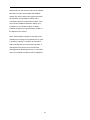
12.1 Organizing Service
When you enter to “Organizing Service” menu,
there will display the screen like below.
1.
Press [Green] key can open the “Options”
window like above.
2.
You can press[CH+/CH-] key to move
highlight and press [OK] key to confirm the
select mode.
1. You can move highlight by press[CH+/CH-]
3.
key and [OK] key to select the programs
which you want to edit.
Press [Menu] key to close “Options” List.
Move
2. You can press [Page Up/Page Down] key
1.
Select the channels which you want to edit
to implement the Page Up/Page Down
in channel list by press [OK] key or other
function.
select mode.
3. You can use [Red] key to switch different
2.
Group.
Then press [Right] key to move the
highlight to right toolbar.
4. You can press [Green] key to select the
3.
programs by different select mode.
Select Move icon by press[CH+/CH-] key
and [OK] key.
5. You can press [yellow] key to find the
4.
programs.
Move the channels to the position which
you want by press[CH+/CH-] key and press
[OK] key to confirm. Like the following
Groups
picture:
21
Lock
1
2
1.
Press [yellow] key can open the “Find”
window. You can press [Up/Down/left/right]
Select the channels which you want to edit in
channel list by press [OK] key or other select
key to move highlight and press [OK] key to
mode.
input the selected symbol or letter into the
dialogue.
Then press [Right] key to move the high light
2.
to right toolbar.
After input each character, the program list
3
Select Lock icon by press[CH+/CH-] key.
on the left will search the channel according
4
Lock the channel by press [OK] key. Like the
your input, and list the matched channel.
3.
following picture:
Move highlight to “OK” and press [OK] key
can close “Find” window and you can select
channel from the channels list directly.
12.2 Organizing Favourites
This menu is helpful in adding and deleting
services to and from the favorite group.
Delete
a) Select the channels which you want to
edit in channel list by press [OK] key or
other select mode.
b) Then press [Right] key to move the high
light to right toolbar.
c) Select Delete icon by press[CH+/CH-]
1
key.
FAV List
To choose the FAV group by press [blue] button.
d) Delete the channel by [CH+/CH-]key.
Add
Skip and rename
2
Follow the same way you can set the channel’s
To add services into favorites, mark the desired
Skip or give the new name for high light channel.
services by press [ok] button in Service List,
press [ ] button and than choose Add mode and
Find
press [OK] button.
3
Remove
To remove services from favorites, mark the
desired services by press [OK] button in
Favorite List, press [ ] button and than choose
Remove mode and press [OK] button.
4
22
Move
You can reorder and move the service to the
preferred position in Favorite List.
5
Rename
Select the desired FAV List by press [blue]
button, using [ , ] and[CH+/CH-]buttons to
choose Rename mode and press [OK] button to
12.3 Channel List
display keyboard, and rename it.
1
6
When you enter to “channel list” menu,
there will display the screen like below.
Group, Options and Find functions
Please refer to the “Organizing Services” part in
this manual.
2
Press [CH+/CH-] key to change the
different group. Which you can watch like
below.
3
Press [Red] key to display details
information for EPG Now.
23
4
Press [Green] key you can change the
move highlight and press [OK] key to confirm
current channel’s property, such as FAV/
you selection.
Lock/ Skip/ Delete/ Rename.
12.4
4.
1
Press [Yellow] key can open the “Find”
EPG
The Xfinder has an Electronic Program
Guide (EPG) to help you navigate channels
window like below.
through all the possible viewing options.
The EPG supplies information such as
channel listings and starting and ending
times for all available channels.
⑦
You can press[Channel Up/Channel
Down/Volume Up/Volume Down]key to
move highlight and press [OK] key to input
2
Press [Red] key can select the channels by
the selected symbol or letter into the
different group, such as by Favorite
dialogue.
/Satellite /Provider /CAS etc.
⑦ After input each character, the program list
on the left will search the channel
according your input, and list the matched
channel.
⑦ Move highlight to “OK” and press [OK] key
can close “Find” window and you can select
channel from the channels list directly.
3
Press [Green] key to select different display
5. Press [Blue] key can open the “Sort”
mode among Now EPG, Next EPG, More
window like below. There are five kinds of
and Schedule, like the following picture:
sorting ways. You can press [CH+/CH-] key to
24
12.5 Common Interface
We provide one CI slots (option, some model
has two slot) for user to use. Using different
CAM & cards provided by different CAS
operator, user can view many type or scrambled
channels.
We provide this menu to display the detail
information of the CAM & card inserted in the
slot. User can check all this information
according to the help message at the bottom of
each menu.
4
Note: All information showed in this menu and
submenu is abstract from CAM & card. In case
something is wrong, it may be the problem of
CAM or card.
When you insert the CAM correctly at any time, a
message will show in the screen to tell you that
which CAM has been detected by the Xfinder
and is available now.
CI Message
It is used to turn on or turn off the CI info display
Press [Yellow] key in EPG menu can set
one record timer or go to Timer List menu.
function by using [V-/V+]buttons or [OK] button to
select.
ON: To display the CI info.
OFF: Don’t display the CI info.
12.6 CA Setting
5
In EPG menu, when you select one event
by high light item, you can set this event to
record timer list directly by press [REC]
button.
6
In EPG menu, press [Exit] to close EPG
screen.
25
We provide one CA slots for user to use. Xfinder
has build in smart card module with CONAX
system. By using cards in this system provided
by operators, it is possible to watch many
scrambled channels coded in this system. This
menu shows detailed information about cord
inserted into cord reader module. It allows
inserted according to help messages visible on
the bottom of the screen.
Note: All information showed in this menu and
submenu are coming from inserted card. In case
if anything is wrong, it could be card problem.
After inserting the card correctly at any time, a
message-box will show on the screen with
message about detecting the card, in "card info"
menu all available information will be displayed.
26
13.1.2 MP3 Files
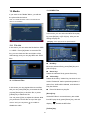
13. Media
if you enter to the "Media" Menu, you will see
the picture like the below:
Note: If no USB Hard Disk insert to the Xfinder this
menu is not available.
In this menu you can select the MP3 file to play
by press [OK] key or [PLAY] key. Also you can
setting the play list.
[Red] key: Show play list as the picture bellow:
13.1 File List
In this menu you can select the file list from USB
A USB B . Press [ok] button to enter the File
list. you can check the files and folders of the
USB storage, and you can play MP3 and JPEG
files.
●
Red Key:
Move the selected file by press [Red] key and
[CH+/CH-]key.
●
Green key:
Delete the selected file by press Green key.
●
Yellow Key:
Delete all the file by Yellow Key, but there is one
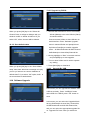
13.1.1 Record Files
remind “Delete All” before practical operation, if
select Yes, all file will be deleted, and close the
In this menu you can playback the record files,
Play list window.
and you can press [Red] key to rename the file,
●
or press [Green] key to lock the file, or press
Press OK button to play file.
[Green] key:
[Yellow] key to delete the file.
You can press [1] key to adjust the volume while
All the MP3 files in current directory are added
you preview the record file on top of the right
into MP3 play list by press [Green] key, and will
corner .and you can press
to enable or
display “
disable the audio.
”behind the MP3 files.
[Yellow] key:
27
To edit the files or folders in the USB storage.
press this button you can see the picture like the
below.
After begin to play MP3, it will show the MP3
play window.
Press “PAUSE” button to pause.. Press “PLAY”
●
Red
Key
button to play. Press “STOP” button to stop and
To rename the file or folder.
time return to 00:00.
Press “3” button to jump to the beginning of file
list if play is over 3 seconds; or jump to previous
file if play less than 3 seconds.
Press “4” button to go to the next file.
Press “FORWARD” button to forward 4S.
Press “BACKWARD” button to back 4S.
Jump to beginning or end if less than 4S to the
●
beginning or end of music file.
Green Key
Switch to the next file or stop playing by the
To copy the file or folder to other folder.
repeat mode when play is over on the current
file.
[0] key: To sort the file list by different order.
[2] key: To add mp3 or jpeg to play list.
13.1.3 Image Files
●
Yellow Key
To delete the file or folder from the disk.
●
Blue Key
To create a new folder in the disk.
Press [EXIT] key to draw back to ‘EDIT’ MENU
Press 'OK' button on the selected files to play
the files.
[Blue] key:
To setting the Repeat mode of the MP3 player.
28
●
Red Key:
You can preview the picture at the top right
Move the selected file by press Red key and
corner if the scroll bar is on the picture files
[CH+/CH-] key.
(JPG, BMP), and show the logo when at MP3
●
file.
Delete the selected file by press Green key.
Move scroll bar when press up/down key, page
●
up or down by page key.
Press Yellow Key, will delete all image files in
Go into sub-directory when press ok key in the
file directory, play the selected file when scroll
bar is on the file, automatic return USB menu
after play is over.
play list, but system will remind you “ Delete All ”
Green Key:
Yellow Key:
before practical operation, if you select Yes, all
file will be deleted and Play list window will be
closed.
White key:
●
In this menu to setting JPEG player.
Press OK button to play file
[Green] key:
All the Image files in current directory are added
into Image play list by Green key, and will
display “
”behind the Image files。
[Yellow] key:
To edit the files or folders in the USB storage .
like in MP3 menu. Include rename, copy, delete
[0] Key:
and create folder function. You can press
To sort the file list by press [0] button.
[VOL+/VOL-] key to previous menu.
[Red] Key:
[Blue] key
Show file play list. There will display “The type of
To preview the images. press this key you can
play list do not exist” if there are no any file.
see the picture like below.
Image view operation
Please see the below image operation menu if
Image function is selected.
29
13.1.4All
14.1.4Video
You can see the video files in this menu, it can
You can preview all files in this menu.
support .mpeg and .ts format file.and press
[play] key, you can preview the video at the top
right corner.
13.2 Storage Information
You can press [1] key to adjust the volume while
Press "OK" button to enter the HDD Information
you preview the video file,press [0]key to sort
menu like the below picture, in this menu you
the file list. and press
can see the details information about the HDD.
to enable or disable
the audio
●
Yellow key
To edit the files or folders. Include rename,
copy, delete and create folder function. You can
press [VOL+/VOL-] key to previous menu.
13.1.5.Software
If you want to format the HDD, press "yellow"
button to enter Format menu, then select the
File System between the "FAT" and the "NTFS",
Press "OK" Button to confirm.
If has software in current directory, you can
Note: If you format the HDD, all the files include
MP3, JPEG and the record files will be deleted
from the HDD.
press [Green] key to upgrade like below.
If you want change the path for recording files
and timeshift files, press “blue” button to enter
the DVR Set menu, then press OK button to set
the path on current select disc.
30
13.3 PVR Setting
In "USB Speed Test" Menu you can see the
Standard speed and your USB hard disk speed,
according this information you can know what
operation your disk can support.
13.5 Remove USB Device safely!
Use this menu you can remove the USB Device
safely.
1
Time Shift:
ON: Enable the Time Shift function.
14. System
OFF: Disable the Time Shift function.
2
When you enter to “System” menu, you will see
Timeshift to Record
a screen like below:
ON: Means when you press the [ ] Button to
record the program, it will merge the Timeshift
files and the record files.
OFF: Means when you record the program, it
just starts when you press [ ] button, not include
the Timeshift files.
3
Record Type
You can select the record type by press
[V-/V+]key
4
5
In “System” menu:
HDD sleep Time
1
Press [CH+/CH-]key to select menu pages
You can select the HDD sleep time by
among Information, Battery Information,
press [VOL+/VOL-] key. When the HDD is
Default Setting, Software Upgrade,
not in using mode, it will sleep after the time
Language, A/V Control, Network Local
which you select.
Setting, Time Setting, Timer, and
Jump Time
Constellation.
You can select the jump time by press
2
Press [OK] key to enter the selected item.
[VOL+/VOL-] key.
14.1 Information
13.4 USB Speed Test
31
14.3 Default Setting
1 When you enter to “Information” menu, you
will see a screen like above. The screen
displays: MODEL ID, S/W VERSION,H/W
VERSION,LOADER VERSION,LATEST
UPDATE, SN,,CHIP ID, PANEL VERSION.
2 Press [MENU] key to back to “Information”
menu.
14.2 Battery Information
14.3.1 Default Value:
When you enter to “Battery Information” menu,
you will see a screen like below:
When you press [OK] key in the “Default
1.Battery Capacity: Display percent of remaining
Setting” item:
battery capacity , If Battery is change up, display
1 There will pop a dialogue for you to enter
"change up".
the password, and the default password is
2.Battery Display: You can press[VOL+/VOL-]
“0000”.
keys to switch On / Off. If selecte on, it will
2 After you input the correct password, there
display percent of remaining battery capacity in
will show a warning message to inquiry you
full screen.
“The operation will load default and erase
3.Low Capacity Warning: You can press
all the channels that user added,
[VOL+/VOL-] keys to switch it between On and
continue?”.
Off. If select on, when battery capacity is less
3 If you select “OK” option, the all revised
than 10%, the screen will pop a reminding
parameters of the Xfinder will reset to
message that “battery low capacity ”.
default value. Please carefully to using this
4. Press [MENU] key to draw back from “Battery
function.
Information” menu.
4 In step 1 and step 2, press[Exit]key can
draw back from this item and without
saving.
14.3.2 Delete All Channel:
32
13.4.1 Upgrade by RS232:
When you press [OK] key in the “Delete All
1 We offer the functions for user to connecting
Channel” item, it will pop a dialogue ask you
Xfinder (Master) to the other Xfinder (Slave)
whether confirm to delete all channel. If you
via serial interface.
select “OK”, all the channel will be deleted.
Connect master Xfinder to slave Xfinder via
serial interface. Enter “Software Upgrade”
14.3.3 Save default value
menu in master Xfinder and press[Volume
Up/Volume Down]keys to switch upgrade
mode: All SW+bootloader /All SW+Channel
list/Software(no channel list)/Channel list.
2 Moving highlight to “Start” on master reeciver
and press[OK]key to start upgrade.
3 Turn on slave Xfinder and it needn’t operate
any setting.
4 Press [MENU]key to draw back.
When you press [OK] key in the “Save default
13.4.2
value” item,there will show a message to inquiry
Upgrade By USB
you"Do you want to set current database as
default data?".If you select “OK” option,it will
to
set current data as default data
14.4 Software Upgrade
In this menu you can upgrade the software from
USB conveniently, Press “Left/Right” button
select USB A or USB B; press ' OK ' button to
enter.
In this menu you can select the Upgrade Mode
among Software(No channel list), Channel list,
All SW+bootloader and All SW+Channel list,
and you can select the appropriate upgrade file
on "Upgrade File" item. After you select the
33
"Upgrade Mode" and "Upgrade File", press ' OK
When connected to the Internet, Xfinder can
' button on "Start" item, the Xfinder can upgrade
make software update from file from FTP server.
automaticlly.
NOTE:
Note:
This function depends on connection with
You must put the upgrade file on the /ROOT
external server. In case of no software on
DIRECTORY of the USB storage.
server, this function will not work.
13.4.3 Backup to USB
In this menu ,you can dump the software to the
USB equipment
1.In "Backup file",you can press [OK] key to
14.5 Language
edit the file name.; Press “Left/Right” button
When you enter to “Language” menu, you will
select USB A or USB B;
see the screen like below:
2.In "Backup to USB", you can press [OK] to
start backup software .
13.4.4 Http Upgrade
1
Language: press [Volume Up/ Volume
Down] key to select menu languages, the
selections of languages include: English,
1. When connected to the Internet, Xfinder can
French, German, Russian, Arabic,
manually or automatically make software update
Portuguese, Turkish, Spanish, Polish,
from file from server.
Italian etc.
Note:
2
This function depends on connection with
First Audio: Some channels have more
than one audio language for choosing; by
external server. In case of no software on
this function you can set the first audio for
server, this function will not work.
this channel. If the playing channel has the
same audio as the “First Audio” you set,
13.4.5 FTP Upgrade
system will play this audio language as
default. If the channel hasn’t the suited
audio language, then the system will
compare automatically with second audio
language. The selections of audio
languages include: English, French,
German, Russian, Arabic, Portuguese,
Turkish, Spanish, Polish and Italian.
34
3
4
Second Audio: If the channel has no
to press [V.Format] Key under Full Screen
correspond audio with “First Audio” but
and their last setting saving will be efficient
have corresponded audio with “Second
for each others. By Source means system
Audio”, system will play the second audio
will set the video output resolution
language as default. If no audio language
according to the program it’s playing,
corresponds with the “Second Audio”, then
different resolution programs switching
the default language of current channel will
perhaps will makes TV screen flickering. By
be played automatically. The selections of
Native TV means system will be according
audio languages include: English, French,
to the HDMI TV’s max supported resolution
German, Russian, Arabic, Portuguese,
to set its resolution, if system is not
Turkish, Spanish, Polish and Italian.
connected to a HMDI TV, it will set
Audio Priority: Press
resolution to be default
[VOL+/VOL-] key to
⑦ Aspect Mode is for switching the screen
select Dolby or Language.
5
6
7
8
EPG: Press [VOL+/VOL-] key can select
aspect ratio mode. Now we provide below
EPG language.
options:
Subtitle Language: Press [VOL+/VOL-] key
can press [Left/Right] key to select each
can select subtitle language.
mode circularly. 16:9 will provide user pillar
Teletext: You can set teletext language. If
box mode it means user use 16:9 TV to
the streams have this language you can
display but need to see a 4:3 full display
see the teletext in language you set.
picture. System will force press wide
Press [Exit] key to draw back from
screen picture to be narrow and there’re
“Language” menu.
black band on left and right site. Auto
4:3 PS / 4:3 LB / 16:9/Auto. You
14.6 A/V Control
means system won’t do any aspect ration
When you enter to “TV System” menu, you will
translation, 16:9 picture source will be good
see the screen like below:
display on a 16:9 TV but will be too narrow
on a 4:3 TV, and 4:3 picture source will be
too wide in a 16:9 TV but will be good
display in a 4:3 TV.
⑦ Video Output: Press [VOL+/VOL-] to select
RGB or CVBS.
⑦ Digital Audio Out is for setting the both
SPDIF and HDMI’s digital audio output
mode, it has options LPCM Out, Auto, You
⑦ Display Mode is for switching the system
can press [VOL+/VOL-] Key to select each
outputting video resolution. Move highlight
mode circularity. LPCM Out means system
on it and press left or right key, it will switch
will decode no matter AC3 or PCM audio
video resolution circularly by the sequence
track data to be LPCM, digital audio
“Auto-> By Native TV-> 720P_50>
decoder or HDMI TV will get LPCM digital
720P_60-> 1080i_50-> 1080i_60->
audio data. Auto means system will detect
1080p_50->1080p_60””. This effect is equal
35
which the connected HDMI TV can decode
press [Volume Up / Volume Down] keys to
and then output that data. If HDMI TV can
switch “GMT Offset” value, and the range is
decode AC3, system just output RAW data,
“-12:00 ~ +12:00”, increase each half hour
if HDMI TV can decode LPCM only, system
progressively.
⑦ You can press [Left/Right] to control
will just decode AC3 or LPCM to be LPCM
Summer time on or off.
and then output.
⑦ “Date” and “Time” items are valid only when
⑦ Press [exit] key to draw back from “A/V
the setting of “GMT Usage” is “No”. You can
Control” menu.
14.7 Network Local Setting
press [Volume Up / Volume Down] keys to
moving highlight and use number keys to
input directly.
If the current channel provides the correct
time information, you will see the current
time while you enter “Time” menu. If the
channel doesn’t provide time information,
you have to input the date and time
information manually.
1. In this menu you may assign a dynamic IP
⑦ Press [exit] key to draw back from “Local
address to the digital Xfinder. To do so, select
Time Setting” Menu.
the DHCP On.
2. If you have a static IP address, unselect the
14.9 Timer
DHCP Enable, then the IP Address, Subnet
Press [enter] key to open timer menu.
Mask, Gateway and DNS options become
enabled. You have to set these options
⑦ Current time information will display on the
according to your IP address.
first column; if the current time is incorrect,
14.8 Time Setting
please modify the time information in “Time”
When you enter to “Local Time Setting” menu,
item.
⑦ Timer Number: You can press [Volume Up /
you will see the screen like below:
Volume Down] keys to set Timer number,
and there are 8 timers in total.
⑦ Timer Mode: There are several modes for
Timer to setting, include Off, Once, Daily,
Weekly, Monthly and Yearly.
⑦ Timer Service: There are two options for
“Timer Service”, include “TV Channel” and
⑦ GMT Usage: This item is use for open the
“Radio Channel” (timer setting for channel
usage of GMT. You can press [Volume Up /
change and Wakeup/Sleep) and "Record
Volume Down] keys to switch “On/Off”.
Radio" and "Record TV" (Timer setting for
⑦ The “GMT Offset” item is valid only when the
Record the TV or Radio program to USB
setting of “GMT Usage” is “Yes”. You can
36
vii. On Time: use number keys to input your
Hard Disk) and Message (reminding
wakeup time. Once the time’s up, no matter
message).
what the system is in standby mode or in
⑦ When you select “Channel” (timer setting for
channel change and Wakeup/Sleep) option
playing mode, the system will automatically
in “Timer Service”, the screen will display like
pop a reminding message.
viii. The message will always display on the
below:
screen, you can press [Exit] key to close it.
Press [exit] key to exit the current menu.
14.10 Constellation
When you enter to “Constellation” menu, you will
see the screen like below: It show the picture of
constellation.
DVB-S Constellation
i.
Channel: press [OK] key to enter
channel list and select channel that
you want to setting.
ii.
Date: use number keys to input your
wakeup date.
iii. On Time: use number keys to input your
wakeup time. Once the time’s up, no matter
what the system is in standby mode or in
DVB-S2 Constellation
playing mode, the system will automatically
switch to the channel you want and start to
play.
iv. Duration: After you set a time for “Duration”
item, once the time’s up, the system will
automatically switch to standby mode. If
you want not work this function, set the
duration is 00:00.
Note:If current TP has not signal, it will show
ruleless white dot. And the stronger the signal,
the higher the concentration of white spots.
⑦ When you select “Message” (reminding
message) option in “Timer Service”, the
v.
screen will display like below:
22 k
Wakeup Message: press [Volume Up /
You can use [red] key to switch “on/ off”. When
Volume Down] key to select reminding
this item is switched to “ON”, Xfinder will receive
message as Birthday, Anniversary and
TV and radio input signal from 22K port. If the
General.
item is switched to “Off”, the Xfinder will receive
vi. Date, you can use number key to input your
all signals from 0K port.
wakeup date.
DisEqc Setting
37
Press [green] key enter “DisEqc Setting” Menu,
15.1 Time Shift
you will see the screen like below:
If you connect the USB HDD, and enable the
Time Shift function in the menu "Main Menu/
Media/ PVR Setting/Time Shift",
It will start the Time Shift function automatically
after you switch the program, and when you
press the "
" button the Time Shift info bar will
displayed as the following picture:
1.DiSEqC1.0: You can use[Volume Up/ Volume
Down]key to switch options. There are several
options for your selection:
b) Disable: without DiSEqC.
c) 1/2, 2/2: two ports DiSEqC
c)1/4, 2/4, 3/4, 4/4: 4 ports DiSEqC
1
2.DiSEqC1.0: You can use[Volume Up/ Volume
You can press "
" button to pause the
video, and can save the picture to flash by
Down]key to switch options. There are several
press "P+ " button when the video is
options for your selection:
paused.
a) Disable: without DiSEqC.
2
b)1/8, 2/8… 8/8: 8 ports DiSEqC
You can press "
" or "
" button to Fast
Backward or Fast Forward.
c)1/16, 2/16….16/16: 16 ports DiSEqC
3
Frequency
You can press "
" or "
" button to Slow
Backward or Slow Forward.
You can input number keys to the Frequency,
4
The available range are “3000~13450 MHz”
Press “left" or "right" button to jump to
different position, then press "OK" button to
Symbol Rate
confirm.
You can input number keys to set the Symbol
5
Rate, the available range are
Press " " button to exit the playback.
15.2 Record
“1000~45000Ks/s”
Polarity
If you connect the USB HDD. you can press " "
In “Polarity” item, press [Left/ Right] key to select
button to start record function, as following
Horizontal or Vertical”.
picture:
Start
Press [ok] key to start to draw the Constellation.
15. New Features
38
⑦
Press "
" button to display the record info
bar when you recording.
⑦
Press "
" button again to setting the
record time.
⑦
You can press "
" button to pause the
video, and can save the picture to flash by
press "P+ " button when the video is
paused.
⑦
You can press "
" or "
" button to Fast
Backward or Fast Forward.
⑦
Press “left" or "right" button to jump to
different position, then press "OK" button to
confirm.
⑦
Press " " button to stop the recording.
39
16. Trouble Shooting
If you suspect there is a fault with your Xfinder, please check the following trouble shooting guide
before calling authorized service agent.
Warning! Under no circumstances attempt to repair the Xfinder yourself. Tampering with the Xfinder
may result in fatal electric shock and will invalidate your warranty.
Symptom
Possible cause
Settings you made in the
menu have not change
The Xfinder lost power before being able to enter into standby
mode
Some of the Settings saved by user can be deleted partly or fully
The level of signal is weak
LNB is out of order
The cable from the LNB or Terrestrial is incorrectly Connected
(short circuit or open circuit)
The position of dish is aligned incorrectly
No signal
Xfinder is on but no picture or
sound except the following
messages (NO TV program)
Xfinder not responding to
remote control unit
Poor picture Quality
No sound
Channel is not available
Channel is scramble
RCU batteries are dead or inserted incorrectly
The RCU is pointing toward wrong direction
The level of Signal strength is low
The cable is connected incorrectly
The Volume level is low
Muting function is active
No display on the VFD Display
Panel
The power cord is not plugged in correctly.
No picture on the screen
Xfinder is in Standby mode
RCA Jack or cable is not connected firmly to the video output port
of television
Incorrect channel or video output is selected on television
Brightness level of your TV set is incorrectly defined
40
17. Specifications
SYSTEM RESOURCES
Main Processor
Flash Memory
DDR SDRAM
Tuner/Front-end
Tuner Type
Input Connector
Loop Through
Frequency Range
Signal Level
LNB Power & Polarization
22KHz Tone
DiSEqC Control
Demodulation
Input Symbol Rate
Tuner Type
400M Hz based CPU
64M Bits
1024Mbits
DVB-S / DVB-S2
F-type, Connector, Female
F-type, Connector, Female
950 MHz ~ 2150 MHz
-65 to -25 dBm
Vertical: +13V
Horizontal: +18V
Current: Max. 300mA
Overload Protection
Frequency: 22±1KHz
Amplitude: 0.6±0.2V
Version 1.0, 1.1 1.2, USALS Available
QPSK, 8PSK
2-45 Mbps, Convolution Code Rate
1/2, 2/3, 3/4, 5/6, 7/8, 1/4, 1/3, 2/5, 3/5, 4/5, 8/9, 9/10 and
Auto
Input Connector
DVB-T/DVB-T2
IEC-Type, Connector, Female
Loop Through
Signal Level
IEC-Type, Connector, Male
Nordig Compliant DBOOK Compliant
Forward Error Correction (FEC)
DVB-T: Viterbi + Reed Solomon 1/2, 2/3, 3/4, 5/6, 7/8.
DVB-T2: LPDC + BCH 1/2, 3/5, 2/3, 3/4, 5/6.
Input Frequency
Constellation
47-862MHz
QPSK, 16-QAM, 64-QAM, 256-QAM
Both rotated and non-rotated
Guard Interval
FFT Mode
1/4, 19/256, 1/8, 19/128, 1/16, 1/32, 1/128
1k, 2k, 4k, 8k normal and extended, 16k normal and
extended, 32k normal and extended.
Channel Bandwidth
Antenna power output
Demodulation
6 / 7/ 8 MHz
5V/50mA max
COFDM 2K/8K
Number of carriers
FEC Decoder
1705/6817
1/4, 2/3, 3/4, 5/6, 7/8, k=7
Tuner Type
DVB-C
Input Connector
IEC-Type, Connector, Female
Loop Through
Frequency Range
IEC-Type, Connector, Male
47-862MHZ
Signal Level
"-20dBMV to +20dBMV"
41
Bandwidth
8MHZ
Demodulation
Constellations
QAM
8,16,32,64,128,256
Input Symbol Rate
1.5 - 7 Ms/s
POWER SUPPLY
Input Voltage Adapter
Power Consumption
Power charger output
Battery
Battery charging time
Battery standard discharging
time
Free Voltage (100~240V AC, 50/60Hz)
20W MAX
14.5V DC 4.0A
11.1 V/5.5 AH
3.5H
6~7H
MPEG TS A/V Decoding
Transport Stream
Input Rate
Aspect Radio
Video Decoding
Video Resolution
Audio Decoding
Audio Mode
Sampling Rate
A/V & DATA INPUT/OUTPUT
A/V
IN/OUT
RS-232C
Audio output
RJ-45
USB
U disk
HDMI
MPEG-2, H.264
Max.120Mbit/s
4:3, 16:9, Letter Box
MPEG-2, MP@ML, MPEG-4 part 10/H264
720*480P/I, 720*576P/I,1280*720P,1920*1080I,
1920*1080P
MEPG-1 layer I/II, Mpeg2 layer II, Dolby digital, Dolby digital
plus
Left / Right / Stereo/ Mono
32, 44.1 and 48KHz
Video CVBS input/output
Audio L/R input/output
Transfer rate 115.2Kbps
3.5mm”Phone Jack Type
Built-in speakers
10M/100M
One USB 2.0 slot Compatible for Host
2G Bytes
VER1.3
Type A
PHYSICAL SPECIFICATION
LED display
Size[W*H*D]
Net Weight
Operation Temperature
Storage Temperature
Storage Humidity
7 inch
242mmX 160mmX46mm
<2.0KG
0 ~+45
-10 ~+70
5%~95% RH (Non-Condensing)
42