1
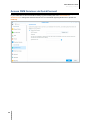
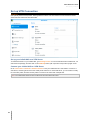
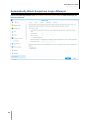
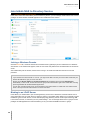
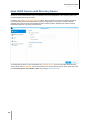
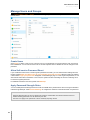
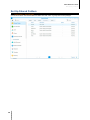
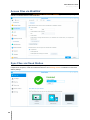
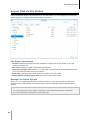
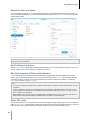
ioSafe NAS User's Guide Based Synology on DSM 5.0 Set Up Port Forwarding Rules for Router If your IoSafe NAS is within the local network, you can set up port forwarding rules for the router to allow your IoSafe NAS to be accessible over the Internet. Note: Before you start, make sure you have manually assigned a static IP address for your IoSafe NAS. See "Network Interface" for more information. Go to Control Panel > External Access > Router Configuration to set up your router and port forwarding rules. For more detailed instructions, please see DSM Help. Note: To configure port forwarding rules and assign static IP address, you must have the administrative permission to the router. Set up Router Before adding port forwarding rules with DSM, you need to set up IoSafe NAS device’s connection to the router. To begin, please click the Set up router button. Add Port Forwarding Rules Add port forwarding rules to specify the destination ports of your IoSafe NAS that will receive packages from specific router ports. Click Create to start creating port forwarding rules. Register DDNS for the IoSafe NAS DDNS (Dynamic Domain Name Service) simplifies connecting to your IoSafe NAS over the Internet by mapping a hostname to its IP address. For example, DDNS allows you to access your IoSafe NAS using a domain name (e.g. www.john.synology.me), with no need to remember an IP address (e.g. 172.16.254.1). Service Requirement The servers of the DDNS service provider are working normally. The IoSafe NAS is able to connect to the Internet. DDNS will only run in a network environment where there is no proxy server required. You can only enter one hostname for each DDNS provider. Register a DDNS hostname for IoSafe NAS Go to Control Panel > External Access > DDNS. You can point an existing hostname at the IP address of your IoSafe NAS, or register for a new one provided by Synology or several other DDNS providers. Please consult each provider for more details regarding hostname registration. 29