1
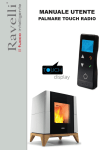
USER MANUAL
HANDHELD TOUCH RADIO
User’s manual HANDHELD TOUCH RADIO
Vers. 01 of:07.04.14
Pag.3
CONTENTS
Stove model:
Stove serial number:
Date of installation:
Support reference data:
Telephone number:
Introduction.........................................................................................................................................................
Pag. 5
Safety information................................................................................................................................................
Pag. 6
General information.............................................................................................................................................
What are wooden pellets?......................................................................................................................................................................
How is a stove made?............................................................................................................................................................................
Combustion.............................................................................................................................................................................................
Safety devices.........................................................................................................................................................................................
Technical standards and Directives.........................................................................................................................................................
Pag. 7
Pag. 7
Pag. 7
Pag. 8
Pag. 8
Pag. 8
Stove installation.................................................................................................................................................
Advice for installation..............................................................................................................................................................................
Approved installations.............................................................................................................................................................................
System compatibility check.....................................................................................................................................................................
Air vent....................................................................................................................................................................................................
Fume duct and fittings.............................................................................................................................................................................
Flue........................................................................................................................................................................................................
Flue dataplate........................................................................................................................................................................................
Chimney terminal (UNI 7129/08)............................................................................................................................................................
Testing and commissioning...................................................................................................................................................................
Additional documentation and informations for the user......................................................................................................................
Maintenance frequency...........................................................................................................................................................................
Examples of installation of a pellet stove/thermo-stove/ boiler...............................................................................................................
Examples of installation of a pellet stove/thermostove/ insert................................................................................................................
Pag. 9
Pag. 9
Pag. 9
Pag. 9
Pag. 9
Pag. 10
Pag. 10
Pag. 10
Pag. 11
Pag. 12
Pag. 12
Pag. 13
Pag. 15
Pag. 18
Preliminary operations........................................................................................................................................
Wiring......................................................................................................................................................................................................
What to check befor turning on the stove..........................................................................................................................................
How to load the pellets...........................................................................................................................................................................
Description of the handheld touch radio............................................................................................................................................
How to insert the batteries in the handheld touch radio...........................................................................................................................
Handheld touch radio initialization...........................................................................................................................................................
Description of the display.............................................................................................................................................................
Time and date setting.............................................................................................................................................................................
Loading the auger....................................................................................................................................................................................
Setting operating temperature and power............................................................................................................................................
Pag. 19
Pag. 19
Pag. 19
Pag. 19
Pag. 19
Pag. 19
Pag. 20
Pag. 20
Pag. 21
Pag. 22
Pag. 22
Turning the device on...............................................................................................................................
Sequence of ignition phases..................................................................................................................................................................
What happens if the batteries are empty?..............................................................................................................................................
Pag. 22
Pag. 22
Pag. 22
Operating phases of the appliance..............................................................................................................
Modulation...............................................................................................................................................................................................
Comfort climate.......................................................................................................................................................................................
Description of menu functions.......................................................................................................................
Chronothermostat..................................................................................................................................................................................
AIR / PELLETS setting............................................................................................................................................................................
Stove status.........................................................................................................................................................................................
Pag. 23
Pag. 23
Pag. 23
Settings
Enable thermostat.............................................................................................................................................................................
Contrast...........................................................................................................................................................................................
Version fw........................................................................................................................................................................................ Language..........................................................................................................................................................................................
Ventilation..............................................................................................................................................................................................
Control..............................................................................................................................................................................................
Chrono function.................................................................................................................................................................................
Single ducting........................................................................................................................................................................................
Management...........................................................................................................................................................................................
Ventilation (manual control)...................................................................................................................................................................
Temperature (automatic control)............................................................................................................................................. Cubic capacity........................................................................................................................................................................................
Displaying the state of the single ducting sys.....................................................................................................................................
Double ducting system............................................................................................................................................................................
Recipe ............................................................................................................................................................................................ Ventilation (manual control)...............................................................................................................................................................
Temperatures (automatic control)......................................................................................................................................................
Cubic capacity...................................................................................................................................................................................
Displaying the state of the single ducting system.............................................................................................................................
Pag. 24
Pag. 24
Pag. 25
Pag. 26
Pag. 26
Pag. 27
Pag. 27
Pag. 27
Pag. 28
Pag. 28
Pag. 28
Pag. 29
Pag. 29
Pag. 29
Pag. 30
Pag. 30
Pag. 31
Pag. 32
Pag. 32
Pag. 32
Pag. 33
Pag. 34
Pag. 34
User’s manual HANDHELD TOUCH RADIO
Vers. 01 of:07.04.14
Contents
Pag.4
Indice
Stove phase synthetical layout.......................................................................................................................
Pag. 35
Warning Pop-Up.............................................................................................................................
Pag. 36
Alarms (table with reference codes).................................................................................................................
Pag. 37
Cleaning should be provided by the user...........................................................................................................
Pag. 38
Pag. 38
Pag. 38
Pag. 38
Pag. 39
Pag. 39
Pag. 39
Cleaning the surfaces............................................................................................................................................................................
Grate cleaning should be carried out before each switch on.................................................................................................................
Cleaning the ash pan....................................................................................................................................................................
Cleaning glass......................................................................................................................................................................................
Manual activation of tube bundle cleaning....................................................................................................................
Cleaning the internal vermiculite (Firex 600)........................................................................................................................................
Warranty..............................................................................................................................................................
Warranty Certificate................................................................................................................................................................................
Warranty conditions............................................................................................................................................................................
Info and Troubleshooting..................................................................................................................................
Mother board wiring diagram..........................................................................................................................
Mother board wiring diagram (mod. BLOW).................................................................................................
Mother board wiring diagram (models 2015).....................................................................................................
Gas boiler contact (optional).............................................................................................................................
Home automation (optional)...............................................................................................................................
User’s manual HANDHELD TOUCH RADIO
Warning:
We recommend you carefully read this booklet, which describes all the necessary phases for perfect functioning of your stove.
Note:
The standards relevant to the installation and functioning contained in this manual can differ based on local standards in force. In this
case, always comply with the indications of the local competent authorities. The drawings in this manual are indicative, not to scale.
Information:
The packaging we have used offers good protection against any damage due to transport. In any case, check the stove immediately
after delivery; in the event of possible visual damage, immediately inform your Ravelli srl dealer.
Description of the User and Maintenance Manual:
With this User and Maintenance Manual, the company Ravelli srl wishes to provide the user with all the information on safe use of the
stove, to avoid damage to people or property or parts of the stove.
Please carefully read this manual before use and any intervention on the product.
Pag. 40
Warnings:
Pag. 44
Pag. 44
Pag.5
Introduction
Pag. 40
Pag. 40
Pag. 40
Pag. 41
Pag. 42
Pag. 43
Vers. 01 of:07.04.14
Ravelli srl stoves are manufactured while paying particular attention to each component, to protect both the user and the installer from the
danger of possible accidents. We recommend authorised staff pay particular attention to electrical connections after each intervention on
the product.
Installation must be carried out by authorised staff, who must issue the customer with a declaration of conformity for the system,
while taking full responsibility for final installation and the resulting good functioning of the product installed. It is necessary to
keep in consideration all national, regional, provincial and municipal laws and standards for the country in which the equipment
is installed. There is no liability on the part of Ravelli S.R.L. in the event of non-compliance with these precautions.
This user’s manual forms an integral part of the product: ensure that it is always with the stove, also in the case of transfer to another owner
or use or transfer to another location. In the event it is damaged or lost, ask technical support for a copy.
This stove is intended exclusively for the use for which it was specifically manufactured. Do not use the equipment as an incinerator or in
any other way other than for what it was intended. The manufacturer is excluded from any contractual or out of contract responsibility for
damage caused to people, animals or property, errors during installation, regulation and maintenance and improper use. No other fuel other
than pellets can be used. Do not use combustible liquids.
Having removed the packaging, ensure the integrity and completeness of the content.
All the electrical components forming the stove should be replaced exclusively by an authorised technical support centre using original
pieces. Stove maintenance must be carried out at least once a year and scheduled in advance with the technical support service.
Do not carry out any unauthorised changes to the equipment.
For safety purposes, remember:
- This appliance is not intended for use by persons (including children) with reduced physical, sensory or mental capabilities, or lack of
experience
and knowledge, unless they have been given supervision or instruction concerning use of the appliance by a person responsible
for their safety. The children should be supervised to make sure they do not play with the device.
- contact with the stove is not recommended if you are in your bare feet or with parts of your body wet;
- it is forbidden to change the safety or regulation devices without the authorisation or without the instruction of Ravelli srl.
- it is prohibited appliance installation in small rooms, bedrooms, rooms with explosive atmospheres etc..
- we do not recommend loading pellets directly into the brazier before switching on the stove;
- before connecting the appliance make sure the water mains pressure is below 3 bars;
- the appliance works exclusively on wooden pellets; do not use the stove with other type of fuel.
The technician carrying out the installation must inform the user that:
1. In the event of water leakage, close the water supply and promptly inform the technical support service.
2. The operating pressure of the system must be periodically checked. Should the stove be inactive for prolonged periods:
we recommend you contact the technical support service to carry out the following operations:
- turn off taps on the heating and sanitary systems;
- empty the heating and sanitary system if there is a risk of freezing.
When the stove is functioning, it can reach very hot to touch temperatures, especially on the external surfaces: operate with care to avoid
burns.
The stove was designed to function in any climatic condition; in the event of particularly adverse conditions (wind, frost) the
safety systems could intervene and switch off the stove.
If this occurs, urgently contact the technical support service and, in any case, doe not disable the safety systems.
User’s manual HANDHELD TOUCH RADIO
Vers. 01 of:07.04.14
User’s manual HANDHELD TOUCH RADIO
Pag.6
Safety information
The stove must be installed and inspected by specialist staff trained by head office. Please carefully read this user and maintenance
manual before installing and operating the stove. If you require further clarification, contact your nearest Ravelli srl dealer.
The stove must be located indoors, never outdoors. Because it is controlied by an electronic board, it enables completely automatic and
uncontrolled combustion: in fact, the control panel regulates activation, the 5 power levels
and switch off phase, guaranteeing safe functioning.
Most of the hot ash falls into a pan via the basket used for pellet combustion. Check
check, on a daily basis, if the basket is clean, because not all pellets are of the highest quality and they can leave residues which are
difficult to remove.
The glass is equipped with a special air wash for self-cleaning: yet, it is impossible to avoid a slight yellowish film on the glass after
some hours of functioning.
As already mentioned previously, the stove should be powered with pellets with diameter of 6 mm, but it can also operate with pellets
with different diameter: in this case, contact your Ravelli dealer for technical advice.
•
•
•
•
•
•
•
•
•
•
•
•
•
•
Prepare the installation location of the stove according to local, national and European regulations.
The stove must only be powered using high quality pellets with a diameter of 6 mm as described in the dedicated chapter.
The stove cannot burn traditional wood.
It is forbidden to use the stove as an incinerator. DANGER OF FIRE!!!
Installation, electrical connection, verification of functioning and maintenance must be carried out by qualified and authorised staff.
Improper installation or poor maintenance (non-conformity with what is reported in the following booklet) may cause damage to people or property. In this condition, RAVELLI SRL is released from all civil or criminal liability.
Before connecting the stove to electrical power, the connection of the discharge tubes (specifically for pellet stoves, not in aluminium) with the flue must be complete.
The protection grid placed inside the pellet tank must never be removed.
There must be a sufficient exchange of air in the room in which the stove is installed.
Never open the door of the stove when functioning. DANGER OF FIRE!!!
It is forbidden to operate the stove with the door open or with the glass broken. DANGER OF FIRE!!!
When the stove is working, the surfaces, the glass, the handle and the tubes are very hot: during functioning these parts can only be
touched using adequate protective equipment.
Do not switch on the stove without firstly carrying out a daily inspection as described in the MAINTENANCE chapter of this
manual.
Do not dry washing on the stove. Any washing lines or similar must be kept an appropriate distance from the stove. DANGER OF FIRE!!!
Scrupulously follow the maintenance schedule.
Do not switch off the stove by disconnecting the electrical mains.
Do not clean the stove until the structure and ash are completely cold.
Carry out all operations in a completely safe and calm manner.
What are wood pellets?
Pellets are composed of woodchip and sawdust produced in joineries. The material used cannot contain any foreign substances such as
glue, lacquer or synthetic substances.
The wood is pressed using a perforated matrix: due to the high pressure the sawdust heats to activate the natural binders in the
wood; in this way, the pellet maintains its shape, also without adding artificial substances. The density of the wood pellets varies
based on the type of wood and can exceed 1.5 - 2 times that of natural wood.
The cylindrical sticks have a diameter of 4 - 10 mm. and a variable width between 10 and 30 mm.
Length
Diameter
Real weight
Heat power
Residual humidity
Ash
Specific weight
:
:
:
:
:
:
:
approx. 10 - 30 mm
approx. 4 - 10 mm
approx. 650 Kg/m³
approx. 4.9 kWh/Kg
approx. 6 - 12 %
<1.5%
>1.0 Kg/dm³
Pellets must be transported and stored in dry places. On contact with humidity they swell, becoming unusable: therefore it is necessary
to protect them from humidity both during transport and storage.
Ravelli srl recommends a pellet with a diameter equal to 6 mm. If you wish to use a pellet type with a different diameter contact the support centre to carry out the due regulations on the stove.
Excerpt from the DIN PLUS standard:
This standard requires that the pellet is produced with starting material “virgin wood” free of contaminants (glues, paints, preserva
-tives). Manufacturing, however, alloews the use of vegetable non-chemically modified thermal agglutinating agents such as wheat
flour, rye or starch, which cannot however exceed 2% of the product.
The pellets can be light or dark, usually packed in bags bearing the manufacturer’s name, the main features and the marking of
DIN Plus standard.
How is a stove made?
Responsibilities
1
Pellet tank cover
2
Design coating
3
Pellet tank
4
Pelelt infeed screw
9
5
Smoke extractor
6
Pellet gear motor
3
10
7
Air intake duct with flow
meter
4
11
8
Hot air output grid
5
12
9
Vermiculite
10
Front door
6
13
11
Ignition resistance
12
Cast iron brazier
13
Fume duct
14
Stove base
15
Air intake duct with flow
meter
By handing over to the end user this manual, Ravelli srl denies all liability, both civil and criminal, for accidents arising from non-compliance with instructions contained in it.
Ravelli srl denies all liability deriving from improper use of the stove, from incorrect use by the user, from unauthorised changes and/or
repairs and from use of non-original spare parts.
The manufacturer declines all direct and indirect civil and criminal liability due to:
- poor maintenance
- non-compliance with the instructions contained in this manual
- use not complying with safety directives
- installation not complying with the standards in force in the country
- installation by unqualified and untrained staff
- changes and repairs unauthorised by the manufacturer
- use of non-original spare parts
- exceptional events
1
8
2
Spare parts
Exclusively use original spare parts. Do not wait for the components to deteriorate before replacing them. Replace a worn component
before it is completely broken to prevent any accidents due to sudden breakage of the components. Carry out periodic maintenance
controls as described in the dedicated chapter
Pag.7
General information
NOTE
•
•
Vers. 01 of:07.04.14
7
14
User’s manual HANDHELD TOUCH RADIO
Vers. 01 of:07.04.14
Pag.8
Combustion
Combustion is nothing more than a chemical reaction in which two agents, called the fuel and the oxidizing agent, combine to produce a
new substance. A considerable amount of heat is also produced from this reaction (concept of pellet stove functioning).
To facilitate the aforementioned expression, we can take into consideration this practical diagram called the “combustion triangle”; it
consists of three elements which are necessary to produce a combustion reaction. These three elements are:
OX
YG
AT
HE
EN
User’s manual HANDHELD TOUCH RADIO
• fuel (pellets)
• oxidizing agent (oxygen in air)
• trigger (electrical resistor on switch on)
FUEL
The fuel and the oxidizing agent must be in adequate proportions because combustion is restricted to the so-called “inflammability field”.
The reaction between the fuel and the oxidizing agent is not spontaneous, but occurs using an external trigger. The trigger can be represented for example by a heat source or a spark. The trigger represents the ignition energy necessary for the reagent molecules to start
the reaction and must be provided externally (electrical resistor on switch on). Then, the energy released by the reaction makes selfsustainment possible.
Three types of combustion are reported below, the correct one is reported in Figure 3:
Vers. 01 of:07.04.14
Pag.9
Stove installation
Advice for installation
Because of the frequent accidents caused by the malfunctioning of the flues in residential buildings, this chapter has been draftet
in collaboration with Assocosma (association of stove/sweepping technicians and specialists of the field) in order to facilitate the
installer to build a system able to evacuate fumes in accordance with the regulations in force.
- Marking standard Directive CE 89/106 D.P.R. 246 regarding the exclusive use of CE certified material;
- UNI 10683/2012 for the installation of a biomass fire box;
- UNI/TS 11278 regarding the selection of material (only for pellet stoves different than V2)
- UNI 10845:2000 (standard regarding gas use regulations) for piping and the relative check of skylight well (material used, wear
condition, etc.) and safety distances to be observed from flammable materials;
- UNI 10847:2000 Flue systems for individual generators powered by liquid and solid fuels - Maintenance and Control - Guidelines
and Procedures
- UNI 7129/08 (standards regarding depressurized chimneys, excerpt from gas-related regulations) regarding the type, height and
positioning of the chimney cap;
- UNI/EN 1443 regarding the installation with the minimum essential chimney requirements met (followed by the compilation of
fume dataplate to be affixed to the same).
Approved installations
INCORRECT combustion, flame too drawn, in “blowtorch” style with a high quality of
incandescent pellets coming out of the grate. Correct the pellet/air set by reducing the
percentage of air (from 0 to -5); if not sufficient, also increase the percentage of falling
pellets (from 0 to +5) to arrive to the condition in Figure 3.
If the changes made to the settings do not bring the stove to the right combustion
conditions in Figure 3, contact the Technical Support Centre.
Fireplaces, stoves and barbecues cannot be installed in areas in which are present and functioning equipment fueled by liquid and
gas type A and type B (for classification see UNI 10642 and UNI 7129).
It is forbidden to install the stove in rooms used for cooking, if there are:
- collective type ventilation ducts;
- blowers/vacuums connected to the outside and/or equipment that can depressurize the room. It is forbidden:
to install the stove in rooms at risk of fire such as garages and garages, bedrooms (only watertight
installation) or studios (unless installed in a hermetically sealed combustion chamber).
EXCERPT OF STANDARD UNI/EN 1443
Fig. 1
System compatibility check
INCORRECT combustion, “spring” flame in “wood stove” style with high quantity of pellets
not burning on the grate. Firstly, check the door is closed and the ash pan. Secondly,
correct the pellet/air set by increasing the percentage of air (from 0 to +5); if not sufficient,
also reduce the percentage of falling pellets (from 0 to -5) to arrive to the condition in
Figure 3.
If the changes made to the settings do not bring the stove to the right combustion conditions in Figure 3, contact the Technical Support Centre.
Fig. 2
CORRECT combustion, lively yellow/white flame with a minimum quantity of pellets on
the grate.
Ideal combustion which does not require changes.
Figure 3 shows a flame produced by a stove with functioning power set on the maximum
value 5.
After surveying the installation place, the installer should check the following: - the type of appliance;
- the compatitbility of the installation place with the appliance in terms of minimum installation volume indicated by the
- the instructions of the manufacturer of the heat generator regarding the requirements of the fume exhaust system for the
deactivation of the heat generator;
- the internal cross section of the fume duct, the composing materials, the evenness of the cross section, the absence of
obstructions;
- height and length on vertical plane of the chimney;
- the existence and compliance of chimney terminal;
- the possibility to fit external air vents and the dimensions of existing vents.
The complete flue exhaust system must be supplied and installed in compliance with the regulations issued by the standardization
bodies and should be installed according to state-of-the-art standards.
Fig. 3
Air vent:
Safety devices
The stove is equipped with sophisticated safety systems, which avoid damage to the stove and/or the home in the event of breakage of
a single piece or faults on the flue. In any case, if an anomaly occurs, the pellets are immediately stopped from falling and the switch off
phase activates.
The corresponding alarm is shown on the display. It is possible to see the details in the chapter dedicated to alarms.
Technical standards and Directives
All Ravelli srl products are manufactured according to the
directives:
• 89/106 CEE manufacturing materials
• 73/23 CEE electrical safety
• 2006/42/ CEE machines
• 2004/108 CEE Electromagnetic Compatibility
Compatibility check of the system should be carried out before any installation or commissioning intervention.
The adjacent, side and rear walls and the supporting surface must be made of non-combustible and non sensitive to heat material.
The stove can be installed next to flammable materials or materials sensitive to heat as long as the required safety conditions
are met by interposing an insulating and non-flammable material; this operation is provided in the instructions supplied by the
manufacturer. When the installation instructions are not available, the installer will have to secure the appliance and shall be liable
for its commis-sioning.
Before installation you should check the position of the stove, flue or exhaust terminal devices to make sure the following are
complied with:
- Installation restrictions
- Legal distances
- Limitations provided by local administrative regulations or specific provisions of the local bodies.
- Conventional limitations imposed by the residence regulations, easement or contracts.
And according to the standards:
• EN 14785
• EN 60335.1 EN 50165
• EN 292 EN 294 EN 349
• EN 55014.1 EN 61000-3-2 EN 61000-3-3
• EN 55014.2
It is used to fuel the fire box and input air into the room; it should be fitted directly from the outside (not through other rooms, garage
etc.; its cross section should be equal or 1/4 higher than chimney section by minimum 80 sq.cm for stoves and thermo-stoves
(UNI1475) and 100 sq. cm for boilers (UNI303-5).
Manufacturer’s and designer’s instructions should be however complied with at all times.Also check that the drilling position of the
wall allows the intake of fresh air, making sure that no harmful exhausts fumes return into the room (radon gas, ect.).
User’s manual HANDHELD TOUCH RADIO
Vers. 01 of:07.04.14
Pag.10
Fume duct and fittings:
For heat generating devices equipped with an electric fume exhaust fan you must follow the installation instructions of the manufacturer regarding the maximum length and number of bends of the exhaust ducts.
In case the maximum values are not available , you should follow the provisions below:
- Horizontal sections should have a minimum slope of 3% upwards (45° bends are recommended)
- The length of the horizontal section should be minimum and its plan projection should not exceed 3 metres
- The number of direction changes including the one required to use the T fitting and insert the chimney should not be higher than
3.
- This section should have constant diameter and equal at fire box outlet up to the fitting into the flue.
- It is forbidden to use flexible metal and cement fibre tubes and pressurization should be ensured at all times
In any case, the fume ducts should be sealed and protected against combustion products or condenstae as well as
insulated if passing outside the installation room.
It is not allowed to mount manually regulated draught devices onto appliances with forced draught.
Vers. 01 of:07.04.14
User’s manual HANDHELD TOUCH RADIO
Pag.11
Chimney cap (UNI 7129/08):
- Fume exhaust cross section should be twice the diameter of the chimney;
- Have a structure suitable to prevent water or snow from entering;
- Be built so that in the presence of wind it still ensures fume exhaust (wind-proof
chimney cap)
- Function always as a static suction system facilitating fume dispersion
- the release quota is measured between the lower covering layer and the lower point
of the fume release into environment, ouside the reflux area to prevent counterpressures;
- Be built at safe distance from antennas or parabolic antennas never be used as a
support;
Chimney output usable
section
Internal chimney section
Safe distances for proper installation of chimney terminal:
Flue:
- It should be made of suitable materials to ensure resistance to normal mechanical and chemical stress,
and should be properly insulated to prevent condensate; therefore, it should be provided with thermal insulation (product standard
for flue UNI 1856 |1|2 and standard for materials used UNI/TS 11278).
- Be free of narrowing throughout its length;
- Be properly spaced by means of air gaps and insulated with non flammable materials.
- Maximum bends allowed are at 45°.
- the flue installed inside the house should be insulated and can be inserted into a chimney terminal as long as the piping standards
are being complied with (UNI 10845).
- The fume duct should be connected to the chimney by means of a T fitting with a collection chamber fitted with inspection glass to
check the combustion residues and condensate collection.
Symbol
Description
Clearance (mm)
Distance measured at
90° from roof surface
Height above roof ridge
Flue dataplate:
Supplied with the chimney, it identifies:
- The manufacturer;
- The CE marking;
- designation of the product as per standard UNI 1856(xx)
There is also a part to be completed by the installer which certifies the suitability of the chimney to the product (stove) installed,
NAME and BRAND
MANUFACTURER:
xx
Last two digits
of the year in which the
marking has been affixed
01234
Identification
number
CERTIFICATE CE:01234-CPD-0999
Certificate number
Chimney System: EN 1856/1-2 T400 N1 D v2 l50050 G(30)
Designation
stated by
manufacturer
SECTION RESERVED TO THE INSTALLER
1) DESIGNATION EN 1443:
2) DIAMETER:
100 mm
T400
N1
3) DISTANCE FROM FLAMMABLE MATERIAL:
D
30
3
The flue system of the pellet stoves operate with negative pressure (see LH of the roof) the part marked with gray is the reflu area and the chimney
terminal should therefore release the fume above these area.
Symbol
Description
(mm)
Height measured in
vertical plane
Outlet area (mm)
(See figure 8)
G(30)
mm
Section compiled
by the installer
4) INSTALLER (name/address):
Height above the obstacle
Mario Bianchi Via Rossi 24 Calcinate (BG)
27/01/2014
.......................................................................................................................
5) DATA:
WARNING: THIS LABEL SHOULD NOT BE REMOVED OR MODIFIED
LEGEND:
T: Indicates the temperature class (T80 - T200 - etc.);
N/P/H: Indicates the protection class (N-->negative - P--> Positive - H-->High pressure; “x”--> indicates the loss allowed whereas
1 is the most restrictive);
D/W: It indicates the condenstae resistance class (D-->for dry use - W-->for wet use);
V: Corrosion resistance class (V1-->gaseous fuels; V2-->liquid fuels; V3-->solid fuels;
Vm--> test not performed);
LX/X: Indicates the type of material used and the thickness in hundredths of millimetres (i.g.: L50050 indicates L50-->Stainless
Steel
AISI 316 and 050-->thickness 0.5mm);
G/O: Indicates the fire resistance class of unburnt products (G-->YES; O-->NO) and the value between brackets indicates the distance from flammable materials.
Therefore, the dataplate to be compiled following the requests for a pellet stove shall be:
DESIGNATION EN 1443:
T400
N1
D
3
G(xx)
Symbol
Dormer window (2)
Description
Clearance (mm)
Sideways distance from the dormer window
Height above the dormer window ridge
Front distance from the dormer window
Skylight (1)
Distance from the top or side row of openings
or windows
Distance from the smaller row of openings or windows
Height above openings or windows
IT IS FORBIDDEN TO DISCHARGE FLUES THROUGH A DIRECT SYSTEM OR ANY OTHER DRAIN SYSTEM
NOT PROVIDED BY THE STANDARDS MENTIONED ABOVE
User’s manual HANDHELD TOUCH RADIO
Vers. 01 of:07.04.14
Vers. 01 of:07.04.14
User’s manual HANDHELD TOUCH RADIO
Pag.12
Pag.13
Maintenance frequency
Maintenance should be carried out periodically, as shown in the table below, and in the manner prescribed by standards and performed by qualified personnel; upon completion a regular intervention report should be issued.
The installer should ask for the receipt of delivered documentation and preserve it together with the technical
documentation regarding the installation performed.
Type of appliance installed
Distance (mm)
Outlet height
Distance (mm)
Outlet height
The symbol Z represents the height (mm) of the obstacle or technical
compartment; with regard to heights A2 and B, check the layout 10.
The symbol Z represents the height (mm) of the obstacle or technical
compartment; with regard to heights A2 and B, check the layout 10.
Distances depending on the distance of the terminal from
Distances depending on the distance of the terminal from
the obstruction without openings (roof with slope β ≤ of 10°
the obstruction without openings (roof with slope β ≤ at 10°
Description
Distance (mm)
Clearance (mm)
Height above flat roofs or close walls
Release quotas depend on the distance of chimney terminal free of openings.
Symbol
1 year
Open firebox appliance
4 years
4 years
Close firebox appliance
2 years
2 years
Water-operated appliances
(fireplace, stoves, cookers)
1 year
1 year
Boilers
1 year
1 year
4 t of fuel used 4 t of fuel used
4 t of fuel used 4 t of fuel used
Outlet height
REFERENCE KEY OF SYSTEM DECLARATION OF CONFORMITY
Height above the virtual layer stretched between buildings or obstacles or
adjacent technical compartments in the absence of openings/windows
*) If the terrace or flat roof is walkable, you should observe the relative distances to the floor, laid down in layout 8
1 year
Fume exhaust system
(17.6%)).
Symbol
Pellet appliance
1. Like in the case of gas plants, by “other” we may mean the replacement of a device installed in a fixed manner
The symbol Z represents the height (mm) of the obstacle or technical
compartment; with regard to heights A2 and B, check the layout 10.
Release quotas depend on the distance of chimney terminal of
opening obstacle.
Description
2. Indicate: name, surname, qualification and (when there is an obligation as perArt.5, paragraph 2) registration data to the relative
Professional association of the technician that drafted the project.
3. Specify the technical standards and regulations in force, classifying them per design, execution and inspection.
4. Should the system executed according to the design be modified during work, the project submitted at the end of the works
should include the versions made. The project also includes the fire prevention protocol (where applicable).
Clearance (mm)
Height above the virtual layer stretched between buildings or obstacles or
adjacent technical compartments in the absence of openings/windows
5. For products subject to standards, the report should contain a complete statement of compliance to the same, where applicable,
with reference to marking, test certificates etc. issued by authorized bodies.
For the other products (to be listed) the signatory should declare that it regards materials, products and parts compliant with the
provisiong og Articles 5 and 6. The report should state the compliance with installation area.
When this is relevant for the proper operation of the system, indications on the number or features of appliances installed or about
to be installed should be provided (e.g. for gas: 1) number, type and power of appliances; 2) features of the parts that make up the
ventilation systems of the area; 3) features of the system that feeds the fuels; 4) information on appliance wiring, where applicable).
Release quotas depend on the distance of chimney terminal of opening obstacle.
6. The layout of the system executed includes the description of the works done (with simple reference to the project when the lat
-ter was drawn up by an authroized professional and variations during works have not been approved). In the case of: modification,
enlargement and non-routine maintenance, the intervention should be integrated, if possible, into the layout of the existing system.
The layout shall include the fire prevention protocol (where applicable).
Testing and commissioning
Stove commissioning must be preceded by a test that involves the verification of the operation of the following elements:
- the suitability of the fumes exhaust system;
- connection to external air vents, if any;
- electric and hydraulic connections;
- check that all the materials that make up the smoke duct, flue, chimney terminal are suitable for use and compliant with standards
(fume exhaust of a stove with solid fuel).
For heat generating devices powered by mechanical systems testing must be done according to manufacturer’s instructions.
The test is considered successfull when all operation phases are completed without encountering anomalies.
Additional documentation and informations for the user
Upon installation completion, the installer should hand over to the user: - the user’s manual of the appliance supplied by the
manufacturer;
- the technical documentation of the accessories used and subject to maintenance; 7. The reference data include the name of the company that carried out the works and the date of the statement. For plants or parts
of plants built before the entry into force of this decree, the reference to declarations of conformity may be replaced by a reference
to declarations of conformity (Article 7, paragraph 6). If part of the system is executed by another company (such as ventilation and
fume exhaust in gas installations), the declaration should include reference data for the said parts.
8. If the installation includes products or systems legitimately used for the same job in another Member State of the European Un
-ion or party to the Agreement on the European Economic Area, for which there are no
technical standards for the product and installation, the declaration of conformity should be annexed to the project drafted and
signed by a registered professional engineer in accordance with the specific technical skills required, certifying that the risk assess
-ment associated with the use of the product or production system was performed, and the fact that he had adopted all necessary
measures to achieve levels of safety equivalent to those guaranteed for the installations carried out, according to sate-of-the-art
standards and to have supervised the proper execution of the installation in all its phases in compliance with all technical standards
provided by the manufacturer of the system or the product.
9. Example: any certificates containing the outcome of the checks performed on the system before commissioning or cleaning,
sanitizing treatments etc..
- the documentation of the flue exhaust system; -The system booklet (where applicable);
- the documentation that certifies installation completion;
The documentation required to cover installer’s liability comprises:
- detailed description (including photos) of other heat generators present;
- declaration of conformity of the state-of-the-art system (D.M. 37/08);
- description of overall dimentions, layout or photos regarding the modifications brought to the layout in case it was necessary
intervene during installation;
- The use of certified material with CE marking (89/106 D.P.R. 246);
- any information regarding the warranty;
.
10. Upon completion of works, the company that installed the system should issue the client a declaration of conformity of the
systems in compliance with the standards in Art.7. The client or the owner should entrust installation, modification, enlargement and
maintenance tasks of the system in Art. 1 exclusively to authorized companies as per Art. 3.
to
Vers. 01 of:07.04.14
User’s manual HANDHELD TOUCH RADIO
Pag.14
DECLARATION OF CONFORMITY OF THE STATE-OF-THE-ART SYSTEM
As per para.I of Art. 7 of Ministerial Decree 37 of January 22, 2008
User’s manual HANDHELD TOUCH RADIO
Vers. 01 of:07.04.14
Pag.15
Examples of installation of a pellet stove
no. 20
This type of installation (See Figure 1) requires the chimney
to be insulated despite the fact that the entire duct is installed inside the building. Moreover, the structure should be
inserted into a properly ventilated skylight well.
The undersigned ___________________________________ owner or legal representative of the company ___________ (company’s
name)___________ operating in the handcraft sector with premises in ______________________________________ municipality
___________________________ prov. ( ___ ) phone _______________________________ VAT no ___________________________________
____
Protection from rain
□ registered in the Registry of Companies (DPR 7/12/95 no.581 of CCIAA
of TV no. xxx
□ registered in the Provincial Handicraft Enterprises (L. 8.8.1985, no.443) ofTV no. xx
system executed by (schematical description, project layout):_________________________________________________
It is not recommended to install a 90° curve as the first initial
piece, since the ash could quickly obstruct the smoke passage, causing problems for stove suction. (See fig. 2)
______________________________________________________________________________________________
______________________________________________________________________________________________
At the bottom of the chimney is provided an inspection cover
suitably isolated from wind and rain.
Skylight
______________________________________________________________________________________________
Insulated flue
intended as:
□ new system maintenance □ makeover □ upgrade
□non-routine
Commissioned by__________________________________ installed at the premises in the municipality of ____________________________
prov. ( ___ )
T joint for condensate
street_____________________________________ floor ____internal, owned by ________(name, surname or name of the company and address)______
in the building designated as: NO
□ other(1) ................................................................
□ industrial □ civil □ trade Grill that enables air passage
into the skylight well with open
-ing for inspecting the chimney
□ other uses
Ash collected in 90° bend
DECLARES
under its sole responsibility that the machine was built in compliance with state-of-the-art standards in accordance with the provisions of Article 6,
taking into account the operating conditions and the designated uses of the building, having in particular:
□ observed the project drafted as per Art.5 by
(2) .........................................................................................................................
□ followed the technical standard specific to its use as
(3) UNI10683/05 UNI10845 UNI/TS11278 UNI/EN1443 UNI7129/08
□ installed parts and materials suitable for the place of installation (Art.5 and 6)
□ inspected the system for safety purposes and the functionality with positive outcome, having carried out the checks required by the standards
and the provisions of the law.
Fig.1
Mandatory annexes:
□ designed according to articles 5 or 7 (4)
□ report of the types of materials used (5)
□ layout of the installation made
(6)
□ reference to previous or partial declarations of conformity, already existing
(7):
executed by the company .......................................................
...................... date ........... □ copy of the certificate of acknowledgement of technical and professional requirements
□ certificate of conformity for the system executed with non-standard materials or systems (8).
Protection from rain
Insulated flue
This type of installation (See Fig. 5) does not need an insulated flue for the section inside the home, while the section
placed outside must have insulated tubing. In the lower part
of the flue, inside the house, was nstalled a T fitting with an
inspection cap; another one was mounted outside to enable
inspection of the external section.
Optional annexes: Photographic Documentation. Use and maintenance manual of the fireplace, the Fume dataplate and booklet of the generator
, declaration of insulation compliance, combustion analysis, draught test, local ventilation and CO verification and chimney seal test
DENIES
all liability for injuries or damages to property arising from tampering with the system, by third party or due to lack of maintenance or repair (9) .
Date ___________________ The technical manager __________________________
The undersigned ____________________________
WARNINGS FOR THE BUYER: liability of the buyer or the owner,art.8(10)
Fig.2
Smoke duct:
use of non insulated
tube
It is not recommended to install two 90° curves since the
ash could quickly obstruct smoke passage, compromising
stove’s draught. (See fig. 2)
T-fitting
The undersigned _________________________________________ buyer of the works/owner of the building declares to have received _____
Combustion ashes
collection chamber
+ condensate drain
T joint for condensate
Fig.3
User’s manual HANDHELD TOUCH RADIO
Vers. 01 of:07.04.14
User’s manual HANDHELD TOUCH RADIO
Pag.16
Vers. 01 of:07.04.14
Pag.17
Protection from rain
Protection from rain
This type of installation (see Figure 4) requires insulated
chimney since the entire smoke duct was assembled inside
the house.
The lower part of the flue has an assembled “T” joint with an
inspection plug.
ax
2-3 m M
T joint for condensate
max 2 - 3 m
Slope 3
T fitting with collec
-tion chamber and
condensate drain
Fig.4
Protection from rain
Cover slab
Watertight steel sheeting
This type of installation (See Fig. 5) does not require
an insulatd flue duct because the latter is installed
inside the building and a part of it is located inside
an already existing flue duct.
In the lower part of the stove was intalled a T fitting
with inspection plug, like for the inner part of the
flue.
It is not recommended to install a 90° curve as the
first piece, since the ash could quickly obstruct the
smoke passage, compromising
stove draught. (See Fig.2)
on door
Inspecti
-5%
on door
Inspecti
Fig.6
This type of installation (See Fig.6) requires a horizontal section for connection to an existing flue.
Comply with the slope indicated in the figure, to reduce depositing ash in the horizontal tube section.
In the lower part of the flue duct was installed a T fitting with inspection plug like for the flue inlet.
It is not recommended to install a 90° curve as the first piece, since the ash could quickly obstruct the smoke passage,
compromising stove draught. (See Fig.2)
INTERNAL FLUE
IT IS MANDATORY TO USE WATERTIGHT PIPES WITH SILICONE SEALS.
T fitting with collection and
condensate chamber
Fig.5
INTERNAL FLUE
It is not recommended to install a 90° curve as the first initial
piece, since the ash could quickly obstruct the smoke passage, causing problems for stove suction. (See Fig.2)
Height over 4 m
Insulated flue
User’s manual HANDHELD TOUCH RADIO
Vers. 01 of:07.04.14
Vers. 01 of:07.04.14
User’s manual HANDHELD TOUCH RADIO
Pag.18
Pag.19
Preliminary Operations
Examples of installation of a pellet insert
Wiring
Protection from rain
Flue
In this type of installation we can notice that the fitting
was used to enable connecting the insert to the chimney (so-called “bayonet” mount).
For safety reasons and to ensure proper operation, we
recommend you fit pipes into the chimney. (Fig.7)
It is recommended to perfectly match the insert with
the fitting, to prevent leaks of smoke during the work
phase.
Pipe
Connect the power cord to the back of the stove and then to a wall socket. The I/O switch in the figure
should be set to I to power the stove. If voltage is not supplied check the state of the fuse installed in
the box below the switch (4A fuse). During the periods of inactivity, we recommend you disconnect the
power cord of the stove.
What to check befor turning on the stove
Make sure you have removed all parts that pose the risk of burns from the combustion chamber or glass (various instructions or
stickers).
Before turning on the stove, make sure you have fitted the grate on the support base and check that the door and the ash drawer
are properly close.
How to load the pellets
Fuel supply consists in the insertion of pellets from the top of the stove, by opening the door. During pellet loading prevent the pellet bag from coming into contact with hot surfaces.
NEVER INSERT INTO THE TANK OTHER KIND OF FUEL OTHER FROM THE PELLETS
COMPLYING WITH THE SPECIFICATIONS BELOW
Description of the handheld set:
The handheld set is shown in the picture below:
4
Exploded view of T fit
T fitting with
inspection ash
collector cap
1
5
2
Fig.7
6
3
1
Increase button “UP” (selection key)
2
Decrease key “DOWN” (selection key)
3
ON/OFF or reset from “Sleep” mode key.
4
Display
5
Key for accessing the MENU and back
6
Confirmation key
In “Sleep” mode, the handheld set
screen is obscured, keeping however
active the radio communication with
the stove to reduce battery consumption.
Protection from rain
The information below will allow you to become familiar with the product and achieve the best performance.
How to insert the batteries in the handheld set:
Flue
Remove the protective cover of the battery on the back of the remote control as shown in Figure A, and insert the 3 batteries
(mini pen style battery AAA 1.5V) in the housing of the handheld set and observe the poles. Install the battery protective cover
as shown in figure B
Pipe
Here you can see the possibility to slide
the insert; this operation can only be performed
with the stove turned off for loading pellets or during
regular checks. (Fig.8)
Figure A
Figure B
The handheld set, after a short screen showing the Ravelli logo, will list the languages available in the menu.
Fig.8
IT IS STRICTLY FORBIDDEN
TO REMOVE THE STOVE DURING
THE WORK PHASES; THE FUME
MAY DISPERSE INTO THE
Select the desired language using the scroll keys and confirm your selection with the confirmation button.
Vers. 01 of:07.04.14
User’s manual HANDHELD TOUCH RADIO
Pag.20
Handheld touch radio initialization
In order to operate correctly, the handheld set should be interfaced with the electronic board installed inside the stove. For this
reason, on display appears the following message:
Vers. 01 of:07.04.14
User’s manual HANDHELD TOUCH RADIO
Pag.21
The display is subdivided into three parts:
11. It shows the current room temperature measured by the handheld set. Moreover, if you press the DOWN scroll key you will
display the temperature settings that can be changed using the two UP/DOWN keys. Any change made is confirmed automatically
within 3 seconds from the change or by pressing the confirmation key. A sound signal indicates that the change has been confirmed.
FIRST INSTALLATION?
YES
If the handheld set is used for the first time, select YES using the selection keys and confirm with the dedicated key.
On the display of the handheld set appears the following:
PRESS THE KEY RADIO
ADJ ON THE STOVE
2
In the inactive phases (combined with the 3rd part of the display) indicates the state of the stove.
In the active phases, it indicates the operating power of the stove.
In addition, by pressing the DOWN scroll button, you can display the power settings, that can be edited using the two scroll
keys
UP/DOWN: The confirmation of any change takes place automatically within 3 seconds from the change or by pressing the confirmation key. A sound signal indicates that the change has been confirmed.
Hold down for a few seconds the button of radio communication (RADIOADJ) of the PCB, located on the back of the stove, to
initialize the device.
3
Time and date setting
Below are given the steps for accessing the relative menu.
The flashing yellow LED indicates that the circuit board is waiting to receive the signal from the handheld set.
MENU
USER
USER
SCREW FEEDING
CHRONOTHERMOSTAT
AIR-PELLET SET
STOVE STATE
MANUFACTURER
ENGINEER
By pressing the enter key on the handheld set, the components start communicating with each other. A check sign on the display,
accompanied by a sound signal, shows that the initialization of the handheld set has been completed sucessfully
.
Press the key
“confirm”
to access the
USER page
Press the key “access menu” to
access
the
MENU page
USER
COMFORT CLIMA
SETTINGS
Press the key “selection” for
“selection”
to switch to the second page
of USER MENU and select
SETTINGS.
SETTINGS
DATE-TIME
ENABLE EXT. TH.
CONTRAST
FW VERSION
ADJUST
LANGUAGE
When you replace the batteries, you do not have to run the initialization procedure of the handheld set. In this case, when
on display appears the message “FIRST INSTALLATION ?”, select NO and press the confirmation key.
Description of the display
Press the key
“confirm” to
access the
SETTINGS
page
The display of the handheld set is described below (in stand-by mode):
1
Press the key “confirm”
to access the page
DATE-TIME
2
Press the increase key to change every single value
3
Press the increase key to change every single value
After 5 minutes of inactivity, the display of the handheld set turns dark, switching to “SLEEP” mode, while maintaining the
radio connection with the stove. By pressing the key ON/OFF, the display becomes active again.
The first pressure of any key with the display active, lights up its backlight, but it is not, however
considered a command.
,
Press “confirm” to confirm the settings and switch to the next
value.
By pressing the key “back” for several times you will display
the stand-by page.
User’s manual HANDHELD TOUCH RADIO
Vers. 01 of:07.04.14
Pag.22
Loading the auger
Carry out this operation to facilitate stove’s first start operations; You should also check that you have introduced pellets
into the hopper and wait until the stove is in “SHUTDOWN” or “FINAL CLEANING” mode. The number expressed in seconds indicates the rotation time of the infeed screw during the first loading cycle. Once this time has elapsed, the infeed
screw stops immediately and then pellets are emptied from the grate before turning on the equipment.
Vers. 01 of:07.04.14
User’s manual HANDHELD TOUCH RADIO
Pag.23
Operating phases of the appliance
Modulation
During the work phase, the appliance should reach the room temperature set; when this condition is met, the stove switches to
MODULATION mode in which fuel consumption and ventilation are minimum.
Below are given the steps for accessing the relative menu.
MENU
USER
USER
SCREW FEEDING
CHRONOTHERMOSTAT
AIR-PELLET SET
STOVE STATE
MANUFACTURER
ENGINEER
Press the key
“confirm”
to access the
USER page
Press the key “access
menu” to access
the
MENU page
SCREW FEEDING
Press CONFIRM to enable
the rotation of the auger
At the end of the auger loading, the display shows 0 “and automatically switches to the USER menu page.
If you wish to detect the ambient temperature by means of an external thermostat (optional), this must be connected to
the appropriate connector on the rear side of the stove; and you will have to activate the reading in “SETTINGS - EN ABLE THERMOSTAT.” On display appears the writing TON / TOFF based on thermostat request.
CONNECT AN EXTERNAL THERMOSTAT WITH A SIMPLE DRY CONTACT, THEREFORE, NOT POWERED. MOREOVER, WE RECOMMEND YOU USE A THERMOSTAT WITH A MINIMUM OFFSET OF 3°C IF YOU INTEND TO USE
THE COMFORT CLIMA FUNCTION.
Press the key for several times until the Stand-by page is displayed.
ALWAYS EMPTY THE BRAZIER BEFORE TURNING THE STOVE ON AND ALWAYS CHECK
THAT ALL NONE OF ITS HOLES IS CLOGGED NEVER EMPTY THE RBAZIER INSIDE THE HOPPER.
FIRE HAZARD.
Setting operating temperature and power:
Comfort climate
The activation of this function enables the stove to reduce pellet consumption by activating the modulation phases, after the desired
temperature has been reached. Subsequently, the stove checks that the temperature is maintained steady for a preset time. If this
condition is met, it automatically switches off, and on display appears the writing ECO.
The stove turns on again when the temperature drops below the set threshold.
Below are given the steps for accessing the relative menu.
Set the two values following the indications given in the chapter “Description of thr display”
Turning the device on
Keep the key ON/OFF pressed for a few seconds to turn on the stove.
The appearance of the message “ADJUST THE RDS SYSTEM” indicates that the initial parameter testing procedure
and calibration has been unsuccessfully. This indication does not cause stove blockage (see the SIGNALLING POP UP
section).
MENU
USER
USER
USER
SCREW FEEDING
CHRONOTHERMOSTAT
AIR-PELLET SET
STOVE STATE
COMFORT CLIMA
MANUFACTURER
ENGINEER
SETTINGS
On the display of the handheld set appears the following:
Press the key
“confirm”
to access the
USER page
Press the key
“access menu” to
access
the
MENU page
Press and hold the ON/OFF button to turn off the stove door, and reset any alarms triggered.
In case the infeed screw operations described avobe have not been executed, the stove may fail to turn on. In this case,
carry out the operations described above and empty the brazier and reset the alarm.
If the stove still fails to turn on, check that the grate is properly installed and perfectly adherent to the base, and also check that
there are no deposits that prevent the smooth passage of air to enable ignition. If the problem persists, contact the support service.
Press the key “selection” for
“selection”
to switch to the second page
of USER MENU and select
CLIMATE COMFORT.
Once you have accessed the Climate Comfort menu, it is possible to operate on the 3 types of settings dedicated to the function:
COMFORT CLIMA
ENABLE COMFORT
ENABLE COMFORT
COMFORT CLIMA DELTA
COMFORT CLIMA DELTA
SHUTDOWN DELAY
SHUTDOWN DELAY
ENABLE COMFORT
RESTART DELTA
SHUTDOWN DELAY
Sequence of ignition phases
COMFORT CLIMA
SWITCH-ON- initial pellet loading phase;
WAIT FLAME - flame
development wait
phase;
WORK - operation phase
described in
the dedicated chapter;
ENABLE COMFORT
RESTART DELTA
SHUTDOWN DELAY
FLAME PRESENT - flame stabilization
phase and reduction of combustible
inside the brazier;
COMFORT CLIMA
ENABLE COMFORT
RESTART DELTA
What happens if the batteries are empty?
If the battery is discharged, within the
“drop” is shown a symbol that indicates
that the battery is empty, while maintaining active the features of your device.
As soon as the level of the battery
prevents the radio communication the
handheld set displays on full screen the
picture of empty battery and all device
functions are locked until the batteries
are replaced
SHUTDOWN DELAY
Press the key for several times until the Stand-by page is displayed.
Vers. 01 of:07.04.14
User’s manual HANDHELD TOUCH RADIO
Pag.24
The first setting allows the activation of the CLIMATE COMFORT function. This function is intended to ensure that the room tem
-perature set is maintained steady upon setting the maximum period of “X” minutes (SWITCH-OFF DELA
Y: 5 MIN) before switch-ing to ECO STOP phase. The STOVE maintains this state until the temperature drops below the set
value (CLIMATE COMFORT DELTA : 5℃).
For example, with the room temperature at 21 ° C, the stove switches off when this temperature is
reached and restarts when the temperature reaches 15°C (21°C - 5°C - 0,5°C tolerance).
You can also activate the function using an external thermostat, keeping in mind that this does not include the value of the hyster
-esis.
We recommend you use an external thermostat with a histeresys value that can be set to maximum 3°C.
The operation of the stove could activate the switch ON/OFF phases for several times during the day;
this may affect the service life of the ignition coil.
Vers. 01 of:07.04.14
User’s manual HANDHELD TOUCH RADIO
1
2
4
3
6
5
Pag.25
1
Settable switch-on program
2
Settable switch-off program
3
Day of the week with active program
4
Number of "chrono" program (1-2-3-4)
5
Setting the power upon programming
6
Setting ambient temperature
By pressing the Increment key you can change each value and, at step 3, enable the days of the week;
USING THIS METHOD, IT IS NECESSARY TO VERIFY THAT AFTER EACH AUTOMATIC SHUTDOWN
THE GRATE IS ALWAYS VERY CLEAN TO GUARANTEE CORRECT AUTOMATIC SWITCH ON.
AUTOMATIC SWITCH ON.
Description of menu functions
By pressing the Increment key you can change each value and, at step 3, enable the days of the week;
Press “confirm” to confirm the settings and switch to the next value;
Press the “back” button to return to the CHRONO-THERMOSTAT page.
Press the key to access the MENU page
MENU
As per the above example, it has been set as CHRONO 1 an ignition from 08.30 to 21.30 from MONDAY to FRIDAY at the operating power 5 with a room temperature set at 21 ° C. Programmes 2-3-4 can be set in the same manner.
USER
MANUFACTURER
ENGINEER
To exit the CHRONO-THERMOSTAT function and return to Stand-by page, press the button repeatedly.
AIR / PELLETS setting
The TECHNICIAN and MANUFACTURER menus are protected by password.
Chronothermostat
With the Chrono-thermostat function you can program the automatic switch ON/OFF of the stove for each day of the week
for each day of the week in 4 independent time intervals (SET CHRONO 1-2-3-4)
Setting of the PELLET-FLOW mix enables you to immediately change the quantity of pellet loaded in the brazier and the air inflow.
The stove is tested and inspected with DIN PLUS certified pellets. If using another type of pellets or uncertified pellets, fuel may
need adjustment. Usually, the variation involves the FLOW percentage to adjust the input air and, therefore, the combustion; should
the regulation of flow be insufficient, it may be necessary to also change the percentage of PELLET load.
Below are given the steps for accessing the relative menu starting from Stand-By mode.
Below are given the steps for accessing the relative menu starting from Stand-By mode.
MENU
MANUFACTURER
ENGINEER
Press the key
“confirm”
to access the
USER page
Press the key “access
menu” to access
the
MENU page
CHRONO
ENABLE CHRONO
ENABLE CHRONO
ENABLE CHRONO
USER
SCREW FEEDING
SCREW FEEDING
CHRONOTHERMOSTAT
AIR-PELLET SET
STOVE STATE
MANUFACTURER
ENGINEER
CHRONOTHERMOSTAT
AIR-PELLET SET
STOVE STATE
Press the key
“selection”
to quickly switch to
CRONO-THERMOSTAT.
USER
USER
SCREW FEEDING
SCREW FEEDING
CHRONOTHERMOSTAT
AIR-PELLET SET
STOVE STATE
USER
MENU
USER
USER
Press the key
“confirm”
to access the
USER page
Press the key “access
menu” to access
the
MENU page
CHRONOTHERMOSTAT
AIR-PELLET SET
STOVE STATE
Press the key
“selection”
to quickly switch to
SET AIR / PELLETS.
Flow
Flow
Flow
Flow
SET CHRONO
SET CHRONO
SET CHRONO
SET CHRONO
CHRONO
ENABLE CHRONO
SET CHRONO 1
SET CHRONO 2
SET CHRONO 3
SET CHRONO 4
As per the above example, you have set a percentage of -2 for PELLETS and +3 for the FLOW
, an indication
that a setting like this is a consequence of the fact that the oxygen needed for combustion is insufficient and pellet
size is smaller than the average size of 2 cm.
To exit the SET AIR - PELLET function and return to Stand-by page, press the button repeatedly.
NOTE: The number indicated during the change of parameters refers only to a percentage value that acts on the default
parameters set on the electronic board (exclusively in the WORK phase). These values should be changed in the event
of poor combustion, due in many cases to the purchase of pellets differing from those used during stove testing.
Vers. 01 of:07.04.14
User’s manual HANDHELD TOUCH RADIO
User’s manual HANDHELD TOUCH RADIO
Pag.26
Vers. 01 of:07.04.14
Pag.27
Settings
Stove State
Below are given the steps for accessing the relative menu starting from Stand-By mode.
Below are given the steps for accessing the relative menu starting from Stand-By mode.
MENU
MENU
USER
USER
MANUFACTURER
ENGINEER
MANUFACTURER
ENGINEER
CHRONOTHERMOSTAT
AIR-PELLET SET
USER
SCREW FEEDING
COMFORT CLIMA
CHRONOTHERMOSTAT
SETTINGS
AIR-PELLET SET
STOVE STATE
STOVE STATE
Press the key
“confirm”
to access the
USER page
Press the key “access
menu” to access
the
MENU page
USER
SCREW FEEDING
SCREW FEEDING
CHRONOTHERMOSTAT
AIR-PELLET SET
STOVE STATE
USER
USER
Press the key “selection”
to quickly switch to STOVE
STATE.
Press the key “access menu” to access
the
MENU page
Press the key
“confirm”
to access the
USER page
Press the key
“selection” to quickly
switch to the second
page of the menu
After following the procedure above step by step, you can set the following functions:
Settings > Contrast
ALARM
ACTIVE
In this mode you can check the proper operation of the most important parameters of the appliance. Below is a list of real data of
the stove useful for service during inspection.
- Actual flow
- Fume extractor revolutions;
- Fume temperature;
- Stove state:
- Actual flow set;
- Inlet flow meter temperature;
- Heated flow meter temp.;
- Electronic board temperature;
Press the key
“confirm” to
access the
SETTINGS
page
Below are given the steps for accessing the relative menu starting from Stand-By mode.
MENU
USER
MANUFACTURER
ENGINEER
USER
USER
SCREW FEEDING
COMFORT CLIMA
CHRONOTHERMOSTAT
SETTINGS
AIR-PELLET SET
STOVE STATE
Press the key
“confirm”
to access the
USER page
CONTRAST
FW VERSION
ADJUST
LANGUAGE
SETTINGS.
Press the key “confirm”
to access the function
Press the key
“selection” to switch
to the function CONTRAST.
By pressing the following button you will confirm the data and switch to the page within the
SETTINGS menu.
SETTINGS
DATE-TIME
ENABLE EXT. TH.
CONTRAST
FW VERSION
ADJUST
LANGUAGE
ENABLE EXT. TH.
CONTRAST
FW VERSION
ADJUST
LANGUAGE
ENABLE THERMOSTAT
DATE-TIME
Press the
key “selection”
to switch to the
function
SETTINGS
DATE-TIME
ENABLE EXT. TH.
CONTRAST
STREAMER
FW VERSION
ADJUST
LANGUAGE
Press the key
“confirm”
to access the function
Press the key
“selection” to switch
to the function CONTRAST.
By pressing the following button you will confirm the data and switch to the page within the SETTINGS menu.
SETTINGS.
Settings > Adjust
Press the key
“confirm”
to access the function
In Stand-By mode, instead of the measured and settable
ambient temperature appears the line T ON if the room
where the thermostat is installed has not yet reached
the requested value or the writing T OFF if the room
temperature set has been reached.
ENABLE THERMOSTAT.
By repeadely pressing the key ou will go
back to the
“STAND BY”
SETTINGS
DATE-TIME
ENABLE EXT. TH.
CONTRAST
FW VERSION
ADJUST
LANGUAGE
Press the key
“confirm” to
access the
SETTINGS
page
Press the key “selection” to quickly switch to
the second page of the
menu SETTINGS.
SETTINGS
ENABLE THERMOSTAT
Press the key
“confirm”
to enable the function.
DATE-TIME
ENABLE EXT. TH.
CONTRAST
Settings > Firmware version
Settings > Enable thermostat
Press the key
“confirm” to
access the
SETTINGS
page
SETTINGS
Use the UP/DOWN keys to change
contrast setting and obtain a better visualisation
of the information shwon on the handheld set. The
value can vary from 0 to 100. 50 with respect to
To exit the STOVE STATE page and return to Stand-by page, press the button repeatedly.
Press the key “access
menu” to access
the
MENU page
SETTINGS
DATE-TIME
ENABLE EXT. TH.
CONTRAST
FW VERSION
ADJUST
LANGUAGE
SETTINGS
SETTINGS
DATE-TIME
ENABLE EXT. TH.
CONTRAST
FW VERSION
ADJUST
LANGUAGE
DATE-TIME
ENABLE EXT. TH.
CONTRAST
FW VERSION
Press the key
“confirm” to
access the
SETTINGS
page
ADJUST
ADJUST
LANGUAGE
Press the key “selection” to
switch to the function VERSION
FW.
Use the UP/DOWN keys to
change the value read by
the room temperature probe
installed inside the handheld set, with respect to a reference value. The value can vary from -10°C to 10°C.
Press the key
“confirm”
to access the function
By pressing the following button you will confirm the data
and switch to the page within
the SETTINGS menu.
The standard value is 0°C.
Settings > Language
To access the next setting, follow the steps given above or simply remove and replace the batteries. The device resets and prompts
you again to select the language you want to set.
Vers. 01 of:07.04.14
User’s manual HANDHELD TOUCH RADIO
User’s manual HANDHELD TOUCH RADIO
Pag.28
Single ducting (function present only in models equipped with single ducting system)
The stoves with optional fan employ the natural convection system that ensures a considerable heat output in the environment with
the total absence of noise generated by room ventilation. However, the user can activate the optional fan according to the heating
power needed, using the menu below.
Below are given the steps to be followed to access the relative menu from the Standby page.
Vers. 01 of:07.04.14
Pag.29
Single ducting (function present only in models equipped with single ducting system)
With this function you can set the level of ducting, therefore, the amount of hot air to be generated in the room where the stove
is installed rather than in the room in which the ducting outlet is installed, with the option to disable it if there is no need for further
heating. Ducting can be set manually or using the automatic function described in this chapter.
Below are given the steps for accessing the relative menu starting from Stand-By mode.
Recipe
Control
USER
MENU
VENTILATION
MANUFACTURER
ENGINEER
CHRONOTHERMOSTAT
SCREW FEEDING
AIR-PELLET SET
Press “confirm”
to access the
USER page
Press the key
“access to menu” to
open the
MENU page
Press the key
“confirm”
to go to the option
VENTILATION.
USER
DUCTED
MANUFACTURER
ENGINEER
SCREW FEEDING
AIR-PELLET SET
Press the key
“confirm”
to access the
USER page
Press the key
“access menu” to
access the
MENU page
To exit the page and go back to Standby page, press the key for several times.
To exit the MANAGEMENT page and return to Stand-by page, press the button repeatedly.
If the AUTO function is not enabled, the fan operation is not depending on stove’s installed power, except for the cases in
which the flame switches to modulation mode and the heat exchanger is forced to minimum.
Chrono function
Manual control: the front ventilation is working at the set power. The user can, through a simple operation on display, enable/disable
the ventilation needed for heating the room in which the ducting outlet is installed.
The lines in the table indicate the two ventilations, while the columns indicate the five levels of positioning of the vents.
Ventilation (manual control)
By activating the chrono function, the user can control the fan speed for each program, as shown in the logic above.
USER
MENU
USER
USER
SCREW FEEDING
SCREW FEEDING
CHRONOTHERMOSTAT
CHRONOTHERMOSTAT
AIR-PELLET SET
AIR-PELLET SET
CHRONO
STOVE STATE
STOVE STATE
Press “confirm”
“confirm”
to access the
USER page
Press the key
“access to menu” to
open the
MENU page
MANUFACTURER
ENGINEER
The exit key shows the DUCTED menu to set other variables related to the menu functions.
Control: the ventilation can be set from 0 to AUTO where 0 indicates that the same is disabled; settings from 1 to 5
enable the user to set the fan speed. If the value set is AUTO, the ventilation corresponds to the power
set on the stove.
MANUFACTURER
ENGINEER
Press the key
“confirm”
to quickly switch to
DUCTED.
Press the key
“back to menu” to exit
the page; press the key
“selection” to switch
“AUTO” function.
and activate it with enter
The exit key opens the VENTILATION menu again to set the other operating parameters available in the menu.
USER
CONTROL
TEMPERATURE
VENTILATION
VOLUME
DISPLAY STATE
CHRONOTHERMOSTAT
Press the keys
“increase/decrease”
to adjust the ventilation.
MENU
DUCTED
USER
MENU
USER
Press the key
“selection”
to go to the option
CHRONOTHERMOSTAT.
ENABLE CHRONO
Press the key
“access menu” to
access the
MENU page
USER
DUCTED
MANUFACTURER
ENGINEER
SCREW FEEDING
CHRONOTHERMOSTAT
AIR-PELLET SET
Press the key
“confirm”
to access the
USER page
ENABLE CHRONO
ENABLE CHRONO
SET CHRONO
SET CHRONO
SET CHRONO
SET CHRONO
DUCTED
CONTROL
TEMPERATURE
VENTILATION
VOLUME
DISPLAY STATE
Press the key
“confirm”
to quickly switch to
DUCTED.
Press the key
“selection” to switch to
VENTILATION function
Press the increase/decrease keys
“increase/decrease”
to change the ducting ventilation.
ENABLE CHRONO
Once you have accessed the function, the top line of the display shows the speed of the front ventilation linked to the power of the
stove (e.g. Front 5), the ducting capacity (bottom line) can be set using the increase/decrease keys; the values can be set from 0 (ducting off) and Auto (ducting capacity adjusted according to front ventilation power); the intermediate settable values are 1 - 2 - 3 - 4 - 5.
SET CHRONO
SET CHRONO
SET CHRONO
SET CHRONO
Press “confirm”
“confirm” upon setup completion in the following CHRONO
page
The exit key opens the CHRONO menu again to set the other operating parameters available in the menu.
To exit the page and go back to Standby page, press the key for several times.
Press the keys
“increase/decrease”
to adjust the ventilation.
The exit key shows the DUCTED menu to set other variables related to the menu functions.
To exit the VENTILATION page and return to Stand-by page, press the button repeatedly.
If you enable the MANUAL CONTROL function, you will not have access to TEMPERATURES or CUBIC CAPACITY
CUBIC CAPACITY. By enabling the AUTOMATIC CONTROL and setting the ducting temperatures you will enable the
stove to automatically control the heat flow.
User’s manual HANDHELD TOUCH RADIO
Vers. 01 of:07.04.14
User’s manual HANDHELD TOUCH RADIO
Pag.30
Automatic management: If this function is active, the stove controls the 5 ducting levels automatically. By activating the automatic function, the single condition required is to install a room temperature probe (optional) or an external thermostat in the
room to be ducted.
Aria Front
Aria Rear
Front
3/4 Front
Middle
3/4 Rear
Rear
100%
100%
100%
60%
20%
OFF
60%
100%
100%
100%
Temperatures (automatic control)
USER
MENU
USER
DUCTED
MANUFACTURER
ENGINEER
CHRONOTHERMOSTAT
AIR-PELLET SET
Press the key
“confirm”
to access the
USER page
Press the key “access
menu” to access
the
MENU page
Press the key
“confirm”
to quickly switch to
DUCTED.
Press the key
“selection” to switch to
TEMPERATURES functio
DUCTED
USER
DUCTED
MANUFACTURER
ENGINEER
SCREW FEEDING
CHRONOTHERMOSTAT
VOLUME
CONTROL
TEMPERATURE
VENTILATION
VOLUME
DISPLAY STATE
Press the key
“confirm”
to quickly switch to
DUCTED.
Press the key
“selection” to switch to
CUBIC CAPACITY function
Press the key
“confirm”
to access the
USER page
Press the key “access
menu” to access
the
MENU page
VOLUME
VOLUME
Press the increase/decrease
keys
“increase/decrease”
Press the key
“confirm”
to confirm the new
setting
Press the key
Displaying the state of the single ducting system
REAR DUCT T.
REAR DUCT T.
REAR DUCT T.
Below are given the steps for accessing the state display starting from Stand-By page.
MENU
ENABLE EXT. TH.
Press the increase/decrease
keys
“increase/decrease”
to change ducting temperature.
REAR DUCT T.
Press the key “confirm”
to quickly switch to ENABLE
EXT. THERM. Enable the ext.
therm. by
pressing the key “confirm”
Press the key to save the
data and return to DUCTING
MENU page.
ENABLE EXT. TH.
In this mode, the two fans are working at the same power to reach the two set room temperatures. When one of the two set tem
-peratures is reached, ventilation in the saturated room tends to decrease to a minimum or, even better, in the case of the rear room,
it shuts off completely. The initial condition may reoccur if the temperatures in the two rooms will require more heat. Everything is
done automatically.
The exit key shows the DUCTED menu to set other variables related to the menu functions.
To exit the TEMPERATURES page and return to Stand-by page, press the button repeatedly.
Pag.31
CONTROL
TEMPERATURE
VENTILATION
VOLUME
DISPLAY STATE
AIR-PELLET SET
DUCTED
SCREW FEEDING
USER
MENU
Vers. 01 of:07.04.14
DUCTED
USER
USER
DUCTED
MANUFACTURER
ENGINEER
SCREW FEEDING
CHRONOTHERMOSTAT
CONTROL
TEMPERATURE
VENTILATION
VOLUME
DISPLAY STATE
AIR-PELLET SET
Press the key
“confirm”
to access the
USER page
Press the key “access
menu” to access
the
MENU page
1
“confirm”
to quickly switch to
DUCTED. Press the key
“selection” to switch to
DISPLAY STATE function
MANUAL CONTROL STATE
2
3
1
Cubic capacity priority (active in automatic mode)
2
Set ducted ventilation
3
Set ducted temperature (controls in automatic mode)
4
Temperatura letta dalla sonda posta in canalizzazione
1
Cubic capacity priority
2
% of ventilation (see the automatic control table)
3
Set ducted temperature (controls in automatic mode)
4
Temperature read by the temperature probe installed on the
ducting system
4
The room temperature probe relative to the ducting is connected by coupling the two poles in the back of the stove where
is provided the quick coupling identified by the writing “EXT. T”
Cubic capacity
To optimize the automatic function, set the cubic capacity difference (m3) of the rooms during installation.
Cubic capacity can be set at three levels as shown below: = EQUAL: if the cubic capacities of the two rooms are
more or less similar; + REAR: if the cubic capacity of the room in which the ducting system is installed is higher than
the room in which the stove is installed;
+ FRONT: if the cubic capacity of the room in which the ducting system is installed is smaller than the room in
which the stove is installed;
By setting, as in the example below, a room with cubic capcity greater than the other, equal to the power generated by the stove
1
2
3
4
AUTOMATIC CONTROL STATE
Vers. 01 of:07.04.14
User’s manual HANDHELD TOUCH RADIO
User’s manual HANDHELD TOUCH RADIO
Pag.32
Double ducting (function present only in models equipped with double ducting system)
The range of stoves that use the following control system, dedicates much of its performance to ducting.This is shown by the fact
that the front fan is small and can be set by the customer independently from the management of both manual and automatic duct
-ing, as well as the operating power of the stove.
With regard to ducting control, this feature allows you to set the ducting level, therefore the amount of hot air to be developed in a
room rather than another.
Below are given the steps for accessing the relative menu starting from Stand-By mode.
Vers. 01 of:07.04.14
Pag.33
Once you accessed the function, the top line of the display shows the speed of the front ventilation which can be set by means
of “increase / decrease” keys with values that can be set from 0 (ducting off) to Auto (ducting capacity that follows the power of
the front ventilation); intermediate values can be set from 1-2 - 3 - 4 - 5. Regarding the ducting system, you can manually set the
amount of heat that you want to be directed towards the vents.
The exit key shows the DUCTED menu to set other variables related to the menu functions.
To exit the VENTILATION page and return to Stand-by page, press the button repeatedly.
If you enable the MANUAL CONTROL function, you will not have access to TEMPERATURES or CUBIC CAPACITY
CUBIC CAPACITY. By enabling the AUTOMATIC CONTROL and setting the ducting temperatures you will enable the
stove to automatically control the heat flow.
Recipe
MENU
USER
USER
DUCTING
DUCTING
CONTROL
TEMPERATURE
VENTILATION
CUBIC CAPACITY
DISPLAY STATE
SCREW LOADING
MANUFACTURER
ENGINEER
CHONOTHERMOSTAT
SET AIR-PELLET
Press the key
“confirm”
to access the
USER page
Press the key “access
menu” to access
the
MENU page
Automatic management: If this function is active, the stove controls the 5 ducting levels automatically
.
It should be noted that, by enabling the automatic function, it is required to install two room temperature probes (optional) or
external thermostats
Temperatures (automatic control)
MENU
Press the key
“confirm”
to quickly switch to
MANAGEMENT.
Press the key
“back to menu” to exit
the page; press the
selection key to switch
to “AUTO” function
and activate it with “V”
USER
USER
DUCTING
MANUFACTURER
ENGINEER
SCREW LOADING
CHONOTHERMOSTAT
SET AIR-PELLET
Press the key
“confirm”
to access the
USER page
Press the key “access
menu” to access
the
MENU page
DUCTING
CONTROL
TEMPERATURE
VENTILATION
CUBIC CAPACITY
DISPLAY STATE
Press the key
“confirm”
to quickly switch to
TEMPERATURES.
The exit key shows the DUCTED menu to set other variables related to the menu functions.
To exit the MANAGEMENT page and return to Stand-by page, press the button repeatedly.
Manual management: the user can set, through a simple operation on the display, the percentage of hot air to be dedicated to heating both rooms to be ducted. The front ventilation can be set separately from ducting management. Below is described the procedure for settingthe ventilation according to user’s requirements.
Rear Left
(posteriore sx)
(posteriore sx/centro)
Rear Left/Middle
Middle
da OFF ad A
da OFF ad A
Aria posteriore dx
15%
Aria posteriore sx
100%
Aria frontale
Middle/Rear right
Press the increase/decrease
keys
“increase/decrease”
to change ducting temperature.
Direct switch in case you do not intend to enable the external
Rear Right
(centro/posteriore dx)
(posteriore dx)
da OFF ad A
da OFF ad A
da OFF ad A
40%
65%
85%
100%
85%
65%
40%
15%
Press the key
“confirm”
to quickly switch to
ENABLE EXT. THERM.
Oppure
Or
Ventilazione
(gestione
manuale)
Ventilation (manual
control)
MENU
Press the key “access
menu” to access
the
MENU page
USER
USER
DUCTING
MANUFACTURER
ENGINEER
SCREW LOADING
DUCTING
CONTROL
TEMPERATURE
VENTILATION
CUBIC CAPACITY
DISPLAY STATE
CHONOTHERMOSTAT
SET AIR-PELLET
Press the key
“confirm”
to access the
USER page
Direct switch in case you do not intend to enable the external
DUCTING
Press the key
“confirm”
to quickly switch to
VENTILATION.
Press the increase/decrease
keys
“increase/decrease” to change ducting
position.
CONTROL
TEMPERATURE
VENTILATION
CUBIC CAPACITY
DISPLAY STATE
Oppure
Or
Press the key
“confirm”
to quickly switch to
ENABLE EXT. THERM.
Press the increase/decrease
keys
“increase/decrease”
to change the front ventilation.
Press “confirm” to switch to
ducting setup.
ducting.
Press the increase/decrease
keys
“increase/decrease”
to change ducting temperature
Enable the ext. therm. by
pressing the key “confirm”
Press the key
“confirm”
to enable the control with
external thermostat
Press the key to save the
data and return to DUCTING
MENU page
User’s manual HANDHELD TOUCH RADIO
Vers. 01 of:07.04.14
User’s manual HANDHELD TOUCH RADIO
Pag.34
In this mode, the two fans are working at the same power to reach the two set room temperatures. When one of the set tempera
-tures is reached, the ventilation in the saturated room tends to decrease to a minimum, increasing the ventilation of the room
in which temperature still needs to be increased. The initial condition may reoccur if the temperatures in the two rooms will require
more heat. Everything is done automatically.
Pag.35
STATE IN MANUAL CONTROL
1
1
Temperature read by the temperature probe installed on the
(RH) ducting system
2
Set RH ducted temperature (controls in automatic mode)
3
Set LH ducted temperature (controls in automatic mode)
5
4
Temperature read by the temperature probe installed on the
(LH) ducting system
6
5
% of ventilation (see the MAN and AUT control table)
6
Cubic capacity priority among rooms (active in automatic
mode)
1
Temperature read by the temperature probe installed on the
(RH) ducting system
2
Set RH ducting temperature
3
Set LH ducting temperature
5
4
Temperature read by the temperature probe installed on the
(LH) ducting system
6
5
% of ventilation (see the MAN and AUT control table)
6
Cubic capacity priority among rooms
2
3
The exit key shows the DUCTED menu to set other variables related to the menu functions.
Vers. 01 of:07.04.14
4
To exit the TEMPERATURES page and return to Stand-by page, press the button repeatedly.
The room temperature probe relative to the ducting is connected by coupling the two poles in the back of the stove where
is provided the quick coupling identified by the writing “EXT. T” and “T.EXT R.R.”
Cubic capacity
To optimize the automatic function, set the cubic capacity difference (m3) of the rooms during installation.
Cubic capacity can be set at three levels as shown below: = EQUAL: if the cubic capacities of the two rooms are more or less similar; + REAR RIGHT: if the cubic capacity of the room where the RH ducting system is installed is greater than the LH ducting system
(referred to the stove in the front view);
+ REAR LEFT: if the cubic capacity of the room where the LH ducting system is installed is greater than the RH ducting system
(referred to the stove in the front view);
By setting, as in the example below, a room with cubic capcity greater than the other, equal to the power generated by the stove
and the ambient temperature lower than the set temperature on both outlets, the heat input will be mainly directed towards the
larger room.
MENU
USER
DUCTING
USER
DUCTING
MANUFACTURER
ENGINEER
SCREW LOADING
CONTROL
TEMPERATURE
VENTILATION
CUBIC CAPACITY
DISPLAY STATE
CHONOTHERMOSTAT
SET AIR-PELLET
Press the key
“confirm”
to access the
USER page
Press the key “access
menu” to access
the
MENU page
CUBIC CAPACITY
Press the key
“confirm”
to quickly switch to
CUBIC CAPACITY.
CUBIC CAPACITY
STATE IN MANUAL CONTROL
1
2
3
4
Stove phase synthetical layout
PHASE
FINAL CLEANING
CUBIC CAPACITY
SWITCH ON
WAITING FOR FLAME
Press the increase/decrease
keys
“increase/decrease”
Displaying the state of the double ducting system
Below are given the steps for accessing the state display starting from Stand-By page.
DESCRIPTION
The stove is in the switch off phase and the cooling phase has not been completed yet.
Press the key
“confirm”
to confirm the new
setting
Press the key
“confirm”
to quickly switch to
DUCTED.
FLAME PRESENT
The heater pre-heating phase has started and the pellets start to fall into the grate.
The pellets ignite and take advantage of the heat in the intake air that passes through the
incandescent heater tube.
The flame is visible in the grate.
The stove has completed the switch on phase and runs at maximum set capacity.
AREAS
MENU
USER
DUCTING
USER
DUCTING
MANUFACTURER
ENGINEER
CHONOTHERMOSTAT
CONTROL
TEMPERATURE
VENTILATION
CUBIC CAPACITY
DISPLAY STATE
SCREW LOADING
SET AIR-PELLET
Press the key “access
menu” to access
the
MENU page
Press the key
“confirm”
to access the
USER page
Press the key
“selection” to switch to
DISPLAY STATE function
The room temperature set has been reached.
WORK MODULA
THE GRATE
Brazier cleaning phase is active (periodic function).
ECO STOP
With Climate Comfort active, the stove switches to automatic switch-off mode when
the room temperature set is reached (see the dedicated section).
User’s manual HANDHELD TOUCH RADIO
PHASE
Vers. 01 of:07.04.14
Pag.36
SWITCH ON RESTART
HOT SMOKE
OFF
DESCRIPTION
Switch-on is requested but with the stove in cooling phase; once this condition is met, it
restarts automatically.
TITLE
The HOT restart phase is activated.
Functioning is similar to the SWITCH ON phase
The maximum fume temperature threshold has been reached. To facilitate cooling, the
stove brings the capacity to a minimum with ventilation at power level 5, leading to a decrease
in fume temperature.
AL 01
BLACK OUT
AL 02
FUME PROBE
AL 03
INFEED SCREW
OVERFLOW
GENERIC ALARM
ANOMALY (general)
AUTOMATIC CLEANING
SYSTEM
ACTIVE
FUME OVERTEMP.
The stove is off
FUME EXHAUST DAMAGED
When the switch-on request from ECO-STOP mode coincides with an
automatic switch-off condition (from the TIMER), the stove turns on ensuring total cleaning
of the brazier before switching to FINAL CLEANING.
NO SWITCH-ON
CONDITION: when the pellet setting (set pellets +5) is near the continuous load condition.
SOLUTION: Set the value back to 0.
The stove is in alarm state; refer to the throubleshooting chapter.
AL 06
- The fume probe is malfunctioning
- Contact the Support Service
- The fume probe is disconnected from the electronic board
- Contact the Support Service
- Combustion in the brazier is not optimal due to
clogging or obstructions of internal stove ducts
- Switch off the stove, clean the brazier and the
tube bundle and adjust the combustion setting
the Pellet/Air values
- The tangential fan (if provided) is
malfunctioning or damaged
- Contact the Support Service
- Fume exhaust encoder is not working or is
connected incorrectly
- Contact the Support Service
- No power to fume exhaust system
- Contact the Support Service
- The fume exhaust system is blocked
- Contact the Support Service
- The pellet tank is empty
- Check for the presence of pellets in the container. Top up, if necessary.
- Pellet calibration and suction during switch on
phase is incorrect.
- Contact the Support Service
- The igntition coil is faulty or positioned
- Contact the Support Service
- The pellet tank is empty.
- Check for the presence of pellets in the container. Top up, if necessary.
- The gear motor is not loading pellets
- Empty the tank to see if there are any objects
inside that may prevent the proper operation of
the auger.
- Not enough pellets loaded
- Regulate pellets setting from “SET AIR/PELLETS”
- If the problem persists, contact the Support
Service Support
The stove has detected an anomaly; refer to the throubleshooting chapter.
For models with semiautomatic cleaning it indicates the state of the same.
- The manual reset thermostat has tripped
connected to the hopper (RESET THERMAL
BREAKER /
Pellet door or gate is open
AL 07
RESET THERMAL BREAKER / PELLET
- Combustion in the grate is not optimal due
DOOR OR GATE OPEN
to the fact that the grate is clogged or the inner
stove ducts are clogged. (RESET THERMAL
BREAKER)
- Reset the thermostat by pressing the button on
the back of the stove or close the doors.
- Switch off the stove, clean the brazier and the
tube bundle and adjust the combustion setting
the Pellet/Air values
- Contact the Support Service
FLAME
DESCRIPTION
RDS SYSTEM ADJUSTMENT It shows that the testing procedure and initial parameter calibration have not been compleREQUEST
ted or have been performed incorrectly. This indication, however, does not block the stove.
(only if the RDS system is provided)
SERVICE REQUEST
AIR FLOW METER FAILURE
modulate
- Press the switch off key and switch on
boiler switch-on.
- If the problem persists, contact the Support
Service
PELLETS FINISHED
Warning Pop-Up
Adjust RDS
system
SOLUTION
- If the problem persists, contact the Support
Service
AL 05
Excessive
Load
REASON
- No voltage during work phase
AL 04
WAIT FOR PELLETS
OUT OF
Pag.37
Alarms (table with reference codes)
TRIAL
START/RESTART WAIT
Vers. 01 of:07.04.14
User’s manual HANDHELD TOUCH RADIO
(only if the RDS system is provided)
SIGNALLING
RUN
BRAZIER CLEANING
(only if the RDS system is
provided)
The threshold value of set work hours has been reached. The symbol displayed remains
active throughout the work phase. Non-routine maintenance is required on the stove.
It shows a failure of the air flow meter and the stove switches to minimum capacity disabling
the RDS system.
REASON
• Make sure they are properly closed.
• Poor combustion in grate.
• Switch off the stove, clean the brazier and check the cleanliness of the
support bench, clean the tube bundle by activating the turbolators. and
adjust the combustion through Pellet/Air settings.
• Presence of foreign body in air intake tube.
• Check for any foreign body and remove it
• The air flow meter may be dirty.
• Clean the flow meter with the stove in "Switched off" state
• Contact the Support Service
The appearance of the message “ADJUST THE RDS SYSTEM” indicates that the initial parameter testing procedure and
calibration has been unsuccessfully. This indication does not block the stove.
Check the flue is free and clean
- The vacuum meter is faulty.
- Contact the Support Service
AL 08
DEPRESSURIZATION
AL 12
FUME EXHAUST SYSTEM
FAILURE
- T he fume exhaust system has a loss of performance due to fan obstruction or voltage drop.
- Contact the Support Service
AL 14
SCREW PHASE
- No cable connection to power the gear motor
of the auger
- Contact the Support Service
AUGER TRIAC
- An internal part of the electronic board that
controls the pellet infeed screw is faulty.
- Contact the Support Service
AL 15
- Possible voltage drops or incorrect input voltage
stove inlet
- Check the mains voltage.
- The flow meter does not measure inlet air flow
- Check if the ash pan and door are
closed correctly and check if the air inlet pipe is
obstructed.
AL 17
NO FLOW
(only if the RDS system is provided)
- If the problem persists, contact the Support
Service
- The cleaner did not complete the movement and
is not in the correct position
SOLUTION
• The door and the ash box are not closed correctly
- The flue is blocked.
AL 19
CLEANER FAILURE
(for models equipped with cleaner)
- Reset the alarm and wait for the stove
to switch to SHUTDOWN mode. Cut off and
power again, the system reactivates the cleaner
trying to search the correct position again.
-- If the problem persists, contact the Support
Service
Vers. 01 of:07.04.14
User’s manual HANDHELD TOUCH RADIO
User’s manual HANDHELD TOUCH RADIO
Pag.38
In the case of alarm 07 THERMAL BREAKER below shows the location where to operate to reset the thermal switch with
manual reset.
Pag.39
Drawer
ash
Ash pan that needs to be emptied
Manual reset thermal breaker
Unscrew the protective cap and press
the button to reset the thermal breaker
Vers. 01 of:07.04.14
Unscrew the protective cap and press
the button to reset the thermal breaker
Cleaning glass
Pellet door/gate open
The glass of the door should be cleaned with the stove cooled down using a cotton cloth or paper towel.
Usually, we recommend you clean the glass with a damp (water) cloth and ash collected after burning (having an abrasive function).
Cleaning should be provided by the user
Before any cleaning operation on the stove, implement the following precautions:
DO NOT SWITCH ON THE STOVE IF YOU NOTICE ANY DAMAGES ON GLASS SURFACE.
CONTACT THE TECHNICAL SUPPORT SERVICE TO HAVE IT REPLACED.
- switch off the stove and disconnect the power cord with the stove in “Switched OFF” state;
- make sure all the parts of the stove are cold;
- make sure the ash is completely cooled.
PLEASE READ CAREFULLY THE FOLLOWING INSTRUCTIONS TO PERFORM PROPER CLEANING.
FAILURE TO COMPLY WITH THESE INSTRUCTIONS MAY LEAD TO MALFUNCTIONS OF THE STOVE.
Clean the surfaces
Manual tube bundle cleaning
(where applicable)
Operate the L-shaped pin forward and backward to keep the tube bundle clean and thus
ensure optimal heat exchange.
To clean the surfaces of the coated metal parts, use a cloth soaked in water or water and soap.
Attention! Use of abrasive detergents or diluents can damage the surface of the stove.
Pin to be operated
“Forward/Backward”
Grate cleaning should be carried out before each switch on
To ensure proper cleaning before switching on the stove, it is necessary to check that the brazier is clean and so that they are always
excellent combustion, thus avoiding any overheating that may cause changes in the color of the paint or peeling of the door coating.
Furthermore, poor cleaning of the grate can cause stove switch on problems.
Before removing the grate and check for any dirt inside it, remember to remove the “grill grate”.
Once the brazier grill is clean it should be fitted in its housing ALWAYS AFTER having installed the brazier.
Cleaning the internal vermiculite (Firex 600)
Grate
Clean basket
Housing
Basket that needs cleaning
Grate
grid
If you use another type of pellets, even of the same brand, this may lead to differences in combustion that may result in greater ash deposits inside the grate. Correct cleaning, carried out on a daily basis, allows the stove to burn pellets omptimally with a good and steady
heating output, preventing malfunctions that over time may call for the intervention of a technician to restore stove’s operation.
Cleaning the ash pan
Remove the drawer from the stove and remove the ash collected using an ash vacuum; be very careful if the grate is still hot as this can
damage the cleaning equipment.
Cleaning operations of the stove depend on the quality of the pellets used and the frequency of use.
It may be necessary to carry out these operations on a daily basis.
The FIREX 600 products stand out due to the fact that they are heat resistant, lightweight and have excellent insulation capacity, with
consequent improvement of combustion and performance of the stove. During combustion, the FIREX 600 whitens due to Pyrolysis, making the flame light and bright. Therefore, if combustion is suitably regu-lated, the original colour of the internal part of FIREX 600 remains
unchanged.
This means that the colour of vermiculite during combustion indicates whether the latter is correct or not:
FIREX 600 LIGHT = OPTIMAL COMBUSTION
FIREX 600 DARK = BAD COMBUSTION
Firex 600 does not require any specific maintenance. you must only remove the dust with a brush if you intend to clean the ash built up
during combustion.
- You should not use abrasive sponges to clean the more stubborn residues as it could compromise the thickness of the FIREX 600,
creating critical breaking points.
- It is not advisable to use the vacuum cleaner hose in direct contact with FIREX 600.
- It is not advisable to use damp clothes to clean the FIREX 600.
FIREX 600 is resistant to heat but not to shocks: handle it carefully after removal.
After a few hours of operation FIREX 600 may show slight abrasion: this is absolutely normal, as the flame creates micro-grooves in the
panel, without compromising the latter.
The service life of FIREX 600 depends exclusively on the way in which maintenance is performed.
Vers. 01 of:07.04.14
Pag.40
•
Flue*
Combustion chamber
Vacuum pellet tank
•
•
Electrical-mechanical parts*
•
* Operations to be carried out by authorized technical staff.
M5
S5
S4
S3
S2
S1
Warranty
Warranty Certificate
G1
Warranty conditions
The warranty covers manufacturing material defects, provided the product was not subject to breakages caused by improper use,
negligence, incorrect connection, tampering or installation errors. Not covered by the warranty:
- vermiculite (firex 600)
- the door glass;
- the fibre seals;
- the paint;
- the combustion basket in stainless steel or cast iron;
- the resistor;
- the coloured majolica;
- any damage due to inadequate installation and/or tampering with the stove and/or negligence on the customer’s part.
Use of poor quality pellets or any other material which could damage the components of the stove cause the warranty to become
invalid, as well as the relevant liability of the manufacturer.
Therefore, we recommend you use pellets that meet the requirements in the specific chapter. All damages caused by transport are not
recognised, therefore we recommend you carefully check the goods on receipt, immediately advising the dealer of any damage.
The warranty form must be detached and sent within 8 days of purchase to the following address:
Ravelli srl Via Kupfer, 31
25036 Palazzolo s/O
Brescia (ITALY)
Info and problems
For any information support request, please contact the local dealer or support centre as they are authorized to provide solutions to all
requests and intervene directly, when necessary.
M1
T2
Ravelli srl would like to thank you for agreeing to buy one of our pellet stoves and invites you, the customer, to:
- read the instructions for installation, use and maintenance of the stove.
- note the warranty conditions reported below.
The warranty form attached to the stove must be compiled and stamped by the installer to activate the warranty.
Otherwise the warranty shall not enter into effect.
G3
LEGEND:
Safety devices T1 - Pellet safety
T2 - Vacuum switch
Motors
M1 - Infeed screw gear motor
M2 - Room fan
M3 - Fume exhaust system
M4 - Heat exchanger 1 fan
M5 - Heat exchanger 2 fan
Resistance
R1 - 250watt heater
Probes
S1 - Fume probe
S2 - External thermostat
S3 - Room probe
S4 - Rear or RRight Probe/EXT. T.
S5 - RLeft Probe/EXT T.
General
G1 - Flow meter
G2 - Extractor revolution reading
encoder
MAINS VOLTAGE 220 V
•
R1
Turbulators
•
M4
Door gasket*
M3
•
Suction duct*
1 SEASON
M2
Glass
•
•
60-90 DAYS
T1
Ash pan
30 DAYS
Black
White
•
2-3 DAYS
G2
Grate
1 DAY
Pag.41
Mother board wiring diagram
Below are summarised the checks and/or maintenance interventions required for the proper operation of the stove.
PARTS / FREQUENCY
Vers. 01 of:07.04.14
User’s manual HANDHELD TOUCH RADIO
Red
User’s manual HANDHELD TOUCH RADIO
RE
Vers. 01 of:07.04.14
User’s manual HANDHELD TOUCH RADIO
Pag.42
Mother board wiring diagram (mod. BLOW)
Safety devices T1 - Pellet safety
T2 - Vacuum switch
Motors
M1 - Infeed screw gear motor
M2 - Room fan
M3 - Fume exhaust system
M4 - Heat exchanger 1 fan
M5 - Heat exchanger 2 fan
Resistance
R1 - 250watt heater
Probes
S1 - Fume probe
S2 - External thermostat
S3 - Room probe
S4 - Rear or RRight Probe/EXT. T.
S5 - RLeft Probe/EXT T.
General
G1 - Flow meter
G2 - Extractor revolution reading
encoder
7
6
5
4
3
2
1
M6
Black
M5
Red
Phase
FINE
CORSA
PULITORE
CANDELETTA
M3
M4
S3
G2
G4
S2
P
T1
S1
M2
TERM
SIC
R1
DEP
T2
T3
M1
G1
G5
LEGEND:
Safety
T1- Fire Door contact
T2- Pellet tank contact
T3 - Pallet safety device
T4 - Vacuum switch
Heater
R1 - Heater
Probes
S1 - Flame probe (K)
S2 - External thermostat
S3 - Room probe (opt)
Motors
General
M1 - Feed screw gear motor
G1 - Flow meter
M2 - Automatic cleaning system
G2 - Extractor revolution reading M3 - Smoke exhaust system
encoder
M4 - Heat exchanger (natural con G3 - Handheld set “RADIO” Touch
vection or optional fan
G4 - Mechanical cleaner counter
ventilated stoves)
G5 - Home automation control M5 - RH heat exchanger (stoves with contact
double ducting)
G6 - GAS switch-on contactM6 - RH or LH heat exchanger
Home automation output
(stoves with single ducting or alarm (TRF 39)
double ducting)
G3
MOTORE
COCLEA
T4
PULITORE
8
white
10 9
MAINS
VOLTAGE 220 V
RETE 230VAC
N
NC NO C
G5 G5
G6 G6 G6
Neutral
SONDA
SONDA
AMBIENTE
FUMI
NTC 10K
TCK
TERM
AMB
M2
G6
PALMARE
RADIO
G3
COM
OPTIONAL connection for
home automation control
G2
DEBIMETRO
M3
R1
G1
M1
T2
T3
T1
S1
SCHEMA CONNESSIONI O083_1
versione «soffio»
MAINS VOLTAGE 220 V
Black
White
Red
G4
S3
NO
VENTILATORE
FUMI
G2
OPTIONAL board
for home
automation
control
LEGEND:
Pag.43
Mother board wiring diagram (models 2015)
NC
S2
Vers. 01 of:07.04.14
User’s manual HANDHELD TOUCH RADIO
User’s manual HANDHELD TOUCH RADIO
MAINTENANCE
Vers. 01 of:07.04.14
Pag.44
Gas boiler contact (Optional)
The stoves belonging to range 2015 feature (optional) a contact that switches on the gas boiler if the stove goes in alarm state.
• The output must be connected to the terminal on the stove – G6 (on the relay NC contact)
•The output behaves as follows: when the stove passes in alarm state, the control deactivates the relay on the NC contact to which should be connected the gas boiler switch-on contact. Contact that is activated as soon as the stove goes to switch-on state.
Home automation (Optional)
The stoves belonging to range 2015 feature (Optional) a control for one contact at the input of the board and an output that
signals the STOVE STATUS in order to interface the product with an evolved home automation system. Here is description
of the operation of the home automation system that allows you to interface it with programmable home automation systems.
• The input must be connected to the terminal on the stove – G5
• The output must be connected to the terminal on the stove – G6 (on the relay NO contact)
• To switch on the stove, send a pulse of at least 1 sec at the input G5 (contact closure for at least 1 s);
there must be a pause of at least 1s between one pulse and the other.
• The output behaves as follows: upon every switch-on, it turn on for 2 sec, upon each shutdown, it turns on for 4sec, in alarm it
remains on (between one activation and the next is a pause of 1 s; for example, if the system is switched on and then turned off
immediately, the output will behave as follows: ON for 2s / OFF for 1s / ON for 4s).
• If there is an alarm, the home automation system cannot reset it (to reset the alarm please refer to ALARMS section.
DATE
INTERVENTION CARRIED OUT
MAINTENANCE
DATE
INTERVENTION CARRIED OUT
MAINTENANCE
DATE
INTERVENTION CARRIED OUT
Ravelli srl
Via Kupfer, 31 - 25036 Palazzolo sull’Oglio / BS - ITALY
Tel. +39.030.7402939
Fax. +39.030.7301758
Internet : www.ravelligroup.it
E-mail : [email protected]
Ravelli srl is not liable for any errors in this booklet and is free to make changes to the
features of its products without prior warning.