1
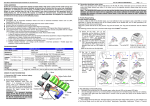
V1.3 Creation on Jan22nd2013 CONTENTS 1. Connecting the Bluetooth Unit ………………………………………..…………………………… Page1 2. Connect Bluetooth Unit with Android Device ………………………………………………. Page3 3. Interface ………………………………………………………………………………………………………. Page4 4. Reventon app flow chart …………..…………………………………………………………………. Page7 5. Setup Bluetooth Unit …………………………………………………………….……..……………… Page10 6. Notification Light …………………………………………………………….……..……………………. Page10 7. Pair Bluetooth Unit ………………………………………………………………………………………. Page11 Thanks for purchasing the Speed Passion Reventon Bluetooth Unit for Reventon ESC Series (Electronic Speed Controller). Please read this user manual thoroughly before using it. King Golden Ltd. Speed Passion Reventon Bluetooth Unit User Manual V1.3 Creation on Jan22nd2013 Bluetooth Unit Layout LED Setup button Default setting button RF port ESC port 1. Connecting the Bluetooth Unit 1.1 Download the “Reventon” App in the Google Play . Compatible with Android Phone, Android Tablet with Android 2.3 or above except Android 3.x (Honeycomb series). Search “Reventon” in Google Play or Android Market or visit the below link: https://play.google.com/store/apps/details?id=kinggolden.android.newreventon&feature=se arch_result#?t=W251bGwsMSwxLDEsImtpbmdnb2xkZW4uYW5kcm9pZC5uZXdyZXZlbnRvbiJd King Golden Ltd. Speed Passion Reventon Bluetooth Unit User Manual P a g e |1 V1.3 Creation on Jan22nd2013 1.2 Connect the Bluetooth Unit (RF port) to the Receiver. 1.3 Connect the Bluetooth Unit (ESC port) to the ESC. 1.4 Turn on the ESC. The Blue LED will flash continuously until the Bluetooth Unit is connected with a smart-phone. 1.5 If the connection to the ESC is OK, the user can open the Speed Passion App and the ESC data will be sent to the smart-phone. (Reference to point 4) 1.6 The Bluetooth Unit supports ESC security codes for different users. When the user press and holds the “Setup” key over 3 seconds, the Unit will enter setup mode and the “Red LED” will flash continuously. User can use the Speed Passion App to set the pin code (Reference to point 5). 1.7 If the password has been lost or forgotten, the user can press and hold the “Default Setting” key for 3 seconds. The Bluetooth configuration will return to factory settings as shown below: Device name Speed Passion Pin code 0000 1.8 Connection between Bluetooth Unit and smart-phone King Golden Ltd. Speed Passion Reventon Bluetooth Unit User Manual P a g e |2 V1.3 Creation on Jan22nd2013 2. Connect Bluetooth Unit with Android device Connecting Bluetooth Unit to the Speed Passion App: 2.1 Start Speed Passion App. 2.2 If the Bluetooth Unit is not paired with the smart-phone. Press “scan device” button to scan for the Bluetooth Unit. 2.3 Select the Bluetooth Unit to connect. 2.4 If the smart-phone is not already paired to the Bluetooth Unit, enter the pin code “0000” to connect the Bluetooth Unit. 2.5 King Golden Ltd. If the connection is successful, the ESC will transfer ESC parameters to the app automatically. Speed Passion Reventon Bluetooth Unit User Manual P a g e |3 V1.3 Creation on Jan22nd2013 3. Interface Icon Loading page ESC setting page King Golden Ltd. Speed Passion Reventon Bluetooth Unit User Manual P a g e |4 V1.3 Creation on Jan22nd2013 Software bar Needle style King Golden Ltd. Bar style Speed Passion Reventon Bluetooth Unit User Manual P a g e |5 V1.3 Creation on Jan22nd2013 Connection page Option page Status page King Golden Ltd. Speed Passion Reventon Bluetooth Unit User Manual P a g e |6 V1.3 Creation on Jan22nd2013 4. Reventon app flow chart Go to Loading Page After Loading Connect Bluetooth Unit Select Bluetooth Unit to connect Connected to Bluetooth Unit Press programmable items to change value Bar style If connected to the ESC, the tool bar center button (red area) image will change and get data from ESC Main screen Needle style 1. ESC Setting Page Pull out arrow (red area) to show the software bar Toolbar King Golden Ltd. Speed Passion Reventon Bluetooth Unit User Manual P a g e |7 V1.3 Creation on Jan22nd2013 1. ESC Setting page 3. Option Page 4. Status Page 2. Connection Page 2. Connection Page functions Show the connection status. Green – Connected Pink - Disconnected Send setting data As long as any parameter data is changed, user must press “send setting” button to send the setting data to the ESC. Read setting data King Golden Ltd. Reset to default setting data. If the esc is in the drift program mode, user can play the drift sound. Speed Passion Reventon Bluetooth Unit User Manual P a g e |8 V1.3 Creation on Jan22nd2013 3. Option Page functions Choose the display style of set esc setting page. Go to team setting page Update firmware Setup Bluetooth module (unit) Show app software version Show ESC Temperature Show ESC Voltage Show the ESC firmware version Show the ESC model 4. Status Page functions King Golden Ltd. Show all setting data and motor rotation Words will change to pink color if the data changed – example Over Heat Protection from Enable change to Disable Speed Passion Reventon Bluetooth Unit User Manual P a g e |9 V1.3 Creation on Jan22nd2013 5. Setup Bluetooth Unit Speed Passion strongly recommend you change the Bluetooth Unit Device Name and Device pin code implement Bluetooth security. 5.1 Turn on the ESC and ensure the Bluetooth Unit is connected to the ESC. 5.2 Start Reventon App and connect to Bluetooth Unit. 5.3 Press and hold the “Set-up” button on the Bluetooth Unit, until the red LED is on and blue LED is flashing 5.4 Go to Option Page and Select the “Bluetooth Module Setting” button in the Reventon App. 5.5 Enter device name and device pin code. Device Name: Maximum 16-character Device Pin: 4 digits (0-9) 5.6 Select “OK” button to setup. Select “Cancel” button to cancel. 5.7 Restart the Bluetooth Unit to store the Bluetooth settings. 5.8 Follow Step 2.1 to 2.5 for reconnect the Bluetooth unit. 6. Notification Light If light shows Blue flash Steady Blue Steady Red and Blue flash King Golden Ltd. Bluetooth Unit Turning on and in pairing mode Connected to your device In set up mode Speed Passion Reventon Bluetooth Unit User Manual P a g e | 10 V1.3 Creation on Jan22nd2013 7. Pair Bluetooth Unit If you are unable to pair your Android device with the Bluetooth Unit in Reventon app. Please follow the below steps. 7.1 In your Android device setting, open Wireless & network settings 7.2 Turn on Bluetooth and open Bluetooth settings 7.3 Open Scan for devices and pair your Bluetooth Unit (default name is Speed Passion). 7.4 Input PIN (default 0000) 7.5 If pair is successful, the device list will display “Paired but not connected”. 7.6 Open Reventon App and connect Bluetooth Unit again. King Golden Ltd. Speed Passion Reventon Bluetooth Unit User Manual P a g e | 11 V1.3 Creation on Jan22nd2013 Exemption Clause: Speed Passion does not have control over the installation or use of this product therefore no liability for any damages incurred in its use will be accepted. Operation of this product is at the user’s risk. The use of R/C models requires a degree of skill, If you are a beginner please consult the advice of an experienced user to prevent injury to goods or other persons. Caution: Do not operate the Bluetooth Unit at voltages lower than 5.5V or higher the 6.0V battery, damage to the ESC can result. Product warranty period: Product Warranty: 30 days limited warranty, this product is guaranteed to be free from defects in materials or workmanship for a period of 30 days from the original date of purchase (Verified by sale receipt dated). User accepts all resulting liability. We reserve the right to modify warranty provisions without further notice. Warranty does not cover incorrect installation, components worn by use, or any damage caused by crash, flooding or natural disaster. The company has no control over the installation of this product; no liability may be assumed nor will be accepted for any damage resulting from the use of this product. 2 month return time for any repair or services, detail update RMA services process please check with your local dealer or www.speedpassion.net Please visit www.SpeedPassion.net for updated ESC information and new software update releases! King Golden Ltd. Speed Passion Reventon Bluetooth Unit User Manual P a g e | 12 V1.3 Creation on Jan22nd2013 This device complies with Part 15 of the FCC Rules. Operation is subject to the following two conditions: (1) this device may not cause harmful interference, and (2) this device must accept any interference received, including interference that may cause undesired operation. Changes or modifications not expressly approved by the party responsible for compliance could void the user’s authority to operate the equipment. Please notice that if the FCC identification number is not visible when the module is installed inside another device, then the outside of the device into which the module is installed must also display a label referring to the enclosed module. This exterior label can use wording such as the following: “Contains FCC ID:XXXXXX” any similar wording that expresses the same meaning may be used. This equipment has been tested and found to comply with the limits for a Class B digital device, pursuant to Part 15 of the FCC Rules. These limits are designed to provide reasonable protection against harmful interference in a residential installation. This equipment generates, uses and can radiate radio frequency energy and, if not installed and used in accordance with the instructions, may cause harmful interference to radio communications. However, there is no guarantee that interference will not occur in a particular installation. If this equipment does cause harmful interference to radio or television reception, which can be determined by turning the equipment off and on, the user is encouraged to try to correct the interference by one or more of the following measures: -- Reorient or relocate the receiving antenna. -- Increase the separation between the equipment and receiver. -- Connect the equipment into an outlet on a circuit different from that to which the receiver is connected. -- Consult the dealer or an experienced radio/TV technician for help. King Golden Ltd. Speed Passion Reventon Bluetooth Unit User Manual P a g e | 13