1
TECHNICAL BULLETIN
Technical Bulletin and FAQs for Paragon II ZCIMs September, 2006
The following contains important technical information as it relates to the Paragon II ZCIMs.
Important Notes and Limitations:
•
•
•
•
•
For the P2-UMT1664 and P2-UMT832 Paragon II switches ONLY (not the P2-UMT442 and P2UMT242), when powered down and connected to the P2ZCIM-PS2, P2ZCIM-SUN or P2ZCIMUSB, there may be electrical leakage from the switch that can cause the P2ZCIM names to get
duplicated or corrupted within the database. For those customers experiencing this problem,
all P2ZCIMs must have the latest firmware.
For those customers not experiencing the above problem, there can be a mix of old and new
firmware but NOT on the same P2ZCIM chain.
If you have older versions of P2ZCIMs (i.e., P2ZCIM-PS2 - Z2PS2-0A3L, P2ZCIM-SUN Z2SUN-0A3L, P2ZCIM-USB - Z2USB-0A4K) and are experiencing the problems as described
above, please update the P2ZCIM firmware versions. The latest versions are P2ZCIM-PS2 –
Z2PS2-0B8, P2ZCIM-SUN – Z2SUN-0B9, P2ZCIM-USB – Z2USB-0B8. A customer can
identify the firmware on their older P2ZCIMs by two methods:
•
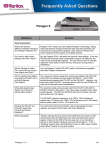
The back of the P2ZCIM will have a label that lists the firmware version (F/W: Z2PS20A3I). An example of this is shown below:
•
P2ZCIMs with the updated firmware (includes the changes for this release) will look
something like this:
•
In addition, there is a command “Ctrl NumLock” that can be run using a text editor (i.e.,
WordPad) that will print out the firmware version.
The Resize command used to set the P2ZCIM chain size and to optimize the database
memory in Paragon systems is not supported in this release.
P2ZCIMs are not supported in PCCI configurations.
•
P2ZCIMs are an excellent but cheaper solution best suited in static environments. Sales and
resellers should stay away from selling P2ZCIMs into Dynamic environments which consist of
frequent:
•
•
•
•
Rules to Follow
•
•
•
Ensure that the latest compatible firmware for P2ZCIMs and corresponding Paragon
system is being used
When P2ZCIMs are used, at least one out of 20 P2ZCIMs needs to be powered
Recommendations and Hints
•
•
•
•
•
Power cycling of servers
Switch resets while the Paragon database is still being stabilized
P2ZCIM addition/deletion or movement of P2ZCIMs from chains
Ensure that the Cat5 cable is correctly deployed and test for proper connectivity
Do not communicate with P2ZCIMs during Server boot-up
P2ZCIM configurations take longer than UMT configurations to ensure proper
communication
Ensure that correct Paragon powering up sequence is followed.
We recommend that the customer with older P2ZCIMs contact Raritan Technical Support for
further assistance at 1-800-724-8090.
2
Raritan Proprietary and Confidential
For Internal Use Only
Frequently Asked Questions
General Questions
QUESTION
ANSWER
What are Paragon II
ZCIMs (P2ZCIMS)?
P2ZCIMs are used in conjunction with Paragon II and Paragon I
HW3 (running Paragon II code) and supports PS2, USB and SUN
configurations. For a single user, up to 42 P2ZCIMs using
standard based UTP Cat5 cable is allowed. It supports up to 42
directly connected, multi-platform servers located up to 1000’
feet away from the user.
P2ZCIMs are available in three basic models:
• P2ZCIM-PS2 - for PS2
• P2ZCIM-USB - has a toggle switch to allow for USB and
SUN-USB environments
• P2ZCIM-SUN – for SUN
Which types/models
of P2ZCIMs are
available?
How do P2ZCIMs
work?
How are P2ZCIMs
designed to grow
with a business?
How easy is it to add
servers with
P2ZCIMs?
What interfaces does
the P2ZCIMs
support?
In addition, three “long cable” models are also available. The
“L” models feature longer cables (36”) for use in server racks
with cable management arms:
• P2ZCIM-PS2L
• P2ZCIM-USBL
• P2ZCIM-SUNL
P2ZCIMs, in conjunction with Paragon II, allows for 42 ZCIMs
to connect in a ‘daisy-chain’ to your server's keyboard, video and
mouse ports. These signals are compressed and sent securely over
a UTP Cat5 cable. Using the Paragon II User Station and UMT,
an administrator has the ability to grow the chain and select
between target server consoles.
P2ZCIMs can be purchased as easy starter kits as well as
individually. A system administrator can purchase only the
required amount of modules necessary for their immediate needs.
It's simply a matter of connecting additional P2ZCIMs to the
additional server's keyboard, video and mouse port and
connecting it into the cable daisy chain.
P2ZCIMs provide access to multiple platforms including Sun,
USB and PS2.
3
Raritan Proprietary and Confidential
For Internal Use Only
Are P2ZCIMs “plug
and play”?
Is there any software
requirement for PCs
connected to a
Paragon II switch?
How can users be
sure of security of
access and control?
PS2 and SUN keyboards and mice are not “plug and play”. If
you are adding a P2ZCIM-PS2 and P2ZCIM-SUN, it is necessary
to first have the computer powered off. This is due to the way
computer’s support PS2 devices. USB keyboards and mice are
“plug and play” and do not require the computer to be powered
off.
No. The Raritan KVM switch does not require any software to be
loaded or operated, it is 100% software independent.
Using the Paragon II user admin function, a user can assign
access control password to the P2ZCIM making it highly secure.
It acts like another tiered device within the network.
Installations/Commands
QUESTION
How can I find out
the firmware version
of my P2ZCIM?
Is there a way to
upgrade P2ZCIMs?
Do P2ZCIM chains
require a RJ-45
terminator?
What is the Resize
Command? What
does it do? Why is it
useful?
ANSWER
Open a text editor window such as word pad. Hold the Left Ctrl
key and press the NumLock key. The current firmware version
will be printed out. The P2Z USB CIM will also print out the
current USB keyboard settings. Press the ESC key to exit this
mode.
P2ZCIMs can be upgraded using a Master Console User Station
(MZUST). We recommend talking to tech support for further
assistance (1-800-724-8090).
Yes – a RJ-45 terminator (TER-ZCIM) is required at the end of
each P2ZCIM chain.
This command is currently not supported. This command is
issued to set the Chain Size. The Chain size is the maximum
number of CIMs allowed in the chain. Smaller chains have
better power status reporting. The Resize command can also be
used to optimize the database memory in Paragon systems. The
size limit is 42. Users can set the chain size from the Paragon
User Station, Channel Configuration submenu by saving Device
Name: SetPZSize-XX where XX is 01-42. The user must
increase the chain size if more CIMs are added to the chain.
Example: Suppose you have 8 new P2ZCIMs and you attach them
to the Paragon UMT. The user will see 42 Database entries for
the chain. This could be a wasteful use of Database memory for
users who only wish to have a maximum of 8 P2ZCIMs on that
chain. The resize command can be sent to set the chain to 8
CIMs. Now the user will only see 8 database entries for that
chain. Note: If more ZCIMs need to be added to the chain, the
chain will need to be resized.
4
Raritan Proprietary and Confidential
For Internal Use Only
QUESTION
ANSWER
What is the Refresh
Command? What
does it do? Why is it
useful?
This is the command, which is issued to reset the Communication
Addresses to the factory default. The Master CIM will then reassign the Communication Addresses sequentially. The
communication address order will be different after using this
command. This can also be useful for fixing a problem when all
other methods fail. See the Specifications section to see how this
command is issued.
Example: Suppose a user has a P2ZCIM which appears as
Channel 42 in the Paragon User Station Channel view. The user
disconnects this CIM from the chain and wishes to add it to
another chain. When looking at the Channel view, the user
notices that the CIM is appearing as Channel 42 on the new
chain. The user can issue the Refresh command so that the CIMs
reorder sequentially.
P2ZCIMs always request to use their last used communication
address. The Master will grant this as long as that
communication address is available. The communication
addresses in a chain can be reset by using the Refresh command.
I took one P2ZCIM
and added it to
another chain. It
now appears towards
the end of the list.
Why doesn’t it add
itself to the first
available channel?
I connected a
powered-on P2ZCIM
to another chain and
now the chain size is
wrong. What
happened?
Keyboard and Mouse
is sometimes erratic
when powering up a
computer. Why?
How do I connect a
PC with a DB9 serial
mouse port to a
Paragon II switch?
The P2ZCIM you added was a Master CIM. When it was added
to the new chain, it became the Master of that chain as well. The
added CIM resets the chain to use its’ last known chain size. The
user should momentarily power off a CIM before adding it to a
new chain to prevent this problem.
We suggest that the user does not communicate with the CIMs
when powering up computers. This is because the powered up
CIM(s) are trying to obtain communication addresses from the
Master CIM. This increases the chance of data collision. The
potential for missed keystrokes and erratic mouse behavior
increases as the rate of data collision increases. Generally the
user will see slow keyboard/mouse performance instead of
dropped keyboard and mouse packets. If the Master CIM loses
power, the user may be switched off from the CIM.
The CCPdd cable comes with an adapter to convert the 6-pin
mouse connection to 9 pin. The conversion of serial to PS/2
mouse is handled by the firmware in the KVM switch.
5
Raritan Proprietary and Confidential
For Internal Use Only
Cabling
QUESTION
ANSWER
Can I use plain
Category 5 UTP
cable or non-certified
Category 5e UTP
cable, instead of
Category 5e UTP?
Category 5e UTP is
standardized. Why
can’t I simply use
any Category 5e UTP
cable with Raritan
products?
Yes; however, you may not get the same performance as you
would with Raritan certified Category 5e UTP or Category 6
UTP, or Category 7 UTP cables. Standard Category 5 UTP cable
may not have the necessary characteristics for transmitting highquality video over long distances
Because the intended application of UTP cabling is the
transmission of digital data, cable specifications are optimized for
that application. However, because video data is by its very
nature analog, Raritan's exclusive technology - which enables
such high-bandwidth video information to be transmitted over
relatively thinly-shielded Category 5 UTP and Category 6 UTP
cables - requires even stricter tolerances for certain cable
properties.
One particular UTP cable characteristic has a large impact on
how well your Raritan system performs: delay skew. UTP cabling
consists of four "twisted pairs" of wire, each carrying one set of
data. In order to minimize cross-interference between the pairs,
each pair must be twisted at slightly different rates (twists/foot).
Over long lengths of cable, however, slight differences in twist
rates results in measurably different rates of data transmission
among each twisted pair. The arrival time delta is called "delay
skew".
How does this affect your Raritan solution? Raritan products
sends red, green, and blue video information each over a different
twisted pair; if that information does not arrive at the same time,
observed video will be blurry. Raritan's unique algorithms correct
for this behavior, but physical limitations create upper limits to
the success of any algorithm. The TIA/EIA specification for
delay skew tolerance is 45 nanoseconds for Category 5 UTP and
Category 5e UTP cable. However, in analog video applications, a
delay skew longer than 15 nanoseconds usually results in
inadequate video performance at high resolutions (XGA and
higher).
Can I use standard
Ethernet (10BASET) cable?
Raritan-certified cable products happen to surpass the acceptable
tolerances of the TIA/EIA's specification for delay skew, and
hence are best suited for connecting Raritan components.
No - Standard Ethernet cable does not have the necessary
bandwidth characteristics for transmitting high-quality video over
long distances.
6
Raritan Proprietary and Confidential
For Internal Use Only
Compatibility
QUESTION
Can P2ZCIMs be
used with Paragon I
UMTs?
I have a serially
controlled device (i.e.
Unix server, hub).
Can I use my
Paragon II switch to
access and control
this device?
I have Suns and/or
Macs in addition to
PCs. Can I control
them all from a
single keyboard,
mouse and monitor?
How do I configure
the P2ZCIM USB to
work with either my
Sun USB or PC USB
machines?
Can P2ZCIMs be
mixed with
UKVMSPDs on a
chain?
I have a Digital
Alpha running UNIX
and another running
OpenVMS which use
a special LK111 or
LK461 keyboard.
How will that affect
operation with my
switch?
Can ZU42 CIMs
work with
P2ZCIMs?
Can P2ZCIMs be
used with ZU42
USTS?
Can I use a trackball
keyboard?
ANSWER
Yes – but with the following limitations:
Only Paragon I, HW III with Paragon II firmware
Yes. Raritan's ASCII Terminal Converter (AUATC) adapter will
convert the RS-232 connection to PS/2 and VGA video. Connect
the AUATC to your serially controlled device, and then connect
to your Paragon II switch with CCPdd or UTP Cable for access
up to 650 feet.
Yes. The P2ZCIM-USB CIM handles SUN, Macintosh and PC
(Windows including Linux) with USB configurations. The
P2ZCIM-PS2 handles systems that require PS2 configurations.
There is a toggle switch on the P2ZCIM-USB CIM. This switch
can be changed to support either SUN USB machines or PC USB
machines.
No – we can not mix P2ZCIMs with the Paragon I version of
ZCIMs on a chain.
The Alphas will operate flawlessly. Raritan's emulation
incorporates unique functions to support LK111 or LK461
keyboard running UNIX and OpenVMS.
No. P2ZCIMs use a different protocol, which is not compatible
with ZU42.
No. P2ZCIMs use a different protocol, which is not compatible
with ZU42.
You can plug any PS/2 keyboard in the keyboard user port of the
Paragon II switch.
7
Raritan Proprietary and Confidential
For Internal Use Only
QUESTION
Can I use a flat
screen monitor?
Can I use a touchscreen monitor with
my Paragon II
switch?
ANSWER
The monitor needs to be VGA, with an HD15 connector, and
support the resolution and refresh rate of the video settings on the
target servers. Make sure the LCD monitor will work when
connected directly to all the PCs in a stand-alone mode.
No. Most touch-screen monitors use a serial connection to
interact with the PC. Currently, Paragon II switches do not
support the use of this style monitor.
Usability
QUESTION
How can I get access
to more servers if I
have already
connected computers
to all my Paragon II
switch channels?
I don't want to use
the "scroll lock" to
activate hot key.
What are my
options?
Is there a way to find
the Master CIM in a
chain?
ANSWER
Cascade any KVM switch (except SwitchMan) to expand the
capacity.
The hot-key activator can be easily changed to either "num lock"
or "caps lock". When in hot-key mode, touch the desired new hotkey activator followed by the enter key.
Yes. The CIMs LED status can be used to detect the CIMs states.
If the LED is blinking on and off, but at a regulated, moderate
speed (i.e., every half second), the P2ZCIM is acting as Master of
the chain. Please read the LED Status section of the user manual
for more information.
Technical Issues
QUESTION
My P2ZCIM chain
disappeared when I
turned off a
computer and it
reappeared 20
seconds later. What
happened?
ANSWER
The Master CIM may have been turned off. If this is the case
then a new CIM became the Master and the database had to be
rebuilt. This is normal operation.
8
Raritan Proprietary and Confidential
For Internal Use Only
QUESTION
I only see some of my
P2ZCIMs. What is
going on?
I can’t see all of the
CIM names, but the
status seems correct.
How can I fix this?
It took awhile for the
P2ZCIM to be
reported as off.
Why?
I disconnected a
complete P2ZCIM
chain from the UMT
and added it to the
tail of another
P2ZCIM chain. I
was finally able to see
all the CIMs but it
took almost a minute.
What happened?
ANSWER
This can happen for a variety of reasons. Listed below are some
of the common techniques for fixing this issue.
1. Wait a couple of minutes. The Master CIM may need
some time to react due to Resizing, Communication
Address conflicts, Multiple Masters, etc...
2. Make sure that all the CIMs in the chain have power.
3. Check all the cables.
4. Make sure the terminator is in place.
5. Are there any CIMs in the chain, which do not have
Communication Addresses? CIMs without
Communication addresses will beep once every minute.
The LED will flash on and off rapidly. If this is the case,
check the Chain Size.
If none of these techniques work, try refreshing the ZCIM chain.
If the user waits a couple of minutes, usually the chain will fix
itself. If that does not work, issue the Refresh command.
Due to the occurrence of Data Collision, a CIM status must be
checked 3 times to determine whether or not it is off. The
detection can be quicker if the size of the chain is roughly
proportional to the number of CIMs in the chain.
Prior to connecting the chains, you had one Master per chain.
There only can be one Master per chain. When you connected
the chain, there were suddenly 2 Masters in the chain. It took a
while for this condition to clear. This is normal operation.
9
Raritan Proprietary and Confidential
For Internal Use Only
QUESTION
ANSWER
I have a P2ZCIM
that is beeping every
30-40 seconds. Also,
I noticed that the
LED is blinking very
rapidly. Why is this
happening?
A P2ZCIM will beep once every minute to notify the user that it
did not get a Communication Address. The user should check to
make sure that the number of CIMs has not exceeded the Chain
size. If the size is correct, the problem should disappear after a
couple of minutes. If not, check again to make sure the chain size
is correct. The beeping CIM will increase the Communication
Address Request delay to 40-55 seconds. The data collision
introduced by continued Communication Address requests should
not affect keyboard and mouse functionality, however if there are
many units which can not get Communication Addresses it might
cause slower keyboard and mouse response. Beeping CIMs can
also occur if the 2 chains are connected together to make one
chain.
This is normal operation. The beep notifies the user that the
P2ZCIM has powered up correctly.
The P2ZCIM beeps
when it first receives
power. Why?
My mouse seems to
be erratic and jumps
around opening
windows. What's
happening?
There is a possibility that the proper mouse driver is not loaded or
the mouse is not recognized. Check to make sure the mouse
driver is correct for the mouse type you are using.
10
Raritan Proprietary and Confidential
For Internal Use Only