1
the XBee, which would then finally send it to the robot. Getting the C# application
to talk to the C++ application was another area that we needed to research.
Looking at Microsoft’s document on Interprocess Communications, there were
several viable options to look at for getting two processes to talk to each other.
The first method that they mentioned was the system clipboard. It was very
simple and something that we di
didn’t
dn’t realize could be used to make two
processes talk to each other, but after some thought, we designed a system that
could have worked out to let the two programs talk to each other. This system
would be a simple messaging system pasting data into the clipboard
cl
with a
timestamp and sender. We could let the C# application paste in a timestamp, the
left wheel speed values, and right wheel speed values to the clipboard. Then
have the C++ application poll the clipboard at regular intervals (most likely
somewhere
ere in the millisecond range) to get the most recent data. However, the
C++ application would still need to send GPS location data to the C# application.
This could also be done by using the clipboard but then brings in the problem of
one application over-writing
writing the other application’s data. However, having both of
the apps cut the data out of the clipboard and leave nothing in it could easily
solve this problem. This would allow an app to check the clipboard for data
before writing to it. If it has data, then wait a few milliseconds and try again.
Another method that was mentioned on the document was DCOM. This method
is a Microsoft standardized way to send data between compatible applications.
After doing some research into this field, which nobody in our group had prior
experience with; we decided that it was too complicated and essentially overkill
to implement this solution. In fact, we quickly decided that doing any sort of
interprocess communication would be overkill.
With this option thrown out, we h
had
ad to make a choice between using only one
application, either a C#, C++, or a Java program. The Java option was the least
favorite as we had the least experience with it and the API for the XBee modules
was somewhat complicated. Between C++ and C#, we kne
knew
w that it would be
easier to create a GUI with C# as Visual Studio provides a simple designer
component that allows you drag and drop controls, and creates the code on the
fly. One complication with a GUI however, is that the application would need to
be multithreaded.
ultithreaded. One thread manages the GUI, and another thread would work
in the background to communicate with the XBee and iPhone systems.
With the .NET framework, this is easily implemented using the BeginReceive and
EndReceive methods in the TcpListener class. The TcpListener class allows an
application to start listening for a connection on any port, and then once the
connection is established; it can begin to wait asynchronously for data, via the
BeginReceive method. In detail, this method takes a slew of parameters; one of
the parameters specified is an AsyncCallback delegate. This delegate will call the
provided function (any user created function that returns void and has one
parameter of IAsyncResult) when the process is complete. In our case, this is
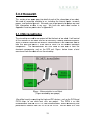
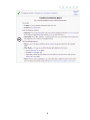
what the code would look like the code snippet in Figure .
39