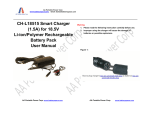
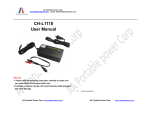
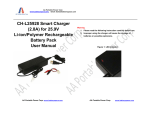
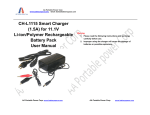
1
AA Portable Power Corp
www.batteryspace.com, Email: [email protected] CH-LF3843B
User Manual
Warning
1. Please read the following instruction carefully to make sure
you understand this charger before use.
2 .Improper using of this charger will cause batteries badly
damaged and other damage.
AA Portable Power Corp. www.batteryspace.com
AA Portable Power Corp.
www.batteryspace.com AA Portable Power Corp
www.batteryspace.com, Email: [email protected] 1.
Product description:
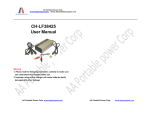
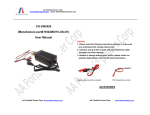
CH-LF3843B is an intelligent and multifunction charger. It can be used for LiFePO4 battery.
4.
Technical Specification:
Triple protection guaranteed the safety.
Rated Input power: 90-264 VAC 47-63Hz
2.
Output power:
Features:
43.2 VDC 3A Max 120W
2.1.
Worldwide input AC power from 100-240VAC, 50-60Hz, USA AC plug.
Operation Temperature: -10℃-40℃
2.2.
Built in cooling fan to ensure charger long service life.
Humidity: < 90%
2.3.
Intelligent charger designed for any 38.4V LiFePO4 battery pack (12 cells
Battery requirement:
Capacity>3Ah, 8-30 Ah recommended)
38,4V LiFePO4 battery pack (12 cells capacity >3Ah 8-30 Ah recommended)
2.4.
Short Circuit Protection – The output cut off when short circuit is detected.
2.5.
Over Voltage Protection: The output current is limited when overload is detected.
5.
2.6.
Output Reverse Protection: If the battery polarity is wrong the charger will cut off.
5.1.
Please use it for right battery (Battery requirement, See 2.3)
2.7.
Smart LED Displays: It can tell you if the battery is fully charged.
5.2.
The charger will turn off automatically if the battery pack was not connected in 3
Notice:
minutes. Please reconnect the AC power.
3.
3.1.
Operations:
5.3.
check the battery pack state, if everything is right reset the charger ( Un plug AC power
Make sure your AC supply source is 100-240V and your battery pack match with the
and connect again).
description 2.3.
3.2.
Connect the charger to the AC outlet. LED1=Red: it means power on and LED2 =
5.4.
Green.
3.3.
Connect DC output to battery pack terminals in 3 minutes, LED2 will turn Red it means
Always place the charger in well-ventilated , dry environment and indoor use only. Do
not expose to water, volatile gas or any flame source.
5.5.
the charger is in charging. In this status: LED1= Red; LED2= Red
3.4.
The charger maybe faulty if LED2 cannot change to Green after a long time. Please
The charger is designed with aluminum housing as heat sink; do not cover the case
with anything to avoid over heating when charging.
Note: If you can’t connect the battery in 3 minutes or the charger will cut off the output
5.6.
Do not open the case.
voltage , and you must reset the charger. To reset charger means unplug AC cord and
5.7.
Subject to change without prior notice, please contact us for the latest information.
plug in until both LED turn off.
When LED2 turns Green, the battery pack is fully charged. The charger will turn to the
status as 3.2.
AA Portable Power Corp. www.batteryspace.com
AA Portable Power Corp.
www.batteryspace.com