1
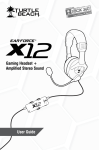
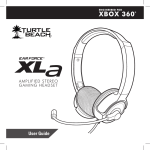
Gaming Headset +
Amplified Stereo Sound
ON
TE
MU
MIC
CHAT
GAME
User Guide
Table of Contents
About the XL1 Headset
The Turtle Beach XL1 is the perfect headset for XBOX 360
gamers looking for immersive game sound and crystal-clear
communication at a great value. With premium 50mm speakers,
the XL1 delivers superior audio quality while an in-line amplifier
provides quick access to independent game and chat volume
controls. If you’re serious about gaming, then get serious about
the sound. Step up to the XL1 and experience game audio like
never before.
XBOX 360 Setup
Using the Amplifier
Technical Specifications
Maintaining Your Headset
Important Safety Information
pg.1
pg.3
pg.6
pg.7
pg.8
What’s in the Box
Features
ON MIC MUTE
GAME
CHAT
Amplified Audio
Enhances game sounds for a more immersive experience.
Bass Boost
Built-in bass boost adds depth and realism to game audio.
XL1 Headset
with In-line Amplifier
XBOX 360
Talkback Cable
In-line Amplifier
Quick access to gaming audio controls.
Gaming Headset +
Amplified Stereo Sound
ON
MIC
MUTE
Microphone Monitor
Let’s you hear what you’re saying while talking.
CHAT
GAME
User Guide
USB Powered
No batteries required.
User Guide
Product support and warranty information:
TurtleBeach.com/support
TURTLEBEACH.COM
Turtle Beach Sticker
XBOX 360® Setup (HDMI)
XBOX 360 Setup (RCA)
ON MIC MUTE
GAME
CHAT
ON MIC MUTE
GAME
CHAT
USB/Power
USB/Power
XBOX 360 Audio
Adapter Cable*
Audio
(red/white)
Audio
(red/white)
HDMI
Video (yellow)
*All XBOX 360 models require an XBOX 360 Audio Adapter Cable for audio output when used with
an HDMI connection (available from third party sellers). NOTE: If your HDMI TV has red/white AUDIO
OUT RCA jack you can use it to feed the sound from your TV to your Turtle Beach headset. (AUDIO
IN jacks will not send sound out to your headset, you need AUDIO OUT.)
1
2
Using the Amplifier
Mic Mute Switch
Switch to “MUTE ” to mute the microphone.
CHAT
ON
MIC
MUT
E
Mic Mute
Switch
Chat Volume
Adjusts the volume of incoming chat from other players.
Incoming
Chat Volume
XBOX 360 Talkback Cable Jack:
Connect the included XBOX 360 Talkback Cable between this jack
and the XBOX 360 controller jack.
XBOX 360®
Talkback
Cable Jack
3
GAM
E
Game Volume
Adjusts the game sound volume level.
Game
Volume
4
XBOX 360 Chat Setup
Technical Specifications
Headset
Connect the Talkback Cable
• 50mm diameter speakers with neodymium magnets
• Speaker Frequency Response: 20Hz - 20kHz, >120dB SPL @ 1kHz
• Condenser Microphone Frequency Response: 50Hz - 15kHz
• Cable length: 16 ft. (4.87m)
ON
MIC
XBOX 360
Input
XBOX 360
Controller
TE
MU
AT
CH
E
GAM
In-line Amplifier
• Amplifier: Stereo DC-coupled, 35mW/ch, THD <1%, Frequency
Response: DC - 30kHz
• Mic mute switch
• Maximum analog input level with volume control on maximum setting:
2Vpp (700mV rms)
• Piggyback RCA cables
• 2.5mm XBOX 360® Talkback cable jack
• USB connector for power (5VDC @ <60mA max)
XBOX 360
Talkback Cable
Configure XBOX 360 Settings
Step 1
Press the XBOX 360 Guide
Button, select Settings >
Preferences > Voice
Step 2
Voice Volume = 10
Step 3
Game Volume = 10
Step 4
Voice Output =
Play Through Headset
5
Voice
Voice Volume
10
Game Volume
10
Mute Kinect
Voice Output
Play Through Headset
Play Through Speakers
Voice Output
6
Maintaining Your Headset
Avoid Heat: Avoid resting or storing the headset or cables in or
on top of units that generate heat. Gaming consoles are known to
generate and dissipate unusually high levels of heat, and the heat
can degrade the plastic resulting in twisting and eventual exposure
of the internal wiring.
Storage: To help prevent damage to your Turtle Beach Headset,
store it in a dry location where there is no risk of heavy items
falling on your headset. Do not leave your headset or any accessories in a location where people or pets might accidentally trip
over it.
Cleaning: Only use a dry cloth or slightly damp cloth. Cleaning
solutions may damage your headset.
Transporting: Always disconnect all cables when transporting
your headset.
Wire Management: Use the Velcro attached to your headset cable
to avoid tangles when not in use.
Pets: Pets love to chew cords. To prevent this, keep your headset
out of the reach of your pets.
XBOX 360 Talkback Cable: Pressure on the Talkback Cable can
cause the jacks in the headset or XBOX 360 controller to become
loose. A loose jack or wear and tear on the Talkback Cable can
result in poor connection, pops, clicks, static, etc. In some cases
of excess pressure, the tip of the talkback cable can break off
inside the controller. Turtle Beach is not responsible if this happens
to your XBOX 360 Controller.
7
Safety Notice
To avoid potential damage to the device, always disconnect all cables before
transporting it.
WARNING: Permanent hearing damage can occur if a headset is used at high
volumes for extended periods of time, so it is important to keep the volume
at a safe level. Over time, your ears adapt to loud volume levels, so a level
that may not cause initial discomfort can still damage your hearing. If you
experience ringing in your ears after listening with the headset, it means the
volume is set too loud. The louder the volume, the less time it takes to affect
your hearing. So, please take care to listen at moderate levels.
• Before placing a headset on your ears, turn the volume down completely,
then slowly increase it to a comfortable level.
• Turn down the volume if you can’t hear people speaking near you.
• Avoid turning up the volume to block out noisy surroundings.
IC Radiation Exposure Statement for Canada
This equipment complies with IC radiation exposure limits set forth for an uncontrolled environment. End
users must follow the specific operating instructions for satisfying RF Exposure compliance. The equipment
must not be co-located or operating in conjunction with any other antenna or transmitter. Operation is subject
to the following two conditions: (1) this device may not cause interference, and (2) this device must accept
any interference, including interference that may cause undesired operation of the device. Caution: The device
is incapable of transmitting in the band 5600-5650 MHz band in Canada.
FCC Caution:
Any changes or modifications not expressly approved by the party responsible for compliance could void
the user’s authority to operate the equipment. This device complies with part 15 of the FCC Rules. Operation
is subject to the following two conditions: (1) This device may not cause harmful interference, and (2) this
device must accept any interference received, including interference that may cause undesired operation.
This product is CE marked according to the provisions of the R&TTE Directive (99/5/EC)
Grantee Code/Reg Number: XGB/GC229855
FCC Code: XGB-TB2135
Voyetra Turtle Beach, Inc.
Copyright © 2011 Voyetra Turtle Beach, Inc. (VTB, Inc.) All Rights Reserved. No part of this document may be
reproduced without prior written consent from Voyetra Turtle Beach, Inc. Turtle Beach, the Turtle Beach logo,
Voyetra and Ear Force are registered trademarks of VTB, Inc. XBOX, XBOX LIVE, and XBOX 360, are registered
trademarks of Microsoft Corporation. All other trademarks are properties of their respective owners and are
hereby acknowledged. Made in China.
8
For more products, accessories
and general product information, please visit
TurtleBeach.com
For warranty information and product support, please visit
TurtleBeach.com/support
P/N: TB521-2149-01