1
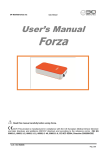
OT Bioelettronica snc User Manual User’s Manual Forza Read this manual carefully before using Forza. v1.0 – Ed. 05/2015 Pag. 1/19 OT Bioelettronica snc User Manual OT Bioelettronica C.so Unione sovietica 312 10135 Torino www.otbioelettronica.it [email protected] v1.0 – Ed. 05/2015 Pag. 2/19 OT Bioelettronica snc User Manual SYMBOLS USED The graphic symbols used on this device and on this manual refer to the UNI EN ISO 980 Law, CEI EN 60601-1, RAEE Law and 2002/96/ECC Directive. SYMBOL DESCRIPTION Serial Number Class II device Warning, read the instructions before using the device. This symbol could also be used as a “Warning” symbol Read the instructions of use Manufacturer Do not dispose this product as unsorted municipal waste. Collection of such waste separately for special treatment is necessary following the 2002/96/EC Law of the European Parliament and Council of the European Union about the disposal of e-waste. The Forza device has been tested in reference to the EN 60601-1 and the EN 60601-1-2 Law. If the user connects the Forza device to any other unauthorized device following the EN 606011 and EN 60601-1-2 Laws, he/she has to ensure that the combined use of the two devices follows the laws above mentioned. Otherwise OT Bioelettronica shall not be held liable for accidents and/or injuries to persons or damage. For the features of the software, please read the Software Manual. v1.0 – Ed. 05/2015 Pag. 3/19 OT Bioelettronica snc User Manual v1.0 – Ed. 05/2015 Pag. 4/19 OT Bioelettronica snc User Manual INDEX 1 GENERAL DESCRIPTION .......................................................................pag. 7 2. INTENDED USE ...................................................................pag. 7 3. PLACE OF USE ......................................................................................pag. 7 4. OPERATOR PROFILE ...........................................................................pag. 8 5. SAFETY PRECAUTIONS AND WARNINGS ..........................................pag. 8 6. CONTENT OF THE FORZA SYSTEM .....................................................pag. 9 7. DETAILED DESCRIPTION .....................................................................pag. 10 Controls and Indicators ...................................................................pag. 11 Adapters .........................................................................................pag. 12 System requirements for PC and Tablet connection .......................pag. 12 Battery charge process ...................................................................pag. 12 Use of Forza device ........................................................................pag. 13 8. TROUBLE SHOOTING ...........................................................................pag. 14 9. MAINTENANCE AND STORAGE ............................................................pag. 15 10. TECHNICAL SPECIFICATIONS ............................................................pag. 17 11. CUSTOMER SERVICE and WARRANTY …… ...................................pag. 18 v1.0 – Ed. 05/2015 Pag. 5/19 OT Bioelettronica snc User Manual v1.0 – Ed. 05/2015 Pag. 6/19 OT Bioelettronica snc User Manual 1. GENERAL DESCRIPTION The Forza is single channel general purpose amplifier. This system has been designed to amplify and to filter any differential single ended signals. The information detected from the input are conditioned and then transferred to a PC with a wired connection (USB) or with a wireless connection (Bluetooth), or available in analog modality on the output connector. Forza connected to a PC via USB: Forza works with a software named OT BioLab in order to display and process the data. This software is part of the Forza system and it is also possible to download it for free on the website www.otbioelettronica.it in the Downloads section. Forza connected to a Tablet or Smartphone via Bluetooth: Forza works with an App called Forza (downloadable on the playstore), with this App is possible to display acquired data. Forza in analog mode: Forza can be connected to other devices (eg. To the AUX-IN connector of the devices: EMG-USB2+, EMG-USB e MEBA) or it can be connected to a standard acquisition board or to an oscilloscope. 2. INTENDED USE Forza has been designed to be used as a force measurement device for signal produced by load cells or torque-meters with differential output. The device is not intended to be used near inflammable anaesthetics. 3. PLACE OF USE Forza is intended to be used primarily as a laboratory device and secondly as a hospital device: as a home device, the patient uses the device at home during the day and as a hospital device the operator uses the information detected from it in order to make a diagnosis. v1.0 – Ed. 05/2015 Pag. 7/19 OT Bioelettronica snc User Manual 4. USER PROFILE USER: Specialized operator a) Knowledge: Minimum.Basic notions about physics b) Languages: Italian and/or English c) Experience: Minimum. Minimum training about the device use d) Handicaps: - Maximum reduction of the hearing of 40% with residual hearing at 60%; - Maximum sight reduction of 40% with residual sight at 60% 5. SAFETY CAUTIONS AND WARNINGS The use of Forza is forbidden in the following conditions: Simultaneous use of electro surgery systems, shortwave or microwave therapy or near these type of devices; Unsound mind patient; The device is damaged; Near inflammable anaesthetics with air, oxygen or nitrous oxide. To make an electrocardiographic exam These warnings must be followed: Contact immediately the manufacturer if foreign materials (liquids, etc.) come into contact with the device. If the device falls in to the ground or something similar happens, check if the device is undamaged. In case of doubt, contact the manufacturer. The Forza could be sensitive to electromagnetic interferences of other devices that could alter its electromyography measurements and consequently the variables calculated on the basis of the information detected. For this reason, do not use it near devices that could cause the problems described above, for example mobile phones, instruments with power transformer, etc. The operator must be sure that the battery of the device is completely charged following what is indicated in this User’s Manual before to use the device. The device must be kept out of reach of children or unsound mind patient v1.0 – Ed. 05/2015 Pag. 8/19 OT Bioelettronica snc User Manual Do not clean the device using acetone, ether, freon, oil products or any other solvent Do not use soap or water on the connector pin Do not clean Forza or connection cables with water, in autoclave or steam cleaning The device must not be used in any other way than indicated in these instructions 6. CONTENT OF THE FORZA KIT ACCESSORIES AND DOCUMENTS Description CUSB03 J-BNCcable Features USB connection cable to recharge internal battery and for PC connection. 2,5mm 4 poles Jack . BNC cable UNSTERILE REUSABLE UNSTERILE REUSABLE The accessories of the machine indicated above are to be considered as part of the device itself, so they are not subject to marking. ACCESSORIES NEEDED BUT NOT INCLUDED IN THE STANDARD EQUIPMENT Description Load cell with 4 pin output connector and bridge configuration LOADKg STERILE NO Use of the equipment accessories and/or SINGLE-USE YES accessories of the OT Bioelettronica to be used for the detection of the force signals. v1.0 – Ed. 05/2015 Pag. 9/19 OT Bioelettronica snc User Manual 7. DETAILED DESCRIPTION Controls, indicators and connectors of the Forza are shown in Fig. 1 and described in the following section. Frontal View Forza Vista Posteriore aef Offset Null button Gain button Gain led indicator Jack Output Connector Analog Out Offset Null Load Cell Input Gain Select Off = 100 Green = 200 Gain Blue = 500 Red = 1000 Designed by OT Bioelettronica Torino – Italy Battery Error Status Recharge otbioelettronica.it USB OFF ON Out Battery/Error LED Status LED Recharge LED USB connector ON/OFF Connector Fig. 1: Front view and Back view of the Forza v1.0 – Ed. 05/2015 Pag. 10/19 OT Bioelettronica snc User Manual 7.1 Controls and indicators Description of controls, indicators and connectors shown in fig.1: - Load Cell Input: This input allow the connection of bridge tranducers like load cells. - Battery/Error LED: This red LED is normally off, it switch on when the battery is empty and when there is some loose of data during Bluetooth transmission. - Status LED: This LED flashes blue when Forza is working. - Recharge LED: This red LED switches on to indicate that battery are under charge. It switch off when battery are fully recharged. - USB connector: this connector is used to recharge battery and to transfer data from Forza to the PC. - ON/OFF switch: With this switch is possible to turn off and on the Forza system. When the system is connected via USB to the PC it is automatically on, independently of the ON/OFF switch position. - Offset Null button: this button allows you to reset the output offset of Forza in the analog mode use (for digital mode use offset reset occurs via SW or via App) . - Gain Select button: this button allows you to change the system gains in the analog mode use (digital mode use has fixed gain of 100V/V ) . - Gain led: this led shows the selected gain with different colors: gain 100 = led off, gain 200 = light green, gain 500 = light blue , gain 1000 = red LED ) - OUT: At this connector is available the analog force signal amplified, filtered and with the possibility to delete offset (everything is after the optical isolation of the device). v1.0 – Ed. 05/2015 Pag. 11/19 OT Bioelettronica snc User Manual 7.2 Adapters Forza adapters: the analog output signal of Forza available on the output OUT can be sent to other systems with the J - BNC adapter cable that allows to connect Forza to other devices with BNC input (other custom adapters can be developed to connect Forza device to other devices that have inputs different from the classic BNC). USB cable: charge battery cable The Forza device has as accessory a USB cable called CUSB03 (USB – miniUSB). This cable allows charging Forza by its connection to a USB PC port or to a power supplier that incorporates an USB output. 7.3 System requirements for PC and Tablet connection System Requirements for PC connection of Forza 1. Windows Operating system for PC (Windows XP, Vista, Windows 7, Windows 8) 2. USB port to recharge the Forza equipment System Requirements for Tablet connection of Forza 1. Android version starting from the 4.0 2. Bluetooth starting from the 2.0 7.4 Battery charge process Behaviour of the device during battery charge process During the battery charge process the red Recharge LED, located on the Forza right side (posterior view) becomes red till the end of the recharge process, when the battery is fully charged the red LED switches off. Charge the device for at least 2 hours before to use it. v1.0 – Ed. 05/2015 Pag. 12/19 OT Bioelettronica snc User Manual 7.5 Use of Forza Application and acquisition with the Forza device To use the Forza system properly, please follow these instructions: PC use of Forza: • connect the load cell to the Forza device using the Load Cell Input ; • connect the device to your PC using CUSB03 cable; • launch the SW OT BioLab and select the device Forza; • create the appropriate setup and enter the values of sensitivity and full scale of the load cell; • delete offset via SW and proceed with the display of the signal Tablet and Smartphone use of Forza: • connect the load cell to the Forza device using the Load Cell Input; • pair the device Forza to a Tablet or to a Smartphone via Bluetooth; • launch the application called Forza; • press connect button from the application ; • set the values of sensitivity and full scale use of the load cell in the App ; • delete offset from the App and proceed with the acquisition of the signal Analog mode use of Forza: • connect the load cell to the Forza device using the Load Cell Input; • connect the device to an acquisition system using the cable called J-BNCcable; • adjust the gain of the system using the button Gain Select; • delete the offset using the button Offset Null Formula for the force calculation: Force (Kg) = [Vout measured(V) *F.S.(Kg)] / [Sensibility (mV/V) * 5 (V) * Gain (V/V) ] v1.0 – Ed. 05/2015 Pag. 13/19 OT Bioelettronica snc User Manual 8. TROUBLESHOOTING This section describes the most common problems that may be found by Forza users. Problem Description After the Forza switch-on the Bluetooth connection is not available How to deal with it Check the Battery charge Battery empty, so recharge it The red LED Error is switched-on or Data transmission error, please move near to the PC, tablet, smartphone with Forza device v1.0 – Ed. 05/2015 Pag. 14/19 OT Bioelettronica snc User Manual 9. FORZA MAINTENANCE AND STORAGE Forza has to be used, transported and stored in the following conditions: Temperature: from 10°C to +40°C Maximum relative humidity: from 30% to 75% Atmospheric pressure: from 700 hPa to 1060 hPa It is recommended to turn off the Forza at the end of every session. The Forza should be stored with all the enclosed accessories on a safe place far from all conditions described in the Warnings section of this manual. The Forza does not need any particular maintenance procedure to work. To maintain the battery efficiency, recharge the device before every use and check regularly the efficiency status of the battery. If during the use and after the battery charging the battery lasts less than 1 hour, contact the manufacturer to check the electrical source itself. Cleaning the device: At the end of every use, please clean the Forza with a clean cloth. Do not clean the Forza using acetone, ether, freon, oil products or any other solvent; Do not use soap or water on the connectors pin contacts. Do not clean the Forza or its cables with water, in autoclave or with steam cleaning. WARNING: clean electrodes adapter cable only with hospital disinfectants before every use to avoid microbial contamination between patients and healthcare professionals. v1.0 – Ed. 05/2015 Pag. 15/19 OT Bioelettronica snc User Manual Product Disposal The Forza contains electronic parts that must be disposed of as e-waste. Dispose the device and the accessories following local regulations. Follow the disposal regulations of your country in order to ensure the correct disposal of the Forza and its accessories. For further information about the disposal of this device, contact the Environment Department and local authority. Warning: Do not dispose this product as unsorted municipal waste. Collection of such waste separately for special treatment of necessary, following the 2002/96/EC of the European Parliament and European Council on waste electrical and electronic equipment. (WEEE). The regulation is not valid in case of corrupted product. Life span of the device The Forza system is produced in order to last if the use and maintenance conditions indicated in this User’s manual are followed. The life span of the device is determined by the life span of the battery (5 years). After this period it is recommended to take the device to the manufacturer every two years. v1.0 – Ed. 05/2015 Pag. 16/19 OT Bioelettronica snc User Manual 10. TECHNICAL SPECIFICATIONS The Forza device is a battery system designed following the medical regulations in order to ensure the patient safety. The signal amplified by the system is transferred to a PC by wired USB cable or to a Tablet by wireless (Bluetooth) modalities. In table 1 technical specifications of the Forza device are reported. Model Forza Classification Battery system Degree of Protection IP32 Case Plastic case Power Supply 3,7V Battery, rechargeable Battery time 8 Hours (full charge) Charging time 2 hours Class II Numbers of Channels 1 Dynamic 0 ÷ 50 mVPP Bandwidth 0 ÷ 33Hz Input Noise < 10 VRMS Gain (digital mode) 100 V/V Gain (analog mode) Selectable: 100-200-500-1000 V/V CMRR >96 dB Output Dynamics 0 ÷ 5 V A/D converter resolution 24 bits Wireless transmission modality Bluetooth Wired transmission modality USB Sampling rate 100 Hz Dimensions 59 x 95 x 20 mm Weight 100g TAB. 1: Technical Specifications of the Forza device v1.0 – Ed. 05/2015 Pag. 17/19 OT Bioelettronica snc User Manual 11. CUSTOMER SERVICE and WARRANTY CUSTOMER SERVICE Forza has no parts that can be replaced or repaired by the user; contact the distributor for assistance so that he/she can repair or replace the products under warranty. Maintenance and replacement of parts, modifications and/or reparations made by unauthorized Companies and/or operators by OT Bioelettronica will forfeit entitlement to warranty. OT Bioelettronica denies any and all responsibility for damages caused directly or indirectly as a result of maintenance, replacement of parts, modifications and/or reparations made by Companies and/or operator that are not authorized by the OT Bioelettronica Forza does not need any prior maintenance. WARRANTY OT Bioelettronica ensures that every new product has no defects due to materials and labour and will repair and/or replace in warranty products used following the intended use and used in the use conditions described in this manual. Warranty lasts 2 years only after filling and signature of the warranty application form that you find below. Warranty conditions: the obligations of OT Bioelettronica following the warranty are limited exclusively to what follows: - reparation will be made by and no later than 30 work days after the receipt of the product and only after the verification that the malfunctioning is not due to inadequate or inaccurate use, maintenance and /or reparation. v1.0 – Ed. 05/2015 Pag. 18/19 OT Bioelettronica snc User Manual If OT Bioelettronica verifies that the malfunctioning is not due to inadequate or inaccurate use or unauthorized maintenance/reparation, the reparation costs (materials and labour) will be invoiced only after acceptation of the budget of reparation by the owner. These warranty conditions substitute all the other warranty conditions, explicit or implicit, included, but not within limits of the general conditions specified in the international sale regulations. OT Bioelettronica reserves the right to refuse the reparation of any products sent by the user for reparation; this refusal will be conveniently explained. The only obligation of OT Bioelettronica is that of returning the product to the user at its own expenses. Manufactured by: OT Bioelettronica C.so Unione Sovietica 312 10135 – Torino (TO) - ITALY www.otbioelettronica.it e-mail: [email protected] v1.0 – Ed. 05/2015 Pag. 19/19