1
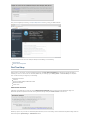
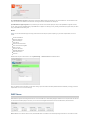
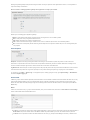
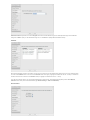
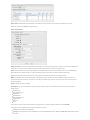
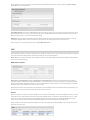
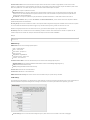
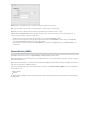
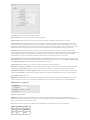
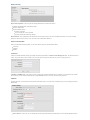
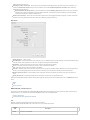
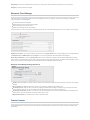
MTU: Set the maximum transmission unit (MTU) for the GRE tunnel.
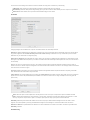
WAN Binding: WAN Binding is an optional parameter used to configure the GRE tunnel to ONLY operate when the specified WAN device(s) are
available and connected. An example use case is when there is a router with both a primary and failover WAN device and the tunnel should only be used
when the system has failed over to the backup connection.
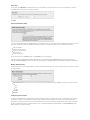
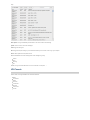
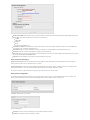
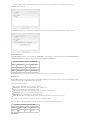
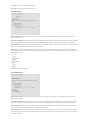
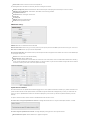
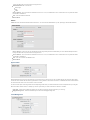
Make a selection for "When," "Condition," and "Value" to create a WAN Binding. The condition will be in the form of these examples:
When
Condition
Value
Port
is
USB Port 1
Type
is not
WiMAX
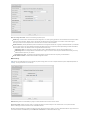
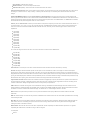
When:
Port – Select by the physical port on the router that you are plugging the modem into (e.g., "USB Port 2").
Manufacturer – Select by the modem manufacturer (e.g., "Cradlepoint Inc.").
Model – Set your rule according to the specific model of modem.
Type – Select by type of Internet source (Ethernet, LTE, Modem, Wireless as WAN, WiMAX).
Serial Number – Select a 3G or LTE modem by the serial number.
MAC Address – Select a WiMAX modem by MAC Address.
Unique ID – Select by ID. This is generated by the router and displayed when the device is connected to the router.
Condition: Select “is,” “is not,” “starts with,” “contains,” or “ends with” to create your condition’s statement.
Value: If the correct values are available, select from the dropdown list. You may need to manually input the value.
Invert WAN Binding: Advanced option that inverts the meaning of WAN Binding to only establish this tunnel when the specified WAN Binding device(s)
are NOT connected.
Tunnel Enabled: Select to activate the tunnel.
Add/Edit Tunnel – Routes
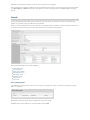
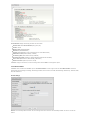
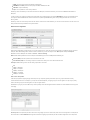
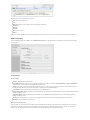
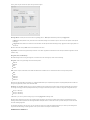
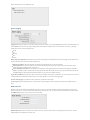
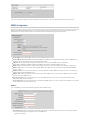
Adding routes allows you to configure what types of network traffic from the local host or hosts will be allowed through the tunnel.
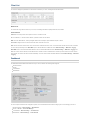
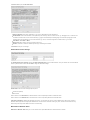
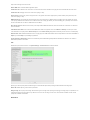
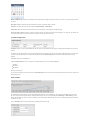
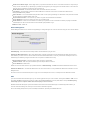
Click Add Route to configure a new route. You will need to input the following information, defined by the remote network:
Network Address – This is the network address that is the destination of the route. This should be set to the network address at the remote side
of the tunnel.
Netmask – This is the corresponding subnet mask of the network being defined (Default: 255.255.255.0).
You can set the tunnel to connect to a range of IP addresses or to a single IP address. For example, you could input 192.168.0.0 and 255.255.255.0 to
connect your tunnel to all the addresses of the remote network in the 192.168.0.x range. Alternatively, you could select a single address by inputting
that address along with a Netmask of 255.255.255.255.
Add/Edit Tunnel – Keep Alive
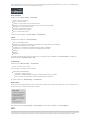
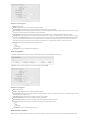
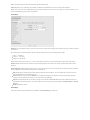
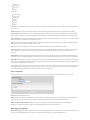
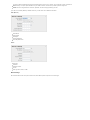
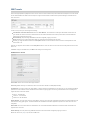
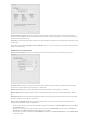
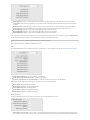
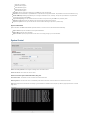
GRE keep-alive packets can be enabled to be sent through the tunnel in order to monitor the status of the tunnel and more accurately determine if the
tunnel is alive or not.
GRE keep-alive packets may be sent from both sides of a tunnel, or from just one side.