1
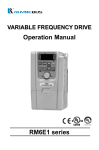
VARIABLE FREQUENCY
DRIVE
Operation Manual
RM6E1 series
Quality․Satisfaction․Improvement․Innovation
http://www.rhymebus.com.tw
2014.07.14
Revised
PREFACE
Thank you for using RHYMEBUS RM6E1 series drive. For proper operations and
safety purposes, please do read and follow specific instructions contained in this
manual before using the product. The manual shall be placed on the top of the
machine, and all the setup parameters and reference numbers must be properly
recorded in Attachment 1 to facilitate future maintenance and repairs.
SAFETY PRECAUTION
Please read this manual thoroughly and pay attention to the safety precautions
marked with “ DANGER ” or “ CAUTION ” before the installation, wiring,
maintenance, or troubleshooting.
Only the qualified personnel may proceed with the installation, wiring, testing,
troubleshooting, or other tasks.
※Qualified Personnel: Must be familiar with the fundamentals, structures,
characteristics, operating procedures, and installation, and this personnel must
read the manual in details and follow the steps of security measures to prevent
possible dangers.
DANGER
CAUTION
User may cause the casualty or serious damages if user
does not abide by the instructions of the manual to execute
the tasks.
User may cause injuries to the people or damage the
equipment if user does not abide by the instructions of the
manual to execute the tasks.
※Although the “
” mark may indicate minor damages, serious damages or
injuries may be possibly incurred if the caution is not under user’s attention.
Installation
CAUTION
a. The installation shall take place only on top of the metal surface or any material
with the fire resistant. Any place or location of high temperature, moist, oil and
gas, cotton fiber, metal powder and erosive gas shall be avoided.
b. If the product specification indicates IP00 (the protective level of the equipment
structure), any human contact is forbidden at the installation location to avoid the
electric shock. The option of installing AC reactor(ACL) shall be very cautious.
c. Please note the surrounding temperature shall not exceed 50°C when the
installation needs to be placed inside the control panel.
d. For the environment of storage and installation, please follow the instructions of
the environmental conditions illustrated in the sections of the common
specification of RM6E1.
i
Wiring
DANGER
a. Do Not conduct any wiring during the system power ON to avoid the electric shock.
b. R/L1,S/L2,T/L3 are power inputs (electric source terminals) and U/T1,V/T2,W/T3
are drive’s outputs to a motor. Please Do Not connect these input and output
- , and PR.
terminals to terminals P⊕, N○
c. Once the wiring is complete, the cover of the drive must be put back and must
seal the drive to avoid other’s accidental contact.
d. The drives have three specifications base on the input power source 100V / 200V
/ 400V, Do Not input the voltage exceed the specifications.
e. The grounding terminal(
) must be exactly grounded. Ground the drive in
compliance with the NEC standard or local electrical code.
f. Please refer to the manual page 16 and 17 for the screwing torque of the wiring
terminal.
g. Please refer to the national or local electric code for the appropriate spec of the
cords and wires.
h. Please install an appropriate Molded Case Circuit Breaker (MCCB) or Fuse at
each path of power lines to a drive.
i. Please install the thermal relay between the individual motor and the drive when
using one drive to propel several motors.
j. Do Not connect power factor leading capacitor, surge absorber, or
non-three-phase motor to the drive’s U/T1, V/T2, or W/T3 side.
k. AC reactor(ACL) installation is required when the power capacity exceeds
500kVA or 10 times or more than the drive rated capacity.
l. Do Not touch the drive or performing any unwiring actions before drive indicator
light turns off after the power off. Use a multi-meter with the DC voltage stage to
- terminals (The voltage must
measure the cross voltage between P⊕ and N○
be less than 25V).
m. When the motor do the voltage-proof, insulation testing, unwiring the
U/T1,V/T2,W/T3 terminal of drive at first.
CAUTION
a. The RM6E1 series outputs are designed to drive a three-phase induction motor.
Do Not use for single-phase motor or using for other purposes.
b. The main circuit and control circuit must be wired separately; control circuit must
use a shielded or twisted-pair shielded wires to avoid possible interferences.
ii
Operation
DANGER
a. Do Not open or remove the cover while power is on or during the drive operation.
Do close up the cover before powering on the drive. Do Not remove the cover
except for wiring or periodic inspection when power off.
b. At the function F3.30= 1 or 3, the drive will automatically restart when the power
is restored. Stay away from the motor and machine.
c. At the function F1.05=0 and F1.00=0 or 1 or 10, the
key on the operation
panel is ineffective. Please use an emergency stop switch separately for safe
operations.
d. The drive can produce high frequency outputs. Before adjusting the frequency,
please check the specs of motor carefully to prevent the motor from unexpected
damages.
e. If any of the protective functions have been activated, and the start command is
set to terminal control(F1.00=0 or 1 or 10), first remove the case and check the
all run commands set to OFF. Then press the
key to release the alarm.
STOP
RESET
STOP
RESET
CAUTION
a. Do Not touch the heat sink or brake resistors due to the high heat.
iii
INTRODUCTIONS
Features
a. With the temperature management and fan control functions
to increase the lifetime of cooling fan and saving the energy.
a. User can monitor the temperature of drive and setting the pre-alarm level to forecast the
maintenance cycle of cooling fan.
b. Fan will be standby under idle speed, light-duty load or low surrounding temperature
conditions.
b. Special function key(SPEC):
Programmable function key for forward/reverse running, jog speed,
selection of primary/secondary frequency command…etc.
c. Allow RS-485 communication interface control (Modbus RTU
communication protocol).
d. 6 sets of fault records:
Record 4 types of information under fault condition, respectively. (fault
code, output current, DC bus voltage, output frequency)
e. Built-in dynamic braking unit(DBU); braking level and control function are
adjustable.
f. Running hours and supply power time of drive can be saved and
displayed.
g. Group design for the functions ease the function setting and
management.
h. Sequential operation control and PID control function.
i. Provide 8 sets of monitor displays(three of displays can be defined as
another extra displays).
j. Provide PTC sensor setting functions for preventing the motor from
overheating.
k. Energy-saving selection for light-duty load.
l. Auto-torque boost function.
m. Provide 16 preset speeds control.
n. The analog input signal of filter can be adjusted.
o. The response time of digital input signal is adjustable(adjustable dead
band detection).
p. Independent adjustment selection of V, F for analog input signal.
q. Two sets of motor overload protection function.
r. Programmable input and output terminals and two modes selection
(SINK/SOURCE) for input signal.
s. User can connect KP-601 keypad(option) for remote control, parameters
duplication and saving.
t. The switching frequency can be adjust between 800Hz ~ 16kHz.
iv
TABLE OF CONTENTS
Chapter 1
Cautions Before Installation ----------------------------- 1
1-1 PRODUCT VERIFICATION -----------------------------------------------------------------1
1-1-1 Confirmation of Appearance --------------------------------------------------------1
1-1-2 The description of nomenclature --------------------------------------------------1
1-1-3 Confirmation of Accessories --------------------------------------------------------2
1-2 STANDARD SPECIFICATIONS -----------------------------------------------------------2
1-2-1 Single-Phase 100V Series ----------------------------------------------------------2
1-2-2 Single-Phase 200V Series ----------------------------------------------------------3
1-2-3 Three-Phase 200V Series -----------------------------------------------------------3
1-2-4 Three-Phase 400V Series -----------------------------------------------------------4
1-3 COMMON SPECIFICATIONS --------------------------------------------------------------6
1-3-1 The Features of Control and Operation------------------------------------------6
1-4 THE DISASSEMBLED SKETCH OF RM6E1 ------------------------------------------8
Chapter 2
Installation and Confirmation --------------------------- 10
2-1 BASIC EQUIPMENT ------------------------------------------------------------------------ 10
2-2 ENVIRONMENTAL CONDITIONS ------------------------------------------------------ 10
2-3 DESCRIPTIONS OF TERMINAL AND WIRING DIAGRAM --------------------- 13
2-3-1 Wiring Diagram ----------------------------------------------------------------------- 13
2-3-2 SINK / SOURCE Definition-------------------------------------------------------- 14
2-3-3 Description of Terminals ----------------------------------------------------------- 15
2-3-4 Wiring Cautions and Specifications --------------------------------------------- 19
Chapter 3 The Setting of Operation Panel & Remote Controller
------------------------------------------------------------------------------------- 23
3-1 FUNCTIONS OF OPERATION PANEL ------------------------------------------------ 23
3-1-1 Indicators of Operation Panel ---------------------------------------------------- 23
3-1-2 Keys of Operation Panel ----------------------------------------------------------- 24
3-1-3 Knob of Operation Panel ---------------------------------------------------------- 24
3-2 FUNCTIONS OF REMOTE CONTROLLER(KP-601 KEYPAD) ---------------- 25
3-2-1 Indicators of Keypad ---------------------------------------------------------------- 25
3-2-2 Keys of Keypad ---------------------------------------------------------------------- 26
3-2-3 Knob of Operation Panel ---------------------------------------------------------- 26
3-3 THE OPERATION OF THE OPERATION PANEL AND MONITOR MODE-- 27
3-3-1 The Operation of Operation Panel ---------------------------------------------- 27
3-3-2 Monitor Mode ------------------------------------------------------------------------- 28
3-3-3 The Status of Multi-function Terminals ----------------------------------------- 29
3-3-4 The Function Setting Mode ------------------------------------------------------- 29
3-3-5 Parameter Setting Mode ----------------------------------------------------------- 30
3-3-6 The Operation in the Monitor Mode--------------------------------------------- 31
3-3-7 To Start/Stop the Drive ------------------------------------------------------------- 31
v
3-3-8 Save and Restore the Setting Value. ------------------------------------------- 32
Chapter 4
Parameter List ----------------------------------------------- 34
F0 SYSTEM PARAMETERS------------------------------------------------------------------- 35
F1 OPERATION PARAMETERS ------------------------------------------------------------- 36
F2 FREQUENCY PARAMETERS ------------------------------------------------------------ 39
F3 CONTROL PARAMETERS ---------------------------------------------------------------- 42
F4 PROTECTION PARAMETERS ----------------------------------------------------------- 45
F5 MULTI-FUNCTION PARAMETERS ----------------------------------------------------- 47
F6 SPECIAL PARAMETERS ------------------------------------------------------------------ 52
Chapter 5
Parameter Setting Description ------------------------- 61
F0 SYSTEM PARAMETERS------------------------------------------------------------------- 61
F1 OPERATION PARAMETERS ------------------------------------------------------------- 64
F2 FREQUENCY PARAMETERS ------------------------------------------------------------ 72
F3 CONTROL PARAMETERS ---------------------------------------------------------------- 79
F4 PROTECTION PARAMETERS ----------------------------------------------------------- 85
F5 MULTI-FUNCTION PARAMETERS ----------------------------------------------------- 94
F6 SPECIAL PARAMETERS ---------------------------------------------------------------- 112
Chapter 6 Communiction Description ------------------------------ 124
6-1 KP-601 / MODBUS PORT (RJ-45) --------------------------------------------------- 124
6-2 THE SETTING OF COMMUNICATION PARAMETER -------------------------- 125
6-3 COMMUNICATION PROTOCOL ------------------------------------------------------ 125
6-4 MESSAGE FORMAT --------------------------------------------------------------------- 126
6-5 CRC CHECKSUM ALGORITHM ------------------------------------------------------ 129
6-6 PROCESSING TIME OF COMMUNICATION TRANSMISSION-------------- 130
6-7 COMMUNICATION TROUBLESHOOTING ---------------------------------------- 131
6-8 DRIVE REGISTERS AND COMMAND CODE ------------------------------------ 132
6-9 PROGRAMMING EXAMPLES – REGISTER AND COMMAND -------------- 136
Chapter 7
Operation Procedures and Fault Protection ----- 140
7-1 OPERATION PROCEDURES ---------------------------------------------------------- 140
7-2 FAULT PROTECTION DISPLAY AND TROUBLESHOOTING --------------- 142
Appendix A Applicable Safety Regulation ---- 錯誤! 尚未定義書
籤。
Appendix B Peripheral Equipment of Drive --------------------- 149
vi
Appendix C Selection of AC Reactor(ACL) --------------------- 150
Appedix D Selection of EMC Filter --------------------------------- 152
Appendix E Zero-Phase Radio Frequency Filter Selection 153
Appendix F Selection of Motor -------------------------------------- 156
A. STANDARD MOTOR ---------------------------------------------------------------------- 156
B. SPECIAL MOTORS ------------------------------------------------------------------------ 156
C.INSULATION MEASUREMENT OF DRIVE AND MOTOR ----------------------- 157
1. Measure the drive insulation impedance----------------------------------------- 157
2. Measure the motor insulation impedance --------------------------------------- 157
Appendix G Instruction of Drive Charging ---------------------- 158
Appendix H Dynamix Brake and Resistor ----------------------- 159
A. RM6E1 FULL SERIES ARE BUILT-IN THE BRAKING TRANSISTOR. ----- 159
B. BRAKING RESISTOR OUTLINE (OPTION) ---------------------------------------- 159
C. BRAKING RESISTOR SPECIFICATION --------------------------------------------- 159
D. BRAKING RESISTOR LIST-------------------------------------------------------------- 160
AC 100V Series ---------------------------------------------------------------------------- 160
AC 200V Series ---------------------------------------------------------------------------- 160
AC 400V Series ---------------------------------------------------------------------------- 160
E. THE WIRING OF BRAKING RESISTOR --------------------------------------------- 162
Appendix I Outline Dimension Drawings ------------------------ 163
Attachment 1 Setting Memo ----------------------------------------- 166
Attachment 2 Fault Displays ----------------------------------------- 171
vii
No Text on This Page
viii
Chapter 1
Chapter 1
Cautions Before Installation
Cautions Before Installation
1-1 Product Verification
The product has passed the strictest quality test before shipped out from the
factory. However, the product might possibly sustain minor damages due to the
impact, shaking, vibration, and other factors during the transportation. Please
make sure to verify the following items after receiving this product. If the
product verification finds anything abnormal, please contact the agent
immediately for the further assistance.
1-1-1 Confirmation of Appearance
1.Check up the drive’s model number is identical with the shipping label on
the carton.
2.Check up the appearance of the drive for any paint chipped off,
smearing, deformation of shape, etc.
3.Check up the nameplate (as below figure) of the drive to verify the
product descriptions with the order specification.
ISO 9001 IP20
TYPE
RM6E1-2002B3
INPUT
3PH AC200-240V 8.4A 50/60Hz
OUTPUT
3PH AC200-240V 8A 0.1-400.00Hz
PGM NO.
9748-1
SERIAL NO.
XXXXXXX
Model Number
Input Power Specs
Output Current & Capacity
Software Number
Product Serial Number
Rhymebus Corporation, Taiwan
1-1-2 The description of nomenclature
RM6E1
— 2 002 B 3
Input Power Phase
1: Single-Phase
3: Three-Phase
Brake Type
B: with Braking Transistor
Horse Power Code (see HP Table)
Input Voltage
1: 100V ~ 120V
2: 200V ~ 240V
4: 380V ~ 480V
Product Series
HP (Horse Power) Table for Drive Horse Power Code Conversion
Horse power code
Horse power
Horse power code
Horse power
0P5
0.5
003
3
001
1
004
4
1P5
1.5
005
5
002
2
007
7.5
1
1
Chapter 1
Cautions Before Installation
1-1-3 Confirmation of Accessories
One user manual is inclusive. Please verify other accessories inclusively
such as braking resistor, AC reactor, etc..
※Please refer to the standard specifications to verify the product
specifications with your requirements.
1-2 Standard Specifications
1-2-1 Single-Phase 100V Series
Model name
10P5
1001
1002
1003
(RM6E1-□□□□B1)
Maximum applicable
0.5 / 0.4
1 / 0.75
2 / 1.5
3 / 2.2
motor (HP / kW)
Rated output capability
1.0
1.6
2.9
3.8
(kVA)
Rated output current (A)
2.5
4.2
7.5
10
Three-phase 200~240V
Rated output voltage (V)
Range of output
0.1~400.00Hz
frequency (Hz)
Single-phase 100~120V 50/60Hz
Power source (ψ, V, Hz)
Input current (A)
9.1
15.3
30
40
Permissible AC power
88V~132V
source fluctuation
Overload protection
150% of drive rated output current for 1 min.
Cooling method
Nature cooling
Fan cooling
Applicable safety
-
standards
IP20
IP20
Protective structure
1.1
1.2
-
-
Weight / Mass(kg)
1
2
Chapter 1
Cautions Before Installation
1-2-2 Single-Phase 200V Series
Model name
20P5
2001
2002
2003
(RM6E1-□□□□B1)
Maximum applicable
0.5 / 0.4
1 / 0.75
2 / 1.5
3 / 2.2
motor (HP / kW)
Rated output capability
1.1
1.9
2.9
3.8
(kVA)
Rated output current (A)
3
4.2
7.5
10
Rated output voltage (V)
Three-phase 200~240V
Range of output
0.1~400.00Hz
frequency (Hz)
Power source (ψ, V, Hz)
Single-phase 200~240V 50/60Hz
Input current (A)
5.8
7.7
13.7
20
Permissible AC power
176V~264V
source fluctuation
Overload protection
150% of drive rated output current for 1 min.
Cooling method
Nature cooling
Fan cooling
Applicable safety
-
standards
Protective structure
IP20
Weight / Mass(kg)
1.1
1.2
1.2
2.5
※Single-Phase 200V Series 3HP model is under development.
1-2-3 Three-Phase 200V Series
Model name
20P5
2001
21P5
2002
(RM6E1-□□□□B3)
Maximum applicable
0.5 / 0.4
1 / 0.75
1.5 / 1.1
2 / 1.5
motor (HP / kW)
Rated output capability
1.1
1.6
2.3
3
(kVA)
Rated output current (A)
3
4.2
6
8
Rated output voltage (V)
Three-phase 200~240V
Range of output
0.1~400.00Hz
frequency (Hz)
Power source (ψ, V, Hz)
Three-phase 200~240V 50/60Hz
Input current (A)
3.2
4.4
6.3
8.4
Permissible AC power
176V~264V
source fluctuation
Overload protection
150% of drive rated output current for 1 min.
Cooling method
Nature cooling
Fan cooling
Applicable safety
-
standards
Protective structure
IP20
Weight / Mass(kg)
1.1
1.1
1.1
1.2
3
1
Chapter 1
Cautions Before Installation
Model name
(RM6E1-□□□□B3)
Maximum applicable
motor (HP / kW)
Rated output capability
(kVA)
Rated output current (A)
Rated output voltage (V)
Range of output
frequency (Hz)
Power source (ψ, V, Hz)
Input current (A)
Permissible AC power
source fluctuation
Overload protection
Cooling method
Applicable safety
standards
Protective structure
Weight / Mass(kg)
2003
2004
2005
3 / 2.2
4/3
5 / 3.7
3.8
5
6.5
10
13
Three-phase 200~240V
17
0.1~400.00Hz
Three-phase 200~240V 50/60Hz
11.5
15
19
176V~264V
150% of drive rated output current for 1 min.
Fan cooling
-
IP20
2.5
1.2
2.5
※Please refer to the page 140 for the single-phase application.
※Three-Phase 200V Series 4HP model is under development.
1-2-4 Three-Phase 400V Series
Model name
4001
4002
4003
(RM6E1-□□□□B3)
Maximum applicable
1 / 0.75
2 / 1.5
3 / 2.2
motor (HP / kW)
Rated output capability
1.9
3
4.2
(kVA)
Rated output current (A)
2.5
4
5.5
Three-phase 380~480V
Rated output voltage (V)
Range of output
0.1~400.00Hz
frequency (Hz)
Three-phase 380~480V 50/60Hz
Power source (ψ, V, Hz)
Input current (A)
2.8
4.4
6.1
Permissible AC power
332V~528V
source fluctuation
Overload protection
150% of drive rated output current for 1 min.
Cooling method
Nature cooling
Fan cooling
Applicable safety
-
standards
IP20
Protective structure
1.1
1.2
1.2
Weight / Mass(kg)
1
4
Chapter 1
Model name
(RM6E1-□□□□B3)
Maximum applicable
motor (HP / kW)
Rated output capability
(kVA)
Rated output current (A)
Rated output voltage (V)
Range of output
frequency (Hz)
Power source (ψ, V, Hz)
Input current (A)
Permissible AC power
source fluctuation
Overload protection
Cooling method
Applicable safety
standards
Protective structure
Weight / Mass(kg)
Cautions Before Installation
4005
4007
5 / 3.7
7.5 / 5.5
6.9
11
9
14
Three-phase 380~480V
0.1~400.00Hz
Three-phase 380~480V 50/60Hz
10.3
16
332V~528V
150% of drive rated output current for 1 min.
Fan cooling
-
IP20
2.5
5
2.5
1
Chapter 1
Cautions Before Installation
1-3 Common Specifications
1-3-1 The Features of Control and Operation
Control method
Range of
frequency setting
Resolution
of frequency
setting
Resolution
of output
frequency
Overload
protection
․Voltage vector sinusoidal PWM control(V/F control);
․Switching frequency: 800Hz~16kHz
0.1~400.00Hz
․Operation panel: 0.01Hz
․Analog signal: 0.06Hz / 60Hz
0.01Hz
150% of drive rated output current for 1 minute
․Start/stop braking time: 0~60.0sec
․Stop braking frequency: 0.1~60Hz
․Braking ability: 0~150% of inverter
Approximately 20%(with the external braking resistor
Braking torque
connected, braking torque is approximately 100%)
․V/F pattern (2 V/F points)
․Square curve, 1.7th power curve, 1.5th power curve.
V/F pattern
․Output voltage adjustment of V/F pattern(Variable voltage
(V) adjustment of V/F pattern for acceleration /
deceleration).
․0sec(coast to stop), 0.0~3200.0sec(Independent setting of
Acceleration/
the acceleration / deceleration).
deceleration time ․The time setting range of the speed acceleration from 0 to
60Hz is 0.015sec ~ 19200000sec(222 days).
Stall prevention at acceleration / constant speed(the current
Stall prevention level of stall prevention is 30~200%), Stall prevention at
deceleration
Slip compensation, auto-torque compensation,
auto-adjustment for output voltage stability, auto-operation for
energy-saving, auto-adjustment of switching frequency,
restart after instantaneous power failure, speed tracing,
over-torque detection, DC braking, dynamic braking duty
Other functions control, sequential operation control, counter function, PID
control, Modbus communication, jump frequency, holding
frequency, upper/lower limits of output frequency, 16-preset
speeds, acceleration/deceleration switch, S-curve
acceleration/deceleration, fan control, parameters
duplication,motor overload detection
Control Characteristics
DC braking
1
6
Chapter 1
Display
Input
Multi-function
inputs
Analog inputs
Multi-function
outputs
Output
Operation Characteristics
Start method
Analog
outputs
Build-in operation
panel
Fault protection
protection
External keypad
(KP-601)
Error trip
messages of
drive
Cautions Before Installation
Command the drive via 6 programmable multi-function input
terminals(X1~X6): Forward command / Reverse command,
3-wire start/stop control, 16 sets preset speed control.
Communication control.
6 programmable input terminals: X1~X6
Response time:1~255 ms
Refer to the chapter of function setting description for
F5.19~F5.24.
1 set of analog inputs: AI(DC 0~10V / 2~10V or DC 0~20mA /
4~20mA)
Analog filter (0~255, unit: 5ms), the dead band of
Analog frequency, gain and bias are adjustable.
Refer to the chapter of function setting description for F5.01,
F5.02, F5.05~F5.08
1-set programmable output terminal: Ta /Tb/ Tc
Refer to chapter of function setting description for F5.26.
1 set of analog output: FM(DC 0~10V / 2~10V or DC 0~20mA
/ 4~20mA) gain and bias are adjustable.
The gain and bias are adjustable.
Refer to the chapter of function setting description for
F5.12~F5.15.
4-digit 7-segment display unit, 8 status indicators, 8 buttons,
1 analog knob. 8 monitor modes: output frequency, frequency
command, output voltage, DC voltage, output current, and
three programmable monitor modes (see function
F1.09~F1.11): terminal status, heat sink temperature, motor
speed (RPM), machine speed (MPM), the phase of
sequential operation control, the period of sequential
operation control, counting value, current limit level, primary
frequency command, secondary frequency command, PID
command, PID feedback
Keypad KP-601 is available for external connection to the
drive *Note 2
Under voltage during operation(LE1), Drive over current(OC),
Grounding fault(GF), Over voltage(OE), Drive overheat(OH),
Motor overload(OL), System overload(OLO), Keypad
interruption during copy(PAdF), IGBT module error(Fot)*Note
1, Drive overload(OL1), Drive current limit(OL2), Braking
transistor overload(OL3), Motor overheat(OH2), PID
feedback signal error(noFb), External fault(EF), Internal
memory error(EEr1, EEr2), EEPROM error(EEr), A/D
converter error(AdEr)
7
1
Environment
Chapter 1
Cautions Before Installation
Power source under voltage(LE), Drive output
interruption(bb), Coast to stop(Fr), Braking transistor is active
(db), Keypad cable trip before connecting(Err_00), Keypad
Warning
cable trip during operation(Err_01), System overload(OLO),
messages of Power source under voltage(Hv), Power source under
voltage(LE), Drive overheat(OHt), Motor overheat(OH1),
drive
FWD/REV command input simultaneously(dtF)、Different
software version inter-copy(wrF)、Modbus communication
overtime(Cot)
All models belong to fan cooling except single-phase
Cooling method
10P5,20P5 and three-phase 20P5, 2001, 4001
Non-corrosive or non-conductive, or non-explosive gas or
Atmosphere
liquid, and non-dusty
Surrounding
-10°C (14°F) ~ +50°C (122°F) (Non-freezing and
temperature
non-condensing)
Storage
-20°C (-4°F) ~ +60°C (149°F)
temperature
Relative humidity 90% RH or less (No-condensing atmosphere)
Vibration
Less than 5.9m/sec² (0.6G)
Altitude
Less than 1000m (3280 ft.)
Note1: Only 3HP below(100V/200V series) have IGBT module error protection (Fot).
Note2: KP-601 is an optional accessory.
1-4 The Disassembled Sketch of RM6E1
1
○
2
○
3
○
5
○
4
○
6
○
1 :Cover of main circuit
○
2 :Screws of main circuit
○
3 :Cover of multi-function terminal
○
4 :The protection cover of fan
○
5 :Cooling fan
○
6 :Drive
○
1
8
Chapter 1
Cautions Before Installation
No Text on This Page
9
1
Chapter 2
Installation and Confirmation
Chapter 2
Installation and Confirmation
2-1 Basic Equipment
The drive needs the several components for the conjunctive operation. These
components are called “basic equipment”, listed in the following:
2-1-1 Power Source: The voltage with three-phase or single-phase of the
power source must meet the drive specifications.
2-1-2 MCCB or NFB: MCCB (Molded Case Circuit Breaker) or NFB (No Fuse
Breaker) can withstand the inrush current at instant power-on and
providing the overload and over-current protection to the drive.
2-1-3 Drive: The rated current of motors are different for the different pole or
rated voltage. Please base on the rated voltage and rated current of
motor to select drive. Do not select the drive only base on the horse
power specification of motor. (please refer to the lists of standard
specifications of drives)
2-1-4 Motor: The specifications of motor are determined from the requirement.
Please be cautious to the motor rated current that must not exceed the
drive current.
Note: RM6E1 is only used for three-phase induction motor control, and must not be used
for single-phase motor.
2-2 Environmental Conditions
For the safe operation of the drive, please be cautious to the environmental
conditions where the drive is going to be installed.
2-2-1 AC Power: AC power input must be complied with the AC power input
specification of the drive.(see RM6E1 standard specifications)
2-2-2 Location: Due to the heat dissipating requirement during the drive
operation, the drive must keep enough space for heat dissipation. Please
keep the least clearance space when installation. (shown as below
figure):
2
10
Chapter 2
Installation and Confirmation
2-2-3 Arrangement: The fluent air ventilation inside the control panel/cabinet
must be considered when a drive is installed inside. Please refer to as
below figure 1:
Correct
Incorrect
Outlet
Outlet
Fan
Fan
Fan
Outlet
Fan
Outlet
RM5G/P
Drive
Driver
RM5G/P
Drive
Driver
Inlet
Intlet
Inlet
Intlet
Correct
Incorrect
Outlet
Fan
Outlet
Fan
Fan
Outlet
Fan
Outlet
RM5G/P
Drive
Driver
RM5G/P
Drive
Driver
RM5G/P
Drive
Driver
RM5G/P
Drive
Driver
Guide
Inlet
Intlet
Inlet
Intlet
Figure 1: Drive mounting inside the cabinet/control panel
11
2
Chapter 2
Installation and Confirmation
2-2-4 Specifications of Associated Accessories: The specifications of the
accessories must be according to the specifications of the drive.
Otherwise, the drive will be damaged and the lifetime of the drive will be
shorten.
Do Not add any power factor leading capacitor(RC, LC or other capacitance
component) between the drive and motor to avoid any accidents.
2-2-5 Cleaning of Environment: The installed location of drive must consider
the ventilation, cleanliness and moisture.
2-2-6 Operator: Only the qualified personnel can perform the operation and
troubleshooting.
2
12
Chapter 2
Installation and Confirmation
2-3 Descriptions of Terminal and Wiring Diagram
2-3-1 Wiring Diagram
Braking Resistor (option)
Main Circuit Terminals
Control Terminals
PR
Three-phase, 50/60Hz R/L1
AC power input:
S/L2
(Single Phase-Only R/L1,
R/L1
S/L2 Terminals)
T/L3
S/L2
T/L3
P
N
Induction Motor
U/T1
RM6E1
V/T2
IM
W/T3
JP2
SOURCE
SINK
Multi-function Input 1
X1
Multi-function Input 2
X2
Multi-function Input 3
X3
Multi-function Input 4
X4
Multi-function Input 5
X5
X6
COM
Multi-function Input 6
JP3
FMI
FMV
Analog Output (Note1)
DC0~10V(0~20mA)
DC2~10V(4~20mA)
FM
GND
Ta
Tb
Tc
Multi-function Outputs (Relay Type)
AC250/0.2A COSθ=0.3
V+
VR 1kΩ, 1/4W
AI
KP-601/
Modbus
Port
PP
Analog Inputs (Note 2)
DC0~10V(0~20mA)
DC2~10V(4~20mA)
GND
JP1
I
24V
V
JP4
Shielded Wire
ON
DSW1
1
12V
P
Twisted-Pair
Shielded Wire
※JP1: I/V; AI signal selection
“I” position: AI-GND terminal is inputted with the current signal.
“V” position: AI-GND terminal is inputted with the voltage signal.
※JP2: SINK / SOURCE selection
The signal input selection of multi-function input terminal, please see the
section “2-3-2 SINK / SOURCE Definition”
※JP3: FMI / FMV; FM signal selection
“FMI” position: Output current signal.
“FMV” position: Output voltage signal.
※JP4: 12V / 24V; V+ signal selection
“12V” position: Output DC12V between V+ and GND terminals..
“24V” position: Output DC24V between V+ and GND terminals.
※DSW1: The terminal resistor selection of Modbus communication(the internal
resistance is 100Ω).
※Tightening torque of control terminal:
TB1: 1.5 kgf-cm (1.3 Ib-in); TB2: 5.1 kgf-cm (4.4 Ib-in)
+ , N○
- terminals to
※Be cautioned of the electrodes when connecting the power to P○
avoid the damage of drive.
13
2
Chapter 2
Installation and Confirmation
2-3-2 SINK / SOURCE Definition
There are two ways of connection for multi-function input terminals:
a. JP2: “SINK” position
PLC(NPN)
RM6E1 Drive
RM6E1 Drive
X1~X6
X1~X6
JP2
SINK
JP2
SOURCE
SINK
COM
SOURCE
COM
When JP2 is switched to “SINK” position and short-circuit the X1~X6 terminals with
COM terminal, drive is activate.
b. JP2: “SOURCE” position
PLC(PNP)
RM6E1 Drive
RM6E1 Drive
+
X1~X6
+
DC24V
-
SINK
DC24V
JP2
SOURCE
-
X1~X6
SINK
COM
JP2
SOURCE
COM
When JP2 is switched to “SOURCE” position and the external power DC 24V (+) is
connected to X1~X6, and DC 24V (-) is connected to COM, the drive is activate.
2
14
Chapter 2
Installation and Confirmation
2-3-3 Description of Terminals
a. Terminals of Main Circuit
Type
Symbol
Function
Description
Three-phase; sinusoidal power source
AC power
input terminal.
Power
R/L1,S/L2,T/L3 source input For the single-phase power source
Source
terminals
110/220V, please connect only
R/L1,S/L2 terminals.
Drive outputs The terminals output three phase
Motor
U/T1,VT2,W/T3
to motor
variable frequency and voltage to
terminals
motor.
Dynamic
─
braking unit The terminals between P⊕and N○
─
P⊕,N○
connecting connect dynamic braking unit(option).
terminal
Power and
External
Brake
The terminals between P⊕and PR
braking
P⊕,PR
resistor
connect external braking resistor
connecting (option).
terminal
Ground the drive in compliance with
Grounding
Grounding
the NEC standard or local electrical
terminal
code.
15
2
Chapter 2
Installation and Confirmation
b. Main Circuit Connection
i. 100 / 200V single-phase AC power
Model no.
RM6E110P5B1
1001B1
20P5B1
2001B1
2002B1
1002B1
1003B1
2003B1
2
Screw size
of
main circuit
terminal
Tightening torque
of main circuit
terminal screw
Ib-in(kgf-cm)
Screw size
of
grounding
terminal
Tightening
torque of
grounding
terminal screw
Ib-in(kgf-cm)
M3.5
8.5(9.8)
M4
15.6(18)
M4
15.6(18)
M4
15.6(18)
16
Chapter 2
Installation and Confirmation
ii. 200 / 400V three-phase AC power
Model no.
RM6E120P5B3
2001B3
21P5B3
2002B3
4001B3
4002B3
4003B3
2003B3
2004B3
2005B3
4005B3
4007B3
Screw size Tightening torque Screw size
of
of main circuit
of
main circuit terminal screw
grounding
terminal
Ib-in(kgf-cm)
terminal
Tightening
torque of
grounding
terminal screw
Ib-in(kgf-cm)
M3.5
8.5(9.8)
M4
15.6(18)
M4
15.6(18)
M4
15.6(18)
iii. The wiring of braking resistor
17
2
Chapter 2
Installation and Confirmation
c. Control Terminals
Control Terminal Mapping
Symbol
Control
power
V+
*Note 3
GND
AI
*Note 1
Input terminals
Control circuit terminal
X1
X2
X3
X4
X5
X6
Output terminals
COM
FM
*Note 2
Ta
Tb
Tc
ON
Type
1
DSW1
JP1
JP2
JP3
JP4
TB1
X6 X5 X4 X3 COM X2 X1 FM GND AI V+
TB2
Ta
Tb
Tc
Function
Description
DC+12V position: Maximum supplied current
Power terminal for
is 20mA.
analog input control DC+24V position: Maximum supplied current
is 50mA.
Common terminal
Common terminal for control power (12V/24V)
for analog input and analog input terminal (AI).
control
The function is set by F5.01.
Analog signal input (default: frequency command)
DC 0~10V / 2~10V (20kΩ)
terminal
DC 0~20mA / 4~20mA (250Ω)
Multi-function input Short the terminal of X1 with COM and set the
function F5.19. (default: forward command)
terminal 1
Multi-function input Short the terminal of X2 with COM and set the
function F5.20. (default: reverse command)
terminal 2
Multi-function input Short the terminal of X3 with COM and set the
function F5.21. (default: jog command)
terminal 3
Multi-function input Short the terminal of X4 with COM and set the
function F5.22. (default: reset command)
terminal 4
Multi-function input Short the terminal of X5 with COM and set the
function F5.23. (default: reset command)
terminal 5
Multi-function input Short the terminal of X6 with COM and set the
function F5.24. (default: reset command)
terminal 6
Input/output
The common terminal of input control signal.
common terminal
The function is set by F5.12.
Analog signal output (default: output frequency)
DC 0~10V / 2~10V (1mAMax)
terminal
DC 0~20mA / 4~20mA (500ΩMax)
The function is set by F5.26
(default: fault detection).
Multi-function output (capacity: AC250V, 0.2AMax, cosθ=0.3)
The function is set by F5.26
terminals
(capacity: AC250V, 0.2AMax, cosθ=0.3)
Common terminal for Ta,Tb
Note 1: V/I selection is set by JP1(default: V); please to p.13.
Note 2: FMV/FMI selection is set by JP3 (default: FMV); please to p.13.
Note 3: 12V/24V selection is set by JP4 (default: 12V); please to p.13.
Note 4: Tightening torque of control terminals: TB1: 1.5 kgf-cm(1.3 lb-in) ; TB2: 5.1 kgf-cm(4.4 lb-in).
2
18
Chapter 2
Installation and Confirmation
d. KP-601 Keypad / Modbus Port (RJ-45)
Type
Pin
1
2
Modbus(RS-485)
/KP-601
communication
3
4
5
6
7
8
Function
Communication
transmission
terminal (DX+)
Communication
transmission
terminal (DX-)
Power terminal of
KP-601(+16V)
Auto-detect terminal
of KP-601
Reserved
Description
Differential input of RS-485
*Note 1
Modbus (RS-485) communication
only uses pin1, 2.
Only for KP-601 linking
Only for KP-601 linking
Reserved
Common terminal of Only for KP-601 linking
KP-601 power(0V)
Note 1: The terminal resistor(100Ω) selection is set by DSW1(default: ON)
※KP-601 cables: Only used with 8-pin telephone cable (flat) and network cable (AMP)
8-pin telephone cable: The cable length must be within 5 meters.
Network cable(AMP): The cable length can be over 5 meters (the longest length is 100
meters)
e. The length of Standard Connecting Cable for KP-601
There are 6 length specifications of network cable(AMP) for KP-601
keypad.(1M, 2M, 3M, 5M, 7M, 10M)
2-3-4 Wiring Cautions and Specifications
a.Wiring connection between drive and motor due to the variance of the rated
power causes the variance of the current leakage. The setting of the
switching frequency, rated power, and cable length is listed in the below table.
Cable length
Rated power
0.5HP~7.5HP
10m
20m
30m
50m
100m
100m
above
10kHz 7.5kHz 5kHz 2.5kHz 800Hz 800Hz
The switching frequency setting is set by F1.21
b.The cable length between the drive and motor must keep as short as
possible. The parasitic capacitance effect is minor within 10 meters. The
drive shall connect an AC reactor(ACL) on the side of drive output terminals
(U/T1,V/T2,W/T3) and decrease the switching frequency if the motor cable is
over 30m.
c.If the drive is used at the altitude over than 1000m, the relationship of drive’s
rated current and altitude is shown as below figure.
Percentage
of the rated 100%
current of
drive
90%
80%
70%
60%
0
1000
2000
19
3000
4000 Altitude (m)
2
Chapter 2
Installation and Confirmation
d.Recommended wire size and Molded Case Circuit Breaker(MCCB)
Single-phase 100V series
Model no.
RM6E1-
Control
Input
Output
Grounding
Input
MCCB (R/L1,S/L2,T/L3) (U/T1,V/T2,W/T3) wire size circuit wire
current
wire size
wire size
(A)
size
(A)
(mm²/AWG) (mm²/AWG) (mm²/ AWG) (mm²/AWG)
10P5B1
9.1
20
2.1/14
0.5/20
2.1/14
1001B1
1002B1
15.3
30
40
50
3.3/12
8.4/8
0.8/18
1.3/16
3.3/12
8.4/8
1003B1
40
60
8.4/8
2.1/14
8.4/8
0.75~1.25/
22~16
Single-phase 200V series
Model no.
RM6E120P5B1
Control
Input
Output
Grounding
Input
MCCB (R/L1,S/L2,T/L3) (U/T1,V/T2,W/T3) wire size circuit wire
current
wire size
wire size
(A)
size
(A)
(mm²/AWG) (mm²/AWG) (mm²/ AWG) (mm²/AWG)
5.8
10
1.3/16
0.5/20
1.3/16
2001B1
9.1
20
2.1/14
0.8/18
2.1/14
2002B1
2003B1
13.7
20
40
40
3.3/12
5.3/10
1.3/16
2.1/14
3.3/12
5.3/10
0.75~1.25/
22~16
Three-phase 200V series
Model no.
RM6E120P5B3
Control
Input
Output
Grounding
Input
MCCB (R/L1,S/L2,T/L3) (U/T1,V/T2,W/T3) wire size circuit wire
current
wire size
wire size
(A)
size
(A)
(mm²/AWG) (mm²/AWG) (mm²/ AWG) (mm²/AWG)
3.2
10
0.5/20
0.5/20
0.5/20
2001B3
4.4
10
0.8/18
0.8/18
0.8/18
21P5B3
6.3
15
1.3/16
1.3/16
1.3/16
2002B3
2003B3
8.4
11.5
15
20
2.1/14
3.3/12
1.3/16
2.1/14
2.1/14
3.3/12
2004B3
15
25
3.3/12
3.3/12
3.3/12
2005B3
19
30
5.3/10
5.3/10
5.3/10
2
20
0.75~1.25/
22~16
Chapter 2
Installation and Confirmation
Three-phase 400V series
Model no.
RM6E14001B3
4002B3
4003B3
4005B3
Control
Input
Output
Input MCCB (R/L1,S/L2,T/L3) (U/T1,V/T2,W/T3) Grounding circuit wire
wire size
current
(A)
wire size
wire size
size
(A)
(mm²/AWG) (mm²/AWG) (mm²/ AWG) (mm²/AWG)
6
2.8
0.5/20
0.5/20
2.1/14
10
4.4
0.8/18
0.5/20
2.1/14
0.75~1.25/
15
6.1
1.3/16
0.8/18
2.1/14
22~16
10.3
15
2.1/14
2.1/14
2.1/14
4007B3
16
25
5.3/10
3.3/12
5.3/10
Note:
i. Please refer to the local electrical code with respect to the wiring(the loading
and continuity, the wire capability for the current and temperature, the length of
wiring, and the surrounding temperature must be all considered in order to add
or reduce the size of the wire).
ii. Please use the cable that is suitable for 600V, 75℃ above.
iii. This table is only for reference.
21
2
Chapter 2
Installation and Confirmation
No Text on This Page
2
22
Chapter 3 The Setting of Operation Panel & Remote Controller
Chapter 3 The Setting of Operation Panel & Remote Controller
3-1 Functions of Operation Panel
REV
KP-601/Modbus
Hz
V
A
CRG
Hz
CRG
V
A
RUN
RUN
<<
PROG
▲
RUN
SPEC
FUNC
DATA
▼
STOP
RESET
SPEC
Min
Max
3-1-1 Indicators of Operation Panel
Symbol
Hz
V
A
REV
KP-601/Modbus
Name
Frequency
indicator
Voltage indicator
Current indicator
Reverse rotation
indicator
KP/Modbus
communication
indicator
CRG
Power indicator
RUN
Operation
indicator
SPEC
Special key
indicator
Description
Indicating the unit of frequency
Indicating the unit of voltage
Indicating the unit of current
ON: Reverse
OFF: Forward
Blinking: Linking
OFF: Non-linking
ON: Power ON
OFF: No power input
Blinking: Under acceleration or
deceleration
ON: Constant speed
OFF: Stop
ON: SPEC under self-holding operation
OFF: SPEC not under self-holding
operation
23
3
Chapter 3 The Setting of Operation Panel & Remote Controller
Hz
CRG
V
A
Shift key
Program key
Function/Data key
Special function key
RUN
<<
PROG
▲
RUN
SPEC
FUNC
DATA
▼
STOP
RESET
Operation key
UP key
Down key
STOP/RESET key
Pot knob
Min
Max
3-1-2 Keys of Operation Panel
Symbol
Name
Description
1.Enter
the
function
setting mode.
PROG
Program key
2.Back to the monitor mode.
1.Enter the parameter setting mode.
FUNC
Function/Data
2.Back to the function setting mode.
DATA
key
3.Switch monitor mode.
▲
Up key
▼
Down key
RUN
Operation key
STOP
RESET
SPEC
<<
Changing the functions or parameters.
Drive start key.
1.Drive stops (all outputs cut off).
2.Fault reset.
3.Stop key can be set as the emergency stop
Stop/Reset key
function when the operation command is set by
external multi-function input terminals(see the
description of F1.05).
Special function This key function is programmable(see the
key
description of F1.17 and F1.18).
1.Switch of function group and function numbers.
2.The shifting key for digits of parameter value
setting.
Shift key
3.When the setting of frequency command is over
100Hz above, pressing this key to set the value
of second decimal.
3-1-3 Knob of Operation Panel
Symbol
Name
Description
The knob can be set as the frequency command
Pot knob
(see the description of F5.00).
3
24
Chapter 3 The Setting of Operation Panel & Remote Controller
3-2 Functions of Remote Controller(KP-601 keypad)
KEYPAD
V
CRG
Hz
Hz
MPM
V
RPM
T.S
A
A
SPEC
PROG
SPEC
《
︽
RUN
FUNC
DATA
︾
STOP
RESET
RUN
3-2-1 Indicators of Keypad
Symbol
Name
Hz
Frequency
indicator
Explanation
V
A
Voltage indicator
Current indicator
Indicating the unit of voltage
Indicating the unit of current
CRG
Power indicator
ON: Power ON
OFF: No power input
RUN
Operation
indicator
Blinking: Under acceleration or deceleration
ON: Constant speed
OFF: Stop
SPEC
Special key
indicator
ON: SPEC under self-holding operation
OFF: SPEC not under self-holding operation
Indicating the unit of frequency
Note: The monitor will display “-” for frequency and rotation speed, when the rotation direction
of motor is reverse.
25
3
Chapter 3 The Setting of Operation Panel & Remote Controller
KEYPAD
Hz
MPM
V
RPM
T.S
A
Special function key
Program key
PROG
SPEC
Shift key
《
︽
RUN
FUNC
DATA
︾
STOP
RESET
Function/Data key
Pot knob
UP key
Operation key
Down key
Stop/Reset key
3-2-2 Keys of Keypad
Symbol
PROG
FUNC
DATA
Name
︽
Up key
︾
Down key
RUN
STOP
RESET
Descriptions
1.Enter the function setting mode.
Program key
2.Back to the monitor mode.
1.Enter the parameter setting mode.
Function/Data
2.Back to the function setting mode.
key
3.Switch to monitor mode.
Up/down key of changing functions and parameters.
Operation key Drive start key.
Stop/Reset
key
SPEC
Special
function key
<<
Shift key
1.Drive stops (all outputs cut off).
2.Fault reset.
3.Stop key can be set as the drive emergency stop
when the drive control is from the external input
terminals(see F1.05 for the function setting).
This key function is programmable(see F1.17 and
F1.18 for this key function setting).
1.Switch of function group and function numbers.
2.The shifting key for digits of parameter value setting.
3-2-3 Knob of Operation Panel
Symbol
3
Name
Explanation
Pot knob
The knob can be set as the frequency command (see
F5.00 for the knob function setting).
26
Chapter 3 The Setting of Operation Panel & Remote Controller
3-3 The Operation of the Operation Panel and Monitor Mode
3-3-1 The Operation of Operation Panel
The operation of the operation panel includes fault messages and three
modes. The switching methods are shown as below figure:
Monitor mode
Function setting mode
CRG
Hz
V
A
RUN
Parameter setting mode
FUN
PROG
Hz
V
A
CRG
RUN
PROG
DATA
FUN
Hz
V
A
CRG
RUN
DATA
STOP
RESET
PROG
Fault message
Hz
V
A
CRG
RUN
The operation steps are shown in the below table (by default setting)
Operation Steps
Display
1.Start the drive and enter the main display.
Hz
V
A
CRG
2.Press
key and enter the function setting mode.
CRG
PROG
Hz
V
A
3.Press
FUNC
DATA
key and enter the parameter setting mode.
Hz
V
A
CRG
4.Press
FUNC
key and return to the function setting mode.
Hz
V
A
CRG
key and return to the monitor mode.
Hz
V
A
CRG
5.Press
DATA
PROG
Fault message display:
Operation Steps
RUN
RUN
RUN
RUN
RUN
Display
The fault message displayed during the drive operation
Hz
V
A
CRG
1.After the error is troubleshooted, pressing
key to
clear the fault message and then return to the monitor
mode.
Hz
V
A
CRG
RUN
STOP
RESET
27
RUN
3
Chapter 3 The Setting of Operation Panel & Remote Controller
3-3-2 Monitor Mode
There are eight monitor modes can be selected in the monitor mode. User
can determine one of eight monitor modes as the main display on the
operation panel. And the monitor mode can be switched as shown in below
figure:
Enter monitor mode
Display 1
(Output Frequency)
FUNC
Display 2
(Frequency Command)
DATA
Hz
V
A
CRG
DATA
Hz
V
A
RUN
Display 3
(Output Voltage)
FUNC
CRG
Hz
V
A
RUN
CRG
RUN
FUNC
FUNC
DATA
DATA
Display 4
(DC bus Voltage)
Display 8
(Default:Motor Speed(RPM))
Hz
V
A
CRG
Hz
V
A
RUN
CRG
RUN
FUNC
FUNC
DATA
DATA
FUNC
FUNC
DATA
Hz
V
A
CRG
RUN
Display 7
(Default:Temperature of Heat Sink)
DATA
Hz
V
A
CRG
RUN
Display 6
(Default:Terminal Status)
Hz
V
A
CRG
RUN
Display 5
(Output Current)
The descriptions of monitor modes are shown in the below table(example by default
setting)
Display
Descriptions
Display
Output frequency (Hz, CRG: ON)
Hz
V
A
CRG
Frequency command (Hz, CRG: ON)
Hz
V
A
CRG
Output voltage (V, CRG: ON)
Hz
V
A
CRG
DC bus voltage (V, CRG: ON)
Hz
V
A
CRG
Output current (A, CRG: ON)
Hz
V
A
CRG
Terminal status (Hz, V, CRG, RUN: ON)
Hz
V
A
CRG
Display 7
Heat sink temperature (V, A, CRG: ON)
Hz
V
A
CRG
Display 8
Motor speed(RPM) (Hz, A, CRG: ON)
Hz
V
A
CRG
Display 1
Display 2
Display 3
Display 4
Display 5
Display 6
RUN
RUN
RUN
RUN
RUN
RUN
RUN
RUN
a. User can select the main display from eight monitor displays and switch to another
monitor displays by
key under monitor mode. The selection of monitor
displays can be set from F1.08.
b. User can determine one of the displays to be the main display according to the
demand. If the user does not change the display back the main display after the
setting is completed, the drive will automatically switch back to the main display
after the operation panel is idle over 3 min.
c. The display 6~8 are defined by F1.09~F1.11
FUNC
DATA
3
28
Chapter 3 The Setting of Operation Panel & Remote Controller
3-3-3 The Status of Multi-function Terminals
The default setting of “Display 6” is the status of multi-function input
terminals and the definition of each segment on the seven-segment display
for 4 digits is shown as below figure:
X5
X6
Hz
V
A
CRG
Ta/Tc
RUN
X1
X2
X3
X4
The definition of display shown in the below table:
Display
Terminal
Status description
Hz
V
A
CRG
Hz
V
A
CRG
Hz
V
A
CRG
Hz
V
A
CRG
Hz
V
A
CRG
Hz
V
A
CRG
Hz
V
A
CRG
RUN
RUN
RUN
RUN
RUN
RUN
RUN
X1
Multi-function input terminal “X1” is active.
X2
Multi-function input terminal “X2” is active.
X3
Multi-function input terminal “X3” is active.
X4
Multi-function input terminal “X4” is active.
X5
Multi-function input terminal “X5” is active.
X6
Multi-function input terminal “X6” is active.
Ta/Tb/Tc
Multi-function input terminal “Ta/Tb/Tc” is active.
3-3-4 The Function Setting Mode
a.The selection of function group:
Operation Steps
Display
1.Press
key to enter function group setting mode
under monitor mode and the function group in the display
will be flashing.
Hz
V
A
CRG
2.Press ▲ key to increase the function group number.
Hz
V
A
CRG
3.Press ▼ key to decrease the function group number.
See “Chapter 4 Parameter List” for the setting range of
function groups.
Hz
V
A
CRG
PROG
RUN
RUN
RUN
b.The switch of function group and function number:
Operation Steps
Display
1.Press << key to switch the function number setting
mode to function group setting mode when function group
is flashing.
Hz
V
A
CRG
2.Press << key to switch the function group setting mode
to function number setting mode when function number is
flashing.
Hz
V
A
CRG
29
RUN
RUN
3
Chapter 3 The Setting of Operation Panel & Remote Controller
c.The selection of function number:
Operation Steps
Display
1.Press << key to switch to the function number setting
mode after the function group is selected. And the
function number is flashing.
Hz
V
A
CRG
2.Press ▲ key to increase the function number.
Hz
V
A
CRG
3.Press ▼ key to decrease the function number. See
“Chapter 4 Parameter List” for the setting range of
function numbers.
Hz
V
A
CRG
RUN
RUN
RUN
Note: The grey-color digits in above tables represent the flashing of the digits.
3-3-5 Parameter Setting Mode
The setting range of parameter is according to the function. The operation
steps are shown in the below table:
Operation Steps
Display
1.The function setting mode: example F2.17(output
frequency).
Hz
V
A
CRG
2.Press
key in the function setting mode and enter
parameter setting mode.
Hz
V
A
CRG
3.Press << key to shift the digit; Example: Shift the
number to the last digit after the decimal point.
Hz
V
A
CRG
4.Press ▲ key to increase 0.1 to the output frequency.
Hz
V
A
CRG
5.Press ▼ key to decrease 0.1 to the output frequency.
Hz
V
A
CRG
Hz
V
A
CRG
RUN
FUNC
DATA
6.Press
FUNC
DATA
key and return to function setting mode.
a.The digit of parameter value is flashing after the parameter value is changed.
(grey-color digits in above table means digit flashing)
b.The setting range of F2.17 is 0.00~400.00Hz
3
30
RUN
RUN
RUN
RUN
RUN
Chapter 3 The Setting of Operation Panel & Remote Controller
3-3-6 The Operation in the Monitor Mode
Frequency command, motor speed(RPM), machine speed(MPM) are
changeable under monitor mode. For example of frequency command
change, the setting steps are shown in the following table.
The operation steps are shown in the below table:
Operation Steps
Display
1.In the monitor mode, the display is shown as right.
Hz
V
A
CRG
2.Press
key to shift the digit of frequency command.
Hz
V
A
CRG
3.Press << key to shift the digit of frequency command.
Example: Change the digit of decimal value.
Hz
V
A
CRG
4.Press ▲ key to increase 1 to the frequency command.
Hz
V
A
CRG
Hz
V
A
CRG
5.Press
<<
▼
key to decrease 1 to the frequency command.
RUN
RUN
RUN
RUN
RUN
FUNC
6.Press
key to save the setting value within 5sec,
when completing setting of the rotation speed.
DATA
Note: grey-color digits in above table means digit flashing.
a.Use ▲ or ▼ key to control the rotation speed in the monitor mode.
b.Press
key to save the setting value within 5sec(the setting value is
flashing), when the required rotation speed is set. If the setting value is not
saved, the display will return to the monitor mode after 5sec and save the
value automatically after 3 min. If the saving of the setting value is not
completed and drive immediately powers off within 3 min, the setting value will
recover to the original value before setting.(see F1.07 for the setting).
FUNC
DATA
3-3-7 Start/Stop of the Drive
Press
RUN
and
STOP
RESET
key to control the output of drive. Shown as below:
Main display
(output frequency)
Main display
(output frequency)
RUN
Hz
V
A
CRG
RUN
STOP
Hz
V
A
CRG
RUN
RESET
31
3
Chapter 3 The Setting of Operation Panel & Remote Controller
3-3-8 Save and Restore the Setting Value.
a.The operation steps of saving drive function setting are shown in the below table:
Operation Steps
1.Press
2.Press
mode.
PROG
<<
Display
key and enter the function setting mode.
key and switch to the function number setting
3.Press ▼ key to select F0.20.
4.Press
FUNC
DATA
key and enter the parameter setting mode.
5.Press ▲ key and select the “SAv”.
FUNC
6.Press
key to save settings. The display of operation
panel will display “End” after 2sec.
DATA
7.After the panel displays ”End” for 1 sec, the display
automatically returns to the function setting mode.
8.Press
key and return to the monitor mode
(frequency command).
PROG
Hz
V
A
CRG
Hz
V
A
CRG
Hz
V
A
CRG
Hz
V
A
CRG
Hz
V
A
CRG
Hz
V
A
CRG
Hz
V
A
CRG
Hz
V
A
CRG
RUN
RUN
RUN
RUN
RUN
RUN
RUN
RUN
b.The operation steps of resuming drive function setting are shown in the below table:
Operation
1.Press
2.Press
mode.
PROG
<<
Display
key and enter the function setting mode.
key and switch to the function number setting
3.Press ▼ key to select F0.20.
4.Press
FUNC
DATA
key to enter the parameter setting mode.
5.Press ▲ key and select the “rES”.
FUNC
DATA
6.Press
key to save the setting. The panel will display
“End” after 2sec.
7.After the panel displays ”End” for 1 sec, the display
automatically returns to the function setting mode.
8.Press
key and return to the monitor mode
(frequency command).
PROG
3
32
Hz
V
A
CRG
Hz
V
A
CRG
Hz
V
A
CRG
Hz
V
A
CRG
Hz
V
A
CRG
Hz
V
A
CRG
Hz
V
A
CRG
Hz
V
A
CRG
RUN
RUN
RUN
RUN
RUN
RUN
RUN
RUN
Chapter 3 The Setting of Operation Panel & Remote Controller
No Text on This Page
33
3
Chapter 4
Parameter List
Chapter 4
Parameter List
Group List
Group
F0
F1
F2
F3
F4
F5
F6
4
Function
System status
Parameter locking
System
Password protection
Parameters Power source voltage setting
Fault record
Default setting
Start command selection
Frequency command selection
Operation
Main display selection
Parameters SPEC key setting
Switching frequency
Stop mode
Preset speed
Multi-acceleration/deceleration time
Frequency
V/F pattern setting
Parameters
Jump frequency
Upper/lower limits of output frequency
Holding frequency and time
Stall prevention setting
Motor slip compensation
Automatic boost voltage range
Current oscillation prevention
Control
AVR compensation
Parameters
DC braking
Dynamic braking
Drive operation after instantaneous power failure
Speed tracing
Current compensation
Grounding fault protection
Drive overload protection
Motor overload protection
Protection
Drive overheat protection
Parameters
Fan control
Motor overheat protection
Overload protection setting
Analog input
Analog output
Multi-function input
Multi-function
Multi-function output
parameters
UP/DOWN setting
Counting mode
Frequency detection
Sequential operation control
Special
PID control
parameters
Modbus communication
34
Chapter 4
Parameter List
F0 System Parameters
Func.
Name
Descriptions
0: Software version
1: Drive model number
2: Drive rated current
Drive
F0.00
Information 3: Drive running hours
4: Drive supply power time
5: Software checksum code
Parameter 0: Parameters are changeable
F0.01
Lock
1: Parameters are locked
Parameter
Set the password for the
F0.02 Password
parameter protection
Setting
Parameter
Unlock the passwords for the
F0.03 Password
parameters
Unlock
F0.04 Reserved Reserved
Range of
Setting
Unit
dF60
Page
─
─
─
61
0, 1
─
0
61
0~9999
1
0
61
0~9999
1
─
61
─
100.0~120.0
─
─
110.0
*Note 3
F0.05
Power
Source
The value of setting according to
the actual power source
190.0~240.0
*Note 4
*Note 3
0.1V
340.0~480.0
F0.09
F0.10
F0.11
F0.12
F0.13
F0.19
F0.20
Fault
Record 1
Fault
Record 2
Fault
Record 3
Fault
Record 4
Fault
Record 5
Fault
Record 6
Reserved
Default
Setting
0: Fault code
1: Output current at drive fault
2: DC bus voltage at drive fault
3: Output frequency at drive fault
Reserved
0: Disable
CLF: Clear fault records
dF60: Default the factory setting
of 60Hz
dF50: Default the factory setting
of 50Hz
SAv: Store setting
rES: Resume setting
rdEE: Read the parameters from
drive to digital keypad
UrEE: Write the parameters from
digital keypad to drive
62
380.0
*Note 5
F0.08
220.0
*Note 4
*Note 5
─
─
─
62
─
─
─
62
─
─
─
62
─
─
─
62
─
─
─
62
─
─
─
62
─
─
─
─
─
0
62
Note: rdEE and UrEE functions are activation when connecting the KP-601 keypad.
The color as
means functions can be set during the operation.
35
4
Chapter 4
Parameter List
F1 Operation Parameters
Func.
Name
Descriptions
Start command Rotation direction
FWD or REV
FWD or REV
command
command
1
FWD command REV command
FWD, REV
2
command
3
Forward
Operation panel
4
Reverse
Start
Reverse
5
Command
command
Selection
6~7
Reserved
Reserved
Communication Communication
8
control
control
Communication
Reverse
9
command
control
Communication
Forward
10
command
control
Communication
11 Operation panel
control
0: Frequency command by analog
input selection (F1.03).
1: Frequency command by operation
panel.
Primary
2: Motor rotation speed setting by
Frequency
operation panel.
Command 3: Machine speed setting by operation
panel.
Selection
4: Frequency command by multi-function
input terminal as UP/DOWN command.
5: Frequency command by
communication terminal.
Secondary 0: Frequency command by analog
input selection(F1.03).
Frequency
1: Frequency command by operation panel.
Command 2: Frequency command by multi-function
Selection
input terminal as UP/DOWN command.
0: Pot knob+ AI
1: Pot knob – AI
Analog
2: AI – Pot knob
3: Pot knob or AI(switch by multi-function
Input
input terminal)
Selection
4: Pot knob
5: AI
“Pot knob”
Command 0: From drive’s operation panel.
Source
1: From external keypad(KP-601).
Selection
Range of
Unit dF60 Page
Setting
0
F1.00
F1.01
F1.02
F1.03
F1.04
The color as
4
0~11
─
3
64
0~5
─
1
66
0~2
─
0
67
0~5
─
0
67
0, 1
─
0
67
means functions can be set during the operation.
36
Chapter 4
Func.
Name
Validity of
STOP of the
F1.05
Operation
Panel
Frequency
Command
Selection
F1.06
(operation
panel)
Descriptions
F1.09
F1.10
F1.11
F1.12
F1.13
F1.14
Unit dF60 Page
0, 1
─
1
68
0: In the monitor mode, frequency
command cannot be changed.
1: In the monitor mode, frequency
command is changeable.
0, 1
─
1
68
0, 1
─
1
68
1~8
─
1
68
0~11
─
0
69
0~11
─
1
69
0~11
─
2
69
2~10
2P
4P
69
1: Output frequency
2: Frequency command
Main Display 3: Output voltage
Selection 4: DC bus voltage
5: Output current
6: Display mode 6 (F1.09)
7: Display mode 7 (F1.10)
8: Display mode 8 (F1.11)
0: Terminal status
1: Temperature of heat sink
Display
2: Motor rotation speed(RPM)
Mode 6
3: Machine speed(MPM)
4: The sector of sequential operation
control
Display
5: The cycle of sequential operation
control
Mode 7
6: Counting value
7: Current limit level
8: Primary frequency command
Display
9: Secondary frequency command
Mode 8
10: PID command
11: PID feedback
Number of
Determination of RPM display value.
Motor Poles
Set the ratio of machine speed. This
Machine
function determines MPM display
Speed Ratio
value.
Digits of
Decimal
Select the digits of decimal values
Value
displaying the machine speed.
(Machine
Speed)
The color as
Range of
Setting
0: Start command from the terminal,
STOP key disabled.
1: Start command from the terminal,
STOP key enabled.
Frequency 0: In the monitor mode, the frequency
command cannot be stored.
Command
F1.07 Auto-Storing 1: In the monitor mode, the frequency
(operation
command can be stored
panel)
automatically after 3 minutes.
Control panel have 8 display option
F1.08
Parameter List
0.00~500.00 0.01 20.00
0~3
─
69
0
69
means functions can be set during the operation.
37
4
Chapter 4
Func.
F1.17
Parameter List
Name
Descriptions
SPEC Key
Same function as multi-function input
Setting
SPEC Key 0: Disable
F1.18 Self-Holding
Function 1: Enable
Range of
Setting
-28 ~ +28
Unit dF60 Page
─
0
69
0, 1
─
0
69
*Note 7
F1.19
0: Ramp to stop + DC braking
Stop Mode 1: Coast to stop
2: Coast to stop+ DC braking
0~2
─
0
70
F1.20
Reverse 0: Reverse rotation allowed
Prohibition 1: Reversal rotation NOT allowed
0, 1
─
0
70
F1.21
Switching The setting value is higher and the
Frequency motor noise is lower.
0~6
─
F1.22
0:The switching frequency will not
Overload be adjusted by the load of current.
Decrease
Switching 1:The swithching frequency will be
Frequency auto-adjusted according to the load
of current.
0,1
─
1
71
0~16
1
0
71
Set the number of tolerance to drive
Number of
fault conditions when OC, faults are
F1.23 Tolerance to
occurred during the certain time
Drive Fault
period.
The color as
4
means functions can be set during the operation.
38
2
*Note 8
70
Chapter 4
Parameter List
F2 Frequency Parameters
Func.
Name
F2.00
Primary
Speed
(Preset
Speed 1)
F2.01
F2.02
F2.03
F2.04
F2.05
F2.06
F2.07
F2.08
F2.09
F2.10
F2.11
F2.12
F2.13
F2.14
F2.15
Preset
Speed 2
Preset
Speed 3
Preset
Speed 4
Preset
Speed 5
Preset
Speed 6
Preset
Speed 7
Preset
Speed 8
Preset
Speed 9
Preset
Speed 10
Preset
Speed 11
Preset
Speed 12
Preset
Speed 13
Preset
Speed 14
Preset
Speed 15
Preset
Speed 16
Range
of
Unit dF60 Page
Setting
Descriptions
Multi-speed Multi-speed Multi-speed Multi-speed
level 4
level 3
level 2
level 1
0.00~ 0.01
command command command command
400.00 Hz
OFF
OFF
OFF
OFF
OFF
OFF
OFF
ON
OFF
OFF
ON
OFF
OFF
OFF
ON
ON
OFF
ON
OFF
OFF
OFF
ON
OFF
ON
OFF
ON
ON
OFF
OFF
ON
ON
ON
ON
OFF
OFF
OFF
ON
OFF
OFF
ON
ON
OFF
ON
OFF
ON
OFF
ON
ON
ON
ON
OFF
OFF
ON
ON
OFF
ON
ON
ON
ON
OFF
ON
ON
ON
ON
F2.16 Jog Speed Jog speed
Reference
Frequency
The frequency corresponding to accel/decel
F2.17
of
time.
Accel/Decel
Time
Primary
The acceleration time of primary speed,
F2.18 Acceleration
preset speed 5~16, and jog speed.
Time
The color as
0.00~
400.00
0.00~
400.00
0.00~
400.00
0.00~
400.00
0.00~
400.00
0.00~
400.00
0.00~
400.00
0.00~
400.00
0.00~
400.00
0.00~
400.00
0.00~
400.00
0.00~
400.00
0.00~
400.00
0.00~
400.00
0.00~
400.00
0.00~
400.00
0.01
Hz
0.01
Hz
0.01
Hz
0.01
Hz
0.01
Hz
0.01
Hz
0.01
Hz
0.01
Hz
0.01
Hz
0.01
Hz
0.01
Hz
0.01
Hz
0.01
Hz
0.01
Hz
0.01
Hz
0.01
Hz
50.00
*Note 1
72
60.00
*Note 2
10.00
72
20.00
72
30.00
72
0.00
72
0.00
72
0.00
72
0.00
72
0.00
72
0.00
72
0.00
72
0.00
72
0.00
72
0.00
72
0.00
72
0.00
72
6.00
72
50.00
0.01~ 0.01
400.00 Hz
*Note 1
73
60.00
*Note 2
0.0~
0.1
3200.0 sec
5.0
73
means functions can be set during the operation.
39
4
Chapter 4
Func.
Name
Parameter List
Descriptions
Primary
The deceleration time of primary speed,
F2.19 Deceleration
preset speed 5~16, and jog speed.
Time
Acceleration
Time of
F2.20
Acceleration time of preset speed 2
Preset
Speed 2
Deceleration
Time of
F2.21
Deceleration time of preset speed 2
Preset
Speed 2
Acceleration
Time of
F2.22
Acceleration time of preset speed 3
Preset
Speed 3
Deceleration
Time of
F2.23
Deceleration time of preset speed 3
Preset
Speed 3
Acceleration
Time of
F2.24
Acceleration time of preset speed 4
Preset
Speed 4
Deceleration
Time of
F2.25
Deceleration time of preset speed 4
Preset
Speed 4
Secondary
Multi-function input terminals select the
F2.26 Acceleration
secondary acceleration time.
Time
Range
of
Unit dF60 Page
Setting
0.0~
0.1
3200.0 sec
5.0
73
0.0~
0.1
3200.0 sec
5.0
73
0.0~
0.1
3200.0 sec
5.0
73
0.0~
0.1
3200.0 sec
5.0
73
0.0~
0.1
3200.0 sec
5.0
73
0.0~
0.1
3200.0 sec
5.0
73
0.0~
0.1
3200.0 sec
5.0
73
0.0~
0.1
3200.0 sec
5.0
73
5.0
73
0.0
74
0
74
0
75
Secondary
Multi-function input terminals select the
0.0~
0.1
F2.27 Deceleration
secondary deceleration time.
3200.0 sec
Time
Set S-curve
for
Set S-curve to slow the acceleration and
0.1
F2.28
0.0~5.0
Accel/Decel deceleration at start and stop.
sec
Time
Limitation of 0: Output voltage of V/F pattern is not limited.
F2.30
Output 1: Output voltage of V/F pattern is limited
0, 1
─
Voltage
(voltage compensation disabled).
0: Linear
1: Energy saving mode (auto-adjust V/F
V/F Pattern
according to the loads)
F2.31
0~4
─
Selection 2: Square curve
3: 1.7th power curve
4: 1.5th power curve
The color as
4
means functions can be set during the operation.
40
Chapter 4
Func.
F2.32
Name
Descriptions
Maximum
Output
Maximum output frequency of drive
Frequency
Parameter List
Range of
Unit
Setting
dF60 Page
50.0
0.1~400.00 0.1Hz
*Note 1
75
60.0
*Note 2
Starting Starting frequency of drive’s output
F2.33
Frequency frequency.
0.1~10.0
0.1Hz
0.1~50.0
F2.34
Starting
Voltage
The voltage corresponds to the output
starting frequency.
*Note 3,4
0.1~100.0
76
0.5
8.0
0.1Vac
*Note 5
*Note 3,4
76
12.0
*Note 5
50.0
Base
The frequency corresponds to the base
F2.35
0.1~400.00 0.1Hz
Frequency voltage in V/F pattern.
*Note 1
76
60.0
*Note 2
0.1~255.0
F2.36 Base Voltage
The voltage corresponds to the base
frequency in V/F pattern.
*Note 3,4
0.1~510.0
220.0
0.1Vac
*Note 5
F2.37
V/F
Frequency at the first point of V/F
Frequency 1 pattern
*Note 3,4
76
380.0
*Note 5
0.0
76
0.1Vac
0.0
76
0.0~399.9 0.1Hz
0.0
76
0.1Vac
0.0
76
Jump
F2.42
Avoid mechanical resonance point 1.
Frequency 1
0.0~400.00 0.1Hz
0.0
77
Jump
Avoid mechanical resonance point 2.
Frequency 2
0.0~400.00 0.1Hz
0.0
77
Jump
F2.44
Avoid mechanical resonance point 3.
Frequency 3
0.0~400.00 0.1Hz
0.0
77
0.0~399.9 0.1Hz
0.0~255.0
F2.38
V/F
Voltage at the first point of V/F pattern
Voltage 1
*Note 3,4
0.0~510.0
*Note 5
F2.39
V/F
Frequency at the second point of V/F
Frequency 2 pattern.
0.0~255.0
F2.40
V/F
Voltage at the second point of V/F
Voltage 2 pattern.
*Note 3,4
0.0~510.0
*Note 5
F2.43
Jump
Set the range of the jump frequency 1,
F2.45 Frequency
2, 3.
Range
0.0~25.5
0.1Hz
0.0
77
F2.47
Frequency The upper limit of output frequency
Upper Limit (1.00=maximum output frequency)
0.00~1.00
0.01
1.00
77
F2.48
Frequency The lower limit of output frequency
Lower Limit (1.00=maximum output frequency)
0.00~1.00
0.01
0.00
78
The color as
means functions can be set during the operation.
41
4
Chapter 4
Parameter List
F3 Control Parameters
Func.
Name
Descriptions
Range of
Setting
Unit
dF60 Page
F3.00
The drive accelerate to the holding
Holding
frequency and running at constant
Frequency
speed.
0.0~400.00
0.1Hz
0.5
79
F3.01
The drive runs at holding frequency
Holding Time
by constant speed and running the
Interval
time interval.
0.0~360.0
0.1sec
0.0
79
If stall is occurred during
30%~200%
acceleration, the motor keeps
running at the constant speed(200%: of drive
rated current
Off).
1%
170
79
Stall
Prevention If stall is occurred at constant speed 30%~200%
F3.04 Level at the running, the motor speed is
of drive
Constant decreased(200%: Off).
rated current
Speed
1%
160
79
Acceleration
Time for Stall
Set the acceleration time for the stall
0.1~3200.0 0.1sec
F3.05 Prevention at prevention of the constant speed.
the Constant
Speed
5.0
79
Deceleration
Time for Stall
Set the deceleration time at the stall
F3.06 Prevention at
0.1~3200.0 0.1sec
prevention of the constant speed.
the Constant
Speed
5.0
79
─
1
79
0.1Hz
0.0
80
Stall
Prevention
F3.03 Level at the
Acceleration
0: Deceleration stall prevention:
Deceleration Disabled
Stall
F3.07
Prevention 1: Deceleration stall prevention:
Enabled
0, 1
According to the load condition, set
Motor Slip the motor slip compensation for
F3.09 Compensation motor running at the constant speed -59.9~60.0
(0.0: Off).
Frequency
Response
Set the frequency response time of
Time of
F3.10
motor slip compensation. Unit: 5ms
Motor Slip
Compensation
1~255
1
40
80
Automatic According to the load condition,
F3.12 Boost Voltage adjust the output voltage of the V/F
Range
Pattern (0.0: Off).
0.0~25.5
0.1
1.0
80
The color as
4
means functions can be set during the operation.
42
Chapter 4
Func.
Name
Descriptions
Parameter List
Range of
Setting
Unit
dF60
Page
F3.13
Response
Time of
Set the response time of automatic
Automatic boost voltage range.
Boost Voltage
1~255
1ms
60
81
F3.15
Voltage
Compensation Adjust the voltage according to the
for Current current oscillation.
Oscillation
0.00~2.55
0.01
0.10
81
0~250
1
10
81
0, 1
─
1
81
0~255
1ms
50
81
1%
50
81
1~255
1ms
10
82
Time Interval
Set the time interval for DC braking
F3.23 of DC Braking before drive starts.
at Start
0.0~60.0
0.1sec
0.0
82
Time Interval
Set the time interval for DC braking
F3.24 of DC Braking at drive stops.
at Stop
0.0~60.0
0.1sec
0.5
82
0.1~60.0
0.1Hz
0.5
82
Response
Time of
Adjust the response time of voltage
Voltage
F3.16 Compensation compensation according to current
oscillation(0: Off).
for Current
Oscillation
F3.18
F3.19
Automatic
0: Disable
Voltage
Regulation 1: Enable
(AVR)
Response Set the response time of automatic
Time of AVR voltage regulation.
0~150%
DC Braking
Set the current level of DC braking
of drive
F3.21
Level
rated current
F3.22
F3.25
DC Braking
Adjust the response time according
Response
to DC braking.
Time
DC Braking
Frequency Active frequency level of DC braking
at stop.
at Stop
Dynamic brake activates when the
Active Level DC bus voltage is over the setting.
F3.27 of Dynamic Function disable setting:
Brake
100/200V series: 410
400V series: 820
The color as
350~410
390
*Note 3,4
*Note 3,4
700~820
1Vdc
*Note 5
82
780
*Note 5
means functions can be set during the operation.
43
4
Chapter 4
Func.
Parameter List
Name
Descriptions
Pulse Setting
Set the pulse width of drive baking
of Braking
signal.
Transistor
F3.28
0: Drive cannot be restarted
1: Drive can be restarted
Operation 2: Ramp to stop (please refer to the
Selection at
F3.30
F3.31~F3.35)
Instantaneous
Power Failure 3: When the power is restored during
the ramp to stop interval, the drive
re-accelerates again
Range of
Setting
Unit
10~90
1%
50
82
0~3
─
0
83
75.0~96.0
The Voltage
Level Setting
F3.31
at Power
Failure
87.5
*Note 3
Set the voltage level of power source
for ramp to stop. When the voltage of 150.0~192.0
0.1V
power input is lower than the setting
*Note 4
level, drive ramps to stop.
300.0~384.0
*Note 5
Subtracted
Frequency of When the power failure, the output
F3.32 Deceleration frequency = drive’s original output
at Power frequency - subtracted frequency.
Failure
0.0~20.0
dF60 Page
*Note 3
175.0
*Note 4
83
320.0
*Note 5
0.1Hz
3.0
83
F3.33
Deceleration
Set a deceleration time down to the
Time 1 at
turning frequency set in (F3.35).
Power Failure
0.0~3200.0 0.1sec
5.0
83
F3.34
Deceleration
Set a deceleration time below the
Time 2 at
turning frequency set in (F3.35).
Power Failure
0.0~3200.0 0.1sec
5.0
83
Set the turning frequency level at
Turning
F3.35 Frequency at power failure that the deceleration
Power Failure time is switched from the F3.33
setting to the F3.34 setting.
0.0~400.00 0.1Hz
0.0
83
1%
150
84
0.1~60.0
0.1sec
0.5
84
0~100%
1%
100
84
F3.37
The Current
0~200%
When the current large than the
Level of
tracing current, the output frequency
of drive
Speed
is tracing downward.
rated current
Tracing
F3.38
Delay Time
Set the output delay time before the
for Speed
speed tracing.
Tracing
F3.39
The V/F
Pattern of
Speed
Tracing
The color as
4
Set the percentage of V/F output
voltage at the speed tracing.
means functions can be set during the operation.
44
Chapter 4
Parameter List
F4 Protection Parameters
Func.
F4.00
F4.01
F4.02
F4.04
Name
Grounding
Fault
Protection
(GF)
Grounding
Detection
Level
Grounding
Detection
Sensitivity
Reserved
Descriptions
0: Disable
1: Enable(GF)
Detecting if the unbalanced current is
over the setting level
Detect the sensitivity of grounding.
Reserved
Accumulating When the accumulating numbers of
Number of drive over current are over the
Over-Current accumulating numbers of current
F4.05
Limitation at limits (F4.05), drive trips to OL2
200%
protection.
Limitation Unit: 250 times (0: disable)
0: Motor overload protection:
Disabled
Motor 1
1: Motor overload protection:
Overload
F4.07
Enabled(OL)
Protection
2: Motor overload protection of
(OL)
independent cooling fans:
Enabled(OL)
F4.08
Motor 1
Rated
Current
Motor 1
No-Load
Current
Trip Time of
F4.10
Motor 1
Overload
Protection
Level of
F4.12
Drive
Overheat
F4.09
F4.13
Current setting according to the motor
rated current.
Current setting according to the
motor’s no-load condition
Unit
0, 1
─
1
85
30~100%
of drive
rated current
1%
70
85
1~255
1 time
10
85
0, 1
─
1
85
0~255
1 time
0
85
0~2
─
1
85
dF60 Page
According
10%~150%
to the
of drive
0.1A
rated
86
rated current
current of
motor
1/3 motor
0~ motor
0.1A
rated
86
rated current
current
Set the tripped time of motor when
motor is overload(150% of Motor
rated current).
0.5~10.0
0.1min
Set the tripped level of drive when
drive is overheat.
85~115
1℃
0~3
─
0: Disable
1: Warning (OHt): Continuous
operation
Drive
(relay terminal outputs)
Overheat 2: Warning (OHt): Reduce switching
Pre-alarm
frequency operation
Selection
(relay terminal outputs)
3: Warning (OHt): Stop operation
(relay terminal outputs)
The color as
Range of
Setting
5.0
86
90
86
*Note 6
2
86
means functions can be set during the operation.
45
4
Chapter 4
Func.
F4.14
F4.15
F4.17
F4.18
F4.19
F4.21
F4.22
F4.23
F4.25
F4.26
F4.27
F4.28
F4.29
Parameter List
Name
Descriptions
Range of
Setting
Unit
Drive Overheat Set the temperature level of
1℃
45~105
Pre-alarm Level warning alarm.
Set the temperature dead band of
Drive Overheat
0.1℃
temperature warning and fan
0.1~10.0
Dead Band
active level.
0: Forced air:
Start the fan at power on.
1: Operation air:
Fan Control
Start the fan at operation.
0~2
─
Selection
2: Temperature control:
Fan activation according to
temperature level
Temperature
Set the temperature level of fan
1℃
Level of Fan
25~60
activation.
Activation
Set the minimum operation time of
Minimum
Operation Time fans when the fan control is
0.1~25.0 0.1min
of Fan
stopped.
PTC Overheat
Warning Level Set the temperature warning
0.0~10.0 0.1Vdc
(Motor Overheat level(OH1) of PTC
Protection)
0: Warning (OH1): Continue
PTC
operation
Overheat
(relay terminal outputs)
0, 1
─
Warning
1: Warning (OH1): Stop operation
Disposal
(relay terminal outputs)
PTC Overheat
Set the overheat trip level of PTC
0.0~10.0
0.1V
Trip Level
System
0: Disable
Overload
0, 1
─
Detection
1: Enable(OLO)
(OLO)
System
0: Detection during the constant
speed only
Overload
0, 1
─
Detection
1: Detection during the running
Status
only
0: Drive is still running when the
Output Setting
overload is detected
of System
0, 1
─
1: Drive is tripped when the
Overload
overload is detected
30%~200%
System
Set the level of the current for
of drive
1%
Overload
overload detection
Detection Level
rated current
The output current is larger than
System
the setting F4.28 and exceeds the
0.1~300.0 0.1sec
Overload
time interval of the overload
Detection Time
detection
The color as
4
means functions can be set during the operation.
46
dF60 Page
70
86
3.0
87
1
87
50
87
0.5
88
1.2
88
0
88
2.4
88
0
89
0
89
0
90
160
90
0.1
90
Chapter 4
Func.
F4.36
F4.37
F4.38
F4.39
F4.41
F4.42
Name
Current over F4.36 the rated
Current Limit current of drive during operation,
(I-limit)
the drive may adjust PWM ouput
and limit output current.
The gain of the current limitation
Gain of I-limit
response(P).
Lower integration time I setting
value will result the current
Integration Time
limitation response more fast but
of I-limit
lower setting value would cause
the effect of oscillating current.
Selection of
0:Disable
Current
1:Enable
Limitation
0: Motor overload protection:
Disabled
Motor 2
1: Motor overload protection:
Enabled(OL)
Overload
Protection (OL) 2: Motor overload protection of
independent cooling fans:
Enabled(OL)
Motor 2
Current setting according to the
Rated Current motor rated current.
F4.43
Motor 2
No-Load
Current
F4.44
Trip Time of
Motor 2
Overload
F4.45
F4.46
F4.47
F4.48
F4.49
F4.50
Descriptions
Current setting according to the
motor’s no-load condition
Set the tripped time of motor when
motor is overload(150% of Motor
rated current).
0: Disable
PID Feedback
1: Warning, drive continuous
High Detection
operation.
Setting
2: Error, drive trip to stop.
PID Feedback
if the PID feedbackis
High Detection Detect
higher than setting level
Level
Feedback signal is higher than
PID Feedback
setting level and reach the
High Detection
detection time, the drive will be
Time
activated.
0: Disable
PID Feedback
1: Warning, drive continuous
Low Detection
operation.
Setting
2: Error, drive trip to stop.
PID Feedback
Detect if the PID feedback is lower
Low Detection
than setting level
Level
If feedback signal is lower than
PID Feedback
setting level and reach the
Low Detection
detection time, the drive will be
Time
activated.
47
Parameter List
Range of
Setting
Unit
30%~200%
of drive
rated current
1%
180
91
0.00~1.00
0.01
0.10
91
0~10.0
0.1
0.6
91
0,1
─
0
91
0~2
─
1
92
dF60 Page
According
10%~150%
to the
rated
of drive
0.1A
92
current of
rated current
motor
According
10%~150%
to the
rated
of drive
0.1A
92
current of
rated current
motor
0.5~10.0
0.1min
5.0
92
0~2
─
0
92
0~100
1%
100
92
0.0~25.5
0.1sec
2.0
92
0~2
─
0
93
0~100
1%
0
93
0.0~25.5
0.1sec
10.0
93
4
Chapter 4
Parameter List
F5 Multi-function Parameters
Func.
Name
Descriptions
Range of
Setting
Unit
dF60 Page
“Pot knob”
Selection
F5.00
(Analog
Input)
1
94
F5.01
1
94
1
95
1.00
95
0.00
95
1.00
95
0.00
95
20
96
0.00
96
5.0
96
5.0
97
0
97
1.00
97
F5.02
F5.03
F5.04
F5.05
F5.06
F5.07
F5.08
F5.09
0: Analog input gain
1: Frequency command
0~3
─
2: Current limit
3: Variable voltage of V/F pattern
0: Analog input gain
1: Frequency command
AI Selection
2: Current limit
(Analog
0~5
─
3: Variable voltage of V/F pattern
Input)
4: PTC temperature
5: PID feedback
AI Input
0:DC 4~20mA (2~10V)
Source
0, 1
─
1:DC 0~20 mA (0~10V)
Selection
Pot Gain
(Analog Analog input of “Pot knob” gain
0.00~2.00 0.01
Input)
“Pot knob”
Bias
Analog input of “Pot knob” bias
-1.00~1.00 0.01
(Analog
Input)
AI Gain
(Analog Analog input of AI gain
0.00~2.00 0.01
Input)
AI Bias
(Analog Analog input of AI bias
-1.00~1.00 0.01
Input)
Filter Setting
Filter the signal based on analog input
of Analog
0~255
─
setting.
Frequency
When signal noise is large,
Analog
appropriately increase the dead band
Frequency
0.00~2.55 0.01Hz
to stabilize the frequency. But this will
Dead Band
reduce the tuning linearity.
Acceleration Set the acceleration time of the variable
0.0~3200.0 0.1sec
Time of V voltage of V/F pattern.
Deceleration Set the deceleration time of the variable
0.0~3200.0 0.1sec
Time of V voltage of V/F pattern.
0: Output frequency (before slip
compensation)
1: Output frequency (after slip
compensation)
FM Analog 2: Frequency command
Output
3: Output voltage
F5.12
0~9
─
Signal
4: Output current
Selection 5: DC bus voltage
6: “Pot knob” analog input signal
7: AI analog input signal
8: PID command
9: PID feedback signal
FM Analog
F5.13
Analog output adjustment ratio.
0.00~2.00 0.01
Output Gain
F5.10
The color as
4
means functions can be set during the operation.
48
Chapter 4
Func.
Name
Descriptions
FM Analog
Analog output adjustment offset.
Output Bias
FM Range 0:DC 4~20mA (2~10V)
F5.15
Option
1:DC 0~20 mA (0~10V)
0: Disable
±1: Jog command
Multi-function
±2: Secondary accel/decel command
F5.19
Input
switching
Terminal X1 ±3: Multi-speed level 1 command
±4: Multi-speed level 2 command
±5: Multi-speed level 3 command
±6: Multi-speed level 4 command
Multi-function
±7: Reset command
F5.20
Input
±8: External fault command(EF)
Terminal X2 ±9: Interruption of output command
(bb)
±10: Coast to stop command(Fr)
±11: Speed search from the maximum
Multi-function
frequency
F5.21
Input
±12: Speed search from the frequency
Terminal X3
setting
±13: Holding command
±14: UP command
±15: DOWN command
Multi-function ±16: Clean UP/DOWN frequency
command
F5.22
Input
±17: UP/DOWN command enter key
Terminal X4
±18: Analog input source selection
(Pot knob/AI)
±19: Primary and secondary
frequency command option
Multi-function ±20: Start command of sequential
operation control
F5.23
Input
Terminal X5 ±21: Pause command of sequential
operation control
±22: Forward command
±23: Reverse command
±24: Stop command with 3-wire
start/stop circuit
±25: DC braking enable (Stop)
Multi-function
±26: Counter input
F5.24
Input
±27: Counter clear
Terminal X6 ±28: Current limit enable
±29: Selection for motor switching
±30: PID switching(open-loopselection)
±31: PID integrator reset
Digital Input When the input signal is under the
F5.25 Response setting time, program will not be
Time
activated.
F5.14
49
Parameter List
Range of
Unit
Setting
0.00
97
─
1
98
─
22
98
─
23
98
─
1
98
─
7
98
─
0
94
─
0
94
1ms
10
103
-1.00~1.00 0.01
0, 1
-31 ~ +31
*Note 7
-31 ~ +31
*Note 7
-31 ~ +31
*Note 7
-31 ~ +31
*Note 7
-31 ~ +31
*Note 7
-31 ~ +31
*Note 7
1~255
dF60 Page
4
Chapter 4
Func.
Name
Parameter List
Descriptions
0: Disable
±1: Running detection
±2: Constant speed detection
±3: Zero speed detection
±4: Frequency detection
±5: Overload detection(OLO)
±6: Stall prevention detection
±7: Low voltage detection(LE)
±8: Braking transistor is active
detection(db)
±9: Restart after instantaneous
power failure detection
±10: Restart after fault condition
detection
±11: Fault detection
±12: Start detection of sequential
Multi-function
operation control
Output Setting
F5.26
±13: One complete operation sector
of Ta/Tb/Tc
detection of sequential operation
Terminals
control
±14: One complete operation cycle
detection of sequential operation
control
±15: Pause command detection of
sequential operation control
±16: Detection of counter value1
±17: Detection of counter value2
±18: Reverse detection
±19: NTC temperature warning
detection (OHt)
±20: Fan operation detection
±21: PTC temperature warning
detection (OH1)
±22: Feedback high detection
±23: Feedback low detection
0: Erase UP/DOWN frequency
UP/DOWN
command when power off
F5.30
Memory
1: Store UP/DOWN frequency
Selection
command when power off
0: 0.01Hz
UP/DOWN
1~8: × 0.05Hz
F5.31 Frequency
9: 0.5Hz
Calibration
10~250: × 0.1Hz
The color as
4
Range of
Setting
-23~+23
Unit
─
11
103
0, 1
─
0
108
0~250
─
0
109
*Note 7
means functions can be set during the operation.
50
dF60 Page
Chapter 4
Func.
Name
Descriptions
1~5: Terminal adjust the response
time. Continuous acceleration or
UP/DOWN
F5.32 Calibrating
deceleration when over the
Time
setting time
6: Edge trigger
F5.33
UP/DOWN
Adjust UP/DOWN frequency on
Frequency keypad directly
Adjustment
Parameter List
Range of
Setting
Unit
1~6
─
0.00~400.00 0.01Hz
dF60 Page
1
109
0.00
109
F5.35
Counting
Mode
0: Up counting mode
1: Down counting mode
0, 1
─
0
110
F5.36
Counter
Value 1
Set counter value 1 for sequential
operation control cycle
0~9999
1
0
110
F5.37
Counter
Value 2
Set counter value 2 for sequential
operation control cycle
0~9999
1
0
110
F5.39
Constant
Speed
Detection
Range
Set the bandwidth of constant speed
detection range
0.0~10.0
0.1Hz
2.0
111
F5.40
Frequency
Set the bandwidth of frequency
Detection
detection range
Range
0.0~10.0
0.1Hz
2.0
111
F5.41
Frequency
Set the frequency detection level of
Detection
multi-function terminal
Level
0.0~400.00 0.1Hz
0.0
111
The color as
means functions can be set during the operation.
51
4
Chapter 4
Parameter List
F6 Special Parameters
Func.
Name
Operation
Mode for
F6.00 Sequential
Operation
Control
Cycle Times
for
F6.01 Sequential
Operation
Control
F6.02
F6.04
F6.05
F6.06
F6.07
F6.08
Descriptions
0: Sequential operation control disable.
1: Sequential operation control
operates one cycle and stops.
2: Sequential operation control
operates in circulation.
3: Sequential operation control
operates one cycle and stops (by
STOP key on the operation panel).
4: Sequential operation control
operates in circulation (by STOP key
on the operation panel).
1~9998: The number of cycle times of
sequential operation control
circulation.
9999: Infinite cycles of sequential
operation control circulation.
Sequence
of One
Operation
0: Single direction
Cycle for
1: Dual direction
Sequential
Operation
Control
Hold Time
Unit for 0: Second
Sequential 1: Minute
Operation 2: Hour
Control
Accel/Decel
Time
of Sector 1 Set the accel/decel time of sector 1 of
of Sequential sequential operation control.
Operation
Control
Hold Time
of Sector 1
Set the hold time of sector 1 of
of Sequential
sequential operation control.
Operation
Control
Accel/Decel
Time
of Sector 2 Set the accel/decel time of sector 2 of
of Sequential sequential operation control.
Operation
Control
Hold Time
of Sector 2
Set the hold time of sector 2 of
of Sequential
Operation sequential operation control.
Control
The color as
4
Range of Unit
Setting
0~4
─
0
112
1~9999
─
5
112
0, 1
─
0
112
0~2
─
0
112
0.0~360.0 0.1sec
0.0
113
0.0~360.0 0.1sec
0.0
113
0.0~360.0 0.1sec
0.0
113
0.0~360.0 0.1sec
0.0
113
means functions can be set during the operation.
52
dF60 Page
Chapter 4
Func.
F6.09
F6.10
F6.11
F6.12
F6.13
F6.14
F6.15
F6.16
F6.17
Name
Descriptions
Accel/Decel
Time
of Sector 3 Set the accel/decel time of sector 3 of
of Sequential sequential operation control.
Operation
Control
Hold Time
of Sector 3
Set the hold time of sector 3 of
of Sequential
sequential operation control.
Operation
Control
Accel/Decel
Time
of Sector 4 Set the accel/decel time of sector 4 of
of Sequential sequential operation control.
Operation
Control
Hold Time
of Sector 4
Set the hold time of sector 4 of
of Sequential
sequential operation control.
Operation
Control
Accel/Decel
Time
of Sector 5 Set the accel/decel time of sector 5 of
of Sequential sequential operation control.
Operation
Control
Hold Time
of Sector 5
Set the hold time of sector 5 of
of Sequential
sequential operation control.
Operation
Control
Accel/Decel
Time
of Sector 6 Set the accel/decel time of sector 6 of
of Sequential sequential operation control.
Operation
Control
Hold Time
of Sector 6
Set the hold time of sector 6 of
of Sequential
sequential operation control.
Operation
Control
Accel/Decel
Time
of Sector 7 Set the accel/decel time of sector 7 of
of Sequential sequential operation control.
Operation
Control
The color as
Parameter List
Range of
Unit
Setting
dF60 Page
0.0~360.0 0.1sec
0.0
113
0.0~360.0 0.1sec
0.0
113
0.0~360.0 0.1sec
0.0
113
0.0~360.0 0.1sec
0.0
113
0.0~360.0 0.1sec
0.0
113
0.0~360.0 0.1sec
0.0
113
0.0~360.0 0.1sec
0.0
113
0.0~360.0 0.1sec
0.0
113
0.0~360.0 0.1sec
0.0
113
means functions can be set during the operation.
53
4
Chapter 4
Func.
F6.18
F6.19
F6.20
F6.21
F6.22
F6.23
F6.24
F6.25
F6.26
Name
Parameter List
Descriptions
Hold Time
of Sector 7
Set the hold time of sector 7 of
of Sequential
sequential operation control.
Operation
Control
Accel/Decel
Time
of Sector 8 Set the accel/decel time of sector 8 of
of Sequential sequential operation control.
Operation
Control
Hold Time
of Sector 8
Set the hold time of sector 8 of
of Sequential
sequential operation control.
Operation
Control
Accel/Decel
Time
of Sector 9 Set the accel/decel time of sector 9 of
of Sequential sequential operation control.
Operation
Control
Hold Time
of Sector 9
Set the hold time of sector 9 of
of Sequential
sequential operation control.
Operation
Control
Accel/Decel
Time
of Sector 10 Set the accel/decel time of sector 10 of
of Sequential sequential operation control.
Operation
Control
Hold Time
of Sector 10
Set the hold time of sector 10 of
of Sequential
sequential operation control.
Operation
Control
Accel/Decel
Time
of Sector 11 Set the accel/decel time of sector 11of
of Sequential sequential operation control.
Operation
Control
Hold Time
of Sector 11
Set the hold time of sector 11 of
of Sequential
sequential operation control.
Operation
Control
The color as
4
Range of
Unit
Setting
0.0~360.0 0.1sec
0.0
113
0.0~360.0 0.1sec
0.0
113
0.0~360.0 0.1sec
0.0
113
0.0~360.0 0.1sec
0.0
113
0.0~360.0 0.1sec
0.0
113
0.0~360.0 0.1sec
0.0
113
0.0~360.0 0.1sec
0.0
113
0.0~360.0 0.1sec
0.0
113
0.0~360.0 0.1sec
0.0
113
means functions can be set during the operation.
54
dF60 Page
Chapter 4
Func.
F6.27
F6.28
F6.29
F6.30
F6.31
F6.32
F6.33
F6.34
Name
Descriptions
Accel/Decel
Time
of Sector 12 Set the accel/decel time of sector 12 of
of Sequential sequential operation control.
Operation
Control
Hold Time
of Sector 12
Set the hold time of sector 12 of
of Sequential
Operation sequential operation control.
Control
Accel/Decel
Time
of Sector 13 Set the accel/decel time of sector 13 of
of Sequential sequential operation control.
Operation
Control
Hold Time
of Sector 13
Set the hold time of sector 13 of
of Sequential
Operation sequential operation control.
Control
Accel/Decel
Time
of Sector 14 Set the accel/decel time of sector 14 of
of Sequential sequential operation control.
Operation
Control
Hold Time
of Sector 14
Set the hold time of sector 14 of
of Sequential
Operation sequential operation control.
Control
Accel/Decel
Time
of Sector 15 Set the accel/decel time of sector 15 of
of Sequential sequential operation control.
Operation
Control
Hold Time
of Sector 15
Set the hold time of sector 15 of
of Sequential
Operation sequential operation control.
Control
Accel/Decel
Time
of Sector 16 Set the accel/decel time of sector 16 of
F6.35
of Sequential sequential operation control.
Operation
Control
The color as
Parameter List
Range of
Unit
Setting
dF60 Page
0.0~360.0 0.1sec
0.0
113
0.0~360.0 0.1sec
0.0
113
0.0~360.0 0.1sec
0.0
113
0.0~360.0 0.1sec
0.0
113
0.0~360.0 0.1sec
0.0
113
0.0~360.0 0.1sec
0.0
113
0.0~360.0 0.1sec
0.0
113
0.0~360.0 0.1sec
0.0
113
0.0~360.0 0.1sec
0.0
113
means functions can be set during the operation.
55
4
Chapter 4
Func.
F6.36
F6.37
F6.40
F6.41
F6.42
F6.43
F6.44
F6.45
F6.46
Parameter List
Name
Descriptions
Hold Time
of Sector 16
Set the hold time of sector 16 of
of Sequential
sequential operation control.
Operation
Control
Sequential operation control
Direction
direction is defined with binary
Control of
format.
Sequential
X16~X1 (Xn=0: forward;Xn=1:
Operation
reverse)
Control
Xn: Nth operation direction
0: PID control disable
1: Forward control, D postposition
PID Control
2: Reverse control, D postposition
Selection
3: Forward control, D preposition
4: Reverse control, D preposition
Feedback 0: Open loop detection disable
Signal
1: Open loop detection enable
Detection
(noFb)
Feedback
Filter the feedback signal.
Signal Filter
PID Buffer Set the buffer space of PID output
Space
value.
Proportional Set the gain value for discrepancy.
Gain(P)
(0.0: P control disabled).
Set the integration time for
Integration
discrepancy.
Time(I)
(0.0: I control disabled)
Set the derivative time for
Derivative
discrepancy.
Time(D)
(0.0: D control disabled)
F6.47
Integration
Upper
Limitation
F6.48
Integration
Lower
Limitation
F6.49
Integrator
Initialized
Value
4
dF60 Page
0.0
113
0~FFFF
─
0
113
0~4
─
0
117
0,1
─
1
118
0~255
─
10
118
0~255
─
2
118
0.0~25.0
0.1
1.0
118
0.0~100.0 0.1sec
1.2
118
0.00~2.50 0.01sec
0.00
118
1%
100
118
1%
0
118
1%
0
118
0.01
1.00
118
─
1.00
119
0~200%
of
maximum
frequency
-100~100%
Set the lower limitation value of
of
integrator.
maximum
frequency
-100~100%
Set the initial value of the integrator
of
before PID starts.
maximum
frequency
Set the PID control output
0.00~1.00
frequency
56
Unit
0.0~360.0 0.1sec
Set the upper limitation value of
integrator.
PID Output
Upper Limit
PID
(PID command – PID feedback)*
F6.51 Compensation
F6.51
Gain
F6.50
Range of
Setting
0.1~8.0
Chapter 4
Func.
F6.52
F6.53
F6.54
F6.55
F6.56
Name
Descriptions
Range of
Setting
Parameter List
Unit
Propotional
0: postposition P
Gain(P)
0~1
─
1: preposition P
Selection
Feedback
0: Direct signal
Signal
0~1
─
1: Reverse signal
Selection
Derivative Time Set the derivative time for feedback
0.00~2.50 0.01sec
of Feedback signal.
The host uses the address to send
Communication
and receive messages from the
0~254
─
Address
drive (0: Disable)
0: 4800bps
1: 9600bps
Baud Rate
0~3
─
2: 19200bps
3: 38400bps
The color as
dF60 Page
1
119
0
119
0.00
119
0
121
1
121
means functions can be set during the operation.
57
4
Chapter 4
Func.
Parameter List
Name
Descriptions
0: 8,N,2
Communication 1: 8,E,1
F6.57
Protocol
2: 8,O,1
3: 8,N,1
Range of
Setting
Unit
0~2
─
When the data transmission during
communication transmission is
Communication interrupted, has no data
F6.58 Overtime (Cot) transmitting, or delays, drive
0.0~100.0 0.1sec
displays “Cot” message (0.0:
Communication overtime disable)
0: Warning (Cot): Continue
Communication
operation.
F6.59
Overtime
1: Warning (Cot): Ramp to stop
Disposal
2: Warning (Cot): Coast to stop
dF60 Page
1
121
0.0
122
0~2
─
0
122
0, 1
─
0
122
0~1
─
0
122
0.00~1.00
0.01
0.00
122
250
1sec
0
122
0.01
0.00
122
0~250
1sec
0
123
0.00~1.00
0.01
0.00
123
0: Multi-function inputs from
multi-function terminals
Multi-Function
F6.60
Input Selection 1: Multi-function inputs from
communication control
F6.61
PID Sleep
Selection
0:Disable
1:Enable
F6.62
PID Wakeup Setting the frequency for PID
Wakeup Process
Initial
Frequency (1.00=max.output frequency)
F6.63
PID Wakeup Setting the time for PID Wakeup
Delay Time Process
PID Sleep
Initial
Frequency
Setting the frequency for PID Sleep
Process
0.00~1.00
F6.65
PID Sleep
Delay Time
Setting the time for PID Sleep
Process
F6.66
PID Output
lower limit
PID control for output frequency
F6.64
(1.00=max.output frequency)
(Note):
1. The default setting of 50Hz
2. The default setting of 60Hz
3. Specifications of 100V series
4. Specifications of 200V series
5. Specifications of 400V series
4
58
Chapter 4
Parameter List
6. The default value is “105” for 2003B3/4005B3 models and the default value is “90” for
remained models.
7. + : Represents a contact (Normal open), ─ : Represents b contact (Normal close)
UP/DOWN control wiring must not exceed over 20m when multi-function terminals are used
for UP/DOWN control.
8. When the setting value of switching frequency(F1.21) exceeds “4”, the drive must be de-rating
for usage or selecting the higher capacity of drive.
The color as
means functions can be set during the operation.
59
4
Chapter 4
Parameter List
No Text on This Page
4
60
Chapter 5
Chapter 5
Parameter Setting Description
Parameter Setting Description
F0 System Parameters
【F0.00】 Drive Information
a. The function can display the horse power and software version. Check if the
capacity of drive corresponding to the drive by this function.
b. This manual and software version must be identical.
The drive with different software version cannot duplicate drive parameters, or
the drive operation panel will display Wr_F.
c. The descriptions of LED indicators shows the different displays of the operation
panel, and LED indicator displays are shown as below table.
d. The left 2th bits of drive model number for 110V/ 200V single-phase series
displays ”S”.
Hz
○
●
○
●
○
●
V
○
○
●
●
○
○
A
○
○
○
○
●
●
Software version
Drive model number
Drive rated current
Drive running hours
Drive supply power time(Hours)
Software checksum code
【F0.01】 Parameter Lock
a. Protect the parameter settings to prevent parameter settings from unexpected
adjustments causing the system operated incorrectly.
b. The parameter setting as the following
0: Parameters are changeable
1: Parameters are not changeable
c. After locking the parameters, the user can not change the password by F0.02.
【F0.02】 Parameter Password Setting
a. Preventing any unqualified personnel from setting the invalid parameters.
b. To protect the parameter settings, select function F0.02 and set the protection
password of parameters.
After setting the password by number 1~9999, the operation panel displays
Parameters cannot be changed after setting the passwords.
.
【F0.03】 Parameter Password Unlock
a. Select the function F0.03 to disable the parameter password setting (F0.02).
If the input passwords are correct, the operation panel displays “
“.
When user inputs wrong parameter passwords, the panel will display “
” at
1st time; and then display “
”(PWF2) at 2nd time, and display
“
”(PWF3) at 3rd time.
b. If user inputs wrong parameter passwords for 3 times, the drive must be power
off and restart to re-begin the password decoding process.
61
5
Chapter 5
Parameter Setting Description
【F0.04】 Reserved
【F0.05】 Power Source
a. The power source setting as the following table
Power source specification
100V series
200V series
400V series
Range
100.0~120.0V
190.0~240.0V
340.0~480.0V
b. The power source setting must be according to the actual power source and the
setting will affect the activation validity of LE, LE1 and the validity of V/F outputs.
【F0.08】 Fault Record 1
|
|
【F0.13】 Fault Record 6
a. Record the latest 6 times of fault messages.
b. The fault messages selection are listed as the following:
0: Fault code
1: Output current at drive fault
2: DC bus voltage at drive fault
3: Output frequency at drive fault
【F0.19】 Reserved
【F0.20】 Default Setting
a. Default settings are shown as the below table:
Disable
Clear fault records
Default the factory setting of 60Hz (All SAv setting will be clear)
Default the factory setting of 50Hz (All SAv setting will be clear)
Store setting
Resume setting
Read the parameters from drive to digital keypad
Write the parameters from digital keypad to drive
b. After setting all parameters, select SAv to save all settings in case for restoring
parameters.
c. For parameter duplication, KP-601 must be connected to the drive when rdEE
and UrEE parameters for parameter duplication are used. This also can be
applied for parameter duplication of multiple drives to save the setting time.
5
62
Chapter 5
儲存變頻器
Read
the settings
of 的參數資料
parameter to
至KP-601
KP-601 keypad
Parameter Setting Description
KP-601
Write
the settings
of寫入參數資
parameter to
料至變頻器
the drive
Drive
Defult變頻器
setting(F0.20)
公用參數
rdEE
Drive
變頻器
Default
setting(F0.20)
公用參數
UrEE
rdEE
WrEE
The drive parameter settings can be written to the keypad (KP-601), and these
parameter settings in the keypad can be written to another drive as well. This
duplication of parameter settings is suitable for multiple drives with same drive
settings. Be caution of the software version (see parameter F0.00) – Drives must
have the same software version to do all parameter inter-copy process.
63
5
Chapter 5
Parameter Setting Description
F1 Operation Parameters
【F1.00】 Start Command Selection
a. F1.00 = 0
(I) Motor forward and reverse directions are controlled by multi-function input
terminals(X1~X6).
(II) Start and motor rotating direction commands are controlled by multi-function
input terminals(X1~X6) for forward and reverse command.
(III) The motor stops running when the multi-function input terminals are set
(closed) or open simultaneously.
Example: Parameter value: F5.19=22 (define X1 as forward command),
F5.20=23 (define X2 as reverse command) and the drive control is
shown as the below diagram.
X1 (OFF:STOP ON:FWD RUN)
X2 (OFF:STOP ON:REV RUN)
FWD RUN/STOP
REV RUN/STOP
COM
b. F1.00 = 1
(I) Motor forward and reverse directions are controlled by multi-function input
terminals (X1~X6).
(II) Start command by forward command (defining X1~X6 as forward command)
and motor rotating direction by reverse command (defining X1~X6 as reverse
command).
Example: Parameter value: F5.19=22(define X1 as forward command),
F5.20=23(define X2 as reverse command) and the drive control is
shown as the below diagram.
X1 (OFF:STOP ON:RUN)
X2 (OFF:FWD ON:REV)
RUN/STOP
FWD/REV
COM
5
64
Chapter 5
Parameter Setting Description
c. F1.00 = 2
(I) Motor rotating direction are controlled by multi-function input terminals
(X1~X6).
(II) Start command by “RUN” key of the operation panel and the rotation direction
by forward or reverse command defined by multi-function input terminals
(X1~X6).
(III) The motor stops running when the multi-function input terminals
(forward/reverse commands) are set closed or open simultaneously.
Example: Parameter value: F5.19=22(define X1 as forward command),
F5.20=23(define X2 as reverse command) and the drive control is
shown as the below diagram.
X1 (OFF:STOP ON:FWD)
X2 (OFF:STOP ON:REV)
FWD
REV
COM
d. F1.00 = 3
(I) Start command by “RUN” key of the operation panel and the motor rotates at
the forward direction (clockwise).
(II) Forward and reverse commands are disabled.
e. F1.00 = 4
(I) Start command by “RUN” key of the operation panel and the motor rotates at
the reverse direction (counterclockwise)
(II) Forward and reverse commands are disabled.
f. F1.00 = 5
(I) Multi-function input terminals (X1~X6) define as the reverse command and the
motor runs at the reverse direction (counterclockwise).
(II) Start command by “RUN” key of the operation panel and the rotation direction
is controlled by reverse command (defining multi-function input terminals as
reverse command).
Example: Parameter value: F5.19=23 (define X1 as the reverse command) and
drive control is shown as the below diagram
X1 (OFF:FWD ON:REV)
FWD/REV
COM
g. F1.00 = 6~7
Reserved
65
5
Chapter 5
Parameter Setting Description
h. F1.00 = 8
(I) Start command and the motor rotating direction are controlled by communication.
(II) Forward and reverse commands are disabled.
i. F1.00 = 9
(I) Multi-function input terminals(X1~X6) define as the reverse command and the
motor runs at the reverse direction (counterclockwise).
(II) Start command is given by communication control, and the motor rotating
direction is defined by reverse command (defined by multi-function input
terminals).
j. F1.00 = 10
(I) Multi-function input terminals(X1~X6) define as the reverse command and the
motor runs at the reverse direction (counterclockwise).
(II) Start command is given by forward command (defined by multi-function input
terminals) and the motor rotating direction is controlled by communication.
(III) Forward and reverse commands are disabled.
k. F1.00 = 11
(I) Start command by “RUN” key of the operation panel and the motor rotating
direction by communication.
(II) Forward and reverse commands are disabled.
※F1.00 = 0 or 2
If the forward and reverse commands are active at the same time, the operation
panel will display “------“ along with inter-flashing display value at monitor mode.
If the forward and reverse commands are set (closed) simultaneously, the
operation panel will be flashing to display “dtF” in the monitor mode.
※When the motor rotation direction is set to reverse, the output frequency will
display “-“ and the reversed indicator will ON.
【F1.01】 Primary Frequency Command Selection
a. F1.01 = 0
The frequency is controlled by analog input terminal (select the analog input
source: “Pot knob”, AI by defining function F1.03)
(I) “Pot knob”:
For the gain and bias ranges of frequency settings, please refer to functions
F5.03 and F5.04.
(II) AI-GND:
For the gain and bias ranges of frequency settings, please refer to functions
F5.05 and F5.06.
Select the input mode by JP1
JP1I mode:
The range of input current is 4~20mA or 0~20mA (selection by function F5.02)
JP1V mode:
The range of input voltage is 2~10V or 0~10V (selection by function F5.02)
5
66
Chapter 5
Parameter Setting Description
b. F1.01 = 1
The frequency command can be set by function F2.00 using operation panel and
by ▲ ▼ key in the monitor mode as well.
c. F1.01 = 2
RPM command is set using the operation panel.
d. F1.01 = 3
MPM command is set using the operation panel.
e. F1.01 = 4
UP/DOWN command control.
Selection by multi-function input terminal X1~X6(UP command, DOWN command,
Clear the frequency command by UP/DOWN, Confirm the frequency command
by UP/DOWN).
f. F1.01 = 5
Frequency command is set by communication control.
※ F1.01 = 1~3
Press ▲ or ▼ key one time in the monitor mode. The value of the frequency
command in the panel display will be blinking but not changed. Press ▲ or
▼ key again to change frequency command.
【F1.02】 Secondary Frequency Command Selection
Set functions F5.19~F5.24 as ±19, and switch the primary/secondary frequency
command by multi-function input terminals.
The settings are listed as the following: (see the parameter description of F1.01)
0: Analog input setting
1: Operation panel setting
2: UP/DOWN setting
【F1.03】 Analog Input Selection
The settings are listed as below: (see the parameter description of F5.00~F5.01)
0: “Pot knob”+AI
1: “Pot knob”-AI
2: AI-“Pot knob”
3: “Pot knob” or AI (switched by multi-function input terminals)
4: “Pot knob”
5: AI
※ “Pot knob” is on the operation panel, and AI is the analog input terminal.
【F1.04】“Pot knob” Command Source Selection
The settings are listed as below:
0: From drive’s operation panel.
1: From external keypad (KP-601).
67
5
Chapter 5
Parameter Setting Description
【F1.05】 Validity of STOP of the Operation Panel
a. The settings are listed as below:
0: When the start command is controlled by multi-function terminal, the STOP key
is disabled.
1: When the start command is controlled by multi-function terminal, the STOP key
is enabled.
b. The operation of STOP key
(I) For emergency stop:
When the start command and the motor rotating direction of drive are
controlled by multi-function input terminal (F1.00=0, 1 or 10), press “STOP”
key on the operation panel during the drive operation and the drive output
frequency will drop to 0.00Hz, and the operation panel will display
. To restart the drive is to release the start command and
restart the drive again.
(II) For drive stop (natural stop):
When F1.00=2, 3 or 4, 11, start command is active by RUN key; stop
Hz
V
A
CRG
RUN
command is active by
STOP
RESET
key.
【F1.06】 Frequency Command Selection (operation panel)
The settings are listed as below:
0: The frequency command cannot be changed in the monitor mode to avoid the
fault occurred by changing the frequency in the monitor mode.
1: The frequency command can be changed in the monitor mode.
【F1.07】 Frequency Command Auto-Storing (operation panel)
The settings are listed as below:
0: The frequency command setting does not auto-store in the monitor mode.
1: The frequency command setting is auto-stored after 3 minutes in the monitor
mode.
【F1.08】 Main Display Selection
a. The settings are listed as below:
1: Output frequency
2: Frequency command
3: Output voltage
4: DC bus voltage
5: Output current
6: Display mode 6 (F1.09)
7: Display mode 7 (F1.10)
8: Display mode 8 (F1.11)
b. Above display modes can be selected as the primary display and other display
modes becomes secondary display modes.
c. When the drive is idle without any operation for 3 minutes, the secondary display
will be automatically changed to the primary display mode.
5
68
Chapter 5
Parameter Setting Description
【F1.09】 Display Mode 6
|
|
【F1.11】 Display Mode 8
The settings are listed as below:
0: Terminal status
1: Temperature of heat sink
2: Motor rotation speed(RPM)
3: Machine speed(MPM)
4: The sector of sequential operation control
5: The cycle of sequential operation control
6: Counting value
7: Current limit level
8: Primary frequency command
9: Secondary frequency command
10: PID command
11: PID feedback
【F1.12】 Number of Motor Poles
a. The settings are listed as below:
2P, 4P, 6P, 8P, 10P
b. The rotation speed display in the monitor mode
Motor speed(RPM)
120
Motor poles number(F1.12)
Output f requency
【F1.13】 Machine Speed Ratio
The machine speed display in the monitor mode
Machine speed = Machine speed ratio (F1.13) × Output frequency
【F1.14】 Digits of Decimal Value (Machine Speed)
Set the digits of decimal values (the range from 0~3 digits behind the decimal point)
to display the higher resolution of machine speed for observation of machine speed.
【F1.17】 SPEC Key Setting
The setting of SPEC key is similar as multi-function input setting; see the function
F5.19 ~ F5.24 for SPEC key setting reference.
【F1.18】 SPEC Key Self-Holding Function
SPEC key self-holding function
0: Disable
1: Enable
Example: SPEC key is set as reverse command.
●Start command(F1.00) is set as 5 (Start the drive by operation panel)
●Set function F1.17 as 23 (reverse command)
●Set function F1.18 as 1 for holding operation and press “SPEC” key
during the drive operation, and motor will run in reverse direction.
69
5
Chapter 5
Parameter Setting Description
【F1.19】 Stop Mode
a. The settings are listed as below:
0: Ramp to stop + DC braking (see functions F3.21 ~ F3.35)
1: Coast to stop (inertia stop)
2: Coast to stop + DC braking
b. When F1.19=2, the stop operation is shown in the below diagram:
Output
voltage
N
10
AC voltage
F3.22
DC voltage
F3.38
1
F3.21
Time
Max. freq./10
F3.24*N
Max. frequency
Output
frequency
Stop
c. When the output current is abnormal at DC braking, adjust the suitable time by
function F3.38 to release the remained magnet of rotor and then to perform DC
braking.
【F1.20】 Reverse Prohibition
The settings are listed as below:
0: Reverse rotation allowed
1: Reversal rotation NOT allowed
【F1.21】 Switching Frequency
a. The settings are listed in the below table:
Setting Value
0
1
2
3
4
5
6
Switching frequency
800Hz
2.5kHz
5kHz
7.5kHz
10kHz
12.5kHz
16kHz
b. De-rate the output current of drive if the switching frequency setting value is over 4.
c. The higher switching frequency has less noise. But using higher switching
frequency must consider the cable length between drive and motor and must be
adjusted according the connection distance between drive and motor (see wiring
installation in section 2-3-4)
5
70
Chapter 5
Parameter Setting Description
d. Switching frequency limit: The limit of switching frequency will be auto-adjusted
according to the load condition (see the below diagram for load condition vs.
switching frequency auto-de-rating).
e. The setting value of switching frequency is higher and the motor noise is lower.
Load current
Switching
frequency
Load current
Switching freq.
16K
100%
5%
12.5K
90%
10K
80%
7.5K
1min
1min
1min
1min
1min
1min
Time
【F1.22】 Overload Decrease Switching Frequency
The settings are listed as below:
0:The switching frequency will not be adjusted by the load of current.
1:The swithching frequency will be auto-adjusted according to the load of
current.
【F1.23】 Number of Tolerance to Drive Fault
a. Function: Set the number of tolerance to drive fault conditions when faults are
occurred for OC, OE, GF during the certain time period. The drive will display
fault message on the operation panel and restart again when the numbers of
drive faults are over the designated tolerance value.
b. When the number of tolerance is set to 0, the drive will not restart after the fault
occurs.
71
5
Chapter 5
Parameter Setting Description
F2 Frequency Parameters
【F2.00】 Primary Speed (Preset Speed 1)
|
|
【F2.15】 Preset Speed 16
【F2.16】 Jog Speed
a. Setting range: 0.00~400.00Hz
b. The settings are listed as below:
(I) Set the acceleration / deceleration time of multi-speed (F2.18~ F2.28)
(II) Set multi-function input terminals(F5.19~ F5.24)
c. Preset speed table
Jog
Multi-speed Multi-speed Multi-speed Multi-speed
speed
level 4
level 3
level 2
level 1
command command
command
command
command
ON
×
×
×
Name
×
Jog speed
OFF
Primary Speed
(Preset Speed 1)
OFF
OFF
OFF
OFF
OFF
OFF
OFF
OFF
ON
Preset Speed 2
OFF
OFF
OFF
ON
OFF
Preset Speed 3
OFF
OFF
OFF
ON
ON
Preset Speed 4
OFF
OFF
OFF
OFF
ON
ON
OFF
OFF
OFF
ON
Preset Speed 5
Preset Speed 6
OFF
OFF
ON
ON
OFF
Preset Speed 7
OFF
OFF
ON
ON
ON
Preset Speed 8
OFF
ON
OFF
OFF
OFF
Preset Speed 9
OFF
ON
OFF
OFF
ON
Preset Speed 10
OFF
OFF
ON
ON
OFF
OFF
ON
ON
OFF
ON
Preset Speed 11
Preset Speed 12
OFF
ON
ON
OFF
OFF
Preset Speed 13
OFF
ON
ON
OFF
ON
Preset Speed 14
OFF
ON
ON
ON
OFF
Preset Speed 15
OFF
ON
※ “×”: Don’t care.
ON
ON
ON
Preset Speed 16
※Jog speed has the highest priority. That is, when the jog speed is on, all other
speed command are void.
※Jog speed and the multi-speed commands programmed by functions F5.19~
F5.24 to define multi-function input terminals (X1~X6) are given by input signals
ON and OFF to the multi-function input terminals.
※ON: “a” contact (normal open) is set and “b” contact (normal close) is open.
OFF: “a” contact (normal open) is open and “b” contact (normal close) is set.
5
72
Chapter 5
Parameter Setting Description
d. Multi-speed and acceleration/deceleration time
Freuqency
Primary
acc. time
Primary Primary
acc. time acc. time
Preset
speed 7
Acc. time Primary
of preset acc. time
Preset
speed 6
speed 4
Preset
speed 5
Dec. time
Preset
Acc. time of preset
speed 4
of preset speed 3
speed 2
Preset
Primary
speed 2
acc. time
Primary
speed
Preset
speed 3
Preset
speed 8
Primary
dec. time
Jog speed
Time
Multi-speed
level 1
Multi-speed
level 2
Multi-speed
level 3
Jog command
※The above illustration is an example of preset speed 1~8. The acceleration /
deceleration time of preset speed 5~8 and jog speed are depend on the setting of
primary acceleration / deceleration time.
※When the drive stops, and the jog command is ON, the motor is running at the jog
speed – no start command is required.
※The analog input terminals (“Pot knob”, Al) are disabled at multi-speed setting
(primary speed excluded).
※As for the accel/decel time, please see the parameter setting (F2.18~ F2.28).
【F2.17】 Reference Frequency of Acceleration/Deceleration Time
Set the corresponding frequency of accel/decel time.
The setting range: 0.01~400.00Hz
【F2.18/F2.19】 Primary Acceleration / Deceleration Time
|
|
【F2.24/F2.25】 Acceleration / Deceleration Time of Preset Speed 4
【F2.26/F2.27】 Secondary Acceleration / Deceleration Time
a. The acceleration/deceleration time of preset speed is the time that the frequency
starting from 0Hz accelerates to the reference frequency of acceleration/deceleration
time (F2.17). Multi-speed command can control the multi-speed and acceleration/
deceleration time of preset speeds. The setting range: 0.0~3200.0 sec.
b. The acceleration/deceleration time setting of primary speed, preset speed 5 ~
preset speed 16, and jog speed are set by primary acceleration/deceleration time
73
5
Chapter 5
Parameter Setting Description
(F2.18/F2.19).
c. The secondary acceleration/deceleration time has the higher control priority, and
the command is input by the multi-function input terminals.
The illustration is shown as below:
Secondary accel./decel.
switching and prohibited command curve
Output
frequency
Secondary
decel. time
Max. output
frequency
Primary
decel. time
Secondary
accel. time
Primary
accel. time
Time
Switch between the
secondary accel./decel.
(Multi-function input terminal)
Holding command
(Multi-function input terminal)
d. The prohibition of acceleration/deceleration command are ineffective at the
STOP command.
【F2.28】 Set S-curve for Accel/Decel Time
Setting the S-curve for the acceleration/deceleration time is to slow the acceleration
and deceleration time at start and stop. For example: To ease the impact of the
fallen object on the conveyor line or elevator.
Output
frequency
Frequency
command
S-curve time
Time
【F2.30】 Limitation of Output Voltage
a. The setting is as below:
0: V/F pattern output voltage: No limit
1: V/F pattern output voltage has the limit
b. The main purpose by setting “1” is to limit the output voltage of V/F pattern that
cannot be over the limitation pattern.(100V/200V series with 250.0V; 400V series
5
74
Chapter 5
Parameter Setting Description
with 500.0V) as below figure:
Output
voltage
High
Low
voltgae voltage
500V 250V
V/F voltage limit
pattern
40V
20V
20V
10V
Base freq.(F2.35)
Base freq./40
Output
frequency
【F2.31】 V/F Pattern Selection
a. The settings are listed as below:
0: Linear
1: Energy saving mode (Auto-adjust V/F according to the loads)
2: Square curve
3: 1.7th power curve
4: 1.5th power curve
Output
voltage
100%
Linear
Linear
Energy saving
Energy-saving
mode
Square
of 2 curve
curve
Square
Square
of 1.7 curve
curve
1.7th power
Square
of 1.5 curve
curve
1.5th power
70%
Below 50% of drive
rated current
Base freq.
Output freq.
b. F2.31 = 1; When the load current is small, auto-adjusting the output voltage of
drive can save the energy.
c. F2.31 = 2 ~ 4 can be used for fan, pump applications to save the energy.
【F2.32】 Maximum Output Frequency
Set the maximum operation frequency of the drive, and the setting range is
0.1~400.00Hz
75
5
Chapter 5
Parameter Setting Description
【F2.33】 Starting Frequency
Set the starting frequency of the drive, and the setting range is 0.1~10.0Hz
【F2.34】 Starting Voltage
Set the output voltage of starting frequency to give more power to overcome the
load inertia.
100V/200V series range: 0.1~50.0V
400V series range: 0.1~100.0V
【F2.35】 Base Frequency
Motor’s base frequency. Set the frequency bases on the nameplate of motor. The
setting range: 0.1~400.00Hz
【F2.36】 Base Voltage
Set the base voltage bases on the nameplate of motor.
100V/200V series range: 0.1~255.0V
400V series range: 0.1~510.0V
【F2.37】 V/F Frequency 1
Frequency at the first point of V/F pattern. The setting range is 0.0~399.9Hz
【F2.38】 V/F Voltage 1
Voltage at the first point of V/F pattern
100V/200V series range: 0.0~255.0V
400V series range: 0.0~510.0V
【F2.39】 V/F Frequency 2
Frequency at the second point of V/F pattern(refer to the setting of F2.37)
【F2.40】 V/F Voltage 2
Voltage at the second point of V/F pattern(refer to the setting of F2.38)
V/F Pattern
Voltage
Base
voltage
V/F voltage 1
V/F voltage 2V/F
voltage 2
Boost voltage
Frequency
Base freq.
Starting freq.
V/F freq. 2
Max. output
frequency
V/F freq. 1
5
76
Chapter 5
Parameter Setting Description
※The interrelationships are as follows:
(I) Base frequency>V/F frequency 2>V/F frequency 1>Start frequency
(II) V/F frequency 2<V/F frequency 1, the V/F frequency (voltage) 2 have no
effect
(III) When V/F frequency 1 and 2<Starting frequency, the V/F frequency
(voltage) 1 and 2 have no effect
(IV) No limitation between F2.34, F2.36, F2.38, F2.40
【F2.42】 Jump Frequency 1
|
|
【F2.44】 Jump Frequency 3
In order to avoid the mechanical resonance, these parameters allow resonant
frequency to be jumped. The setting range is 0.0~400.00Hz
【F2.45】 Jump Frequency Range
There are three sets of jump frequency and one type of jump frequency interval.
The setting range is 0.0~25.5Hz
Output
frequency
Jump freq.
range x 2
Jump freq.
range x 2
Jump
freq.3
Jump freq.
range x 2
Jump
freq.2
Jump
freq.1
Frequency
command
【F2.47】 Frequency Upper Limit
Set the ratio of the frequency upper limit (1.00=maximum output frequency), and
the setting range is 0.00~1.00
Output frequency upper limit = Frequency upper limit (F2.47) × Maximum output
frequency (F2.32)
77
5
Chapter 5
Parameter Setting Description
【F2.48】 Frequency Lower Limit
Set the ratio of the frequency lower limit (1.00=maximum output frequency), and the
setting range is 0.00~1.00
Output frequency lower limit = Frequency lower limit (F2.48) × Maximum output
frequency (F2.32)
Output
frequency
60.0Hz
54.0Hz
Max. output freq.60.0Hz
Freq. upper limit=0.90
Freq. lower limit=0.10
6.0Hz
54.0Hz
60.0Hz
6.0Hz
5
78
Frequency
command
Chapter 5
Parameter Setting Description
F3 Control Parameters
【F3.00】 Holding Frequency
The drive accelerates to the holding frequency and then operating in constant
speed. The setting range is 0.00~400.00Hz
【F3.01】 Holding Time Interval
The operation time of drive running at the holding frequency, and the setting range
is 0.0~360.0sec. Using the frequency setting and holding time is to prevent the over
slip of motor causing over-current and stall.
Output freq.
Holding freq.
(F3.00)
Time
Holding time interval
(F3.01)
【F3.03】 Stall Prevention Level at the Acceleration
If stall is occurred during acceleration, the motor keeps running at the constant
speed (200%: Off), and the setting range is 30%~200% of drive’s rated current
【F3.04】 Stall Prevention Level at the Constant Speed
If stall is occurred at constant speed running, the motor decelerates (200%: Off),
and the setting range is 30%~200% of drive’s rated current
【F3.05】 Acceleration Time for Stall Prevention at the Constant Speed
Setting the acceleration time for the stall prevention of the constant speed, and the
setting range is 0.1~3200.0 sec.
【F3.06】 Deceleration Time for Stall Prevention at the Constant Speed
Setting the deceleration time at the stall prevention of the constant speed, and the
setting range is 0.1~3200.0 sec.
【F3.07】 Deceleration Stall Prevention
0: Deceleration stall prevention: Disabled
1: Deceleration stall prevention: Enabled
79
5
Chapter 5
Parameter Setting Description
Stall prevention
level at the
constant speed
Stall prevention
level at the
acceleration
Output
frequency
Output
frequency
Deceleration time
for stall prevention
Acceleration time
for stall prevention
Time
Time
Stall prevention
level at the
constant speed
Stall prevention
level at the
acceleration
Current
Stall
prevention
detection
Time
Stall
prevention
detection
Current
Time
a. The function of the stall prevention during the deceleration is to maintain a
constant speed when the deceleration is stalling.
b. When connecting a dynamic brake unit, F3.07 function can be disabled according
to the operation requirement
c. If the DC bus voltage of the drive is higher than the dynamic brake voltage level
when drive stops, the operation panel or external keypad will display “Hv”. “RUN”
key of the operation panel and digital keypad can’t start the drive. If the DC bus
voltage is less than the dynamic brake voltage level, the drive will be
automatically recovered and the display will be back to the main display.
【F3.09】 Motor Slip Compensation
a. The slip of motor is variable depending on the load. When the load current is over
the level of slip compensation, the drive will compensate the output frequency to
output constant speed. The setting range is -59.9~60.0Hz.
b. Compensation frequency:
Freq. compensation
Loading current (no load current (F4.09))
Rated current(F4 .08) (no load current (F4.09))
Slip compensation(F3.09)
【F3.10】 Frequency Response Time of Motor Slip Compensation
a. Setting the frequency response time of motor slip compensation. The unit is 5ms.
b. Decreasing the setting value when the response time is too slow. When the
response time of motor slip compensation is too fast causing the rotational speed
unstable, increasing the setting value. The setting range is 1~255
【F3.12】 Automatic Boost Voltage Range
a. This function bases on the load condition to boost the output voltage and to
prevent any insufficient voltage at heavy-duty load. If the setting value is too high,
this may result over compensation voltage and over output current to motor. The
setting range is 0.0~25.5
5
80
Chapter 5
Parameter Setting Description
b. When the output frequency of drive is over 120Hz, the de-rating curve of
compensation is shown as below figure:
Compensation
gain ratio
補償增益倍數
100%
Output
120Hz
160Hz
輸出頻率
frequency
c. Adjust the function F3.12 to the lowest value of the current consumption (highest
power factor). Commonly, the setting value of F3.12 is within 0~3 for common
loads. Over adjustment can cause the motor temperature increased and over
current.
【F3.13】 Response Time of Automatic Boost Voltage
a. Set the response time of automatic boost voltage with the unit: 1ms.
b. Increase the response time when the motor is vibrating. And decrease the
response time when the response of motor is too low. The setting range is 1~255.
【F3.15】 Voltage Compensation for Current Oscillation
Adjust the compensation voltage for the current oscillation, and the setting range is
0.00~2.55
【F3.16】 Response Time of Voltage Compensation for Current Oscillation
Response time of voltage compensation for current oscillation is with the unit of
5ms. When driving the motor, motor’s specification or mechanical load can cause
the current oscillation and even can cause over current to drive. Properly adjusting
the response time can suppress the current oscillation. The setting range is 0~250.
【F3.18】 Automatic Voltage Regulation (AVR)
a. Function: When the power source is fluctuation, the drive will adjust output
voltage automatically to stabilize the V/F output control.
b. When AVR is set to “0”, the reference voltage bases on the setting of power
source voltage (F0.05).
c. Setting range: 0: Disable
1: Enable
【F3.19】 Response Time of AVR
Set the response time of AVR. The setting range is 0~255.
【F3.21】 DC Braking Level
a. Set the current level of DC braking.
b. The setting range is 0~150% of drive rated current.
81
5
Chapter 5
Parameter Setting Description
【F3.22】 DC Braking Response Time
According to the DC braking conditions to adjust the response time. The setting
range is 0~255.
【F3.23】 Time Interval of DC Braking at Start
Set the DC braking for motor random running at start. The setting range is 0.0~60.0.
【F3.24】 Time Interval of DC Braking at Stop
a. The setting of time interval of DC braking is to avoid inertial run of motor at stop.
b. Set the DC braking of ramp to stop. The setting range is 0.0~60.0 sec.
【F3.25】 DC Braking Frequency at Stop
a. Set the DC braking frequency at stop. The setting range is 0.1~60.0.
b. If changing the setting value of frequency below the starting frequency(F2.33),
the drive will stop by DC braking, and the DC Braking Frequency at Stop(F3.25)
will be not active.
Output
frequency
DC braking
frequency at stop
F3.25
Time
Time interval of
DC braking at
start F3.23
Time interval of DC
braking at start F3.24
Start
command
Time
【F3.27】 Active Level of Dynamic Brake
a. The motor will exert the regenerated voltage to the drive causing the DC bus
voltage increased during the motor decelerates or the inertial load of the motor
during deceleration. Through the braking resistor can convert the electricity to
energy to consume. Otherwise the drive will trip to OE(over voltage).
b. The braking transistor is active when the DC bus voltage is over the active level
of dynamic braking.
c. The setting range: 100/200V series: 350~410V(410V: Disable)
400V series: 700~820V(820V: Disable)
【F3.28】 Pulse Setting of Braking Transistor
a. Set the pulse width of braking signal. The setting range is 10~90%
b. Set the value to adjust braking capability.
c. Be caution of whether the wattage and temperature of braking resistor is proper.
5
82
Chapter 5
Parameter Setting Description
【F3.30】 Operation Selection at Instantaneous Power Failure
a. The settings are listed as below:
0: Drive cannot be restarted at instantaneous power failure.
1: Drive can be restarted at instantaneous power failure.
(see the function description of the restart after instantaneous power failure
detection of multi-function output setting (F5.26) )
2: Ramp to stop
3: When the power is restored during the ramp to stop interval, the drive is
restarted and re-accelerated again.
b. The drive cannot be started with generator power restart simultaneously at power
off. The drive must be started after the generator restarts.
c. The ramp to stop function is applicable for the inertial load. Adjusting setting
values of functions F3.32~F3.34 can make re-generative energy from motor
during the motor ramp to stop feedback to the drive; meanwhile, the motor
decelerates to stop.
【F3.31】 The voltage Level Setting at Power Failure
a. When the voltage level of power source is lower than the voltage level setting of
F3.31, the motor will be decelerating for ramp to stop.
b. The settings are listed as below:
100V series range: 75.0~96.0V
200V series range: 150.0~192.0V
400V series range: 300.0~384.0V
【F3.32】 Subtracted Frequency of Deceleration at Power Failure
a. When the motor is decelerating for ramp to stop during the power failure, the
output frequency=drive’s original output frequency – subtracted frequency(F3.32)
b. Setting range: 0.0~20.0Hz.
【F3.33】 Deceleration Time 1 at Power Failure
Set the deceleration time when the drive output frequency is greater than turning
frequency (F3.35). Setting range: 0.0~3200.0sec.
【F3.34】 Deceleration Time 2 at Power Failure
Set the deceleration time when the output frequency is less than turning frequency
(F3.35). Setting range: 0.0~3200.0sec.
【F3.35】 Turning Frequency at Power Failure
Set the turning frequency for the two sections of deceleration time is to set the
turning point of two deceleration operations(F3.33 and F3.34).
Setting range: 0.0~400.00Hz.
83
5
Chapter 5
Parameter Setting Description
Deceleration to stop at power failure
Power
source
Output
freq.
Subtracted
F3.32
Turning
freq.
Deceleration time 1 at
power failure F3.33
Deceleration time 2 at
power failure F3.34
Time
【F3.37】 The Current Level of Speed Tracing
a. When the drive current is greater than the current level of speed tracing (F3.37),
the output frequency is tracing downwardly to reach the current level of speed
tracing. The setting range is 0~200% of drive rated current.
b. The speed tracing function is mainly used for tracing the speed for the drive
restart after instantaneous power failure/flying start, the drive fault restart, or the
speed tracing command is given by the input terminal.
c. See the function description of F5.19~F5.24 multi-function input terminals for
speed tracing.
【F3.38】 Delay Time for Speed Tracing
Set the output delay time before the speed tracing.
The setting range is 0.1~60.0 sec.
【F3.39】 The V/F Pattern of Speed Tracing
Set the percentage of V/F output voltage for the speed tracing.
The setting range is 0~100%.
5
84
Chapter 5
Parameter Setting Description
F4 Protection Parameters
【F4.00】 Grounding Fault Protection (GF)
The settings are listed below:
0: Disable
1: Enable(GF)
【F4.01】 Grounding Detection Level
a. Detecting if the unbalanced current is over the setting level, then trip to GF
protection.
b. The setting range is 30~100% of drive rated current.
【F4.02】 Grounding Detection Sensitivity
The drive trip to GF when the detection times over the setting value of F4.02 within
60sec. The setting range for F4.02: 1~255 times
【F4.04】 Reserved
【F4.05】 Accumulating Number of Over-Current at 200% Limitation
a. Drive deactivates the PWM voltage to suppress the current when the drive output
current is over the drive rated current 200%.
b. When the accumulating numbers of drive over current are over the accumulating
numbers of current limits (F4.05), drive trips to OL2 protection.
c. The setting range: 0~255;The unit: 250 times (0: disable)
【F4.07】 Motor 1 Overload Protection (OL)
a. The motor overload protection is listed as below :
0: Motor overload protection: Disabled
1: Motor overload protection: Enabled (OL)
2: Motor overload protection of motor independent cooling fans: Enabled (OL)
b. Motor overload protection is to avoid the motor operating in the overload
condition for a long time causing damages to motor. Disabling the motor overload
protection may possibly damage the motor.
85
5
Chapter 5
Parameter Setting Description
【F4.08】 Motor 1 Rated Current
Motor rated current : Bases on the motor nameplate to set the value of F4.08. The
setting range: 10~150% of drive rated current ; Unit: Amp.
【F4.09】 Motor 1 No-Load Current
Motor No-Load Current: about 1/3 of motor rated current. The setting range:
0~motor rated current ; Unit: Amp.
【F4.10】 Trip Time of Motor 1 Overload
a. When the drive output current is over the motor rated current (F4.08), OL
protection is activated for trip time counting (F4.10).
b. The drive output current reaches 150% of the motor rated current (F4.08) and
continuously operates over the setting time(F4.10), the drive trips to OL
protection.
c. This function is to set the protection time when motor is overloaded. The setting
range: 0.5~10.0 min.
【F4.12】 Protection Level of Drive Overheat
The heat sink protection level of the drive reaches the protection level (F4.12), the
drive trips to OH protection. The setting range is 85~115℃.
【F4.13】 Drive Overheat Pre-alarm Selection
a. The settings are listed as below:
0: Disable
1: Warning (OHt): Continuous operation. (relay terminal outputs)
2: Warning (OHt): Drive de-rates the switching frequency automatically every 5
minutes. (relay terminal outputs).
3: Warning (OHt): Drive trips to “OHt” protection and stop, and the cooling fans
activate. After the temperature decreases lower than “drive overheat dead
band (F4.15)”, drive starts to operate again. (relay terminal outputs)
b. For relay terminal outputs, please see the function setting F5.26
【F4.14】 Drive Overheat Pre-alarm Level
Set the overheat pre-alarm level (OHt) of drive. The temperature of drive will
increase when the cooling fans is damage or the heat sink is covered by foreign
objects. User can maintain the cooling fans of drive in advance. The setting range is
45~105℃
5
86
Chapter 5
Parameter Setting Description
【F4.15】 Drive Overheat Dead Band
When the drive heat sink temperature is over the pre-alarm level, the drive displays
“ OHt ” until the temperature drops below the drive overheat dead band (F4.15).
The setting range: 0.1~10℃
Temperature
Drive overheat
pre-alarm level
F4.14
Overheat dead
band F4.15
Time
NTC temperature
warning detection
【F4.17】 Fan Control Selection
a. Function: Increase the lifetime of drive cooling fans, save energy and extend the
maintenance cycle time of heat sink.
b. The settings are listed as below:
0: Forced air cooling
Start and continuously operate the cooling fans of drive when power ON.
1: Operation air cooling
Cooling fans of drive is start when the drive is operation. Cooling fans will stop
when the drive disable and after waiting at the minimum operation time
(F4.19).
2: Temperature control
Drive cooling fans activate when the drive temperature is over the temperature
level of fan activation (F4.18). Cooling fans will stop when the temperature of
drive drops below the overheat dead band of drive(F4.15) after waiting at the
minimum operation time (F4.19).
【F4.18】 Temperature Level of Fan Activation
Set the temperature level for drive cooling fans startup, and the setting range is
25~60℃
87
5
Chapter 5
Parameter Setting Description
【F4.19】 Minimum Operation Time of Fan
Set the minimum operation time of drive cooling fans activation, and then according
to the setting of F4.17 to set the operation method of cooling fan. The setting range
is 0.1~25 min.
Temperature
Overheat prealarm level F4.14
Overheat dead
band F4.15
Temperature level
of fan activation
F4.18
Fan operation
Overheat dead
band F4.15
Time
Minimum operation time
F4.19
ON
Display “OHt”
Temperature
warning ※F4.17 = 2 (Temperature control)
【F4.21】 PTC Overheat Warning Level (Motor Overheat Protection)
a. Motor overheat protection is to prevent the motor from motor long-time running at
low speed causing damages to motor from motor overheat. PTC temperature
sensor installation to detect the motor temperature is required, and PTC sensor
signal inputs to AI terminal for motor PTC temperature (see function F5.01~F5.02
for PTC signal input setting).
b. The setting range is 0.0~10.0V
【F4.22】 PTC Overheat Warning Disposal
a. “OH1” on the panel display will be blinking when the motor temperature is over
PTC overheat warning level (F4.21). The disposal methods with PTC overheat
warning are listed as below:
0: Warning(OH1): continue operation (relay terminal outputs)
1: Warning (OH1): stop operation (relay terminal outputs)
b. Please see function F5.26 for relay terminal output setting
【F4.23】 PTC Overheat Trip Level
a. “OH2” on the panel display will be blinking when the temperature is over PTC
overheat trip level (F4.23) and the motor will coast to stop. Press RESET key on
the operation panel to clear the fault when the temperature is down below the
warning level.
b. Setting range: 0.0~10.0V
c. PTC overheat trip level (F4.23) must be higher than PTC overheat warning level
(F4.21).
d. Insert JP1 jumper to the position V.
5
88
Chapter 5
Parameter Setting Description
Drive
Branch
Resistor
R1
Resistance value(Ω)
12V
RPTC2 1330
AI
RPTC1
Thermistor
RPTC
550
20K
Temperature
(℃)
Tr-5℃ Tr
COM
Tr+5℃
PTC temp – resistance characteristics curve
Warning lev el 12V
(R
//20K)
PTC1
[R (R
//20K)]
1
PTC1
(RPTC2 //20K)
Trip lev el 12V
[R1 (RPTC2 //20K)]
RPTC1:Resistance value 1 of PTC (warning level);
RPTC2:Resistance value 2 of PTC (trip level);
//:parallel
Example:Select a standard PTC resistor as detector. When the temperature of
motor rose, the resistance of PTC will rise and trip the drive to stop
depending on the trip level(1330Ω). The setting and figure process of
trip level as below:
Resistance value 2 of PTC(RPTC2)=1330Ω (trip level)
Branch resistance(R1)=2.7KΩ
1330//20000=(1330×20000)÷(1330+20000)=1247.4
12×1247.4÷(2700+1247.4)=3.79V≒3.8V… …F4.23=3.8
【F4.25】 System Overload Detection(OLO)
a. The settings are listed as below:
0: Disable
1: Enable (OLO)
b. System overload detection is to prevent the system from any possible damages
caused by system overload. The detection level (F4.28) and time (F4.29) can be
set based on operation requirements.
【F4.26】 System Overload Detection Status
The settings are listed as below:
0: Detection at constant speed only.
1: Detection at operation: Including the system overload at acceleration,
deceleration or constant speed.
89
5
Chapter 5
Parameter Setting Description
【F4.27】 Output Setting of System Overload
The settings are listed as below:
0: Drive continues running after the system overload is detected
1: Drive trips after the system overload is detected.
【F4.28】 System Overload Detection Level
Setting the level of current for system overload detection, and the setting range is
30~200% of drive rated current.
【F4.29】 System Overload Detection Time
a. The detection of system overload is shown in the below chart:
Overload
detection level
F4.28
Current
Time interval<overload detection time
Time
Overload
detection
Time
Overload detection time
F4.29
b. The operation panel displays “OLO”, when the system overload time is over the
setting value of system overload detection time (F4.29).
c. Setting range: 0.1~300.0sec.
5
90
Chapter 5
Parameter Setting Description
【F4.36】Current Limit (I-limit)
Current over F4.36 the rated current of drive during operation, the drive may adjust
PWM ouput and limit output current.
【F4.37】Gain of I-limit
The gain of the current limitation response(P). Higher P setting value will result the
current limitation response more fast but higher setting value would cause the effect
of oscillating current.
【F4.38】Integration Time of I-limit
Integration time of I-limit. Lower integration time I setting value will result the current
limitation response more fast but lower setting value would cause the effect of
oscillating current.
【F4.39】Selection of Current Limitation
0:Disable
1:Enable
Current Limit
Output
Volt
Output
Current
F_4.37,F_4.38 control
time
I-limit
time
91
5
Chapter 5
Parameter Setting Description
【F4.41】 Motor 2 Overload Protection (OL)
a. The motor overload protection is listed as below :
0: Motor overload protection: Disabled
1: Motor overload protection: Enabled (OL)
2: Motor overload protection of motor independent cooling fans: Enabled (OL)
b. Motor overload protection is to avoid the motor operating in the overload
condition for a long time causing damages to motor. Disabling the motor overload
protection may possibly damage the motor.
【F4.42】 Motor 2 Rated Current
Motor rated current : Bases on the motor nameplate to set the value of F4.08. The
setting range: 10~150% of drive rated current ; Unit: Amp.
【F4.43】 Motor 2 No-Load Current
Motor No-Load Current: about 1/3 of motor rated current. The setting range:
0~motor rated current ; Unit: Amp.
【F4.44】 Trip Time of Motor 2 Overload
a. When the drive output current is over the motor rated current (F4.08), OL
protection is activated for trip time counting (F4.10).
b. The drive output current reaches 150% of the motor rated current (F4.08) and
continuously operates over the setting time(F4.10), the drive trips to OL
protection.
c. This function is to set the protection time when motor is overloaded. The setting
range: 0.5~10.0 min.
【F4.45】PID Feedback High Detection Setting
0: Disable
1: Warning, drive continuous operation.
2: Error, drive trip to stop.
【F4.46】PID Feedback High Detection Level
0: Disable
1: Warning, drive continuous operation.
2: Error, drive trip to stop.
【F4.47】PID Feedback High Detection Time
Feedback signal is higher than setting level and reach the detection time, the drive
will be activated.
Setting range:0.0~25.5 sec
5
92
Chapter 5
Parameter Setting Description
【F4.48】PID Feedback Low Detection Setting
0: Disable
1: Warning, drive continuous operation.
2: Error, drive trip to stop.
【F4.49】PID Feedback Low Detection Level
Detect if the PID feedback is lower than setting level
【F4.50】PID Feedback Low DetectionTime
Feedback signal is lower than setting level and reach the detection time, the drive
will be activated.
Setting range:0.0~25.5 sec.
93
5
Chapter 5
Parameter Setting Description
F5 Multi-function Parameters
【F5.00】 “Pot knob” Selection (Analog Input)
The settings are listed as below:
0: Analog input gain
1: Frequency command
2: Current limit
3: Variable voltage of V/F pattern
【F5.01】 Analog Input AI Selection
The settings are listed as below:
0: Analog input gain
1: Frequency command
2: Current limit
3: Variable voltage of V/F pattern
4: PTC temperature
5: PID feedback
F1.03=0,1,2
Pot
AI
Pot
AI
Freq. command
F5.00&F5.01
or Current limit or
simultaneously setting
Variable voltage
1 or 2 or 3
of V/F pattern
+/ +/ -
X
Freq. command
or Current limit or
Variable voltage
of V/F pattern
F1.03=3
(switch by multi-function)
Freq. command
or Current limit or
Variable voltage
of V/F pattern
Freq. command
F5.00&F5.01
or Current limit or
simultaneously setting
Variable voltage
1 or 2 or 3
of V/F pattern
F1.03 don't care
Pot
AI
Freq. command
F5.00&F5.01
not simultaneously or Current limit or
Variable
voltage
setting
of V/F pattern
1 or 2 or 3
Pot
F5.00&F5.01
either one setting 0
AI
Freq. command
or Current limit or
Variable voltage
of V/F pattern
Analog input gain
Freq. command
or Current limit or
Variable voltage
of V/F pattern
F1.03 don't care
Freq. command
or Current limit or
Variable voltage
of V/F pattern
※When F1.01 is set to “0”, the frequency command inputs from analog input terminals,
function F5.00 or F5.01 must set to “1”; otherwise, the frequency command is 0.0Hz.
※When F5.00 and F5.01 are simultaneously setting 1 or 2 or 3, the function F1.03
= 0 or 1 or 2 will be activated.
※When F5.00(F5.01) is set to “0”, the gain adjustment must be with F5.00(F5.01)=1
or 2 or 3.
5
94
Chapter 5
Parameter Setting Description
【F5.02】 AI Input Source Selection
a.The settings are listed as below:
0: DC 4~20mA(2-10V)
1: DC 0~20mA(0-10V)
b. Al-GND analog input terminal
(1) Insert JP1 jumper to V position
The range of AI is 0~10V or 2~10V; Range is set by function F5.02
(2) Insert JP1 jumper to I position
The range of AI is 0~20 mA or 4~20mA; Range is set by function F5.02
【F5.03】 “Pot knob” Gain (Analog Input)
The “Pot knob” gain range setting, and the setting range is 0.00~2.00.
【F5.04】 “Pot knob” Bias (Analog Input)
The “Pot knob” bias range setting, and the setting range is -1.00~1.00.
【F5.05】 AI Gain (Analog Input)
The AI gain range setting, and the setting range is 0.00~2.00.
【F5.06】 AI Bias (Analog Input)
The AI gain range setting, and the setting range is -1.00~1.00.
a. Analog input terminals:
1. Pot knob
2. AI-GND 4~20mA(2~10V) or 0~20mA(0~10V)
b. Max. frequency command= Max. output frequency x Analog input gain
(F2.32)
(F5.03 or F5.05)
c. Freq. bias value= Max. output frequency x Analog input bias
(F2.32)
(F5.04 or F5.06)
d. Frequency command:
Freq. command
Analog command
10V (or 20mA)
(Max. f req. command - f req. bias) f req. bias
Example: Analog input bias= 0.00
Max. output frequency= 60.0Hz
Analog input gain= 1.20
Max. output frequency= 60.0Hz
Analog input gain= 0.80
Output freq.
Output freq.
72.0Hz
60.0Hz
48.0Hz
10V(20mA)
10V(20mA)
0Hz
0V(4mA)
8.3V(17.3mA)
Analog
command
95
0Hz
0V(4mA)
Analog
command
5
Chapter 5
Parameter Setting Description
Example: Analog input gain= 1.00
Max. output frequency= 60.0Hz
Analog input gain= 0.05
Max. output frequency= 60.0Hz
Analog input gain= -0.05
Output freq.
Output freq.
60.0Hz
60.0Hz
3.0Hz
Analog
Analog
command
10V(20mA) command
0V(4mA)
-3.0Hz
0.5V(4.8mA)
10V(20mA)
0V(4mA)
Example: Inverse control application
Freq.
command
60.0Hz
Max. output freq. 60.0Hz
Analog input gain=0.00
Analog input bias=1.00
0Hz
0V(4mA)
10V(20mA)
Analog
command
【F5.07】 Filter Setting of Analog Frequency
a. “Pot knob” or AI is set for frequency command control (F1.01=0): signal filtering
b. Higher setting value of F5.07 reacts to the slow response. F5.07 = 0: no filtering.
The setting range is 0~255.
【F5.08】 Analog Frequency Dead Band
When the variation of the analog input frequency is over the setting of analog
frequency dead band (F5.08), the drive output frequency will be active according to
analog frequency command. Increasing the setting of analog frequency dead band
can stabilize the frequency command but decrease the frequency calibration
sensitivity. F5.08 function must be used along with F5.07 function setting.
The setting range is 0.00~2.55Hz
【F5.09】 Acceleration Time of V
a. Adjust V/F voltage(Variable voltage (V) of V/F pattern) from analog input terminal
when F5.00 or F5.01 = 3.
b. Setting the acceleration time of drive from zero voltage to the base voltage
(F2.36). The setting range is 0.0~3200.0.
5
96
Chapter 5
Parameter Setting Description
【F5.10】 Deceleration Time of V
a. Adjusting V/F voltage(Variable voltage (V) of V/F pattern) from analog input
terminal when F5.00 or F5.01 = 3
b. Setting the deceleration time of drive from zero voltage to base voltage (F2.36).
The setting range is 0.0~3200.0.
【F5.12】 FM Analog Output Signal Selection
The output signal selections of FM analog output terminal are as below:
0: Output frequency(before slip compensation)
1: Output frequency(after slip compensation)
2: Frequency command
3: Output voltage
4: Output current
5: DC bus voltage
6: “Pot knob” input signal(analog)
7: AI input signal(analog)
8: PID command
9: PID feedback
【F5.13】 FM Analog Output Gain
The analog output gain adjustment. The setting range is 0.00~2.00.
【F5.14】 FM Analog Output Bias
The analog output bias adjustment. The setting range is 0.00~2.00.
Example: Graph of analog output
Max. output freq. = 60.0Hz
FM function setting = 0,1,2,8,9
FM gain = 1.20
FM bias = 0.00
Drive rated current = 8A
FM function setting = 4
FM gain = 0.80
FM bias = 0.00
FM
FM
10V
10V
8V
Output
frequency
or
frequency
command
0V
0.0Hz
0V
50.0Hz 60.0Hz
97
Output
current
8A 10A
5
Chapter 5
Parameter Setting Description
Max. output freq. = 60.0Hz
FM function setting = 6
FM gain = 1.00
FM bias = 0.05
Max. output freq. = 60.0Hz
FM function setting = 7
FM gain = 1.00
FM bias = -0.05
FM
10V
0.5V
0.0Hz
FM
10V
Pot inputs
frequency
command
60.0Hz
0V
-0.5V
AI inputs
frequency
command
2.9Hz
60.0Hz
【F5.15】 FM Range Option
a. The settings are listed as below :
0:DC 4~20mA(2-10V)
1:DC 0~20mA(0-10V)
b. FM-GND analog input terminal
1. JP3 inserts in FMV position:
FM outputs 0~10V or 2~10V; the setting range is defined by function F5.15
2. JP3 inserts in FMI position:
FM outputs 0~20 mA or 4~20mA; the setting range is defined by function F5.15
【F5.19】 Multi-function Input Terminal X1
|
|
【F5.24】 Multi-function Input Terminal X6
a. “+” represents a contact(normal open)
“-” represents b contact(normal close)
b. The settings of multi-function terminals X1 ~X6 are listed as below:
±1: Jog command (see the function descriptions of F2.16)
±2: Secondary acceleration / deceleration command switching(see the function
description of F2.26 and F2.27)
±3: Multi-speed level 1 command(see the function description of F2.00 ~ F2.15
for multi-speed setting)
±4: Multi-speed level 2 command(see the function description of F2.00 ~ F2.15
for multi-speed setting)
±5: Multi-speed level 3 command(see the function description of F2.00 ~ F2.15
for multi-speed setting)
±6: Multi-speed level 4 command(see the function description of F2.00 ~ F2.15
for multi-speed setting)
±7: Reset command
Setting the reset command to reset the drive fault.
±8: External fault command (EF)
Drive in operation: accept the external fault command to trip the drive.
Drive stop: Disable
5
98
Chapter 5
Parameter Setting Description
±9: Interruption of output command (bb)
Interrupt the output voltage of the drive
Interruption of
output command
Operation
command
Output
voltage
0.3 sec
Output
frequency
±10: Coast to stop command(Fr)
Interrupt the drive output voltage immediately
Coast to stop
Start
command
Output
voltage
Output
frequency
Acceleration time
±11: Speed search from the maximum frequency
Terminal
operation
command
Speed search
command
>0.1sec
dec. time is 2sec
Max. output freq.
normal acc. time
Output freq.
Delay time for speed
searching F3.38
Output voltage
Speed searching
current current level
return to normal V/F
V/F pattern of speed
searching F3.39
Speed searching current
level F3.37
Output current
99
5
Chapter 5
Parameter Setting Description
±12: Speed search from the frequency setting
Terminal
operation
command
Speed search
command
>0.1sec
dec. time is 2sec
Setting freq.
normal acc. time
Output freq.
Delay time for speed
searching F3.38
Output voltage
Speed searching
current current level
return to normal V/F
V/F pattern of speed
searching F3.39
Speed searching current
level F3.37
Output current
±13: Holding command(refer to the description of multi- acc/dec time)
±14: UP command
Frequency setting stepping increase
±15: DOWN command
Frequency setting stepping decrease
±16: Clean UP/DOWN frequency command
The frequency command is cleaned to 0.00Hz
±17: UP/DOWN command enter key
(1) Setting the UP/DOWN command enter key for multi-function input
terminals X1~X6. UP/DOWN command enter key must be set to activate
UP/DOWN command (±14 and ±15) when one of multi-function input
terminals X1~X6 is defined as UP/DOWN command enter key.
Open (Multi-function Input Terminal): UP/DOWN commands to change
the input frequency command and the output frequency is not changed
with the variation of frequency commands.
Short (Multi-function Input Terminal): The output frequency
accelerates/decelerates to the frequency command setting.
(2) If one of multi-function input terminals X1~X6 is not defined as
UP/DOWN command enter key, the drive output frequency is controlled
by UP/DOWN command.
±18: Analog input source selection(“Pot knob”/AI)
Setting the function F1.03 (Analog Input Selection) to 3 (“Pot knob” or AI)
a contact ; “Pot knob” is the analog input source
Set to 18
b contact ; AI is the analog input source
a contact ; AI is the analog input source
Set to -18
b contact ; “Pot knob” is the analog input source
5
100
Chapter 5
Parameter Setting Description
±19: Primary and secondary frequency command option
a contact ; The frequency command = Primary frequency
command(F1.01)
Set to 19
b contact ; The frequency command = Secondary frequency
command(F1.02)
a contact ; The frequency command = Secondary frequency
command(F1.02)
Set to -19
b contact ; The frequency command = Primary frequency
command(F1.01)
±20: Start command of sequential operation control
When the function F6.00 is not set to 0 (sequential operation control) and
the start command of sequential operation control sets ON, the drive output
frequency is based on the frequency command setting of sequential
operation control for the drive operation. If the start command of sequential
operation control is set to OFF, the sequential operation control stops.
±21: Pause command of sequential operation control can temporarily pause the
drive operation during sequential operation control. After pause command is
clear, drive operation continues with sequential operation control.
±22: Forward command
See the function setting of F1.00 for setting forward command.
±23: Reverse command
See the function setting of F1.00 for setting reverse command.
±24: Stop command of 3-wire start/stop circuit
F1.00=0
F5.19=22
F5.20=23
F5.21=24
F1.00=1
F5.19=22
F5.20=23
F5.21=-24
FWD
X1
START
X1
REV
X2
FWD/REV
X2
STOP
X3
STOP
X3
ON: FWD
OFF: REV
COM
COM
101
5
Chapter 5
Parameter Setting Description
±25: DC braking enable (Stop)
Start
command
DC braking
enable
Output freq.
DC
braking
active
DC braking
frequency at
stop F3.25
Starting
frequency
F2.33
DC
braking
active
Time
(1) When the drive stops and DC braking command is ON, DC braking is
active to stop the motor.
(2) The setting value of output current must be according to the function
setting of F3.21, when the DC braking is active.
(3) When the start or jog command is active, DC braking command will be
clear, and the motor will run to the setting frequency.
(4) The drive output frequency decreases to the setting value of F3.25(DC
Braking Frequency at Stop) when the start or jog command is inactive.
±26: Counter input
(1) Using external triggering signal from multi-function input terminal to
activate drive countering function.
(2) Selecting the input voltage of counter between 4V and 13V.
(3) External triggering signal: the signal can be from optoelectronic sensor or
approximate switch to drive
±27: Counter clear
Clear the counting value
±28: Current limit enable
(1) The multi-function input terminal is activation and either F5.00 or F5.01 is
set to 2.
a. Current limit enable
b. Monitoring the value in the monitor mode(range: 1~150).
(2) Multi-function input terminal inactive
a. ”Current limit enable” is disable.
b. The setting value is same as function F3.04 (range: 30~200) in the
monitor mode.
5
102
Chapter 5
Parameter Setting Description
±29: Selection for motor switching
±30: PID Switching (open-loop selection)
±31: PID Integrator reset
【F5.25】 Digital Input Response Time
a. Setting the input response time of multi-function terminals (X1~X6) .(digital
debouncing)
b. If the signal length of digital inputs is smaller than the digital input response time,
drive software will reject the input signal and do no process to input signal.
【F5.26】 Multi-function Output Setting of Ta/Tb/Tc Terminals
a. Ta/Tb/Tc: Relay type output terminals.
Maximum output specifications of Ta/Tb/Tc: AC250V, 0.2AMax, cosθ=0.3
b. “+”: Represents a contact (normal open),
“-”: Represents b contact (normal close)
c. Setting the function for output terminals Ta/Tb/Tc is listed as below:
±1: Running detection
Detection at drive start
±2: Constant speed detection
Detection at constant speed
±3: Zero speed detection
Detecting at drive zero speed and no detect during the DC braking.
±4: Frequency detection
Output freq.
Freq. detection
range F5.40
Freq. detection level F5.41
Freq. detection
range F5.40
Time
Output terminal
±5: Overload detection(OLO)
Output
current
Overload detection
level F4.28(OLO)
Time
Overload detection time
F4.29(OLO)
Output
terminal
103
5
Chapter 5
Parameter Setting Description
±6: Stall prevention detection
Output
freq.
Time
Output
current
Stall Prevention Level
at the Constant Speed
F3.04
Time
Outupt
terminal
±7: Low voltage detection(LE)
Power source
Low voltage
detection signal
Output terminal
±8: Braking transistor is active detection(db)
Detection when the DC bus voltage of drive is higher than the dynamic brake
voltage.
5
104
Chapter 5
Parameter Setting Description
±9: Restart after instantaneous power failure detection
Enable when F3.30 is set to 1.
Restart after instantaneous power failure detection
Power source
Low voltage
detection signal
Output freq.
Delay time
for speed
searching
F3.38
The V/F pattern of speed
searching F3.39
Output voltage
normal
V/F
Speed searching
current level
F3.37
Output current
Output terminal
±10: Restart after fault condition detection
Restart after fault condition detection
Fault condition
Delay time for speed
searching F3.38
Output freq.
The V/F pattern of speed
searching F3.39
Output voltage
normal V/F
Speed searching current level F3.37
Output current
Output terminal
105
5
Chapter 5
Parameter Setting Description
±11: Fault detection
Fault
condition
Output
terminal
±12: Start detection of sequential operation control
Detection when sequential operation control starts.
±13: One complete operation sector detection of sequential operation control
After one complete operation phase of sequential operation control,
Ta/Tb/Tc terminals will output the detection signal for 0.1 seconds.
±14: One complete operation cycle detection of sequential operation control
After one complete operation cycle of sequential operation control, Ta/Tb/Tc
terminals will output the detection signal for 0.1 seconds.
±15: Pause command detection of sequential operation control
Ta/Tb/Tc terminal outputs detection signal when the pause command is
given during sequential operation control.
±16: Detection of counter value 1
Detection when the counting value is equal to the setting value of F5.36
±17: Detection of counter value 2
Detection when the counting value is equal to the setting value of F5.37
±18: Reverse detection
Detection when the drive runs at reversed direction.
±19: NTC temperature warning detection (OHt)
Detection when the drive temperature sensed by thermal detector(NTC) is
higher than the temperature warning level (F4.14).
±20: Fan operation detection
±21: PTC temperature warning detection (OH1)
Detection when the motor temperature sensed by PTC detector is higher
than the PTC temperature warning level (F4.21).
±22: PID Feedback High Detection
PID Forward Control
When F4.45=1, PID feedback value > F4.46 setting level and exceed F4.47
setting time, the keypad will show ”FbHi” and continuous operation.
When F4.45=2, the keypad shows ”FbHi” and drive trip to stop.
PID Reverse Control
When F4.45=1, PID feedback value < F4.46 setting level and exceed F4.47
setting time, the keypad will show ”FbHi” and continuous operation.
When F4.45=2, the keypad shows ”FbHi” and drive trip to stop.
5
106
Chapter 5
Parameter Setting Description
< PID Feedback High Detection,PID Forward>
Feedback value
PID Feedback
High Detection
Level
F4.46
Time < Detection Time
Time(t)
PID Feedback
High Detection
Level
Time(t)
PID Feedback High Detection Time
F4.47
< PID Feedback High Detection,PID Reverse>
Feedback high
detection level
F4.46
Feedback
value
Time < detection time
time(t)
Feedback over
high detection
time(t)
Feedback over high detection time
F4.47
±23: PID Feedback Low Detection
PID Forward Control
When F4.48=1, PID feedback value < F4.49 setting level and exceeds F4.50
setting time, the keypad will show ”FbLo” and continuous operation.
When F4.48=2, the keypad shows ” FbLo” and drive trip to stop.
PID Reverse Control
When F4.48=1, PID feedback value > F4.49 setting level and exceeds F4.50
setting time, the keypad will show ”FbLo” and continuous operation.
When F4.48=2, the keypad shows ” FbLo” and drive trip to stop.
< PID Feedback Low Detection,PID Forward>
PID Feedback
Low Detection
Level F4.49
Feedback
value
Time < Detection Time
Time(t)
Feedback low
detection
Time(t)
Feedback low detection time
F4.50
107
5
Chapter 5
Parameter Setting Description
< PID Feedback High Detection,PID Reverse>
Feedback
value
PID Feedback
Low Detection
Level F4.49
Time < Detection Time
Time(t)
Feedback low
detection
Time(t)
Feedback low detection time
F4.50
【F5.30】 UP/DOWN Memory Selection
0: Erasing the frequency command setting in memory to 0.00Hz when power is
interrupted.
1: Storing the frequency command setting to function F5.30 when power is
interrupted.
5
108
Chapter 5
Parameter Setting Description
【F5.31】 UP/DOWN Frequency Calibration
The calibrating range of frequency command of UP/DOWN command
Setting Value
Unit
The Calibrating Range of Frequency Command
0:
0.01Hz
0.01Hz
1~8: ×0.05Hz Setting 8 to calibrate frequency command.
9:
0.05Hz
0.05Hz
10~250:
×0.1Hz
Setting 250 to calibrate frequency command.
【F5.32】 UP/DOWN Calibrating Time
1~5: The response time of terminal calibration (unit: second)
If UP/DOWN terminal (see F5.19~5.24 for UP/DOWN terminal setting) is set
to ON/OFF over the response time of terminal calibration, motor will continue
accelerating/decelerating to the maximum/minimum running speed (frequency)
– ON for acceleration operation and OFF for deceleration operation.
6: Edge trigger
The trigger mode uses the input signal edge as the trigger signal without being
controlled by the trigger response time. The signal responding time is 30ms.
【F5.33】 UP/DOWN Frequency Adjustment
Frequency command is directly adjusted by keypad. The setting value of frequency
command will be stored to function F5.33 after 5 seconds when using UP/DOWN
command to set the frequency command.
UP/DOWN time chart:
Operation
command
UP command
DOWN command
Freq. command
Frequency upper
limit F2.47
Frequency lower
limit F2.48
D1 H
Output freq.
U
U2
H
D
H
U
H
U1
H
D
D2
D1
U
U2
U1 H
D
D1
H
D2
Constant speed
detection
U=UP (acceleration) status
D=DOWN (deceleration) status
H=HOLD (constant speed) status
U1=UP status bounded at the upper limit of the frequency
U2=UP status bounded at the lower limit of the frequency
D1=DOWN status bounded at the lower limit of the frequency
D2=DOWN status bounded at the upper limit of the frequency
109
5
Chapter 5
Parameter Setting Description
【F5.35】 Counting Mode
The settings are listed as below :
0: Up counting mode
1: Down counting mode
【F5.36】 Counter Value 1
Setting the number of counting value to conduct the relay outputs for 100ms; The
setting of counting value: 0~9999 times(see the setting of counting value detection
in 5.26).
【F5.37】 Counter Value 2
Setting the number of counting value to conduct the relay outputs until complete the
cycle. The counter setting value: 0~9999 times(see the setting of counting value
detection in 5.26).
Up counting mode:
F5.35=0
F5.36=500
F5.37=400
Counting value display
0
1
399
400
401
499
500
1
Counting trigger signal (X1)
20ms
Counter value 2
100ms
Counter value 1
Down counting mode:
F5.35=1
F5.36=1000
F5.37=2000
Counting value display
0
9999
2001
2000
1999
1001
1000
9999
Counting trigger signal (X1)
20ms
Counter value 2
100ms
Counter value 1
※The cycle of triggering signal cannot be less than 20ms(<50Hz)
※The detection signal of multi-function output terminal must remain at least for
100ms.
5
110
Chapter 5
Parameter Setting Description
【F5.39】 Constant Speed Detection Range
Setting range: 0.0~10.0Hz; see the constant speed detection setting of
multi-function output terminal (F5.26)
【F5.40】 Frequency Detection Range
Setting range: 0.0~10.0Hz; see the frequency detection setting of multi-function
output terminal (F5.26)
【F5.41】 Frequency Detection Level
Setting range: 0.0~400.00Hz; see the frequency detection setting of multi-function
output terminal (F5.26)
111
5
Chapter 5
Parameter Setting Description
F6 Special Parameters
【F6.00】Operation Mode for Sequential Operation Control
The operation mode settings are listed as below:
0: Sequential operation control disable
1: Sequential operation control operates one cycle and stops
2: Sequential operation control operates in circulation
3: Sequential operation control operates one cycle and stops (by STOP key on
the operation panel)
4: Sequential operation control operates in circulation (by STOP key on the
operation panel)
【F6.01】Cycle Times for Sequential Operation Control
The settings are listed as below:
1~9998: The number of circulation of sequential operation control.
9999: Infinite circulation of sequential operation control
【F6.02】 Sequence of One Operation Cycle for Sequential Operation Control
The setting is as below:
Setting
Descriptions
Single direction
One cycle sequence:
0
∥1
………
2
16 ∥
15
Circulating operation sequence:
∥1
………
2
16 ∥
15
Dual direction
One cycle sequence:
1
∥1
2
………
15
16
15
………
2
1∥
15
………
2
1∥
Circulating operation sequence:
∥1
2
………
15
16
【F6.04】 Hold Time Unit for Sequential Operation Control
a. The settings are listed as below:
0: Second
1: Minute
2: Hour
b. Setting the unit of hold time of 16 sectors of sequential operation control.
5
112
Chapter 5
Parameter Setting Description
【F6.05/ F6.06】Accel/Decel time/hold time of sector 1 of Sequential Operation Control
|
|
【F6.35/ F6.36】Accel/Decel time/hold time of sector 16 of Sequential Operation Control
a. The operation speed of each sector of sequential operation control is defined by
function F2.00~F2.15
b. One sector of the sequential operation control is defined by the summation of the
acceleration time and the hold time.
c. The accel/decel time of sequential operation control is the time between two hold
time of two sectors in sequential operation control.
d. The hold time of sequential operation control is defined as the remaining time of
when operation speed reaches the setting speed.
e. If the hold time of one sector of sequential operation control is set to 0.0,
sequential operation control will skip this sector with setting as 0.0 and directly
operate at the next sector.
f. The operating sector and cycle times of sequential operation control can be
displayed in the monitor mode (see function setting F1.09~F1.11).
g. The sequential operation control is selected by F6.00.
h. The start command of sequential operation control is controlled by multi-function
input terminal.
i. The pause command of sequential operation control is controlled by multi-function
input terminal. The function of sequential operation control will be paused when
the pause command is ON. After the pause command is clear, sequential
operation control restarts the operation.
j. The detection of sequential operation control has functions: start detection, one
complete operation sector detection, one complete operation cycle detection,
pause command detection, and reverse detection of sequential operation control.
【F6.37】 Direction Control of Sequential Operation Control
The direction control of sequential operation control is used with binary
representation.
=> X16 X15 X14 X13 X12 X11 X10 X9 X8 X7 X6 X5 X4 X3 X2 X1
Xn=0: Forward;Xn=1: Reverse
n=1~16 mean the operation direction of nth sector
Example:
F6.37 = 55(hexadecimal)
= 00000000,01010101(binary)
=> The sector of 1st, 3rd, 5th, 7th running at reverse direction
The sector of 2nd , 4th, 6th, 8th~16th running at forward direction
113
5
Chapter 5
Parameter Setting Description
Sequential operation control operates one cycle and stops
Freq.
Preset speed 6
Preset speed 5
Preset speed 4
Preset speed 3
Preset speed 2
Preset speed 1
Time
F6.05 F6.06 F6.07 F6.08 F6.09 F6.10 F6.11 F6.12 F6.13 F6.14 F6.15 F6.16 (*)
1st sector 2nd sector 3rd sector 4th sector 5th sector 6th sector
Sequential operation command
Sequential operation detection
One sector running complete
detection of sequential
operation control
One cycle running complete
detection of sequential
operation control
(1) Description of sequential operation control operates one cycle and stops
When the start command of sequential operation control is ON, the drive
operation is based on all function settings and automatically stops after
completing 16th sector sequential operation. Changing the start command from
OFF to ON to restart the drive again.
(2) If the start command of sequential operation control is set to OFF during
operation time of sequential operation control, the stop time setting is set by
F2.19.
(3) The stop time is set by function F2.19 for the sequential operation control
operates one cycle and stops function.
(4) Above chart is an example using 6 sectors of sequential operation control
operating one cycle and stops.
(5)*: Setting the deceleration time to stop by function F2.19.
5
114
Chapter 5
Parameter Setting Description
Sequential operation control operates in circulation
Freq.
Preset speed 6
Preset speed 5
Preset speed 4
Preset speed 3
Preset speed 2
Preset speed 1
Time
F6.05 F6.06 F6.07 F6.08 F6.09 F6.10 F6.11 F6.12 F6.13 F6.14 F6.15 F6.16 F6.05 F6.06 F6.07 F6.08 F6.09 F6.10
1st sector 2nd sector 3rd sector 4th sector 5th sector 6th sector 1st sector 2nd sector 3rd sector
Sequential operation start
command
One sector running complete
detection of sequential
operation control
One cycle running complete
detection of sequential
operation control
(1) Description of sequential operation control operates in circulation
When the start command of sequential operation control is ON, the drive
operation is based on all function settings and restarted from 1st sector to 16th
sector sequential operation and carry on. The sequential operation control in
circulation will stop only when the start command of sequential operation control
is OFF.
(2) If the start command of sequential operation control is OFF during sequential
operation, the stop time is set by function F2.19.
(3) Above chart is an example using 6 sectors of sequential operation control
operating in circulation.
115
5
Chapter 5
Parameter Setting Description
Sequential operation control operates one cycle and stops (by STOP)
Freq.
Preset speed 6
Preset speed 5
Preset speed 4
Preset speed 3
Preset speed 2
Preset speed 1
Time
F6.05 F6.06 (*) F6.07 F6.08 (*) F6.09 F6.10 (*) F6.11 F6.12 (*) F6.13 F6.14 (*) F6.15 F6.16 (*)
1st sector
2nd sector
3rd sector
4th sector
5th sector
6th sector
Sequential operation
start command
Sequential operation
detection
One sector running
complete detection
of sequential
operation control
One cycle running
complete detection
of sequential
operation control
(1) Description of sequential operation control operates one cycle and stops(by STOP)
When the start command of sequential operation control is ON, the drive
operation is based on all function settings, and sequential operation stops and
restarts between two sectors. And drive operation will automatically stops after
completing 16 sector operations.
(2) If the start command of sequential operation control is OFF during the operation,
the stop time is set by function F2.19.
(3) The deceleration time between two sectors is the stop time of current sector.
(4) Above chart is an example using 6 sectors of sequential operation control
operating one cycle and stops (by STOP).
(5)*: Indicating the stop time of the current sector.
5
116
Chapter 5
Parameter Setting Description
Sequential operation control operates in circulation (by STOP)
Freq.
Preset speed 6
Preset speed 5
Preset speed 4
Preset speed 3
Preset speed 2
Preset speed 1
Time
F6.05 F6.06 (*) F6.07 F6.08 (*) F6.09 F6.10 (*) F6.11 F6.12 (*) F6.13 F6.14 (*) F6.15 F6.16 (*) F6.05 F6.06 (*) F6.07 F6.08 (*) F6.09 F6.10
1st sector
2nd sector
3rd sector
4th sector
5th sector
6th sector
1st sector
2nd sector
3rd sector
Sequential operation start
command
One sector running complete
detection of sequential
operation control
One cycle running complete
detection of sequential
operation control
(1) Description of sequential operation control operates in circulation (by STOP)
When the start command of sequential operation control is ON, the drive is
operation is based on all function settings and sequential operation stops and
restarts between two sectors. Sequential operation will run through each sector
till 16 sector complete and automatically restarts running from 1st sector. The
sequential operation will stop only when the start command of sequential
operation control is OFF.
(2) If the start command of sequential operation control is OFF during the operation
time, the stop time is set by function F2.19.
(3) The deceleration time between two sectors is the stop time of current sector.
(4) Above chart is an example using 6 sectors of sequential operation control
operating in circulation (by STOP).
(5)*: Indicating the stop time of the current sector.
【F6.40】 PID Control Selection
a. The settings are listed as below:
0: PID control disable.
1: Forward control
2: Reverse control
3: Forward control, preposition D control
4: Reverse control, preposition D control
b. Forward control: When the system actual value is less than the setting value, the
drive is accelerating.
Reverse control: When the system actual value is less than the setting value, the
drive is decelerating.
Example: Air conditioning control for constant temperature.
117
5
Chapter 5
Parameter Setting Description
【F6.41】 Feedback Signal Detection
a. The settings are listed as below:
0: Open loop detection disable
1: Open loop detection enable (noFb)
b. Applicable for the 4~20mA output feedback signal. When the drive detects 0mA
from output feedback signal - the signal wire cutoff, the drive stops running and
displaying ”noFb” on the operation panel.
【F6.42】 Feedback Signal Filter
If the feedback signal has the signal interference, increase filtering value can
suppress the signal interference. The higher filtering value can result slow response
of feedback signal.
【F6.43】 PID Buffer Space
Filtering the frequency command after adding P, I, D setting value. Higher setting
value of F6.43 will slow down the drive output.
【F6.44】 Proportional Gain(P)
This proportional gain is to compensate the gain for the deviation value of
proportional setting. Higher gain value may easily cause system to vibrate, but
lower gain value may result the slow reaction of drive.
【F6.45】 Integration Time(I)
This integration time is to compensate the stable deviation of the system;
The integration time setting is according to the response time of the system
feedback.
【F6.46】 Derivative Time(D)
This derivative time is to compensate the variance of deviation value.
Higher derivative time setting of deviation value will result higher compensation to
system.
【F6.47】 Integration Upper Limitation
【F6.48】 Integration Lower Limitation
【F6.49】 Integrator Initialized Value
a. Function F6.49 is to set the initial value of the staring frequency of integrator to
accumulate and subtract this initial value according to the deviation value. The
upper/lower limitation of frequency is set by function F6.47 and F6.48.
b. Freq. upper limitation= Integration upper limitation(F6.47) x Max. output
freq.(F2.32)
Freq. lower limitation= Integration lower limitation(F6.48) x Max. output
freq.(F2.32
【F6.50】PID Output Upper Limit
Set the PID control output frequency
5
118
Chapter 5
Parameter Setting Description
【F6.51】PID Compensation Gain
(PID command – PID feedback)*F6.51
【F6.52】Propotional Gain(P) Selection
0: postposition P
1: preposition P
【F6.53】Feedback Signal Selection
0: Direct signal
1: Reverse signal
【F6.54】Derivative Time of Feedback
Set the derivative time for feedback signal.
Setting range:0.00~2.50 sec.
PID function description
The setting of PID is set by F1.01 and F5.01. The actual value of PID is inputted by
AI terminal.
F5.03,F5.04
Pot
F2.00
F5.07
Primary
speed
F1.01
RPM
MPM
UP/DOWN
Modbus
Multicommand
Freq. setting
selection
F6.40
0000
F6.61
0001
|
1111
F2.00~F2.15
F2.47,F2.48 0
STOP
Jog speed
0
Sleep
Wakeup
PID
RUN
OFF
1~4
1
Freq. command
F2.16
Multi-speed
1~16
0
F6.45
Jog speed
ON
F6.43
F6.50
F6.47,F6.48
I
F6.52
1
F6.52
F6.40
+
Freq.
command
1,3
-
-
2,4
F6.44
0
P
F6.51
F6.44
Gain
P
1
0
+
+
+
PID freq.
command
F6.40
3,4
+
F6.46
D
1,2
F6.40
3,4
1,2
F6.54
D
F6.42
F6.53
F5.05,F5.06
AI
1
0
119
5
Chapter 5
Parameter Setting Description
PID adjustment method
The system response can be adjusted by P, I, D to improve system efficiency.
Over setting PID can cause system oscillated, and PID adjusting steps are listed as
below:
Increasing the value of proportional gain(P)
Decreasing the value of integration time(I)
Increasing the value of derivative time(D)
(1) Suppressing the over-tuning
Increase the integration time (I) and decrease the derivative time(D).
Response
Before adjustment
After adjustment
Time
(2) Stabilizing system in advance
Decrease the integration time (I) and increase the derivative time (D).
Response
After adjustment
Before adjustment
Time
(3)Reducing the oscillation in the short period
When the oscillation happens in the cycle that longer than the setting time of
integration, the integration setting is too strong causing the system oscillation.
Increasing the time of integration to stabilize the system and reduce the oscillation.
Response
Before adjustment
After adjustment
Time
5
120
Chapter 5
Parameter Setting Description
(4) Reducing the oscillation of continuous period
If the system appears the continuous oscillation caused by higher derivative value,
shortening the derivative time can reduce the system oscillation.
Response
Before adjustment
After adjustment
Time
【F6.55】 Communication Address
a. When using RS-485 communication interface to monitor the drive, each drive
must be assigned with its communication address, and the same address
number cannot be assigned to other drives once this address is defined
already. Setting range: 0~254; maximum sets of drive connection: 31 sets
in parallel.
b. 00—No communication control.
【F6.56】 Baud Rate
Setting the transmission rate of communication (bps: bit/sec); The baud rate of the
drive must be same as the host device for communication control.
0:4800bps
1:9600bps
2:19200bps
3 : 38400bps
【F6.57】 Communication Protocol
a. Serial communication between the host and drive is using non-synchronous
data transmission. 1 frame = 11bits
[8,N,2 for RTU]:1 start bit,8 data bits,2 stop bits
[8,E,1 for RTU]:1 start bit,8 data bits,1 even parity bit,1 stop bit
[8,O,1 for RTU]:1 start bit,8 data bits,1 odd parity bit,1 stop bit
[8,N,1 for RTU]:1 start bit,8 data bits,1 stop bit
b. Please see the communication protocol of 6-3
121
5
Chapter 5
Parameter Setting Description
【F6.58】 Communication Overtime (Cot)
a. Setting the detection time when communication timeout
b. The communication overtime happens only when the data transmission
during communication transmission is interrupted, has no data transmitting,
or delays. “Cot” time setting can monitor the communication status
between device and can detect if there is communication failure.
c. The settings are listed as below:
0.0: Communication overtime detection disabled
0.1~100.0: Setting the detection time to detect the communication linking
status between drive and host device.
【F6.59】 Communication Overtime Disposal
Setting the disposal of drive when communication overtime.
0: Warning (Cot): Continue operation.
1: Warning (Cot): Ramp to stop
2: Warning (Cot): Coast to stop
※Start command is required to restart the drive after the drive is completely
stopped.
※The overtime warning display will automatically disappear after the
communication is uplinked and functional again.
【F6.60】 Multi-Function Input Selection
The settings are listed as below:
0: Multi-function inputs from multi-function terminals
1: Multi-function inputs from communication control
【F6.61】PID Sleep Selection
0:Disable
1:Enable
【F6.62】PID Wakeup Initial Frequency
Setting the frequency for PID Wakeup Process
(1.00=max.output frequency)
Setting range:0~250 sec
【F6.63】PID Wakeup Delay Time
Setting the time for PID Wakeup Process
【F6.64】PID Sleep Inital Frequency
Setting the frequency for PID Sleep Process
(1.00=max.output frequency)
5
122
Chapter 5
Parameter Setting Description
【F6.65】PID Sleep Delay Time
Setting the time for PID Sleep Process
Setting range:0~250 sec
【F6.66】PID Output Lower Limit
PID control for output frequency. Setting range:0.00~1.00
PID sleep and wakeup selection is used to make the motor start and stop
automatically.
When PID frequency command < F6.64 ( PID Sleep Initial Frequency) and the
time reach F6.65 (PID Sleep Delay Time), the drive will be in sleep mode and the
motor will decelerate to stop.
When the PID frequency command > (PID Wakeup Initial Frequency ) and reach
F6.63( PID Wakeup Delay Time), the drive will restart.
Freq.(Hz)
PID Freq. command
Output Freq.
Wakeup level(F6.62)
Sleep level(F6.64)
time(t)
Sleep delay
time(F6.65)
123
Wakeup delay
time(F6.63)
5
Chapter 6
Communication Description
Chapter 6 Communication Description
6-1 KP-601 / Modbus Port (RJ-45)
8
Type
Pin
1
2
Modbus(RS-485)/
KP-601
communication
3
4
5
6
7
8
1
Function
Communication
transmission terminal
(DX+)
Communication
transmission terminal
(DX-)
Power terminal of
KP-601(+16V)
Auto-detect terminal of
KP-601
Description
Differential input of RS-485
*Note 1
Modbus (RS-485)
communication only uses pin1,
2.
Only for KP-601 linking
Only for KP-601 linking
Reserved
Reserved
Common ports of
KP-601 power(0V)
Only for KP-601 linking
Note 1: The terminal resistor(100Ω) selection is set by DSW1(Default setting: ON)
Note 2: When using multiple sets of drive, connect all the DX+, DX- terminals of each drive by
series, and connect the shielded net of the connection wire to FG terminal.
Note 3: The function of terminal resistor is to terminate the electric signal and avoid the reflective
signal to interfere the signal. Switch DSW1 to “ON” position of the first and last drive and
switch to “1” position for other drives. The default value is “ON” position.
Note 4: The cable length from the controllers(PC, PLC) to the last drive cannot exceed 500m.
Note 5: Max. controller number are 31 sets.
Jack location of 8-pin connecting cable
JP1~JP3
DSW1
6
X6
X5
X4
X3
COM
124
X2
X1
FM
GND
AI
12V
Tc
Tb Ta
Chapter 6
Communication Description
6-2 The Setting of Communication Parameter
●F6.55 Communication Address:00~254(00—Disable)
●F6.56 Baud Rate:
0: 4800bps
1: 9600bps
2: 19200bps
●F6.57 Communication Format:
0: 8,N,2 for RTU
1: 8,E,1 for RTU
2: 8,O,1 for RTU
3: 8,N,1 for RTU
●F6.58 Communication Overtime (Cot):
0.0: No overtime detection
0.1~100.0sec: The setting of overtime detection
●F6.59 Communication Overtime Disposal:
0: Warning (Cot): Continue operation
1: Warning (Cot): Ramp to stop
2: Warning (Cot): Coast to stop
●F6.60 Multi-Function Input Selection:
0: Multi-function inputs from multi-function terminals
1: Multi-function inputs from communication control
6-3 Communication Protocol
Serial data transmission is an asynchronous serial data transmission: 1 frame =
11 bits (3 types of format shown in below figures)
8,N,2: 1 start bit,8 data bits,2 stop bits
START BIT 0 BIT 1 BIT 2 BIT 3 BIT 4 BIT 5 BIT 6 BIT 7 STOP STOP
8,E,1: 1 start bit,8 data bits,1 even parity bit,1 stop bit
START BIT 0 BIT 1 BIT 2 BIT 3 BIT 4 BIT 5 BIT 6 BIT 7
EVEN
STOP
PARITY
8,O,1: 1 start bit,8 data bits,1 odd parity bit,1 stop bit
START BIT 0 BIT 1 BIT 2 BIT 3 BIT 4 BIT 5 BIT 6 BIT 7
125
ODD
STOP
PARITY
6
Chapter 6
Communication Description
6-4 Message Format
Address
OP Code Data n
…
Data 1 Data 0 CRC 0 CRC1
END
(Drive)
Drive
No
Operation
Data Message
Address
CRC
Transmitting
Message (Data length “n”: depending on
No.
Checksum
≧10ms
(1 Byte)
OP Code)
(1 Byte)
●Address: Drive address number for host to control
00H: The host broadcasts messages to all receivers (drives). All
receivers only receive the message but has no messages returned
to the host.
01H~FEH: The host designates the receiver (drive) by defining the drive
address number.
●OP Code(Operation Code): The operation of the host to the drive
03H- Read multi-registers
06H- Write to single register
08H- Receiver detection
10H- Write to multi-registers
●Data: Including start register, several registers, data length (maximum 8 data), data
content (maximum 16 bits)
Note: Data length – 1 byte, others – 1 word(2 bytes)
●CRC Checksum: Cyclical Redundancy Check performs XOR and bit shifting
operations for all hexadecimal values in the message to
generate the checksum code to verify the communication validity.
Checksum is to sum all message bits for 16-bit CRC calculations.
(See CRC Checksum)
●Message Length: Message length is listed in between maximum and minimum
values. Message lengths of OP code 03H and 10H are
dependent on the number of registers required in one message.
(See Operation Code(OP Code) Description)
Instruction Code
Min(bytes) Max(bytes)
8
8
Return Code
Min(bytes) Max(bytes)
7
21
OP
Code
03H
Read multi-registers
06H
Write to single register
8
8
8
8
08H
Drive Detection
8
8
8
8
10H
Write to multi-registers
11
25
8
8
6
Description
126
Chapter 6
Communication Description
●Operation Code(OP Code) Description:
※03H (Read multi-registers):
Example: Read data from registers 2101H and 2102H of the drive 1
Message Code (Host to Drive)
Address
OP
Code
02H
03H
Starting Register
MSB
21H
LSB
01H
Register
Numbers to
Readout
MSB
LSB
00H
02H
CRC Checksum
LSB
9FH
MSB
C4H
This example shows the host to read the drive data from 2 registers of the drive. The
host identifies drive 1 by calling the drive address (02H) with the “read” operation
command (03H) to read the drive data from the registers (2101H – starting register)
to the register (2102H – Register Numbers to Readout defines the numbers of
register for data readouts).
Return Code (Drive to Host)
Address
OP
Code
Data
Bytes
02H
03H
04H
2101H(Register) 2102H(Register)
Data
Data
MSB
LSB
MSB
LSB
55H
00H
17H
70H
CRC Checksum
LSB
D6H
MSB
EBH
The host reads registers 2101H and 2102H of drive (02H) (drive status and speed
command). After the drive receives the host’s command, the drive returns 4 bytes
data (2101H=5500H and 2102H=1770H) to the host.
Caution: The host cannot simultaneously broadcast 03H OP code to drives when
multiple drives connected or all drives reject host’s OP code.
※06H (Write to single register)
Example: Write a data (1770H) into the drive register (2001H)
Message Code (Host to Drive)
Drive Register
OP
Address
Code
MSB
LSB
02H
06H
20H
01H
Register Data
MSB
LSB
17H
70H
CRC Checksum
LSB
MSB
DDH
EDH
This example shows the host to write the data (1770H) to the register (2001H) of the
drive. The host identifies drive 1 by calling the drive address (02H) with the “write”
operation command (06H) to write the data (1770H) into the register (2001H).
Return Code (Drive to Host)
Drive Register
Register Data
CRC Checksum
OP
Address
Code
MSB
LSB
MSB
LSB
LSB
MSB
02H
06H
20H
01H
17H
70H
DDH
EDH
The host writes data 1770H into the drive register 2001H. After receiving data from
the host and writing data into drive’s registers, the drive returns the original receiving
message to the host. OP code-06H of the host can synchronously broadcast to all
drives but has no return code to the host.
127
6
Chapter 6
Communication Description
※08H (Drive detection): Only use when testing the communication
OP code – 08H is to detect if the drive is correctly receiving the data from the host.
The main purpose of using this OP code is to ensure the host data to be correctly
sent to the drive.
Example: Verify the data (0000H and AA55H) to be correctly received by the drive.
Message Code (Host to Drive)
Data 1
OP
Address
Code
MSB
LSB
02H
08H
00H
00H
Data 2
MSB
LSB
AAH
55H
CRC Checksum
LSB
MSB
5EH
A7H
The host sends OP-code (08H) to verify the data 0000H and AA55H to be correctly
received by the drive.
Return Code (Drive to Host)
Data 1
OP
Address
Code
MSB
LSB
02H
08H
00H
00H
Data 2
MSB
LSB
AAH
55H
CRC Checksum
LSB
MSB
5EH
A7H
The drive returns the same message to the host to confirm the data well received
from the host. Data 1 must be 0000H but Data 2 can be any values.
Note: The host cannot simultaneously broadcast 08H OP code to all drives when
multiple drives connected or drives reject drive’s OP codes.
※10H (Write to multi-registers)
When multiple data need to write into the drive from the host, the host can define
how many registers and data to be written into the drive.
This example is illustrating 2 data (1011H and 1770H) from the host to be written into
2 drive registers (2000H and 2001H).
Message Code (Host to Drive)
Register
Starting
CRC
Number to Data
Data 1
Data 2
OP
Register
Checksum
Address
Write
Code
Length
MSB LSB MSB LSB
MSB LSB MSB LSB LSB MSB
02H
10H 20H 00H 00H 02H 04H 10H 11H 17H 70H 3FH FBH
The host calls the drive 1 by defining the drive address (02H) with the write to
multi-registers OP code (10H) to write 2 data (1011H and 1770H) into the drive
registers (2000H and 2001H) which are defined by calling starting register (2000H)
with “register number to write” (0002H). In this example, if user has 4 data to write to
4 drive registers, the message code can be as follows:
a. Starting register: 2000H (still)
b. Register number to write: 0004H
Then, 4 data will be sequentially written into 4 registers starting from 2000H, 2001H,
2002H, to 2003H.
6
128
Chapter 6
Communication Description
Return Code (Drive to Host)
Address
OP
Code
02H
10H
Register
Numbers to Write
MSB
LSB
00H
02H
Starting Register
MSB
20H
LSB
00H
CRC Checksum
LSB
4AH
MSB
3BH
The host writes 2 data (1011H and 1770H) with total data length 4 byte to 2000H and
2001H registers of drive. The drive receives and writes the data to the registers, and
then returns the message to the host. The host can synchronously broadcast all
drives to write multi-data to multi-registers in order to change the data synchronously.
6-5 CRC Checksum Algorithm
CRC checksum code is to verify the message validity during the communication
and its algorithm is to apply each code in the message to perform XOR and bit
shifting operations to generate the CRC code.
Here is the checksum algorithm diagram to generate CRC code.
FFFFH
XOR
1st Code
Address
Bit Shifting & XOR 2nd Code
XOR(A001H)
OP Code
Bit Shifting &
XOR(A001H)
3rd Code
…
CRC
Code
The following example of showing how CRC code is generated.
Example: To generate CRC code D140 from Address Code: 02H and OP Code: 03H
First Code 02H
MOVE 1
MOVE 2
MOVE 3
MOVE 4
MOVE 5
MOVE 6
MOVE 7
MOVE 8
Second Code 03H
MOVE 1
MOVE 2
MOVE 3
MOVE 4
MOVE 5
MOVE 6
MOVE 7
MOVE 8
CRC :
1 1 1 1 1 1 1 1 1
0
1 1 1 1 1 1 1 1 1
0 1 1 1 1 1 1 1 1
1 0 1 0 0 0 0 0 0
1 1 0 1 1 1 1 1 1
0 1 1 0 1 1 1 1 1
1 0 1 0 0 0 0 0 0
1 1 0 0 1 1 1 1 1
0 1 1 0 0 1 1 1 1
0 0 1 1 0 0 1 1 1
1 0 1 0 0 0 0 0 0
1 0 0 1 0 0 1 1 1
0 1 0 0 1 0 0 1 1
0 0 1 0 0 1 0 0 1
1 0 1 0 0 0 0 0 0
1 0 0 0 0 1 0 0 1
0 1 0 0 0 0 1 0 0
0 0 1 0 0 0 0 1 0
1 0 1 0 0 0 0 0 0
1 0 0 0 0 0 0 1 0
0
1 0 0 0 0 0 0 1 0
0 1 0 0 0 0 0 0 1
1 0 1 0 0 0 0 0 0
1 1 1 0 0 0 0 0 1
0 1 1 1 0 0 0 0 0
1 0 1 0 0 0 0 0 0
1 1 0 1 0 0 0 0 0
0 1 1 0 1 0 0 0 0
0 0 1 1 0 1 0 0 0
1 0 1 0 0 0 0 0 0
1 0 0 1 0 1 0 0 0
0 1 0 0 1 0 1 0 0
0 0 1 0 0 1 0 1 0
1 0 1 0 0 0 0 0 0
1 0 0 0 0 1 0 1 0
0 1 0 0 0 0 1 0 1
1 0 1 0 0 0 0 0 0
1 1 1 0 0 0 1 0 1
0 1 1 1 0 0 0 1 0
1 0 1 0 0 0 0 0 0
1 1 0 1 0 0 0 1 0
D
1
129
1
0
1
1
0
1
1
0
1
1
1
0
1
1
1
0
1
1
0
0
0
0
0
0
0
0
1
0
1
0
0
0
0
0
0
0
0
0
0
0
1
0
1
1
0
1
1
0
1
1
0
1
1
1
0
1
1
1
0
1
1
1
0
1
0
1
0
0
0
0
0
0
1
0
0
0
0
0
0
0
0
0
0
0
0
0
4
1
0
1
1
0
1
1
0
1
1
1
0
1
1
1
0
1
1
1
0
1
0
1
1
0
1
0
0
0
0
1
0
1
0
0
0
0
0
0
0
0
0
0
1
0
1
1
0
1
1
0
1
1
1
0
1
1
1
0
1
1
1
0
1
0
1
1
0
1
1
0
1
0
0
0
0
1
0
0
0
0
0
0
0
0
0
1
0
1
1
0
1
1
0
1
1
1
0
1
1
1
0
1
1
1
0
1
0
1
1
0
1
1
0
1
1
0
0
0
0
1
0
1
0
0
0
0
0
0
1
1
0
1
0
1
1
0
1
1
1
0
1
1
1
0
1
1
1
0
1
1
0
1
0
1
1
0
1
1
1
0
1
0
0
0
0
1
0
1
0
0
0
1
0
1
0
1
1
1
1
0
1
1
1
0
1
1
1
0
1
1
1
0
1
1
0
1
1
1
1
0
1
1
1
0
1
0
1
1
0
1
1
1
1
0
XOR
1
1
0
1
0
1
0
1
1
1
0
1
0
1
1
1
0
6
Chapter 6
Communication Description
The following example of using C language to create a sample program for CRC
checksum algorithm
Example: C language sample program
unsigned char *data; // Message pointer
unsigned char length;
// Message length
unsigned int crc_chk(unsigned char *data,unsigned char length)
{
int i;
unsigned int reg_crc=0xffff;
while(length--)
{
reg_crc^=*data++;
for(i=0;i<8;i++)
if(reg_crc&0x01)
reg_crc=(reg_crc>>1)^0xa001;
else
reg_crc=reg_crc>>1;
}
}
6-6 Processing Time of Communication Transmission
Host
10ms
10ms
5ms
(Note)
Time
Drive
Communication Starts/Resets
The communication waits for 10ms to start the communication transmission after the
drive powers on or the communication function of the drive changes. The drive
needs 5ms processing time to return the message to the host after the message are
received from the host. If the host only broadcasts to the drive, the host can start
sending the message code after 5ms.
Note: if the message code is to “Read” or “Write” the parameter, the drive needs
100ms processing time to return the message to the host.
6
130
Chapter 6
Communication Description
6-7 Communication Troubleshooting
1. When error occurs at the communication network, the drive provides the
self-testing function to identify where error occurs. Please check
communication function settings to verify the validity of functions.
2. When the host receives returned error messages from a drive, the host
sends the invalid operation command to drive. The following table is the error
message format.
Address
OP Code
Error Code
02H
1xxxxxxxB
xxH
CRC Checksum
LSB
MSB
xxH
xxH
OP code sets MSB (bit7) as 1 for the original command message, but error code
gives different values according to different types of errors. The below table is
describing types of error code:
Error
Code
00
01
02
03
04
05
06
07
Error Type
Descriptions
Parity error of serial communication
Data frame error of serial communication
Over-bit error of serial communication
Modbus OP code error OP code is not in either 03H,06H,08H, or 10H
Modbus CRC error
CRC checksum error
1. Data length in transmission not matched
Modbus data range
with the protocol
error
2. Data range over the register length at “write”
Modbus register
Registers writes into read-only registers
characteristics error
Modbus register error No-defined registers
Serial communication
format error
131
6
Chapter 6
Communication Description
6-8 Drive Registers and Command Code
●Registers – Write Operation
Reg. No.
Description
Drive function setting/monitoring;
AGnnH
Function setting
G: function group; nn: function number
(see Note4)
Example: F1.20=A114H
00: No use
01: Stop
b0~b1
10: Start
11: JOG command
b2~b3 Reserved
00: No use
01: Forward command
b4~b5
10: Reverse command
11: Rotation direction change command
00: Primary accel/decel time
01: Second accel/decel time
b6~b7
10: Third accel/decel time
11: Fourth accel/decel time
000: Primary speed (communication)
2000H Operation command 1
001: Preset speed 1
010: Preset speed 2
011: Preset speed 3
b8~bA
100: Preset speed 4
101: Preset speed 5
110: Preset speed 6
111: Preset speed 7
bB Reserved
00: No use
01: b6~bA functions *Note 1
bC~bD
10: Enable operation command 2 resister.
11: Disable 01 and 10
bE~bF Reserved
Primary frequency is set by communication
2001H Frequency command
(unit: 0.01Hz)
b0 1: External fault command
b1 1: Reset command
b2 1: Jog command
b3 1: Output interruption command
b4 1: Coast to stop command
b5 1: Secondary accel/decel command
2002H Operation command 2
b6 1: Accel/decel prohibition command
b7 1: Select analog input source
b8 1: DC braking enable
b9 1: Secondary frequency selection
bA~bF Reserved
6
Name
132
Chapter 6
Communication Description
●Registers – Read Operation
Reg. No.
2100H
2101H
2102H
2103H
2104H
2105H
2106H
2107H
2108H
2109H
210AH
210BH
210CH
210DH
210EH
Name
Description
00H No error
01H Drive over current (OC)
02H Over voltage (OE)
03H Drive overheat (OH)
04H Drive overload (OL1)(OL2)
05H Motor overload (OL)
06H External fault (EF)
07H Short protection (SC)
08H A/D converter error (AdEr)
09H Reserved
0AH Reserved
Drive error code
0BH Reserved
0CH Reserved
0DH Grounding fault (GF)
0EH Under voltage during operation (LE1)
0FH EEPROM error (EEr)
10H Reserved
11H Drive output interruption (bb)
12H System overload (OLO)
13H Reserved
14H Reserved
15H Coast to stop (Fr)
b0~b7 Reserved
b8 1: Frequency control by communication
b9 1: Frequency control by analog inputs
bA 1: Operation command by communication
Drive status 1
bB 1: Parameter locking
bC 1: Drive running status
bD 1: Jog running status
bE 1: Forward indication
bF 1: Reverse indication
Frequency command Monitor drive’s frequency command (unit: 0.01Hz)
Output frequency
Monitor drive’s output frequency(unit: 0.01Hz)
Output current
Monitor drive’s output current(unit: 0.1A)
DC bus voltage
Monitor drive’s DC bus voltage(unit: 0.1V)
Output voltage
Monitor drive’s AC output voltage(unit: 0.1V)
Frequency of
Monitor drive’s frequency of multi-speed
multi-speed
*Note 2
Reserved
Reserved
Reserved
Reserved
Reserved
Reserved
Reserved
133
6
Chapter 6
210FH
Communication Description
Reserved
2300H
I/O terminal status
2301H
Drive status 2
2302H
2303H
2304H
2305H
2306H
2307H
6
Reserved
Fault record 1
Fault record 2
Fault record 3
Fault record 4
Fault record 5
b0
b1
b2
b3
b4
b5
b6
b7
b8
b9
bA
bB
bC
bD
bE
bF
b0
b1
b2
b3
b4
b5
b6
b7
b8
b9
bA
bB~bF
Reserved
Reserved
1: X1 terminal operation
1: X2 terminal operation
1: X3 terminal operation
1: X4 terminal operation
1: X5 terminal operation
1: X6 terminal operation
1: Y1 terminal detection
Reserved
Reserved
Reserved
1: Primary speed by analog input
1: Primary speed by operation panel
1: Primary speed by UP/DOWN command
1: Primary speed by communication
Reserved
1: Constant speed
1: Zero speed
1: Frequency detection
1: System overload
1: Stall prevention
Reserved
1: Braking action
Reserved
Reserved
1: Error signal
Reserved
Fault record 1 *Note 3
Fault record 2 *Note 3
Fault record 3 *Note 3
Fault record 4 *Note 3
Fault record 5 *Note 3
134
Chapter 6
Communication Description
Note:
1. When the function is enabled, multi-function command –Multi-speed 1, 2, 3, will be inactive.
2. 0: Analog
1: Primary speed
2~16: Multi-speed 2~16
17: Jog speed
18: UP/DOWN command
19: Frequency command of sequential operation control
21: Communication
3. Fault record table
Error code
Drive display
Description
01H
(AdEr)
A/D converter error
02H
(Fot)
IGBT module error
03H
(EEr1)
Internal memory error
08H
(OC)
Drive over current
0CH
(OE)
Over voltage
0DH
(LE1)
Under voltage during operation
0EH
(GF)
Grounding fault
0FH
(OH)
Drive overheat
10H
(OL)
Motor overload
11H
(OL1)
Drive overload
12H
(OLO)
System overload
13H
(EF)
External fault
14H
(PAdF)
Keypad interruption during copy
16H
(ntcF)
Thermal sensor fault
17H
(OH2)
Motor overheat
18H
(noFb)
PID feedback signal error
19H
(OL2)
Drive current limit
4.AGnnH—Write and read allowed
2000H~2002H—Write only, read prohibited
2100H~210FH—Read only, write prohibited
135
6
Chapter 6
Communication Description
6-9 Programming Examples – Register and Command
6-9-1 Access Drive Function Setting – Write Operation
Write a single register to access drive function setting:
a. Set function F2.00 (primary speed) = 30 Hz
b. Speed setting is directly input by function setting
c. Drive register used: AGnnH F2.00: G = 2; nn = 00 (decimal value) =
00H(Hex). F2.00 = A200H register
d. Speed = 30Hz 30.00Hz(resolution: 0.01Hz) 30.00 x 100 = 3000
(decimal) = 0BB8H (hex)
e. The host controls only one drive(drive 1)
Code to write to drive register from the host (CRC exclusive)
Drive Register
Register Data
Address
OP Code
MSB
LSB
MSB
LSB
01H
06H
A2H
00H
0BH
B8H
6-9-2 Host Control to Drive – Write Operation
When the host control by Modbus communication, user can simply create
an icon or active key/button to activate the drive. The following examples
shows how to program the communication control.
1. Start the drive:
a. Create an icon or active button/key on the host for “Drive Start”
b. Program the host with the following code for “Drive Start”
c. The drive register to be written for start operation: 2000H
d. The register data for start operation: 0002H
Address
OP Code
01H
06H
Drive Register
MSB
LSB
20H
00H
Register Data
MSB
LSB
00H
02H
2. Forward rotation command:
a. Create an icon or active button/key on the host for “Forward”
b. Program the host with following code for “Forward” rotation control
c. The drive register to be written for forward command: 2000H
d. The register data for forward command: 0010H
Address
OP Code
01H
06H
Drive Register
MSB
LSB
20H
00H
Register Data
MSB
LSB
00H
10H
3. Speed Setting (frequency command) – without using drive function
setting:
Set the speed to be 30.05Hz (resolution: 0.01Hz)
a. The drive register to be written for Speed setting(frequency
command): 2001H
b. Convert 30.05Hz to hexadecimal value:
30.05 x 100 (by the resolution) = 3005 (decimal) = 0BBDH
Drive Register
Register Data
Address
OP Code
MSB
LSB
MSB
LSB
01H
06H
20H
01H
0BH
BDH
6
136
Chapter 6
Communication Description
4.Primary Acceleration/Deceleration Time Setting:
Set the acceleration/deceleration time = 1.5 seconds (resolution: 0.1
seconds)
a. Set F2.18 (Primary accel time) = 1.5 seconds
Convert F2.18 to hexadecimal value for generating register number:
18 (decimal) = 12H
Convert 1.5 seconds to hex value: 1.5 x 10 (by resolution) = 15
(decimal) = 000FH
b. Set F2.19 (Primary decel time) = 1.5 seconds
Convert F2.19 to hex value: 19 (decimal) = 13H
c. Select primary accel/decel time command: register: 2000H, register
data = 00 (b6,b7)
Set the acceleration time F2.18 = 1.5 seconds
Drive Register
Address
OP Code
MSB
LSB
01H
06H
A2H
12H
Register Data
MSB
LSB
00H
0FH
Set the deceleration time F_020 = 1.5 seconds
Drive Register
Address
OP Code
MSB
LSB
01H
06H
A2H
13H
Register Data
MSB
LSB
00H
0FH
Select primary acceleration/deceleration time
Drive Register
Address
OP Code
MSB
LSB
01H
06H
20H
00H
Register Data
MSB
LSB
00H
00H
6-9-3 Host Control to Drive – Read Operation
1. Drive Error Trips (Fault Code):
Example: Drive error trips due to “GF” (grounding fault) and the fault
message displayed at the host.
a. The host sends the below codes to access the drive register
to monitor drive faults (read only one register data)
-Drive register: 2100H
-Number of register to read: 1 0001H
Message Code (Host to Drive)
Register Numbers to
Drive Register
Readout
Address
OP Code
MSB
LSB
MSB
LSB
01H
03H
21H
00H
00H
01H
b. The drive returns the fault code to the host when “GF” occurs:
-GF code: 0DH
Return Code (Drive to Host)
2100H(Register) Data
Address
OP Code
Data Byte
MSB
LSB
01H
03H
04H
00H
0DH
c. Program the host to convert register data 000DH to “GF”
message
137
6
Chapter 6
Communication Description
2. Drive Frequency Output Readout:
Example: If the drive frequency outputs = 40.65Hz, read the data output
from the drive and display 40.05Hz in the host.
a. The host sends the below codes to access the drive register
to read out the frequency output data (read only one register
data)
-Drive register: 2103H
-Number of register to read: 1 0001H
Message Code (Host to Drive)
Register Numbers to
Readout
MSB
LSB
MSB
LSB
01H
03H
21H
03H
00H
01H
b. The drive returns the frequency output readouts to the host
-Output frequency readouts from the drive (2103H register
data):
Return Code (Drive to Host)
2103H(Register) Data
Address
OP Code
Data Byte
MSB
LSB
01H
03H
04H
0FH
E1H
c. Program the host to convert register data 0FE1H (Hex value)
= 4065 (Decimal value)
d. Display the output frequency (resolution = 0.01): 4065/100 =
40.65 (unit in Hz)
Address
6
OP Code
Drive Register
138
Chapter 6
Communication Description
No Text on This Page
139
6
Chapter 7
Operation Procedures and Fault Protection
Chapter 7
Operation Procedures and Fault Protection
7-1 Operation Procedures
DANGER
1. Do Not remove wires when the internal indicator of the drive remains ON.
CAUTION
1. Check if the shield of wire is broken after wiring is completed to avoid electric
leakage or short circuit.
2. Screws on the terminal must be fastened.
A. Verify and check the compatibility between power source, voltage, motor, and
drive.
B. Connect the power to drive R/L1, S/L2, T/L3 (three-phases) or R/L1, S/L2
terminals(single-phase).
C. Set all required parameters and functions after power is ON and measure the
output voltage of the drive at U/T1, V/T2, W/T3 terminals to verify if the output
STOP
voltage and current are valid. Press “ RESET ” when completing all verifications.
D. Switch off the power and wait for drive’s power indicators off, and then connect
drive’s U/T1, V/T2, W/T3 terminals to the motor.
E. Operate the motor with the drive by low speed after power on to verify the validity
of the motor rotation direction and then to slowly increase the motor speed.
F. Motor start or stop must be controlled by drive control signal instead of switching
the power on/off. The lifetime of the drive will be significantly reduced if the invalid
operation using the switch control of the power is applied to motor control.
G. Because the starting current of motor is 6~8 times of rated current, Do NOT install
the magnetic contactor between the drive and motor for the motor operation.
H. When using the single-phase power source to drive the three-phase drive (not the
standard type of single-phase power input), first confirm the horsepower of motor,
and then calculate the motor rated current by multiplying the motor rated current
by 2 to gain the drive rated current. The drive selection for this single-phase
power must have the rated current equal to the calculated drive rated value.
Formula: Motor rated current × 2 = drive rated output current
Example:
a. Drive selection:
Motor specification: 220VAC, 1HP ; rated current: 3.1A
Drive rated current=3.1 (A) × 2 = 6.2 (A)
Drive specifications: 230VAC, 1HP drive = 4.2A(continuous current)
2HP drive = 8A(continuous current)
Select 2HP drive for 1HP AC motor.
7
140
Chapter 7
Operation Procedures and Fault Protection
b. Connect the wires of single-phase power with R/L1,S/L2 terminals.
c. Parameter setting:
Please reset above parameters. If the parameters are not modified,
the motor and drive could be possibly damaged.
F4.08 (Motor Rated Current)=3.1A
(the setting must be based on the motor rated current)
F4.28 (Overload Detection Level)=80
(the half of the default setting value 160%)
F3.04 (Stall Prevention Level at the Constant Speed)=80
(the half of the default setting value 160%)
141
7
Chapter 7
Operation Procedures and Fault Protection
7-2 Fault Protection Display and Troubleshooting
A: Description:
The drive has well protection functions to protect drive and motor when faults
occur. When the fault occurs, the drive trips by the protection functions and
display the fault message on operation panel. After the fault is
STOP
troubleshooted, reset the drive by pressing “ RESET ” of the drive operation panel
or by the external operation reset signal to the drive multi-function input
terminals.
B: Protection and Troubleshooting List:
Drive error trip message
Display
Fot
GF
OC
OL
7
Description
Cause
IGBT module error ●Error on the drive
power system.
●Drive outputs fault
current.
●High temperature on
IGBT module.
Grounding fault
The output terminal of
●The three-phase
the drive is short or
output current is
grounding.
unbalance and
exceeding the
detection level of
grounding fault.
●Grounding fault
detection level:
F4.01.
Drive over current ●The output terminals
●The drive current
of drive are short.
during the
●The load is too
operation exceeds heavy.
220% of drive’s
●The acceleration
rated current.
time is too short.
●Drive is immediately
restarted during
coast to stop.
●Use special motor.
Motor overload
●Motor is overloaded.
●Operation current ●The voltage setting
exceeds 150% of
of V/F pattern is too
motor’s rated
high or too low.
current and
●The current setting
reaches the motor of motor’s rated
overload protection current is invalid.
time.
●Active time: F4.10.
142
Troubleshooting
Return the drive to
repair when reset
command from
multi-function input
terminal or “ ” are
useless.
●Check the insulation
value of motor.
●Check the shield of
motor’s wire.
STOP
RESET
●Check wires of
U/T1,V/T2,W/T3
terminals to verify if
there is short between
terminals.
●Check the motor and
drive compatibility.
●Check the motor
operated in over-rated
running.
●Check the load of
motor.
●Check if the acceleration
or deceleration time is too
short.
●Check if V/F setting is
proper.
●Check if the rated
current setting is valid.
Chapter 7
Operation Procedures and Fault Protection
Drive error trip message
Display
OL1
OL2
OL3
OLO
OE
Description
Drive overload
●Operation current
exceeds 150% of
drive’s rated
current and
continues for
1minute.
Drive current limit
●Operation current
exceeds 200% of
drive’s rated
current.
Braking transistor
overload
System overload
●Load is too heavy
and the operation
current reaches the
active level.
●Detection level:
F4.28
●Detection time:
F4.29
Over voltage
●The internal DC
bus voltage is over
the protection level.
●100V/200V series:
About DC410V
●400V series: About
DC820V
Cause
●Motor overload.
●The voltage setting
of V/F pattern is too
high or too low.
●Drive capacity is
too small.
Troubleshooting
●Check the load of
motor if overload.
●Check if the
acceleration or
deceleration time is
too short.
●Check if V/F setting
is proper.
●Select the higher
capacity of drive.
●Motor overload.
●Check the motor
●Acceleration time is and drive
too short.
compatibility.
●Immediate restart ●Check if the motor
after coast to stop. is operated in
over-rating
condition.
The frequent braking Increase the
action causes the
deceleration time.
temperature of the
braking transistor too
high.
Check the usage of
---
mechanical
equipment.
The deceleration
●Increase the setting
time of motor is too
value of
short causing the
deceleration time
regeneration voltage ●Use high torque
too high on DC bus. braking method.
●Add dynamic brake
unit to reduce
regenerate voltage.
Power source is too Check if the input
high.
power is within
drive’s rated range.
143
7
Chapter 7
Operation Procedures and Fault Protection
Drive error trip message
Display
LE1
ntcF
OH
OH2
noFb
AdEr
EF
Description
Under voltage
during operation
The internal DC bus
voltage is below 70%
of power source for
200V/400V series
drive or 50% of
power source for
100V series drive.
Cause
●Phase failure of
input power.
●Instantaneous
power off.
●Voltage variation
of power source is
too high.
●Motor with instant
overload causes
the high voltage
drop.
Thermal sensor
Drive thermal
fault
sensor (NTC) is
fault.
Drive overheat
●The surrounding
●The temperature of temperature is too
drive’s heat sink
high.
reaches the trip
●The heat sink has
level.
foreign body.
●Trip level: F4.12
●The cooling fan of
drive is fault.
Motor overheat
Motor is overheat.
●The internal
temperature of
motor is over the
trip level.
●Trip level: F4.23
Troubleshooting
Increase the power
capacity by
selecting higher
capacity drive to
avoid the voltage
drop of the power
cord.
A/D converter error ---
Please call
customer service
for drive repair.
Clear the external
fault and then press
“ ” key.
Please call
customer service
for drive repair.
●Improve the
ventilation.
●Clean the dust on
the heat sink.
●Return the drive to
replace the
cooling fan.
●Check if the motor
load is too heavy.
●Check if the
accel./decel. time
is too short.
●Check if V/F
setting is proper.
PID feedback signal The feedback signal Check the feedback
error
wire tripped.
signal wire.
External fault
The multi-function
terminal receives
the external fault
signal.
Keypad
●The connecting
Check the
interruption during wire of the keypad connecting wire of
copy
is loosen.
keypad.
●The keypad jack of
the drive is
oxidized.
STOP
RESET
PAdF
7
144
Chapter 7
Operation Procedures and Fault Protection
Drive error trip message
Display
Description
EEPROM error
Cause
●EEPROM data
write fault.
●EEPROM
component
defected.
Internal memory
error
CPU RAM is
malfunction.
Internal memory
error
The software
checksum is
incorrect.
EEr
EEr1
EEr2
145
Troubleshooting
●Please reset all
parameters to
default value and
restart the drive.
●Return the drive to
repair, when the
fault cannot be
eliminated.
Please call
customer service
for drive repair.
Please call
customer service
for drive repair.
7
Chapter 7
Operation Procedures and Fault Protection
Drive warning message
*Drive will stops output when displaying below messages. After the fault conditions
are troubleshooted, the drive will recover to normal condition.
Display
Description
Cause
Troubleshooting
System overload
Check the usage of
---
●Load is too heavy
mechanical
and the operation
equipment.
OLO
current reaches the
active level.
●Detection level:
F4.28
●Detection time:
F4.29
Power source over Power source
Check if the input
voltage
voltage
is
too
high.
power is within
Hv
The internal DC bus
drive’s rated range.
voltage of drive is
over the protection
level during stop.
Braking transistor The deceleration ●Increase the setting
is active
time of motor is too value of
●The internal DC
short causing the
“deceleration time”.
db
bus voltage of drive regenerate voltage ●Use high torque
is over the
too high on DC
braking method.
protection level.
bus.
●Add dynamic brake
●Setting level:F3.27
unit to reduce
regenerate voltage
LE
Power source
The voltage of
Check if the voltage
under voltage
power source is
of power source is
too low.
normal.
Drive overheat
●The surrounding ●Improve the
●The temperature of temperature is
ventilation.
OHt
drive’s heat sink
too high.
●Clean the dust on
reaches the
●The heat sink has the heat sink.
protection level.
foreign body.
●Return the drive to
●Setting level: F4.12 ●The cooling fan
replace the cooling
of drive is fault.
fan.
Motor overheat
Motor is over heat. ●Check if the motor
●The internal
load is too heavy.
OH1
temperature of
●Check if the
motor is over the
accel./decel. time is
warning level.
too short.
●Warning level:
●Check if V/F setting
F4.21
is proper.
7
146
Chapter 7
Operation Procedures and Fault Protection
Drive warning message
Display
bb
Description
Drive output
interruption
Cause
Drive stops the
output when the
output interruption
command is
activated.
Drive stops the
output when the
coast to stop
command is
activated.
Input the
forward/reverse
command to one of
X1~X6 terminals
simultaneously.
---
Coast to stop
Fr
dtF
Inter-display with
frequency command
WrF
Cot
Err 00
Err 01
Forwad/reverse
command input
simultaneously
No input of
forward/reverse
command
Troubleshooting
Clear drive output
interruption
command.
Clear “coast to stop”
command.
Check the control
command.
Check rotation
direction command.
Different software The software
Check up the
version inter-copy version of drives is software version is
different.
corresponded.
Modbus
communication
overtime
Err 00: Keypad
cable trip before
connecting.
Err 01: Keypad
cable trip during
operation.
●Communication
wire is loosen or
connecting wire
is incorrect.
●Communication
setting of host
and receiver are
different.
●The connecting
wire of the
keypad is loosen.
●The keypad jack
of the drive is
oxidized.
147
●Check the wiring of
communication
wire.
●Check the
communication
setting.
Check the wire
between the keypad
and drive.
7
Chapter 7
Operation Procedures and Fault Protection
No Text on This Page
7
148
Appendix A Peripheral Equipment of Drive
Appendix A Peripheral Equipment of Drive
CAUTION
1. When the drive requires the following equipment, please select the proper
external equipment. The incorrect system setup will result the failure of drive,
reduce the of drive’s service life time, and even damage the drive.
2. The surrounding temperature will influence drive’s service life time. Please
monitor the temperature to avoid of exceeding the temperature specifications,
especially as drive installed at a closed place. In addition, the control signal
should be far away from main loop to avoid of the signal interference.
3. The motor and drive should be grounded well to avoid of electric shocks.
Motor’s grounding must connect to drive’s grounding terminal.
Power
source
Molded Case
Circuit Breaker
(MCCB;NFB)
or FUSE
Magnetic
Contactor
(MC)
(Input side)
AC reactor
(ACL)
EMC filter
Zero-phase
radio frequency
filter
(RFI Filter)
Please use within the
permissible power supply
for the drive.
When the power is ON, a large inrush current flow will be inputted
into the drive. The breaker must be
selected carefully.
WHen It is USed for exTernAl
coNtrOl or The DBU Is used, it
should be installed at the
primary side. Do not use MC to
start/stop the drive, otherwise
the life of drive will be reduced.
RST
UVW
L1 L2 L3
T1 T2 T3
Reduce the harmonic interference
for low frequency of power.
(Output side)
The range of limited frequency is
AC reactor
(ACL)
10~1kHz;
Suppressing the surge voltage;
Increase power factor
(Please refer to page 143)
Reduce conduction
interference. Suppressing
The range of limited
frequency is 1M~100MHz.
(Please refer to page 145)
Zero-phase
radio frequency
filter
(RFI Filter)
Reduce radiation
interference.The range of
frequency range is
1MHz~10MHz.
(Please refer to page 146)
Reduce the leakage
current of motor
effectively; It is used as
the motor is far away
(above 30m) from the
drive.
(Please refer to page
143)
Reduce radiation
interference. The range
of limited frequency is
1MHz~10MHz.
(Please refer to page
146)
Motor
149
App.B
Appendix B
Selection of AC Reactor(ACL)
Appendix B
Selection of AC Reactor(ACL)
CAUTION
Due to the ACL possibly produce the heat in use, please Do NOT touch the ACL
and caution the environment conditions.
a. Suppress the harmonic current of power and improving the power factor are the
main function of the ACL. Connect the ACL at the power source input terminal of
drive that also can suppress the surge voltage to protect the drive.
b. When the power capacity is over 500kVA or more than ten times of the rated
capacity of the drive, add the ACL (as the figure below) is necessary. The input
terminal(R/L1,S/L2,T/L3) of the drive must connect AC reactor(ACL).
Power capacity (kVA)
7000
ACL is necessary
500
ACL is not necessary
0
700
50
Drive capacity
(kVA)
c. When one of the heater (with the SCR), air compressor, high-frequency equipment,
or welding machine is installed at the same power source site, the harmonic
current will interfere the drive. Thus, add the ACL at the input terminal
(R/L1,S/L2,T/L3) of drive is required.
d. When multiple drives of high horse power are used, due to harmonic wave exerted,
adding ACL at the input terminal (R/L1,S/L2,T/L3) of drives is required to prevent
the drives from the possible interference and power quality deterioration.
e. When the cable length between drive and motor exceeds 30 meters or the drive
control multiple motors in parallel, please add ACL at the output terminal(U/T1,
V/T2, W/T3) of the drive.
f. The power factor is above 75% by adding ACL in power source input site
(R/L1,S/L2,T/L3) of drive.
g. Please select suitable specification of ACL according to motor capacity. The ACL
specification lists are as below:
App.C
150
Appendix B
Selection of AC Reactor(ACL)
AC 200V Series
Input(R/L1,S/L2,T/L3)
Drive Model
Output(U/T1,V/T2,W/T3)
(mH)
(A)
(mH)
(A)
RM6E1-20P5B3
RM6E1-2001B3
RM6E1-21P5B3
RM6E1-2002B3
RM6E1-2003B3
RM6E1-2004B3
0.45
15
0.45
15
RM6E1-2005B3
RM6E1-2007B3
0.2
30
0.13
50
AC 400V Series
Input(R/L1,S/L2,T/L3)
Drive Model
Output(U/T1,V/T2,W/T3)
(mH)
(A)
(mH)
(A)
RM6E1-4001B3
RM6E1-4002B3
RM6E1-4003B3
RM6E1-4005B3
0.45
15
0.45
15
RM6E1-4007B3
0.2
30
0.2
30
h. The outline dimensions of AC reactor(ACL)
W(MAX)
6-I
W(MAX)
L(MAX)
H(MAX)
H(MAX)
6-ψI
C
D
L(MAX)
B
A
C
D
B
A
4-G
4-G固定孔
hole
4-G
4-G固定孔
hole
Figure A
ACL
Figure
0.45mH/15A
0.2mH/30A
0.13mH/50A
A
B
B
A
Figure B
B
C
150 80
150 80
150 80
66
66
68
W
L
H
Weight
G
I
(MAX) (MAX) (MAX)
(kg)
85 152
97
146 16×8 M4 4.0
85 152
127
130 16×8 6
4.2
85 152
134
131 16×8 6
4.6
(unit:mm)
D
151
App.C
Appendix C
Selection of EMC Filter
Appendix C
Selection of EMC Filter
ElectroMagnetic Interference(EMI) is a major bother of drive. Drive will generate
high-frequency / low-frequency noise to interfere the peripheral equipment by
radiation or conduction during running. In many countries especially in Europe have
the strict limit for the AC motor drive generated the electromagnetic interference. By
installing the EMC filter can reduce much electromagnetic(conduction) interference
from drive.
CAUTION
(1) Keep all grounding connections as short as physically possible.
(2) Use the largest area as grounding conductor, for example the cabinet wall.
(3) The filter must be mounted on the same panel as the drive.
Recommending specification of EMC filter
Select an EMC filter in accordance with the model number of drive to suppress
drive’s electromagnetic(conduction) interference.
Drive model number
EMC filter model number
EMC filter rated current / phase
10A / 1ψ
RM6E1-10P5B1
FN2090-10-06
20A / 1ψ
RM6E1-1001B1
FN2090-20-06
32A / 1ψ
RM6E1-1002B1
FN2410-32-33
45A / 1ψ
RM6E1-1003B1
FN2410-45-33
4A / 1ψ
RM6E1-20P3B1
FN2090-4-06
10A / 1ψ
RM6E1-20P5B1
FN2090-10-06
10A / 1ψ
RM6E1-2001B1
FN2090-10-06
20A / 1ψ
RM6E1-2002B1
FN2090-20-06
30A / 1ψ
RM6E1-2003B1
FN2090-30-08
10A / 3ψ
RM6E1-20P5B3
FN3270H-10-44
10A / 3ψ
RM6E1-2001B3
FN3270H-10-44
10A / 3ψ
RM6E1-21P5B3
FN3270H-10-44
10A / 3ψ
RM6E1-2002B3
FN3270H-10-44
20A / 3ψ
RM6E1-2003B3
FN3270H-20-44
20A / 3ψ
RM6E1-2004B3
FN3270H-20-44
20A / 3ψ
RM6E1-2005B3
FN3270H-20-44
10A / 3ψ
RM6E1-4001B3
FN3270H-10-44
10A / 3ψ
RM6E1-4002B3
FN3270H-10-44
10A / 3ψ
RM6E1-4003B3
FN3270H-10-44
10A / 3ψ
RM6E1-4005B3
FN3270H-10-44
20A / 3ψ
RM6E1-4007B3
FN3270H-20-44
Note:
1. The leakage current of FN2090 series approximately 0.5mA ~ 1.02mA
2. The leakage current of FN2410 series approximately 3.4mA
3. The leakage current of FN3270 series approximately 26.4mA ~ 59.5mA
App.D
152
Appendix D
Appendix D
Zero-Phase Radio Frequency Filter Selection
Zero-Phase Radio Frequency Filter Selection
Please read this manual carefully to understand the correct and safety operations
before using the product to prevent possible personnel injuries caused by false
operations.
CAUTION
(1) Do Not touch zero-phase radio frequency filter to prevent the scald burn from
the extreme high temperature when power is on, just off, or during the
operation.
(2) While lift up product, please note the weight of product and move it with proper
method to avoid possible injuries.(Please be more cautions to the sharp parts).
(3) Wiring or inspection must be done by qualified professional technicians.
By installing the RFI filter(s), it can reduce the radio frequency interference
generated by drive.
Because the RFI filter is constructed by ferrite core, it is not related to the capacity
and voltage of drive.
Environmental Condition
1. Specification of product:
Applied Model RM6E1
(1) Clean place without high temperature, high humidity, and
flammable gases.
(2) If the zero-phase radio frequency filter is installed inside
the power distribution panel, the around temperature
Use Place
should not exceed the range(-10~ +50℃).
(3) The heat will be generated in the zero-phase radio frequency
filter, so the space should be reserved for heat dissipation.
Ambient
-10 ~ +50℃(no condensation)
Temperature
Ambient Humidity 90%RH(no dew)
Ambient Gas
No corrosive gas, and no flammable gas
Vibration
5.9m/ sec2(0.6G) below
2. Wiring for RFI: Connect the RFI filter in accordance with the following wiring diagram.
(1) Install the RFI filter at the power source site of the drive
Ex. 1
Power
RFI
Ex. 2
R
S
T
R
S
T
Power
RFI
Pass all 3-phase power cords through RFI
filter in same direction with same coil
number, and then connect to the power
input terminal of the drive. Caution: Do Not
exceed 4 coils to prevent overheat of RFI
filter.
(Note)
Either the ground wire or the four-core
cable with ground wire cannot pass through
RFI filter; otherwise the filtration effect will
be reduced.
153
App.E
Appendix D
Zero-Phase Radio Frequency Filter Selection
(2) Install the RFI filter at the output site of the drive
Ex. 1
U
V
W
Pass all 3-phase power cords through
RFI filter in same direction with same coil
number, and then connect to motor
terminals of the drive. Caution: Do Not
exceed 4 coils to prevent overheat of
RFI filter.
Motor
RFI
Ex. 2
U
V
W
Motor
RFI
(Note)
Either the ground wire or the four-core
cable with ground wire cannot pass
through RFI filter; otherwise the filtration
will be reduced.
(3) If the power cords are too thick to be winded, pass the power cords through
RFI filter directly, and connect two or more RFI in series.
Pass all 3-phase power cords through RFI
filter in same direction with same coil
number, and then connect to motor
terminals of the drive.
EX. 1
U/T1
V/T2
W/T3
Motor
(Note)
Either the ground wire or the four-core
cable with ground wire cannot pass through
RFI filter; otherwise the filtration will be
reduced.
RFI Filter
3. Recommend to use power cords as many as possible of coil number. If the RFI
filter is overheated, please reduce the coil number to reduce temperature.
Wire Size (mm²)
2/3.5
5.5
8/14
22
App.E
Coil Number of 3-Phase Wire
4
3
2
1
154
Selected Model
RFI-01
Appendix D
Zero-Phase Radio Frequency Filter Selection
4. Outline dimensions of RFI-01:
(unit: mm)
155
App.E
Appendix E
Selection of Motor
Appendix E
Selection of Motor
a. Standard Motor
a. Must be used the 3-phase induction motor as load.
b. Motor cannot run at the low-speed operation for a long time because the
cooling fan speed can be decreased as well as the motor temperature can be
increased. For the long-time and low-speed operation, use the
variable-frequency motor with the independent cooling fan.
c. Standard 3-phase induction motor (NEMA B) characteristics as follows:
d. When the motor speed exceeds the rated speed(50/60HZ), the torque will be
decreased while the motor speed increasing.
e. Check the motor insulation. The standard requirement is 500V (or 1000V) /
100MΩ above.
b. Special Motors
a. Synchronous Motor: The higher starting current than the standard motor;
lower V/F; the larger drive capacity required.
b. Submersible Motor: The higher rated current than standard motor; Be caution
of the setting of V/F pattern, the minimum speed limit
(approx. 30Hz), and insulation quality. During the
installation, be cautious of the insulation resistance for
motor (including wiring). Add ACL to drive’s output
terminal.
c. Explosion-proof Motor: Drive does not have the explosion-proof mechanism.
Be attentive to installation safety.
App.F
156
Appendix E
Selection of Motor
c.Insulation Measurement of Drive and Motor
1. Measure the drive insulation impedance
a. Please extremely cautious the following steps to test the main circuit
insulation of drive. Any incaution operations while testing the drive insulation
may possibly harm operating personnel and cause serious damages to drive.
b. Remove all wiring at power terminal (main circuit) and control circuit terminal
before the testing is performed. Please follow the below diagram to wire all
power terminals in parallel with an insulation tester for drive insulation test.
c. Using an insulation tester with DC500V to test the insulation value of drive.
The drive insulation impedance must be greater than 20MΩ. If drive
insulation impedance is below 20MΩ, replace a drive and contact the
customer support for repair service of drive.
Insulation
tester
Drive
Drive Insulation Impedance Measurement
2. Measure the motor insulation impedance
a. Remove the U/T1, V/T2, W/T3 cables of motor from the drive before
measuring the motor insulation impedance, and then measure the motor
insulation impedance (including motor cables) using the insulation tester with
DC500V. The motor insulation impedance (including motor cables) must be
greater than 20MΩ.
b. If motor insulation impedance is less than 20MΩ, Do Not connect motor with
a drive or the drive lifetime may be shorten or the drive may be possibly
damaged due to insufficient motor insulation.
c. Please follow the below connection diagram for motor insulation test. Motor
cables must be connected in parallel to the insulation tester with DC500V to
test the insulation, and the motor insulation impedance must be greater than
20MΩ to connect the drive.
Insulation
tester
Motor
Motor
cable
Motor Insulation Impedance Measurement (Including Motor Cables)
157
App.F
Appendix F
Instruction of Drive Charging
Appendix F
Instruction of Drive Charging
CAUTION
If the drive is unused or stored in the storage over 1 year, the surface of aluminum
foil of electrolytic capacitor within the drive will be oxidized and cracked causing
the L and C value up. This is the common characteristics of capacitor. Therefore,
with directly applying the voltage and high current to drive after the drive is placed
for a long time, the drive may be damaged due to the oxide film cracked.
A. If the drive is stored or non-used (no power ON) over 1 year, it is necessary to
charge the drive by autotransformer for 30 minutes from 0 volt to the half of drive’s
rated voltage and then to apply drive rated voltage to charge the drive for another
30 minutes.
B. When charging the internal capacitor of drive, the wiring between the
autotransformer and terminals (R/L1, S/L2) of drive is shown as below:
Autotransformer
AC Power
Input terminal
250
Drive
375
125
0
500
Output terminal
Drive connection diagram with autotransformer to charge drive
for single-phase model of drives.
Autotransformer
AC Power
Input terminal
250
Drive
375
125
0
500
Output terminal
Drive connection diagram with autotransformer to charge drive
for three-phase model of drives.
Note: 1.If the drive is already applied with drive rated voltage and doesn’t display
Hz
V
A
CRG
RUN
on the display of the operation panel, please contact the
customer service for repair service.
2.If the three-phase autotransformer is unavailable, selecting single-phase
autotransformer to charge the internal capacity of three-phase series drive is feasible.
App.G
158
Appendix G
Appendix G
Dynamic Brake and Resistor
Dynamic Brake and Resistor
a. RM6E1 full series are built-in the braking transistor.
b. Braking resistor outline (option)
Aluminum Case Resistor
c. Braking resistor specification
Model
Specification
Dimensions(mm)
Max. Weight
(g)
MHL100-100 100W/100Ω
L1
165
L2
150
W
40
H
20
D
5.3
MHL100-400 100W/400Ω
165
150
40
20
5.3
200
500W/40Ω
335
320
60
30
5.3
1100
MHL500-40
200
※Notes:
1. When the braking is frequently applied, please increasing the resistor wattage
and installing the cooling fan to prevent the resistor from overheating.
2. Aluminum case resistors have the better thermal performance. Please select
1.2 times rated power resistor by using general wirewound type resistor.
3. Please use the heat-resistant wire for the brake resistor wiring.
DANGER
When the dynamic brake is fault, the braking transistor maybe turn on for full
cycle. Add the thermal protection device to cut off the power at high
temperature to avoid the drive burnout (refer to page 162 for the wiring of
braking resistor).
159
App.H
Appendix G
Dynamic Brake and Resistor
d. Braking Resistor List
AC 100V Series
Drive Model
Approximate
Braking Torque
(10%ED)
120
280
180
95
180
Minimum
Specification
Standard Braking Resistor
400Ω
MHL100-400*1pc
100Ω
MHL100-100*1pc
40Ω
MHL500-40*1pc
Minimum
Specification
Standard Braking Resistor
Approximate
Braking Torque
(10%ED)
400Ω
MHL100-400*1pc
120
RM6E1-10P3B1
RM6E1-10P5B1
RM6E1-1001B1
RM6E1-1002B1
RM6E1-1003B1
AC 200V Series
Drive Model
RM6E1-20P3B1
RM6E1-20P3B3
RM6E1-20P5B1
RM6E1-20P5B3
RM6E1-2001B1
RM6E1-2001B3
RM6E1-2002B1
RM6E1-2002B3
RM6E1-2003B1
RM6E1-2003B3
RM6E1-2004B3
RM6E1-2005B3
170
100Ω
MHL100-100*1pc
90
75
160
40Ω
MHL500-40*1pc
Minimum
Specification
Standard Braking Resistor
400Ω
MHL100-400*1pc
200Ω
133Ω
100Ω
80Ω
MHL100-400*2pcs in parallel
MHL100-400*3pcs in parallel
MHL100-400*4pcs in parallel
MHL500-40*2pcs in parallel
140
105
AC 400V Series
Drive Model
RM6E1-40P5B3
RM6E1-4001B3
RM6E1-4002B3
RM6E1-4003B3
RM6E1-4005B3
RM6E1-4007B3
App.H
160
Approximate
Braking Torque
(10%ED)
240
145
180
180
160
125
Appendix G
Output
frequency
Dynamic Brake and Resistor
Note:
1. %ED (Effective Duty Cycle) = Tb/Ta*100%
(continuous operation time Tb<15 sec).The
definition is shown as above figure.
2. Above wattages of table is defined at 10%ED.
Time
Tb
3. The active level of dynamic braking for RM6E1
series, please refer to the description of F3.27.
Ta
161
App.H
Appendix G
Dynamic Brake and Resistor
e. The Wiring of Braking Resistor
DANGER
Strongly recommend to install the thermal switch for the brake protection to prevent
the brake from any possible damages caused by the overheating on the braking
resistor. Please refer to the figure 1 and 2 for the wiring diagram.
Main Circuit Terminal
Control Terminal
AC Motor
AC Power Three-phase R/L1
50/60Hz
(AC power Single-phase S/L2
connect R/L1,S/L2
T/L3
terminal)
R/L1
U/T1
S/L2
T/L3
IM
V/T2
RM6E1
X1 (External Fault)
W/T3
MC
Ta
COM
Tc
P⊕ N
PR
MC
Braking resistor(option)
Thermal Switch (OHD3-100B)
(Figure 1)
(1) Use the thermal switch to monitor the temperature of the braking resistor and
generate an external fault signal to the multi-function terminals(one of X1~X6)to
stop the drive when the braking resistor is overheated and interrupt the
connection of magnet contactor(MC) by output terminals Ta/Tb/Tc.
(2) Set the value of multi-function terminals(one of X1~X6) to “-8”(External fault)
(3) Set the value of multi-function terminals(Ta/Tb/Tc) to “-11”(Fault detection)
AC220V
RELAY
DC24V
Thermal Switch
(OHD3-100B)
OFF
OHD3-100B
MC
ON
Braking Resistor(option)
RELAY
DC0V
MC
AC220V
PR
MC
P⊕ N
R/L1
R/L1
U/T1
S/L2
S/L2
V/T2
T/L3
T/L3
RM6E1
AC Motor
IM
W/T3
(Figure 2)
When the drive power is controlled by the magnet contactor(MC), use the thermal
switch to control the magnet contactor(MC). When the braking resistor is
overheating, the contactor(MC) will be interrupted.
App.H
162
Appendix H
Appendix H
Outline Dimention Drawings
Outline Dimension Drawings
(1) Outline Dimension of Keypad
2-M3 screw
Figure 1: KP-601 keypad (unit: mm)
※The length specifications of connecting cable for KP-601, please refer to p.19
(2) Overall Dimensions of Drive
Model:RM6E1-10P5B1 ~ RM6E1-1001B1;RM6E1-20P5B1 ~ RM6E1-2002B1;
RM6E1-20P5B3 ~ RM6E1-2003B3;RM6E1-4001B3 ~ RM6E1-4003B3
2-M4 screw
Figure 2: Drive (unit: mm)
※The size base on the actual object.
163
App.I
Appendix H
Outline Dimension Drawings
Model:RM6E1-1002B1 ~ RM6E1-1003B1;RM6E1-2003B1;
RM6E1-2004B3 ~ RM6E1-2005B3;RM6E1-4005B3 ~ RM6E1-4007B3
4-M4 screw
Figure 3:Drive (Unit: mm)
※The size base on the actual object.
App.I
164
Appendix H
Outline Dimention Drawings
No Text on This Page
165
App.I
Attachment 1
Setting Memo
Attachment 1
Setting Memo
Function
Descriptions
Setting
Default
Actual
Setting
Value
Function
Descriptions
Setting
Default
F0.00
─
F1.00
3
F0.01
0
F1.01
1
F0.02
0
F1.02
0
F0.03
─
F1.03
0
─
F1.04
0
F1.05
1
F0.04
110.0
(100V Series)
F0.05
220.0
(200V Series)
380.0
(400V Series)
F0.08
─
F1.06
1
F0.09
─
F1.07
1
F0.10
─
F1.08
1
F0.11
─
F1.09
0
F0.12
─
F1.10
1
F0.13
─
F1.11
2
F0.19
─
F1.12
4P
F0.20
0
F1.13
20.00
F1.14
0
F1.17
1
F1.18
0
F1.19
0
F1.20
0
F1.21
2
F1.22
1
F1.23
0
Att.2
166
Actual
Setting
Value
Attachment 2 Setting Memo
Function
Descriptions
Setting
Default
Actual
Setting
Value
Function
Descriptions
Setting
Default
F2.00
50.00
(60.00)
F2.24
5.0
F2.01
10.00
F2.25
5.0
F2.02
20.00
F2.26
5.0
F2.03
30.00
F2.27
5.0
F2.04
0.00
F2.28
0.0
F2.05
0.00
F2.30
0
F2.06
0.00
F2.31
0
F2.07
0.00
F2.32
50.00
(60.00)
F2.08
0.00
F2.33
0.5
F2.09
0.00
F2.34
8.0
(100V Series)
8.0
(200V Series)
12.0
(400V Series)
F2.10
0.00
F2.35
50.00
(60.00)
F2.11
0.00
F2.36
220.0
(100V Series)
220.0
(200V Series)
380.0
(400V Series)
F2.12
0.00
F2.37
0.0
F2.13
0.00
F2.38
0.0
F2.14
0.00
F2.39
0.0
F2.15
0.00
F2.40
0.0
F2.16
6.00
F2.42
0.0
F2.17
50.00
(60.00)
F2.43
0.0
F2.18
5.0
F2.44
0.0
F2.19
5.0
F2.45
0.0
F2.20
5.0
F2.47
1.00
F2.21
5.0
F2.48
0.00
F2.22
5.0
F3.00
0.5
F2.23
5.0
F3.01
0.0
167
Actual
Setting
Value
Att.2
Attachment 1
Function
Descriptions
Setting
Setting Memo
Default
Actual
Setting
Value
Function
Descriptions
Setting
Default
F3.03
F3.04
F3.05
F3.06
F3.07
170
160
5.0
5.0
1
F4.01
F4.02
F4.04
F4.05
F4.07
F3.09
0.0
F4.08
F3.10
40
F4.09
F3.12
1.0
F4.10
F3.13
60
F4.12
F3.15
F3.16
F3.18
F3.19
F3.21
F3.22
F3.23
F3.24
F3.25
0.10
10
1
50
50
10
0.0
0.5
0.5
F4.13
F4.14
F4.15
F4.17
F4.18
F4.19
F4.21
F4.22
F4.23
5.0
90
(Note 1)
2
70
3.0
1
50
0.5
1.2
0
2.4
F3.27
390
(100V Series)
390
(200V Series)
760
(400V Series)
F4.25
0
F3.28
F3.30
10
0
F4.26
F4.27
0
0
F3.31
87.5
(100V Series)
175.0
(200V Series)
320.0
(400V Series)
F4.28
160
F3.32
F3.33
F3.34
F3.35
F3.37
F3.38
3.0
5.0
5.0
0.0
150
0.5
F4.29
F4.36
F4.37
F4.38
F4.39
F4.41
0.1
180
0.10
0.6
0
1
F3.39
100
F4.42
Rated
current of
motor
F4.00
1
F4.43
Att.2
168
70
10
─
0
1
Rated
current of
motor
1/3 rated
current of
motor
Actual
Setting
Value
Attachment 2 Setting Memo
Function
Descriptions
Setting
Default
Actual
Setting
Value
Function
Descriptions
Setting
Default
F4.44
5.0
F5.36
F4.45
0
F5.37
0
F4.46
100
F5.39
2.0
F4.47
2.0
F5.40
2.0
F4.48
0
F5.41
0.0
F4.49
0
F6.00
0
F4.50
10.0
F6.01
5
F5.00
1
F6.02
0
F5.01
1
F6.04
0
F5.02
1
F6.05
0.0
F5.03
1.00
F6.06
0.0
F5.04
0.00
F6.07
0.0
F5.05
1.00
F6.08
0.0
F5.06
0.00
F6.09
0.0
F5.07
20
F6.10
0.0
F5.08
0.00
F6.11
0.0
F5.09
5.0
F6.12
0.0
F5.10
5.0
F6.13
0.0
F5.12
0
F6.14
0.0
F5.13
1.00
F6.15
0.0
F5.14
0.00
F6.16
0.0
F5.15
1
F6.17
0.0
F5.19
22
F6.18
0.0
F5.20
23
F6.19
0.0
F5.21
1
F6.20
0.0
F5.22
7
F6.21
0.0
F5.23
0
F6.22
0.0
F5.24
0
F6.23
0.0
F5.25
10
F6.24
0.0
F5.26
11
F6.25
0.0
F5.30
0
F6.26
0.0
F5.31
0
F6.27
0.0
F5.32
1
F6.28
0.0
F5.33
0.00
F6.29
0.0
F5.35
0
F6.30
0.0
169
Actual
Setting
Value
0
Att.2
Attachment 1
Function
Descriptions
Setting
Setting Memo
Default
Actual
Setting
Value
Function
Descriptions
Setting
Default
F6.31
0.0
F6.58
0.0
F6.32
0.0
F6.59
0
F6.33
0.0
F6.61
0
F6.34
0.0
F6.62
0.00
F6.35
0.0
F6.63
0
F6.36
0.0
F6.64
0.00
F6.37
0
F6.65
0
F6.40
0
F6.66
0.00
F6.41
0
F6.42
10
F6.43
2
F6.44
1.0
F6.45
1.2
F6.46
0.00
F6.47
100
F6.48
0
F6.49
0
F6.50
1.00
F6.51
1.00
F6.52
1
F6.53
0
F6.54
0.00
F6.55
0
F6.56
1
F6.57
1
Actual
Setting
Value
Note:
1. The default value is “105” for 2003B1/2003B3~2005B3/4005B3~4007B3 models and the
default value is “90” for remained models.
Att.2
170
Attachment 2 Setting Memo
Attachment 2
Fault Displays
Error Trip Messages of Drive
Display
Description
Display
Fot
Description
noFb
PID feedback signal
error
IGBT module error
GF
AdEr
Grounding fault
A/D converter error
OC
EF
Drive over current
External fault
OL
PAdF
Keypad interruption
during copy
Motor overload
OL1
EEr
Drive overload
EEPROM error
OL2
EEr1
Drive current limit
Internal memory error
OL3
EEr2
Braking transistor
overload
Internal memory error
OLO
System overload
-
-
Over voltage
-
-
Under voltage
during operation
-
-
Thermal sensor
fault
-
-
Drive overheat
-
-
Motor overheat
-
-
OE
LE1
ntcF
OH
OH2
171
Att.2
Attachment 1
Setting Memo
Warning Messages of Drive
Display
Description
Display
Description
System overload
-
-
Power source
over voltage
-
-
Braking transistor is
active
-
-
Power source
under voltage
-
-
Drive overheat
-
-
Motor overheat
-
-
Drive output
interruption
-
-
Coast to stop
-
-
Forwad/reverse
command input
simultaneously
-
-
Different software
version inter-copy
-
-
Modbus
communication
overtime
-
-
Keypad cable trip
before connecting
-
-
Keypad cable trip
during operation
-
-
OLO
Hv
db
LE
OHt
OH1
bb
Fr
dtF
WrF
Cot
Err 00
Err 01
Att.2
172
Note
173
Note