1
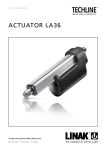
USER MANUAL
LA37 ACTUATOR
To learn more about LINAK, please visit:
www.linak.com
Page 1 of 68
Page 2 of 68
Contents
Preface........................................................................................................................................... 4
Safety instructions..................................................................................................................... 5-6
Declaration of conformity............................................................................................................ 7
Declaration of incorporation of partly completed machinery....................................................8
Misc. on the TECHLINE® actuator system
Warranty.................................................................................................................................. 9
Maintenance............................................................................................................................ 9
Maintenance of spherical eyes.................................................................................................. 9
Features, Options and Usage...................................................................................................10
Technical specifications............................................................................................................11
Mounting guidelines............................................................................................................. 12-15
Application hints......................................................................................................................... 15
Mounting of cables......................................................................................................................16
Accessories...................................................................................................................................17
Manual hand crank..................................................................................................................... 17
Electrical installation
Recommended fuse.................................................................................................................18
Actuator without feedback......................................................................................................19
Actuator with:
Endstop signal output:........................................................................................................20-21
Actuator with relative positioning - Dual Hall......................................................................22-24
Actuator with endstop signals and relative positioning - Dual Hall.......................................25-27
Actuator with relative positioning - Single Hall....................................................................28-29
Actuator with endstop signals and relative positioning - Single Hall.....................................30-31
Actuator with absolute positioning - Analogue feedback....................................................32-33
Actuator with endstop signals and absolute positioning - Analogue feedback.....................34-35
Actuator with absolute positioning - PWM.........................................................................36-37
Actuator with endstop signals and absolute positioning - PWM..........................................38-39
Actuator with IC Basic........................................................................................................40-42
Actuator with IC Advanced - with BusLink..........................................................................43-45
Correct wiring of Power GND and Signal GND for IC Basic and IC Advanced...........................46
Actuator with Parallel:........................................................................................................47-49
The parallel system.............................................................................................................50-51
System Monitoring for Parallel.................................................................................................52
Allignment of the parallel actuator system...............................................................................52
Parallel manual service mode...................................................................................................53
Troubleshooting..................................................................................................................... 54-55
Troubleshooting for parallel................................................................................................. 56-58
Drawings................................................................................................................................ 59-60
Piston Rod Eyes............................................................................................................................61
Back fixtures.................................................................................................................................62
Labels for LA37........................................................................................................................63-64
Key to symbols.............................................................................................................................65
Main groups of disposal ............................................................................................................ 66
LINAK application policy.............................................................................................................67
Addresses.................................................................................................................................... 68
Page 3 of 68
Preface
Dear User,
We are delighted that you have chosen a product from LINAK®.
LINAK systems are high-tech products based on many years of experience in the manufacture and
development of actuators, electric control boxes, controls, and chargers.
This user manual does not address the end-user, but is intended as a source of information for the
manufacturer of the equipment or system only, and it will tell you how to install, use and maintain
your LINAK electronics. It is the responsibility of the manufacturer of the end-use product to provide a
User Manual where relevant safety information from this manual is passed on to the end-user.
We are sure that your LINAK product/system will give you many years of problem-free operation.
Before our products leave the factory they undergo full function and quality testing. Should you nevertheless experience problems with your LINAK product/system, you are always welcome to contact
your local dealer. LINAK subsidiaries and some distributors situated all over the world have authorised
service centres, which are always ready to help you.
LINAK provides a warranty on all its products. This warranty, however, is subject to correct use in
accordance with the specifications, maintenance being done correctly and any repairs being carried
out at a service centre, which is authorised to repair LINAK products.
Changes in installation and use of LINAK products/systems can affect their operation and durability.
The products are not to be opened by unauthorised personnel.
The User Manual has been written based on our present technical knowledge. We are constantly
working on updating the information and we therefore reserve the right to carry out technical modifications.
LINAK A/S
Page 4 of 68
Safety instructions
Please read the following safety information carefully.
Ensure that all staff who are to connect, mount, or use the actuator are in possession of the
necessary information and that they have access to this user manual.
Persons who do not have the necessary experience or knowledge of the product/products must
not use the product/products. Besides, persons with reduced physical or mental abilities must
not use the product/products, unless they are under surveillance or they have been thoroughly
instructed in the use of the apparatus by a person who is responsible for the safety of these
persons.
Moreover, children must be under surveillance to ensure that they do not play with the product.
Before you start mounting/dismounting, ensure that the following points are observed:
• The actuator is not in operation.
• The mains current supply is switched off and the plug has been pulled out.
• The actuator is free from loads that could be released during this work.
Before you put the actuator into operation, check the following:
• The actuator is correctly mounted as indicated in the relevant user instructions.
• The equipment can be freely moved over the whole working area og the actuator.
• The actuator is connected to a mains electricity supply/transformer with the correct voltage
and which is dimensioned and adapted to the actuator in question.
• Ensure that the voltage applied matches the voltage specified on the actuator label.
• Ensure that the connection bolts can withstand the wear.
• Ensure that the connection bolts are secured safely.
During operation
• Listen for unusual sounds and watch out for uneven running. Stop the actuator immediately
if anything unusual is observed.
• Do not sideload the actuator.
• Use the actuator within the specified working limits only.
• Do not step or kick on the actuator.
When the equipment is not in use
• Switch off the mains supply or pull out the plug in order to prevent unintentional operation.
• Check the actuator and joints for extraordinary wear regularly.
• Do always reinstall the cabel lock and a tight screw with 1.5 Nm +/- 0.3 Nm
Classification
The equipment is not suitable for use in the presence of a flammable anaesthetic mixture with
air or with oxygen or nitrous oxide.
Page 5 of 68
Important information
Information about the actuators is described under the following two headings:
Warning!
Failing to follow these instructions can cause accidents resulting in serious personal
injury.
Failing to follow these instructions can result in the actuator suffering damage or being
ruined.
Warnings:
• Do not sideload the actuator.
• Only use the actuator within specified working limits.
• When mounting the LA37 in the application ensure that the bolts can withstand the wear and that they are secured safely.
Recommendations:
• Do not place load on the actuator housing and do prevent impact or blows, or any other form
of stress to the housing.
• Ensure that the cable cover is mounted correctly. Use 1.5Nm torque.
• Ensure that the duty cycle and the usage temperatures for LA37 actuators are respected.
• Ensure that the cable cannot be squeezed, pulled or subjected to any other stress.
• Furthermore, it will be good practice to ensure that the actuator is fully retracted in the
“normal” position. The reason is that there will be a vacuum inside the actuator if it is
extended which over time can lead to water entering the actuator.
•
If the actuator is mounted in an application where a mechanical stop prevents the endstop
switches in the actuator from being activated, the actuator must be equipped with an electrical
safety device (current monitoring) or external limit switch.
Page 6 of 68
DECLARATION OF CONFORMITY
LINAK A/S
Smedevænget 8
DK - 6430 Nordborg
hereby declares that:
Linear Actuator LA37
complies with the EMC Directive: 2014/30/EU according to following standards:
EN 61000-6-1:2007, EN 61000-6-2:2005, EN 61000-6-3:2007, EN 61000-6-4:2007
complies with RoHS2 Directive 2011/65/EU according to the standard:
EN 50581:2012
Nordborg,
2014-06-23
LINAK A/S
John Kling, B.Sc.E.E.
Certification and Regulatory Affairs
Authorized to compile the relevant technical documentation
Original Declaration
Page 7 of 68
DECLARATION OF INCORPORATION OF PARTLY COMPLETED MACHINERY
LINAK A/S
Smedevænget 8
DK - 6430 Nordborg
Herewith declares that LINAK TECHLINE ® products
as characterized by the following models and types:
Linear Actuators
LA12, LA14, LA22, LA23, LA25, LA30, LA35, LA36, LA37
comply with the following parts of the Machinery Directive 2006/42/EC, ANNEX I, Essential health and
safety requirements relating to the design and construction of machinery:
1.5.1 Electricity supply
The relevant technical documentation is compiled in accordance with part B of Annex VII and that this
documentation or part hereof will be transmitted by post or electronically to a reasoned request by the
national authorities.
This partly completed machinery must not be put into service until the final machinery into
which it is to be incorporated has been declared in conformity with the provisions of the
Machinery Directive 2006/42/EC where appropriate.
Nordborg,
2014-10-20
LINAK A/S
John Kling, B.Sc.E.E.
Certification and Regulatory Affairs
Authorized to compile the relevant technical documentation
Original Declaration
Page 8 of 68
Misc. on the TECHLINE® actuator system
Warranty
There is a 18 months’ warranty on the TECHLINE products against manufacturing faults
calculated from the production date of the individual products (see label). LINAK’s warranty is
only valid in so far as the equipment has been used and maintained correctly and has not been
tampered with. Furthermore, the actuator must not be exposed to violent treatment. In the event
of this, the warranty will be ineffective/invalid. For further details, please see standard terms of
sale and delivery for LINAK A/S.
Note:
Only an authorised LINAK® service centre should repair LINAK actuator systems. Systems to be
repaired under warranty must be sent to an authorised LINAK service centre.
In order to avoid the risk of malfunction, all actuator repairs must only be carried out by an
authorised LINAK Service shop or repairer, as special tools and parts must be used.
If a system is opened by unauthorised personel there is a risk that it may malfunction at a later date.
The actuator is not to be opened by unauthorised personnel. In case the actuator is opened, the warranty
will be invalid.
Maintenance
• The actuator must be cleaned at regular intervals to remove dust and dirt and inspected for
mechanical damages or wear.
• Inspect attachment points, wires, piston rod, cabinet, and plug, as well as check that the
actuator functions correctly.
• The actuator is a closed unit and requires no internal maintenance.
• To ensure that the pregreased inner tube remains lubricated, the actuator must only be washed
down when the piston rod is fully retracted.
Maintenance of spherical eyes
In order to maintain a proper performance of the spherical eyes and to increase the resistances
against hard environmental wear, we strongly recommend that the spherical (ball bearings) eyes
mounted on actuators from LINAK are greased with anticorrosive grease or similar.
Warning!
If irregularities are observed, the actuator must be replaced.
Page 9 of 68
Features in general:
• 12, 24 V DC Permanent magnetic motor
• Thrust from 10,000 N - 15,000 N
• Static holding force up to 70 kN in push and pull
• Dynamic wind stress forces 15 kN push/pull 100,000 times
• Max. speed 3.5 mm/sec.
• Stroke length from 100 mm up to 600 mm (Trunnion mounted: 500, 750 and 1,000 mm)
• Built-in electrical endstop
• Heavy-duty aluminium housing for harsh conditions
• Highly efficient acme thread spindle
• Protection class: IP66 for outdoor use (dynamic). Furthermore, the actuator can be washed
down by a high pressure cleaner (IP69K- static)
• Hand crank for manual operation
• Integrated brake, high self-lock ability
• Endplay - 2 mm max.
• Non rotating piston rod eye
• Typical noise level without load: 73 dB (A) measuring method DS/EN ISO 8746 actuator
not locked
Options in general:
• Different back fixtures and piston rod eyes
• Exchangeable cables in different lengths
• Hall effect sensor
• IC options including IC, Parallel and Bus communication*
• Analogue or digital feedback for precise positioning
• Endstop signals (not potential free)
• When ordering AISI (304 and up) piston rodeye and back fixture, stainless steel screws are
automatically included
• Trunnion mounting
Usage:
• Duty cycle at max. load 10% at -30°C to +70°C
• Ambient operating temperature -30°C to +70°C, full 15 kN performance from +5°C to +40°C,
and full 10kN performance with Modbus actuators from +5°C to +40°C
• LA37 is equipped with mechanical endstop
* For Modbus - please see the Modbus installation guide http://www.linak.com/techline/?id3=2363
Modbus actuators only 24V - please see the Modbus installation guide http://www.linak.com/techline/?id3=2363
Special control cabels for the Modbus actuator - please see the Modbus installation guide http://www.linak.com/techline/?id3=2363
Performance with Modbus LA37 is limited. Please see the LA37 data sheet
Page 10 of 68
Technical specifications LA37
LA37 with 12 V motor
Order number
Push
max.
(N)
Pull
max.
(N)
Selflock
min.
(N)
Push*
Selflock
min.
(N)
Pull
Pitch
(mm/
spindle
rev.)
Typical
speed
(mm/s)
Load
No
Full
Standard
stroke
lengths
(mm)
Typical amp.**
(A)
12 V
No
load
Full
load
371CXXX1XXXX1XX
15000
15000
20000
20000
2.5
3.2
3
100-400
4.5
22.5
371CXXXAXXXX1XX
10000
10000
20000
20000
2.5
3.2
3
400-600
4.5
21.0
Pull
max.
(N)
Selflock
min.
(N)
Push*
Selflock
min.
(N)
Pull
Pitch
(mm/
spindle
rev.)
Typical
speed
(mm/s)
Load
Standard
stroke
lengths
(mm)
Typical amp.**
(A)
24 V
LA37 with 24 V motor
Order number
Push
max.
(N)
No
Full
No
load
Full
load
371CXXX1XXXX2XX
15000
15000
20000
20000
2.5
3.2
3
100-400
2.2
10.0
371CXXXAXXXX2XX
10000
10000
20000
20000
2.5
3.2
3
400-600
2.2
8.0
Technical specifications LA37 - Trunnion mounted
LA37 with 12 V motor - Trunnion mounted
Order number
371C0XXXXXXX1XX
Push
max.
(N)
15000
Pull
max.
(N)
15000
Selflock
min.
(N)
Push*
20000
Selflock
min.
(N)
Pull
20000
Pitch
(mm/
spindle
rev.)
2.5
Typical
speed
(mm/s)
Load
Standard
stroke
lengths
(mm)
No
Full
3.2
3
500, 750,
1000
Typical
speed
(mm/s)
Load
Standard
stroke
lengths
(mm)
Typical amp.**
(A)
12 V
No
load
Full
load
4.5
22.5
LA37 with 24 V motor - Trunnion mounted
Order number
371C0XXAXXXX2XX
Push
max.
(N)
15000
Pull
max.
(N)
15000
Selflock
min.
(N)
Push*
20000
Selflock
min.
(N)
Pull
20000
Pitch
(mm/
spindle
rev.)
2.5
* Depending on stroke length in push
** Depending on temperature - se curves
Page 11 of 68
No
Full
3.2
3
500, 750,
1000
Typical amp.**
(A)
24 V
No
load
Full
load
2.2
8.0
Mounting guidelines
LINAK® linear actuators are quickly and easily mounted by slipping pins through the holes on
each end of the units and into brackets on the machine frame and the load.
The mounting pins must be parallel to each other as shown in Figure 1. Pins, which are not
parallel to each other, may cause the actuator to bend and be damaged.
The load should act along the stroke axis of the actuator since off centre loads may cause
bending and lead to premature failure. See Figure 2.
Make sure the mounting pins are supported in both ends. Failure to do so could shorten the life
of the actuator. Cantilever mounts are unacceptable.
The actuator can rotate around the pivot point in the front and rear end. If this is the case it is of
high importance that the actuator is able to move freely over the full stroke length, both during
the development and daily operation. Please pay special attention to the area around the housing
where parts can be trapped and cause damages to the application and actuator.
In applications with high dynamic forces LINAK recommends not to use the fully extended or
retracted position over longer time, as this can damage the end stop system permanently.
X
X
Figure 1
1
2
3
4
5
6
7
8
9
A
A
B
B
C
C
D
D
Figure 2
Right
Wrong
Wrong
E
Wrong
E
Page 12 of 68
Mounting guidelines
Warning!
If the actuator is used for pull in an application where personal injury can occur,
the following is valid:
It is the application manufacturer’s responsibility to incorporate a suitable safety
arrangement, which will prevent personal injury from occurring, if the actuator should
fail.
Please note:
The piston rod eye is only allowed to turn 0-90 degrees.
Warning!
LINAK’s actuators are not designed for use within the following fields:
•Offshore installations
•Aeroplanes and other aircraft
•Explosive environments
•Nuclear power generation
Please note:
• The mounting pins must have the correct dimension
• The bolts and nuts must be made of a high quality steel grade (e.g. 10.8).
No thread on the bolt inside the back fixture or the piston rod eye
• Bolts and nuts must be protected so there is no risk for them to fall out
Page 13 of 68
Mounting guidelines - Trunnion mounted
We recommend to orientate the motor housing downwards as shown above. This ia to protect
the cables against rain and hail. If possible, the motor should be protected against sun, rain and
hail, this prolonges the liftetime of the actuator.
Warning!
If the actuator is used for pull in an application where personal injury can occur,
the following is valid:
It is the application manufacturer’s responsibility to incorporate a suitable safety
arrangement, which will prevent personal injury from occurring, if the actuator should
fail.
Warning!
LINAK’s actuators are not designed for use within the following fields:
•Offshore installations
•Aeroplanes and other aircraft
•Explosive environments
•Nuclear power generation
If a current peak is appearing (25 A) during normal operation, there is a risk of failure
at the internal limit switches. The actuators must be stopped and inspected by a service
technician.
We strongly recommend to protect the application against overload by adding
overcurrent protection.
Please note:
• The mounting pins must have the correct dimension
• The bolts and nuts must be made of a high quality steel grade (e.g. 10.8).
No thread on the bolt inside the back fixture or the piston rod eye
• Bolts and nuts must be protected so there is no risk for them to fall out
Page 14 of 68
The pinion mounting on the solar panel must:
• be of a good workmanship.
• have smooth surfaces that do not wear or rasp the aluminium trunion pins on
the actuator.
• be of materials that are able to function with aluminium, also in respect of corrosion.
• have dimensions that allow the actuator to move freely and without any sideload.
It is not allowed to apply any sideload on the actuator.
It is not allowed to overload the actuator. Be aware of extra loads that may be caused by
for example wind, snow, service, personnel, animals.
Always ensure that the actuator is supplied with the specified voltage, also at maximum
current.
Application hints
The actuator is weatherproof for use in outdoor applications. It should not be used under water.
The duty cycle at max. load is 10% on time. This means if the actuator runs continuously for
15 seconds, it must remain off for 75 seconds before operating again.
It is allowed to both extend and retract the actuator at full stroke length with a load of 15 kN.
Page 15 of 68
Mounting of cables
1. Unscrew the cover and
remove the two blind
plugs.
2. Plug in the power
cable and/or the
signal cable.
3. Slide the cover onto
the actuator.
The torque of the
cover screw is
approx. 1.5 ± 0.3 Nm
TORX 25IP
When changing the cables on a LINAK actuator, it is important that this is done carefully,
in order to protect the plugs and pins. Before the new cable is mounted, we recommend
that the socket is greased with vaseline, to keep the high IP protection and ensure an easy
mounting. Please be sure that the plug is in the right location and fully pressed in before
the cable lid is mounted.
Remove the tinned cable end when the cable end is mechanically connected, the tinned
end is only to be used when a soldered connection is made.
Please note that if the cables are mounted and dismounted more than 3 times the plugs
can be damaged. We therefore recommend that such cables are discarded and replaced.
We recommend to take some precaution and design the wire connection in a way, where
the cable end is kept inside a closed, protected area to guarantee the high IP protection.
Page 16 of 68
Accessories
Cables:
Power cables (ordered separately)
Order no.
1.5 m cable 0367072-1500 5 m 0367072-5000 0.2 m cable (AMP connectors) 0367006
Signal cables (ordered separately)
Order no.
1.5 m cable 0367071-1500-A
5 m 0367071-5000-A
Be aware of Modbus actuator - please see the Modbus installation guide.
Manual Hand Crank
The manual Hand Crank can be used in the case of power failure.
6mm Allen Key
(With stainless steel screws: 5mm Allen Key)
The cover over the Allen Key socket must be unscrewed before the Allen Key can be inserted
and the Hand Crank operated.
Hand Crank Torque: Max.16 Nm ( at maximum load )
Piston Rod movement per turn: Gear C = 4.0 mm
Note:
• The power supply has to be disconnected during manual operation.
• If the actuator is operated as a Hand crank, it must only be operated by hand,
otherwise there is a potential risk of overloading and hereby damaging the actuator.
Page 17 of 68
Electrical installation
•
•
To ensure maximum self-locking ability, please be sure that the motor is
shorted when stopped.
Actuators with integrated controller have this feature incorporated.
When using soft stop on a DC-motor, a short peak of higher voltage will be
sent back towards the power supply. It is important when selecting the power
supply that it does not turn off the output, when this backwards load dump
occurs.
The power supply for actuators without integrated controller must be monitored
externally and cut off in case of overload.
Recommended fuse for actuators without integrated controller
LA37
Type
Spindle
Pitch
(mm)
Thrust
max.
Push/Pull
(N)
Typical Amp. at full
load
(A)
Recommended
fuse
24V
12V
24V
12V
371Cxxx1xxxx1xx
2.5
15000
-
22.5
-
45.0
371CxxxAxxxx1xx
2.5
10000
-
21.0
-
42.0
371Cxxx1xxxx2xx
2.5
15000
10.0
-
20.0
-
371CxxxAxxxx2xx
2.5
10000
8.0
-
16.0
-
Spindle
Pitch
(mm)
Thrust
max.
Push/Pull
(N)
LA37 Trunnion mounted
Type
Typical Amp. at full
load
(A)
Recommended
fuse
24V
12V
24V
12V
371C0xxxxxxx1xx
2.5
15000
-
22.5
-
45.0
371C0xxAxxxx2xx
2.5
15000
8.0
-
16.0
-
Page 18 of 68
Actuator without feedback
Connection diagram:
Fig. 1 : 37xxxx+10xxxxxx
BROWN
BLUE
I/O specifications:
Input/Output
Specification
Comments
Description
Permanent magnetic DC motor.
See connection diagram,
fig. 1 above
Brown
12 or 24VDC (+/-)
To extend actuator:
Connect Brown to positive
12V ± 20%
24V ± 10%
Blue
Under normal conditions:
12V, max. 26A depending on load
24V, max. 13A depending on load
To retract actuator:
Connect Brown to negative
To extend actuator:
Connect Blue to negative
To retract actuator:
Connect Blue to positive
Red
Not to be connected
Black
Not to be connected
Green
Not to be connected
Yellow
Not to be connected
Violet
Not to be connected
White
Not to be connected
Page 19 of 68
Actuator with endstop signal output
Connection diagram:
Fig. 2 : 37xxxx+20xxxxxx
BROWN
BLUE
RED
IN
OUT
YELLOW*
GREEN*
BLACK
*YELLOW/GREEN: Endstop signals out are NOT potential free!
If you wish to use the endstop signals, you will have to keep power on the brown, blue, red and
black wires, otherwise the signal will be lost.
Page 20 of 68
Actuator with endstop signal output
I/O specifications:
Input/Output
Specification
Comments
Description
The actuator can be equipped with
electronically controlled endstop
signals out.
See connection diagram,
fig. 2, page 20
Brown
12 or 24 VDC (+/-)
To extend actuator:
Connect Brown to positive
12V ± 20%
24V ± 10%
Blue
Red
IN
OUT
To retract actuator:
Connect Brown to negative
Under normal conditions:
12V, max. 26A depending on load
24V, max. 13A depending on load
Signal power supply (+)
12-24VDC
Black
Signal power supply GND (-)
Green
Endstop signal out
Yellow
Endstop signal in
Violet
Not to be connected
White
Not to be connected
To extend actuator:
Connect Blue to negative
To retract actuator:
Connect Blue to positive
Current consumption:
Max. 40mA, also when the actuator is not running
Output voltage min. VIN - 2V
Source current max. 100mA
NOT potential free
Page 21 of 68
Actuator with relative positioning - Dual hall
Connection diagram:
Fig. 3: 37xxxx+0H/1Hxxxxxx
BROWN
BLUE
+
RED
YELLOW
GREEN
- BLACK
Page 22 of 68
Actuator with relative positioning - Dual hall
I/O specifications:
Input/Output
Specification
Comments
Description
The actuator can be equipped with
Dual Hall that gives a relative positioning feedback signal when the
actuator moves.
See connection diagram,
fig. 3, page 22
Brown
12 or 24VDC (+/-)
To extend actuator:
Connect Brown to positive
12V ± 20%
24V ± 10%
Blue
Under normal conditions:
12V, max. 26A depending on load
24V, max. 13A depending on load
To retract actuator:
Connect Brown to negative
To extend actuator:
Connect Blue to negative
To retract actuator:
Connect Blue to positive
Red
Signal power supply (+)
12-24VDC
Black
Signal power supply GND (-)
Green
Hall B
The Hall sensor signals are
generated by the turning of the
actuator gearing.
Movement per single
hall pulse:
Yellow
Hall A
Current consumption:
Max. 40mA, also when the
actuator is not running
LA371C Actuator = 0.4
mm per pulse
These signals can be fed into
a PLC (Programmable Logic
Controller). In the PLC the
quadrature signals can be used
to register the direction and
position of the piston rod.
Output voltage min. VIN - 2V
Current output 12mA
Overvoltage on the motor can
result in shorter pulses.
N.B. For more precise measurements, please contact LINAK
A/S.
Page 23 of 68
Actuator with relative positioning - Dual hall
I/O specifications:
Input/Output
Specification
Comments
Violet
Not to be connected
White
Not to be connected
Diagram of Dual
Hall:
Hall A
Hall B
Fig. 3.1
Page 24 of 68
Actuator with endstop signals and relative positioning - Dual hall
Connection diagram:
Fig. 4: 37xxxx+2Hxxxxxx
BROWN
BLUE
+
IN
OUT
RED
VIOLET*
WHITE*
YELLOW
GREEN
- BLACK
*YELLOW/GREEN: Endstop signals out are NOT potential free!(See I/O Specifications, page 21)
If you wish to use the endstop signals, you will have to keep power on the brown, blue, red and
black wires, otherwise the signal will be lost.
Page 25 of 68
Actuator with endstop signals and relative positioning - Dual hall
I/O specifications:
Input/Output
Specification
Comments
Description
The actuator can be equipped with
Dual Hall that gives a relative positioning feedback signal when the
actuator moves.
See connection diagram,
fig. 4, page 25
Brown
12 or 24VDC (+/-)
To extend actuator:
Connect Brown to positive
12V ± 20%
24V ± 10%
Blue
Under normal conditions:
12V, max. 26A depending on load
24V, max. 13A depending on load
To retract actuator:
Connect Brown to negative
To extend actuator:
Connect Blue to negative
To retract actuator:
Connect Blue to positive
Red
Signal power supply (+)
12-24VDC
Black
Signal power supply GND (-)
Green
Hall B
The Hall sensor signals are
generated by the turning of the
actuator gearing.
Movement per single
hall pulse:
Yellow
Hall A
Current consumption:
Max. 40mA, also when the
actuator is not running
LA371C Actuator = 0.4
mm per pulse
These signals can be fed into
a PLC (Programmable Logic
Controller). In the PLC the
quadrature signals can be used
to register the direction and
position of the piston rod.
Output voltage min. VIN - 2V
Current output 12mA
Overvoltage on the motor can
result in shorter pulses.
N.B. For more precise measurements, please contact LINAK
A/S.
Page 26 of 68
Actuator with endstop signals and relative positioning - Dual hall
I/O specifications:
Input/Output
Specification
Comments
Violet
Endstop signal in
White
Endstop signal out
Output voltage min. VIN - 2V
Source current max. 30mA
NOT potential free
Diagram of Dual
Hall:
Hall A
Hall B
Fig. 4.1
Page 27 of 68
Actuator with relative positioning - Single hall
Connection diagram:
Fig. 5: 37xxxx+1Kxxxxxx
BROWN
BLUE
+
RED
VIOLET
- BLACK
Page 28 of 68
Actuator with relative positioning - Single hall
I/O specifications:
Input/Output
Specification
Comments
Description
The actuator can be equipped with
Single Hall that gives a relative positioning feedback signal when the
actuator moves.
See connection diagram,
fig. 5, page 28
Brown
12 or 24VDC (+/-)
To extend actuator:
Connect Brown to positive
12V ± 20%
24V ± 10%
Blue
Red
To retract actuator:
Connect Brown to negative
Under normal conditions:
12V, max. 26A depending on load
24V, max. 13A depending on load
Signal power supply (+)
12-24VDC
Black
Signal power supply GND (-)
Green
Not to be connected
Yellow
Not to be connected
Violet
Single Hall output (PNP)
Frequency:
Frequency is 14-26 Hz on Single Hall
output depending on load.
Overvoltage on the motor can result
in shorter pulses.
Hall A
Input
Output voltage min. VIN - 2V
Max. current output: 12mA
Max. 680nF
N.B. For more precise measurements, please contact
LINAK A/S.
Low frequency with a high load.
Higher frequency with no load.
Single Hall output
Micro Processor
Hall B
White
To retract actuator:
Connect Blue to positive
Current consumption:
Max. 40mA, also when the actuator is not running
Movement per Single Hall pulse:
LA371C: Actuator = 0.1372 mm per
count
Diagram of Single Hall:
To extend actuator:
Connect Blue to negative
Fig. 5.1
Not to be connected
Page 29 of 68
Actuator with endstop signals and relative positioning - Single hall
Connection diagrams:
Fig. 6: 37xxxx+2Kxxxxxx
BROWN
BLUE
+
RED
YELLOW*
IN
OUT
GREEN*
VIOLET
- BLACK
*YELLOW/GREEN: Endstop signals out are NOT potential free!(See I/O Specifications, page 21)
If you wish to use the endstop signals, you will have to keep power on the brown, blue, red and
black wires, otherwise the signal will be lost.
Page 30 of 68
Actuator with endstop signals and relative positioning - Single hall
I/O specifications:
Input/Output
Specification
Comments
Description
The actuator can be equipped with
Single Hall that gives a relative positioning feedback signal when the
actuator moves.
See connection diagram,
fig. 6, page 30
Brown
12 or 24VDC (+/-)
To extend actuator:
Connect Brown to positive
12V ± 20%
24V ± 10%
Blue
To retract actuator:
Connect Brown to negative
Under normal conditions:
12V, max. 26A depending on load
24V, max. 13A depending on load
Red
Signal power supply (+)
12-24VDC
Black
Signal power supply GND (-)
Green
Endstop signal out
Yellow
Endstop signal in
Violet
Single Hall output (PNP)
To retract actuator:
Connect Blue to positive
Current consumption:
Max. 40mA, also when the actuator is not running
Output voltage min. VIN - 2V
Source current max. 100mA
NOT potential free
Movement per Single Hall pulse:
LA371C: Actuator = 0.1372 mm per
count
Frequency:
Frequency is 14-26 Hz on Single Hall
output depending on load.
Overvoltage on the motor can result
in shorter pulses.
Diagram of Single Hall:
Hall A
Input
Output voltage min. VIN - 2V
Max. current output: 12mA
Max. 680nF
N.B. For more precise measurements, please contact
LINAK A/S.
Low frequency with a high load.
Higher frequency with no load.
Single Hall output
Micro Processor
Hall B
White
To extend actuator:
Connect Blue to negative
Fig. 6.1
Not to be connected
Page 31 of 68
Actuator with absolute positioning - Analogue feedback
Connection diagrams:
Fig. 7: 37xxxx+1B/1Cxxxxxx
BROWN
BLUE
+
RED
Signal
VIOLET
- BLACK
Page 32 of 68
Actuator with absolute positioning - Analogue feedback
I/O specifications:
Input/Output
Specification
Comments
Description
The actuator can be equipped with
electronic circuit that gives an analogue feedback signal when the
actuator moves.
See connection diagram,
fig. 7, page 32
Brown
12 or 24VDC (+/-)
To extend actuator:
Connect Brown to positive
12V ± 20%
24V ± 10%
Blue
Under normal conditions:
12V, max. 26A depending on load
24V, max. 13A depending on load
To retract actuator:
Connect Brown to negative
To extend actuator:
Connect Blue to negative
To retract actuator:
Connect Blue to positive
Red
Signal power supply (+)
12-24VDC
Black
Signal power supply GND (-)
Green
Not to be connected
Yellow
Not to be connected
Violet
Analogue feedback
Current consumption:
Max. 60mA, also when the
actuator is not running
Tolerances +/- 0.2V
Max. current output: 1mA
Ripple max. 200mV
Transaction delay 100ms
Linear feedback 0.5%
0-10V (Option B)
0.5-4.5V (Option C)
It is recommendable to have
the actuator to activate its limit
switches on a regular basis, to
ensure more precise positioning
White
Not to be connected
Page 33 of 68
Actuator with endstop signals and absolute positioning Analogue feedback
Connection diagrams:
Fig. 8: 37xxxx+2B/2Cxxxxxx
BROWN
BLUE
+
RED
YELLOW*
IN
OUT
GREEN*
Signal
VIOLET
- BLACK
*YELLOW/GREEN: Endstop signals out are NOT potential free! (See I/O Specifications, page 21)
If you wish to use the endstop signals, you will have to keep power on the brown, blue, red and
black wires, otherwise the signal will be lost.
Page 34 of 68
Actuator with endstop signals and absolute positioning Analogue feedback
I/O specifications:
Input/Output
Specification
Comments
Description
The actuator can be equipped with
electronic circuit that gives an analogue feedback signal when the
actuator moves.
See connection diagram,
fig. 8, page 34
Brown
To extend actuator:
Connect Brown to positive
12 or 24VDC (+/-)
12V ± 20%
24V ± 10%
Blue
Red
To retract actuator:
Connect Brown to negative
Under normal conditions:
12V, max. 26A depending on load
24V, max. 13A depending on load
Signal power supply (+)
12-24VDC
Black
Signal power supply GND (-)
Green
Endstop signal out
Yellow
Endstop signal in
Violet
Analogue feedback
To extend actuator:
Connect Blue to negative
To retract actuator:
Connect Blue to positive
Current consumption:
Max. 60mA, also when the
actuator is not running
Output voltage min. VIN - 2V
Source current max. 100mA
NOT potential free
Tolerances +/- 0.2V
Max. current output: 1mA
Ripple max. 200mV
Transaction delay 20ms
Linear feedback 0.5%
0-10V (Option B)
0.5-4.5V (Option C)
It is recommendable to have
the actuator to activate its limit
switches on a regular basis, to
ensure more precise positioning
White
Not to be connected
Page 35 of 68
Actuator with absolute positioning - PWM
Connection diagrams:
Fig. 9: 37xxxx+15/16xxxxxxx
BROWN
BLUE
+
RED
VIOLET
-
BLACK
Page 36 of 68
Actuator with absolute positioning - PWM
I/O specifications:
Input/Output
Specification
Comments
Description
The actuator can be equipped with
electronic circuit that gives an analogue feedback signal when the
actuator moves.
See connection diagram,
fig. 9, page 36
Brown
To extend actuator:
Connect Brown to positive
12 or 24VDC (+/-)
12V ± 20%
24V ± 10%
Blue
Red
To retract actuator:
Connect Brown to negative
Under normal conditions:
12V, max. 26A depending on load
24V, max. 13A depending on load
Signal power supply (+)
12-24VDC
Black
Signal power supply GND (-)
Green
Not to be connected
Yellow
Not to be connected
Violet
Digital output feedback (PNP)
10-90% (Option 5)
20-80% (Option 6)
To extend actuator:
Connect Blue to negative
To retract actuator:
Connect Blue to positive
Current consumption:
Max. 60mA, also when the actuator is not running
Output voltage min. VIN - 2V
Tolerances +/- 2%
Max. current output: 12mA
Frequency: 75Hz
It is recommendable to have
the actuator to activate its limit
switches on a regular basis, to
ensure more precise positioning
White
Not to be connected
Page 37 of 68
Actuator with endstop signals and absolute positioning - PWM
Connection diagrams:
Fig. 10: 37xxxx+25/26xxxxxxx
BROWN
BLUE
+
RED
YELLOW*
IN
OUT
GREEN*
VIOLET
-
BLACK
*YELLOW/GREEN: Endstop signals out are NOT potential free! (See I/O Specifications, page 21)
If you wish to use the endstop signals, you will have to keep power on the brown, blue, red and
black wires, otherwise the signal will be lost.
Page 38 of 68
Actuator with endstop signals and absolute positioning - PWM
I/O specifications:
Input/Output
Specification
Comments
Description
The actuator can be equipped with
electronic circuit that gives an analogue feedback signal when the
actuator moves.
See connection diagram,
fig. 10, page 38
Brown
To extend actuator:
Connect Brown to positive
12 or 24VDC (+/-)
12V ± 20%
24V ± 10%
Blue
Red
To retract actuator:
Connect Brown to negative
Under normal conditions:
12V, max. 26A depending on load
24V, max. 13A depending on load
Signal power supply (+)
12-24VDC
Black
Signal power supply GND (-)
Green
Endstop signal out
Yellow
Endstop signal in
Violet
Digital output feedback (PNP)
To extend actuator:
Connect Blue to negative
To retract actuator:
Connect Blue to positive
Current consumption:
Max. 60mA, also when the actuator is not running
Output voltage min. VIN - 2V
Source current max. 100mA
NOT potential free
10-90% (Option 5)
20-80% (Option 6)
Output voltage min. VIN - 2V
Tolerances +/- 2%
Max. current output: 12mA
Frequency: 75Hz
It is recommendable to have
the actuator to activate its limit
switches on a regular basis, to
ensure more precise positioning
White
Not to be connected
Page 39 of 68
Actuator with IC Basic
Connection diagram:
Fig. 11: 37xxxx+7xxxxxxx
BROWN
12/24V DC
BLUE
BLACK
INWARDS
M
OUTWARDS
RED
Hall
FEEDBACK
VIOLET
0-10V
SIGNAL GND
WHITE
H-Bridge
•
Please be aware that if the power supply is not properly connected, you might damage the
actuator!
•
Not programmable with BusLink
It is only possible to order the actuator with one of the two feedback options!
Page 40 of 68
Actuator with IC Basic
I/O specifications:
Input/Output
Specification
Comments
Description
Easy to use interface with integrated
power electronics (H-bridge).
The actuator can also be equipped
with electronic circuit that gives an
absolute or relative feedback signal.
The version with “IC option”
cannot be operated with PWM
(power supply).
M
H-Bridge
See connection diagram,
fig. 11, page 40
Brown
12-24VDC + (VCC)
Connect Brown to positive
12V ± 20%
24V ± 10%
12V, current limit 25A
24V, current limit 13A
Blue
12-24VDC - (GND)
Connect Blue to negative
12V ± 20%
24V ± 10%
12V, current limit 25A
24V, current limit 13A
Note: Do not change the power
supply polarity on the brown and
blue wires!
Power supply GND (-) is electrically connected to the housing
If the temperature drops below
0°C, all current limits will automatically increase to 30A
Red
Extends the actuator
On/off voltages:
Black
Retracts the actuator
> 67% of VIN = ON
< 33% of VIN = OFF
Input current: 10mA
Green
Not to be connected
Yellow
Not to be connected
Page 41 of 68
Actuator with IC Basic
I/O specifications:
Input/Output
Specification
Comments
Violet
Analogue feedback
Standby power consumption:
12V, 60mA
24V, 45 mA
0-10V
(Option 7.2)
Ripple max. 200mV
Transaction delay 20ms
Linear feedback 0.5%
Max. current output: 1mA
It is recommendable to have
the actuator to activate its limit
switches on a regular basis, to
ensure more precise positioning
Single Hall output (PNP)
7.1)
White
(Option
Signal GND
Output voltage min. VIN - 2V
Max. current output: 12mA
For more information see fig. 5.1,
page 29
For correct wiring of power GND
and Signal GND see page 46
Page 42 of 68
Actuator with IC Advanced - with BusLink
Connection diagram:
Fig. 12: 37xxxx+8xxxxxxx
BROWN
12/24V DC
BLUE
BLACK
INWARDS
M
OUTWARDS
RED
H-Bridge
IN
OUT
YELLOW
GREEN
Hall
FEEDBACK
VIOLET
SIGNAL GND
WHITE
0-10V
50% 50%
PWM
4-20mA
•
Configuration of IC Advanced is possible with free BusLink software
It is only possible to configure the actuator with one of the four feedback options at a time!
Please be aware that when chosing single hall, feedback position readout and virtual endstops are not available in BusLink.
BusLink is available for IC Advanced and can be used for:
Diagnostics, manual run and configuration
Download BusLink software here: http://www.linak.com/techline/?id3=2363
For more information and easy set-up of BusLink, please follow this link to view the Quick
Guide for BusLink: http://www.linak.com/techline/?id3=2356
Page 43 of 68
Actuator with IC Advanced - with BusLink
I/O specifications:
Input/Output
Specification
Comments
Description
Easy to use interface with integrated
power electronics (H-bridge).
The actuator can also be equipped
with electronic circuit that gives an
absolute or relative feedback signal.
IC Advanced provides a wide range
of possibilities for customisation.
The version with “IC option”
cannot be operated with PWM
(power supply).
M
H-Bridge
See connection diagram,
fig. 12, page 43
Brown
Blue
12-24VDC + (VCC)
Connect Brown to positive
12V ± 20%
24V ± 10%
Note: Do not change the power
supply polarity on the brown and
blue wires!
12V, current limit 25A
24V, current limit 13A
Power supply GND (-) is electrically connected to the housing
12-24VDC - (GND)
Connect Blue to negative
12V ± 20%
24V ± 10%
Current limit levels can
adjusted through BusLink
12V, current limit 25A
24V, current limit 13A
If the temperature drops below
0°C, all current limits will automatically increase to 30A
Red
Extends the actuator
On/off voltages:
Black
Retracts the actuator
> 67% of VIN = ON
< 33% of VIN = OFF
be
Input current: 10mA
Green
Endstop signal out
Yellow
Endstop signal in
Output voltage min. VIN - 2V
Source current max. 100mA
Endstop signals are NOT potential free. Endstop signals can be
configured with BusLink software
according to any position needed.
Only use one virtual endstop keep one end open for initialisation. (See I/O specifications for
endstop on page 21).
Page 44 of 68
Actuator with IC Advanced - with BusLink
I/O specifications:
Input/Output
Specification
Comments
Violet
Analogue feedback (0-10V):
Configure any high/low combination between 0-10V
Ripple max. 200mV
Transaction delay 20ms
Linear feedback 0.5%
Max. current output. 1mA
Single Hall output (PNP)
Output voltage min. VIN - 2V
Max. current output: 12mA
Please be aware that when choosing single hall, feedback position
readout and virtual endstops are
not available in BusLink.
For more information, see fig.
6.1, page 31
Digital output feedback PWM:
Configure any high/low combination between 0-100%
Output voltage min. VIN - 2V
Frequency: 75Hz ± 10Hz as
standard, but this can be customised.
Duty cycle: Any low/high combination between 0 and 100
percent.
Open drain source current max.
12mA
Analogue feedback (4-20mA):
Configure any high/low combination between 4-20mA
Tolerances +/- 0.2mA
Transaction delay 20ms
Linear feedback 0.5%
Output: Source
Serial resistance:
12V max. 300 ohm
24V max. 900 ohm
All absolute value feedbacks (0-10V,
PWM and 4-20mA)
Standby power consumption:
12V, 60mA
24V, 45mA
It is recommendable to have
the actuator to activate its limit
switches on a regular basis, to
ensure more precise positioning
White
Signal GND
For correct wiring of power GND
and Signal GND see page 46
Please note that the BusLink cables must be purchased separately from the actuator!
Item number for BusLink cables: 0367999
Page 45 of 68
Correct wiring of Power GND and Sinal GND for
IC Basic and IC Advanced
When using the feedback output, it is important to use the right connection setup.
Attention should be paid to the two ground connections. Power GND in the Power connector
and Signal GND in the Control connector. When using either 0-10V, Hall or PWM feedback, the
Signal GND must be used. For optimal accuracy, the Signal GND is connected to the Power GND
as close as possible to the feedback input equipment.
Power connector
POWER
BROWN
POWER GND
BLUE
Power
supply
Control connector
Hall
FEEDBACK
VIOLET
0-10V
50% 50%
Feedback
input
PWM
SIGNAL GND
WHITE
4-20mA
LA37 IC actuator
Please note that this section only applies for the following feedback options:
0-10V, Hall and PWM.
Page 46 of 68
Actuator with Parallel
Connection diagram:
Fig. 13: 37xxxx+9xxxxxxx
Actuator 8
Actuator 7
Actuator 6
Actuator 5
Actuator 4
Actuator 3
Actuator 2
Actuator 1
BROWN
Communication
12/24V DC
Communication
IN
OUT
Communication
IN
OUT
BLUE
Communication
IN
OUT
INWARDS
Communication
H-Bridge
IN
OUT
INWARDS
M
OUTWARDS
H-Bridge
Communication
VIOLET
Communication
WHITE
IN
OUT
INWARDS
M
Communication
IN
OUT
INWARDS
M
OUTWARDS
H-Bridge
IN
OUT
INWARDS
M
OUTWARDS
H-Bridge
YELLOW
GREEN
INWARDS
M
OUTWARDS
H-Bridge
INWARDS
M
OUTWARDS
H-Bridge
M
OUTWARDS
H-Bridge
INWARDS
BLACK
M
OUTWARDS
H-Bridge
•
IN
OUT
OUTWARDS
RED
The green and yellow wires from parallel connected actuators must NOT be interconnected. (See
I/O specifications for endstop on page 21).
Only standard power and signal cables are available for parallel.
Page 47 of 68
Actuator with Parallel
I/O specifications:
Input/Output
Specification
Comments
Description
Parallel drive of up to 8 actuators. A
master actuator with an integrated
H-bridge controller controls up to 7
slaves.
The version with “IC option”
cannot be operated with PWM
(power supply).
M
H-Bridge
M
H-Bridge
M
H-Bridge
M
H-Bridge
See connection diagram,
fig. 13, page 47
Brown
12-24VDC + (VCC)
Connect Brown to positive
12V ± 20%
24V ± 10%
12V, current limit 25A
24V, current limit 13A
Blue
12-24VDC - (GND)
Connect Blue to negative
12V ± 20%
24V ± 10%
12V, current limit 25A
24V, current limit 13A
Red
Extends the actuator
Note: Do not change the power
supply polarity on the brown and
blue wires!
The parallel actuators can run on
one OR separate power supplies
Power supply GND (-) is electrically connected to the housing
Current limit levels can be
adjusted through BusLink (only
one actuator at a time for parallel)
If the temperature drops below
0°C, all current limits will automatically increase to 30A
On/off voltages:
> 67% of VIN = ON
< 33% of VIN = OFF
Input current: 10mA
Black
Retracts the actuator
Page 48 of 68
It does not matter where the in/
out signals are applied. You can
either choose to connect the
signal cable to one actuator OR
you can choose to connect the
signal cable to each actuator
on the line. Either way this will
ensure parallel drive
Actuator with Parallel
I/O specifications:
Input/Output
Specification
Comments
Green
Endstop signal out
Yellow
Endstop signal in
Output voltage min. VIN - 2V
Source current max. 100mA
NOT potential free
Violet
Parallel communication:
Violet cords must be connected
together
Standby power consumption:
12V, 60mA
24V, 45mA
No feedback available during parallel drive
White
Signal GND:
White cords must be connected
together
Page 49 of 68
For correct wiring of power GND
and Signal GND see page 46
The parallel system
The parallel drive function will support a number of actuators working jointly.
It is both possible to run parallel with a single power supply, or to run each actuator with
separate power supplies.
Only standard power and signal cables are available for parallel.
Page 50 of 68
The parallel system
• It does not matter where the IN/OUT signal is applied. The signals of all actuators can be
connected together
• When all actuators are connected, a Master will automatically be chosen. E.g. with 5 actuators
in one system there will be 1 Master and 4 Slaves. The Master can control up to 7 slaves
• If an overload occurs, the running of the actuators will be stopped and blocked in that direction
until an activation in the opposite direction has been made, or the system has been re-powered
• Before entering BusLink mode, all actuators must be disconnected. It is only possible to configure
one actuator at a time through BusLink
•When changing the actuator configuration, it is important that all actuators in the system have
the same configuration before the system starts running. Otherwise, the actuators will not run
• Actuators will be pre-programmed from our production as 2, 3, 4, 5.. etc. parallel systems.
Through BusLink it will be possible to add or remove actuators to/from the system
• In case one of the actuators are broken, the system will not move; not even after re-powering.
The broken actuator needs to be replaced, before the system can run again. The system will only
run, when it is complete
BusLink is available for Parallel
• BusLink can be used for configuration and diagnostics
• Service counter is available with Parallel
Download BusLink software here: http://www.linak.com/techline/?id3=2363
For more information and easy set-up of BusLink, please follow this link to view the Quick Guide
for BusLink: http://www.linak.com/techline/?id3=2356
Please note that the BusLink cables must be purchased separately from the actuator!
Item number for BusLink cables: 0367999
Page 51 of 68
System Monitoring for Parallel
If one of the actuators have one of the following error conditions, the actuator will
immediately STOP:
• H-Bridge fault
• Out of the temperature range (High duty cycle protection)
• Overcurrent (Current cut-off if one or all actuators go in mechanical block)
• SMPS fault
• EOS fault switch
• Hall sensor failure
• Position lost
• Overvoltage (43V DC)
Alignment of the parallel actuator system
If the actuators are not in parallel when starting up, the next movement will run in the following
manner:
Start position
Running outwards
When completely aligned, the
parallel run continues outwards
Start position
Running inwards
When completely aligned, the
parallel run continues inwards
Page 52 of 68
Parallel manual service mode
With the parallel manual service mode it is possible to drive one or more parallel actuators
separately, using the red and black wire from each actuator.
Please follow this procedure to manually extend/retract the parallel actuator(s):
Procedure
Min.
Max.
First step
Disconnect the Purple and White wires
between all actuators
-
-
Hold
Put power on the Red and Black wires
for 10-30 seconds
10 sec.
30 sec.
Difference
The Red and Black wires must all be
connected to the power supply within
0.5 seconds
0 sec.
0.5 sec.
Release
Disconnect all wires and wait 0.5-2 0.5 sec.
seconds before the next step
2 sec.
Extend/Retract
Now choose either to extend or retract
the actuator:
-
-
To extend the actuator: Connect only
the Red wire(s) to the power supply
To retract the actuator: Connect only
the Black wire(s) to the power supply
Interval
Switch between running in/out as much
as needed, without exceeding the 2.0
seconds interval between disconnecting/connecting the Red and Black wires
-
2 sec.
End
To exit the parallel manual mode, diconnect the Red and Black wires for more
than 2.0 seconds
2 sec.
-
Back to parallel
mode
Before running in standard parallel
mode, reconnect all Purple and White
wires
-
-
Hold
Release
End
Interval
Run out
Difference
Difference
Run in
Page 53 of 68
Troubleshooting
Symptom
Possible cause
Action
No motor sound or
movement of piston
rod
The actuator is not properly
connected to the power supply
Customer fuse burned
Cable damaged
• Check the connection to the
power supply or the external
control unit (if any)
To extend actuator:
Connect Brown to positive and
Blue to negative
To retract actuator:
Connect Brown to negative and
Blue to positive
• Change cable
IC:
Wrongly connected:
+ Brown, - Blue
• Check wire connection (Red/
Black) on control unit
Signal required for moving
outwards: + VCC -> RED Wire
• Please contact LINAK
Signal required for moving
inwards: + VCC -> Black Wire
Excessive electricity
Consumption
Misalignment or overload in
application
• Align or reduce load
• Try to run the actuator without
load
• Please contact LINAK
Motor runs but
spindle does not
move
Gearing system or spindle
damaged
• Please contact LINAK
Actuator cannot lift
full load
Clutch is worn
Motor is damaged
Insufficient power supply
• Align or reduce load
• Check power supply
IC: Current cut off (overload in
application)
For IC advanced and Parallel
only: Connect actuator to BusLink
and check the current parameters
(inwards/outwards)
• Please contact LINAK
Page 54 of 68
Troubleshooting
Symptom
Possible cause
Action
No signal from
Feedback
Wrongly Connected:
• Check wiring
Violet: Signal out
White: Signal GND
Yellow: Endstop In
Green: Endstop Out
Cable damaged
Bad connection
Potentiometer damaged
Hall sensor or magnet damaged
• Change cable
For IC Advanced only: Check
Feedback option - connect to
BusLink
For IC Advanced only: Connect
actuator to BusLink and check
current parameters.
Initialise the actuator in both
directions
• Please contact LINAK
Motor runs too slowly Load is higher than specified
Voltage drop in cable (Use of long
or does not run with
cables can negatively affect the
full force
performance of the actuator)
Motor runs in smaller Insufficient power supply
steps
IC: Current Cut-off
• Reduce load
Actuator(s) cannot
hold the chosen load
• Reduce load
Load is higher than specified
Page 55 of 68
• Check power supply
IC: Connect actuator to BusLink
and check current parameters
(reason for last stop).
For more info, please see page 57
Troubleshooting for Parallel
Symptom
Possible cause
Action
No actuators in
movement
Power supply
• Check power supply source and
power connections:
Brown +
Blue Please be aware that if the
power supply is not properly
connected, you might damage
the actuator
Signal connections
• Check parallel communications:
Violet = Communication
Violet cords must be connected
together
White = Signal GND
White cords must be connected
together
Signal required for moving
outwards: + VCC (Red wire)
• Check wire connection (Red/
Black) on control unit
Signal required for moving
inwards: + VCC (Black wire)
• Put power on all actuators at the same time, after everything is
connected. Then wait 10 seconds before signals for moving In/Out are
activated
Actuator(s) cannot lift
full load
Load is higher than specified
• Reduce load
• Check for sufficient power
supply current
• Connect actuator via BusLink
one at the time and check
monitoring for each actuator
(reason for last stop)
Short movements
before stops
Actuator NOT connected properly
• Check wire connection (Violet/
White)
Violet = Parallel communication
White = Signal GND
• If OK - Connect actuators via
BusLink one at the time and check
monitoring for each actuator
(reason for last stop).
For more info, please see page 57
Page 56 of 68
Troubleshooting for Parallel
Symptom
Possible cause
Action
Signal cable damaged All actuators stop at the same
or removed under
position
operation
• When seeing a communication
error, the system goes into
‘position lost’
• The signal and power cables
MUST be connected to all
actuators again
• Afterwards, the Parallel system
needs re-powering
• If one actuator is missing, the
system will not work, not even
after re-powering
BusLink monitoring:
Reason for last stop
H-bridge fault
• Please contact your local
supplier for further instructions
SMPS fault
Overcurrent
• The Parallel system cannot
continue in the same direction
• Reactivation is needed in the
opposite direction
EOS OUT error
• The Parallel system stops at
the same time. When seeing an
EOS error, the actuator goes into
‘position lost’, and the system will
need initialisation (to initialise,
move the actuators into fully
retracted position)
EOS IN error
Hall error
• The system stops at the same
position. When seeing hall error,
the actuator goes into ‘position
lost’, and the system will need
initialisation (to initialise, move
the actuators into fully retracted
position)
Out of range temperature for
ambient location
• The error causes the actuators to
stop. After elimination of the error
(cooling down) and reactivation of
the movement, the actuators will
move normally
Out of range temperature at FET
location
The above can be due to high
environment temperature or high
duty cycle
Page 57 of 68
• This may not be used for stop of
the system
Troubleshooting for Parallel
Symptom
Possible cause
Action
BusLink monitoring:
Reason for last stop
Overvoltage
• When seeing overvoltage, the
system stops at the same time.
The system needs re-powering
and In/Out signals must be
removed before next movement
Undervoltage
• When seeing undervoltage, the
system stops at the same time.
The system needs re-powering
and In/Out signals must be
removed before next movement
For more information and easy set-up of BusLink, please follow this link to view the Quick
Guide for BusLink: http://www.linak.com/techline/?id3=2356
Be aware of Modbus actuator - please see the Modbus installation guide.
http://www.linak.com/techline/?id3=2363
Page 58 of 68
DRAWING APPENDIX
TECHLINE® LA37:
LA37
NOTE: The above dimensions apply for all LA37 Piston rod eyes and back fixtures.
Page 59 of 68
TECHLINE® LA37 - Trunnion mounted:
LA37
NOTE: The above dimensions apply for all piston rod eyes.
Page 60 of 68
LA37 Piston Rod Eyes:
Option “0&1”
LINAK P/N: 0361568
AISI 304
1
2
3
4
5
Ø 51
Ø 30
Ø 20 H7 or 19.2 ± 0.1 (3/4")
20
25
25
37.8
58
Option “2”
LINAK P/N: 0361387
Free cutting steel galvanised surface
Option “3”
LINAK P/N: 0361393
Free cutting steel galvanised surface
Producer: ISO2768-mK
ISO1302
Material:
Type:
Color:
WE IMPROVE YOUR LIFE
General Tolerance:
General Surface Character:
Product:
Name:
LA36XL
1
2
3
Page 61 of 68
Flexible Pistor Rod Eye
Confidential: Property of LINAK A/S GROUP HEADQUARTER, DK-6430 NORDBORG, DENMARK Phone +45 73 15 15 15 ; FAX +45 74 45 80 48. Not to
LA37 Back fixtures:
Option “1&2”
LINAK P/N: 0371019
Free cutting steel galvanised surface
Option “3&4”
LINAK P/N: 0371040
Free cutting steel galvanised surface
Page 62 of 68
Label for LA37
1.Type.: 371CXX+10200220
Describes the basic functionality of the product.
2. Item no.: 370008-00
Sales and ordering code (please use this code when contacting LINAK)
3.
Prod. Date.: YYYY.MM.DD
Production date describes when the product has been produced. This date is the reference for warranty claims.
4. Max Load.: Push 10.000N / Pull 10.000N IP66
Describes the maximum load that the product can be exposed to in compression and tension. This line also contains a reference to the product’s IP protection degree
5. Power Rate.: 24VDC / Max. 13 Amp
Input voltage for the product and maximum current consumption
6.
Duty Cycle.: 5%, Max. 1 min. /19 min.
The duty cycle defines the maximum period during operation without interruption. After
operation, a pause must be observed. It is important that the operator follows the instructions
of the duty cycle; otherwise, a possible overload may result in reduced product life/errors
7. W/0# 1234567-0001
The LINAK work order followed by a unique sequential identification number
Page 63 of 68
Label for LA37 - Trunnion mounted
Fig. 1 (customer specific item):
1.Type.: 371CXX+1H700325
Describes the basic functionality of the product.
2. Item no.: 370002-00
Sales and ordering code (please use this code when contacting LINAK)
3.
Prod. Date.: YYYY.MM.DD
Production date describes when the product has been produced. This date is the reference for warranty claims.
4.
Max Load.: Push/Pull See table IP66
Refers to the scheme at the bottom of
the label that describes the maximum
load that the product can be exposed to
in compression and tension. This line also
contains a reference to the product’s IP
protection degree
5.Power Rate.: 36VDC / Max. Amp See Table
Input voltage for the product and maximum current consumption which can be seen in the scheme at the bottom of the label
6.
Duty Cycle.: 5%, Max. 1 min. /19 min.
The duty cycle defines the maximum period during operation without interruption. After
operation, a pause must be observed. It is important that the operator follows the instructions
of the duty cycle; otherwise, a possible overload may result in reduced product life/errors
7. W/0# 1234567-0001
The LINAK work order followed by a unique sequential identification number
Page 64 of 68
Key to symbols
The following symbols are used on the LA37 labels.
Symbol Norms
Approvals
WEEE Directive 2002/96/EC
Wheelie bin
Compliance to all relevant EC directives
CE
C-Tick 2002: The Australian EMC
C-Tick
China Pollution control mark (also indicates recyclability)
China RoHS legislation
ISO 7000- 0434A: Caution
Operating instructions
Page 65 of 68
Main groups of disposal
Product
LA37
Metal scrap
Cable scrap
Electronic scrap
Plastic recycling
or combustion
X
X
X
X
LINAK’s products may be disposed of, possibly by dividing them into different waste groups for
recycling or combustion.
We recommend that our product is disassembled as much as possible at the disposal and that
you try to recycle it. As examples of main groups within sorting of waste we can mention the
following:
Metal scrap
Plastic scrap
Cable scrap
Electronic scrap
Combustible material and collection for recoverable resources.
Some of these main groups can be sub-divided into groups e.g. metal can be divided into steel
and aluminium or plastic can be divided into ABS and PP.
Page 66 of 68
LINAK APPLICATION POLICY
The purpose of the application policy is to define areas of responsibilities in relation to applying a
LINAK product defined as hardware, software, technical advice, etc. related to an existing or new
customer application.
LINAK products as defined above are applicable for a wide range of applications within the
Medical, Furniture, Desk, and Industry areas. Yet, LINAK cannot know all the conditions under
which LINAK products will be installed, used, and operated, as each individual application is
unique.
The suitability and functionality of the LINAK product and its performance under varying
conditions (application, vibration, load, humidity, temperature, frequency, etc.) can only be
verified by testing, and shall ultimately be the responsibility of the LINAK customer using any
LINAK product.
LINAK shall be responsible solely that the LINAK products comply with the specifications set
out by LINAK and it shall be the responsibility of the LINAK customer to ensure that the specific
LINAK product can be used for the application in question.
Page 67 of 68
FACTORIES
CHINA
LINAK (Shenzhen) Actuator Systems, Ltd.
Phone: +86 755 8610 6656
Fax:
+86 755 8610 6990
E-mail: [email protected]
www.linak.cn
DENMARK
SLOVAKIA
LINAK A/S - Group Headquarters, Guderup
Phone: +45 73 15 15 15
Fax:
+45 74 45 80 48
Fax:
+45 73 15 16 13 (Sales)
E-mail: [email protected]
www.linak.com
LINAK Slovakia s.r.o.
Phone: +421 51 75 63 414
Fax:
+421 51 75 63 410
E-mail: [email protected]
www.linak.com
USA
LINAK U.S. Inc.
North and South American Headquarters
Phone: +1 502 253 5595
Fax:
+1 502 253 5596
E-mail: [email protected]
www.linak-us.com
SUBSIDIARIES
DENMARK
ITALY
NORWAY
SWITZERLAND
LINAK Australia Pty. Ltd
Phone: +61 3 8796 9777
Fax:
+61 3 8796 9778
E-mail: [email protected]
www.linak.com.au
LINAK Danmark A/S
Phone: +45 86 80 36 11
Fax:
+45 86 82 90 51
E-mail: [email protected]
www.linak.dk
LINAK Italia S.r.l.
Phone: +39 02 48 46 33 66
Fax:
+39 02 48 46 82 52
E-mail: [email protected]
www.linak.it
LINAK Norge AS
Phone: +47 32 82 90 90
Fax:
+47 32 82 90 98
E-mail: [email protected]
www.linak.no
LINAK AG
Phone: +41 43 388 31 88
Fax:
+41 43 388 31 87
E-mail: [email protected]
www.linak.ch
AUSTRIA
FINLAND
JAPAN
POLAND
TAIWAN
LINAK Repräsentanz Österreich (Wien)
Phone: +43 (1) 890 7446
Fax:
+43 (1) 890 744615
E-mail: [email protected]
www.linak.at
LINAK OY
Phone: +358 10 841 8700
Fax:
+358 10 841 8729
E-mail: [email protected]
www.linak.fi
LINAK K.K.
Phone: 81-45-533-0802
Fax:
81-45-533-0803
E-mail: [email protected]
www.linak.jp
LINAK Polska
Phone: +48 (22) 500 28 74
Fax:
+48 (22) 500 28 75
E-mail: [email protected]
www.linak.pl
BELGIUM & LUXEMBOURG
LINAK A/S Taiwan Representative Office
Phone: +886 2 27290068
Fax:
+886 2 27290096
Mobile: +886 989292100
E-mail: [email protected]
www.linak.com.tw
FRANCE
MALAYSIA
REPUBLIC OF KOREA
LINAK Actuator-Systems NV/SA
Phone: +32 (0)9 230 01 09
Fax:
+32 (0)9 230 88 80
E-mail: [email protected]
www.linak.be
LINAK France E.U.R.L
Phone: +33 (0) 2 41 36 34 34
Fax:
+33 (0) 2 41 36 35 00
E-mail: [email protected]
www.linak.fr
LINAK Actuators Sdn. Bhd.
Phone: +60 4 210 6500
Fax:
+60 4 226 8901
E-mail: [email protected]
www.linak.my
LINAK Korea Ltd.
Phone: +82-(0)2-6231-1515
Fax:
+82-(0)2-6231-1516
E-mail: [email protected]
www.linak.kr
BRAZIL
GERMANY
NETHERLANDS
RUSSIAN FEDERATION
LINAK Do Brasil Comércio De Atuadores Ltda.
Phone: +55 (11) 2832 – 7070
Fax:
+55 (11) 2832 – 7060
E-mail: [email protected]
www.linak.com.br
LINAK GmbH
Phone: +49 6043 9655 0
Fax:
+49 6043 9655 60
E-mail: [email protected]
www.linak.de
LINAK Actuator-Systems B.V.
Phone: +31 76 5 42 44 40
Fax:
+31 76 5 42 61 10
E-mail: [email protected]
www.linak.nl
000 LINAK
Phone: +7 495 280 14 26
Fax:
+7 495 687 14 26
E-mail: [email protected]
www.linak.ru
CANADA
INDIA
NEW ZEALAND
SPAIN
LINAK Canada Inc.
Phone: +1 502 253 5595
Fax:
+1 416-255-7720
E-mail: [email protected]
www.linak-us.com
LINAK A/S India Liaison Office
Phone: +91 120 4393335
Fax:
+91 120 4273708
E-mail: [email protected]
www.linak.in
LINAK New Zealand Ltd.
Phone: +64 9580 2071
Fax:
+64 9580 2072
E-mail: [email protected]
www.linak.co.nz
LINAK Actuadores, S.L.u
Phone: +34 93 588 27 77
Fax:
+34 93 588 27 85
E-mail: [email protected]
www.linak.es
CZECH REPUBLIC
IRELAND
SWEDEN
LINAK UK Limited - Ireland
Phone: +44 (0)121 544 2211
Fax:
+44 (0)121 544 2552
+44 (0)796 855 1606(UK Mobile)
+35 387 634 6554 (Republic Of Ireland Mobile)
E-mail: [email protected]
www.linak.co.uk
LINAK Scandinavia AB
Phone: +46 8 732 20 00
Fax:
+46 8 732 20 50
E-mail: [email protected]
www.linak.se
ARGENTINA
INDONESIA
SOUTH AFRICA
Novotec Argentina SRL
Phone: 011-4303-8989/8900
Fax:
011-4032-0184
E-mail: [email protected]
www.novotecargentina.com
Pt. Himalaya Everest Jaya
Phone: +6 221 544 8956/8965,
Fax:
+6 221 619 4658/1925
E-mail: [email protected]
www.hej.co.id
For contact details on other countries
please visit www.linak.com or contact:
AUSTRALIA
IRAN
Industrial Specialised Applications CC
Phone: +27 11 312 2292 or
+27 11 2077600 (Switch Board)
Fax:
+27 11 315 6999
E-mail: [email protected]
www.isaza.co.za
Ballarat Industrial Supplies
www.ballind.com.au
Bod Inc.
Phone: +98 2188998635-6
Fax:
+98 2188954481
E-mail: [email protected]
www.bod.ir
LINAK C&S S.R.O.
Phone: +420581741814
Fax:
+420581702452
E-mail: [email protected]
www.linak.cz
DISTRIBUTORS
BL Shipways & Co
www.blshipway.com.au
Gas Strut Marine and Industrial
www.gasstrutmarine.com.au
Prime Motion & Control
www.primehyd.com.au
West Vic Industrial Supplies
www.westvicindustrial.com.au
COLOMBIA
MEM Ltda
Phone: +[57] (1) 334-7666
Fax:
+[57] (1) 282-1684
E-mail: [email protected]
www.memltda.com.co
RUSSIAN FEDERATION
UNITED ARAB EMIRATES
Mechatronics
Phone: +971 4 267 4311
Fax:
+971 4 267 4312
E-mail: [email protected]
www.mechatronics.ae
000 FAM
Phone: +7 812 3319333
Fax:
+7 812 3271454
E-mail: [email protected]
www.fam-drive.ru
SINGAPORE
Servo Dynamics Pte. Ltd.
Phone: +65 6844 0288
Fax:
+65 6844 0070
E-mail: [email protected]
www.servo.com.sg
INDIA
Mechatronics Control Equipments India Pvt Ltd
Phone: +91-44-28558484/85,
E-mail: [email protected]
www.mechatronicscontrol.com
Page 68 of 68
LINAK INTERNATIONAL
Phone: +45 73 15 15 15
Fax:
+45 74 45 90 10
Fax:
+45 73 15 16 13 (Sales)
E-mail: [email protected]
www.linak.com
TURKEY
LINAK İth. İhr. San. ve Tic. A.Ş.
Phone: + 90 312 4726338
Fax:
+ 90 312 4726635
E-mail: [email protected]
www.linak.com.tr
UNITED KINGDOM
LINAK UK Limited
Phone: +44 (0)121 544 2211
Fax:
+44 (0)121 544 2552
E-mail: [email protected]
www.linak.co.uk
Copyright© LINAK . 2015.11 . MA-M9-02-430-H . LINAK A/S reserves the right to make technical alterations
AUSTRALIA
Terms of use
The user is responsible for determining the suitability of LINAK products
for specific application. LINAK takes great care in providing accurate and
up-to-date information on its products.
However, due to continuous development in order to improve its products,
LINAK products are subject to frequent modifications and changes
without prior notice. Therefore, LINAK cannot guarantee the correct and
actual status of said information on its products.
While LINAK uses its best efforts to fulfil orders, LINAK cannot, for the
same reasons as mentioned above, guarantee the availability of any
particular product. Therefore, LINAK reserves the right to discontinue the
sale of any product displayed on its website or listed in its catalogues or
other written material drawn up by LINAK.
All sales are subject to the Standard Terms of Sale and Delivery for LINAK.
For a copy hereof, please contact LINAK.