1
E4 XLS+ Single Channel Pipettes
Date/Time and Alarm Lock
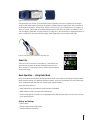
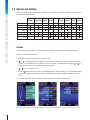
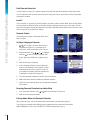
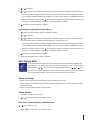
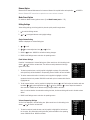
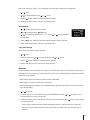
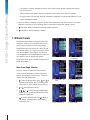
Turn these locks on (Figure A) to prevent changes to the Date/Time and Alarm settings in Setup mode. Useful
for GLP compliance when on-board service alarms are being used, but you want to leave the rest of the pipette
configuration unlocked.
Lock All
Turn this function on (Figure A) to prevent changes to any setting outside of Admin Mode. Useful for SOP compliance and adherence when the pipette is utilized for repetitive procedures that do not vary often. Note: This will
only prevent changes to settings-any Mode that is not hidden (see Mode Access above) can still be used. A padlock icon appears on the system icon display.
Passcode Feature
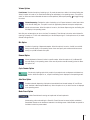
Use a passcode to prevent unauthorized access to the
Admin functions.
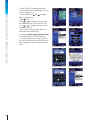
Setting or changing a Passcode
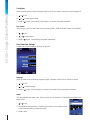
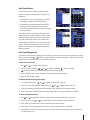
1.
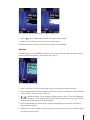
or SET on page 2 of Admin mode to enter a
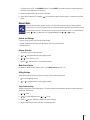
new passcode (Figure B). If a passcode is currently active, it will be overridden by the new one.
2.
or
to highlight
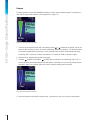
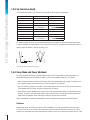
Select a passcode. Use , ,
numbers, to select a number. Passcode must
be four digits long. DONE when complete (Figure
F).
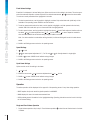
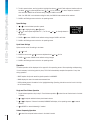
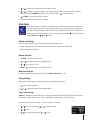
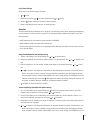
F: Set Passcode
G: Passcode ON
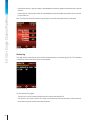
H: Enter Passcode
J: Passcode UNLOCK
3. CONT to confirm your passcode.
4.
5.
A new “Passcode Protection” field will appear beneath the “Set Passcode” field on page 2 of Admin
mode showing “ON” status (Figure G). A key icon
in the system icon display area also indicates that
a passcode is currently active (Figure G).
The active passcode is always the last one that was confirmed.
6. MAIN to exit Admin mode and enable the passcode protection.
7.
Please store your passcode where you and approved colleagues
can access it!
Removing Passcode Protection from Admin Mode
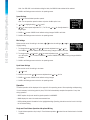
1.
In the “Passcode Protection” field,
2.
CONT to confirm passcode removal.
or
ON to turn passcode OFF (Figure G).
Entering Admin Mode with Passcode Protection
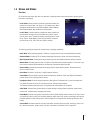
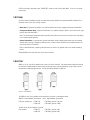
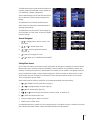
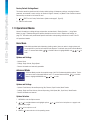
After a passcode is set, re-entry into Admin mode requires entering the passcode (Figure H).
If you forget your passcode, select UNLOCK from the passcode screen and call technical support
(800-4-RAININ)in the USA or your local METTLER TOLEDO representative (Figure J).
26