1
Setting the minute minder function
You are able to set the minute minder at any time, regardless
of whether an oven function has been selected. You can set a
period of time using the minute minder function and an alarm
will sound when this period of time has elapsed and the oven
will turn off.
o The minute minder can be used independently of an oven
cooking function for a time period of up to 120 minutes.
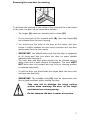
o To set the timer, turn the minute minder control knob clockwise
to the required countdown time.
o DO NOT turn the minute minder control knob past the 120
minute marking.
o DO NOT turn the minute minder control knob anti-clockwise past
the word ON.
o The time period that has been set will expire when the control
knob reaches zero, a brief audible signal will sound and the oven
will switch off.
Before you next use the oven, you MUST turn the
minute minder control knob anti-clockwise, so that it
points at the word ON. Otherwise the main oven will
not work.
Selecting a cooking function and temperature
Before first use
o To remove any residue from the oven that may have been left
from the manufacturing process, you should select the
conventional oven function and set the thermostat to its
maximum temperature setting.
o It is perfectly normal for a smell to be produced during this
process.
o You should make sure that any windows in the room are left
open during this process.
o It is advisable for you not to remain in the room whilst the
burning off process is taking place.
11