1
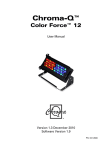
Chroma-Q™
Color Force™ 12
User Manual
Version 1.4 September 2012, Software Version 1.9
PN: 621-0500
Warranty Statement
Chroma-Q warrants to the original purchaser, with proof of purchase, that its delivered products shall be free from defects in
material and workmanship under normal use for a period of 12 months from date of shipment.
Chroma-Q will repair, or at its option, provide an equivalent item or replace, the defective product during the stated warranty
period. This warranty applies only to the repair or replacement of the product and only when the product is properly handled,
installed and maintained according to Chroma-Q instructions. This warranty excludes defects resulting from improper
handling, storage, installation, acts of God, fire, vandalism or civil disturbances. Purchaser must notify Chroma-Q in writing
within 14 days of noticing the defect. This warranty excludes field labour or service charges related to the repair or
replacement of the product.
The warranty contained herein shall not extend to any finished goods or spare parts from which any serial number has been
removed or which have been damaged or rendered defective (a) as a result of normal wear and tear, willful or accidental
damage, negligence, misuse or abuse; (b) due to water or moisture, lightning, windstorm, abnormal voltage, harmonic
distortion, dust, dirt, corrosion or other external causes; (c) by operation outside the specifications contained in the user
documentation; (d) by the use of spare parts not manufactured or sold by Chroma-Q or by the connection or integration of
other equipment or software not approved by Chroma-Q unless the Customer provides acceptable proof to Chroma-Q that
the defect or damage was not caused by the above; (e) by modification, repair or service by anyone other than Chroma-Q,
who has not applied for and been approved by Chroma-Q to do such modification, repair or service unless the Customer
provides acceptable proof to Chroma-Q that the defect or damage was not caused by the above; (f) due to procedures,
deviating from procedures specified by Chroma-Q or (g) due to failure to store, install, test, commission, maintain, operate or
use finished goods and spare parts in a safe and reasonable manner and in accordance with Chroma-Q’s instructions (h) by
repair or replacement of engines without factory training.
The warranty contained herein shall not apply to finished goods or spare parts which are sold “as is”, as “second-hand”, as
used”, as “demo” or under similar qualifications or to Consumables (“Consumables” is defined as any part(s) of goods or
part(s) for use with goods, which part(s) of goods or part(s) for use with goods are consumed during the operation of the
goods and which part(s) of goods or part(s) for use with goods require replacement from time to time by a user such as, but
not limited to, light bulbs).
The warranty contained herein shall not apply, unless the total purchase price for the defective finished goods or spare parts
has been paid by the due date for payment.
The warranty contained herein applies only to the original purchaser and are not assignable or transferable to any
subsequent purchaser or end-user.
This warranty is subject to the shipment of the goods, within the warranty period, to the ChromaQ warranty returns
department, by the purchaser, at the purchasers expense. If no fault is found, ChromaQ will charge the purchaser for the
subsequent return of the goods.
Chroma-Q reserves the right to change the warranty period without prior notice and without incurring obligation and
expressly disclaims all warranties not stated in this limited warranty.
www.chroma-q.com
Color Force 12 User Manual
1
V1.4 September 2012
Disclaimer
The information contained herein is offered in good faith and is believed to be accurate. However, because conditions and
methods of use of our products are beyond our control, this information should not be used in substitution for customer's
tests to ensure that Chroma-Q products are safe, effective, and fully satisfactory for the intended end use. Suggestions of
use shall not be taken as inducements to infringe any patent. Chroma-Q sole warranty is that the product will meet the sales
specifications in effect at the time of shipment. Your exclusive remedy for breach of such warranty is limited to refund of
purchase price or replacement of any product shown to be other than as warranted.
Chroma-Q reserves the right to change or make alteration to devices and their functionality without notice due to our on
going research and development.
The Chroma-Q Color Force 12 has been designed specifically for the lighting industry. Regular maintenance should be
performed to ensure that the products perform well in the entertainment environment.
If you experience any difficulties with any Chroma-Q products please contact your selling dealer. If your selling dealer is
unable to help please contact [email protected]. If the selling dealer is unable to satisfy your servicing needs, please
contact the following, for full factory service:
Outside North America:
Tel: +44 (0)1494 446000
Fax: +44 (0)1494 461024
[email protected]
North America:
Tel: 416-255-9494
Fax: 416-255-3514
[email protected]
For further information please visit the Chroma-Q website at www.chroma-q.com.
Chroma-Q and Color Force 12 are trademarks, for more information on this visit www.chroma-q.com/trademarks.
The rights and ownership of all trademarks are recognised.
www.chroma-q.com
Color Force 12 User Manual
2
V1.4 September 2012
Table of Contents
1.
Product Overview
……………...…………………………………………………….………... 4
2.
Operation
……………...…………………………………………………….………... 4
2.1
Unpacking the units
…………………………………………………………. 4
2.2
Cabling
…………………………………………………………. 4
2.3
Mounting
…………………………………………………………. 5
2.4
Optical Accessories
…………………………………………………………. 5
2.5
Chevrons
…………………………………………………………. 5
2.6
Control
…………………………………………………………. 6
2.7
DMX Protocol
…………………………………………………………. 9
2.8
Thermal Performance
……..…………………………………………………. 11
3.
Troubleshooting
……………...…………………………………………………….………... 11
4.
Specification
……………...…………………………………………………….………... 11
5.
4.1
Technical specification
…………………………………………………………. 11
4.2
Illuminance measurements
…………………………………………………………. 12
4.3
Drawings
…………………………………………………………. 13
Maintenance
……………...…………………………………………………….………... 13
www.chroma-q.com
Color Force 12 User Manual
3
V1.4 September 2012
1.
Product overview
The Color Force 12 is a truly multi-purpose LED fixture that is suitable for numerous entertainment lighting disciplines. The
unit provides power across the spectrum, from deep cold blues to red hot lava looks all from a single fixture. At only 300mm
/ 1ft long, the unit is ideal for floor, wall or truss mounting. It also provides a massive output of 2,400 hot lumens, easily
washing up to 8m / 26ft with smooth, theatrical grade dimming.
The Color Force 12 is equipped with a built-in power supply and can operate as a stand-alone unit or be remotely controlled
through ANSI E1.11 USITT DMX 512-A protocol. The Color Force 12 features a total of 48 high powered LEDs (2 x 1200
lumen RGBA cells).
The control options incorporate a choice of HSI (Hue, Saturation and Intensity), RGBA (Red, Green, Blue, Amber), RGB(A)
(Red, Green, Blue, with *Magic Amber), RGBI (Red, Green, Blue with *Magic Amber and Intensity), sRGBI (with intensity
effects) and sRGBA (with intensity effects) control modes. The Color Force 12 also features a dynamic Variable Effects
Engine integrated in the software, which gives the lighting designer full control over colour and effects combinations.
The product's robust anodised aluminum extruded construction houses a discreet cable management system. Additional
protection is built around the lenses for a truly road proof fixture.
2.
2.1
Operation
Unpacking the units
The Color Force 12 package includes 1 unit Color Force fixture, power connector (EU)/power cord (US) and a Quick Start
Guide. We recommend that you keep the original packaging in case the item needs to be returned.
2.2
Cabling
The Color Force 12 utilises PowerCon connectors for power input and through. The DMX control data input and through
connections from an external control console are via two XLR 5-pin connectors. The chassis are ground bonded.
Note: To avoid overloading the input cable, the maximum length of Color Force 12 fixtures for a single power cable run is
3.6m (12') at 110V or 7.2m (24') at 220V.
www.chroma-q.com
Color Force 12 User Manual
4
V1.4 September 2012
XLR 5-pin Cable:
Pin#
Function
1
Ground (Screen)
2
Data Minus
3
Data Plus
4
Spare Data Minus
5
Spare Data Plus
Power Cable:
International Colour Code
North American Colour Code
Connections
Green and Yellow
Green
Earth (E)
Ground (Green)
Blue
White
Neutral (N)
Neutral (Silver)
Brown
Black
Live (L)
Hot (Gold)
Important Notice:
The use of an opto-splitter for DMX signal distribution is highly recommended when several fixture units are not plugged into
the same power source.
2.3
Mounting
The Color Force 12 fixture is equipped with a built-in mounting yoke for floor, wall and truss mounting applications. The yoke
assembly features a hidden quick release fixing for fast and easy tilt adjustment.
Note: Secure the fixture with a safety bond. A provision for a fixing hold is built into the yoke.
2.4
Optical Accessories
Slide-in optical accessories are available to adjust the light output of the Color Force 12 fixture to suit a wide range of
applications. Two accessory slots and a swivel plate are included at the front and side of the fixture to hold and lock these
slide-in lenses, barndoors, egg crates, half hats and top hats.
2.5
Chevrons
The Color Force 12 fixture has the ‘chevron’ markings stamped on both ends and printed at the rear enclosure to indicate
the side of the fixture that should be adjacent to the wall or cyclorama.
www.chroma-q.com
Color Force 12 User Manual
5
V1.4 September 2012
2.6
Chevrons
Color Force 12 fixture can operate as a stand-alone unit or be controlled remotely via ANSI E1.11 USITT DMX512-A protocol.
The control functions can be accessed through the LCD display at the rear of the fixture with 4 push buttons.
Push button operation:
Control
Function
Exit
Back to previous menu
Up Arrow
Increases (+) the mode level or value
Down Arrow
Decreases (-) the mode level or value
Back Arrow
(Enter) Stores the menu choice
Power-Up Display:
On power-up and home position, the display shows the model name ‘ColorForce12’, software version ‘1.1’, the DMX
address ‘d001’, current assigned mode ‘RGBA’, and the number of channels the Color Force 12 is in ‘4ch’.
Display Mode:
The LCD is backlit when you access the menus. This will turn off when left undisturbed for 5 seconds.
Control Options:
3 channel HSI (Hue, Saturation and Intensity) gives 2 colour channels for hue and saturation and a separate intensity
channel. A separate definable intensity channel is particularly useful when creating intensity chases or when the grand
master is used. The hue channel has 255 different colours available and the saturation channel specifies the saturation level
of that colour. The saturation channel is fully saturated at full. White is achieved with the intensity channel to full and the
saturation channel at zero.
3 channel RGB (Red, Green, Blue with *Magic Amber™) is the more traditional way of controlling colour changing LED
fixtures. Each of the three control channels directly affects the intensity of the corresponding LED. Colour is mixed by
adjusting the levels of the three primary colours. White is achieved with all channels at full including Magic Amber.
3 channel RGB + 1 intensity channel (Red, Green, Blue with Magic Amber and Intensity) gives 3 control channels directly
affecting the intensity of the corresponding LED – Red, Green, Blue with *Magic Amber, and 1 channel affecting the intensity
of all RGB(A) channels.
4 channel RGBA (Red, Green, Blue and Amber) gives 4 control channels directly affecting the intensity of the corresponding
LED – Red, Green, Blue and Amber. Colour is mixed by adjusting the levels of each of the four colours. White is achieved
with all channels at full.
3 channel RGB (Red, Green, Blue with *Magic Amber) + 1 intensity channel + 1 intensity effects channel gives a channel for
intensity effects, 3 channels directly affecting the intensity of the corresponding LED – Red, Green, Blue and 1 channel
affecting the intensity of all sRGB channels.
4 channel RGBA (Red, Green, Blue, Amber) + 1 intensity effects channel gives a channel for intensity effects and 4 channels
directly affecting the intensity of the corresponding LED – Red, Green, Blue, Amber.
www.chroma-q.com
Color Force 12 User Manual
6
V1.4 September 2012
3 channel HSI (Hue, Saturation and Intensity) + 4 effects channels gives 2 colour channels for hue and saturation, separate
intensity channel and 4 channels for effects (Colour Speed, Range, Step and Intensity Effects).
Grouping options: grouping by individual cell “Duo” and “All” cells. A Color Force 12 fixture consists of 2 cells. Cell grouping
“Duo” allows individual control of each single cell. In “All” grouping, both cells can be controlled as 1 group.
Internal FX engine: mode 1, 5 and 6 incorporate internal FX engine with variable parameters to create an unlimited amount
of unique lighting effects. (see 2.6 DMX Protocol for list of parameters) All internal FX are referenced back to the base HSI
colour and intensity levels.
*Magic Amber is the term used for the unit's ability to bring in amber when mixing colours that require it.
Control Menu
Use the push buttons (up/down arrows) to scroll through the control menu positions:
Home / DMX Address
To set the DMX start address, press Enter, press Up/Down buttons to adjust DMX start address, press Enter for 2
seconds to save settings, the display goes back to Home.
Control Mode
The Color Force 12 can be set to operate in 11 DMX controlled modes and 2 standalone modes. 2 grouping
options are available (cell-grouped (“Duo), all-grouped (“All”) with 5 control options: fxHSI, HSI, RGB (with Magic
Amber), RGBA, RGBI (with Magic Amber), pre-programmed looks and stand-alone effects. Refer to the list below
for details.
Press the Up/Down buttons to access the “Control Mode”, press Up/Down to select the mode and press Enter for
2 seconds to save the settings.
Color Force 12
Control Mode - Software Version 1.9
Mode
Name
Group
Ch
Description
1
fxHSI
All
7
4fx + HSI (Colour Speed, Colour Range, Step, Strobe, Hue,
Saturation, Intensity)
2
HSI
Duo
6
2 x HSI
3
RGB
Duo
6
2 x RGB (with *Magic Amber)
4
RGBA
Duo
8
2 x RGBA
5
sRGBI
Duo
9
1 intensity fx + 2 x RGBI (*Magic Amber)
6
sRGBA
All
5
1 intensity fx + RGBA
7
HSI
All
3
1 x HSI
8
RGB
All
3
1 x RGB (with *Magic Amber)
9
RGBA
All
4
1 x RGBA
10
RGBI
All
11
Look Sel
12
Mastr StndAlon
Standalone Master
13
Slave StndAlon
Standalone Master
4
1 x RGBI (with *Magic Amber)
1
Look Select
When DMX is Lost
If DMX is not detected various output options can be selected:
www.chroma-q.com
Color Force 12 User Manual
7
V1.4 September 2012
Press Up/Down to access “When DMX is Lost”, press Enter, press Up/Down buttons to select the options , press
Enter for 2 seconds to save.
‘Off’ - will snap to off
‘Hold’ - will hold the last valid DMX state
Look 1-31 will snap to the Look of your choice
Look Store
The Color Force 12 has 31 internal preset FX Looks for stand-alone operation, 1-23 are pre-programmed. To
replay a Look in stand-alone operation, press Up/Down buttons to access “Look Store”, press Enter, press
Up/Down buttons to select the desired Look and press Enter for 2 seconds to save settings.
To replay a Look with a DMX console, press Up/Down buttons to access Control Mode 11 and press Enter for 2
seconds. Use the DMX console with the assigned channel to playback the various looks stored. (1-31 looks in 1
single channel)
Note: DMX has priority over internal Looks.
Looks can be recorded to the internal flash memory by users and will be preserved on power down. However,
looks will be returned to default setting if Reset is performed. There are two ways to record a look:
Simple, with DMX console.
Set the Color Force 12 to the desired Control Mode. Use a DMX console to adjust channel levels and create the
desired look or effect. Press Up/Down buttons to the “Look Store” and press Enter, press Up/Down buttons to the
desired Look number and press Enter. Press Enter again for 2 seconds to save Look.
Advanced, stand-alone. (DMX is unplugged)
Press Up/Down buttons to access “Look Store”, and press Enter, press Up/Down button to the desired Look and
press Enter to access the memory data. The data is presented as two numbers separated by a letter “c”. The
number to the left of the “c” is the channel number and to the right is the channel level. Pressing Up/Down up to
the far end will show the Mode at which the selected Look was programmed.
To edit the Mode of a selected Look:
Press Up/Down buttons to access “Look Store” and press Enter, press Up/Down to the desired Look and press
Enter to access the memory data. Press Up/Down buttons up to the far end until Mode number is shown and
press Enter. Press Up/Down buttons to adjust the Mode number. Press Enter to toggle back to the channel
numbers.
To edit the channel numbers and levels of a selected Look:
Press Up/Down buttons to access “Look Store” and press Enter, press Up/Down to the desired Look and press
Enter to access the memory data. Press Up/Down buttons and select the channel number. To edit the channel
level, press Enter and use the Up/Down buttons to adjust the level (shown as 0-255). Press Enter to toggle back
to the channel number. When the desired effect is created press Enter for 2 seconds to save the edited Look.
Technical
In this mode, internal fan speed and frequency settings of the unit can be changed; and pre-programmed
engines can be uploaded. Press Up/Down to access “Technical”, press Up/Down to select either “Frequency” or
“Upload Engines” or “Fan Speed”.
Frequency:
The Color Force 12 has four frequency settings available - 600, 1200, 2400, 4800. This allows for the LED scan
rate to be synchronised with the video camera and avoid a flickering effect. Press the Up/Down buttons to select
the desired frequency, press Enter for 2 seconds to save settings.
Upload Engines:
Pre-programmed engines can be uploaded to the Color Force 12 from the Chroma-Q Uploader:
www.chroma-q.com
Color Force 12 User Manual
8
V1.4 September 2012
1.
Press Enter, Up/Down buttons to select “Upload Engines” then press Enter, and the display will show
“Ready”:
2.
Connect an XLR 5-pin cable from the Uploader to the unit.
3.
Power-up the Uploader - display will show the file name, and “Ready”.
4.
Press the “GO” button once to execute the uploading - red indicator light on the “GO” button will blink.
5.
The Uploader display will show a simulated arrow moving from left to right indicating the uploading
process.
6.
All the green LEDs of the unit will light up (low intensity) to indicate completion of a successful Upload
7.
Power-cycle the unit.
and the Uploader display will show “DONE”.
(See Quick Start Guide of the Chroma-Q Uploader)
Fan Speed:
The Color Force 12 is built with an internal fan with three speed options to regulate noise levels and the cooling
process. The “Studio” mode is equivalent to low velocity for quiet application and cooler locations, “Reqular”
mode is moderate velocity for standard and less critical locations, and “Live” mode is equivalent to high velocity
for louder application and warmer locations.
Press Enter, Up/Down buttons to select “Fan Speed”, then press Enter to select from either “Studio”, “Regular” or
“Live”, and then press Enter for 2 seconds to save the settings.
Output Setting
The light output of the Color Force 12 can be adjusted to two levels. “Standard 2400Lm” is the maximum light
output and “Matching CF48/72” is the light output level that matches the levels of the Color Force 72 and 48
fixtures.
Press Up/Down to access “Output Setting”, then press Enter and Up/Down to select between “Standard 2400Lm”
or Matching CF48/72”.
Reset to Default
Press Up/Down to access “Reset to Default”, press Enter, display will show “reset?”, press Enter for 2 seconds,
display will show “resetting” and “done” when complete, and all menu items are reset to factory defaults:
DMX address = 001, Control Mode = 6 , When DMX is Lost = Hold, Looks = 00,
Frequency = 600, Fan Speed = Studio, Output Setting = Standard 2400Lm.
2.7
DMX Protocol
Color Force 12 DMX Personality Mode 1-3:
Color Force 12
Control Mode 1
Control Mode 2
Control Mode 3 [6ch]
v1.9
[7ch] 4fx + HSI
[6ch] 2 x HSI
2 x RGB (with *Magic Amber)
Channel 1
Colour Speed
Hue group 1
Red group 1
Saturation group 1
Green group 1
Intensity group 1
Blue group 1
0-255 Variable speed of colour scrolling. Static
at 0 to max at 255.
Channel 2
Colour Range
0 Full spectrum
1-255 Variable limit of spectrum for colour
scrolling. Single colour at 1, full spectrum at
255.
Channel 3
Colour Step
www.chroma-q.com
Color Force 12 User Manual
9
V1.4 September 2012
0-255 Variable control of smoothness of colour
scrolling. Smoothest at 0. Most coarse is at
250. Rate will vary with scrolling speed. 255
will override effects and switch to RGB.
Channel 4
Intensity Effects
Hue group 2
Red group 2
0 Static
1-63 Fade on, fade off. Variable, 63 fastest
64-127 Fade on, snap off. Variable, 127
fastest
128-191 Snap on, fade off. Variable, 191
fastest
192-255 Snap on, snap off (strobe). Variable,
255 fastest.
Channel 5
Hue group 1
Saturation group 2
Green group 2
Channel 6
Saturation group 1
Intensity group 2
Blue group 2
Channel 7
Intensity group 1
Total
7 DMX channels
6 DMX channels
6 DMX channels
Color Force12 DMX Personality Mode 4-6:
Color Force 12
v1.9
Control Mode 4
[8ch] 2 x RGBA
Control Mode 5 [9ch]
Control Mode 6 [5ch]
1fx + 2 x RGBI (with *Magic Amber)
1fx + RGBA
Channel 1
Red group 1
Intensity Effects
Intensity Effects
0 Static
0 Static
1-63 Fade on, fade off. Variable, 63
fastest
1-63 Fade on, fade off. Variable, 63
fastest
64-127 Fade on, snap off. Variable, 127
fastest
64-127 Fade on, snap off. Variable,
127 the fastest
128-191 Snap on, fade off. Variable, 191
fastest
128-191 Snap on, fade off. Variable,
191 fastest
192-255 Snap on, snap off (strobe).
Variable, 255 fastest.
192-255 Snap on, snap off (strobe).
Variable, 255 fastest.
Channel 2
Green group 1
Red for group 1
Red for group 1
Channel 3
Blue group 1
Green for group 1
Green for group 1
Channel 4
Amber group 1
Blue for group 1
Blue for group 1
Channel 5
Red group 2
Intensity for group 1
Amber for group 1
Channel 6
Green group 2
Red for group 2
Channel 7
Blue group 2
Green for group 2
Channel 8
Amber group 2
Blue for group 2
Channel 9
Total
Intensity for group 2
8 DMX channels
9 DMX channels
5 DMX channels
www.chroma-q.com
Color Force 12 User Manual
10
V1.4 September 2012
2.8
Thermal Performance
The Color Force 12 fixture is equipped with an internal fan to drive the internal cooling system. If the internal temperature of
the Color Force 12 exceeds 75ºC the output of the fixture is reduced for automatic protection. This happens on rare and
extreme conditions when ambient temperature is over 35ºC or the internal fans are blocked or damaged.
The airflow to and from the fan must not be constricted to maintain the maximum operating capacity of the Color Force.
3.
Troubleshooting
Troubleshooting is a process of elimination. First, rule out the other field factors (i.e. bad connections, faulty cables and
power supplies). For technical support and/or parts, please contact your selling dealer or the offices listed in this manual.
Symptom
Possible Cause
Solution
Fixture does not respond to
DMX control.
Set to wrong or different DMX address.
Bad cable connecting DMX control and fixture.
Check DMX address and Mode
settings.
Bad in/through connection between adjacent
fixtures.
Check/replace DMX run from the
console.
Noise from fixture unit.
Fan malfunction.
Check fan.
Low LED output.
Internal temperature is over the limit.
Check “Fan Control” mode.
Fan is not working.
Check fan.
Check for airflow - to and from the
internal fan.
Check area ventilation.
4.
4.1
Specification
Technical specifications
Product code:
CHCF12NFRGBA
Nett dimensions:
335mm x 190mm x 218mm / 13.2” x 7.5” x 8.6”
Nett weight:
4.3kgs / 9.5lbs
Power supply:
Built-in
Power input rating:
100-240V AC, 50-60 Hz, 160VA
Power factor:
0.997
Power consumption:
120W
Typical power & current:
Measurements done with all LEDs at max. intensity. Measurements made at nomincal
voltage. Allow for a deviations of +/- 10%
Power connector in/out:
PowerCon
Data connectors in/out:
XLR 5-pin
Max cable run:
NA
Control protocol:
ANSI E1.11 USITT DMX 512-A
Cooling system:
Forced – 1 fan
Operating temperature:
0°C to 40°C
Construction:
Anodised aluminium extrusion
Colour:
Black
www.chroma-q.com
Color Force 12 User Manual
11
V1.4 September 2012
LED engine:
2
LED per engine:
24 (6 x RGBA)
Total LEDs:
48
Optics:
Specialised close focus lens
Beam angle:
~18º
Beam distribution:
Asymmetrical direct illumination
CCT:
Adjustable 1000 – 10000K
CRI:
92
Lamp Life:
L70 up to 50,000 hours
IP Rating:
IP20
Operating temperature:
0ºC to 40ºC
Approvals:
CISPR 22 :2006/EN55022 :2006 & CISPR 24 :1997/EN55024 :1998, ICES-003 :2004
& FCC Part 15 Subpart B: 2007, CSA C22. No. 166-M1983:R2008 UL 1573:2003; UL
8750
4.2
Illuminance measurements
Lux and footcandle measurements with RGBA at full intensity:
Throw
Distance
Center Beam
Beam
Width
375mm
LUX
21000
915mm
3'
FC
1951
14.75"
680mm
LUX
5050
2060mm
6.75'
FC
469
26.75"
980mm
LUX
2460
3050mm
10'
FC
229
38.5"
1280mm
LUX
1430
4050mm
13.3'
FC
133
50.5"
1440mm
LUX
1170
4570mm
15'
FC
109
56.75"
www.chroma-q.com
Color Force 12 User Manual
12
V1.4 September 2012
4.3
Drawings
5.
Maintenance
With care, the Color Force 12 will require little maintenance. However, as the unit is likely to be used in a stage environment
we recommend periodical internal inspection and cleaning of any resulting dust and cracked oil residue.
Do not spray liquids on the front or rear panel. If the front enclosure requires cleaning, wipe with a mild detergent on a damp
cloth.
www.chroma-q.com
Color Force 12 User Manual
13
V1.4 September 2012