1
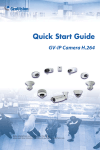
Quick Start Guide
GV-IP Camera H.264
Before attempting to connect or operate this product,
please read these instructions carefully and save this manual for future use.
© 2012 GeoVision, Inc. All rights reserved.
Under the copyright laws, this manual may not be copied, in whole or in
part, without the written consent of GeoVision.
Every effort has been made to ensure that the information in this manual is
accurate. GeoVision, Inc. makes no expressed or implied warranty of any
kind and assumes no responsibility for errors or omissions. No liability is
assumed for incidental or consequential damages arising from the use of
the information or products contained herein. Features and specifications
are subject to change without notice. Note: no memory card slot or local
storage function for Argentina.
GeoVision, Inc.
9F, No. 246, Sec. 1, Neihu Rd.,
Neihu District, Taipei, Taiwan
Tel: +886-2-8797-8377
Fax: +886-2-8797-8335
http://www.geovision.com.tw
Trademarks used in this manual: GeoVision, the GeoVision logo and GV
series products are trademarks of GeoVision, Inc. Windows and Windows
XP are registered trademarks of Microsoft Corporation.
July 2012
Safety Notice
For GV-CBW120 and GV-CBW220:
This device complies with Part 15 of the FCC Rules. Operation is subject to
the following two conditions: (1) this device may not cause harmful
interference and (2) this device must accept any interference received,
including interference that may cause undesired operation of the device.
UL Certification for GV-MFD120/130/220/320/520
The GV-IPCAM H.264 uses a 3.0V CR2032 Lithium battery as the power
supply for its internal real-time clock (RTC). The battery should not be
replaced unless required!
If the battery does need replacing, please observe the following:
•
•
Danger of Explosion if battery is incorrectly replaced
Replace only with the same or equivalent battery, as recommended
by the manufacturer
•
Dispose of used batteries according to the manufacturer's instructions
i
Contents
Introduction ..................................................................................v
Options .........................................................................................x
Note for Connecting to GV-System ...........................................xi
Note for Adjusting Focus and Zoom ........................................xii
Note for Installing Camera Outdoor ........................................xiii
1. Box Camera ..............................................................................1
1.1 Packing List................................................................................. 1
1.2 Overview ..................................................................................... 2
1.3 Accessory Installation ................................................................. 6
1.3.1 C-Mount Lenses ..................................................................6
1.3.2 Infrared Illuminators (GV-IR LED / GV-IR LED T2) .............8
1.4 Connecting the Camera ............................................................ 10
2. IR Arctic Box Camera ............................................................15
2.1 Packing List............................................................................... 15
2.2 Overview ................................................................................... 16
2.3 Installation................................................................................. 17
2.4 Connecting the Camera ............................................................ 21
2.4.1 Wire Definition ...................................................................21
3. Mini Fixed Dome & Mini Fixed Rugged Dome .....................23
3.1 Packing List............................................................................... 23
3.2 Overview ................................................................................... 24
3.3 Installation................................................................................. 28
3.4 Connecting the Camera ............................................................ 33
3.4.1 Wire Definition ...................................................................33
3.4.2 Power and Network Connection ........................................34
3.4.3 Vehicle Installation ............................................................35
4. Bullet Camera .........................................................................37
4.1 Packing List............................................................................... 37
4.2 Overview ................................................................................... 38
4.3 Installation................................................................................. 39
4.3.1 Adjusting the Angles..........................................................40
4.3.2 Adjusting Lens and Inserting a Memory Card....................43
ii
4.3.3 Inserting the Sun-Shield Cover..........................................45
4.4 Connecting the Camera ............................................................ 46
4.4.1 Wire Definition ...................................................................46
4.4.2 Connecting the Power Cable.............................................47
5. Vandal Proof IP Dome............................................................49
5.1 Packing List............................................................................... 49
5.2 Overview ................................................................................... 51
5.3 Installation................................................................................. 52
5.3.1 Hard-Ceiling Mount ...........................................................52
5.3.2 In-Ceiling Mount ................................................................57
5.4 Connecting the Camera ............................................................ 60
5.4.1 Wire Definition ...................................................................60
5.4.2 Connecting the Power Cable.............................................61
6. Fixed IP Dome ........................................................................63
6.1 Packing List............................................................................... 63
6.1.1 Packing List for Hard-Ceiling Mount ..................................63
6.1.2 Packing List for In-Ceiling Mount.......................................64
6.2 Overview ................................................................................... 65
6.3 Installation................................................................................. 67
6.3.1 Hard-Ceiling Mount ...........................................................67
6.3.2 In-Ceiling Mount ................................................................71
6.3.3 Wall-Surface Mount...........................................................74
6.4 Connecting the Camera ............................................................ 76
7. Cube Camera ..........................................................................77
7.1 Packing List............................................................................... 77
7.2 Overview ................................................................................... 78
7.3 Installation................................................................................. 79
7.4 Connecting the Camera ............................................................ 81
8. Advanced Cube Camera........................................................83
8.1 Packing List............................................................................... 83
8.2 Overview ................................................................................... 84
8.3 Installation................................................................................. 86
8.4 Connecting the Camera ............................................................ 88
9. Accessing the Camera...........................................................89
9.1 System Requirement ................................................................ 89
iii
9.2 Accessing the Live View ........................................................... 90
9.2.1 Checking the Dynamic IP Address ....................................91
9.2.2 Configuring the IP Address................................................93
9.2.3 Configuring the Wireless Connection ................................95
9.3 Adjusting Image Clarity ............................................................. 98
9.3.1 Using Focus Adjustment Cap ..........................................100
10. The Web Interface ..............................................................103
11. Upgrading System Firmware.............................................105
12. Restoring to Default Settings............................................107
12.1 Using the Web Interface ....................................................... 107
12.2 Directly on the Camera ......................................................... 108
GV-BX110D..............................................................................108
Box Camera (except GV-BX110D)...........................................109
GV-MFD110 .............................................................................110
GV-MFD120 / 130 / 220 / 320 / 520 .........................................110
Mini Fixed Rugged Dome.........................................................111
GV-BL110D ..............................................................................111
GV-BL120D / 130D / 220D / 320D ...........................................112
Vandal Proof IP Dome..............................................................112
Fixed IP Dome..........................................................................113
Cube Camera ...........................................................................113
Advanced Cube Camera ..........................................................114
iv
Introduction
Welcome to the GV-IPCam H.264 Quick Start Guide. In this quick guide,
you will find information on the installation and basic configurations of the
Box Camera, IR Arctic Box Camera, Mini Fixed Dome, Mini Fixed
Rugged Dome, Bullet Camera, Vandal Proof IP Dome, Fixed IP Dome,
Cube Camera and Advanced Cube Camera.
Camera
Model No.
1.3 MP H.264, D/N,
Fixed Iris
Varifocal
Lens
1.3 MP H.264, D/N,
Auto Iris
GV-BX120D
Varifocal
Lens
1.3 MP H.264, Low
Lux, D/N, Auto Iris, f:
2.8 ~ 12 mm, F/1.4,
1/3’’ CS Lens
GV-BX130D-0
Varifocal
Lens
1.3 MP H.264, D/N,
Auto Iris,
f: 2.8 ~ 12 mm, F/1.4,
1/3’’ CS Lens
GV-BX130D-1
Fixed
Lens
1.3 MP H.264, D/N,
Fixed Iris,
f: 4 mm, F/1.5,
1/3’’ CS Lens
GV-BX140DW
Varifocal
Lens
1 MP H.264, D/N
WDR pro, Fixed Iris,
f: 2.8 ~ 12 mm,
F/1.4, 1/3’’ CS Lens
GV-BX110D
Box
Camera
Description
Fixed
Lens
v
Camera
Box
Camera
IR
Arctic
Box
Camera
Model No.
Description
GV-BX220D-2
2 MP, H.264 D/N,
Auto Iris, f: 2.8 ~ 6
mm, F/1.3,
1/3’’ CS Lens
GV-BX220D-3
2 MP, H.264 D/N,
Auto Iris, f: 2.8 ~ 12
mm, F/1.4,
1/3’’ CS Lens
GV-BX320D-0
3 MP, H.264 D/N,
Auto Iris, f: 3.1 ~ 8
mm, F/1.2,
1/3’’ CS Lens
GV-BX320D-1
3 MP, H.264 D/N,
Auto Iris, f: 2.8 ~ 6
mm, F/1.3,
1/3’’ CS Lens
GV-BX520D-0
5 MP, H.264 D/N,
Manual Iris,
f: 4.5 ~ 10 mm, F/1.6,
1/2’’ CS Lens
GV-BX120D-E
1.3 MP, H.264, Low
Lux, D/N, Auto Iris, f:
2.8 ~ 12 mm, F/1.4,
1/3’’ CS Lens
GV-BX220D-E
Varifocal
Lens
GV-BX320D-E
GV-BX520D-E
vi
Varifocal
Lens
2 MP, H.264 D/N,
Auto Iris, f: 2.8 ~ 6
mm, F/1.3, 1/3’’ CS
Lens
3 MP, H.264 D/N,
Auto Iris, f: 2.8 ~ 6
mm, F/1.3, 1/3’’ CS
Lens
5 MP, H.264 D/N,
Manual Iris, f: 4.5 ~
10 mm, F/1.6, 1/3’’
CS Lens
Camera
Mini
Fixed
Dome
Model No.
Description
GV-MFD110
1.3 MP H.264, Color,
Fixed Iris
GV-MFD120
1.3 MP, H.264, Low
Lux Color, Fixed Iris
GV-MFD130
GV-MFD220
Fixed
Lens
3 MP, H.264, Color,
Fixed Iris
GV-MFD520
5 MP, H.264, Color,
Fixed Iris
GV-MDR220
GV-MDR320
1.3 MP Low Lux
H.264, Color, Fixed
Iris
Fixed
Lens
2 MP H.264, Color,
Fixed Iris
3 MP H.264, Color,
Fixed Iris
GV-MDR520
5 MP H.264, Color,
Fixed Iris
GV-BL110D
1.3 MP H.264, Auto
Iris
GV-BL120D
Bullet
Camera
2 MP, H.264, Color,
Fixed Iris
GV-MFD320
GV-MDR120
Mini
Fixed
Rugged
Dome
1.3 MP, H.264, Color,
Fixed Iris
GV-BL130D
Varifocal
Lens
1.3 MP H.264,
Low Lux, Auto Iris
1.3 MP H.264, Auto
Iris
GV-BL220D
2 MP H.264, Auto Iris
GV-BL320D
3 MP H.264, Auto Iris
vii
Camera
Model No.
Description
GV-VD120D
(IK10+, Transparent Cover)
GV-VD121D
1.3 MP H.264,
Low Lux, Auto Iris
(IK10+, Smoked Cover)
GV-VD122D
(IK7, Transparent Cover)
GV-VD123D
(IK7, Smoked Cover)
GV-VD220D
(IK10+, Transparent Cover)
Vandal
Proof IP
Dome
GV-VD221D
(IK10+, Smoked Cover)
Varifocal
Lens
GV-VD222D
2 MP H.264, Auto Iris
(IK7, Transparent Cover)
GV-VD223D
(IK7, Smoked Cover)
GV-VD320D
(IK10+, Transparent Cover)
GV-VD321D
(IK10+, Smoked Cover)
3 MP H.264, Auto Iris
GV-VD322D
(IK7, Transparent Cover)
GV-VD323D
(IK7, Smoked Cover)
GV-FD120D
Fixed IP
Dome
GV-FD220D
GV-FD320D
viii
Varifocal
Lens
1.3 MP H.264,
Low Lux, Auto Iris
2 MP H.264,
Auto Iris
3 MP H.264,
Auto Iris
Camera
Model No.
Description
GV-CB120
Cube
Camera
GV-CB220
GV-CBW120
Fixed
Lens
GV-CBW220
GV-CA120
Advanced
Cube
Camera
GV-CA220
GV-CAW120
GV-CAW220
Fixed
Lens
1.3 MP H.264,
Fixed Iris
2 MP H.264,
Fixed Iris
1.3 MP H.264,
Wireless Fixed Iris
2 MP H.264,
Wireless Fixed Iris
1.3 MP H.264,
Fixed Iris
2 MP H.264,
Fixed Iris
1.3 MP H.264,
Wireless Fixed Iris
2 MP H.264,
Wireless Fixed Iris
For a detailed user’s manual, see GV-IPCam H.264 User’s Manual on the
software CD.
ix
Options
Optional devices can expand your camera’s capabilities and versatility.
Contact your dealer for more information.
Device
Description
A mountable infrared LED device that improves
image performance of Box Cameras under low
GV-IR LED
light conditions. Note that the GV-IR LED is only
compatible with GV-BX110D and GV-IR LED T2 is
compatible with Box Camera (except
GV-BX110D).
GV-PA191 PoE
Adapter
The GV-PA191 PoE adapter is designed to
provide power and network connection to the
cameras over a single Ethernet cable.
The GV-Mount Accessories provide a
GV-Mount
Accessories
x
comprehensive lineup of accessories for
installation on ceiling, wall and pole. For details,
see GV-Mount Accessories Installation Guide on
the software CD.
Note for Connecting to GV-System
The GV-IPCAM H.264 is designed to work with GV-System, a hybrid or
digital video management system. Note the following when GV-IPCAM
H.264 is connected to GV-System:
1.
By default, the images are recorded to the memory card inserted in the
Box Camera, Mini Fixed Dome (except GV-MFD110), Mini Fixed
Rugged Dome, Bullet Camera, Vandal Proof IP Dome, Fixed IP
Dome, Cube Camera and Advanced Cube Camera. Once the
camera is connected to GV-System for video management or the
camera’s Live View is accessed through the Web browser (see 9.
Accessing the Camera in the Quick Start Guide), the recording to the
memory card will be stopped and the recording will be taken control by
GV-System. The recording to the memory card will only be resumed
when the connection between the camera and GV-System is
interrupted. To continue recording when the live view is accessed or
when the camera is connected to GV-System, enable the Record to
the local storage when live view is accessed option on Video
Setting’s page. For detail, see 14.1.1 Video Settings, GV-IPCam
H.264 User’s Manual on the software CD.
2.
Once the camera is connected to GV-System, the resolution set on
GV-System will override the resolution set on the camera’s Web
interface. You can only change the resolution settings through the
Web interface when the connection to GV-System is interrupted.
xi
Note for Adjusting Focus and
Zoom
When adjusting the Focus and Zoom Screws (on Box Camera, IR Arctic
Box Camera, Mini Fixed Dome, Bullet Camera, Vandal Proof IP Dome and
Fixed IP Camera), please do not over tighten the Focus and Zoom screws.
The screws only need to be as tight as your finger can do it; don't bother
using any tools to get them tighter. Doing so can damage the structure of
lens.
For example,
Zoom Screw
Focus Screw
Bullet Camera
xii
Focus Screw
Zoom Screw
Fixed IP Camera
Note for Installing Camera Outdoor
When installing the IR Arctic Box Camera, Bullet Camera, Vandal Proof
IP Dome or Mini Fixed Rugged Dome outdoor, be sure that:
1.
The camera is set up above the junction box to prevent water from
entering the camera along the cables.
2.
Any PoE, power, audio and I/O cables are waterproofed using
waterproof silicon rubber or the like.
xiii
3.
After opening the camera cover, ensure the screws are tightened and
the cover is in place.
4.
To prevent the lens from fogging up, ensure to replace the silica gel
bag every time you open the camera, and conceal the gel bag in
camera within 2 minutes of exposing to open air. The silica gel bag
loses it effectiveness when the dry camera is opened.
xiv
1. Box Camera
1.1 Packing List
•
Box Camera
•
Terminal Block
•
Fixed Focal or Varifocal Megapixel Lens
•
Pin Wrench (for GV-BX110D only)
•
C-mount Lens Adapter (for GV-BX110D only)
•
Six Lens Rings (not available for GV-BX110D)
•
One Lens Ring (for GV-BX140DW only)
•
Video Out Wire (not available for GV-BX110D)
•
DC 12V Power Adapter
•
GV-IPCAM H.264 Software CD
•
GV-IPCAM H.264 Quick Start Guide
•
GV-NVR Software DVD
•
GV-NVR Quick Start Guide
1.2 Overview
GV-BX110D
1
2
3
4 5
9
10
12
6
7
8
11
13
Note: The Zoom Screw and Auto Iris Connector are only available in the
varifocal model.
2
1
No.
1
2
Name
Audio Out
Audio In
Box Camera
Description
Connects a speaker for audio output.
Connects a microphone for audio input.
Resets all configurations to factory default.
See 12. Restoring to Default Settings later
in the Quick Start Guide.
Inserts a micro SD/SDHC card to store
recording data.
Connects to a portable monitor for setting
the focus and angle of Box Camera during
initial installation.
Connects to I/O devices. For details, see
I/O Terminal Block, Box Camera Chapter
GV-IPCam H.264 User’s Manual on the
software CD.
Connects to a 10/100 Ethernet or PoE.
Connects to power.
3
Default
4
Memory Card Slot
5
Video Out
6
I/O Terminal Block
7
8
LAN / PoE
DC 12V Connector
9
Status LED
Reflects system status of the camera. See
the table below.
10
Zoom Screw
Adjusts the zoom of the camera.
11
Focus Screw
Adjusts the focus of the camera.
12
Microphone
13
Auto Iris Connector
Records the sounds.
If the varifocal lens is in use, plug the iris
control cable to the connector. Note that
Auto Iris Connector is not functional in the
fixed focal GV-BX110D.
Status LED
Red Light ON
Flashing Red and Green
Lights
Green Light ON
Description
The system powers on and succeeds to
boot up.
The camera is ready for use with network
connectivity.
Error occurs on the system.
3
GV-BX120D / 130D Series / 140DW / 220D Series / 320D
Series / 520D-0
2
1
3
4 5
6
11
12 13
14
15
7
8
9
16
10
Note:
1.
The Light Sensor is only available in GV-BX140DW. Keep the Light
sensor unobscured for accurate light detection.
2.
The Iris Screw is only available for GV-BX520D-0.
3.
The Zoom Screw is not available for GV-BX110D (fixed lens model)
and GV-BX130D-1.
No.
4
Name
Description
1
Video Out
Connects to a portable monitor for setting
the focus and angle of Box Camera during
initial installation.
2
Memory Card Slot
Inserts a micro SD / SDHC / SDXC card to
store recording data.
3
Audio Out
Connects a speaker for audio output.
4
Audio In
Connects a microphone for audio input.
5
I/O Terminal Block
Connects I/O devices. For details, see I/O
Terminal Block, Box Camera Chapter,
GV-IPCam H.264 User’s Manual on the
software CD.
6
Power LED
Indicates the power is supplied.
1
No.
Box Camera
Name
Description
7
Auto Iris Connector
Plug the iris control cable to the connector.
Note that Auto Iris Connector is not
functional in GV-BX130D-1,
GV-BX140DW and GV-BX520D-0.
8
DC 12V Port
Connects to power.
9
LAN / PoE
Connects to a 10/100 Ethernet or PoE.
10
Default
Resets all configurations to factory default.
See 12. Restoring to Default Settings later
in the Quick Start Guide.
11
Light Sensor
Detects light to switch between day and
night mode.
12
Focus Screw
Adjusts the focus of the camera.
13
Iris Screw
Adjusts the iris of the camera
14
Microphone
Records the sounds.
15
Zoom Screw
Adjusts the zoom of the camera
16
Status LED
Turns on when the unit is ready for use.
5
1.3 Accessory Installation
1.3.1 C-Mount Lenses
When you use a C-mount lens, it requires a certain distance from the
camera’s imaging chip to focus the lens. Mount the supplied C-mount lens
adapter / lens ring to the camera, and then attach the lens onto the camera
body.
GV-BX110D
Install the supplied C-mount lens adapter to extend focal length for
GV-BX110D as illustrated below.
C-mount lens adapter
6
1
Box Camera
Box Camera (except GV-BX110D)
Three type of lens rings are provided for Box Camera (except GV-BX110D):
•
0.188 mm (transparent color) x 2
•
0.125 mm (black color with a glossy surface) x 2
•
0.254 mm (black color with a matt surface) x 2
For GV-BX140DW, a 0.125 mm lens ring is provided.
Note: These lens rings are specially designed for varifocal models of
Box Camera (except GV-BX110D). Besides the supplied lens rings,
each varifocal model has already been installed with the necessary lens
ring.
7
1.3.2 Infrared Illuminators (GV-IR LED / GV-IR LED T2)
1.
Connect the infrared illuminator to the terminal block on the camera.
See I/O Terminal Block, Box Camera Chapter, GV-IPCam H.264
User’s Manual on the software CD, or GV-IR LED User’s Manual.
2.
3.
Access the Web interface of the camera.
Select Video and Motion, select Video Settings, select Streaming 1
and set the IR Check Function option to be Trigger by Input (for
GV-IR LED) or Trigger IR by D/N (for GV-IR LED T2).
GV-IR LED
8
1
Box Camera
GV-IR LED T2
4.
Click Apply.
For Trigger by Input and Trigger IR by D/N functions, see the Video
Settings section, Administrator Mode Chapter in the GV-IPCam H.264
User’s Manual in the software CD.
9
1.4 Connecting the Camera
The Box Camera is designed for indoor use. Please make sure the
installing site is shielded from rain and moisture.
GV-BX110D
10
1
1.
Box Camera
If you are using the auto iris model, plug the iris control cable to the
Auto Iris Connector on the camera.
2.
Use a standard network cable to connect the camera to your network.
3.
Optionally connect a speaker and an external microphone.
4.
Optionally connect a monitor using a Video Out wire. Enable this
function by selecting the signal format at the TV Out field on the Web
interface. See TV Out setting, in the Video Settings section,
Administrator Mode Chapter, GV-IPCam H.264 User’s Manual on the
software CD.
5.
Connect power using one of the following methods:
•
•
Plug the supplied power adapter to the DC jack.
Use the Power over Ethernet (PoE) function and the power will be
provided over the network cable.
6.
Optionally connect to input / output devices or an infrared illuminator.
For details, see Infrared Illuminator and I/O Terminal Block, Box
Camera Chapter, GV-IPCam H.264 User’s Manual on the software
CD.
7.
The status LED of the camera will be red.
8.
You are ready to access the live view and adjust the image clarity. See
9. Accessing the Camera in the Quick Start Guide.
11
GV-BX120D / 130D Series / 140DW / 220D Series / 320D Series /
520D-0
1.
If you are using the auto iris model, plug the iris control cable to the
Auto Iris Connector on the camera.
2.
Use a standard network cable to connect the camera to your network.
3.
Optionally connect a speaker and an external microphone.
4.
Optionally connect a monitor using a Video Out wire. Enable this
function by selecting the signal format at the TV Out field on the Web
interface. See TV Out setting, in the Video Settings section,
Administrator Mode Chapter, GV-IPCam H.264 User’s Manual on the
software CD.
5.
12
Optionally connect to input / output devices or an infrared illuminator.
For details, see Infrared Illuminator and I/O Terminal Block, Box
Camera Chapter, GV-IPCam H.264 User’s Manual on the software
CD.
1
6.
Box Camera
Connect power using one of the following methods:
•
•
Plug the supplied power adapter to the power port.
Use the Power over Ethernet (PoE) function and the power will be
provided over the network cable.
7.
8.
The status LED of the camera will be on.
You are ready to access the live view and adjust the image clarity. See
9. Accessing the Camera in the Quick Start Guide.
13
14
2. IR Arctic Box Camera
2.1 Packing List
•
IR Arctic Box Camera
•
Screw Anchor x 4
•
Screw x 4
•
Washer x 4
•
Big Torx Wrench
•
Small Torx Wrench
•
Silica Gel Bag x 2
•
Sticker x 2
•
GV-PA481
•
GV-PA481 Power Cord
•
GV-IPCAM H.264 Software CD
•
GV-IPCAM H.264 Quick Start Guide
•
GV-NVR Software DVD
•
GV-NVR Quick Start Guide
2.2 Overview
1
2
3
4
5
7
6
Note: The Iris Screw (no. 7) is only available in GV-BX520D-E.
No.
1
2
3
4
5
6
7
16
Name
Silica gel bag
IR power plug
Focus Screw
Module screw
Status LED
Zoom Screw
Iris Screw
Description
Desiccant that keeps the camera housing dry.
Supplies power to the built-in IR LEDs.
Adjusts the focus of the camera.
Holds the module in place.
Turns on when the unit is ready for use.
Adjusts the zoom of the camera.
Adjusts the iris of the camera.
2
IR Arctic Box Camera
2.3 Installation
The IR Arctic Box Camera is designed for outdoor use.
1.
Mark the installation site and drill four holes for screw anchors.
2.
Insert the supplied screw anchors.
3.
Secure the camera to the wall using the supplied washers and screws.
4.
Connect the camera to the network and supply power via the PoE
cable. See 2.4 Connecting the Camera.
5.
Access the live view. See 9.2 Accessing the Live View in the Quick
Start Guide.
6.
Based on the live view, adjust the angle of the camera. Loosen the
indicated screw with the supplied big torx wrench and adjust the joint.
17
Tilt Adjustment
Pan Adjustment
7.
Based on the live view, adjust the image clarity using the GV-IP
Device Utility program. For details, see 9.3 Adjusting Image Clarity in
the Quick Start Guide.
Unscrew the cover with the supplied small torx wrench.
18
2
IR Arctic Box Camera
Hold the connectors and unplug them.
Important: Unscrew and remove the cover carefully. Pulling the cover off
may cause damages to the inner wiring of the camera.
Adjust the focus, zoom and iris screws.
Focus screw
Iris screw
Zoom screw
19
8.
Replace the silica gel bag. Paste the sticker to the front side of the
silica gel bag. Press the sticker several times to make sure it adheres
properly and paste the silica gel bag to the indicated place.
Important:
1.
Be sure that the new silica gel bag is concealed in the camera
housing within 2 minutes of exposing to open air.
2.
To prevent the lens from fogging up, you must replace the silica gel
bag every time you open the camera. The gel bag loses its
effectiveness when the dry camera is opened.
9.
20
Refer to step 7 to plug the connectors and secure the camera cover.
2
IR Arctic Box Camera
2.4 Connecting the Camera
2.4.1 Wire Definition
No.
Wire Color
Definition
1
Black (thick)
PoE
2
Black BNC
TV out
3
Green RCA
Audio Out
4
Pink RCA
Audio In
Follow the steps below to connect the camera:
1.
Optionally connect a speaker (green) and an external microphone
(pink).
2.
Optionally connect a monitor using a Video Out wire. Enable this
function by selecting your signal format at the TV Out field on the Web
interface. See Video Settings section, Administrator Mode Chapter,
GV-IPCam H.264 User’s Manual on the software CD.
21
3.
Connect the camera’s cable to the GV-PA481 PoE adapter as
illustrated below. The power and network will be supplied
simultaneously.
Rear Panel
POWER &
DATA OUT
DATA IN
Ethernet Cable
Power
Hub/Router
PoE
GV-BX-E
4.
The status LED of the camera will be on.
Note: For using the IR Arctic Box Camera, ensure that you:
1.
enable the IR LED function on the Web interface after loading the
default settings.
2.
disable the status LED to reduce reflection when a green light
spot appears on the live view.
For details, see Notice for Using the IR Arctic Box Camera section, IR
Arctic Box Camera Chapter, GV-IPCam H.264 User’s Manual on the
software CD.
22
3. Mini Fixed Dome & Mini Fixed Rugged
Dome
3.1 Packing List
•
Mini Fixed Dome or Mini Fixed Rugged Dome
•
Torx Wrench
•
Self Tapping Screw x 2
•
Screw Anchor x 2
•
Cable Stopper x 1
•
Installation Sticker (for GV-MDR series only)
•
Silica Gel Bag x 2 (for GV-MDR series only)
•
Ferrite core for vehicle installation
•
2-pin / 3-pin Terminal Block (for GV-MFD120 / 130 / 220 / 320 / 520
only)
•
DC 12V Power Adapter (for GV-MFD120 / 130 / 220 / 320 / 520 only)
•
GV-IPCAM H.264 Software CD
•
GV-IPCAM H.264 Quick Start Guide
•
GV-NVR Software DVD
•
GV-NVR Quick Start Guide
3.2 Overview
GV-MFD110
1 2
3
4
5
6
7
No.
24
Name
1
Default Button
2
3
4
5
6
7
Lens
Focus Screw
Tilt Screw
Built-In Microphone
Pan Screw
Network/PoE
Connection
Description
Resets the GV-MFD110 to factory default.
See 12. Restoring to Default Settings later
in the Quick Start Guide.
Rotates the les right/left to adjust focus.
Loosens the screw to adjust the focus.
Loosens the screw to adjust the tilt angle.
Provides one-way audio.
Loosen the screw to pan.
Connects the Network cable for power and
Ethernet connection.
3 Mini Fixed & Rugged Dome
GV-MFD120 / 130 / 220 / 320 / 520
1
2
3
4
5
6
No.
Name
1
Default Button
2
3
4
5
6
Lens
Tilt Screw
Built-In Microphone
Pan Screw
LED Indicators
7
Memory Card Slot
7
Description
Resets the camera to factory default. See
12. Restoring to Default Settings later in
the Quick Start Guide.
Receives image inputs.
Loosens the screw to adjust tilt angle.
Provides one-way audio.
Loosens the screw to pan.
See LED Indicators below.
Inserts a micro SD / SDHC / SDXC card to
store recording data.
25
LED Indicator
LED Name
1. Link
2. ACT
3. PWR
4. SW RDY (Status)
Description
Turns only when the network is connected.
Turns on when data are being transmitted.
Turns on when power is on.
Turns on when the system is ready.
GV-MDR120 / 220 / 320 / 520
1
2
3
6
4
7
5
8
9
10
26
11
3 Mini Fixed & Rugged Dome
No.
1
Name
Silica gel bag
2
Conceal paper
3
4
5
6
7
Lens
Rotation Disc
Pan Disc
Tilt Screw
Built-In Microphone
8
Default Button
9
Power and status
LED
10
LAN LED
11
Memory Card Slot
Description
Absorbs the moisture inside the camera.
Prevents water or moisture from entering
the camera.
Receives image inputs.
Rotates the camera lens.
Pans the camera lens.
Loosens to tilt the camera.
Provides one-way audio.
Resets the camera to factory default. See
12. Restoring to Default Settings later in
the Quick Start Guide.
Turns red when the power is on. Flashes
orange light twice when the system is
ready.
Turns on when the network is connected.
Inserts a micro SD / SDHC / SDXC card to
store recording data.
IMPORTANT: In case of damage and possible condensation inside the
camera housing, be sure not to touch or remove the conceal paper.
27
3.3 Installation
To install a Mini Fixed Dome, make sure the installing site is shielded from
rain and moisture.
GV-MFD Series
1.
2.
Unscrew the housing cover using the supplied torx wrench.
Put the camera on the desired location and make 2 marks on the
ceiling for screw anchors. If you want to run the cables inside the
ceiling, make a round mark with a diameter of 2.5 cm.
3.
Drill the marks and insert the screw anchors.
4.
Secure the Mini Fixed Dome to the ceiling with the self-tapping screws.
5.
Connect the camera to network and power. For details, see 3.4
Connecting the Camera.
6.
Access the live view. See 9.2 Accessing the Live View in the Quick
Start Guide.
7.
Adjust the angles based on the live view.
Pan Adjustment
28
3 Mini Fixed & Rugged Dome
Tilt Adjustment
8.
For GV-MFD110, adjust image clarity using the GV-IP Device Utility
program. For details, see 9.3 Adjusting Image Clarity in the Quick Start
Guide.
9.
Except for GV-MFD110, insert a memory card into the memory card
slot.
Memory Card Slot
10. Secure the housing cover using the supplied torx wrench.
11. Optionally conceal the cable opening with the supplied cable stopper.
Cable stopper
29
GV-MDR Series
1.
Paste the installation sticker on the desired location. The arrow should
point toward the direction that the camera faces.
2.
Drill one hole on each of the two curves for screw anchors. Drill the
circle (30 mm in diameter) if you want to run the cable into the ceiling.
30 mm
Drill a hole
on each
3.
Insert the screw anchors.
4.
Unscrew the housing cover using the supplied torx wrench.
5.
Secure the camera body to the ceiling with the self-tapping screws.
6.
Connect the camera to PoE cable.
7.
Access the live view. See 9.2 Accessing the Live View in the Quick
Start Guide.
30
3 Mini Fixed & Rugged Dome
8.
Adjust the angles based on the live view.
Pan Adjustment
Tilt Adjustment
Rotational Adjustment
31
9.
Insert a memory card into the memory card slot.
10. Secure the housing cover using the supplied torx wrench.
11. Optionally conceal the cable opening with the supplied cable stopper.
Cable stopper
32
3 Mini Fixed & Rugged Dome
3.4 Connecting the Camera
Refer to the wire definition and illustrations below to connect the power and
network.
3.4.1 Wire Definition
GV-MFD120 / 130 / 220 / 320 / 520
The data cable provides connections for power and network access. The
wires are illustrated and defined below:
No.
1
2
3
Wire Color
Yellow
Orange
Gray
Definition
DC 12V+
GND
PoE, Ethernet
GV-MFD110 and GV-MDR120 / 220 / 320 / 520
Power and network connectivity is provided through a PoE cable.
Wire Color
Gray
Definition
PoE, Ethernet
33
3.4.2 Power and Network Connection
For GV-MFD120 / 130 / 220 / 320 / 520, there are two ways to supply power
to the camera:
•
Use a Power over Ethernet (PoE) adapter to connect the camera to
the network, and the power will be provided at the same time.
•
Use the supplied Terminal Block and power adapter. Follow the steps
below to connect the Terminal Block and power adapter.
1.
Insert the orange wire of the Mini Fixed Dome (except GV-MFD110) to
the left pin and the yellow wire to the right pin of the supplied terminal
block.
2.
Connect the DC 12V Power Adapter to the Terminal Block.
Terminal Block
3.
34
DC 12V Power Adaptor
Connect the camera to network using a network cable.
3 Mini Fixed & Rugged Dome
3.4.3 Vehicle Installation
To install the Mini Fixed Rugged Dome on a vehicle, clip the ferrite core to
the camera cable. The ferrite core must be attached as close as possible to
the camera with the maximum distance of 15 cm.
Max. 15 cm
Ferrite Core
35
36
4. Bullet Camera
4.1 Packing List
•
Bullet Camera
•
Lens (Megapixel and Built-In 16 IR LEDs)
•
Self Tapping Screw x 3
•
Plastic Screw Anchor x 3
•
Torx Wrench x 2
•
Sun-Shield Cover Kit (1 Sun-Shield Cover, 2 Philips Head Screws, 2
Plastic Screw Spacers and 2 Hexagon Screws included)
•
Silica Gel Bag x 2
•
2-Pin / 3-Pin Terminal Block
•
DC 12V Power Adapter
•
GV-IPCAM H.264 Software CD
•
GV-IPCAM H.264 Quick Start Guide
•
GV-NVR Software DVD
•
GV-NVR Quick Start Guide
4.2 Overview
1
No.
Name
2
3
4
Description
Receives a Micro SD / SDHC / SDXC
1
Memory Card Slot
2
Zoom Screw
Holds the zoom lens in place.
3
Focus Screw
Holds the focus lens in place
4
Default Button
memory card.
Resets all configurations to factory default.
See 12. Restoring to Default Settings later
in the Quick Start Guide.
38
4
Bullet Camera
4.3 Installation
The Bullet Camera is designed for outdoor use and can be mounted on
ceiling and wall.
1.
Slide the cable clamp to the camera base.
Cable Clamp
2.
Install the Bullet Camera to the wall / ceiling.
3.
Remove the protection sticker from the camera’s cover.
4.
Connect the power, network and other cables to the camera. See 4.4
Connecting the Camera in the Quick Start Guide.
5.
Access the live view. See 9.2 Accessing the Live View in the Quick
Start Guide.
6.
Adjust the angles of the camera body based on the live view. Three
shafts can be adjusted. For details, see 4.3.1 Adjusting the Angles in
the Quick Start Guide.
39
7.
Loosen the camera’s cover, adjust the lens and focus, and insert a
memory card into the memory card slot. See 4.3.2 Adjusting Lens and
Inserting a Memory Card in the Quick Start Guide.
8.
Fasten the camera’s cover.
9.
Install the sun-shield cover to the Bullet Camera. For details, see 4.3.3
Installing the Sun-Shield Cover in the Quick Start Guide.
4.3.1 Adjusting the Angles
The Bullet Camera is designed to be adjustable in three shafts.
Tip: The three shafts are designed to offer easy and flexible ceiling / wall
mount installation.
First Shaft
You can adjust the camera body by 360 degrees to the right or the left.
1.
Unscrew the panning lock screw with the torx wrench.
Panning Lock Screw
Torx Wrench
40
4
2.
Bullet Camera
Adjust the angle of camera body to the right or the left, and fasten the
panning lock screw.
0 ~ 360°
Second Shaft
You can adjust the camera body up and down by 90, 112.5, 135, 157.5 or
180 degrees by using the gears inside the camera body and the camera
base.
1.
Unscrew the tilting lock screw with the torx wrench.
Tilting Lock Screw
Torx Wrench
2.
Hold the camera body, and move the camera base to the right to
separate the camera gears.
Move the Camera
Base to the Right
Camera Body
Camera Gears
41
3.
Adjust the angle of camera body to 90, 112.5, 135, 157.5 or 180
degrees. Then move the camera base to the left to combine the gears.
180 °
4.
157.5°
135 °
112.5°
90°
Fasten the tilting lock screw.
Third Shaft
You can adjust the camera base by 360 degrees.
1.
Unscrew the base fixing screw with the torx wrench.
Torx Wrench
Base Fixing Screw
42
4
2.
Bullet Camera
Adjust the angle of camera base, and fasten the base fixing screw.
0~360°
4.3.2 Adjusting Lens and Inserting a Memory Card
To adjust the camera’s lens to produce a clear image and insert a memory
card into the SD card slot, follow the steps below.
1.
Loosen the camera’s cover.
Camera’s Cover
2.
Remove the silica gel bag.
43
3.
Adjust for image clarity using GV-IP Device Utility. For details, see 9.3
Adjusting Image Clarity in the Quick Start Guide.
4.
If you want to insert a memory card, follow the steps below.
A.
Loosen the fixing screw.
B.
Slightly pull out the camera module.
C.
Insert a memory card into the memory card slot.
Memory Card Slot
D.
5.
Push the camera module back and fasten the fixing screw.
Insert a new silica gel bag to the camera module and fasten the
camera’s cover within 2 minutes of opening the silica gel bag package.
IMPORTANT: To prevent the lens from fogging up, you must replace the
silica gel bag every time you open the camera. The gel bag loses its
effectiveness when the dry camera is opened.
44
4
Bullet Camera
4.3.3 Inserting the Sun-Shield Cover
After setting up the Bullet Camera, now you can install the sun-shield cover
to the camera.
1.
Fasten the hexagon screws either on top or below the camera.
Hexagon Screws
2.
Put the sun-shield cover on top of hexagon screws. Make sure to aim
the rear hexagon screw at the edge of the sun-shield cover’s aperture
for optimal sun-shield performance.
Sun-Shield Cover
3.
Fasten the Philips head screws with the plastic screw spacers.
Philips Head Screw
Plastic Screw Spacer
45
4.4 Connecting the Camera
Connect your Bullet Camera to power, network and the cables needed.
4.4.1 Wire Definition
The cable of the Bullet Camera is illustrated and defined below:
Digital In (Red)
DC 12V+ / AC 24V + (Brown)
Digital Out (Orange)
DC 12V- / AC 24V - (Black)
GND (Yellow)
Audio In (Red)
Ethernet (PoE)
Audio Out (Green)
No.
Wire Color
1
Red
Digital In
2
Brown
DC 12V+ / AC 24V+
3
Orange
Digital Out
4
Black
DC 12V- / AC 24V-
5
Yellow
Ground
6
Red RCA
Audio in
7
Green RCA
Audio out
46
Definition
4
Bullet Camera
4.4.2 Connecting the Power Cable
There are two ways to supply power to the Bullet Camera:
•
Use a Power over Ethernet (PoE) adapter to connect the camera to
the network, and the power will be provided at the same time.
•
Use the supplied Terminal Block and power adapter. Follow the steps
below to connect the Terminal Block and power adapter.
1.
Insert the black wire of the Bullet Camera to the left pin and the brown
wire to the right pin.
2.
Connect the DC 12V Power Adapter to the Terminal Block.
Terminal Block
DC 12V Power Adaptor
47
48
5. Vandal Proof IP Dome
5.1 Packing List
•
Vandal Proof IP Dome
•
Silica Gel Bag x 2
•
Screw Anchor x 4
•
Torx Wrench x 1
•
Ceiling Screw x 4
•
Blue Screw x 3
•
T-Cap Screw x 3
•
Small Screw Cap x 3
•
T-Cap x 3
•
Plastic Clip x 3
•
Focus Adjustment Cap
•
DC 12V Power Adapter
•
2-Pin / 3-Pin Terminal Block
•
GV-IPCam H.264 Software
CD
•
GV-IPCAM H.264 Quick
•
GV-NVR Software DVD
Start Guide
•
GV-NVR Quick Start Guide
Note: Focus Adjustment Cap is only needed and supplied for IK10+
models (GV-VD120D, 121D, 220D, 221D, 320D and 321D).
50
5
Vandal Proof IP Dome
5.2 Overview
1
No.
2
3
4
Name
1
Power LED
2
Status LED
5
6 7
8
9 10 7 11
Description
Turns on (green) when the power is on and
turns off when there is no power supply.
Turns on (green) when the system
operates normally and turns off when
system error occurs.
Resets to factory default. For details, see
3
Default Button
12. Restoring to Default Settings in the
Quick Start Guide.
4
5
Memory Card Slot
Thread Lock
Inserts a micro SD / SDHC / SDXC card to
store recording data.
Locks the housing cover to the camera
body to prevent the cover from falling.
6
Pan Disc
7
Tilt Screw
Loosens to pan the camera.
Loosen the screw to tilt the camera.
8
Rotational Screw
Loosens to adjust the camera angle.
9
Zoom Screw
Adjusts the zoom of the camera.
10
Focus Screw
Adjusts the focus of the camera.
11
Silica Gel Bag
Absorbs moisture in the camera body.
51
5.3 Installation
The Vandal Proof IP Dome is designed for outdoors. With the standard
packing, there are two ways to install the Vandal Proof IP Dome:
hard-ceiling mount and in-ceiling mount.
5.3.1 Hard-Ceiling Mount
1.
Unpack the camera package and take out the camera body.
Unscrew the
housing cover
52
5
Vandal Proof IP Dome
Unscrew thread
lock
Unscrew the inner
housing
Take out the
camera body
53
2.
Mark the position of four screw holes on the desired installation
location, and drill holes in the marked locations. Drill the ellipse part if
you wish to put the wires through it.
3.
Insert the screw anchors to the 4 holes on the ceiling.
4.
Secure the back cover to the ceiling with 4 ceiling screws.
wall
5.
6.
Refer to step 1 to secure the camera body with inner housing.
Thread the cable through the conduit entry at the side of the back
cover. Alternatively pass the wires through the ellipse hole at the
bottom of the back cover.
7.
Connect the network and power cables to the camera. See 5.4
Connecting the Camera in the Quick Start Guide.
54
5
8.
Vandal Proof IP Dome
Access the live view. See 9.2. Accessing the Live View in the Quick
Start Guide.
9.
Adjust the camera to a desired angle as illustrated below.
Tip: The 3-axis mechanism offers flexible and easy installation.
Pan Adjustment
Tilt Adjustment
55
Rotational Adjustment
10. Hold the focus adjustment cap on top of the camera view and adjust
for image clarity using the GV-IP Device Utility program. For details,
see 9.3 Adjusting Image Clarity in the Quick Start Guide.
Focus Screw
Zoom Screw
11. Screw on the thread lock as shown in step 1.
12. Replace the silica gel bag on the camera body and secure the housing
cover to the camera body (as shown in step 1) within 2 minutes of
opening the silica gel bag package.
Note: Adjust the black mask inside the housing cover to make sure the
camera view is not obscured.
56
5
Vandal Proof IP Dome
IMPORTANT:
1. To prevent the lens from fogging up, you must replace the silica gel
bag every time you open the camera. The gel bag loses its
effectiveness when the dry camera is opened.
2. Make sure the housing cover is properly secured to prevent water
from entering and damaging the inner housing.
5.3.2 In-Ceiling Mount
1.
Follow step 1 in the Hard-Ceiling Mount section to remove the housing
cover, thread lock and back cover, and take out the camera body.
2.
Cut out a circle with a diameter of 142 mm on the ceiling.
3.
Insert a blue screw to the indicated holes on the camera body.
57
4.
Screw in a plastic clip to the blue screw, hold it with one hand and use
a screw driver to rotate the blue screw until the plastic clip moves half
way down.
Plastic Clip
5.
Secure a T-cap on top of the blue screw with a small screw cap and a
T-cap screw. Do not tighten the small screw cap so that the plastic clip
can move down freely.
T-cap screw
small screw cap
T-cap
plastic clip
6.
58
Repeat steps 4 and 5 for the other two blue screws.
5
Vandal Proof IP Dome
7.
Insert the camera to the ceiling with the plastic screws moved inward.
8.
Move the blue screws out and rotate the blue screw with a screw driver
until the plastic clip and the bottom of the camera body clamps the
ceiling tightly.
9.
Connect the network and power cables to the camera. See 5.4
Connecting the Camera in the Quick Start Guide.
10. Access the live view. See 9.2 Accessing the Live View in the Quick
Start Guide.
11. Follow steps 9 and 10 in the Hard-Ceiling Mount section to adjust the
angle, focus and zoom of the camera.
12. Follow steps 11 and 12 in the Hard-Ceiling Mount section to secure
the thread lock, replace the silica gel bag and secure the housing
cover.
59
5.4 Connecting the Camera
Connect your Vandal Proof IP Dome to power, network and other cables.
5.4.1 Wire Definition
The cables for Vandal Proof IP Dome are illustrated and defined below.
Shielding ground
DC 12V- / AC 24VDC 12V+ / AC 24V+
Digital in (oragne)
Digital out (brown)
Ground (yellow)
Audio in (red)
Audio out (green)
TV out
Ethernet (PoE)
No.
Wire Color
Definition
1
Black (thick)
Shielding Ground
2
Black (thin)
DC 12V- / AC 24V-
3
Red
DC 12V+ / AC 24V+
4
Orange
Digital In
5
Brown
Digital out
6
Yellow
Ground
7
Red RCA
Audio in
8
Green RCA
Audio out
9
Black BNC
TV out
Note: To use the TV out function, connect the black BNC connector to a
monitor and select your signal format (NTSC or PAL) at the TV Out field
on the Web interface. For details, see Video Settings, Administrator Mode
Chapter, GV-IPCam H.264 User’s Manual on the software CD.
60
5
Vandal Proof IP Dome
5.4.2 Connecting the Power Cable
There are two ways to supply power to the camera:
•
Use a Power over Ethernet (PoE) adapter to connect the camera to
the network, and the power will be provided at the same time.
•
Use the supplied Terminal Block and power adapter. Follow the steps
below to connect the Terminal Block and the power adapter.
1.
Insert the thin black wire of the Vandal Proof IP Dome to the left pin
and the red wire to the right pin.
2.
Connect the DC 12V Power Adapter to the Terminal Block.
Terminal Block
DC 12V Power Adaptor
61
62
6. Fixed IP Dome
6.1 Packing List
6.1.1 Packing List for Hard-Ceiling Mount
•
Fixed IP Dome
•
Torx Wrench x 1
•
Mounting Plate x 1
•
Short Screw Anchor x 3
•
Ceiling Screw x 3
•
Plate Screw x 3
•
TV-out Wire
•
DC 12V Power Adapter
•
Sticker
•
GV-IPCAM H.264 Quick Start
Guide
•
GV-IPCam H.264 Software
CD
•
GV-NVR Software DVD
•
GV-NVR Quick Start Guide
6.1.2 Packing List for In-Ceiling Mount
64
•
In-Ceiling Housing Cover
•
Mounting Plate x 1
•
Mounting Bracket x 3
•
Copper Pillar x 3
•
Copper Pillar Screw x 6
•
Bracket Screw x 3
•
Thread Lock Screw x 1
•
Housing Cover Thread
•
Sticker (In-Ceiling Mount)
6 Fixed IP Dome
6.2 Overview
1
2
3
4
5
6
No.
1
7
8
9 10 11 12 13 14 15
Name
Description
Focus Screw
Adjusts the focus of the camera.
2
Zoom Screw
Adjusts the zoom of the camera.
3
Rotational Screw
Loosens to adjust the camera angle.
4
Tilt Screw
Loosens the screw to tilt the camera.
5
Pan Disc
Loosens to pan the camera.
6
Video Out
Connects to a portable monitor for setting
the focus and angle of Fixed IP Dome
during initial installation.
Inserts a micro SD / SDHC / SDXC card to
7
Memory Card Slot
8
Default Button
12. Restoring to Default Settings in the
9
Audio In
Connects a microphone for audio input.
10
Audio Out
Connects a speaker for audio output.
11
LAN / PoE
Connects to a 10/100 Ethernet or PoE.
store recording data.
Resets to factory default. For details, see
Quick Start Guide.
65
No.
Name
Description
Connects I/O devices. For details, see
12
I/O Terminal Block
Fixed IP Dome Chapter in the GV-IPCam
H.264 User’s Manual on the software CD.
13
DC 12V Port
Connects to power.
Turns on (green) when the system
14
Status LED
operates normally and turns off when
system error occurs.
15
66
Power LED
Turns on (green) when the power is on and
turns off when there is no power supply.
6 Fixed IP Dome
6.3 Installation
The Fixed IP Camera is designed for indoors. With the standard packing,
there are three ways to install the Fixed IP Camera: hard-ceiling mount,
in-ceiling mount and wall-surface mount.
6.3.1 Hard-Ceiling Mount
1.
Paste the supplied sticker onto a desired location on the ceiling. Drill
the three red dots and the ellipse mark only if you wish to run the wires
into the ceiling.
2.
Unpack the camera package and take out the camera body.
Use the torx
wrench to loosen
the housing cover
at the front and the
back
67
Take out the
camera body
3.
Secure the camera body and the mounting plate to the ceiling with the
three ceiling screws.
Ceiling
mounting plate
4.
Connect the network and power cables to the camera. See 6.4
Connecting the Camera in the Quick Start Guide.
5.
Access the live view. See 9.2 Accessing the Live View in the Quick
Start Guide.
68
6 Fixed IP Dome
6.
Adjust the camera to a desired angle as illustrated below.
Tip: The 3-axis mechanism offers flexible and easy ceiling / wall
installation.
Pan Adjustment
Tilt Adjustment
69
Rotational Adjustment
7.
Adjust for image clarity using the GV-IP Device Utility program. For
details, see 9.3 Adjusting Image Clarity in the Quick Start Guide.
Focus Screw
Zoom Screw
8.
Secure the housing cover as shown in step 2. Remove the indicated
part when necessary.
Note: Adjust the black mask inside the housing cover to make sure the
camera view is not obscured.
70
6 Fixed IP Dome
6.3.2 In-Ceiling Mount
1.
Follow step 2 in the Hard-Ceiling Mount section to remove the housing
cover and take out the camera body.
2.
Paste the supplied sticker onto a desired location on the ceiling and
cut a circle on the ceiling along the edge of the sticker.
3.
On the mounting plate, locate the 3 holes labeled as 1 and insert the 3
copper pillars from the back side.
4.
From the side with the numbering, secure the copper pillars with 3
copper pillar screws.
71
5.
Place the 3 mounting brackets at the indent next to the copper pillars
(labeled as 2 on the mounting plate) and secure them using the 3
bracket screws.
6.
Place the mounting plate on the camera body with the copper pillars
inserted in the locations indicated below. The arrow on the mounting
plate should be pointing toward the front of the camera.
7.
From the bottom of the camera, secure the copper pillars using the 3
copper pillar screws.
8.
Place the camera into the ceiling opening.
72
6 Fixed IP Dome
9.
On the back side, make sure the black plastic clips are slightly above
the ceiling board and pointing outward.
Back Side
Front Side
10. Tighten the bracket screws from the front side of the camera.
11. Connect the network and power cables to the camera. See 6.4
Connecting the Camera in the Quick Start Guide.
12. Access the live view. See 9.2 Accessing the Live View in the Quick
Start Guide.
13. Follow steps 6 and 7 in the Hard-Ceiling Mount section to adjust the
angle, focus and zoom of the camera.
14. Use the housing cover thread and the thread lock screw to attach the
housing cover to the camera body.
73
15. Place the housing cover on the camera body with the GeoVision logo
pointing toward the front of the camera.
6.3.3 Wall-Surface Mount
1.
Follow step 2 in the Hard-Ceiling Mount section to remove the housing
cover and take out the camera body.
2.
Paste the supplied sticker onto a desired location on the wall. Drill the
three red dots, and the ellipse mark only if you wish to run the wires
into the wall.
74
6 Fixed IP Dome
3.
Insert the short screw anchors and secure the camera and the
mounting plate with three plate screws.
4.
Connect the network and power cables to the camera. See 6.4
Connecting the Camera in the Quick Start Guide.
5.
Access the live view. See 9.2 Accessing the Live View in the Quick
Start Guide.
6.
Follow steps 6 and 7 in the Hard-Ceiling Mount section to adjust the
angle, focus and zoom of the camera.
7.
Follow step 8 in the Hard-Ceiling Mount section to secure the housing
cover.
75
6.4 Connecting the Camera
5
33
2
1.
2
1
4
Use a standard network cable to connect the camera to your network.
2.
Optionally connect a speaker and an external microphone.
3.
Optionally connect a monitor using a Video Out wire. Enable the
function by selecting the signal format in the TV Out field in the Web
interface. See TV Out setting, in the Video Settings section,
Administrator Mode Chapter, GV-IPCam H.264 User’s Manual on the
software CD.
4.
Optionally connect to input / output devices. For details, see I/O
Terminal Block, Fixed IP Dome Chapter, GV-IPCam H.264 User’s
Manual on the software CD.
5.
Connect power using one of the following methods:
•
•
6.
76
plugging the supplied power adapter to the power port.
using the Power over Ethernet (PoE) function and the power will be
provided over the network cable.
The status LED of the camera will be on.
7. Cube Camera
7.1 Packing List
•
Cube Camera
•
Supporting Rack
•
Screw x 3
•
Screw Anchor x 3
DC 5V or DC 12V Power
•
DC 5V Power Adapter
•
Adapter
(for GV-CBW120 / 220)
(for GV-CB120 / 220)
•
GV-IPCAM H.264 Quick
•
Start Guide
•
GV-NVR Quick Start Guide
GV-IPCam H.264 Software
CD
•
GV-NVR Software DVD
7.2 Overview
No.
Name
Description
1
Microphone
Receives sounds.
2
Speaker
Plays sounds.
3
LAN
Connects to a 10/100 Ethernet.
4
Status LED
Turns red when the system powers on.
Turns orange when the system is ready.
5
LAN LED
Turns green when the camera is connected
to the Internet. Turns blue when the wireless
service is enabled (for GV-CBW120 / 220
only).
6
Stand screw
Connects to the Supporting Rack.
7
Default Button
Resets to factory default. For details, see 12.
Restoring to Default Settings in the Quick
Start Guide.
8
Power Port
Connects to the supplied power adapter.
9
Memory Card Slot
Inserts a micro SD / SDHC / SDXC card to
store recording data.
10
Wireless LAN
Receiver
Indicates that the camera supports wireless
connection (for GV-CBW120/220 only).
78
7 Cube Camera
7.3 Installation
Follow the steps below to install, connect to and adjust your Cube Camera.
1.
Put the supporting rack on the desired location and make marks for
screw anchors.
2.
Drill the marks and insert the screw anchors.
3.
Secure the supporting rack onto the wall using the supplied screws.
4.
Screw the camera onto the supporting rack and fasten the indicated
screw.
5.
Connect the network and power cables to the camera. See 7.4
Connecting the Camera.
6.
Access the live view. See 9.2 Assigning the Live View in the Quick
Start Guide.
79
7.
Adjust the angles of the camera based on live view and fasten the
indicated screw.
8.
For GV-CBW120/220, to connect to the Internet through wireless
service, follow the steps in 8.2.3 Configuring the Wireless Connection.
80
7 Cube Camera
7.4 Connecting the Camera
1
2
1.
Use a standard network cable to connect the camera to your network.
2.
Power on using the supplied power adapter.
3.
The status LED of the camera will be orange. Then you can set the IP
address for the unit. See 9. Accessing the Camera in the Quick Start
Guide.
81
82
8. Advanced Cube Camera
8.1 Packing List
•
Cube Camera
•
Supporting Rack
•
Screw x 3
•
Screw Anchor x 3
•
DC 5V Power Adapter
•
GV-IPCam H.264 Software
CD
•
GV-IPCAM H.264 Quick
Start Guide
•
GV-NVR Quick Start Guide
•
GV-NVR Software DVD
8.2 Overview
1
No.
2 3 4 5 6 7
Name
9
10
11
12
Description
1
Speaker
Plays sounds.
2
PIR sensor
Passive infrared sensor.
3
Microphone
Receives sounds.
4
Alarm LED
5
Monitoring LED
When the PIR sensor detects the
movement, the LED lights up.
Reflects monitoring status of the camera.
See the below table.
Live View LED
Reflects live view status of the camera. See
LAN / PoE
Connects to a 10/100 Ethernet or PoE.
8
Stand screw
Connects to the Supporting Rack.
9
Power port
6
7
the below table.
10
Ready LED
11
LAN LED
12
Memory Card Slot
84
8
Connects to the supplied power adapter.
Reflects system status of the camera. See
the below table.
Reflects LAN status of the camera. See the
below table.
Inserts a micro SD/SDHC/SDXC card to
store recording data.
8 Advanced Cube Camera
LED
Status
Live
Description
Turns on orange light when you
see the live view.
View
Moni
Turns on red light when you
start monitoring.
torin
g
Read
y
LAN
- Turns on green light when the
system is ready.
- Flashes green light when you
load default value.
- Turns on green light when you
connect the LAN Network.
- Turns on blue light when you
connect the Wi-Fi Network (for GVCAW120 / 220 only).
85
8.3 Installation
Follow the steps below to install, connect to and adjust your Advanced
Cube Camera.
1.
Put the supporting rack on the desired location and make marks for
screw anchors.
2.
Drill the marks and insert the screw anchors.
3.
Secure the supporting rack onto the wall using the supplied screws.
4.
Screw the camera onto the supporting rack and fasten the indicated
screw.
86
8 Advanced Cube Camera
5.
Connect the network and power cables to the camera. See 8.5
Connecting the Camera.
6.
Access the live view. See 9.2 Accessing the Live View in the Quick
Start Guide.
7.
Adjust the angle of the camera based on live view and fasten the
indicated screw.
8.
For GV-CAW120/220, to connect to the Internet through wireless
service, follow the steps in 9.2.3 Configuring the Wireless Connection.
87
8.4 Connecting the Camera
1
2
1.
Use a standard network cable to connect the camera to your network.
2.
Connect power using one of the following methods:
•
•
Plug the supplied power adapter to the power port.
Use the Power over Ethernet (PoE) function and the power will be
provided over the network cable.
3.
When the ready LED of the camera shines green, the camera is ready.
Note: PoE function is only supported for GV-CA120 and GV-CA220.
88
9. Accessing the Camera
9.1 System Requirement
To access the GV-IP Camera through the Web browser, ensure your PC
connects to the network properly and meets this system requirement:
•
Microsoft Internet Explorer 7.x or later
Note: For the users of Internet Explorer 8, additional settings are
required. For details, see Appendix A in GV-IPCam H.264 User’s
Manual on the software CD.
9.2 Accessing the Live View
Access or configure your camera according to the camera type and its
firmware version:
Camera Type &
Default Connection Type
Firmware Version
•
GV-IPCAM H.264 with
firmware V1.07 or
later (except
GV-BX110D, BL110D,
GV-MFD110,
GV-PT110D,
GV-PTZ010D)
DHCP
An unused IP address is automatically
assigned by the DHCP server to the
camera when the camera is connected to
the network. Refer to 9.2.1 Checking the
Dynamic IP Address to look up the IP
address.
However, if the camera is installed in a LAN
without DHCP server, access the camera
by its default IP address 192.168.0.10 and
see 9.2.2 Configuring the IP Address for
more detail.
•
•
•
•
•
•
GV-IPCAM H.264 with
firmware V1.06 or
earlier
GV-BX110D
GV-BL110D
Static
The default IP address 192.168.0.10 will be
automatically assigned when the camera is
connected to the network.
GV-MFD110
GV-PT110D
GV-PTZ010D
To avoid IP conflict with other GeoVision IP
devices, it is advisable to re-assign a
different IP address. See 9.2.2
Configuring the IP Address for more
detail.
90
9 Accessing the Camera
9.2.1 Checking the Dynamic IP Address
Follow the steps below to look up the IP address and access the Web
interface.
1.
Install the GV-IP Device Utility program included on the GV-IPCAM
H.264 Software CD.
Note: The PC installed with GV-IP Device Utility must be under the
same LAN with the GV-IPCAM H.264 you wish to configure.
2.
On the GV-IP Utility window, click the
button to search for the IP
devices connected in the same LAN. Click the Name or Mac Address
column to sort.
91
3.
Find the camera with its Mac Address, click on its IP address and
select Web Page.
4.
The login page appears.
5.
Type the default ID and password admin and click Apply to log in.
92
9 Accessing the Camera
9.2.2 Configuring the IP Address
Follow the steps below to configure the IP address.
1.
Open your Web browser, and type the default IP address
http://192.168.0.10.
2.
In both Login and Password fields, type the default value admin. Click
Apply.
3.
In the left menu, select Network and then LAN to begin the network
settings.
4.
Select Static IP address, Dynamic IP address or PPPoE and type
the required network information.
5.
Click Apply. The camera is now accessible by entering the assigned
IP address on the Web browser.
6.
To enable the updating of images in Microsoft Internet Explorer, you
must set your browser to allow ActiveX Controls and perform a
one-time installation of GeoVision’s ActiveX component onto your
computer.
93
IMPORTANT:
1.
If Dynamic IP Address or PPPoE is enabled, you need to know
which IP address the camera will get from DHCP server or ISP to
log in. If your camera is installed in the LAN, use the GV-IP Device
Utility to look up its current dynamic IP address. See 9.2.1 Checking
the Dynamic IP Address. If your camera uses a public dynamic IP
address via PPPoE, use the dynamic DNS Service to obtain a
domain name that is linked to the camera’s changing IP address
first. For details, see 14.7.1 LAN Configuration and 14.7.3
Advanced TCP/IP in the GV-IPCam H.264 User’s Manual on the
software CD.
2.
If Dynamic IP Address or PPPoE is enabled and you cannot
access the camera, you may have to reset the camera to its factory
default and then perform the network settings again. To restore
factory settings, see 12. Restoring to Default Settings in the Quick
Start Guide.
94
9 Accessing the Camera
9.2.3 Configuring the Wireless Connection
For GV-CBW120 / 220 and GV-CA120/220, you may choose to create
wireless connection to the Internet.
1.
To set up the wireless LAN for the first time, power on and connect a
standard network cable to the camera.
2.
An IP address will be automatically assigned to the camera. Use GV
IP Device Utility to search for the device. For details, see 9.2.1
Checking the Dynamic IP Address.
3.
Configure the wireless settings.
A.
On the Web interface, select Network, select Wireless and
Client Mode. This dialog box appears.
B.
Type the Network Name (SSID) or click the Access Point Survey
button to search and select for the available Access
Points/wireless stations.
C. Select Ad-Hoc or Infrastructure for the Network type.
95
D. Select the Authentication Type using the drop-down list. You
can also obtain this information by clicking the Access Point
Survey button.
E.
Type the WPA-PSK Pre-shared Key or WEP depending on the
encryption setting for the Access Point.
F.
Click Apply to save the configuration.
Note:
1.
Your encryption settings must match those used by the Access
Points or wireless stations with which you want to associate.
2.
3.
When Ad Hoc is used, only WEP encryption is supported.
When you lose the wireless access, you can still access the unit by
connecting it to a LAN and using the GV IP Device Utility to search
for the device.
96
9 Accessing the Camera
4.
Enable wireless LAN.
A.
On the Web interface, select Network and LAN. This page
appears.
B.
C.
Select Wireless for Optional Network Type.
To use a dynamic IP address assigned by the DHCP server,
select Dynamic IP address. To use a fixed IP address, select
Static IP address and type the IP address information.
5.
Click Apply. The camera will start creating a wireless connection to
the access point. The connection is established when the LAN LED
turns blue.
6.
Unplug the Ethernet cable.
97
9.3 Adjusting Image Clarity
You can adjust the image clarity using the GV-IP Device Utility. Make sure
that you have connected your GV-IPCAM H.264 to the network and install
the GV-IP Device Utility program under the same LAN.
Note: This feature is only supported by Box Camera, IR Arctic Box
Camera, GV-MFD110, Bullet Camera, Vandal Proof IP Dome, and Fixed
IP Dome.
1.
Make sure you have installed the GV-IP Device Utility program
included on the GV-IPCAM H.264 Software CD.
2.
On the GV-IP Utility window, click the
button to search for the IP
devices connected in the same LAN. Click the IP Address of the
camera you desire. A drop-down list appears.
3.
98
Select Focus Value. The Login dialog box appears.
9 Accessing the Camera
4.
Type the user name and password of the camera selected. The
default is admin for both user name and password. This window
appears.
5.
For GV-VD120D / 121D, VD-220D / 221D and VD-320D / 321D, hold
the supplied Focus Adjustment Cap over the camera view. For details,
see 9.3.1 Using Focus Adjustment Cap for details.
6.
Adjust the Zoom Screw and the Focus Screw of the camera slowly
until the focus value reaches the maximum.
Note:
1.
Do not over tighten the screws. The screws only need to be as tight
as your fingers can get them to be. Do not bother using any tool to
get them tighter. Doing so can damage the structure of lens.
2.
The maximum focus value may vary when the environment
changes.
99
9.3.1 Using Focus Adjustment Cap
There are two types of Focus Adjustment Caps for GV-VD120D / 121D,
GV-VD-220D / 221D and GV-VD-320D / 321D.
Focus Adjustment Cap Type I:
Hold the Focus Adjustment Cap on
top of the camera view, keep it
close to the lens and slightly tilt to
one side to adjust the image.
Focus Adjustment Cap Type II:
Hold the Focus Adjustment Cap
on top of the camera view and
keep it close to the camera.
100
9 Accessing the Camera
Do not leave a distance between
the Focus Adjustment Cap and
the camera.
101
102
10. The Web Interface
8
9
10
1
2
3
4
5 6
7
No. Name
Function
1
Play
Plays live video.
2
Stop
Stops playing video.
3
Microphone
4
Speaker
Listens to the audio around the camera.
5
Snapshot
Takes a snapshot of live video.
6
File Save
Records live video to the local computer.
7
Full Screen
Switches to full screen view. Right-click the image
to see additional options.
Talks to the surveillance area from the local
computer.
Displays the camera information, video settings,
audio data rate, I/O device status, images captured
8
Control Panel
upon alarm, and GPS location of the camera. Also
allows you to adjust image quality and install the
program from the hard drive.
9
10
104
Show System
Brings up these functions: Alarm Notify, Video and
Menu
Audio Configuration, Remote Config, Show Camera
Name and Image Enhance.
I/O Control
Enables the I/O Control Panel and Visual
Automation.
11. Upgrading System Firmware
GeoVision periodically releases updated firmware on the website. The new
firmware can be simply loaded into the GV-IPCAM H.264 by using the Web
interface or IP Device Utility included in the software CD.
IMPORTANT:
1.
While the firmware is being updated,
A)
B)
the power supply must not be interrupted, and
do not unplug the Ethernet cable if the cable is the source of
power supply (Power over Ethernet or PoE supported).
2.
Do not turn the power off within 10 minutes after the firmware is
updated.
3.
If you use the IP Device Utility for firmware upgrade, the computer
used to upgrade firmware must be under the same network of the
camera.
1.
Stop these operations: monitoring of IPCam H.264, connection to
GV-System and remote connections to Center V2, VSM, ViewLog
Server and 3GPP/RTSP.
2.
In the Live View window, click the Show System Menu button and
select Remote Config. This dialog box appears.
3.
Click the Browse button to locate the firmware file (.img) saved at your
local computer.
4.
Click the Upgrade button to start the upgrade.
WARNING: The interruption of power supply during updating causes not
only update failures but also damages to the camera. In this case,
please contact your sales representative and send your device back to
GeoVision for repair.
106
12. Restoring to Default Settings
GeoVision periodically releases updated firmware on the website. The new
fir You can restore factory default settings through the Web interface or
directly on the camera.
12.1 Using the Web Interface
1.
On the left menu of Web interface, select Management and select
Tools. The Additional Tools dialog box appears.
2.
Click the Load Default button in the System Settings section.
12.2 Directly on the Camera
GV-BX110D
1.
2.
Unplug the power cable and the network cable to start.
Use a pin to press and hold the default button on the back panel of the
camera.
Default button
3.
Power on the camera using the power cable or PoE cable. The status
LED on the front panel of the camera turns red.
Status LED
4.
Wait until the status LED turns off. This may take about 10 seconds.
5.
Soon after the status LED turns off, it turns red again and a clicking
sound appears. Then you can release the default button and the
process of loading default values is completed.
108
12 Restoring to Default Settings
Box Camera (except GV-BX110D)
1.
Use a pin to press and hold the default button on the back panel of the
camera.
Default button
2.
Release the default button when the status LED blinks.
Status LED
3.
When the status LED fades, the process of loading default settings is
completed and the camera reboots automatically.
109
GV-MFD110
1.
Unplug the network cable to start.
2.
Unscrew the camera’s cover.
3.
Press and hold the default button.
Default button
4.
Power on the camera using the network cable. Wait until the network
status LED turns off. This may take about 40 seconds.
5.
Soon after the network status LED turns off, release the default button.
The process of loading default values is completed.
GV-MFD120 / 130 / 220 / 320 / 520
1.
Press and hold the default button.
Default button
Status LED
2.
Release the default button when the status LED blinks.
3.
When the status LED fades, the process of loading default settings is
completed and the camera reboots automatically.
110
12 Restoring to Default Settings
Mini Fixed Rugged Dome
1.
Press and hold the default button.
Default button
Status LED
2.
Release the default button when the status LED blinks.
3.
When the status LED fades, the process of loading default settings is
completed and the camera reboots automatically.
GV-BL110D
1.
Unplug the power cable and the network cable to start.
2.
Loosen the camera’s cover and remove the Silica Gel Bag.
3.
Press and hold the default button for 50 seconds while plugging the
power cable.
Default Button
4.
Release the default button and the process of loading default settings
is completed.
5.
Insert a new Silica Gel Bag and fasten the camera’s cover
immediately.
111
GV-BL120D / 130D / 220D / 320D
1.
Loosen the camera’s cover and remove the Silica Gel Bag.
2.
Press and hold the default button for 4 seconds.
Default Button
3.
Release the default button. When the process of loading default
settings is completed, the camera reboots automatically.
4.
Insert a new Silica Gel Bag and fasten the camera’s cover
immediately.
Vandal Proof IP Dome
1.
Use a pin to press and hold the default button on the inner housing.
Default button
Status LED
2.
Release the default button when the status LED blinks.
3.
When the status LED fades, the process of loading default settings is
completed and the camera reboots automatically.
112
12 Restoring to Default Settings
Fixed IP Dome
1.
Use a pin to press and hold the default button on the panel.
Default button
Status LED
2.
Release the default button when the status LED blinks.
3.
When the status LED fades, the process of loading default settings is
completed and the camera reboots automatically.
Cube Camera
1.
Use a pin to press and hold the default button on the panel.
Default button
Status LED
2.
Release the default button when the status LED blinks.
3.
When the status LED turns orange, the process of loading default
settings is completed and the camera is ready for use.
113
Advanced Cube Camera
1.
Use a pin to press and hold the default button on the panel.
2.
Release the default button when the status LED blinks.
3.
When the status LED turns green, the process of loading default
settings is completed and the camera is ready for use.
114