1
Installing the RPC Broker V. 1.1
Step 2 (continued):
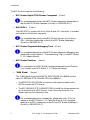
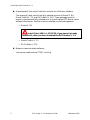
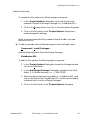
This version of the Broker runs under both Delphi V. 2.0 and 3.0. During the
installation you will be given the opportunity to include the necessary files
for development under either or both of these environments. For Delphi V.
2.0, deselect the D3 box and check the D2 box.
By default, Delphi V. 3.0 is pre-selected.
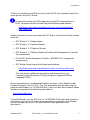
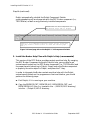
You will also be given the opportunity to load all or a portion of the Broker
documentation to the newly created BDK32\DOC directory. The following
documentation files are included:
•
RPC Broker V. 1.1 Release Notes (XWB1_1RN.PDF)
•
RPC Broker V. 1.1 Installation Guide (XWB1_1IG.PDF)
•
RPC Broker V. 1.1 Systems Manual (XWB1_1SM.PDF)
•
RPC Broker V. 1.1 Technical Manual (XWB1_1TM.PDF)
•
RPC Broker V. 1.1 Getting Started with the Broker Development Kit
(XWB1_1DG.PDF)
•
Online RPC Broker Developer's Guide (BROKER.HLP)
By default, the Online RPC Broker Developer's Guide is preselected.
You may choose to only load the documentation by unchecking all
other boxes except the Documentation box.
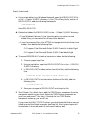
3. Start Delphi V. 2.0 (required)
Run Delphi and close any open projects.
20
RPC Broker V. 1.1 Installation Guide
September 1997