1
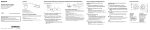
NWZ-W273S/W274S Using your Walkman while Swimming (Please read before using your Walkman) To use your Walkman while swimming, note the following and fit your Walkman into your ears correctly: ˎˎ Choose the size of earbuds that feel quite snug. ˎˎ Fit your Walkman into your ears firmly. ĄĄNotes while swimming ˎˎ Do not use your Walkman in places where an inability to hear surrounding sound would be dangerous. ˎˎ When you use your Walkman in public or private swimming facilities, follow the rules of that facility. ˎˎ Do not use your Walkman while swimming in a river or in the ocean. Choose the best fitting earbuds (Applicable to and ) ˎˎ There are 8 different earbuds (standard-type earbuds S/M/L/LL and Swimming earbuds S/M/L/LL) including the ones initially attached to your Walkman, supplied inside the box. ˎˎ For swimming, choose a size slightly tighter than your usual size. ears may require different sized earbuds as not all ears are the same. For example: left side medium size – right side large size. Attach earbuds to your Walkman (Applicable to and ) the earbuds onto the headphones so that the tip of the inner part of the earbuds fits into the position on the projection of the headphones. If the sound becomes muffled during swimming ˎˎ Install Water inside your ears or headphones may cause the sound to be muffled. The tip of the inner part ˎˎ Make sure that the earbuds fit straight on, not at an angle, to prevent the earbuds from detaching and remaining in your ears. Fit your Walkman into your ears firmly (Applicable to and ) The standard-type earbuds are attached when you purchase your Walkman. For replacement, in addition to different sizes of standard-type earbuds*, the same sizes of Swimming earbuds* are also supplied. * For characteristics of each type of earbuds, see “About the differences between the two types of earbuds” on the back side. Standard-type earbuds (black/transparent) hole Swimming earbuds (smoke gray) Follow the procedures below and fit your Walkman into your ears firmly: 1 Place your Walkman so that the earbuds fit in your right and left ears snugly. 2 Turn the headphones part of your Walkman clockwisecounterclockwise to find the best position. ˎˎ Fit your Walkman into your ears before swimming while the earbuds and your ears are still dry. ˎˎ Make sure to fit your Walkman into your ears firmly so that water does not get into your ears through a gap between your ears and the headphones. thin film Improving the fit Hint The standard-type earbud has an open hole. Swimming earbud has a hole covered with a thin film to make it difficult for water to get in. Stabilizing your Walkman with the supplied adjustment band (Applicable to and ) You can place your Walkman more firmly into your ears by using the supplied adjustment band. © 2013 Sony Corporation Printed in Malaysia 4-477-960-13(1) By stabilizing the arrow-pointed part on your Walkman with the band of your swimming goggles, you can prevent your Walkman from detaching because of water pressure. ˎˎ Your Preparations before swimming Select the appropriate earbuds Stabilizing your Walkman with swimming goggles (Applicable to and ) Removing the water from your ears (Applicable to and ) ˎˎ Remove the water from your ears. Removing the water from earbuds (Applicable to ) ˎˎ Remove the water from your earbuds. When you are using standard-type earbuds, remove the water as follows: Hold the headphones with their openings facing down and pat the hand holding the headphones against your wrist 5 to 10 times to remove the water as shown. If you still cannot remove the water from earbuds (Applicable to and ) If this does not remove the water, remove the earbuds from the headphones and pat the headphones lightly an additional 5 to 10 times on a dry cloth. Pat the headphones softly against a dry cloth. Repeat patting about 20 times. Then place a dry cloth under the headphones and leave at room temperature for 2 to 3 hours. Taking your Walkman off Gently move your Walkman up and down to take it off your ears. (Applicable to and ) Note Removing the Walkman suddenly when the earbuds are fitted firmly in your ears may cause damage to your ears or eardrums, or the earbuds may remain in your ears. ĄĄLiquids that the water resistant performance specifications apply to Maintenance Applicable: fresh water, tap water, perspiration, pool water Clean the earbuds and your Walkman after every use as follows. (Applicable to and ) Note The build up of foreign substances such as earwax etc. in the headphone sections may cause deteriorated sound quality or sound loss. If there is a build up of any foreign substances on the terminals, your Walkman may not be charged or may not be recognized by your computer. 1 Wash the earbuds. Remove the earbuds. Wash the earbuds by hand using a mild detergent solution. After washing the earbuds, dry them well. 2 Wash your Walkman. Do not rub foreign substances on the mesh sheet. Doing so may push them into the headphones. Not applicable: liquids other than those above (examples: soapy water, detergent water, water with bath agents, shampoo, hot spring water, salt water, etc.) The water resistant performance of your Walkman is based on our measurements under the conditions described in this section. Note that malfunctions as a result of water immersion caused by misuse by the customer are not covered by the warranty. ĄĄNotes on charging the battery mesh sheet The USB cradle supplied with your Walkman is not water resistant. Before charging the battery, make sure your Walkman is not wet. If there is moisture on the Walkman, wipe it off completely, and leave the Walkman at room temperature to dry until no moisture remains on the Walkman before you start charging. Never use the USB cradle (supplied) with wet hands or when your Walkman is wet. Doing so may cause an electric shock, smoke emission, or a fire, etc. ĄĄNotes on using your Walkman ˎˎ The Rinse the terminals and headphone sections of your Walkman with gentle running tap water. If the terminals are not clean, wet a soft brush such as toothbrush with water and clean the terminals. Wipe the moisture off the terminals and surface of your Walkman using a soft dry cloth. headphone sections terminals earbuds seal your ears. Therefore, be aware that there is a risk of damage to your ears or eardrums if strong pressure is applied to the earbuds, or the earbuds are removed suddenly from your ears. Due to this risk, do not do vigorous exercise, dive into a swimming pool, etc., while wearing your Walkman. ˎˎ Do not pour hot water directly on your Walkman and do not blow hot air from a hair dryer, etc., directly on the Walkman. Never use the Walkman in high temperature locations such as in saunas or near a stove. ĄĄWater resistant performance of this Walkman The water resistant specifications*1 of this Walkman are equivalent to IEC60529 “Degrees of protection against ingress of water (IP Code)” IPX5/8*2, which specifies the degree of protection provided against the entry of water. If you use your Walkman in a swimming pool, do not exceed a depth of 2 m (6.5 feet) while wearing it. Before use, be sure to read and understand the water resistant specifications completely. *1 The headphone sections are not completely water-tight. *2 IPX5 (Degrees of protection against jets of water): Your Walkman, with standard-type earbuds attached, will maintain its operability even when exposed to direct streams of water from any direction in a situation where approximately 12.5 l/min. of water is supplied for more than 3 minutes from a distance of about 3 m using a nozzle with an inner diameter of 6.3 mm. However, this does not apply to the headphone sections. IPX8 (Degrees of protection against continual water submersion): Your Walkman, with standard-type earbuds attached, will maintain its operability even when submersed in water to a depth of 2 m for 30 minutes. How the sound may be muffled while you are swimming 1 If the water gets into a gap between your ears and the headphones () and covers the eardrum (), sound may become muffled. You can prevent water penetration by using the most appropriate size of earbuds that fits your ears firmly. 2 If water accumulates in the drivers of the headphones (), the sound may become muffled. You can prevent water penetration by using the Swimming earbuds supplied with your Walkman. About the differences between the two types of earbuds earbuds (Applicable to ) You can use them in a wide variety of situations, even swimming. ˎˎ Swimming earbuds (Applicable to ) Employing a structure that prevents water penetration inside the headphones, Swimming earbuds allow you to enjoy music more comfortably during swimming. ˎˎ Standard-type Notes ˎˎ The sound volume is lower with Swimming earbuds than with standard-type earbuds. Increase the volume as needed. you replace Swimming earbuds with the standard-type earbuds, the sound becomes louder. Adjust the volume so as not to hurt your eardrums. ˎˎ When