1
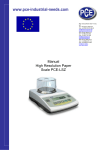
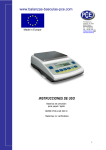
PCE Americas Inc. 711 Commerce Way Suite 8 Jupiter FL-33458 USA From outside US: +1 Tel: (561) 320-9162 Fax: (561) 320-9176 [email protected] PCE Instruments UK Ltd. Units 12/13 Southpoint Business Park Ensign way Hampshire / Southampton United Kingdom, SO31 4RF From outside UK: +44 Tel: (0) 2380 98703 0 Fax: (0) 2380 98703 9 [email protected] www.pce-instruments.com/english www.pce-instruments.com Precision Balances USER MANUAL COUNTING - SYSTEM PCE-IS USER MANUAL ____________________________________________________________________________________________________________________ Contents: CAPACITY BALANCE 1. General description.................................................................................................. 4 2. Completeness .......................................................................................................... 4 3. Technical Data ......................................................................................................... 4 4. Keys and indicators ................................................................................................. 5 5. Security rules ........................................................................................................... 6 6. Environment protection ............................................................................................ 6 7. Preparation ............................................................................................................. 7 8. General operating rules ........................................................................................... 7 9. Connection with external devices (option) ............................................................... 8 10. Special functions description ................................................................................... 9 11. Legend................................................................................................................... 10 12. Normal weighing .................................................................................................... 10 13. Weighing with tare ................................................................................................. 10 14. Pieces counting (F..-PCS) ..................................................................................... 11 15. Autozeroing (F..-AUt) ............................................................................................. 12 16. Printer cooperation settings (F..-LPt) ..................................................................... 12 17. Serial port RS232C working mode setting ............................................................. 13 18. Function Menu customisation (F..-ACt) ................................................................. 14 19. Maintenance and repairs of small defects ............................................................. 15 2 USER MANUAL ____________________________________________________________________________________________________________________ REFERENCE BALANCE 1. General information ................................................................................................ 16 2. Completeness ........................................................................................................ 16 3. Technical Data ....................................................................................................... 16 4. Keys and indicators ................................................................................................ 17 5. Security rules .......................................................................................................... 18 6. Environment protection........................................................................................... 18 7. Preparing the balance to work ................................................................................ 19 8. Operation principles ............................................................................................... 19 9. Testing and calibration ........................................................................................... 20 10. Connecting the balance to a computer or a printer ................................................. 20 11. Special functions description .................................................................................. 22 12. Legend ................................................................................................................... 23 13. Normal weighing ..................................................................................................... 23 14. Weighing with tare .................................................................................................. 23 15. Sensitivity calibration (F..-CAL) .............................................................................. 24 16. Piece counting (F..-Pcs) ......................................................................................... 25 17. Autozeroing (F..-AUt).............................................................................................. 26 18. Serial port working mode (F..-LPt) .......................................................................... 26 19. Serial port transmission parameters ....................................................................... 27 20. Per cent weighing ( PerCEnt ) ............................................................................... 28 21. Change of the units gram/carat ( CarAt ) ............................................................... 29 22. Actualization of the special functions ( ActlV ) ........................................................ 29 23. Attitude of the date (dAtE)-function ........................................................................ 30 24. Error messages ...................................................................................................... 31 25. Maintenance and repairs of small defects .............................................................. 31 Technical Data............................................................................................................... 32 Declaration of Conformity APPROVAL of EC NO. TYPE PL 06 004 ......................... 34 3 USER MANUAL ____________________________________________________________________________________________________________________ CAPACITY BALANCE 1. General description PCE-PM series electronic platform scales are perfect solution for use in all applications. All scales are metrologicaly tested - calibration or EC verification certificate on demand. Scales with EC verification are marked with the green metrology sticker ‘M’. The scales are made in two main versions: with LED display (basic) and with an accumulator and LCD display (optional). NACE classification: 29.24.23. 2. Completeness A standard package consists of: 1. Scale 2. Feeder (ZN12V/500mA) 3. User manual 4. Guarantee card 3. Technical Data Type Maximum loading Minimum loading Reading unit (d) Verification unit (e) Accuracy class Working temperature Tare range Weighing time Pan dimensions Scale base dimensions Scale height Power supply Scale weight PCE-PM62 60kg 400g 20g 20g -60kg 400x400mm 400x400x100mm PCE-PM150 150kg 1000g 50g 50g III -10 ÷ +40°C -150kg <4s 600x500mm 600x650x740mm PCE-PM300 300kg 2000g 100g 100g -300kg 600x500mm 600x650x740mm 740mm 230V, 50Hz, 6VA / 12V 500mA 23kg 35kg 35kg 4 USER MANUAL ____________________________________________________________________________________________________________________ 4. Keys and indicators autozeroing indicator pieces counting indicator metrological data readability increace key key key key key key key indicator indicator indicator indicator HR B/G MENU →0← →T← →0← NET . indicator indicator OFF MODE indicator indicator indicator MIN OK MAX bar indicator zero indicator result stabilisation gross function printout weight menu - net weight indicator zero weighing result tare switch-on / switch-off switch-on / switch-off (standby), increased indication resolution, gross weigh indication switch, special functions menu, zero, print-out, tare (subtract package weight from weighed mass) zero indicator result stabilisation indicator net weight indicator (indication with subtracted tare) gross weigh indicator (after pressing B/G key) LCD version: standby (switched-off with OFF key), special function mode indicator, total load indicator (graduated 0-100%) weighing result below MIN threshold, weighing result between MIN and MAX thresholds, weighing result beyond MAX threshold. 5 USER MANUAL ____________________________________________________________________________________________________________________ 5. Security rules To avoid electrical shock or damage of the scale or connected peripheral devices, it is necessary to follow the security rules below. • All repairs and necessary regulations can be made by authorised personnel only. • To avoid fire risk use a feeder of an appropriate type (supplied with the scale). Pay attention that supply voltage is compatible with specified technical data. • Do not use the scale when its cover is opened. • Do not use the scale in explosive conditions. • Do not use the scale in high humidity. • If the scale seems not to operate properly, unplug it from the mains and do not use until checked by authorised service. 6. Environment protection A ccording to legal regulations it if forbidden to dispose wasted electronic equipment in waste containers. 6 WEEE-Reg.-Nr. DE64249495 USER MANUAL ____________________________________________________________________________________________________________________ 7. Preparation 1. Take the scale out of a package removing protective foils. 2. Take a pan off and remove protective elements from below a pan. 3. Place the scale on a stable ground not affected by mechanical vibrations and airflows. 4. Level the scale with rotating rear legs so that the air bubble in water-level at the back of the scale is in the middle. Lock legs with a nut. correct wrong 5. Put on a pan. 6. Remove everything from a pan and plug the scale to the mains with a ground connector. After self-tests and result stabilisation, the scale displays zero indication. 8. General operating rules 1. Before each measurement make sure that zero indicator is displayed. If zero indicator does not displayed or “----“ communicate appears, press →0← key and wait until zero indication and zero indicator appears. 2. The scale is equipped with a tare equal to its range. To tare the scale press →T← key (left or right). Storing a tare value does not extend measuring range, but only subtracts it from a load placed on a pan. To make weight control easier and to avoid range overdrawing, the scale is equipped with a load indicator (graduated in percentages). 3. Weighing result should be read when the indicator " stabilisation of a result. " lights, which signalises 4. When the scale is not used but it is necessary to be ready to work immediately, it can be switched off by pressing I/ key. The scale reading system is then switched off to "standby" mode (signalled by the indicator "OFF"). To switch the scale on press I/ key. The scale is immediately ready to operate maximum accuracy (after self tests). 5. Weighed sample should be placed in the centre of the pan. 7 USER MANUAL ____________________________________________________________________________________________________________________ Do not overload the scale more then 20% of maximum load (Max). Do not press a pan with a hand. Place the scale on a platform to avoid dropping weighed objects on the pan. 6. Protect the scale against dust, aggressive dusts and liquids. To clean it is advised to wash the scale with water and dry it afterwards. 9. Connection with external devices (option) The scale may send data to external devices (a computer or a printer) through RS232C or RS485 port. When cooperating with a computer, the scale sends weighing result after initialising signal from a computer or after pressing key. RS232C RxD (receive) When cooperating with a printer data is send automatically after result stabilisation, but next transmission is possible after removing previously weighted sample. TxD (transmit) ground casing RS485 Input B The scale may be equipped with the second interface (optional) used for example for continuous weighing result transmission to an additional, external display. A ground Output The scale sends following information: successive number of weighing and weighing result (see: printer cooperation mode setting). A B casing When cooperating with the scale, a computer should be equipped with a program which enables processing data from the scale – available by PCE Group with extra charge. We also offer: • Computer wires • Thermal printers • Label printers 8 USER MANUAL ____________________________________________________________________________________________________________________ Computer cooperation protocol: Transmission parameters: 7bits, 1stop, parity ODD, 9600bps. Signal description: Computer→Scale: initialising signal S I CR LF (53h 49h 0Dh 0Ah), Scale→Computer: weighing result according to the diagram below (16 Bytes): Note: network number different than zero (in F..-rS function) changes scale working mode. Specific bytes description: Byte Byte Byte Byte Byte Byte Byte Byte Byte Byte Byte 1 2 3÷4 5÷9 10 11 12 13 14 15 16 - sign “-“ or space - space - digit or space - digit, decimal dot or space - digit - space - k,l,c,p or space - g,b,t,c or % - space - CR - LF Connecting cable WK-1 (scale – computer / 9-pin interface): 10. Special functions description All scales, beside basic functions like weighing and tare, are equipped with the set of additional functions: calibration, pieces counting, autozeroing and serial port working mode setting. Other functions: recipe ingredients summing, density calculation and other special functions can be enabled as an option on customer request (described in additional brochure when ordered). To display all available function, enter Function Menu with F key. Functions are displayed with successive numbers: F1-LIC, F2-AUt, etc. When special functions are displayed, “MODE” indicator is displayed. Function ACt allows to choose a list of special functions to be displayed in Function Menu (e.g. most frequently used). To make clear how to manage with each function, in further part of instruction descriptions are replaced with pictures. 9 USER MANUAL ____________________________________________________________________________________________________________________ 11. Legend - press a key - scale indication - forced change - automatic change 12. Normal weighing When the pan is empty and indication is different than zero press "→0←" key. Weighing result should be read when the indicator " 13. " lights. Weighing with tare The scale is equipped with tare equal to its range. To display gross weight press B/G key. 10 USER MANUAL ____________________________________________________________________________________________________________________ 14. Pieces counting (F..-PCS) This function enables to count identical pieces, e.g. turnbuckles or buttons. A measurement is performed in two phases: - first phase - single piece weight calculation on the basis of defined pieces amount (5, 10, 20, 50, 100, 200 or 500 pieces), - second phase – pieces counting. It is advised that single piece weight is not less than one reading unit and sample weight used in first phase is bigger than 100 reading units. To leave function press MENU key and then with “→Τ←” key chose “F..-PCS” and “F..-0”. Note: Err-3 communicate signalises that a sample was not put on the pan. The same communicate appears if single piece weight is less than one reading unit (it is possible to count pieces but measuring error is bigger). To chose previously used pieces amount select “..” in first phase. During pieces counting T key function does not change. In scales equipped with LCD display, weighing unit is visible and " " sign is replaced with "pcs". 11 USER MANUAL ____________________________________________________________________________________________________________________ 15. Autozeroing (F..-AUt) When F..-Aut function is activated, the scale automatically ensures stable zero indication if the pan is empty or if zero indication was acquired by pressing “→T←.” key. To leave the function press MENU key, then with “→T←” key chose “F..-AUt” and “F..-0”. Note: Autozeroing function is activated automatically for 10 min. after switching-on. 16. Printer cooperation settings (F..-LPt) Activate the function for automatic serial port working mode (cooperation with a printer). After activation the scale prints a header. Weighing result with a successive measurement number is printed automatically after result stabilisation (without using key). To select computer cooperation mode key activated and weighing results ( without successive numbers) press MENU key, then with “→T←” key chose “F..- LPt” and “F..- 0”. 12 USER MANUAL ____________________________________________________________________________________________________________________ 17. Serial port RS232C working mode setting 0.00 F.. -rS - T - F.. -0 F.. -1 T baud T - Default parameters underlined. To set desired transmission parameters activate “F.._rS” function, choose appropriate parameter and press →T← key to accept needed parameter value. The example at the left presents how to set transmission speed value to 9600bps. -4800 -9600 T bIt T PArItY T Odd T Send T nr T out T The function enables to set the following transmission parameters (standard parameters underlined): transmission speed (bAud: 1200, 4800, 9600), the number of bits in a byte (bit: 7, 8), parity control (PArItY: 0, 1; Odd: 0, 1), network number when working in multistand computer system (when working as a single scale the value should be “0”) continuous transmission – without using key, approx. 10 results per second (SEnd: 0, 1). To leave the function choose “out” option. 13 USER MANUAL ____________________________________________________________________________________________________________________ 18. Function Menu customisation (F..-ACt) 0.00 F.. -ACt This function enables to select special functions that will be displayed after pressing MENU key. Easy access to the most useful functions will shorten operation time and make work more comfortable. T Operation sequence shown on the picture, presents how to add RS232C parameters setting function (F..-rS) to the Function Menu. F1-AUt To remove a function from the Function Menu choose “F..-0” in the last operation. F..-rS T F.. -0 F.. -1 T 14 USER MANUAL ____________________________________________________________________________________________________________________ 19. Maintenance and repairs of small defects 1. The scale should be kept clean. 2. Take care that no dirt gets between the platform and the scale base. If found any, remove the pan (lift it up), remove dirt and then replace the pan. 3. In case of improper operation caused by short-lasting power supply decay, unplug the scale from the mains and then plug it again after few seconds. 4. If the scale is switched on with empty pan and “Err-b” communicate appears, the load cell has been mechanically damaged. 5. It is forbidden to make any repairs by unauthorised persons. 6. To repair the scale, please contact our nearest service. Communicate C-1 ... 6 (over 1 min.) L Possible cause if displayed more than 1 minute, contact an authorised service selftests failed the scale was switched on with loaded pan mechanical damage of the load cell remove a load from the pan contact an authorised service pan missing put the pan on contact an authorised service remove the load from the pan contact an authorised service place the scale on a stable ground not affected by mechanical vibrations and airflows contact an authorised service mechanical damage H overloading mechanical damage indicator does not appear ------ - Remedy unstable ground vibrations air flows scale is damaged taring in progress as above taring could not be finished (the load is too small or B\G key was used) the load is too big to be zeroed zero the scale or press B\G key again tare the scale (→T←) 15 USER MANUAL ____________________________________________________________________________________________________________________ REFERENCE BALANCE 1. General information LSM series balances are destined for high accuracy laboratory weighing where EC verification is not required. Additionally, balances may be equipped with special functions for specific applications: PCE-LSM..A series – with recipe ingredients summing function for drugstores, PCE-LSM..F series – for precise paint weighing in automatic dosing process. All balances are metrologically tested - calibration or EC verification certificate on demand. To ensure highest accuracy and reliable results, periodical testing and calibration is advised. To calibrate the balance use proper calibration weight – II or III class weight standard (F1 or F2 OIML class) as stated in Technical Data table (available with extra charge). 2. Completeness A standard set consists of: 1. Balance 2. Feeder (ZN12V/500mA) 3. Guarantee card 4. User Manual 3. Technical Data Type Capacity (Max) Min load (Min) Reading unit (d) Verification unit (e) Tare range Accuracy class Working temperature Weighing time Pan dimensions Balance base dim. Power Balance weight Calibration weight (OIML) PCE-LSM200 200g 0,02g 0,001g 0,01g - 200g PCE-LSM2000 PCE-LSM 6000 2000g 6000g 0,5g 5g 0,01g 0,1g 0,1g 1g (0,5g) - 2000g - 6000g II +18 ÷ +33 °C <5s 225 x 165 mm φ115mm 240x275x90mm ~230V 50Hz 6VA / =12V 160mA 4kg F2 200g F2 2000g F2 2000g 16 USER MANUAL ____________________________________________________________________________________________________________________ 4. Keys and indicators OFF MODE AUT SUM 100 50 0 Max key Indicator key key key key Display Display Display Display →T← MENU Min I/ Max, Min, d, e, II →T← MENU OFF →0← e - d switch On / switch Off (standby), Meteorological parameters, Calibration / Acceleration of the examination Print, Taring function/confirmation of the input Entrance into the MENU /special functions signals switch- Off the balance with the key (standby), Special funktions (%; ct; n; pcs ) active automatic zero *, load indicator (0-100%), - Enlargement of the indicated number - Comma, - Shift around next place, - Conclusion of storage. 17 USER MANUAL ____________________________________________________________________________________________________________________ 5. Security rules To avoid electrical shock or damage of the balance or connected peripheral devices, it is necessary to follow the security rules below. • All repairs and necessary regulations can be made by authorised personnel only. • To avoid fire risk use a feeder of an appropriate type (supplied with the balance). Pay attention that supply voltage is compatible with specified technical data. • Do not use the balance when its cover is opened. • Do not use the balance in explosive conditions. • Do not use the balance in high humidity. • If the balance seems not to operate properly, plug it out of the mains and do not use it until checked by authorised service. 6. Environment protection According to legal regulations it if forbidden to dispose wasted electronic equipment in waste containers. Please return wasted balance to the point of purchase or other company specialised in recycling of wasted electronic components. (WEEE-Reg.-Nr. DE64249495). 18 USER MANUAL ____________________________________________________________________________________________________________________ 7. Preparing the balance to work 1. Take all content out of a package. 2. Put the pan on the mandrel sticking out of the balance cover (except LSM10 and LSM12 – simple place the pan on pan supports). 3. Level the balance with rotating rear legs so that the air bubble in water-level at the back of the balance is in the middle. 4. Place the balance on a stable ground not affected by mechanical vibrations and airflows. Correct Wrong 5. Plug a feeder plug into 12V socket placed at the back of the balance. Leave the pan empty and plug a feeder to the mains. After self-tests and result stabilisation, the balance displays zero indication. 8. Operation principles 1. Weighed load should be placed in the middle of the pan. 2. The balance is equipped with a tare equal to its range. To tare the balance press "→T←" key. Storing a tare value does not extend measuring range, but only subtracts it from a load placed on the pan. To make weight control easier and to avoid range overdrawing, the balance is equipped with a load indicator (graduated in percentages). 3. Weighing result should be read when the indicator " stabilisation of a result. " lights, which signalises 4. When the balance is not used but should be ready to work immediately, it can be switched off by pressing " " key. The balance reading system is then switched off and the balance is in "standby" mode (signalled by the indicator "OFF"). To switch the balance on press "→T←" key. The balance is immediately ready to operate maximum accuracy (after self tests). 5. The balance mechanism is a precise device, sensitive to mechanical strokes and shocks. 6. The balance should not be used to weigh ferromagnetic materials due to accuracy decrease. 19 USER MANUAL ____________________________________________________________________________________________________________________ Do not overload a balance more then 20% of maximum load (Max). Do not press the pan with a hand. During transportation take off the pan (lift it up) and preserve a mechanism mandrel from any damages (excluding LSM10 and LSM12). 9. Testing and calibration To ensure reliable results it is advised to check balance accuracy with a calibration weight before and after each measuring session. It is necessary to calibrate the balance when permissible error. 10. Connecting the balance to a computer or a printer The balance may send data to a computer or a printer through RS232C port. When cooperating with the balance, a computer should be equipped with a program which enables processing data from the balance. Demo versions and program descriptions are available on the website: Masse We also offer: • Computer wires • Thermal printers • Label printers 20 USER MANUAL ____________________________________________________________________________________________________________________ Serial port working modes: Standard mode The balance sends weighing result after initialising signal from a computer or after pressing “P” key. Automatic mode (when cooperating with a printer) When cooperating with a printer data is send automatically after result stabilisation; next transmission is possible after removing previously weighted sample. To select serial port working mode use – LPt- function (see further part of the manual). Standard transmission parameters: 8bits, 1stop, no parity, 4800bps. To change transmission parameters use –rS- function (see further part of the manual). Data transmission protocol description ( Long protocol ) 1. Standard mode: Computer→ Balance: initialising signal S I CR LF (53h 49h 0Dh 0Ah) Balance → Computer: balance indication in the following format (16Bytes) Further Bytes: Byte Byte Byte Byte Byte Byte Byte Byte Byte 1 2, 11&14 3÷4 5÷9 10 12 13 15 16 - sign or space space digit or space digit, decimal point or space digit k, l, c, p or space g, b, t, c or % CR (0Dh) LF (0Ah) 21 USER MANUAL ____________________________________________________________________________________________________________________ Connection cable WK-1 (balance – computer / 9-pin): BALANS COMPUTER Connection cable WD-1 (balance - PCE-BP1 printer): BALANS PRINTER PCE-BP1 printer internal switches set-up: SW-1 on 11. SW-2 off SW-3 SW-4 SW-5 SW-6 SW-7 SW-8 on off off on off off Special functions description All balances of the type PCE LSM order except the meteorological basic functions according to standard: taring and the weighing also still over an additional pallet at special functions how: Item counting, Auto-zero and the attitude of the RS- interface including the prescription weighing and the weighing in carat. After pressing of the key MENUE can you see the broad pallet at special functions of the balance. They know the functions and at the most for itself to activate accordingly. For the attitudes the function “ACtIV” is intended. During the switching procedure the message appears “MODE” on the announcement. The indication „hand” clarifies the respective proceeding. 22 USER MANUAL ____________________________________________________________________________________________________________________ 12. Legend - press a key 23.04 g - balance indication - forced change - automatic change 13. Normal weighing 0.00 g T When the pan is empty and indication is different than zero press " →T← " key. 43.04 g Weighing result should be read when the indicator " 14. " lights. Weighing with tare 23.13 g T The balance is equipped with tare equal to its range. 0.00 g 63.24 g 23 USER MANUAL ____________________________________________________________________________________________________________________ 15. Sensitivity calibration (F..-CAL) 0.00g ON OFF Illustration nr.1 CALIbr MENU T calibration: Switch the change into On-position ( illustration nr.1 ) . With the help of the key you call MENUE for the user functions. Press the key →T← during the function „ CALIbr” are indicated. CAL oFF ... CAL on T Press the key - - around the value of the test weight indicate sereval times to let, which is to be used for the calibration. Their selection you can confirming by →T← you press the key. m1 m2 ... m m To calibrate the balance use proper calibration weight as stated in Technical Data table. Calibration with a weight standard smaller than advised affects in accuracy decrease. Calibration process must be performed very carefully because wrong calibration parameter values stored in memory affects balance accuracy. After that the comunicate "LOAD" appeared, presents you the test wight, and confirms you choice with the →T← key. T Wait to the adjustment are final. LOAD After the appearance of the comunicate "unLOAD" your remove the test wight. C unLOAD With calibrated balances, you switch the adjustment switch, which causes an expiring of the "Pr ON" comunicate . --------CAL0.00g 24 USER MANUAL ____________________________________________________________________________________________________________________ 16. Piece counting (F..-Pcs) 12.05 g This function serves the counting of e.g. Screws, buttons etc. The wighing (item counting) takes place in two phases: - first phase: determination of the mass of detail with the help of a samble of a certain number of pieces like e.g.: 5, 10, 20, 50, 100, 200 or 500 Pcs, - second phase: item counting in the quantity which can be wighed. T 0.00 g 5 23.04 g PCS MENU Nr.1: Balancing mode [g]- put up the detail quantity e.g. 5-screws on the balancing plate. The balances indicates the wight. Nr.2: Balancing mode [pcs]- pressures the key MENUE, you select with the key →T← the option PcS. On the display is indicated, the number of items and pieces (5,...,500 pieces). With the help of the key →T← you on select your presented number of items e.g. 5-pieces. Now, you can begin your item counting T PCS oFF PCS on T Over to terminate the piece counting you press the key MENUE and select afterwards the key →T←, you: "PCS" and "PCS oFF". 5 Attention: Err-3 communicate signalises that a sample was not put on the pan. The same communicate appears if single piece weight is less than one reading unit (it is possible to count pieces but measuring error is bigger). To chose previously used pieces amount select “..” in first phase. During pieces counting –T- key function does not change. When counting very small details it is advised to deactivate autozeroing function. T 0 pcs 12 12 pc s 25 USER MANUAL ____________________________________________________________________________________________________________________ 17. Autozeroing (F..-AUt) 0.01g AUtOtAr MENU The activation of the function causes an automatic maintrance of the zero position of the balance begins in the time in that the platform is not loaded or if the zero position took place by the pressing of the key →T← . Over to lock you press the function the key MENUE and select with the help of the key →T← , you "AUtOtAr" and afterwards "AUtoFFr". T AUt oFF AUt on Note: After switching on of the balance, is the function 10 min. long activated. T AUT 0.00g 18. Serial port working mode (F..-LPt) 0.00g LPt MENU With the activation of the function one knows the attitudes of the LPt- port haven, makes in the automode (printer). After presenting and removing the sample of the platform of the balance an automatic dispatching and the expression of the data at the printer take place like e.g.: the result and the weighing number. In order into the normal balancing mode back to arrive , press the key MENUE and afterwards the key →T← and in the following the key "LPt" and "LPt oFF”. The result expression takes place then after pressing the key and the stabilization of the balance. T LPt oFF LPt on T 0.00g 26 USER MANUAL ____________________________________________________________________________________________________________________ 19. Serial port transmission parameters 0.00g The function enables to set the following transmission parameters (standard parameters underlined): MENU rS232 T baud T - transmission speed (bAud: 1200, 4800, 9600), - the number of bits in a byte (bit: 7, 8), - parity control (PArItY: 0, 1; Odd: 0, 1), - continuous transmission – without using , key, approx. 10 results per second (SEnd: 0, 1). Parameter the according to standard are unterlined. -4800 -9600 T bIt T To set desired transmission parameters activate "rS232" function, choose appropriate parameter and press →T← key to accept needed parameter value. The example at the left presents how to set transmission speed value to 9600bps. To leave the function, choose "out " option. PArItY T Odd T Send T out T 27 USER MANUAL ____________________________________________________________________________________________________________________ 20. Per cent weighing ( PerCEnt ) 0.00 g This function permits a separate weighing in per cent. The process takes place in two phases: 19.07 g 1. Weighing of the 100% single mass 2. Weighing of any portion of a mass as % - portion of the measures weighed in the first phase. 100% PErCEnt MENU In the dependence on the accepted mass as test weight [%] – the alignment result is indicated to the weighed mass in different formats. For the test load within the range 0÷3,5% of the balancing range the result in form "100,0", within the range becomes 3,5÷35% - "100,00", and above 35% " 100,000 ". T PEr oFF PEr on This function has the following options: -"PEr oFF" – switching the function off, -"PEr on" – storage of the current indicated value as 100% transition to the annoucement to [%]. -"PEr Con"- function remains actively, independently of it is in which mode one momentarily. T 100.00% 50% 50.00% Note: In the time in that the balance in [%] – indicates, remains the key →T← unchanged in its function. 28 USER MANUAL ____________________________________________________________________________________________________________________ 21. Change of the units gram/carat ( CarAt ) 1.60g CArAt MENU T Switching on the function on causes the change of the balancing unit between carat/gram (1 carat= 0,2g). Suggested this is with ”ct” by the indication on the right side of the announcement. Car oFF CAr on 8.00 22. T ct Actualization of the special functions ( ActlV ) 0.00 ACtIV This function possible makes the selection for a set of special functions, which are to be indicated to the key MENUE after pressing. This is to serve to reduce the whole pallet at axisting functions. The user selects only the functions, which he needs for his applications. T AUtOtAr rS232 In order to differentiate the function "ACtIV" from the MENUE-list to, is on the left side the indication set. On the picture an example is shown, how one RS 232 – function into (choice) the function menue integrates. T Around the function from (choice) the function menu to exclude select the option "rS on " and "rS oFF " . rS oFF rS on T 29 USER MANUAL _____________________________________________________________________________________________________________________ 23. Attitude of the date (dAtE)-function 0.00g dAtE This function permits the attitude of the MENU current date and the time to the balance. This function contains the following options: - T - dAt oFF - dAt SEt T h13 - 18 T The example shows the application of the option "dAt Set” . h13 - 18 h13 - 19 T h13 - 19 d04 - 05 r "dAt oFF" deactivation of the date and the time in the expression. "dAt on" activation of the data and the time in the expression. ( key ) "dAt SEt" change of the current of the Date and the time. - 06 - 0.00g 30 USER MANUAL _____________________________________________________________________________________________________________________ 24. Error messages Communicate "C-6" Possible cause Remedy selftests in progress / electronic unit damage wait 1 minute zeroing in progress / mechanical damage wait 1 minute check if the balance is stable, not affected by any vibrations "L" to small zero load / mechanical damage check if there are all necessary pan elements "H" overloading / mechanical damage remove a load from the pan wrong initial load at start-up / mechanical damage remove a load from the pan and restart the balance "----" "Err-b" If a remedy does not have any effect and the communicate is still displayed, contact your dealer or service centre. 25. Maintenance and repairs of small defects 1. The balance should be kept clean. 2. Take care that no dirt gets between a casing and the pan. If found any, remove the pan (lift it up), remove dirt and then replace the pan. 3. In case of improper operation caused by short-lasting power supply decay, unplug the balance from the mains and then plug it again after few seconds. If “CALIb” communicate appears, calibrate the balance or contact a service centre. 4. It is forbidden to make any repairs by unauthorised persons. To repair the balance, please contact our nearest service. 31 USER MANUAL _____________________________________________________________________________________________________________________ COUNTING SYSTEM Technical Data CAPACITY BALANCE PCE-IS 01 PCE-IS 02 PCE-IS 03 PCE-IS 01 PCE-IS 02 PCE-IS 03 REFERENCE BALANCE Max. e d d/ Piece Max. e d d/ Piece [kg] [g] [g] [g] [kg] [g] [g] [g] 60 150 300 - 20 50 100 0,8 2 4 2000 2000 2000 - 0,01 0,01 0,01 0,01 0,01 0,01 60 150 300 20 50 100 20 50 100 0,8 2 4 2000 2000 2000 0,1 0,1 0,1 0,01 0,01 0,01 0,01 0,01 0,01 32 USER MANUAL _____________________________________________________________________________________________________________________ Put up the sample with a defined number of elements (Reference number of items) on the plate of the reference balance (see illustration nr.1) Press you on the quantity balance the key MENU and switching and select the function „F. - PC” and ” F. - 1”. Fn -PC Select the option ”rS”. Register with the help of the keys the number of elements (reference number of items) in the sample.: →0← - Number up, →T← - Transition to the next number, MENU - Conclusion. Placing the number of you elements (reference number of items) on the plate of the quantity balance and read you result. In order to lock the function, you press the key MENU and afterwards with the help of the key →T← select you „F-PC”and”F- 0”. 33 USER MANUAL _____________________________________________________________________________________________________________________ Declaration of Conformity APPROVAL of EC NO. TYPE PL 06 004 Declaration of conformity for apparatus with CE mark Konformitätserklärung für Geräte mit CE-Zeichen Déclaration de conformité pour appareils portant la marque CE Declaración de conformidad para aparatos con disitintivo CE Dichiarazione di coformitá per apparecchi contrassegnati con la marcatura CE English We hereby declare that the product to which this declaration refers conforms with the following standards. Deutsch Wir erklären hiermit, dass das Produkt, auf das sich diese Erklärung bezieht, mit den nachstehenden Normen übereinstimmt. Français Nous déclarons avec cela responsabilité que le produit, auquel se rapporte la présente déclaration, est conforme aux normes citées ci-après. Español Manifestamos en la presente que el producto al que se refiere esta declaración est´´a de acuerdo con las normas siguientes Italiano Dichiariamo con ciò che il prodotto al quale la presente dichiarazione si riferisce è conforme alle norme di seguito citate. PCE-PM (60)62, PCE-PM(150)152, PCE-PM(300)302 1.EN 55022 standard Limits and methods of measurement of radio disturbance characteristics of information technology equipment and IEC 61000-4-3 Electromagnetic compatibility (EMC) - Part 4-3: Testing and measurement techniques - Radiated, radio-frequency, electromagnetic field immunity test, harmonised with the Council Directive 89/336/EEC 2.EN 61010-1:2004 standard Safety requirements for electrical equipment for measurement, control and laboratory use. General requirements harmonized with the directive 73/23/EEC (Low Voltage Directive). 3.PN-EN 45501 – the main polish and european standard concern Non-automatic weighing instruments, its metrological parameters, measuring of ranges, accuracy, influence of electromagnetic fields, disturbance of short electric impulse, influence of ambient temperature and humidity, gravity etc. subject to conformity implementing Council Directive 90/384/EEC amended by Council Directive 93/68/EEC Signature: Date: 02.08.2006 PCE-GROUP Europe OHG Management -Reg.-Nr. DE64249495 Zur Umsetzung der ElektroG (Rücknahme und Entsorgung von Elektro- und Elektronikaltgeräten) nehmen wir unsere Geräte zurück. Sie werden entweder bei uns wiederverwertet oder über ein Recyclingunternehmen nach gesetzlicher Vorgabe entsorgt. 34 USER MANUAL _____________________________________________________________________________________________________________________ Declaration of Conformity APPROVAL NO. of EC PL 06 007 PCE-LSM 200, PCE-LSM 2000, PCE-LSM 6000 Declaration of conformity for apparatus with CE mark Konformitätserklärung für Geräte mit CE-Zeichen Déclaration de conformité pour appareils portant la marque CE Declaración de conformidad para aparatos con disitintivo CE Dichiarazione di coformitá per apparecchi contrassegnati con la marcatura CE English We hereby declare that the product to which this declaration refers conforms with the following standards. Deutsch Wir erklären hiermit, dass das Produkt, auf das sich diese Erklärung bezieht, mit den nachstehenden Normen übereinstimmt. Français Nous déclarons avec cela responsabilité que le produit, auquel se rapporte la présente déclaration, est conforme aux normes citées ci-après. Español Manifestamos en la presente que el producto al que se refiere esta declaración est´´a de acuerdo con las normas siguientes Italiano Dichiariamo con ciò che il prodotto al quale la presente dichiarazione si riferisce è conforme alle norme di seguito citate. marked with CE mark comply the following: 1. EN 55022 standard Limits and methods of measurement of radio disturbance characteristics of information technology equipment and IEC 61000-4-3 Electromagnetic compatibility (EMC) Part 4-3: Testing and measurement techniques Radiated, radio-frequency, electromagnetic field immunity test harmonized with the Council Directive 89/336/EEC (Electromagnetic compatibility directive). Date: 06.10.2006 Signature: _____ __________ PCE-GROUP Europe OHG Management Zur Umsetzung der ElektroG (Rücknahme und Entsorgung von Elektro- und Elektronikaltgeräten) nehmen wir unsere Geräte zurück. Sie werden entweder bei uns wiederverwertet oder über ein Recyclingunternehmen nach gesetzlicher Vorgabe entsorgt. WEEE-Reg.-Nr. DE64249495 35