1
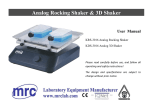
Rocking Shaker & 3D Shaker User Manual SK-R330-Pro LCD digital Rocking Shaker SK-D3307-Pro LCD digital 3D Shaker SK-D3309-Pro LCD digital 3D Shaker Please read the User Manual carefully before use, and follow all operating and safety instructions! www.scilogex.com Contents Preface................................................................................. 1 Service................................................................................. 1 Warranty .............................................................................. 1 1. Safety Instructions....................................................... 2 2. Proper Use ................................................................... 3 3. Inspection .................................................................... 3 3.1 Receiving Inspection ............................................. 3 3.2 Listing of Items ..................................................... 3 4. Control and Display .................................................... 4 4.1 Control .................................................................. 4 4.2 Display .................................................................. 5 5. Operation ..................................................................... 5 6. Faults ........................................................................... 6 7. Maintenance and Cleaning .......................................... 6 8. Associated standards and regulations .......................... 7 9. Specifications .............................................................. 8 10. Ordering Informations ................................................. 9 Rocking Shaker & 3D Shaker Preface Please provide the customer care representative with the following information: Welcome to the “Rocking Shaker & 3D Shaker User Manual”. Users should read this manual carefully, follow the instructions and procedures, and beware of all the cautions when using this instrument. • • • • Service Serial number ( on the rear panel ) Certification Description of problem ( i.e., hardware or software ) Methods and procedures adopted to resolve the problems • Your contact information When help needed, you can always contact the service department of manufacturer for technical support in the following ways: Warranty This instrument is warranted to be free from defects in materials and workmanship under normal use and service, for a period of 24 months from the date of invoice. The warranty is extended only to the original purchaser. It shall not apply to any product or parts which have been damaged on account of improper installation, improper connections, misuse, accident or abnormal conditions of operation. For claims under the warranty please contact your local supplier. You may also send the instrument directly to manufacturer, enclosing the invoice copy and by giving reasons for the claim. SCILOGEX, LLC 500 Four Rod Road Suite 122 Berlin, CT 06037 USA Tel: 1-860-828-5289 Fax: 1-860-828-5389 E-mail: [email protected] Http://www.scilogex.com 1 Rocking Shaker & 3D Shaker 1. Safety Instructions Warning! • Read the operating instructions carefully before use. • Ensure that only trained staff works with the instrument. Protective ground contact! • • If the instrument does not run smoothly, please decrease the motor speed. • Firmly secure the accessories and vessels in place to avoid damage or risk. • Preparation of samples may lead to dangerous flammable. Only process samples that will not react dangerous. • Use the standard accessories listed in the “accessories” section, and follow the instructions to use accessories to ensure safety. Please switch off the power before assembly of accessories, confirm the instrument and accessories are intact before switch on each time. • The instrument only be opened by expert,please switch off before use. • The voltage stated on the nameplate must correspond to the mains voltage. • Do not cover the instrument during running. Prevent the collision and extrusion to instrument and accessories. • Keep away from high magnetic field. Ensure the socket must be grounded (protective ground contact) before use. When working wear personal safety guards to avoid the risk of: ‐ Splashing liquids ‐ Broken glass containers • Follow the safety instructions, guidelines and accident prevention regulations. • Do not touch the running parts, moving instrument care not rolling your fingers. • Set up the instrument in a spacious area on a stable, clean, non-slip, dry and fireproof surface. Do not operate the instrument in explosive atmospheres, with hazardous substances or under water. 2 • Rocking Shaker & 3D Shaker 2. Proper Use 3. Inspection The instrument is designed for mixing sticky substance in schools, laboratories or factories. It can be installed on a variety of impeller, for different viscosity of the medium. This instrument is not suitable for using in residential areas or other constraints mentioned in Chapter 1. Do not use the accessories recommended by the manufacturer, or failure to use the instructions, may be caused unsafe situation. 3.1 Receiving Inspection Unpack the instrument carefully and check for any damages which may have arisen during transport. If it happens, please contact manufacturer/supplier for technical support. Note: If there is any apparent damage to the system, please do not connect to the power line. 3.2 Listing of Items Items Qty Main unit 1 Power cable 1 User manual 1 Table 1 3 Rocking Shaker & 3D Shaker 4. Control and Display 4.1 Control Figure 2 3D shaker Figure 1 Rocking shaker Items Descriptions Speed control knob Set target speed. Push on/off the knob to start/stop the shaking function. Timer control knob Set target time. Push on/off the knob to start/stop the shaking function. Speed display Display the set and real speed values. Time display Display the set and remain time values. Power switch Switch ON/OFF instrument. Table 2 4 Rocking Shaker & 3D Shaker • • 4.2 Display Set Set Faults Err • Rotate the speed control knob to set target speed. a. Press the speed control knob to start shaking function. Press the speed control knob again to stop shaking function. b. Rotate the timer control knob to set target time. Press the timer control button to start shaking function at the set speed and time. During operation, motion can be stopped at any time by pressing the speed control knob or timer control knob. If the timer control knob is pressed again, the shaking function will start again and the timer will restart countdown. When the timer reaches zero, the unit will be automatically halted and an alert will sound. If these operations above are normal, the instrument is ready to operate. If not, the instrument may be damaged during transportation, please contact technical support of manufacturer/supplier. Display Figure 3 Display Descriptions Set Display when set target value. Err Display in case of error happening. Display area When Set display, this area shows setting value; When Set disappears, this area shows running value. Table 3 5. Operation • Place the instrument in safe and stable surface, ensure the required operating voltage and power supply voltage matched, and the socket must be earthed reliably. • • Connect the power cable. Switch ON instrument. Note: The speed value can be altered during shaking. 5 The instrument begins self-checking. When initialization is over, LCD displays the last running values of speed. Rocking Shaker & 3D Shaker 6. Faults • • When switched ON, the instrument does not work. Check whether the power cable is connected. Check whether the fuse is broken. Shaking function suddenly stop. LCD displays “Er 03”, indicate the current failure is “overload protection”. Pressing the speed control knob or timer control knob first to close shaking function, and then restart shaking function after lowered load. If shaking function cannot start, then repeat the process and gradually reduce load. • Proper maintenance can keep instrument working properly and lengthen its lifetime. • Do not spray cleanser into the instrument when cleaning. • Do not remove the power line when cleaning. Only use recommended cleansers: 6 Isopropyl alcohol Construction materials Water containing Isopropyl alcohol tenside / Cosmetics Water containing Isopropyl alcohol tenside / Foodstuffs Water containing tenside Fuels Water containing tenside Before using other method for cleaning or decontamination, the user must ascertain with the manufacturer that this method will not damage the instrument. Wear the proper protective gloves during cleaning of the instrument. Note: • Electronic device cannot clean with cleanser. • If you require maintenance service, must be cleaned the instrument in advance to avoid pollution of hazardous substances, and to send back into original packing. • If the instrument will not use for a long time, please switch off and place in a dry, clean, room temperature and stable location. 7. Maintenance and Cleaning • Dyes Rocking Shaker & 3D Shaker and used in accordance with the instruction manual, may cause harmful interference to radio communications. Operation of this equipment in a residential area is likely to cause harmful interference in which case the user will be required to correct the interference at his own expense. 8. Associated standards and regulations Construction in accordance with the following safety standards: EN 61010-1 UL 3101-1 CAN/CSA C22.2(1010-1) EN 61010-2-10 Construction in accordance with the following EMC standards: EN 61326-1 Changes or modifications not expressly approved by the party responsible for compliance could void the user's authority to operate the equipment. NOTE: This equipment has been tested and found to comply with the limits for a Class A digital device, pursuant to Part 15 of the FCC Rules. These limits are designed to provide reasonable protection against harmful interference when the equipment is operated in a commercial environment. This equipment generates, uses, and can radiate radio frequency energy and, if not installed 7 Rocking Shaker & 3D Shaker Specifications 9. Specifications Items Specifications Items Voltage [VAC] Rocking shaker 3D shaker 100-240 100-240 Frequency [Hz] 50/60 50/60 Power [W] 40 50 Tile Angel [o] ±9 ±7, ±9 Max. Shaking Weight [kg] 7 5 Motor Type DC motor DC motor Speed [rpm] 10-70 10-70 Speed display LCD LCD Timer [min] 1-1199 1-1199 Timer display LCD LCD Run type Timer/Continuous operation Timer/Continuous operation range range 3D shaker Overall Dimensions [mm] 360×420×155 430×360×106 Weight [kg] 12 9 Permissible ambient temperature [°C] 5-40 5-40 Permissible relative humidity 80% 80% Protection class acc. to DIN EN60529 IP21 IP21 Table 4 8 Rocking shaker Rocking Shaker & 3D Shaker 10. Ordering Informations Cat. No. 834210219999 Descriptions 834210319999 833210019999 833210119999 833210219999 833210319999 834210019999 834210119999 SK-R330-Pro, LCD Digital Rocking Shaker, see-saw wave, angle 9°, US plug, 100V-240V, 50Hz/60Hz 834220019999 SK-R330-Pro, LCD Digital Rocking Shaker, see-saw wave, angle 9°, Cn plug, 100V-240V, 50Hz/60Hz 834220119999 SK-R330-Pro, LCD Digital Rocking Shaker, see-saw wave, angle 9°, Euro plug, 100V-240V, 50Hz/60Hz 834220219999 SK-R330-Pro, LCD Digital Rocking Shaker, see-saw wave, angle 9°, UK plug, 100V-240V, 50Hz/60Hz 834220319999 SK-D3307-Pro, LCD Digital 3D Shaker, angle 7°, US plug, 100V-240V, 50Hz/60Hz SK-D3307-Pro, LCD Digital 3D Shaker, angle 7°, Cn plug, 100V-240V, 50Hz/60Hz 9 SK-D3307-Pro, LCD Digital 3D Shaker, angle 7°, Euro plug, 100V-240V, 50Hz/60Hz SK-D3307-Pro, LCD Digital 3D Shaker, angle 7°, UK plug, 100V-240V, 50Hz/60Hz SK-D3309-Pro, LCD Digital 3D Shaker, angle 9°, US plug, 100V-240V, 50Hz/60Hz SK-D3309-Pro, LCD Digital 3D Shaker, angle 9°, Cn plug, 100V-240V, 50Hz/60Hz SK-D3309-Pro, LCD Digital 3D Shaker, angle 9°, Euro plug, 100V-240V, 50Hz/60Hz SK-D3309-Pro, LCD Digital 3D Shaker, angle 9°, UK plug, 100V-240V, 50Hz/60Hz Rocking Shaker & 3D Shaker Accessories Cat. No. Descriptions 18900155 SK330.5 Dish plateform with non-slip mat and fixed string (8 pcs) 18900027 SK330.1 attachment Universal 18900028 SK330.2 attachment 18900040 SK330.3 Lengthways roller Attachment Fixing clip Cat. No. Descriptions 18900031 SK180.2.3/SK330.2.3 Fixing clip for flask volume 100 ml 18900032 SK180.2.4/SK330.2.4 Fixing clip for flask volume 200/250 ml 18900033 SK180.2.5/SK330.2.5 Fixing clip for flask volume 500 ml 18900036 Bar for SK330.1 Universal attachment, black Table 5 18900029 SK180.2.1/ SK330.2.1 Fixing clip for flask volume 25 ml 18900030 SK180.2.2/ SK330.2.2 Fixing clip for flask volume 50 ml 10 SCILOGEX, LLC 500 Four Rod Road Suite 122 Berlin, CT 06037 USA Tel: 1-860-828-5289 Fax:1-860-828-5389 E-mail: [email protected] Http://www.scilogex.com