1
Table of Contents
Executive Summary............................................................................................................. 3
Overview of NTP Software Storage Investigator Pro .......................................................... 4
NTP Software Storage Investigator Pro Results File ........................................................... 6
Results File ...................................................................................................................... 6
Upload Results File .......................................................................................................... 6
Listing Files by Chosen Criteria ........................................................................................... 7
Producing Data for the Reports ...................................................................................... 7
Listing the Largest Sub-Folders ....................................................................................... 8
Listing the Largest Files ................................................................................................... 9
Listing the Largest Files by Extension ........................................................................... 10
Listing Duplicate Files.................................................................................................... 11
Listing Files by Oldest Dates.......................................................................................... 12
Listing File Counts by Oldest Date ................................................................................ 14
Listing Files by Largest File Owner ................................................................................ 15
Exporting Reports ......................................................................................................... 16
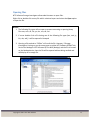
Opening Files................................................................................................................. 17
About NTP Software ......................................................................................................... 18
NTP Software Professional Services ................................................................................. 18
Copyright © 2001- 2015 NTP Software
2