1
Displaying Weather Variables
DEW
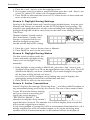
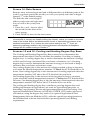
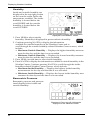
1. Press 2ND then press DEW to select dew point. Dew
point is displayed in either Fahrenheit (°F) or Celsius
2ND
HUM
(°C) in whole degrees. See “Selecting Units of Measure”
on page 26 for more information on changing the unit of
measure.
If the unit of measure for any temperature-related weather variable is
changed, the unit of measure also changes for all temperature-related
variables. See “Inside and Outside Temperature” on page 18 for more
information.
2. Press WxCEN to display the weather information available for dew point in
the Weather Center. Press WxCEN twice to scroll through the Weather
Center screens, which include:
• Maximum Dew Point — Displays the highest dew point measurement
for the day with the time it was recorded.
• Minimum Dew Point — Displays the lowest dew point measurement for
the day with the time it was recorded.
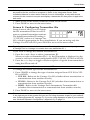
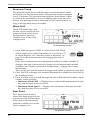
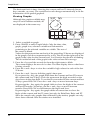
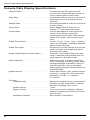
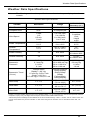
Heat Index
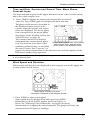
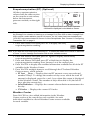
Heat index (outside only) shares
the same section on the console as
wind chill and dew point, below
the barometric pressure variable,
next to the wind compass rose.
MPH
SW
WIND
HEAT
SE
RAIN RATE
F
S
in/hr
Heat Index with information displayed
in the Weather Center
HEAT
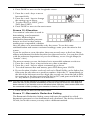
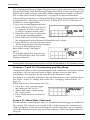
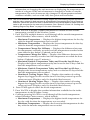
Press 2ND then press HEAT to display the heat index. Heat
index is displayed in either Fahrenheit (°F) or Celsius (°C)
2ND
TEMP
in whole degrees.
See “Selecting Units of Measure” on page 26 for more
information on changing the unit of measure. If the unit of measure for any
temperature-related weather variable is changed, the unit of measure also
changes for all temperature-related variables. See “Inside and Outside
Temperature” on page 18 for more information.
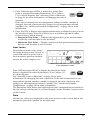
The Maximum Heat Index (the highest Heat Index measurement recorded for
the day) along with the time it occurred displays in the Weather Center section
of the console.
Rain
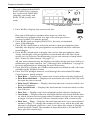
All the rain values are displayed in the same section on the console below the
barometric pressure variable, on the right side.
23