1
L1a Ref - AL140 / MEA EN / A31008-M2001-R121-2-UZ19A31008-M2001-R121-2-UZ19 / starting.fm / 10.11.2010
3
First steps
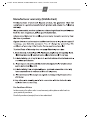
Check the pack contents
◆
◆
◆
◆
◆
◆
◆
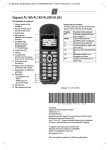
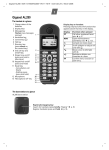
One Gigaset AL140 base station,
one mains adapter,
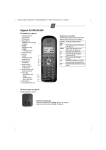
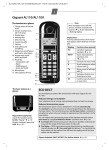
one Gigaset AL14H handset,
one phone cord,
one battery pack,
one battery cover,
one user guide.
If you have purchased a model with multiple handsets, the package should contain one battery pack, a battery cover and a charging cradle with mains adapter for each additional handset.
Setting up the base station and charging cradle (if included)
The base station and charging cradle are designed for use in enclosed dry rooms with a temperature range of +5 °C to +45 °C.
Set up the base station at a central location on a flat, non-slip surface in your house or
apartment.
¤
Please note
Pay attention to the range of the base station.
This is up to 300 m in unobstructed outdoor areas and up to 50 m inside buildings. The
p. 20).
range is reduced when Eco Mode is activated (
¢
The phone's feet do not usually leave any marks on surfaces. However, due to the multitude of
different varnishes and polishes used on today's furnishings, the occurrence of marks on the
surfaces cannot be completely ruled out.
You can also mount the base station and charging cradle on the wall.
Please note:
◆ Never expose the telephone to the influence of heat sources, direct sunlight or other electrical devices.
◆ Protect your Gigaset from moisture, dust, corrosive liquids and vapours.
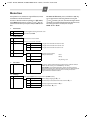
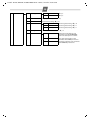
Connecting the base station
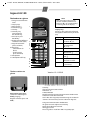
¤ First connect the mains adapter 1.
¤ Then connect the telephone jack 2 and
insert the cables into the cable ducts.
Please note:
◆ The mains adapter must always be connected, as the phone will not operate
without mains connection.
◆ Only use the mains adapter and phone
cord supplied. Pin connections on telephone cables can vary.
1
1
2
1