1
Getting Started
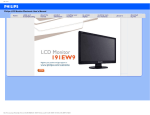
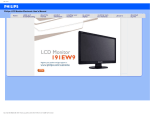
Your LCD Monitor :
Getting Started
• Front View Product Description
• Setting Up and Connecting Your
Monitor
• Getting Started
• Optimizing Performance
Getting Started
Use the information file ( .inf) for Windows® 95/98/2000/Me/XP/Vista or later
The built-in VESA DDC2B feature in Philips Monitors supports Plug & Play requirements for Windows® 95/98/2000/
Me/XP/Vista. This information file ( .inf) should be installed in order that your Philips monitor can be enabled from the
'Monitor' dialog box in Windows® 95/98/2000/Me/XP/Vista and the Plug & Play application can be activated. The
installation procedure based on Windows® 95 OEM Release 2 , 98 , 2000 , Me, XP and Vista is specified as follows.
For Windows® 95
1.
2.
3.
4.
5.
6.
7.
8.
Start Windows® 95
Click on the 'Start' button, point to 'Settings', and then click on 'Control Panel'.
Double click on the 'Display' Icon.
Select the 'Settings' tab then click on 'Advanced...'.
Select the 'Monitor' button, point to 'Change...' then click on 'Have Disk...'.
Click on the 'Browse...' button, select the appropriate drive F: ( CD-ROM Drive) then click on the 'OK' button.
Click on the 'OK' button then select your monitor model and click on 'OK'.
Click on the 'Close' button.
For Windows® 98
Start Windows® 98
Click on the 'Start' button, point to 'Settings', and then click on 'Control Panel'.
Double click on the 'Display' Icon.
Select the 'Settings' tab then click on 'Advanced...'.
Select the 'Monitor' button, point to 'Change...' then click on 'Next'
Select 'Display a list of all the drivers in a specific location, so you can choose the driver you want.' then click
on 'Next' and then click on 'Have Disk...'.
7. Click on the 'Browse...' button, select the appropriate drive F: ( CD-ROM Drive) then click on the 'OK' button.
8. Click on the 'OK' button then select your monitor model and click on the 'Next' button.
9. Click on the 'Finish' button then the 'Close' button.
1.
2.
3.
4.
5.
6.
For Windows® 2000
Downloaded From TV-Manual.com Manuals
1.
2.
3.
4.
Start Windows® 2000
Click on the 'Start' button, point to 'Settings', and then click on 'Control Panel'.
Double click on the 'Display' Icon.
Select the 'Settings' tab then click on 'Advanced...'.
file:///F|/manual spec/813/philips TV&lcd/cd/Q70G9002813 8A 191EW9/lcd/manual/ENGLISH/191EW9/install/gt_start.htm(第 1/3 页)2008-9-2 13:16:19