1
User Guide
Contents
New features
1
1
2
3
3
5
6
Read before use
Unlocking with fingerprint
Safe
All focus mode
Taking photos from the timeline album screen
Scanning a QR code
Protecting your privacy
Getting started
7
8
11
12
13
15
15
16
Dual-card settings
Basic screen features
Personalizing your phone
Basic operations
Calling, contacts and messaging
Email
Internet connection
Browser
Entertainment
17
19
20
20
Camera
Gallery
Music
Playing a video
Transferring data
21
21
22
22
22
23
Bluetooth
Wi-Fi Direct
Multi-screen display
Huawei Beam
Connecting your phone to a computer
Connecting your phone to a USB storage device
Managing your phone
24
25
27
28
Managing applications
File Manager
Phone Manager
Backup, restoration, and update
Tools
30
Weather
i
30
30
Alarms
Mirror
ii
New features
Read before use
This guide only applies to phones that run EMUI 3.0.
Features in this guide are for your reference only. Some features may not be
supported by all phones.
Unlocking with fingerprint
Enrolling your fingerprint
You can unlock the screen or access encrypted data with your fingerprint. To
protect your privacy, this feature is only available when the screen lock
method is PIN or Password.
1. Open
Settings.
2. Touch Fingerprint ID.
3. Choose PIN or Password, and follow the onscreen instructions to set a
password.
4. Follow the onscreen instructions to enroll your fingerprint.
Unlocking the screen with your fingerprint
1. Open
Settings.
2. Touch Fingerprint ID and follow the onscreen instructions to enter your
password.
3. Touch Unlock screen.
Then place your finger on the fingerprint scanner on the back of your phone
to unlock the screen.
1
New features
Unlocking the Safe with your fingerprint
After enabling Safe in File Manager and setting your password, you will be
prompted to enable fingerprint unlocking. Touch Associate to access the Safe
and associate your fingerprint. If you skip this step, you can also enable this
feature as follows:
1. Open
Settings.
2. Touch Fingerprint ID and follow the onscreen instructions to enter your
password.
3. Touch Access safe.
Then open File Manager, touch Safe, and place your finger on the fingerprint
sensor on the back of your phone to access the Safe.
Accessing App lock with your fingerprint
After enabling App lock in Phone Manager and setting your password, you
will be prompted to enable fingerprint unlocking. Touch Associate to access
App lock and associate your fingerprint. If you skip this step, you can also
enable this feature as follows:
1. Open
Settings.
2. Touch Fingerprint ID and follow the onscreen instructions to enter your
password.
3. Touch Access app lock and lock/unlock apps.
Then open Phone Manager, touch App lock, and place your finger on the
fingerprint sensor on the back of your phone to access App lock.
Safe
Encrypt important and private files to prevent others from viewing them.
Enabling the Safe
1. Open
File Manager.
2. Touch Safe.
2
New features
3. If your phone supports and has a microSD card inserted, you can choose to
create the Safe in SD card or Internal.
4. Enable Safe and follow the onscreen instructions to set a password and
security question answer.
Adding files to the Safe
1. Open
File Manager.
2. Touch Safe and enter your password.
3. Touch
. Then add some files to Safe.
You can then view the encrypted files in Safe.
All focus mode
All focus mode lets you change the focus point on a photo after it's been
taken.
1. Open
Camera.
2. Touch
> All-focus.
3. Touch
to take a photo.
4. Touch
to find the photo you've just taken, and touch
to adjust the
focus point.
Taking photos from the timeline album
screen
You can take photos directly from Gallery.
1. Open
Gallery.
3
New features
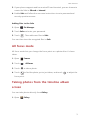
2. Touch the view switching button at the bottom of the screen to switch to
the timeline album view.
3. On the timeline album screen, drag down on a blank area to launch the
camera in half-screen mode. Touch
to take photos.
4
New features
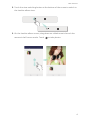
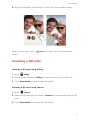
4. Drag the viewfinder further down to enter full-screen capture mode.
When you are done, touch
Return to return to the timeline album
screen.
Scanning a QR code
Scanning a QR code using Gallery
1. Open
Gallery.
2. Choose a QR code photo. Gallery will automatically scan the QR code.
3. Touch View details to view the QR code details.
Scanning a QR code using Camera
1. Open
Camera.
2. Frame the QR code with the camera. Camera will automatically scan the QR
code.
3. Touch View details to view the QR code details.
5
New features
Protecting your privacy
What's Privacy protection?
If you have content on your phone that you want to keep private, you can set
two different unlock passwords, one for yourself, and the other for visitors. If
your phone is unlocked using the visitor password, all your private content
will be hidden.
Your contacts, albums, and applications are all able to be set as private.
Setting a privacy protection password
1. Open
Settings.
2. Touch Security > Privacy protection > Let's start.
3. Choose a password style, and set your owner password and the visitor
password.
If you have set a screen unlock password, the password will be used as
the owner password by default.
Setting private information
1. Open
Settings.
2. Touch Security > Privacy protection.
3. Enter your owner password to access the Privacy protection screen.
4. Select the contacts, albums, or applications you want to set as private.
6
Getting started
Dual-card settings
Enabling or disabling a SIM card
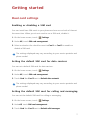
You can install two SIM cards to your phone and use one or both of them at
the same time. When you do not need to use a SIM card, disable it.
1. On the home screen, touch
Settings.
2. Under All, touch SIM card management.
3. Select or deselect the check box next to Card 1 or Card 2 to enable or
disable a SIM card.
The settings displayed may vary according to your service provider and
phone model.
Setting the default SIM card for data services
You can set a default SIM card for data services.
1. On the home screen, touch
Settings
2. Under All, touch SIM card management.
3. Touch Card 1 or Card 2 next to Default data network.
The settings displayed may vary according to your service provider and
phone model.
Setting the default SIM card for calling and messaging
You can set the default SIM card for calling or messaging.
1. On the home screen, touch
Settings.
2. UnderAll, touch SIM card management.
3. Touch Card 1 or Card 2 next to Default calls/messages.
7
Getting started
This function may not be supported by some service providers.
Basic screen features
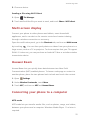
Magazine screen unlock
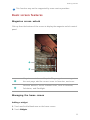
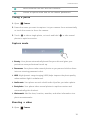
Flick up from the bottom of the screen to display the magazine unlock control
panel.
1
2
Magazine control area: Stop shuffling magazine covers, go to
the next page, add the current cover to favorites, and more.
Shortcut buttons: Access common tools, such as Calendar,
Calculator, and Flashlight.
Managing the home screen
Adding a widget
1. Touch and hold a blank area on the home screen.
2. Touch Widgets.
8
Getting started
3. Choose a widget and drag it to the home screen.
Creating a folder
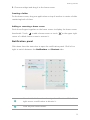
On the home screen, drag one application on top of another to create a folder
containing both of them.
Adding or removing a home screen
Pinch three fingers together on the home screen to display the home screen
thumbnails. Touch
to add a home screen or touch
on the upper right
corner of a blank home screen to remove it.
Notification panel
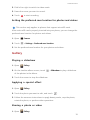
Flick down from the status bar to open the notification panel. Flick left or
right to switch between the Notifications and Shortcuts tabs.
1
2
View detailed information about push notifications. Flick left or
right across a notification to dismiss it.
Clear all push notifications.
9
Getting started
3
Expand or collapse the shortcut switches.
4
Adjust the screen brightness.
5
Turn on or turn off common functions. Touch
to customize
the shortcut switch list.
Auto-rotate screen
Open the notification panel, go to the Shortcuts tab, and touch
to turn on
or turn off auto-rotate.
Taking a screenshot
Press the power and volume down buttons simultaneously to take a
screenshot. To view your screenshots, open Gallery, switch to the list view,
and touch Screenshots.
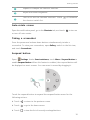
Suspend button
Open
Settings. Under Smart assistance, touch More > Suspend button to
enable Suspend button. When this feature is enabled, the suspend button will
be displayed on most screens. You can move it around by dragging it.
Touch the suspend button to expand the suspend button menu for the
following actions:
•
Touch
to return to the previous screen.
•
Touch
to go to the home screen.
•
Touch
to view the list of recently used applications.
10
Getting started
•
Touch
•
Touch
to lock the screen.
to optimize the system.
Personalizing your phone
Changing the wallpaper
1. Touch and hold a blank area on the home screen.
2. Touch Wallpapers.
3. Set the wallpapers displayed on the phone lock screen and home screen.
You can also choose whether to have the home screen wallpaper change
randomly at timed intervals.
Using the simple home screen
1. Open
Settings.
2. Touch Home screen style.
3. Select Simple.
To switch back to the standard home screen, touch Settings > Home
screen style > Standard on the simple home screen.
Changing the theme
Touch
Themes to browse through and apply different themes. You can
also customize the themes.
Setting notification tones
1. Open the notification panel and go to the Shortcuts tab.
2. Touch and hold
from the shortcut switches to enter the tone settings
screen.
3. Set your notification tones, such as the ringtone.
11
Getting started
Changing the font size
1. Open
Settings.
2. Touch Display.
3. Touch Font size to select a font size.
Basic operations
Displaying or hiding the onscreen keyboard
•
Touch a text box to display the onscreen keyboard.
•
To hide the onscreen keyboard, touch Return.
Selecting an input method
Open the notification panel, switch to the Notifications tab, and touch
Choose input method to select an input method.
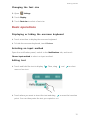
Editing text
•
Touch and hold the text to display
. Then, drag
and
to select
more or less text.
• Touch where you want to insert the text and drag
to move the insertion
point. You can then paste the text you copied or cut.
12
Getting started
Calling, contacts and messaging
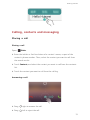
Placing a call
Placing a call
Open
•
Dialer.
Enter the initials or first few letters of a contact's name, or part of the
contact's phone number. Then, select the contact you want to call from
the search results.
•
Touch Contacts, and select the contact you want to call from the contacts
list.
•
Touch the contact you want to call from the call log.
Answering a call
•
Drag
right to answer the call.
•
Drag
left to reject the call.
13
Getting started
•
Drag
up to reject the call and send the caller a message. To edit the
message that will be sent, touch
> Call settings > Reject calls with SMS.
When there is an incoming call, you can press the volume button to mute
the ringtone.
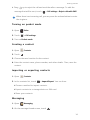
Turning on pocket mode
1. Open
Dialer.
2. Touch
> Call settings.
3. Turn on Pocket mode.
Creating a contact
1. Open
Contacts.
2. Touch
.
3. Choose the save location for the contact.
4. Enter the contact name, phone number, and other details. Then, save the
contact.
Importing or exporting contacts
1. Open
Contacts.
2. In the contacts list, touch
> Import/Export. You can then:
• Choose a method to import contacts.
• Export contacts to a storage device or SIM card.
• Share your contacts.
Messaging
1. Open
Messaging.
2. On the message thread screen, touch
.
14
Getting started
3. Touch
to choose a contact.
4. Write a message, touch
to add attachments, and send the message.
Email
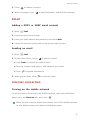
Adding a POP3 or IMAP email account
1. Open
Email.
2. Choose an email account type.
3. Enter your email address and password, and touch Next.
4. Follow the onscreen instructions to set up the email account.
Sending an email
1. Open
Email.
2. On the inbox screen, touch
to create an email.
• Touch From: to choose an email account.
• Enter the recipient and subject, and compose your email.
• Touch
to upload attachments.
3. When you are done, touch
to send the email.
Internet connection
Turning on the mobile network
To quickly turn on or turn off your mobile network, open the notification
panel, go to the Shortcuts tab, and touch
.
When you don't need to access the Internet, turn off the mobile network
to save battery power and reduce mobile data usage.
15
Getting started
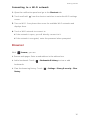
Connecting to a Wi-Fi network
1. Open the notification panel and go to the Shortcuts tab.
2. Touch and hold
from the shortcut switches to enter the Wi-Fi settings
screen.
3. Turn on Wi-Fi. Your phone then scans for available Wi-Fi networks and
displays them.
4. Touch a Wi-Fi network to connect to.
• If the network is open, you will directly connect to it.
• If the network is encrypted, enter the password when prompted.
Browser
With
Browser, you can:
•
Browse web pages: Enter a web address in the address box.
•
Add a bookmark: Touch
> Bookmarks & history to view or add
bookmarks.
• Clear the browsing history: Touch
> Settings > Privacy & security > Clear
history.
16
Entertainment
Camera
Capture screen
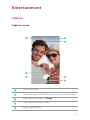
1
Turn on the flash.
2
Flick left or right to switch between common capture modes.
3
View photos and videos in Gallery.
4
Take a photo or shoot a video.
5
Apply a special effect.
17
Entertainment
6
Switch between the rear and front cameras.
7
Choose a capture mode and set the camera parameters.
Taking a photo
1. Open
Camera.
2. Frame the scene you want to capture. Let your camera focus automatically
or touch the screen to focus the camera.
3. Touch
to take a single photo, or touch and hold
to take several
photos in rapid succession.
Capture mode
•
Beauty: Your phone automatically beautifies your skin and gives your
portraits a more professional touch-up.
•
Panorama: Your phone takes several photos as you pan and stitches them
into one stunning panoramic shot.
•
HDR: High dynamic range imaging (HDR) helps improve the photo quality
when ambient light is unbalanced.
•
Audio note: Your phone records a brief audio clip after you take a photo.
•
Best photo: Your phone takes several photos in rapid succession and
automatically picks the best.
•
Watermark: Add the time, location, weather, and other information to a
photo as watermarks.
Shooting a video
1. Open
Camera.
18
Entertainment
2. Flick left or right to switch to video mode.
3. Frame the scene you want to record.
4. Touch
to start recording.
Setting the preferred save location for photos and videos
This section only applies to phones that support microSD cards.
After a microSD card is properly inserted into your phone, you can change the
preferred save location for photos and videos.
1. Open
2. Touch
Camera.
> Settings > Preferred save location.
3. Set the preferred save location for your photos and videos.
Gallery
Playing a slideshow
1. Open
Gallery.
2. On the timeline album screen, touch
> Slideshow to play a slideshow
of the photos in the album.
3. Touch the screen to stop the slideshow.
Applying a special effect
1. Open
Gallery.
2. Touch the photo you want to edit, and touch
.
3. Follow the onscreen instructions to apply beauty mode, crop the photo,
rotate the photo, or perform other operations.
Sharing a photo or video
1. Open
Gallery.
19
Entertainment
2. Touch the photo or video you want to share.
3. Flick up on the photo or video, and touch START to turn on Transfer. Your
phone then automatically enables Bluetooth and searches for nearby
Bluetooth devices.
Make sure Bluetooth is enabled on the receiving device and the device
is set to discoverable.
4. From the search results, touch the receiving device's name.
After the two devices are paired for the first time, flick up on a photo or video
to quickly share it.
Music
Creating a playlist
1. Open
Music.
2. Touch Playlists > Create new playlist.
3. Name and save the playlist.
4. Follow the onscreen instructions to add songs to the playlist.
Playing a playlist
1. Open
Music.
2. Touch Playlists.
3. Touch the playlist you want to play.
Playing a video
1. Open
Videos.
2. Touch the video you want to play.
3. Touch the onscreen control buttons to fast forward, rewind, stop, or
perform other operations.
20
Transferring data
Bluetooth
Turning on Bluetooth
1. Open the notification panel and go to the Shortcuts tab.
2. Touch and hold
to enter the Bluetooth settings screen.
3. Touch Turn on Bluetooth.
4. From the search results, choose a Bluetooth device, and follow the
onscreen instructions to pair your phone with it.
To unpair the two devices, touch
next to the other device, and touch
Unpair.
If you can't set up a Bluetooth connection with another device, the
device may not be compatible with your phone.
Sharing a file using Bluetooth
To exchange data with another Bluetooth device, enable Bluetooth on both
devices and make sure they are both discoverable.
Touch and hold the file you want to send, and touch Share > Bluetooth.
Wi-Fi Direct
Connecting two devices using Wi-Fi Direct
1. Open the notification panel and go to the Shortcuts tab.
2. Touch and hold
from the shortcut switches to enter the Wi-Fi settings
screen.
3. Turn on Wi-Fi.
4. Touch Wi-Fi direct to scan for available devices.
21
Transferring data
5. Choose a device.
Sending a file using Wi-Fi Direct
1. Open
File Manager.
2. Touch and hold the file you want to send, and touch Share > Wi-Fi direct.
Multi-screen display
Connect your phone to other phones and tablets, smart household
appliances, and in-car devices for remote control and content sharing
through a wireless connection or accessory.
Open the notification panel, go to the Shortcuts tab, and turn on Multi-screen
by touching
. You can then push photos or videos from your phone to a
large screen, such as a TV or projector. To do so requires that your TV support
DLNA. If it does not, you can purchase an Android TV box or a similar wireless
transmission device.
Huawei Beam
Huawei Beam lets you quickly share data between two Near Field
Communication (NFC) enabled phones. To beam a web page or contact to
another phone, place the two phones back to back and touch the content.
1. Open
Settings.
2. Under Wireless & networks, touch More.
3. Touch NFC, and turn on NFC and Huawei Beam.
Connecting your phone to a computer
MTP mode
MTP mode lets you transfer media files, such as photos, songs, and videos,
between your phone and a computer. Windows Media Player 11 or later is
required.
22
Transferring data
HiSuite mode
HiSuite is a file transfer application developed by Huawei. It lets you back up,
synchronize, and transfer data between your phone and computer.
USB flash drive mode
This section applies to phones that support microSD cards only.
If a microSD card is inserted properly into your phone, you can use your phone
as a USB flash drive and transfer data between your phone and a computer.
Connecting your phone to a USB storage
device
You can directly connect your phone to a USB storage device using a USB OTG
cable to transfer data. Compatible USB storage devices include USB flash
drives, card readers, and phones that work as USB flash drives.
23
Managing your phone
Managing applications
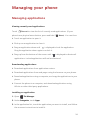
Viewing recently used applications
Touch
Recent to view the list of recently used applications. (If your
phone has a physical menu button, press and hold
•
Touch an application to open it.
•
Flick up on an application to close it.
•
Drag an application down until
Menu). You can then:
is displayed to lock the application.
Drag the application down again to unlock it.
•
Drag up from the bottom of the screen until
is displayed to dismiss all
applications. Locked applications will not be dismissed.
Downloading applications
•
Download applications from application centers.
•
Download applications from web pages using the browser on your phone.
• Download applications using a computer, and copy the applications to your
phone.
•
Connect the phone to a computer, and download applications using
HiSuite or other third-party applications.
Installing an application
1. Open
File Manager.
2. Under Categories, touch Apps.
3. In the application list, touch the application you want to install, and follow
the onscreen instructions to install it.
24
Managing your phone
During the installation, an Install blocked message may be displayed.
Read the message carefully. If you want to continue with the installation,
follow the onscreen instructions to allow the installation of third-party
applications.
Uninstalling an application
On the home screen, touch and hold the application you want to uninstall
until
is displayed at the top of the screen. Drag the application to
,
and follow the onscreen instructions to uninstall it.
Some pre-installed applications can't be uninstalled.
File Manager
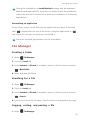
Creating a folder
1. Open
File Manager.
2. Touch the Local tab.
3. Under Internal or SD card (if available), switch to the list view, and touch
> New folder.
4. Name and save the folder.
Searching for a file
1. Open
File Manager.
2. Touch the Local tab.
3. Under Internal or SD card (if available), switch to the list view, and touch
> Search.
4. Enter part or all of the file name. Search results are displayed as you type.
Copying, cutting, and pasting a file
1. Open
File Manager.
25
Managing your phone
2. Touch the Local tab.
3. Under Internal or SD card (if available), switch to the list view, and touch
or
.
4. Choose a file, touch Copy or Cut, and choose where you want to paste the
file.
Compressing or decompressing a file
1. Open
File Manager.
2. Touch the Local tab.
3. Under Internal or SD card (if available), switch to the list view, touch and
hold the file you want to compress, and touch Compress.
4. Choose the save path of the compressed file and name the file.
To decompress a file, touch and hold it, and touch Extract.
Creating a shortcut for a file or folder
1. Open
File Manager.
2. Touch the Local tab.
3. Under Internal or SD card (if available), switch to the list view, touch and
hold the file or folder for which you want to create a shortcut, and touch
Desktop shortcuts.
Cloud Drive
This feature may not be supported by all models. Log in with your
Huawei ID before you use Cloud Drive.
Uploading a file
1. Open
File Manager.
2. Under Cloud, select where you want to upload the file.
3. Touch
.
26
Managing your phone
4. Take a photo or select a local file.
Downloading a file
1. Open
File Manager.
2. Under Cloud, select the folder that contains the file you want to download.
3. Touch
.
4. Select the file you want to download.
Viewing file transfer records
1. Open
File Manager.
2. Under Cloud, touch
> File transfers.
3. You can then view the file transfer records.
Phone Manager
Optimizing the system
With
Phone Manager, you can optimize your phone system using the
following features:
•
Scan: Quickly check the system operating status, clear trash files, optimize
your phone system, and more.
•
Phone accelerator: Scan for and clear the cache, trash files, applications
you no longer need, and application installation packages.
Power saving
Open
Phone Manager, and use Power saving to comprehensively check
your phone's power consumption and maximize the standby time. You can
switch to different power saving modes as required.
Harassment filter
27
Managing your phone
Open
Phone Manager, and use the following features to block messages,
calls, and notifications:
•
Harassment filter: Set a blacklist to block unwanted messages and calls.
•
Notification manager: Block unwanted push notifications.
• Do not disturb: In do not disturb mode, your phone will ring only when you
receive calls from specified contacts. Other calls will be rejected, and the
message tone and other notification tones will be muted.
Protecting your privacy
Open
Phone Manager. You can protect your private data using the
following features:
•
App lock: When this feature is enabled, you have to enter the password to
access locked applications.
Backup, restoration, and update
Backing up data
1. Open Tools, and touch
Backup.
2. Choose where you want to back up the data. By default, data is backed up
to the internal storage. If your phone supports Cloud Drive or OTG data
backup, touch
to back up data to Cloud Drive or a USB storage device.
3. Choose whether to encrypt the backup file, and touch New backup.
4. Select the data you want to back up, and follow the onscreen instructions
to back it up.
Restoring data
1. Open
Backup.
28
Managing your phone
2. Choose a data source. The default data source is the internal storage. If
your phone supports Cloud Drive or OTG data restoration, touch
to
select data from Cloud Drive or a USB storage device.
3. Select the backup file you want to restore. If the backup file has been
encrypted, enter the password when prompted.
4. Select the data you want to restore and follow the onscreen instructions to
restore it.
Restoring factory settings
Restoring your phone to the factory settings erases all your personal
data from the phone storage. Back up important data on your phone
before you restore factory settings.
1. Open
Settings.
2. Touch Backup & reset > Factory data reset.
3. Follow the onscreen instructions to restore your phone to its factory
settings.
Online update
• Using unauthorized third-party software to update your phone may
damage your phone or put your personal information at risk. It is
recommended that you update your phone using the phone's online
update feature or through Huawei's official software update
packages.
• All your data may be erased during a system update. It is
recommended that you back up important data before updating your
phone.
Open
Updater, touch Check for updates, and follow the onscreen
instructions to update your phone.
29
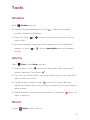
Tools
Weather
With
•
Weather, you can:
Check the weather information: Touch
to check the air quality,
humidity, wind force, and more.
•
Add a city: Touch
>
, enter a city name, and touch the city you
want to add.
•
Update the weather: Drag down on the weather screen to update the
weather, or touch
>
, turn on Auto update, and set the update
interval.
Alarms
Open
•
Clock. Under Alarm, you can:
Add an alarm: Touch
, and set the alarm time, tone, how often it
repeats, and more. Then touch
•
.
Turn on or turn off an alarm: Touch the switch button to the right of an
alarm to turn it on or off.
•
Configure alarm settings: Touch
, and set the snooze duration,
whether the alarm rings in silent mode, and what the volume buttons do
when pressed.
•
Delete an alarm: Touch and hold the alarm list, and touch
next to an
alarm to delete it.
Mirror
On the
Mirror screen, you can:
30
Tools
•
Adjust the brightness: Touch
•
Zoom in or out: Drag
or
at the top of the screen.
along the bottom of the screen. Touch and hold
an area on the screen to zoom in, and release your finger to zoom out and
restore the image.
•
Freeze the screen: Touch the screen to freeze the screen, and touch
to
save the image. Touch the screen again to unfreeze it.
31
This guide is for reference only. The actual product, including but not limited to
the color, size, and screen layout, may vary. All statements, information, and
recommendations in this guide do not constitute a warranty of any kind, express
or implied.
Please visit http://consumer.huawei.com/en/support/hotline for recent updated
hotline and email address in your country or region.
Model: HUAWEI MT7-TL10
V100R001_01