1
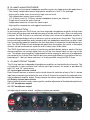
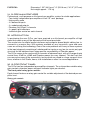
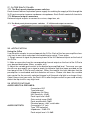
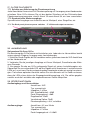
17. Q-PRE Back panel
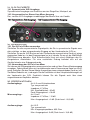
17.1 The Back panel phantom power switches
Each channel features a phantom power supply for enabling the supply of 48v through the
XLR input connector to power condenser microphones. Each Switch controls 2 channlels.
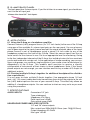
17.2 Balanced output connectors
Balanced signal outputs to connect to a mixer, stage box, etc.
17.1 The Back panel phantom power switches 17.2 Balanced output connectors
18. APPLICATION
Using the Q-Pre
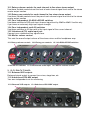
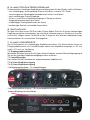
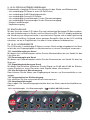
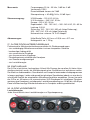
It could not be simpler to use and operate the Q-Pre. Each of the four pre-amplifier channels has its own input and output and variable gain control. Three steps:
1. Simply connect a signal for processing to one of the XLR balanced inputs on the front of
the Q-Pre.
2. Make a connection from the corresponding channel output on the front of the Q-Pre to
your desired destination (Mixer, recorder, etc).
3. Adjust the variable gain control to the desired pre-amplified level. To ensure sure you
do not over pre-amplify your signal a peak clip indicator light has been provided on the
front panel of the Q-Pre for each channel. When illuminated, this light indicates that the
preamplifier is overloaded and that distortion will occur. Please turn down the variable
gain control for the currently selected channel until the peak clip light is no longer illuminated. Always trust your ears, the Peak LED is after the gain control so you could actually
distort the input with a very high level.
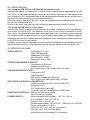
19. SPECIFICATIONS
AUDIO INPUTS & PRE AMPS:
Connectors XLR
Type balanced
Impedance 2k Ohms
Min Sensitivity -40dB
Peak input level +5dB
Gain control range 50dB
Peak amplification 74dB
Phantom power +48V, switchable
AUDIO OUTPUTS:
Connectors 1/4" jack
Type TRS balanced
Impedance -10dB 47K
Peak output level +18.5dB