1
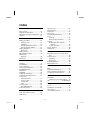
Index
Data security ................................. 81
Data Security................................... 4
Directories..................................... 43
Disc-Drive ..................................... 46
Discharging the battery ................. 32
Discs
Loading ..................................... 46
Removing Blocked Discs ............ 48
Display .......................................... 35
Opening and Closing the
Display .................................. 35
Screen resolution ...................... 35
Driver Support .............................. 90
DVD-Drive ..................................... 46
A All programs ................................. 21
Ambient Temperature ..................... 5
Appearance and Personalization ... 36
Autorun ........................................ 73
B Battery operation .......................... 29
Battery power ........................... 32
Charging ................................... 32
Checking the battery level ......... 33
Discharging the battery ............. 32
Battery Operation.......................... 10
Removing .................................. 31
Battery Power ................................ 32
BIOS Setup-Program ..................... 76
BIOS Utility
Running .................................... 76
Bluetooth ...................................... 58
E Emergency Ejection of a Blocked
Disc ........................................... 48
Express Card ................................. 60
Installing ................................... 60
Removing.................................. 60
Extended Desktop ......................... 39
External Monitor ........................... 37
C Cabling ........................................... 8
Card Reader .................................. 59
Care of Displays ............................ 92
Carrying out a Restore ................... 86
CD/DVD-Rewriter .......................... 49
CD-blanks ..................................... 49
CD-ROM ....................................... 46
Charging the battery ..................... 32
Checking the battery level ............. 33
Connectors
External Monitor ....................... 37
Power Socket ............................ 15
Sound card................................ 50
USB ........................................... 62
Control panel ................................ 69
Disk Management ..................... 42
Customer service........................... 88
F FAQ............................................... 87
Fast Ethernet-Network ................... 54
FCC Compliance Statement .......... 99
Frequently asked questions ........... 87
H Hard drive ..................................... 42
Installing a second hard drive .... 44
HD .............................. See Hard drive
I Icons ............................................. 21
Installation of Software ................. 73
Introduction .................................... 3
ISO 13406-2 Class II ...................... 97
D Data and system security............... 81
Data Entry ..................................... 40
100
Index