1
Advanced Technologies for your home and office
Print Documents On the Go
Department ID Management
Print a variety of file types, Web
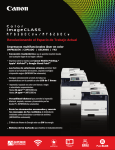
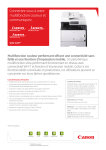
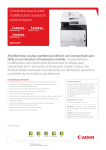
The Color imageCLASS MF8580Cdw and MF8280Cw
pages, and images on the go with
feature password-protected Department ID Management.
the Canon Mobile Printing app.*
Device usage and color access
Cost Control
can be monitored and controlled,
which can help to reduce costs.
With this feature, up to 300 IDs
Wherever you are, print from your
can be monitored.
Executive Suite
PRINT
COPY
SCAN
Purchasing Dept.
PRINT
COPY
SCAN
Marketing Dept.
PRINT
COPY
SCAN
smartphone or computer using
Google Cloud Print enabled apps.
Environmentally Conscious
Apple AirPrint allows you to print
Help reduce your power consumption
with Canon’s efficient Energy Saving Mode.
documents, e-mails, Web pages,
The MF8000 Series uses just two watts of
and photos to your compatible
energy during Energy Saving mode and
imageCLASS devices from your
meets ENERGY STAR® Guidelines, helping
iPhone , iPad , or iPod touch .
you save money on energy costs.
Secure Print
Generation Green
The Color imageCLASS MF8580Cdw
The MF8000 Series is part of Canon’s
features Secure Print to help protect
Generation Green Program, which
the privacy of your printed documents.
highlights the company’s commitment
®
®
®
To help ensure that your documents
to sustainability. Learn more at www.usa.canon.com/green.
end up in the right hands, follow the
simple steps below:
1. Enter code on PC.
2. Select the one-touch “Secure
Print” button on the device.
3. Enter the code on the MF8580Cdw.
4. Pick up the secure print.
* Requires Canon Mobile Printing app available free on the App store. Compatible with
iPhone 5, iPhone 4S, iPhone 4, iPad mini, iPad 4, the new iPad, iPad 2, and the original
iPad running OS 6.0.1 - 6.1.2.
** Print speed is based on internal testing. Print speed may vary depending on the number
of copies selected, as well as on the settings for size, type, and orientation of paper.
2
Color LCD Display
The intuitive seven-line Color LCD Display allows users to
navigate through the menu seamlessly. The wide screen
and color display are easy to read, helping you to complete
tasks in a breeze.