1
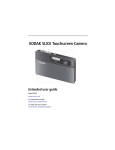
KODAK SLICE Touchscreen Camera
Extended user guide
Model R502
www.kodak.com
For interactive tutorials:
www.kodak.com/go/howto
For help with your camera:
www.kodak.com/go/slicesupport
Downloaded From camera-usermanual.com Kodak Manuals
Eastman Kodak Company
Rochester, New York 14650
© Eastman Kodak Company, 2009
All screen images are simulated.
Kodak, Pulse, and Slice are trademarks of Eastman Kodak Company.
Navteq is a trademark in the U.S. and other countries.
microSD and microSDHC are trademarks of the SD Card Association.
P/N 4H5257_en
Downloaded From camera-usermanual.com Kodak Manuals
Product features
Front view
Power
Shutter
Zoom
Review
Flash
Video
Recording/
AF Assist
light
Lens
Microphone
www.kodak.com/go/support
Downloaded From camera-usermanual.com Kodak Manuals
i
Product features
Back view, touchscreen gestures
LCD
touchscreen
Strap
post
USB
Battery
compartment
Tap
microSD,
microSDHC
Card slot
Swipe
ii
Downloaded From camera-usermanual.com Kodak Manuals
Drag
www.kodak.com/go/support
Table of contents
1
1 Getting started ......................................................................................1
Attaching the strap ....................................................................................... 1
Loading the rechargeable battery .................................................................. 1
Charging the battery ..................................................................................... 2
Turning on the camera .................................................................................. 3
Setting the language, date/time..................................................................... 4
Storing pictures on a microSD/SDHC Card...................................................... 5
2 Taking pictures/videos ...........................................................................6
Taking a picture ............................................................................................ 6
Taking a video .............................................................................................. 7
Using picture-taking shortcuts ....................................................................... 9
Know when your battery needs charging ....................................................... 9
Capture modes ........................................................................................... 10
Using zoom................................................................................................. 12
Using the flash............................................................................................ 13
Using the self-timer..................................................................................... 14
Using burst ................................................................................................. 14
Taking panoramic pictures........................................................................... 15
Using Program mode................................................................................... 16
3 Reviewing, tagging, editing ................................................................17
Viewing pictures as thumbnails ................................................................... 18
Using the review shortcuts .......................................................................... 19
Magnifying a picture during review.............................................................. 20
Playing a video............................................................................................ 20
Deleting pictures/videos .............................................................................. 21
Tagging pictures so that they are easier to find ............................................ 22
Using the Collage feature............................................................................ 24
Using the Search feature to find pictures...................................................... 25
Editing pictures ........................................................................................... 26
www.kodak.com/go/support
Downloaded From camera-usermanual.com Kodak Manuals
iii
Table of contents
Cropping pictures........................................................................................ 26
Editing videos ............................................................................................. 27
Selecting multiple pictures/videos ................................................................ 28
4 Using your SLICE Album ......................................................................29
Deleting pictures from the SLICE Album....................................................... 30
Backing up the SLICE Album ....................................................................... 30
More details about the SLICE Album............................................................ 30
5 Using the Menus .................................................................................31
Using the Capture menu ............................................................................. 31
Using the Video menu................................................................................. 34
Using the Setup menu ................................................................................. 35
6 Transferring and printing .....................................................................37
Printing pictures.......................................................................................... 38
7 Sharing pictures and videos ................................................................40
Sharing via social networking sites .............................................................. 40
Marking pictures for printing ....................................................................... 40
Marking pictures/videos for emailing ........................................................... 41
Assigning the favorite mark to pictures/videos ............................................. 42
8 Getting help ........................................................................................43
Getting help from your camera .................................................................... 43
Troubleshooting .......................................................................................... 44
Helpful links................................................................................................ 49
9 Appendix .............................................................................................50
Camera specifications ................................................................................. 50
Upgrading your software and firmware........................................................ 53
Important safety instructions ....................................................................... 53
Battery life .................................................................................................. 54
Care and maintenance ................................................................................ 54
Limited warranty ......................................................................................... 55
iv
Downloaded From camera-usermanual.com Kodak Manuals
www.kodak.com/go/support
1
Getting started
Attaching the strap
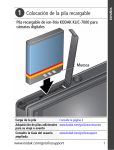
Loading the rechargeable battery
Notch
KODAK Li-Ion
Rechargeable
Digital Camera
Battery, KLIC-7000
Charge the battery
see page 2
Know when your battery needs charging
see page 9
Purchase extra batteries for your special event www.kodak.com/go/sliceaccessories
www.kodak.com/go/support
Downloaded From camera-usermanual.com Kodak Manuals
1
Getting started
Charging the battery
If your package included
Then see
An in-camera battery charger
Using the in-camera battery charger
An external battery charger
Using the external battery charger
Using the in-camera battery charger
Charge the battery whenever necessary.
Battery Charging light:
• Blinking: charging
• Steady: finished
1 Turn OFF the camera.
2
Connect the KODAK Camera USB
Cable, Micro B / 5-Pin and charger.
Your adapter may differ.
(Use only the cable included with this camera!)
Purchase extra batteries
www.kodak.com/go/sliceaccessories
Know when your battery needs charging
see page 9
2
Downloaded From camera-usermanual.com Kodak Manuals
www.kodak.com/go/support
Getting started
Using the external battery charger
Charge the battery whenever necessary.
Purchase extra batteries
www.kodak.com/go/sliceaccessories
Know when your battery needs charging
see page 9
Turning on the camera
www.kodak.com/go/support
Downloaded From camera-usermanual.com Kodak Manuals
3
Getting started
Setting the language, date/time
1 Drag or swipe to scroll.
2 Tap your language.
3 Tap X to accept.
1
2
3
Tap Set Date/Time.
to change date
format, date, and
time. (Tap/hold to
scroll quickly.)
Tap X to accept.
NOTE: To change language or date/time in the future, use the Setup menu (see page 35).
For more information on using touchscreen gestures, see page ii.
4
Downloaded From camera-usermanual.com Kodak Manuals
www.kodak.com/go/support
Getting started
Storing pictures on a microSD/SDHC Card
Your camera has internal memory. You must purchase a microSD or microSDHC Card
to store more pictures and videos. (Maximum supported card size is 32 GB.)
CAUTION:
A card can only be inserted one way; forcing it may cause
damage. Inserting or removing a card when the camera is on may
damage the pictures, the card, or the camera.
1 Turn off the camera.
2 Insert or remove the card.
3 Turn on the camera.
Notch
Purchase accessories
NOTE: Avoid touching
the card’s metal
contacts.
To clean the contacts,
use a dry cotton swab
or a lint-free cloth.
www.kodak.com/go/sliceaccessories
www.kodak.com/go/support
Downloaded From camera-usermanual.com Kodak Manuals
5
2
Taking pictures/videos
Taking a picture
When you turn on the camera, it’s ready to take pictures
in Smart Capture mode
.
1 Press the Shutter button halfway to lock the focus.
2 When the framing marks turn green, press the
Shutter button completely down.
Framing
marks
IMPORTANT: When you take a picture, your camera saves:
■
full-size pictures on your card, and
■
smaller copies of pictures in the SLICE Album
When you transfer pictures/videos to your computer, only the full-size versions (from
your card or internal memory) are transferred. Your SLICE Album keeps copies, so you
can relive the experience of each picture—no matter where you go! (To learn more,
see page 29.)
6
Downloaded From camera-usermanual.com Kodak Manuals
www.kodak.com/go/support
Taking pictures/videos
Using the framing marks
Framing marks indicate the camera focus area.
1 Press the Shutter button halfway.
If the camera is not focusing on the desired subject,
release the Shutter button and recompose the scene.
2 Press the Shutter button completely down to
take the picture.
NOTE: Multiple framing marks may appear when faces are detected.
Taking a video
1 Tap the Capture icon.
2 Tap the Video icon
.
3 Press the Shutter button completely
down and release. (To stop recording,
press and release again.)
www.kodak.com/go/support
Downloaded From camera-usermanual.com Kodak Manuals
7
Taking pictures/videos
Reviewing the picture/video just taken
After you take a picture/video, the LCD displays a quickview for several seconds. (To
dismiss the quickview sooner, press the Shutter button halfway or touch the screen.)
The picture/video is saved unless you tap the Delete icon.
Delete
Play a video
To review pictures/videos anytime, see page 17.
8
Downloaded From camera-usermanual.com Kodak Manuals
www.kodak.com/go/support
Taking pictures/videos
Using picture-taking shortcuts
If shortcuts are hidden, tap the top of the LCD to show them.
Self timer/Burst
Exposure
Compensation
Focus mode
Flash mode
Menu
Tag
Capture
mode
Hide
shortcuts
Battery
level
NOTE: Shortcuts vary, depending on the current capture mode.
Know when your battery needs charging
The battery level icon works like the gas gauge in your car but appears only when the
battery requires your attention.
Charge the battery whenever necessary.
Charge the battery
see page 1
Purchase extra batteries for your special event www.kodak.com/go/sliceaccessories
www.kodak.com/go/support
Downloaded From camera-usermanual.com Kodak Manuals
9
Taking pictures/videos
Capture modes
Tap the Capture icon, then tap the mode that
suits your subjects and surroundings.
Capture mode
Smart
Capture
For
General picture taking—it offers excellent image quality and ease of
use.
■ Faces are detected.
■ The scene is analyzed for other content and for lighting.
You can choose the best picture size and aspect ratio for your
needs—tap the Menu
icon and choose Picture Size.
■ 3:2 (the best choice when making 4 x 6 prints)
■ 16:9 (wide screen)
■ 4:3
P
Program
More creative control. (See page 16).
Video
Video with sound. (See page 7.)
SCN Scene
Point-and-shoot simplicity when taking pictures under special
conditions. (See page 11).
To access the camera Help system, see page 43.
10
Downloaded From camera-usermanual.com Kodak Manuals
www.kodak.com/go/support
Taking pictures/videos
Scene modes
Scene modes take the guesswork out of programming your camera. They let you take
incredible pictures in a variety of unique situations.
1 Tap the Capture icon (see page 10), then tap Scene
.
2 Tap a Scene mode to read its description.
NOTE: If the description turns off before you finish reading it, tap it again.
3 Tap X to choose a Scene mode.
SCN mode
For
Portrait
Full-frame portraits of people.
Sport
Fast action.
Landscape
Far-away scenes. The camera uses infinity auto-focus. Auto-focus framing
marks are not available in Landscape.
Close-up
Close range. Use available light instead of flash, if possible.
Sunset
Capturing the deep hues seen at sunset.
Backlight
Subjects that are in shadow or “backlit” (when light is behind the subject).
Children
Action pictures of children in bright light.
Bright
Bright scenes.
Self-Portrait Portraits of yourself. Assures proper focus and minimizes red eye.
Night
Portrait
Reducing red eye of people in night scenes or low-light conditions. Place the
camera on a steady surface.
Night
Landscape
Distant scenery at night. Flash does not fire. Place the camera on a steady
surface.
High ISO
People indoors, in low-light scenes.
Panorama
(L-R, R-L)
“Stitching” 2 or 3 pictures into 1 panoramic scene. (Choose left-to-right or
right-to-left.)
www.kodak.com/go/support
Downloaded From camera-usermanual.com Kodak Manuals
11
Taking pictures/videos
Using zoom
Use optical zoom to get up to 5X closer to your subject while taking pictures. Press
Telephoto (T) to zoom in. Press Wide Angle (W) to zoom out.
Zoom out
(Wide)
Zoom in
(Telephoto)
Use digital zoom to get up to 5X beyond optical zoom while taking pictures and
videos. Press the zoom lever past Telephoto (T) the maximum optical zoom.
NOTE: You may notice decreased image quality when using digital zoom.
12
Downloaded From camera-usermanual.com Kodak Manuals
www.kodak.com/go/support
Taking pictures/videos
Using the flash
Use the flash when you take pictures at night, indoors, or outdoors in heavy shadows.
Flash settings are limited in some capture modes.
1 Tap the Flash icon to view flash modes.
2 Tap the desired Flash mode.
Flash modes
Flash fires
Auto
When the lighting conditions require it.
Fill
Every time you take a picture, regardless of
the lighting conditions. Use when the
subject is in shadow or is “backlit.” In low
light, hold the camera steady.
NOTE: (Not available in Smart
Capture mode.)
Red-eye Reduction
Choose a setting in the Setup
menu, see page 35.
Preflash
NOTE: When using digital
correction, image
processing takes longer
than when using preflash.
Digital
A preflash does not fire; the camera corrects
Correction red eye.
Off
A preflash fires, shrinking the eye pupil,
before the picture is taken.
Never.
www.kodak.com/go/support
Downloaded From camera-usermanual.com Kodak Manuals
13
Taking pictures/videos
Using the self-timer
Use the self-timer when you want to be included in a picture or to ensure a steady
Shutter button press. Place the camera on a steady surface.
1 Tap the Self-timer/Burst
icon, then tap a self-timer setting:
10 seconds— 10 A picture is taken after a 10-second delay (so you have time
to get into the scene).
2 seconds— 2
release).
A picture is taken after a 2-second delay (for a steady, shutter
2 shot— 2x The first picture is taken after a 10-second delay. A second picture
is taken 8 seconds later.
2 Compose the scene. Press the Shutter button halfway, then completely down.
The camera takes the picture/pictures after the delay.
Use the same procedure to take a 2- or 10-second self-timer video, but press the
Shutter button completely down.
Using burst
In Burst mode, the camera takes up to 3 pictures while the Shutter button is pressed.
Use the same procedure as above to use the burst feature.
1 Tap the Self-timer/Burst
icon, then tap the Burst icon.
2 Compose the scene. Press the Shutter button halfway, then completely down.
The camera stops taking pictures when you release the Shutter button, when the
pictures are taken, or when there is no more storage space. Burst is unavailable in some
modes.
14
Downloaded From camera-usermanual.com Kodak Manuals
www.kodak.com/go/support
Taking pictures/videos
Taking panoramic pictures
Use panorama to “stitch” up to 3 pictures into a panoramic scene.
NOTE: Individual pictures are not saved, even if panorama capture is cancelled before stitching occurs.
(Exposure Compensation, White Balance, Focus/Exposure Zone, AF Control, Color Mode, and
Sharpness are set with the first picture. The flash is set to Off.) You can use the self-timer (2- and
10-second delays) while taking panoramic pictures. See page 14.
1 Tap the Mode icon, then tap SCN.
2 Tap to highlight Panorama Left-Right or Panorama Right-Left (depending on the
direction you want to pan), then tap X.
3 Take the first picture.
After a quickview, the LCD displays the liveview and an “overlay” from the first picture.
4 Compose the second picture. Make the overlay from the first picture cover the
same portion in the new picture.
5 If you are taking/stitching only 2 pictures, tap Stitch to stitch them together.
After you take 3 pictures, the pictures are automatically stitched together.
Take 2 or 3
pictures.
Get 1
panoramic
picture.
www.kodak.com/go/support
Downloaded From camera-usermanual.com Kodak Manuals
15
Taking pictures/videos
Using Program mode
Program mode gives access to exposure compensation (how much light enters the
camera), focus mode, and ISO. The camera automatically sets the shutter speed and
aperture (f-stop) based on the scene lighting.
NOTE: Settings you change in P mode apply only to pictures taken in P mode. The settings, including Flash,
are maintained for P mode—even when you change modes or turn off the camera. Use Reset
Camera (see page 36) to reset P mode to its default settings.
Changing Program mode settings
1 Tap the Capture Mode icon.
2 Tap the P icon.
3 To access the most popular settings (Flash, Self-timer/Burst, Exposure
Compensation, AF Control, or Tag Options), turn on shortcuts (see page 9), then
tap the desired setting. To access additional settings, tap Menu.
To access the camera Help system, see page 43.
Using exposure compensation to adjust brightness
In P and Panorama modes, you can adjust exposure compensation before you take a
picture to make your pictures darker or lighter. (Only the first picture in Panorama
mode can be adjusted—that adjustment is applied to the remaining pictures.)
1 Tap Exposure Compensation to access the exposure compensation setting.
2 Drag the slider (or tap the slider bar) to increase or decrease exposure
compensation.
The scene in the LCD gets lighter or darker.
3 Take the picture when you are satisfied with the exposure compensation level.
16
Downloaded From camera-usermanual.com Kodak Manuals
www.kodak.com/go/support
3
Reviewing, tagging, editing
When you take a picture, your camera saves:
■
full-size pictures on your card, and
■
smaller copies in the SLICE Album
1
2 For previous/
next picture...
tap the left/right
side of the LCD
or
swipe
If the microSD Card icon is displayed, the newest picture/video from the card appears.
(If the SLICE Album icon is displayed, tap it, then tap the microSD Card icon.)
www.kodak.com/go/support
Downloaded From camera-usermanual.com Kodak Manuals
17
Reviewing, tagging, editing
Viewing pictures as thumbnails
Thumbnail Bar
■
Tap (or drag up) the thumbnail bar to show thumbnails.
■
Tap a thumbnail to see it in the main view.
■
Double-tap (or drag down) the thumbnail bar to hide thumbnails.
18
Downloaded From camera-usermanual.com Kodak Manuals
www.kodak.com/go/support
Reviewing, tagging, editing
Using the review shortcuts
When you press the Review button, shortcut and status icons appear.
Share
Select
Delete
Picture card or
SLICE Album
Tag
Edit
Menu
Hide
shortcuts
Battery
level
Thumbnail Bar
Know when your battery needs charging. See page 9.
www.kodak.com/go/support
Downloaded From camera-usermanual.com Kodak Manuals
19
Reviewing, tagging, editing
Magnifying a picture during review
Zoom out
(Wide)
Zoom in
(Telephoto)
1 Press Telephoto (T) to magnify 1X–8X.
2 Drag the picture to view the desired area.
■
To return to 1X, press Wide Angle (W) or view
the previous/next picture.
Playing a video
1 Press the Review
button.
2 Tap the left/right side of the screen (or swipe) to
find a video.
3 Tap
to play the video.
■
Tap the Volume icon, then drag the slider to
adjust the volume.
■
Tap anywhere to pause/resume. (While paused,
tap the left/right side of the screen for
previous/next frame.)
■
To play at 2X forward/reverse, tap right or left of
the screen center during playback. For 4X, tap
near the edges of the screen.
20
Downloaded From camera-usermanual.com Kodak Manuals
www.kodak.com/go/support
Reviewing, tagging, editing
Deleting pictures/videos
1 Press the Review
button.
2 Tap the left/right side of the screen (or swipe) to find a picture/video.
3 Tap the Delete icon, then follow the screen prompts. (If shortcuts are hidden,
tap the top of the LCD to show them.)
Using the undo delete feature
If you accidentally delete a picture/video, you may be able to use Undo Delete to
retrieve it. This feature is only available immediately after you delete a picture/video.
Protecting pictures/videos from deletion
1 Press the Review
button.
2 Tap the left/right side of the screen (or swipe) to find a picture/video.
3 Tap the Menu
icon.
4 Tap Protect, then tap X.
Follow the prompts to protect the picture/video.
■
Tap the Menu
icon to exit the menu.
CAUTION:
Formatting internal memory, SLICE Album, or a card deletes all
(including protected) pictures/videos. (Formatting internal
memory also deletes email addresses, keyword tags, and
favorites.)
To access the camera Help system, see page 43.
www.kodak.com/go/support
Downloaded From camera-usermanual.com Kodak Manuals
21
Reviewing, tagging, editing
Tagging pictures so that they are easier to find
Tag pictures to make them easy to find, later. You can tag people, locations, or
keywords. For example, the camera can find all pictures that contain “Mary,” or
“Philadelphia,” or “Dad’s 60th Birthday.”
Assigning people tags to pictures
1 Press the Review
button. Tap the left/right side of the screen (or swipe) to find
a picture that contains faces.
2 Tap the Tag icon, tap Tag People, then tap Apply Tags.
A Name box is superimposed over each detected face (up to 5).
3 If the camera recognizes a face, confirm it. (If you do nothing, the camera assumes
that the names are correct.) If the camera is not correct, tap the Name box, then
choose an existing name or type a new one.
NOTE: If you tap an incorrect letter, and your finger is still pressing that letter, slide it to the correct letter.
You can also use the Backspace key to delete characters.
4 Repeat these steps to assign names to other faces. When finished, tap X.
Assigning keyword tags to pictures
1 Press the Review
button, then find a picture to tag.
2 Tap the Tag icon, then tap Keyword Tag.
3 Tap an existing keyword or tap Add New (see Add a new keyword tag).
Add a new keyword tag
1 Press the Review
button, then the Menu
button.
2 Tap Keyword Tag, then tap New Tag.
3 Tap each letter. When finished, tap X.
NOTE: If you tap an incorrect letter, and your finger is still pressing that letter, slide it to the correct letter.
You can also use the Backspace key to delete characters.
22
Downloaded From camera-usermanual.com Kodak Manuals
www.kodak.com/go/support
Reviewing, tagging, editing
Assigning location tags to pictures
1 Press the Review
button, then find a picture to tag.
2 Tap the Tag icon, then tap Location.
3 Tap Enter New Location (see Adding a new location)or tap Recent Locations.
4 Repeat these steps to assign a location to other pictures. When finished, tap X.
Adding a new location
The keyboard appears when you need to type.
1 Begin typing.
The camera find matches. Keep typing, or tap the desired location. Alternatively, tap
Recent Locations, then tap the desired location.
NOTE: If you tap an incorrect letter, and your finger is still pressing that letter, slide it to the correct letter.
You can also use the Backspace key to delete characters.
2 When finished, tap Done.
Navteq is a trademark in the U.S. and other countries.
www.kodak.com/go/support
Downloaded From camera-usermanual.com Kodak Manuals
23
Reviewing, tagging, editing
Pre-tagging, for pictures/videos you take next
Use the Preset Keyword Tag feature to assign a keyword tag to the next
pictures/videos you take. First, create a new keyword tag. See page 22. Then:
1 Tap the Menu
icon.
2 Tap Preset Keyword Tag or Preset Location Tag.
3 Tap a Keyword (or add one, page 22) or a Location (or add one, page 23).
4 Tap X to return to the main menu. Tap X again to exit the menu.
The selected tag is displayed on the LCD. The tag is applied to new pictures/videos.
Stop tagging future pictures/videos
To stop the tag from being assigned to future pictures/videos:
1 Tap the Menu
icon.
2 Keywords: Tap Preset Keyword Tag, then tap an active keyword to clear it (or tap
Clear All).
Locations: Tap Preset Location Tag, then tap an active location to clear it (or tap
Clear Location).
3 Tap Exit.
To access the camera Help system, see page 43.
Using the Collage feature
Collage is a unique way to show your pictures on-camera.
1 Press the Review
2 Tap the Menu
button.
icon.
3 Tap Collage.
4 Tap Play Collage to start the collage, or tap Layout to choose a collage style.
To stop the collage and view a picture full-screen, tap the picture.
24
Downloaded From camera-usermanual.com Kodak Manuals
www.kodak.com/go/support
Reviewing, tagging, editing
Using the Search feature to find pictures
Tag pictures to make them easy to find, later. (See page 22.) You can tag people,
locations, or keywords. For example, the camera can find all pictures that contain
“Mary,” or “Philadelphia,” or “Dad’s 60th Birthday.”
All
By faces
By date
1 Press the Review button.
2 Tap the microSD Card or SLICE Album icon.
The last picture taken is displayed.
■ To view the previous/next picture, either swipe left/right or touch the left/right
side of the screen.
■
To view thumbnails, tap (or drag up) the thumbnail bar.
■
To exit the Search feature, tap X.
www.kodak.com/go/support
Downloaded From camera-usermanual.com Kodak Manuals
25
Reviewing, tagging, editing
Editing pictures
1 Press the Review
button, then tap the Menu
icon.
2 Tap a tab:
■
Review to tag people, keywords, locations, favorites, and more
■
Edit to edit pictures/videos
■
Setup for other camera settings (see page 35)
3 Tap a setting.
4 Tap an option.
To access the camera Help system, see page 43.
Cropping pictures
You can crop a picture so that only the desired portion of the picture remains. (You
cannot crop these pictures: panoramic, pictures from a video, or pictures that are
already cropped.)
1 Press the Review
button. Tap the left/right side
of the screen (or swipe) to find a picture.
Picture
Cropped picture
2 Tap the Menu
icon, then tap the Edit tab.
3 Tap Crop.
4 Drag the crop box to the desired portion of the picture. Drag a corner of the box to
resize it.
5 When finished, double-tap the crop box, then follow the screen prompts.
The picture is cropped; the original saved. (Cropped pictures cannot be cropped again.)
■
Tap the Menu
icon to exit the menu.
To access the camera Help system, see page 43.
26
Downloaded From camera-usermanual.com Kodak Manuals
www.kodak.com/go/support
Reviewing, tagging, editing
Editing videos
Making a picture from a video
You can choose a single frame from a video, then make a picture suitable for printing.
1 Press the Review
button. Tap the left/right side
of the screen (or swipe) to find a video.
2 Tap the Menu
Video
icon, then tap the Edit tab.
3 Tap Make Picture.
Picture
4 Tap the Play icon to play the video. Tap anywhere to pause/resume. (Tap the
left/right side of the screen for previous/next frame.).
5 During play or pause, tap the Make Picture icon to make a picture.
A picture is created. (The original video is saved.)
■
Tap the Menu
icon to exit the menu.
To access the camera Help system, see page 43.
Trimming a video
You can delete an unwanted portion from the beginning or end of a video.
1 Press the Review
button. Tap the left/right side
of the screen (or swipe) to find a video.
2 Tap the Menu
Video
icon, then tap the Edit tab.
3 Tap Trim.
Trimmed video
4 Follow the screen prompts to choose the desired Start and Finish points, then
double-tap the screen.
The video is trimmed. (You can save it as a new video or replace the original.)
■
Tap the Menu
icon to exit the menu.
www.kodak.com/go/support
Downloaded From camera-usermanual.com Kodak Manuals
27
Reviewing, tagging, editing
Selecting multiple pictures/videos
Use the multi-select feature when you have two or more pictures/videos to print or
delete. (Multi-select can also be used when viewing thumbnails, page 18.)
1 Press the Review
button. Tap the left/right side
of the screen (or swipe) to find a picture/video.
Selected
pictures
2 Tap the Select shortcut.
You can tap the shortcut a second time to remove a
check mark.
Select
Copying pictures/videos
You can copy pictures/videos from a card to internal memory or from internal memory
to a card.
NOTE: Before you copy, make sure that a card is inserted in the camera.
Copy pictures/videos:
1 Press the Review
button, then tap the Menu
icon.
2 Tap Copy.
3 Tap an option.
NOTE: Pictures/videos are copied, not moved. To remove pictures/videos from the original location after
copying, delete them (see page 21).
28
Downloaded From camera-usermanual.com Kodak Manuals
www.kodak.com/go/support
4
Using your SLICE Album
The KODAK SLICE Touchscreen Camera stores a copy of every picture you take, so
your collection—your SLICE Album—is always complete and portable! When you
take pictures, your camera saves:
■
full-size pictures on your card, and
■
smaller copies in the SLICE Album
When you transfer pictures to your computer, only the full-size versions are
transferred. Your SLICE Album keeps the copies, so you can relive the experience of
each picture—anywhere!
To view your SLICE Album, press and hold the Review button—even if the camera is
off—or tap the card or SLICE Album icon, then tap SLICE Album.
Share
Select
Delete
Card or
SLICE Album
Tag
Edit
Menu
Hide shortcuts
Battery level
Current picture
Picture number
Thumbnail Bar
To return to picture-taking mode, press the Shutter button halfway down.
And remember:
■
Tag the pictures to make them easier to find, see page 22.
■
Use the Search feature to find pictures, see page 25.
www.kodak.com/go/support
Downloaded From camera-usermanual.com Kodak Manuals
29
Using your SLICE Album
Deleting pictures from the SLICE Album
1 Press and hold the Review button (even if the camera is off). Or tap the microSD
Card or SLICE Album icon, then tap SLICE Album to view your SLICE Album.
2 Locate the picture to delete.
3 To delete the picture, tap Delete.
Backing up the SLICE Album
Safeguard the pictures in your SLICE Album—create a backup file on your computer
and update it often.
1 Install the KODAK Share Button App on your computer. (To download KODAK
Software, see page 37.)
2 Use the USB cable to connect the camera to your computer (page 37).
The KODAK Share Button App launches. After pictures/videos are transferred from the
camera, the KODAK SLICE Album page is displayed on your computer.
3 On the KODAK SLICE Album page, choose Backup, then follow the prompts to
create a backup file.
More details about the SLICE Album
■
If you delete a picture during a quickview, that picture is not created in the SLICE
Album.
■
If you delete a picture from a card or internal memory, that picture is not deleted
from the SLICE Album.
■
If you edit a picture on the card or internal memory, that picture is updated in the
SLICE Album.
30
Downloaded From camera-usermanual.com Kodak Manuals
www.kodak.com/go/support
5
Using the Menus
You can change settings to get the best results from your camera.
To access the camera Help system, see page 43.
Using the Capture menu
1 Tap the Menu
icon.
2 Tap a tab:
■
Capture/Video for the most common picture/video-taking settings
■
Setup for other camera settings
3 Tap a setting.
4 Tap an option. (Some options let you tap
.)
NOTE: Some modes offer limited settings. Some settings remain until you change them; others, until you
change modes or turn off the camera.
Setting
More information
Picture Size
Choose a picture resolution.
Self-timer/Burst
Choose Self-timer or Burst
feature.
Preset Keyword Tag
Create keyword names and
assign them to pictures/videos.
Preset Location Tag
Create locations and assign
them to pictures/videos.
See Specifications, starting on page 50.
See page 14.
See page 22.
See page 23.
www.kodak.com/go/support
Downloaded From camera-usermanual.com Kodak Manuals
31
Using the Menus
Setting
More information
AF Control (Still)
Continuous AF—Camera is always focusing; uses more
Choose an auto-focus setting. battery power than Single AF.
Single AF—Camera focuses when the Shutter button is
pressed halfway down, using less battery power than
Continuous AF.
Exposure Compensation
See Specifications, starting on page 50.
Make a picture lighter or
darker. (Available in Program
and Panorama modes.) To
access this feature with a
shortcut, see page 16.
ISO Speed
See Specifications, starting on page 50.
Control the camera sensitivity
to light.
Long Time Exposure
See Specifications, starting on page 50.
Choose how long the shutter
stays open.
Color Mode
See Specifications, starting on page 50.
Choose color tones.
Unavailable in Video and Smart Capture modes.
White Balance
Auto—Automatically corrects white balance. Ideal for
Choose your lighting condition. general picture taking.
Daylight—For pictures in natural lighting.
Tungsten—Corrects the orange cast of household light
bulbs. Ideal for indoor pictures under tungsten or halogen
lighting without flash.
Fluorescent—Corrects the green cast of fluorescent lighting.
Ideal for indoor pictures under fluorescent lighting without
flash.
Open Shade—For pictures in shade in natural lighting.
32
Downloaded From camera-usermanual.com Kodak Manuals
www.kodak.com/go/support
Using the Menus
Setting
More information
Focus Mode
Auto—For general picture-taking.
Select a large or concentrated Macro—For sharpness and detail in pictures at close range.
area of focus.
Use available light instead of flash, if possible. The camera
automatically sets the focus distance depending on the zoom
position.
Infinity—For distant subjects; auto-focus framing marks are
unavailable.
Focus/Exposure Zone
Face Priority—If faces are detected, they receive
Choose how the camera
focus/exposure priority.
assesses the scene for exposure Multi-Zone—Evaluates 5 zones to give an even picture
and focus.
focus. Ideal for general picture taking.
Center-Zone—Evaluates the small area centered in the lens.
Ideal when you need precise focus.
Sharpness
See Specifications, starting on page 50.
Control picture sharpness.
www.kodak.com/go/support
Downloaded From camera-usermanual.com Kodak Manuals
33
Using the Menus
Using the Video menu
Setting
More information
Video Size
Choose a video resolution.
See Specifications, starting on page 50.
AF Control (Video)
Choose an auto-focus setting.
Continuous AF—Camera is always focusing.
Single AF—Camera focuses once, when the Shutter
button is pressed.
Self-timer
Choose a self-timer feature.
See page 14.
Preset Keyword Tag
Create keyword names and
assign them to pictures/videos.
See page 22.
Preset Location Tag
Create locations and assign
them to pictures/videos.
See page 23.
34
Downloaded From camera-usermanual.com Kodak Manuals
www.kodak.com/go/support
Using the Menus
Using the Setup menu
Setting
More information
Date & Time
See page 4. The format chosen is used for all date/time
features.
LCD Brightness
Auto—LCD brightness is automatically adjusted according
to environment.
High Power—Brighter LCD; uses more battery power.
Power Save—Dimmer LCD; uses less power.
Show or hide:
Share Settings
Choose what is displayed when
the Share button is pressed in
Review.
Registered Faces
Red-eye Reduction
The Red-eye flash fires
automatically before a picture is
taken.
Image Stabilizer
Turn image stabilizer on/off.
■ Individual social networking sites
■ E-mail addresses
■ KODAK PULSE Digital Frames
Edit—Change names in the registry.
Delete—Remove names from the registry.
See page 13.
On
Off
Orientation Sensor
For pictures—On, On Transfer (to computer), Off
Orient pictures so that they are For video—On, Off
displayed with the correct side up.
www.kodak.com/go/support
Downloaded From camera-usermanual.com Kodak Manuals
35
Using the Menus
More information
Setting
Camera Sounds
Sound Volume (High, Medium, Low, Mute)
Choose volume and choose sound Touch Tone
effects for each function.
Focus Lock
Shutter
Self-timer
Error
Power On
Image Storage
Auto—The camera uses the card if one is in the camera. If
Choose a storage location for
not, the camera uses internal memory.
pictures/videos.
Internal Memory—The camera uses internal memory,
even if a card is installed.
Language
Choose your language.
Reset Camera
Reset All Camera Settings—Settings revert to their
Reset settings to their default.
factory defaults.
Reset Startup Application—Resets camera to startup
mode to allow KODAK Software download.
Format
Memory Card—Deletes everything on the card; formats
the card.
CAUTION:
Cancel—Exits without making a change.
Formatting
Internal Memory—Deletes everything in internal
deletes all
memory including email addresses and keyword tags;
pictures/videos, formats the internal memory.
including those SLICE Album—Deletes everything in the SLICE Album.
that are
protected.
KODAK Camera Software
About
View camera information.
See where to download KODAK Software.
36
Downloaded From camera-usermanual.com Kodak Manuals
www.kodak.com/go/support
6
Transferring and printing
Download KODAK Software—so it’s easy to transfer and share pictures and videos.
Make sure the computer is connected to the Internet. When you connect the camera
to the computer, the KODAK Software Downloader automatically runs. Follow the
prompts to download and install KODAK Software.*
1 Turn off the camera.
2 Use the KODAK
Camera USB Cable,
Micro B / 5-Pin to
connect camera to
computer.
3 Turn on the camera.
4 Follow the prompts to run the
KODAK Software Downloader on
your computer.
(Use only the cable included
with this camera!)
5 After the software is installed, follow the
prompts to transfer pictures and videos to your computer.
* If the KODAK Downloader does not run, find and launch it here:
• WINDOWS OS: My Computer
• MAC OS: Desktop
NOTE: You can also use a card reader to transfer your pictures/videos.
Download KODAK Software later
www.kodak.com/go/camerasw
Get Software help
www.kodak.com/go/support
www.kodak.com/go/support
Downloaded From camera-usermanual.com Kodak Manuals
37
Transferring and printing
Printing pictures
Direct printing with a KODAK All-in-One Printer
Your camera is compatible with PICTBRIDGE Technology, so you can print directly to
PICTBRIDGE enabled Printers. You need a camera with a fully charged battery, a
PICTBRIDGE enabled Printer, and a USB cable.
1 Turn off the printer. Turn on the camera.
2 Connect the appropriate USB cable from the camera to the printer.
The PICTBRIDGE Logo is displayed, followed by the current picture and menu. (If no
pictures are found, a message is displayed.) If the menu turns off, press any button to
redisplay it.
3 Tap a printing option.
Current Picture—Tap
to choose a picture. Choose the number of copies.
Tagged Pictures—Print pictures that you tagged for printing and choose a print
size.
Index Print—Print thumbnails of all pictures. (This option requires one or more
sheets of paper.) If the printer is capable, choose a print size.
All Pictures—Print all pictures in internal memory or on a card. Choose the
number of copies.
Image Storage—Access Auto or Internal Memory.
38
Downloaded From camera-usermanual.com Kodak Manuals
www.kodak.com/go/support
Transferring and printing
Using a printer that is not PICTBRIDGE enabled
After you transfer pictures from the camera to your computer, you can print them.
Ordering prints online
With the KODAK Gallery (www.kodakgallery.com), you can easily:
■
Upload your pictures.
■
Edit, enhance, and add borders to your pictures.
■
Store pictures, and share them with family and friends.
■
Have prints, photo greeting cards, frames, and albums delivered to your door.
Printing from an optional card
■
Automatically print tagged pictures when you insert your card into a printer with a
microSD/SDHC Card slot. See your printer user’s guide for details.
■
Make prints at a microSD/SDHC Card-capable KODAK Picture Kiosk. (A card
adapter may be required.) Visit www.kodak.com/go/picturemaker.
■
Take the card to your local photo retailer for professional printing.
www.kodak.com/go/support
Downloaded From camera-usermanual.com Kodak Manuals
39
7
Sharing pictures and videos
Sharing via social networking sites
It’s never been easier to share pictures on your favorite social networking sites.
IMPORTANT: To use the camera social networking features, you need to download
KODAK Software (page 37).
1 Press the Review
a picture.
2 Tap the Share
button. Tap the left/right side of the screen (or swipe) to find
icon.
3 Drag or swipe to see available social networking sites. Tap one or more sites.
A check mark appears for each chosen site.
4 When finished, tap Done.
When you transfer the picture to your computer, it will be sent to the networking site(s)
that you chose.
Marking pictures for printing
1 Press the Review
a picture.
2 Tap the Menu
button. Tap the left/right side of the screen (or swipe) to find
icon. Tap Print.
3 Tap
to select the number of copies.
The Print icon appears in the status area.
■ Press the Shutter button halfway down to return to picture-taking mode.
To access the camera Help system, see page 43.
40
Downloaded From camera-usermanual.com Kodak Manuals
www.kodak.com/go/support
Sharing pictures and videos
Marking pictures/videos for emailing
It’s simple to mark pictures so that they’re ready to email. First, create a new email
address. (See Add a new email address.)
1 Press the Review
a picture.
button. Tap the left/right side of the screen (or swipe) to find
2 Tap the Share icon, then tap the desired email address. (Drag or swipe to find an
email address.) To send the pictures/videos to more than one address, repeat the
previous step.
■
To mark other pictures/videos with the same address(es), scroll through them.
■
To remove a selection, tap a selected address to clear it. To remove all email
selections, tap Clear All.
3 When finished, tap X.
■
Press the Shutter button halfway down to return to picture-taking mode.
When you transfer the marked pictures/videos to your computer, your software
prompts you to send the pictures/videos.
Add a new email address
1 Press the Review
button, then tap the Share icon.
2 Tap Sharing Options.
3 Tap Manage Email Addresses, then tap New Email.
4 Tap each letter. When finished, tap X.
www.kodak.com/go/support
Downloaded From camera-usermanual.com Kodak Manuals
41
Sharing pictures and videos
Assigning the favorite mark to pictures/videos
To make your favorite pictures/videos easier to locate, you can assign the favorite
mark.
1 Press the Review
button.
2 Tap the left/right side of the screen (or swipe) to find a picture/video.
3 Tap the Menu
icon.
4 Tap Favorite, then tap X.
The favorite mark appears with the picture.
To access the camera Help system, see page 43.
42
Downloaded From camera-usermanual.com Kodak Manuals
www.kodak.com/go/support
8
Getting help
Getting help from your camera
You want the most from your camera. You want to understand:
■
What it can do for you
■
And how to take the best possible pictures and videos
Great news!
Your camera offers a built-in Help system. It describes every setting for every menu
choice. If you learn nothing else about your camera, learn how to use on-camera Help.
Turning on camera Help
1 Tap the Menu
icon.
2 On a main menu, Tap/hold a menu item.
(Or, when an
icon is available, tap it.)
3 Drag or swipe to scroll through a Help topic.
www.kodak.com/go/support
Downloaded From camera-usermanual.com Kodak Manuals
43
Getting help
Troubleshooting
For step-by-step product support, go to www.kodak.com/go/slicesupport and choose
Step-by-Step Solutions and Repair.
Camera problems
If
Try one or more of the following
Camera does not
turn on.
If battery power is extremely low, the camera may turn off. In most cases,
this is normal and can be corrected by recharging the battery.
In the U.S. and other countries where the Step-by-Step Solutions
and Repair tool is available:
■ Recharge the battery or install a new one. See page 1.
■ If the problem persists, go to Step-by-Step Solutions and Repair to
resolve or to set up a repair request.
In countries where the Step-by-Step Solutions and Repair tool is
not available:
■ Remove the battery. Wipe the battery contacts with a soft, clean cloth.
Install the battery, then turn on the camera.
■ Recharge the battery or install a new one. See page 1.
If the problem persists:
■ Verify that you are using the correct battery. Go to
www.kodak.com/go/batterychart.
■ Recharge the battery or install a new one. See page 1.
■ If the problem persists, go to www.kodak.com/go/wwcontacts to
locate your nearest repair center.
Camera does not
turn off.
■ Remove the battery, then reinsert or replace it. If the camera still does
not function, go to www.kodak.com/go/slicesupport and select
Step-by-Step Solutions and Repair.
Pictures remaining ■ The camera is operating normally. Continue taking pictures.
number does not
decrease after
taking a picture.
44
Downloaded From camera-usermanual.com Kodak Manuals
www.kodak.com/go/support
Getting help
If
Try one or more of the following
Stored pictures are ■ Retake pictures. (Do not remove card while the camera is on. Keep
rechargeable battery charged.)
corrupted.
■ Transfer the pictures to the computer (page 37), then format the card
or internal memory (see page 36).
Caution: Formatting a card deletes all pictures and videos,
including protected files.
In Review mode, ■ Check the image storage location setting (page 36).
you do not see a
picture (or the
expected picture)
on the LCD screen.
In Review mode, a ■ Transfer the picture to the computer (page 37), then format the card or
internal memory (see page 36).
blue or black
screen is displayed
Caution: Formatting a card deletes all pictures and videos,
including protected files.
instead of a
picture.
Shutter button
does not work.
■ Turn on the camera (page 3).
■ Transfer pictures to the computer (page 37), delete pictures from the
camera (page 21), switch image storage locations (page 36), or insert
a card with available memory (page 5).
Picture is too light. ■ Move so there is at least 2 ft (0.6 m) between the camera and the
subject.
■ Turn off the flash, or move further from the subject.
■ Decrease Exposure Compensation (page 16).
Picture is not clear. ■ Clean the lens (page 54).
■ Make sure your camera is not in Close-up mode (page 6).
■ Move so there is at least 2 ft (0.6 m) between the camera and the
subject.
■ Press the Shutter button halfway to focus and set exposure. When the
framing marks turn green, press the Shutter button completely down.
■ Place the camera on a steady surface.
www.kodak.com/go/support
Downloaded From camera-usermanual.com Kodak Manuals
45
Getting help
If
Try one or more of the following
Picture is too dark. ■ Turn on the flash (page 13).
■ Stay within the flash distance (Camera specifications, page 50).
■ Use Fill flash (page 13) or change your position so light is not behind
the subject.
■ Increase Exposure Compensation (page 16).
Camera does not
recognize the
microSD/SDHC
Card.
■ Purchase a certified microSD/SDHC Card.
■ Format the card (see page 36).
Caution: Formatting a card deletes all pictures and videos,
including protected files.
■ Insert a card into the slot (page 5).
Camera freezes up ■ Turn the camera off, then back on. Make sure the camera is turned off
before inserting or removing a card.
when a card is
inserted or
removed.
Memory card full. ■ Insert a new card (page 5), transfer pictures to the computer
(page 37), or delete pictures (page 21).
Memory card and ■ Transfer pictures to the computer (page 37).
internal memory
full.
The Reset Camera ■ After using the Reset Camera feature (see page 36), turn the camera
off and then on again.
feature did not
take effect.
46
Downloaded From camera-usermanual.com Kodak Manuals
www.kodak.com/go/support
Getting help
Camera/computer communications
If
Try one or more of the following
Cannot transfer pictures.
(The Add New Hardware Wizard
cannot locate drivers.)
■ Disconnect the USB cable. Close all open applications.
The computer does not
communicate with the camera.
■ Turn on the camera (page 3).
Re-install the software (page 37).
■ Install new battery (page 1) or charge rechargeable
battery (page 2).
■ Connect the USB cable to the camera and the
computer (page 37).
■ Install the software (page 37).
■ Disconnect the USB cable. Close all open applications.
Re-install the software (page 37).
■ Disconnect the camera and cable from the computer.
Close all software applications, then reconnect the
camera.
Pictures taken in Smart Capture ■ In the Setup menu, change the Orientation Sensor
setting to “On” (page 35). Then, take new pictures
with Orientation Sensor set to “On
and transfer them to the computer.
Transfer” are not correctly rotated
when transferred to the computer.
HD videos longer than 20 minutes ■ Use a card reader to drag and drop long videos to the
computer.
are not transferred to the
computer.
■ Take shorter videos.
Tags that are assigned to a video ■ After a picture/video is transferred to the computer,
assign tags using KODAK Software.
do not transfer to the computer.
Email tags are not transferred to ■ After a picture/video is transferred to the computer,
assign email tags using KODAK Software.
the computer, or email address are
deleted from the camera.
www.kodak.com/go/support
Downloaded From camera-usermanual.com Kodak Manuals
47
Getting help
LCD messages
If
Try one or more of the following
No images to display
■ Change image storage location setting (see page 36).
Memory card requires ■ Insert a new card (page 5) or format the card (see page 36).
formatting
Caution: Formatting a card deletes all pictures and
videos, including protected files.
Memory card cannot be
read (Please format
memory card or insert
another card)
Internal memory
requires formatting
Internal memory
cannot be read (Please
format internal
memory)
Memory card is
unusable (Insert new
memory card)
■ Format the internal memory (see page 36).
Caution: Formatting deletes all pictures and videos,
including protected files. (Formatting internal memory
also deletes email addresses, and keyword tags.)
■ Insert a new card (page 5) or format the card (see page 36).
Caution: Formatting a card deletes all pictures and
videos, including protected files.
High camera
■ Leave the camera off for ten minutes, then turn it back on. If the
message reappears, go to www.kodak.com/go/slicesupport and
temperature. (Camera
select Step-by-Step Solutions and Repair.
will be turned off.)
Unrecognized file
format
■ Transfer the picture to the computer (page 37), or delete it
Camera error #XXXX.
See user’s guide.
■ Turn camera off, then back on. If the message reappears, go to
(page 21).
www.kodak.com/go/slicesupport and select Step-by-Step
Solutions and Repair.
48
Downloaded From camera-usermanual.com Kodak Manuals
www.kodak.com/go/support
Getting help
Helpful links
Email, write, or phone customer support
www.kodak.com/go/contact
Get support for your product (FAQs,
troubleshooting information, etc.)
www.kodak.com/go/slicesupport
Arrange for repairs
www.kodak.com/go/itg
Purchase camera accessories (lenses, cards, etc.) www.kodak.com/go/sliceaccessories
Download the latest camera firmware and
software
www.kodak.com/go/slicedownloads
See online demonstrations of your camera
www.kodak.com/go/howto
Get information on EASYSHARE Software
www.kodak.com/go/easysharesw
Get help with the WINDOWS Operating System
and working with digital pictures
www.kodak.com/go/pcbasics
Get support for other cameras, software,
accessories
www.kodak.com/go/support
Get information on KODAK Inkjet Products
www.kodak.com/go/inkjet
Register your camera
www.kodak.com/go/register
www.kodak.com/go/support
Downloaded From camera-usermanual.com Kodak Manuals
49
9
Appendix
Camera specifications
For more specifications, go to www.kodak.com/go/slicesupport.
CCD—1/2.3-type (4:3 aspect ratio)
Effective Pixels—4352 x 3240 (14 MP)
Lens—5X optical zoom lens, 35–175 mm (35 mm equivalent); f/4.8–f/5.2
Image stabilizer—Lens shift type
Digital zoom—5X continuous
Shutter speed—1/2–1/2000 sec. (8 seconds in long time exposure)
LCD—8.9 cm (3.5 in.) capacitive touch, color LCD; 230 K (960 x 240) dots; 30 fps
External storage—Optional microSD/SDHC Card. Maximum supported card size 32
GB.
Internal storage—2 GB NAND flash memory (1.8 GB for SLICE Album, 32 MB for
internal image storage. 1 MB equals one million bytes.)
Focus system—TTL-AF (through-the-lens auto focus); Multi-zone AF, Center-zone
AF, and Face Priority AF; Working range:
0.6 m (2 ft)–infinity @ wide
0.9 m (3 ft)–infinity @ telephoto
0.1–0.7 m (0.3–2.3 ft) @ wide macro
0.5–1.0 m (1.6–3.3 ft) @ telephoto macro
Face Detection—Up to 5 faces
Face Recognition—Up to 5 faces
ISO—Up to 3200 at full resolution
50
Downloaded From camera-usermanual.com Kodak Manuals
www.kodak.com/go/support
Appendix
Auto Exposure/Auto Focus—TTL-AE; Multi-zone, Center-zone, Face Priority
Exposure compensation—+/-2.0 EV with 1/3 EV steps
White balance—Smart Capture: Auto; P mode: Auto, Daylight, Tungsten,
Fluorescent, Open Shade
Electronic flash—Auto flash; Guide no. 6.3 @ ISO 100; working range, Red eye
reduction turned off: 2.6 m (8.5 ft) @ ISO 400 wide; 2.4 m (7.9 ft) @ ISO 400
telephoto
Flash modes—Auto, Fill, Red-eye, Off
Capture modes—Smart Capture, Program, SCN Modes, Video
Drive modes—Single shot, burst, self-timer (10-second, 2-second, 2-shot)
Self-timer—2 seconds, 10 seconds, or 2-shot
Burst mode—Maximum 3 pictures @ 2 fps; Auto Exposure, Auto Focus, Auto White
Balance executed for first shot only
File format—Still: JPEG/EXIF 2.21; Video: QuickTime, H.264 AAC LC, 1 channel
stereo sound
Color modes—High Color, Natural Color, Low Color, Black & White, Sepia
Sharpness—Sharp, Normal, Soft
Video size—HDV (1280 x 720 @ 30 fps), maximum 29 minutes; WVGA (848 x 480
@ 30 fps), maximum 4 GB
Power—KODAK Li-Ion Rechargeable Digital Camera Battery, KLIC-7000; KODAK 5V
AC Adapter
Microphone—Yes
Speaker—Yes
www.kodak.com/go/support
Downloaded From camera-usermanual.com Kodak Manuals
51
Appendix
Output image size: Pictures—
14 MP (4:3): 4288 x 3216 pixels
12 MP (3:2): 4288 x 2848 pixels
10 MP (16:9): 4288 x 2416 pixels
6 MP (4:3): 2880 x 2160 pixels
3 MP (4:3): 2048 x 1536 pixels
2 MP (16:9): 1920 x 1088 pixels
1 MP (4:3): 1280 x 960 pixels
Output image size: SLICE Album—
4:3: 1280 x 960 pixels
3:2: 1280 x 848 pixels
16:9: 1280 x 720 pixels
Communication with computer—USB 2.0 high speed (PIMA 15740 protocol) via
KODAK Camera USB Cable, Micro B / 5-Pin
PICTBRIDGE compatibility—Yes
Size—104 x 60 x 17 mm (4.1 x 2.4 x 0.7 in.) @ power off
Weight—158 g (5.6 oz) with battery and card
Operating temperature—32–104° F (0–40° C)
Storage capacities
The LCD displays the number of pictures (or minutes/seconds of video) remaining. For
average card capacities, go to www.kodak.com/go/SDcapacities. Actual storage
capacity varies depending on subject composition, card size, and other factors. You
may be able to store more or fewer pictures and videos.
52
Downloaded From camera-usermanual.com Kodak Manuals
www.kodak.com/go/support
Appendix
Upgrading your software and firmware
Make sure you are using the latest versions of KODAK Software and camera firmware
(the software that runs on the camera). Go to www.kodak.com/go/slicedownloads.
Important safety instructions
CAUTION:
Do not disassemble this product; there are no user-serviceable parts
inside. Refer servicing to qualified service personnel. KODAK AC Adapters
and Battery Chargers are intended for indoor use only. The use of controls,
adjustments, or procedures other than those specified herein may result in
exposure to shock and/or electrical or mechanical hazards. If the LCD
breaks, do not touch the glass or liquid. Contact Kodak customer support.
■
The use of an accessory that is not recommended by Kodak may cause fire, electric
shock, or injury. For approved accessories, visit www.kodak.com/go/accessories.
■
Use only a USB-certified computer equipped with a current-limiting motherboard.
Contact your computer manufacturer if you have questions.
■
If using this product in an airplane, observe all instructions of the airline.
■
When removing the battery, allow it to cool; it may be hot.
■
Follow all warnings and instructions supplied by the battery manufacturer.
■
Use only batteries approved for this product to avoid risk of explosion.
■
Keep batteries out of the reach of children.
■
Do not allow batteries to touch metal objects, including coins. Otherwise, a battery
may short circuit, discharge energy, become hot, or leak.
■
Do not disassemble, install backward, or expose batteries to liquid, moisture, fire,
or extreme temperature.
www.kodak.com/go/support
Downloaded From camera-usermanual.com Kodak Manuals
53
Appendix
■
Remove the battery when the product is stored for an extended period of time. In
the unlikely event that battery fluid leaks inside the product, contact Kodak
customer support.
■
In the unlikely event that battery fluid leaks onto your skin, wash immediately with
water and contact your local health provider. For additional health-related
information, contact your local Kodak customer support.
■
See www.kodak.com/go/reach for information about the presence of substances
included on the candidate list according to article 59(1) of Regulation (EC) No.
1907/2006 (REACH).
■
Dispose of batteries according to local and national regulations. Go to
www.kodak.com/go/kes.
■
Do not charge non-rechargeable batteries. For more information, go to
www.kodak.com/go/batteries.
Battery life
KODAK Li-Ion Rechargeable Digital Camera Battery, KLIC-7000: 200 pictures
Battery life per CIPA testing method. Approximate number of pictures in Smart
Capture mode. Actual life may vary based on usage.
Extending battery life
■
Use a power-saving LCD Brightness setting (see page 35).
■
Charge the battery whenever necessary.
■
Battery performance is reduced at low temperatures. When using your camera in
cold weather, keep spare batteries warm. Do not discard cold batteries that do not
work; when they return to room temperature, they may be usable.
Care and maintenance
■
If you suspect water has gotten inside the camera, remove the battery and card.
Allow all components to air-dry for at least 24 hours before using the camera.
54
Downloaded From camera-usermanual.com Kodak Manuals
www.kodak.com/go/support
Appendix
■
Blow gently on the lens or LCD to remove dust and dirt. Wipe gently with a soft,
lint-free cloth or an untreated lens-cleaning tissue. Do not use cleaning solutions
unless designed specifically for camera lenses. Do not allow chemicals, such as
suntan lotion, to contact painted surfaces.
■
Service agreements may be available in your country. Contact a dealer of KODAK
Products for more information.
■
For digital camera disposal or recycling information, contact your local authorities.
In the US, visit the Electronics Industry Alliance at www.eiae.org or Kodak at
www.kodak.com/go/slicesupport.
Limited warranty
Kodak warrants its digital cameras and accessories (excluding batteries) to be free
from malfunctions and defects in both materials and workmanship for the warranty
period specified on your Kodak Product packaging. Retain the original dated sales
receipt. Proof of purchase date is required with any request for warranty repair.
Limited warranty coverage
Warranty service is only available from within the country where the Products were
originally purchased. You may be required to ship Products, at your expense, to the
authorized service facility for the country where the Products were purchased. Kodak
will repair or replace Products if they fail to function properly during the warranty
period, subject to any conditions and/or limitations stated herein. Warranty service
will include all labor as well as any necessary adjustments and/or replacement parts. If
Kodak is unable to repair or replace a Product, Kodak will, at its option, refund the
purchase price paid for the Product provided the Product has been returned to Kodak
along with proof of the purchase price paid. Repair, replacement, or refund of the
purchase price are the sole remedies under the warranty. If replacement parts are
used in making repairs, those parts may be remanufactured, or may contain
remanufactured materials. If it is necessary to replace the entire Product, it may be
replaced with a remanufactured Product. Remanufactured Products, parts and
materials are warranted for the remaining warranty term of the original Product, or 90
days after the date of repair or replacement, whichever is longer.
www.kodak.com/go/support
Downloaded From camera-usermanual.com Kodak Manuals
55
Appendix
Limitations
This warranty does not cover circumstances beyond Kodak's control. This warranty
does not apply when failure is due to shipping damage, accident, alteration,
modification, unauthorized service, misuse, abuse, use with incompatible accessories
or attachments (such as third party ink or ink tanks), failure to follow Kodak's
operation, maintenance or repacking instructions, failure to use items supplied by
Kodak (such as adapters and cables), or claims made after the duration of this
warranty. Kodak makes no other express or implied warranty for this product. In the
event that the exclusion of any implied warranty is ineffective under the law, the
duration of the implied warranty will be the length of the express warranty period
specified on your Kodak product packaging. The option of repair, replacement, or
refund is Kodak's only obligation. Kodak will not be responsible for any special,
consequential or incidental damages resulting from the sale, purchase, or use of this
product regardless of the cause. Liability for any special, consequential or incidental
damages (including but not limited to loss of revenue or profit, downtime costs, loss
of the use of the equipment, cost of substitute equipment, facilities or services, or
claims of your customers for such damages resulting from the purchase, use, or failure
of the Product), regardless of cause or for breach of any written or implied warranty is
expressly disclaimed.
Your rights
Some states or jurisdictions do not allow exclusion or limitation of incidental or
consequential damages, so the above limitation or exclusion may not apply to you.
Some states or jurisdictions do not allow limitations on how long an implied warranty
lasts, so the above limitation may not apply to you. This warranty gives you specific
rights, and you may have other rights which vary from state to state or by jurisdiction.
Outside the United States and Canada
In countries other than the United States and Canada, the terms and conditions of
this warranty may be different. Unless a specific Kodak warranty is communicated to
the purchaser in writing by a Kodak company, no warranty or liability exists beyond
any minimum requirements imposed by law, even though defect, damage, or loss may
be by negligence or other act.
56
Downloaded From camera-usermanual.com Kodak Manuals
www.kodak.com/go/support
Appendix
Regulatory compliance
FCC compliance and advisory
This equipment has been tested and found to comply with the limits for a Class B
digital device, pursuant to Part 15 of the FCC Rules. These limits are designed to
provide reasonable protection against harmful interference in a residential
installation. This equipment generates, uses, and can radiate radio frequency energy
and, if not installed or used in accordance with the instructions, may cause harmful
interference to radio communications. However, there is no guarantee that
interference will not occur in a particular installation. If this equipment does cause
harmful interference to radio or television reception, which can be determined by
turning the equipment off and on, the user is encouraged to try to correct the
interference by one or more of the following measures: 1) reorient or relocate the
receiving antenna; 2) increase the separation between the equipment and the
receiver; 3) connect the equipment to an outlet on a circuit different from that to
which the receiver is connected; 4) consult the dealer or an experienced radio/TV
technician for additional suggestions. Any changes or modifications not expressly
approved by the party responsible for compliance could void the user’s authority to
operate the equipment. Where shielded interface cables have been provided with the
product or specified additional components or accessories elsewhere defined to be
used with the installation of the product, they must be used in order to ensure
compliance with FCC regulation. The KODAK High Performance USB AC Adapter
K20-AM complies with part 15 of the FCC Rules. Operation is subject to the following
two conditions: (1) This device may not cause harmful interference, and (2) this device
must accept any interference received, including interference that may cause
undesired operation.
Canadian DOC statement
DOC Class B Compliance—This Class B digital apparatus complies with Canadian
ICES-003.
Observation des normes-Classe B—Cet appareil numérique de la classe B est
conforme à la norme NMB-003 du Canada.
www.kodak.com/go/support
Downloaded From camera-usermanual.com Kodak Manuals
57
Appendix
MPEG-4
Use of this product in any manner that complies with the MPEG-4 visual standard is
prohibited, except for use by a consumer engaging in personal and non-commercial
activities.
CE
Hereby, Eastman Kodak Company declares that this KODAK Product is in compliance
with the essential requirements and other relevant provisions of Directive 1999/5/EC.
Waste Electrical and Electronic Equipment labeling/battery disposal
In Europe: For human/environmental protection, it is your responsibility to
dispose of this equipment and batteries at a collection facility established for
this purpose (separate from municipal waste.) For more information, contact
your retailer, collection facility, or appropriate local authorities; or visit
www.kodak.com/go/recycle. Product weight: 158 g (5.6 oz) with battery
and card
Australian C-Tick
N137
VCCI Class B ITE
58
Downloaded From camera-usermanual.com Kodak Manuals
www.kodak.com/go/support
Appendix
China RoHS
Russian GOST-R
Eastman Kodak Company
Rochester, NY 14650
www.kodak.com/go/support
Downloaded From camera-usermanual.com Kodak Manuals
59
1
Index
A
about this camera, 36
accessories
battery, 54
buying, 49
microSD/SDHC card, 5
add keywords, names, 22, 41
AF control, 32
AF control (video), 34
AF zone, 33
appendix, 50
auto
flash, 13
focus control, 34
focus framing marks, 7
auto focus (AF)
zone, 33
B
backlight, 11
battery
charging, 2
life, 54
loading, 1
purchase, 9
status, 9
burst, using, 14
button
burst, 14
delete, 8
flash, 13
zoom, 12
C
camera sounds, 36
capture modes, 10
caring for your camera, 54
charging the battery, 2
cities, 23
clock, setting, 4
color mode, 32
continuous AF, 32
copy pictures
card to memory, 28
memory to card, 28
to computer, 37, 40
cropping pictures, 26
customer support, 49
D
date setting, 4
delete or hide pictures from the SLICE
Album, 30
deleting
during quickview, 8
pictures/video, 21
protecting pictures, videos, 21
digital zoom, using, 12
disposal, recycling, 55, 58
doing more with your camera, 31
download pictures, 37, 40
drag, touchscreen, ii
E
emailing pictures, videos, 41
60
Downloaded From camera-usermanual.com Kodak Manuals
www.kodak.com/go/support
Index
error messages, 48
exposure
compensation, 16
long time, 32, 35
exposure compensation, 32
battery, 1
microSD/SDHC card, 5
software, 37
internal memory, storage capacity, 52
ISO speed, 32
F
faces, tagging, 22
favorites tagging, 42
fireworks, 11
firmware, upgrading, 53
flash
settings, 13
flower, 11
focus framing marks, 7
focus mode, 33
format, card or internal memory, 36
K
keyboard, 22, 41
keywords, 22
KODAK Software
installing, 37
upgrading, 53
KODAK Software, installing, 37
Kodak web sites, 49
G
gestures, touchscreen, ii
guidelines, battery, 54
H
help, 43
camera help, 43
web links, 49
hide or delete pictures from the SLICE
Album, 30
I
icons
modes, 10
image stabilizer, 35
image storage, 36
installing
L
landscape, 11
LCD
brightness, 35
reviewing pictures, 17
reviewing videos, 17
LCD brightness, 35
lens, cleaning, 54
loading
battery, 1
microSD/SDHC card, 5
software, 37
locations, 23
long time exposure, 32, 35
M
magnify a picture, 20
maintenance, camera, 54
make picture from video, 27
memory
www.kodak.com/go/support
Downloaded From camera-usermanual.com Kodak Manuals
61
Index
inserting card, 5
storage capacity, 52
microSD/SDHC card
inserting, 5
modes, capture
SCN (scene), 10
smart capture, 10
video, 10
multiple picture selections, 28
N
names, tagging, 22
night landscape, 11
night portrait, 11
O
online prints, ordering, 39
optical zoom, 12
orientation sensor, 35
P
P mode, 16
panoramic pictures, 15
people, tagging, 22
PICTBRIDGE enabled Printer, 38
picture size, 32
pictures
copying, 28
cropping, 26
deleting, 21
emailing tagged, 41
from video, 27
printing, 39
printing tagged, 40
protecting, 21
review icons, 19
reviewing, 17
storage capacity, 52
transfer, 37, 40
picture-taking modes, 10
places, 23
portrait, 11
power, camera, 3
preset keyword tag, 31, 34
pre-tagging, 24
printing
from a card, 39
from computer, 39
optimizing printer, 49
order online, 39
PICTBRIDGE, 38
tagged pictures, 39
problem-solving, 43
protecting pictures, videos, 21
Q
quickview
using, 8
R
recycling, disposal, 55, 58
red-eye, flash, 13
regulatory information, 57
repair, 49
reset camera, 36
reviewing pictures/videos
after taking, 17
as you take them, 8
deleting, 21
62
Downloaded From camera-usermanual.com Kodak Manuals
www.kodak.com/go/support
Index
protecting, 21
S
scene modes, 11
backlight, 11
fireworks, 11
flower, 11
landscape, 11
night landscape, 11
night portrait, 11
panorama, 15
portrait, 11
self-portrait, 11
snow, 11
sunset, 11
SCN (scene), 10
scroll, touchscreen, ii
SD/SDHC card
printing from, 39
storage capacities, 52
select multiple pictures/videos, 28
self-portrait, 11
self-timer, 14
setting
about this camera, 36
AF control, 32
AF zone, 33
auto-focus, 34
camera sounds, 36
color mode, 32
date and time, 4
flash, 13
image storage, 36
ISO, 32
LCD brightness, 35
long time exposure, 32, 35
orientation sensor, 35
picture size, 32
picture taking modes, 10
self-timer, 14
sharpness, 33
video size, 34
white balance, 32
Share button, 35
sharpness, 33
shutter
problems, 45
self-timer delay, 14
single AF, 32
SLICE Album
about, 29
hide or delete pictures, 30
more information, 30
smart capture, 10
smart display, 35
snow, 11
software
installing, 37
upgrading, 53
sounds, 36
specifications, camera, 50
stabilization, image, 35
storage capacity, 52
strap, 1
sunset, 11
support, technical, 49
swipe, touchscreen, ii
www.kodak.com/go/support
Downloaded From camera-usermanual.com Kodak Manuals
63
Index
T
tagging
favorites, 42
for email, 41
keywords, 22
locations, 23
people, faces, 22
pre-tagging, 24
tap, touchscreen, ii
time, setting, 4
timer, shutter delay, 14
touchscreen gestures, ii
transferring pictures, videos, 37, 40
trash can, deleting, 8
troubleshooting, 43
camera, 44
camera/computer
communications, 47
error messages, 48
turning camera on/off, 3
typing, 22, 41
storage capacities, 52
transfer, 37, 40
viewing, 17
video size, 34
viewing picture/video
after taking, 8, 17
W
warranty, 55
WEEE, 58
white balance, 32
Z
zoom
digital, 12
optical, 12
U
undelete, undo, 21
upgrading software, firmware, 53
URLs, Kodak web sites, 49
V
video, 10
copying, 28
emailing tagged, 41
protecting, 21
review icons, 19
size, 34
64
Downloaded From camera-usermanual.com Kodak Manuals
www.kodak.com/go/support