1
User Manual
Edition December 2012
TEMPPO V6.1
Description of Use
2.15.3 Reporting
TEMPPO Requirement Manager offers a reporting feature, which allows you to
create flexible textual and graphical reports from your requirement structures. A
requirement structure report can be created from any node within the structure,
even from a single requirement (Evaluation > Report Selected…).
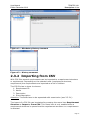
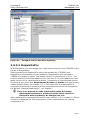
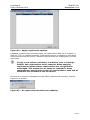
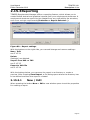
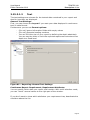
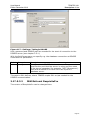
Figure 80 – Report settings
With the buttons on the right side, you can add change and remove settings:
New / Edit
see 2.15.3.1
Delete
Setting(s) are deleted.
Import from XML or TRP
see 2.15.3.3
Export to XML file
see 2.15.3.4
With the buttons below, you can save the report to a directory or create a
preview. After Pressing Save Report, a file dialog opens where the directory has
to be defined and then the report is created.
2.15.3.1
New / Edit
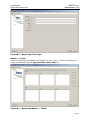
When pressing the button New or Edit a new window opens to set the properties
for creating a report.
Page 60