1
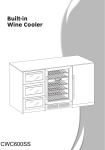
BWC600SS 60 cm 46 Bottle dual temperature wine cabinet User manual for your Baumatic BWC600SS 60 cm 46 Bottle dual temperature wine cabinet NOTE: This User Instruction Manual contains important information, including safety & installation points, which will enable you to get the most out of your appliance. Please keep it in a safe place so that it is easily available for future reference, for you or any person not familiar with the operation of the appliance. GS 04/10/12 2 Contents Environmental note 4 Important safety information 5–6 Specifications of your wine cabinet Dimensions Specifications Description of the appliance Control panel Description of the product features 7-10 7 7-8 8 9 9-10 Using your Baumatic wine cabinet Before switching on During first use Switching on the appliance and setting the temperature Changing between Fahrenheit and Celsius The humidity control box Loading the wine cabinet 10-16 10 10-11 11-12 12 12 12-13 Storing your wines Wine storage problems 13-15 15-16 Cleaning and maintenance Defrosting Removing the shelves for cleaning Moving your wine cabinet Power failure Vacation time 16-18 16-17 17 17 18 18 Installation Electrical connection Positioning Built-in installation Installing the handle Reversing the door of your wine cabinet 18-24 19 20 21 22 22-24 Troubleshooting 24-25 Baumatic consumables 26 Technical data 27 Contact details 28 3 Environmental note Note: Before discarding an old appliance, switch off and disconnect it from the power supply. Cut off and render any plug useless. Cut the cable off directly behind the appliance to prevent misuse. This should be undertaken by a competent person. Disable the door lock to make sure that children cannot get stuck inside the appliance. o The packaging materials that Baumatic uses are environmentally friendly and can be recycled. o Please discard all packaging material with due regard for the environment. 4 Important safety information Your safety is of the utmost importance to Baumatic. Please make sure that you read this instruction booklet before attempting to install or use the appliance. If you are unsure of any of the information contained in this booklet, please contact the Baumatic Advice Line. IMPORTANT: Any installation work must be carried out by a qualified electrician or competent person. Use of the appliance o Your appliance is only designed to be used in the home. It is suitable for storing and chilling wine. NO food stuffs must be stored in the appliance. If it is used for any other purpose or it is not used correctly, then Baumatic Ltd. will accept no liability for any damage that is caused. o Altering the specification of the appliance must not be attempted for reasons of safety. Before using your appliance o Check the appliance for any signs of transport damage. If you notice any damage, then you should not connect your appliance to your mains supply and should contact your retailer. Refrigerant o Your appliance contains R600a refrigerant, which is a natural gas that does not contain CFCs that can damage the environment. However it is a flammable substance, therefore care should be taken: During the transportation and installation of the appliance, make sure that the refrigeration pipework does not get damaged. If it does become damaged then sources of ignition and open flames should be avoided. Also the room that the appliance is situated in should be thoroughly ventilated. o Do not place any objects on top of the appliance, as this may damage the table top. 5 Child safety o Packaging material should be kept away from children. o Children should not be allowed to touch the controls or play with the appliance. General safety o Do not pull on the power supply cable to remove the plug from your mains supply socket. o Do not pull out or insert the plug with wet hands. o Do not attempt to use your appliance outdoors or any place where it is likely to come into contact with the elements. o Before cleaning the appliance or performing maintenance work, ensure that the appliance disconnected from your mains supply. has been o Never allow the back coils of the appliance to come into contact with the wall surface. o Always ensure that the location where you are installing your appliance is free of stored items such as papers and other flammable materials. o Never block the ventilation openings of the appliance, either on the inside or its exterior. o It is vital to keep your appliance well ventilated, so that there is proper air flow between the bottom of the unit and the plinth/kick plate which it is sitting on. o Do not place electrical devices inside of the appliance, such as mixers or ice cream makers. Service You should not attempt to repair the appliance yourself, as this could cause injury or a more serious malfunction. If you require a service call then please contact the Customer Care Department. 6 Specifications of your wine cabinet Dimensions of appliance** Height: Width: Depth: 870 - 890 mm 595 mm 568 mm ** Please refer to the installation instructions for specific information on the size of aperture that you will require. o o o o o o o o o o o o o o o Gross capacity: 145 litres Net capacity: 138 litres Bottle capacity: 46 x 0.75 litre Bordeaux style wine bottles Energy efficiency class: C Noise level: 39 dB Electronic push button control operation LED display Celsius and Fahrenheit switch 6 Adjustable wooden shelves Adjustable temperature Digital thermometer Humidity control box Internal light control Black exterior Stainless steel door frame and handle 7 o o o o Reversible door Adjustable feet Tempered door glass Designed to store wine at its optimum temperature between + 5°C - 22°C IMPORTANT: When you install your appliance it is important to bear in mind its climatic rating. In order to find out the climatic rating of your appliance, you should check the rating plate. The rating plate is located on the front left edge of appliance. The rating plate will indicate the ambient temperature range that your appliance will function correctly within. Model number ……………………………………………… Serial number ……………………………………………… Date of purchase …………………………………………….. Description of the appliance 1) 2) 3) 4) 5) Stainless steel door Stainless steel handle Digital control panel Adjustable shelves Adjustable foot 8 Control panel The control panel is located in the middle of the appliance. 1) 2) 3) 4) 5) 6) Light control button Temperature control button Upper zone display Lower zone display Temperature plus button Temperature minus button This icon indicates that the control panel is for the upper cooling zone. This icon indicates that the control panel is for the lower cooling zone. Description of the product features 1) Control panel o The control panel is located in the middle of the appliance, behind the glass door. This means it is easy to set the temperature of the appliance and see what temperature the appliance is set to. 2) Two cooling zones o There are two cooling zones inside of your wine cabinet; they are separated by a partition that holds the control panel. o Each cooling zone has an independent temperature control and temperature display. 9 3) Interior light o The wine cabinet has an interior light. The light can be switched on and off by using the light control button (1). 4) The wine cabinet shelves o The wooden shelves are fully adjustable to suit various wine bottle shapes and sizes. o To prevent damaging the door gasket, make sure the door is fully open when pulling shelves out of the rail compartment. o For easy access to the bottles stored, pull the shelves out approximately 1/3. Using your Baumatic wine cabinet Before switching on o Make sure that it has been installed by a suitably qualified person, as per the information contained in Baumatic’s installation instructions. o After delivery, wait for eight hours before connecting the appliance to your mains supply. This will allow any refrigerant gasses that may have been disturbed during the transportation process to settle. o The outside of the appliance and the removable accessories contained within it, should be cleaned with a solution of liquid detergent and water. o The interior of the appliance should be cleaned with a solution of sodium bicarbonate dissolved in lukewarm water. The interior and accessories should be thoroughly dried, after the cleaning process has been completed. o There can be an odour when you first switch on the appliance. It will lessen as the appliance starts to cool. 10 During first use IMPORTANT: When you use the wine cabinet for the first time or restart the appliance after it has been turned off for a long time, there could be a few degrees variance between the temperature you select and the one indicated on the LED display. This is normal and it is due to the length of activation time. Once the wine cabinet has been running for a few hours everything will be back to normal. o When you first switch on the appliance, the compressor will run continuously until the wine cabinet reaches a cool enough temperature. o During this period of time, you should try not to open the door frequently or place bottles inside of the appliance. o If the unit is switched off or unplugged, you must allow at least 5 minutes before restarting the appliance or reconnecting it to your mains supply. Switching on the appliance and setting the temperature o To switch the appliance on, press the light control button (1) and the temperature control button (2) simultaneously for 5 seconds. o The temperature for each zone will need to be set individually. The temperature settings for both zones are adjustable within the range of 5°C - 22°C / 40°F - 71°F. o The temperature set for the lower zone must always be the same or higher than that in the upper zone. o When you press the temperature control button (2) for the first time, the LED display will show the factory default temperature setting of 12°C / 54°F for both zones. o Press the temperature control button (2) again and the left LED indicator for the upper zone will flash. Use the plus (5) and minus (6) buttons to set the desired temperature for the upper zone. o Press the temperature control button (2) yet again and the right LED indicator for the lower zone will flash. Use the plus (5) and minus (6) buttons to set the desired temperature for the lower zone. 11 o The temperature will increase by 1°C or 1°F if you touch the plus button once and will decrease by the same amount of you press the minus button once. o When you set a new temperature for either of the zones, the display will show this temperature for 5 minutes before showing the actual zone temperature. During this time, the zone temperature will adjust accordingly. o To view the set temperature in both zones at any time, press the plus or minus button. The display will flash the temperature for 5 seconds. IMPORTANT: When the temperature of a zone is changed, the compressor works harder to reach the required temperature. During this time, the side panels of the wine cabinet can reach up to 45°C however they will cool down when the set temperature is reached. Changing between Fahrenheit and Celsius o You can select whether the temperature displays show Celsius or Fahrenheit. o To alter what the temperature displays are showing, press the light control button (1) for 5 seconds. o You cannot change the display if you are in the process of adjusting the temperature of a cooling zone. The humidity control box (optional) The wine cabinet is equipped with a system for maintaining the correct level of humidity for wine storage. o Fill the small plastic reservoir (humidity box) ¾ full with water and replace. The humidity box is located on the top shelf and secured by runners. o Check the water level regularly and refill as necessary. o IMPORTANT: Please ensure the reservoir is positioned correctly on the runners to avoid the possibility of water spillage. 12 Loading the wine cabinet o IMPORTANT: Your appliance is ideally suited to store 0.75 litre Bordeaux style wine bottles. Whilst it can store larger bottles, you must make sure that they do not prevent the door from shutting properly. o Always check that you can close the door without it fouling on a wine bottle, before shutting it. o When loading several bottles of wine at once, it will take longer for the appliance to cool the individual bottles. o As many bottles may differ in size and dimensions, the actual number of bottles you are able to store may vary. The maximum storage number is based on standard 0.75 litre Bordeaux style wine bottles. o You can place 16 standard bottles in the upper zone with 8 bottles on each shelf. o You can store 30 standard bottles in the lower zone with 8 bottles on each full size shelf and 6 bottles on each half size shelf. 13 Storing your wines The chart below indicates the ideal storage temperatures for different types of wine:Type of wine Red wine (*) White wine (**) Sparkling wines/champagne Rose wine Vintage wine Temperature (Celsius) 15.5 – 18.5°C 10 - 15°C 7.2 – 9.5°C Temperature (Fahrenheit) 59.9 – 65.3°F 50 – 59°F 45 – 49.1°F 9.5 – 10.5°C 13°C 49.1 – 50.9°F 55°F * Light red wines, such as Beaujolais, Pinot Noir and Cabernet Franc benefit from being served slightly cooler than full-bodied reds. ** Chardonnay is often served too cold. You should chill it at a warmer temperature inside of your wine cabinet. Or leave it to warm slightly when you remove it from your wine cabinet. o Temperature stability is the most important factor when it comes to storing wine. o Exposure to light, vibrations or fluctuations in temperature and humidity can all cause wine to spoil. When properly stored, wines not only maintain their quality but many will actually improve in aroma, flavour and complexity as they mature. o Wines kept at a higher temperature will age faster. Wine that is exposed to temperatures that are greater than 21°C (70°F) will suffer from poorer flavour and aroma. o If wine is kept at too low a temperature, this can result in the development of harmful deposits. A humidity of 70% is ideal for keeping corks from shrinking. o After a bottle of wine has been opened, the wine comes into contact with air. So it is best to store the remainder of the bottle upright, to minimize the surface area of the wine that is coming into contact with the air. o Once opened, wine will remain in a drinkable condition for two days for delicate whites or three days for rich reds, as long as the bottle as been resealed. You should make sure that the seal is firm by checking the stopper. 14 o Special stoppers that keep wine sparking and Champagne bubbling for one or two days after opening, can be bought at most good wine shops. o When stored correctly, white wines can keep well for up to two years. Full bodied reds will age well for ten years and dessert wines will age well for up to twenty years. o When you buy a bottle of wine, you should transfer it to a suitable storage location immediately (if you are not going to store it in your wine cabinet). o Cheaper bottles of wine will not age as well as more expensive ones. o To make the most of the bouquet and taste of your wine, never fill more than half a glass at a time. It will also help if the shape of your wine glass is appropriate for your wine. The size and shape of your wine glass’s bowl will determine the intensity and complexity of the bouquet. The stem should be long enough to allow you to avoid hand contact with the bowl of the glass and should be tulip-shaped or tapered at the top. Wine storage problems Corking- a tiny percentage of bottled wine (about 1%) will suffer from this. The cork reacts with the wine and gives it a musty, unpleasant taste. It is the most common wine storage problem and is caused by harmless bacteria growing on the cork. As unfortunate as this is, there is nothing to do but to discard all of the wine in the affected bottle. This is not to be confused with small fragments of cork floating in the wine itself, which will not impair the flavour. Oxidisation- when wine has been opened and left for longer than a day; it tends to lose its aroma and colour, giving an overall flat taste. The only way to avoid this, it to either drink the wine on the same day it was opened or to use a vacuum device specially designed for removing oxygen from opened wine bottles. If you use such a device, the wine should still be consumed shortly afterwards. Ullage- this is loss of wine from the bottle by evaporation or leakage. Signs of ullage include wine seeping around the cork, a protruding cork or a stained label. It can happen if the bottle has been allowed to get too warm. The wine may still be drinkable, if the leakage was recent; however, you should be aware that if the wine cools down again, contraction can cause more air to be sucked into the bottle and result in further deterioration. 15 Slight effervescence in still wine- this isn’t really a problem with the way the wine has been stored, but as a result of incomplete malolactic fermentation before the wine was bottled. A good way to get rid of the effervescence is to let the wine breathe. Alternatively you can use a bottle vacuum device, after about five minutes the effervescence will vanish. Sediment- this is not normally a problem, however both red and white wines can produce sediment after a number of months in a bottle. The sediment consists of tartrate crystals and is totally harmless. If anything the building of sediment can be considered a good sign because it means that the wine was not subjected to much (if any) filtering, meaning that the flavours and aromas should be preserved better. A good way to get around sediment (if it is a problem) is to stand the bottle upright, the day before opening, so that the sediment can settle to the bottom of the bottle. You can also decant your wine; decanting will “open up” the flavour of both young and old wines, but younger wines in particular. To decant, pour the wine slowly and evenly into your decanter. Cleaning and maintenance WARNING: PLEASE ENSURE THAT YOUR APPLIANCE IS DISCONNECTED FROM YOUR MAINS SUPPLY BEFORE ATTEMPTING TO CLEAN IT. o Do not clean the appliance by pouring water onto it or spraying water over it. o The interior of the wine cabinet should be cleaned periodically, using a solution of bicarbonate of soda and lukewarm water. o Clean the accessories separately with soap and water. Do not clean them in a dishwasher. o Do not use abrasive products, detergents or soaps. 16 o After washing the appliance, wipe over the area that you have cleaned with a damp cloth and then dry it thoroughly. o When cleaning is complete, dry your hands and then reconnect the plug to your mains supply. Defrosting o Defrosting occurs automatically inside of the wine cabinet during operation. The defrost water is collected by the evaporating tray and evaporates automatically. o The evaporating tray and defrost water drain hole should be cleaned periodically. This will prevent water from collecting in the bottom of the wine cabinet, instead of flowing down the defrost drainage channel and drain hole. o You can also pour a small amount of water down the drain hole to clean inside of it. o You should be careful to make sure that wine bottles do not touch the rear wall of the appliance, as this can interrupt the automatic defrosting process and deflect water into the base of your wine cabinet. Removing the shelves for cleaning o To remove any of the shelves from the rail compartment, move the shelf to the position where the notch of wooden shelf is exactly under the plastic post and lift the wooden shelf. Please ensure these are replaced when the shelf is put back. o Make sure the shelves are fully engaged before loading any bottle into the cabinet. Pull the shelves out all the way to the STOP position and push them back in several times to make sure the shelves are properly engaged. 17 Moving your wine cabinet If you need to move your wine cabinet to another location you should follow the steps outlined below. o Remove all items from the wine cabinet. o Securely tape down all loose items such as the shelves inside the appliance. o Turn the adjustable foot up to the base to avoid damage. o Tape the door closed. o Be sure the appliance stays secure in the upright position during transportation. Also protect the outside of the appliance with a blanket or similar item. Power failure o Most power failures are corrected within a few hours and should not affect the temperature of your appliance if you minimize the number of times the door is opened. o If the power is going to be off for a longer period of time, you need to take the proper steps to protect the contents. IMPORTANT: If the appliance is unplugged, the power is lost or turned off you must wait 3 to 5 minutes before restarting the wine cabinet. If you attempt to restart before this time delay, the wine cabinet will not turn on. Vacation time Short holidays: Leave the wine cabinet in operation for holidays of less than three weeks. Long absences: If the appliance will not be used for several months, remove all items, turn off the appliance and unplug the electricity cable. Clean and dry the interior thoroughly. To prevent odour and mould growth, leave the door open slightly by blocking it open if necessary. 18 Installation IMPORTANT: Before installation and usage read all the instructions and make sure that the voltage (V) and the frequency (Hz) indicated on the rating plate are exactly the same as the voltage and frequency in your home. The rating plate can be found on the front left edge of the inside of the wine cabinet. The manufacturer declines all responsibility in the event of the installer failing to observe all the accident prevention regulations in force, which are necessary for normal use and the regular operation of the electric system. Electrical connection YOUR WINE CABINET IS INTENDED FOR FITTED AND PERMANENT INSTALLATION. We recommend that the appliance is connected by a qualified electrician, who is a member of the N.I.C.E.I.C. and who will comply with the I.E.E. and local regulations. o Your wine cabinet comes supplied with a 13 amp plug fitted. If in future you need to change the fuse in this plug, then a 13 amp ASTA approved (BS 1362) fuse must be used. o The wiring in the mains lead is coloured as follows: Brown Blue Green and yellow Live Neutral Earth o As the colours of the wires in the appliance’s mains lead may not correspond with the coloured markings identifying the terminals in your spur box, please proceed as follows: The brown wire must be connected to the terminal marked “L” (live), or coloured red. The blue wire must be connected to the terminal marked “N” (neutral), or coloured black. The green and yellow wire must be connected to the terminal marked “E” (earth), or by the earth symbol, or coloured green and yellow. 19 o When the connection is completed, no stray strands or cut wire should be present. The cord clamp must be secured over the outer sheath. Positioning o It is advisable that your appliance is only installed in a location where the ambient temperature of the room, corresponds with the climate classification that is stated on the rating plate of your appliance. Your appliance may not function correctly if the ambient temperature falls outside of the following ranges. Climate classification SN N ST T Appropriate ambient temperature +10 to +32 degrees centigrade +16 to +32 degrees centigrade +18 to +38 degrees centigrade +18 to +43 degrees centigrade o Positioning the appliance requires two people in order to avoid injuries or damage to the appliance. o Your appliance should not be located in direct sunlight or exposed to continuous heat or extremes of temperature (e.g. next to a radiator or boiler). If this is not feasible, then you should install an insulation plate between the appliance and the adjacent heat source. o You should check whether there is an electrical socket available, which will be accessible after your appliance is installed. o Place the appliance flatly and firmly on a solid base. The appliance is fitted with adjustable feet on the front side, which can be used to level the appliance. o Be sure to leave enough space for the opening of the door, to avoid damage to the appliance or personal injury. o IMPORTANT: The vent at the base of the appliance is for ventilation. Nothing should be placed in front of this vent; otherwise your wine cabinet may not operate properly. 20 Built-in installation o Your wine cabinet can be used as a freestanding or a built in unit. The clearances shown in the above drawing should be followed for both types of installation. o In particular the depth dimension must be observed. o IMPORTANT: The vent at the base of the appliance is for ventilation. Nothing should be placed in front of this vent; otherwise your wine cabinet may not operate properly. o A decorative plinth can be fitted to the front of the base vent as long as the cut out shown in the diagram on the next page is made in the plinth. This cut out is required whether the vent is removed or not. 21 Installing the handle o Remove the door gasket on the side you wish to install the handle. You can see two designated holes for handle installation. o Install the handle tightly as shown in the diagram above with the two screws, lock washers and flat washers provided. o Replace the door gasket. Reversing the door of your wine cabinet This appliance has the capability of the door opening from either the left or right hand side. Any parts that you remove from the appliance whilst reversing the door, should be retained for later use. o Open the glass door and remove the two screws, under the right bottom corner of the glass door, that are used to hold the right lower hinge to the door shaft assembly. o Be careful to support the glass door with both hands to prevent it dropping after removing the screws. 22 o Pull down to remove the glass door and place it on a padded surface to prevent scratching it. o Remove the right top hinge and right lower hinge. o Take the left top hinge and left lower hinge from the plastic bag that contained this manual then install them in the designated positions on the left side of the cabinet. o Turn the glass door around 180° and reinstall it. IMPORTANT: Check that the door opens and shuts correctly, without fouling, after you have completed the door reversal process. After the door has been reversed, you should check the door seal of the wine cabinet. The seal should 23 not be creased or crushed; otherwise there will be a gap between it and the inside of the door. o The seal must adhere properly all the way around the door. o If the seal is not adhering to the cabinet properly, then you should either:a) Use a warm damp cloth and manipulate the seal until it does adhere to the cabinet properly, all the way around the door. or b) Use a hair dryer on its lowest heat setting and lightly heat the areas of the door seal that are not adhering correctly. The heat will make the seal more pliable and this will allow you to manipulate the seal into the correct position. IMPORTANT: DO NOT HEAT THE DOOR SEAL ON ANYTHING BUT THE LOWEST HEAT SETTING, OR HEAT THE SEAL FOR A LONG PERIOD OF TIME. OTHERWISE DAMAGE MAY BE CAUSED TO THE DOOR SEAL, WHICH WOULD NOT BE RECTIFIED UNDER THE GUARANTEE FREE OF CHARGE. IMPORTANT: WHEN YOU HAVE REVERSED THE DOOR OF THE APPLIANCE, IF YOU HAVE PLACED THE APPLIANCE ON ITS BACK, YOU MUST WAIT FOR 8 HOURS BEFORE SWITCHING THE APPLIANCE BACK ON. Troubleshooting IMPORTANT: If your wine cabinet appears not to be operating properly, before contacting the Customer Care Department, please refer to the checklist below. PROBLEM Appliance does not operate Temperature inside the appliance is too warm. POSSIBLE CAUSE Not plugged in. The circuit breaker has tripped or the fuse has blown. The temperature controls are set too warm. Set the temperature controls to a cooler setting and allow several hours for the temperature to stabilise. The door is being kept open too long or is being opened too frequently, which is allowing warm air to enter the appliance. The door is not closed completely. The door gasket is not sealing correctly. The appliance has recently been disconnected from the mains supply; it 24 Temperature inside the appliance is too cold Vibration Moisture is forming on the inside of the appliance. Moisture is forming on the outside of the appliance. will take at least four hours for it to get down to temperature again. The temperature controls are set too cold. Set the temperature controls to a warmer setting and allow several hours for the temperature to stabilise. Check to ensure that the appliance is on a level surface. The appliance is touching the back wall behind it. Reposition the appliance and move it from the wall. If vibration continues to occur, then turn off the appliance and unplug it from your mains supply. Then contact the Customer Care Department for assistance. The door is slightly open. The door is being kept open too long or is being opened too frequently. Open the door less often. The door is not sealed properly. The door is slightly open, causing cold air from inside the appliance to meet warm, moist air from the outside. IMPORTANT: If your appliance appears not to be operating correctly, then you should disconnect it from your mains supply and then contact the Customer Care Department on telephone number (0118) 933 6911. DO NOT ATTEMPT TO REPAIR THE APPLIANCE YOURSELF. Please note that if an engineer is asked to attend whilst the product is under guarantee and finds that the problem is not the result of an appliance fault, then you may be liable for the cost of the call out charge. The appliance must be accessible for the engineer to perform any necessary repair. If your appliance is installed in such a way that an engineer is concerned that damage will be caused to the appliance or your kitchen, then he will not complete a repair. This includes situations where appliances have been tiled in, sealed in with sealant, have wooden obstructions placed in front of the appliance, like plinths. Or any installation other than the one specified by Baumatic Ltd. has been completed. Please refer to the conditions of guarantee that appear on the warranty card that you receive with the appliance. 25 Baumatic consumables o BC001 Degreaser for Dishwashers (200g) o BC002 Descaler for Washing Machines and Dishwashers (200g) o BC003 Ceramic Hob Cleaner (250ml) o BC004 Oven Cleaner o BC005 Stainless Steel Cleaner and Protector (250ml) o BC007 E-Cloth – General Purpose Cloth o BC008 Microwave Cover To order a Baumatic consumable product please call 0123 5437 244 and quote the product code. You can also order online from eshop.baumatic.co.uk 26 Technical Data Manufacturer Model Number Product Category Energy Efficiency Class (1) Annual Energy Consumption (2) Storage Volume of Fridge Compartment Storage Volume of Freezer Compartment Star Rating Coldest Storage Temperature Frost Free Compartments Temperature Rise Time Freezing Capacity Climate Class (3) Noise Level Installation Type BAUMATIC BWC600SS 2 – Refrigeration-cellar, Cellar and wine storage appliances C 247 kWh 138 litres N/A N/A Upper Zone: 5°C / Lower Zone: 5°C N/A N/A N/A N 39 dB Built-in This appliance is intended to be used exclusively for the storage of wine. (1) On a scale from A+++ (highest efficiency) to G (lowest efficiency). (2) Annual energy consumption based on standard test results for 24 hours. The actual energy consumption will depend on how the appliance is used and where it is located. (3) This appliance is intended to be used at an ambient temperature between “16°C” (lowest temperature) and “32°C” (highest temperature). 27 United Kingdom Baumatic Ltd., Baumatic Buildings, 6 Bennet Road, Reading, Berkshire RG2 0QX United Kingdom Czech Republic Baumatic CR spol s.r.o. Lípovà 665 460 01 Liberec 4 Czech Republic Sales Telephone (0118) 933 6900 Sales Fax (0118) 931 0035 Customer Care Telephone (0118) 933 6911 Customer Care Fax (0118) 986 9124 Spares Telephone (01235) 437244 Advice Line Telephone (0118) 933 6933 www.baumatic.cz E-mail: [email protected] [email protected] [email protected] [email protected] Website: www.baumatic.co.uk Facebook: www.facebook.com/baumatic.uk Republic of Ireland Service Telephone 1-890 812 724 Spares Telephone 091 756 771 +420 483 577 200 Slovakia Baumatic Slovakia, s.r.o. Galvániho 7/D Slovakia +421 255 640 618 Germany Baumatic Gmbh Bachstr.10-12 D-32257 Bünde Germany +49 (0) 5223 99408 0 www.baumatic.de Italy Baumatic Italia S.R.L. Via Galvani N.3 35011 Campodarsego (PD) +3904 9920 2297 www.baumatic.it Holland Baumatic Benelux B.V. Dukdalfweg 15d 1332 BH ALMERE Nederland +31(0)36 549 1553 www.baumatic.nl 28 29 30 31