1
Operating Manual
EPS04-SMS-001_EN
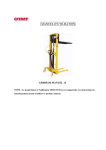
EPS04 Series Power
Platform Stackers
Note: Please be sure to read and understand this manual and
all warning labels on the power stacker before using it.
Welcome to use our EPS Series Power Platform
Stackers. Made of special-purpose profiles, our stackers
feature aesthetic exterior design, durability and simple
operation. For your safety and correct operation, please be
sure to understand this manual and all warning marks on the
stackers.
Note: All the parameters here are as of the publishing date of this
manual. We reserve the right to change our products without a
prior notice. For the latest product parameters, please contact us.
1. Technical Parameters
Type
EPS0412
EPS0415
Load capacity
kg
400
400
Lift height
mm
1200
1500
Fork dimension
mm
650*110
650*110
Entire height
mm
1425
1725
Lowest Fork Height
mm
85
85
185
185
80
80
Lift
Idle load
Speed
Full load
Fall
Idle load
0~75
0~75
speed
Full load
0~115
0~115
DC12V,
DC12V,60AH
mm/sec
Storage battery
60AH
DC12V,
Pump station motor
DC12V,700W
700W
2. Safety Instructions
2.1 Before using the platform stacker, the operator must read
and understand this manual and all warning signs on the
stacker to prevent personal injuries or damage caused by
improper operation.
2.2 No untrained or unauthorised personnel should be
allowed to operate this platform stacker.
1
2.3 Please examine this stacker before use, in particular the
status of the wheels, the brake, the rollers and the
storage battery.
2.4. Do not use this stacker on slopes or oblique surfaces.
2.5 This stacker shall never be used to carry personnel, to
avoid injuries because of fall.
2.6 It is strictly forbidden to touch the part of the roller
operation area on the handle when the goods are lifted.
2.7 Never put the feet in front of the steering wheel, to avoid
injuries caused by the falling object.
2.8 Irrelevant personnel shall be at least 6 m away from the
stacker when the stacker lifts or transports goods.
Personnel shall be strictly forbidden to stand below the
fork.
2.9 The goods weight shall be evenly distributed on both
forks whenever possible. It is prohibited to load only one
fork or place the center of gravity of the goods beyond
both forks.
2.10 Please don’t move the stacker when it rises. After
loading goods, please lower the forks to a lower position
before moving, to avoid injuries caused by falling objects.
2.11 Overload shall be avoided.
2.12 It is strongly recommended to check the battery power
before use. Please immediately recharge the battery in
the case of low power. During the charging, the ambient
environment shall be dry, well ventilated and away from
sparks.
2.13 The stacker shall be protected from rain and water.
Please put it in a dry place after use, and lower the forks
to the lowest position.
2.14 Repair and maintenance shall be carried out in
accordance with the service manual.
2
2.15 Operators shall use the stacker carefully in other special
places without protection.
3. Maintenance
3.1 Hydraulic Oil
The oil mass shall be checked every month. It
recommended to use #32 hydraulic oil (GB11118-89).
kinematical viscosity is 32cSt at 400, and the total quantity
about 1.3 liters. The hydraulic oil shall be changed every
months.
is
Its
is
12
3.2 Daily Check
The daily check can effectively find faults and defects. Please
check the following before operation:
1. Check the stacker for scrape, bend, distortion and crack.
2. Check the oil tank for oil leakage.
3. Check whether the voltage of the storage battery is normal.
4. Check whether the wheels are flexible.
5. Check whether the brake is safe and reliable.
6. Check whether all the screws and nuts are tight.
Warning: Be sure not to use the stacker if there is any fault or
defect.
3.3 Lubrication
Lubricant oil shall be injected to each lubricating point each
month.
Lubricating points
(1) Mandrels and bearings of the wheels – Lubricating oil
(2) Connecting pins and shafts – Lubricating oil
(3) Rollers and shafts – Lubricating oil
(4) Chains and chain wheels – Lubricating oil
(5) Oil nipple – Lubricating oil.
3
4. Operation
4.1 How to Use the Brake
Note: When the stacker does not move, please brake to avoid
accidents.
The brake is installed on the left side of the steering wheel.
1) Press the brake pedal to brake
2) Lift the brake pedal to release
4.2 Fork Lift/Fall
1) Avoid overloading, and try to use the stacker within the
rated load.
2) The load should be at least distributed onto 80 percent of
the platform area. It is forbidden to place a load on either
side or on the front edge of the platform. When the forks
of the stacker are used to transport and stack pallets,
please dismount the panel on the forks.
3) Turn the emergency start button on the control platform
clockwise, connect the power supply, and operate the lift
button in the centre of the control platform, and the forks
will rise; release the button, and the forks will
immediately stop rising; press the fall button, and the
forks will fall, and release the button, the forks will
immediately stop falling.
Warning: Never put any part of the body below the panel and
the forks.
5. Charging of Storage Battery
5.1 When the voltage of the storage battery is lower than 10V,
the battery shall be charged.
5.2 This stacker uses the maintenance-free storage battery,
which does not involve adding water until the service life
of the storage battery ends in the normal condition.
5.3 The ambient environment shall be dry, well ventilated and
4
away from sparks during the charging.
5.4 To charge, please pull out the charger plug on the left side
of the stacker, insert the plug into the socket with the
specified voltage, and pull out the charger plug after the
full charge indicator light on the panel goes on.
5.5 The storage battery shall be charged once each week
when the stacker is out of use for a long time, and each
charging shall last at least two hours.
5.6 The voltage displayed on the indicating gage shall be
lower than 16V during the charging.
5.7 It is strictly prohibited to use the stacker during the
charging.
6. Control Platform
Emergency Button
Up Button
Voltmeter
Down button
6.1 Emergency Button
When you press down this button, the power supply of the
pump station motor will be disconnected; when you turn it
clockwise again, the power supply of the motor will be
connected again.
6.2 Voltmeter
This meter displays the voltage of the storage battery.
5
When the displayed voltage is below 10V, the storage battery
must be charged.
6.3 Up/Down Buttons
These buttons are used to control the rise or fall of the
forks.
7. Troubleshooting
No.
1
Fault
The
forks
Cause
can’t
Countermeasures
- Low hydraulic oil level
- Inject hydraulic oil
The forks can’t be
- No hydraulic oil
- Inject hydraulic oil
raised
- Hydraulic oil is impure
- Replace the hydraulic
reach
the
maximum height
2
oil
3
Pump
station
motor can’t run
- Emergency button is not
- Turn the emergency
switched on.
button clockwise.
- Low voltage of the storage
- Charging the battery.
battery.
-
- Wiring terminal of the power
terminal
line gets loose.
- Replace the parts
-
Motor
contactor
Fasten
the
wiring
is
damaged.
4
- Uneven center of gravity of
-
goods or overloading causes
piston rod or the oil tank
deformation
body.
of
the
large
Replace
the
large
The forks can not
piston rod or the oil tank
fall
body.
- Please lower the forks
- The forks are rusted and
to the lowest position
hard
to
when you do not use the
long-term exposure to air
crane, and make sure to
when the platform stays in the
lubricate the piston rod
higher
in time
to
move
position
6
due
for
an
extended period of time.
- Replace the release
- The release valve of the
valve
hydraulic pump station is
station
of
the
pump
worn or damaged, and thus
can’t be opened.
5
Oil leakage
- Sealing parts are aged or
- Replace the parts
damaged
- Replace the parts
- Some parts are broken
6
Forks lower itself
- The relief valve is unable to
- Replace the hydraulic
be shut tightly due to impure
oil
hydraulic oil
- Sealing parts are aged or
- Replace the parts
damaged
- Replace the parts
- Release valve is damaged
7
Storage
battery
can’t be charged
- Storage battery is damaged
- Replace the parts
- Charging plug gets loose
- Insert it tightly
Note: It is strictly forbidden to repair the stacker
without authorization or training.
7
8. Schematic Diagrams of Electric and Hydraulic System
8.1 Electric Schematic Diagram
No.
1
2
3
4
5
6
7
8
9
10
11
Element Number
U
GB
FU0
KMp
Mp
FU1
SB
P
S1 & S2
YV
VD
Element Name
Charger
Storage battery
Fuse
Contactor
Motor
Fuse tube
Emergency stop switch
Voltmeter
Micro-switch
Solenoid valve
Diode
8
8.2 Schematic Diagram of Hydraulic System
9