1
Model SRV949R 24 X 60 Remote Display Platform Scale
Operating and Service Manual - S/N 1000+
Part No.: MAN949R_110502
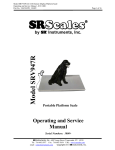
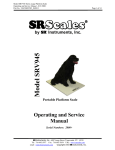
Model SRV949R
by S Instruments, Inc.
Portable Platform Scale
Operating and Service
Manual
Serial Numbers: 1000+
SInstruments, Inc., 600 Young Street, Tonawanda, NY 14150
Tel: 716-693-5977 Fax: 716-693-5854 URL: www.srscales.com
Copyright 2011 SR Instruments, Inc.
email: [email protected]
Page 1 of 16
Model SRV949R 24 X 60 Remote Display Platform Scale
Operating and Service Manual - S/N 1000+
Part No.: MAN949R_110502
Page 2 of 16
TABLE OF CONTENTS
TABLE OF FIGURES......................................................................................................................2 PACKING CHECKLIST – MODEL SRV949R ............................................................................3 ASSEMBLY.......................................................................................................................................4 SYSTEM DESCRIPTION AND INTENDED USE .......................................................................5 MAINTENANCE AND CLEANING ..............................................................................................6 STORAGE AND TRANSPORTATION ........................................................................................6 SPECIFICATIONS...........................................................................................................................7 BUTTON FUNCTIONS ...................................................................................................................8 BASIC SYSTEM OPERATION ......................................................................................................8 BATTERY REPLACEMENT .........................................................................................................9 CALIBRATION ..............................................................................................................................10 CALIBRATION CON’D ................................................................................................................11 CALIBRATION CON’D ................................................................................................................12 CALIBRATION CON’D ................................................................................................................13 TROUBLESHOOTING .................................................................................................................13 WARRANTY...................................................................................................................................14 NOTES .............................................................................................................................................15 TABLE OF FIGURES
Figure 1:
Figure 2:
Figure 3:
Figure 4:
Figure 5:
Assembled SRV949R...................................................................................................... 4 Battery Compartment .................................................................................................... 4 Button Display ................................................................................................................ 8 Button Display .............................................................................................................. 10 Calibration Button ....................................................................................................... 11 SInstruments, Inc., 600 Young Street, Tonawanda, NY 14150
Tel: 716-693-5977 Fax: 716-693-5854 URL: www.srscales.com
Copyright 2011 SR Instruments, Inc.
email: [email protected]
Model SRV949R 24 X 60 Remote Display Platform Scale
Operating and Service Manual - S/N 1000+
Part No.: MAN949R_110502
Page 3 of 16
PACKING CHECKLIST – Model SRV949R
Portable Platform Scale
√
DESCRIPTION
QUANTITY
PORTABLE PLATFORM SCALE
1 ea
REMOTE DISPLAY
1 ea
DISPLAY EXTENSION CABLE
1 ea
AA 1.5-VOLT ALKALINE BATTERIES
6 ea
CALIBRATION CERTIFICATE
1 ea
WARRANTY CARD
MANUAL
1 ea
1 ea
SInstruments, Inc., 600 Young Street, Tonawanda, NY 14150
Tel: 716-693-5977 Fax: 716-693-5854 URL: www.srscales.com
Copyright 2011 SR Instruments, Inc.
email: [email protected]
Model SRV949R 24 X 60 Remote Display Platform Scale
Operating and Service Manual - S/N 1000+
Part No.: MAN949R_110502
Page 4 of 16
ASSEMBLY
Figure 1: Assembled SRV949R
To assemble follow steps below:
STEP 1: Turn scale over and connect extension cable to connector on frame assembly.
STEP 2: Connect other end of extension cable to display coil cable.
To install included six (6) AA 1.5-volt alkaline batteries, follow steps below:
STEP 1:
Unlatch tab on the Battery Compartment cover on bottom of scale (figure 2).
STEP 2:
Insert batteries according to instructions on the Battery Compartment holder.
STEP 3:
Replace Battery Compartment cover.
Figure 2: Battery Compartment
Continued next page
SInstruments, Inc., 600 Young Street, Tonawanda, NY 14150
Tel: 716-693-5977 Fax: 716-693-5854 URL: www.srscales.com
Copyright 2011 SR Instruments, Inc.
email: [email protected]
Model SRV949R 24 X 60 Remote Display Platform Scale
Operating and Service Manual - S/N 1000+
Part No.: MAN949R_110502
Page 5 of 16
REPLACEMENT PARTS AND ACCESSORIES
Part #
Description
CA8467
Remote Display Label
SE8507
Extension Cable
MF2284T52
Replacement Foot
SYSTEM DESCRIPTION AND INTENDED USE
SYSTEM DESCRIPTION
The SRV949R Portable Platform Scale is a low profile design, which allows the animal easy
access. The SRV949R Scale can be used in a fixed location or as a portable scale. The Scale
employs the latest in microprocessor and load cell technology to provide accurate and repeatable
weight data. Six (6) identically matched transducers are strategically placed to ensure an accurate
representation of the patient’s weight.
The patient’s weight is displayed on an LCD screen. With a push of a button, weight data may be
viewed in either pounds or kilograms.
INTENDED USE
The SRV949R Portable Platform Scale is a lightweight portable scale designed for use as a
weighing system for animals not exceeding 400 pounds or 182 kilograms, gross weight. Please
read the following warnings to avoid injury to the animal or attendant.
WARNING
DO NOT USE FOR ANIMAL TRANSPORT
DO NOT EXCEED MAXIMUM LIMIT OF 400 LBS / 182 KG
SInstruments, Inc., 600 Young Street, Tonawanda, NY 14150
Tel: 716-693-5977 Fax: 716-693-5854 URL: www.srscales.com
Copyright 2011 SR Instruments, Inc.
email: [email protected]
Model SRV949R 24 X 60 Remote Display Platform Scale
Operating and Service Manual - S/N 1000+
Part No.: MAN949R_110502
Page 6 of 16
MAINTENANCE and CLEANING
The SRV949R Portable Platform Scale is made with a powder-coated aluminum platform.
Exercise caution when cleaning the display window as it is made of a clear plastic and can be
scratched by abrasive cleaners. Mild soap and water is recommended for general cleaning and
disinfecting.
WARNING
DO NOT use pressurized water or steam.
The scale system contains microprocessor
circuitry and strain gauge sensors that may
be adversely affected by exposure to such an
environment.
STORAGE and TRANSPORTATION
STORAGE
If storing this equipment for periods longer than three (3) months, remove the batteries. To
maintain proper operation of this instrumentation, storage and transport conditions should not vary
outside the following conditions: Relative Humidity 0% to 85%, Ambient Temperature 14°F to
122°F (-10°C to +50°C).
TRANSPORTATION
The SRV949R Portable Platform Scale has four (4) recessed handles on the underside of the scale
for easy portability.
SInstruments, Inc., 600 Young Street, Tonawanda, NY 14150
Tel: 716-693-5977 Fax: 716-693-5854 URL: www.srscales.com
Copyright 2011 SR Instruments, Inc.
email: [email protected]
Model SRV949R 24 X 60 Remote Display Platform Scale
Operating and Service Manual - S/N 1000+
Part No.: MAN949R_110502
Page 7 of 16
SPECIFICATIONS
MAXIMUM WEIGHT CAPACITY
PLATFORM SIZE
DISPLAY TYPE
DISPLAY RESOLUTION
400 lb / 182 kg
24 in x 60 in x 2 in
(61 cm x 153 cm x 5 cm)
.75” LCD display with 4.5 active digits
0.2 lb / 0.1 kg
ACCURACY
0.2% +/- 2 digits of displayed resolution for calibrated
range
AUTO ZERO
One button operation / Hold for zero
AUTO POWER DOWN
AVERAGING
POWER SUPPLY
CALIBRATION
Approximately 120 seconds
Automatic digital filter
Six (6) AA 1.5 volt alkaline batteries
Calibration is traceable to NIST standards
OPERATING CONDITIONS
Normal operating conditions for this product:
Ambient Temperature Range: 68°F to 85°F (20°C to
30°C), Relative Humidity Range: 0%-85%.
Avoid
exposure to high-pressure water or steam.
TRANSPORT and STORAGE
Storage and transport conditions should not vary
outside the following conditions: Relative Humidity
0% to 85%, Ambient Temperature 14°F to122°F (-10°C
to +50°C). Remove batteries if storing longer than
three (3) months.
SInstruments, Inc., 600 Young Street, Tonawanda, NY 14150
Tel: 716-693-5977 Fax: 716-693-5854 URL: www.srscales.com
Copyright 2011 SR Instruments, Inc.
email: [email protected]
Model SRV949R 24 X 60 Remote Display Platform Scale
Operating and Service Manual - S/N 1000+
Part No.: MAN949R_110502
Page 8 of 16
BUTTON FUNCTIONS
Figure 3: Button Display
ZERO
The “ZERO” button is used to turn the scale on or off. Press and hold for 3 seconds
to zero the display.
MODE
WEIGH
The “MODE” button is used to select pounds or kilograms.
The “WEIGH” button is used to “wake up” the scale prior to weighing the patient.
BASIC SYSTEM OPERATION
TURNING SYSTEM ON
Make sure the scale is free and clear of any obstructions and all six (6) feet are touching a level
surface. Press the “ZERO” button and hold for 3 seconds. The display will read “ZERO” then
“- - - - -” and display “0.0” when system is ready for weighing.
Continued next page
SInstruments, Inc., 600 Young Street, Tonawanda, NY 14150
Tel: 716-693-5977 Fax: 716-693-5854 URL: www.srscales.com
Copyright 2011 SR Instruments, Inc.
email: [email protected]
Model SRV949R 24 X 60 Remote Display Platform Scale
Operating and Service Manual - S/N 1000+
Part No.: MAN949R_110502
Page 9 of 16
BASIC SYSTEM OPERATION cont’d
UNIT
Press the “MODE” button to toggle between pounds or kilograms. The system will remain in the
same mode as last used unless manually changed. (Example: If the last weight displayed was in
kilograms and the scale shuts down, the weight mode will be in kilograms when the scale is turned
back on.)
WEIGH
The “WEIGH” button is used to “wake up” the scale prior to weighing the patient.
BATTERY REPLACEMENT
The Portable Platform Scale contains six (6) AA 1.5-volt alkaline batteries. The low battery
indicator is displayed when the battery power is insufficient to power the scale.
Refer to Assembly Instructions (Figure 2).
SInstruments, Inc., 600 Young Street, Tonawanda, NY 14150
Tel: 716-693-5977 Fax: 716-693-5854 URL: www.srscales.com
Copyright 2011 SR Instruments, Inc.
email: [email protected]
Model SRV949R 24 X 60 Remote Display Platform Scale
Operating and Service Manual - S/N 1000+
Part No.: MAN949R_110502
Page 10 of 16
CALIBRATION
IMPORTANT
CALIBRATION CHECK
Qualified service personnel only should perform this
procedure. Load cells have no user serviceable components and should not be tampered
with for any reason. Re-calibration is generally not required, but should be verified
periodically to ensure accuracy. The recommendation for calibration check is at least
once every 12 months, or as individual maintenance policy requires.
Figure 4: Button Display
NOTE: Ensure that nothing is in contact with the scale system during this procedure and that
all six (6) feet are touching a level surface. Remove hands from the system when noting the
displayed calibration results. (Use a known calibrated weight traceable to NIST.)
STEP 1: First, place scale platform on a flat surface and adjust scale feet so that scale is level
and supported by the feet.
STEP 2: Perform a Two-Point Calibration with 400 pounds full scale according to Steps 3 – 8.
Continued next page
SInstruments, Inc., 600 Young Street, Tonawanda, NY 14150
Tel: 716-693-5977 Fax: 716-693-5854 URL: www.srscales.com
Copyright 2011 SR Instruments, Inc.
email: [email protected]
Model SRV949R 24 X 60 Remote Display Platform Scale
Operating and Service Manual - S/N 1000+
Part No.: MAN949R_110502
Page 11 of 16
CALIBRATION con’d
STEP 3: To access all settings below, press the CAL button (S2) through the access hole in the
back of the display housing.
Figure 5: Calibration Button
STEP 4: The display will read “CAL”. The Right Button (WEIGH) on the front of the display
housing allows you to toggle through the menus without saving any parameters. The Left
Button (ZERO) on the front of the display housing permits a menu item to be selected or a
parameter saved.
CAL MENU:
“data”
“Unit”
“SEC”
“grAv”
“FULL”
“HALF”
“ZERO”
“2 Pt”
“3 Pt”
“SAVE”
“qUIt”
Displays saved calibration and model information.
Set display units ( Lb , Kg, Both)
Set Auto Power Down Timer between 15 and 300 seconds.
Set Gravitational Acceleration in m/s2
Applied calibrated mass at full scale.
Used with three point calibration curve. Applied calibrated mass at a second
point between zero and full scale, usually at half.
No calibrated weight applied.
Two- point calibration curve, zero and full scale.
Three-point calibration curve; zero, half and full scale.
Saves the calibration data.
Quits without saving the calibration data.
Continued next page
SInstruments, Inc., 600 Young Street, Tonawanda, NY 14150
Tel: 716-693-5977 Fax: 716-693-5854 URL: www.srscales.com
Copyright 2011 SR Instruments, Inc.
email: [email protected]
Model SRV949R 24 X 60 Remote Display Platform Scale
Operating and Service Manual - S/N 1000+
Part No.: MAN949R_110502
Page 12 of 16
CALIBRATION con’d
STEP 5: Set Auto Power Down Timer
NOTE: Set time to 60 seconds prior to QC inspection.
a. Select the Auto Power Down Timer from the CAL menu by pressing the Left Button
when the display shows “SEC”.
b. The display will show four digits <0123>.
c. Set the desired time in seconds by selecting the first digit and toggle through the digits
until desired value is shown. Press the Left Button and continue the same with the
remaining digits. The value can not be less than 15 or greater than 300.
d. Press the Left Button to save or Right Button to toggle to "quit". Select "quit" by
pressing the Left Button to quit without saving changes.
STEP 6: Set the Full-Scale value.
NOTE: Full scale value is 400 pounds.
a. Select the Full-Scale from the CAL menu by pressing the Left Button when the display
shows “FULL”.
b. The display will show only the five digits <XXXX.X> with the thousand-place
flashing <1>. Toggle to the next digit by pressing the Right Button.
c. Set the full scale value (maximum load) in pounds by toggling to the hundred-place by
pressing the Right Button. Select the hundred-place digit and toggle through the digits
until desired value is shown. Press the Left Button and continue the same with the
remaining digits.
d. Press the Left Button to save or Right Button to toggle to "quit". Select "quit" by
pressing the Left Button to quit without saving changes.
STEP 7: Calibrate the scale with Two-point calibration curve; zero and full scale.
a. Select Two-point calibration curve by pressing the Left Button when the display shows
“2Pt”
b. Zero the scale by pressing the Left Button when the display shows “zero”.
c. Set the full-scale-point by placing the calibrated mass equal to the predetermined full
scale value on the scale and pressing the Left Button.
d. Press the Left Button to save or Right Button to toggle to “quit”. Select “quit” by
pressing the Left Button to quit without saving changes.
Continued next page
SInstruments, Inc., 600 Young Street, Tonawanda, NY 14150
Tel: 716-693-5977 Fax: 716-693-5854 URL: www.srscales.com
Copyright 2011 SR Instruments, Inc.
email: [email protected]
Model SRV949R 24 X 60 Remote Display Platform Scale
Operating and Service Manual - S/N 1000+
Part No.: MAN949R_110502
Page 13 of 16
CALIBRATION con’d
STEP 8: Save the parameter changes while in the CAL mode by pressing the Left Button when
the display shows “SAVE”. To exit the CAL mode without saving the changes press
the Left Button when the display shows “quit”.
CALIBRATION TOLERANCE FOR SRV949R
Low Limit
Applied Load
High Limit
(lb)
(lb)
0
400
(lb)
399
401
CAUTION
The integrated circuits and semiconductors on
the printed circuit boards may be damaged
by electrostatic discharge (ESD). Be sure to
use proper handling precautions at all times.
TROUBLESHOOTING
SYMPTOM
REASON/CORRECTIVE ACTION
Display reads LOW
Battery needs to be replaced.
Display reads LOW
Ensure scale is on a level surface. Check to make
sure all six feet are touching ground and ensure
that nothing is touching bottom or sides of
platform.
For additional information or assistance, phone our Service Hotline: 1-800-654-6360
or e-mail: [email protected]
SInstruments, Inc., 600 Young Street, Tonawanda, NY 14150
Tel: 716-693-5977 Fax: 716-693-5854 URL: www.srscales.com
Copyright 2011 SR Instruments, Inc.
email: [email protected]
Model SRV949R 24 X 60 Remote Display Platform Scale
Operating and Service Manual - S/N 1000+
Part No.: MAN949R_110502
Page 14 of 16
WARRANTY
TWO (2) YEAR LIMITED WARRANTY
Each S system is manufactured with high quality components. SR Instruments, Inc.
warrants that all new equipment will be free from defects in material or workmanship, under
normal use and service, for a period of two (2) years from the date of purchase by the original
purchaser. Normal wear and tear, injury by natural forces, user neglect, and purposeful
destruction are not covered by this warranty. Warranty service must be performed by the factory
or an authorized repair station. Service provided on equipment returned to the factory or
authorized repair station includes labor to replace defective parts. Goods returned must be shipped
with transportation and/or broker charges prepaid. SR Instruments, Inc.’s obligation is limited to
replacement of parts that have been so returned and are disclosed to SR Instruments, Inc.’s
satisfaction to be defective. The provisions of this warranty clause are in lieu of all other
warranties, expressed or implied, and of all other obligations or liabilities on SR Instruments,
Inc.’s part, and it neither assumes nor authorizes any other person to assume for SR Instruments,
Inc. any other liabilities in connection with the sale of said articles. In no event shall SR
Instruments, Inc. be liable for any subsequent or special damages. Any misuse, improper
installation, or tampering, shall void this warranty.
DAMAGED SHIPMENTS
Title passes to purchaser upon delivery to Transportation Company. Any claims for shortage or
damage should be filed with the delivery carrier by purchaser.
RETURN POLICY
All products being returned to SR Instruments, Inc. require a Return Goods Authorization number
(RGA). To receive an RGA, call our Technical Service Team at 716-693-5977 or toll-free in the
USA and Canada at 800-654-6360.
When inquiry is made, please supply model and serial numbers, purchase order, if the scale was
bought on contract, and reason for return.
Generally, deleted, damaged, and outdated merchandise will not be accepted for credit.
minimum restocking charge of 15% will be assessed on return of current merchandise.
A
All returns are to be shipped FREIGHT PREPAID to: SR Instruments, Inc., 600 Young Street,
Tonawanda, NY 14150.
RESTOCKING FEE
•
15% fee for any scale that has been opened and used
•
10% fee for any scale returned that has been ordered incorrectly or refused delivery with
no model change
•
5% fee if an error in ordering has been made and a different model exchanged
•
No fees will be charged if the scale is returned because of an error on the part of SR
Instruments, Inc.
•
No returns accepted after 60 days.
SInstruments, Inc., 600 Young Street, Tonawanda, NY 14150
Tel: 716-693-5977 Fax: 716-693-5854 URL: www.srscales.com
Copyright 2011 SR Instruments, Inc.
email: [email protected]
Model SRV949R 24 X 60 Remote Display Platform Scale
Operating and Service Manual - S/N 1000+
Part No.: MAN949R_110502
NOTES
SInstruments, Inc., 600 Young Street, Tonawanda, NY 14150
Tel: 716-693-5977 Fax: 716-693-5854 URL: www.srscales.com
Copyright 2011 SR Instruments, Inc.
email: [email protected]
Page 15 of 16
Model SRV949R 24 X 60 Remote Display Platform Scale
Operating and Service Manual - S/N 1000+
Part No.: MAN949R_110502
By SInstruments, Inc.
Precision & Technology in
Perfect Balance ®
SInstruments, Inc., 600 Young Street, Tonawanda, NY 14150
Tel: 716-693-5977 Fax: 716-693-5854 URL: www.srscales.com
Copyright 2011 SR Instruments, Inc.
email: [email protected]
Page 16 of 16