1
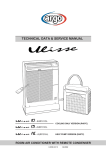
TECHNICAL DATA
& SERVICE MANUAL
INDOOR UNIT:
KAF94R5TA-
SPLIT SYSTEM AIR CONDITIONER
Model No.
KAF94R5TA-
Product Code No.
387105948
KAF94R5TA-
0.8180.359.0
06/2005
• Ground the unit following local electrical codes.
• The Yellow/Green wire cannot be used for any connection
different from the ground connection.
• Connect all wiring tightly. Loose wiring may cause overheating
at connection points and a possible fire hazard.
• Do not allow wiring to touch the refrigerant tubing, compressor,
or any moving parts of the fan.
• Do not use multi-core cable when wiring the power supply and
control lines. Use separate cables for each type of line.
IMPORTANT!
Please read before installation
This air conditioning system meets strict safety and operating
standards.
For the installer or service person, it is important to install or
service the system so that it operates safely and efficiently.
For safe installation and trouble-free operation, you must:
• Carefully read this instruction booklet before beginning.
• Follow each installation or repair step exactly as shown.
• Observe all local, state and national electrical codes.
• Pay close attention to all warning and caution notices given in
this manual.
•The unit must be supplied with a dedicated electrical line.
When transporting
Be careful when picking up and moving the indoor and outdoor
units. Get a partner to help, and bend your knees when lifting to
reduce strain on your back. Sharp edges or thin aluminium fins on
the air conditioner can cut your fingers.
WARNING
When installing...
... In a ceiling or wall
Make sure the ceiling/wall is strong enough to hold the unit-weight.
It may be necessary to build a strong wooden or metal frame to
provide added support.
This symbol refers to a hazard or unsafe practice which can result
in severe personal injury or death.
... In a room
Properly insulate any tubing run inside a room to prevent
"sweating", which can cause dripping and water damage to walls
and floors.
CAUTION
This symbol refers to a hazard or unsafe practice which can result
in personal injury or product or property damage.
... In moist or uneven locations
Use a raised concrete base to provide a solid level foundation for
the outdoor unit.
This prevents damage and abnormal vibrations.
If necessary, get help
These instructions are all you need for most installation sites and
maintenance conditions.
If you require help for a special problem, contact our sale/service
outlet or your certified dealer for additional instructions.
... In area with strong winds
Securely anchor the outdoor unit down with bolts and a metal
frame. Provide a suitable air baffle.
In case of improper installation
The manufacturer shall in no way be responsible for improper
installation or maintenance service, including failure to follow the
instructions in this document.
... In a snowy area (for heat pump-type systems)
Install the outdoor unit on a raised platform that is higher than
drifting snow. Provide snow vents.
SPECIAL PRECAUTIONS
When connecting refrigerant tubing
• Keep all tubing runs as short as possible.
• Use the flare method for connecting tubing.
• Apply refrigerant lubricant to the matching surfaces of the flare
and union tubes before connecting them; screw by hand and
then tighten the nut with a torque wrench for a leak-free
connection.
• Check carefully for leaks before starting the test run.
• During installation, connect before the refrigerant system and
then the wiring one; proceed in the reverse orden when removing
the units.
WARNING
When wiring
ELECTRICAL SHOCK CAN CAUSE SEVERE
PERSONAL INJURY OR DEATH. ONLY A QUALIFIED,
EXPERIENCED ELECTRICIANS SHOULD ATTEMPT
TO WIRE THIS SYSTEM.
NOTE:
Depending on the system type, liquid and gas lines may be either
narrow or wide. Therefore, to avoid confusion, the refrigerant
tubing for your particular model is specified as narrow tube for
liquid, wide tube for gas.
• Do not supply power to the unit until all wiring and tubing are
completed or reconnected and checked, to ensure the grounding.
• Highly dangerous electrical voltages are used in this system.
Carefully refer to the wiring diagram and these instructions when
wiring.
Improper connections and inadequate grounding can cause
accidental injury and death.
When servicing
• Turn the power OFF at the main power board before opening
the unit to check or repair electrical parts and wiring.
• Keep your fingers and clothing away from any moving parts.
• Clean up the site after the work, remembering to check that no
metal scraps or bits of wiring have been left inside the unit being
serviced.
• Ventilate the room during the installation or testng the refrigeration
system; make sure that, after the installation, no gas leaks are
present, because this could produce toxic gas and dangerous
if in contact with flames or heat-sources.
2
Table of Contents
Page
4
4
5
1. SPECIFICATIONS
1-1
1-2
Unit Specifications
Major Component Specifications
2. DIMENSIONAL DATA
6
3. ELECTRICAL DATA
7
7
7
3-1
3-2
Electric Wiring Diagrams
System Wiring Diagrams
4. FUNCTION
4-1
4-2
4-3
4-4
4-5
4-6
4-7
4-8
4-9
4-10
4-11
4-12
Cool Mode Operation
Heat Mode Operation
Auto (Cool/Heat) Mode Operation
Dry Mode Operation
Fan Mode Operation
Protection Operations in Cool and Dry Modes
Protection Operations in Heat Mode
Sleep Function
Daily Timer Function
IFEEL Function
Manual Unit Control and Led Indicator
Recovery from Power Failure
5. TROUBLESHOOTING
5-1
5-2
5-3
5-4
5-5
Check before and after Troubleshooting
Air conditioner does not operate
Some part of Air conditioner does not operate
Air conditioner operates, but abnormalities are observed
If a Sensor is defective
6. CHECKING ELECTRICAL COMPONENTS
6-1
6-2
6-3
Measurement of Insulation Resistance
Checking Continuity of Fuse on PCB Ass'y
Checking Motor Capacitor
3
8
8
9
10
11
11
12
14
17
17
17
18
18
19
19
20
24
25
27
28
28
29
29
1. SPECIFICATIONS
1-1 Unit Specifications
KAF94R5TAPower source
220 - 240 V ~ 50 Hz
Voltage rating
230 V
Performance
Capacity
Air circulation
High/Med./Low
Features
Controls/Temperature controls
Control unit
Timer
Fan speed
Airflow direction
Air Filter
Power noise level
Refrigerant tubing connections
Refrigerant
tube diameter
Refrigerant
Refrigerant tube kit / Air clean filter
Dimensions & Weight
Unit dimensions
Package dimensions
Weight
m³/h
Horizontal
Vertical
High/Med./Low
dB(A)
Narrow tube
Wide tube
mm(in.)
mm(in.)
Height
Width
Depth
Height
Width
Depth
Net
Shipping
mm
mm
mm
mm
mm
mm
kg
kg
m3
Shipping volume
Cooling
Heating
See catalogue with the requested matching
400 / 360 / 300
Microprocessor/ I.C. thermostat
Wireless remote control unit
ON/OFF 24 hours
3 and Auto
Manual
Manual
Washable, Anti-Mold
51 / 48 / 42
Flare type
6.35 (1/4)
9.52 (3/8)
R410A
Optional / Optional
700
560
200
770
620
265
18
20
0,13
DATA SUBJECT TO CHANGE WITHOUT NOTICE
4
1-2 Major Component Specifications
KAF94R5TAController PCB
Part No.
Controls
Control circuit fuse
WSA - 128
Microprocessor
250 V - 3.15 A
Remote Control Unit
RC-2 (RC) - RC-7 (RC)
Fan & Fan Motor
Type
Q'ty ……. Dia. and lenght
Fan motor model…Q'ty
No. of poles…rpm (230 V, High)
Nominal output
Running Amps
Power input
Coil resistance (Ambient temp. 25 °C )
Safety devices
µF
VAC
Cross - flow
1…. Ø 100 / L 410
K35406-M01892…1
4…1196
27
0.12
26
GRY-WHT: 545÷630
WHT-VLT: 92÷105
VLT-YEL: 62÷71
GRY-BRN: 78÷90
Thermal protection
150 ± 10
Automatic
1
450
mm
m²
Aluminium plate fin / Copper tube
1
1,4
0,185
κΩ
NTC sensor
10 ± 3%
κΩ
NTC sensor
10 ± 5%
mm
W
A
W
Ω
Type
Operating temp. Open
Close
°C
Run capacitor
Heat Exch. Coil
Coil
Rows
Fin pitch
Face area
Thermistor ( Coil sensor TH1)
Type
Resistance (at 25 °C)
Thermistor ( Room sensor TH2)
Type
Resistance (at 25 °C)
DATA SUBJECT TO CHANGE WITHOUT NOTICE
5
2. DIMENSIONAL DATA
KAF94R5TA-
Unit: mm
6
3. ELECTRICAL DATA
3-1 Electric Wiring Diagrams
KAF94R5TA-
3-2 System Wiring Diagrams
Cooling only Models
Heat Pump Models
Heat Pump Models: disconnect the resistor from the indoor unit twin wire cable
and connect the suppied twin wire cable instead.
7
4. FUNCTION
4-1 Cool Mode Operation
(RT - SPT) [ oc]
+3
+2
+1
0
-1
over 3 min
over 5 min
ON
COMP
OFF
ON
OFAN
OFF
over 30 sec
H
IFAN
M
L
ON
RV
OFF
In Cool Mode, the operation of the Compressor (COMP), Outdoor Fan (OFAN) and Indoor Fan (IFAN)
are determined by the difference between the Room Temperature (RT) and the Set Point Temperature (SPT)
as in the graph above.
Notes:
1. In this graph, the IFAN is operating in the “Auto Fan Speed” setting. If the user has selected the low,
medium or high fan speed, the IFAN will run constantly at that speed only.
2. In addition to the value of (RT-SPT), the operations of the relays are also controlled by protection delays.
For example, (a) the minimum On/Off time of the COMP is 5 min and 3 min respectively, and (b) the
IFAN can change speed only after it has operated at the same speed for 30 sec.
8
4-2 Heat Mode Operation
(RT - SPT) [ oc]
+1
0
-1
-2
-3
ON
COMP
OFF
30 sec
H
M
IFAN
L
OFF
Note 1
ON
RV
Note 2
OFF
The Heat Mode operation is similar to the Cool Mode operation. The COMP, OFAN and IFAN are mainly
controlled by the value of (RT – SPT). In the graph above, the IFAN is operating in Auto Fan speed mode.
Therefore, the IFAN speed changes automatically according to the (RT - SPT).
Note 1: The 30s IFAN operation is for purging the heat from the in-coil after COMP has stopped.
Note 2: The IFAN will not be turned on until the in-coil temperature is high enough (as shown in the graph
below) to prevent the unit from supplying cool air.
IFAN Speed
ICT = In-coil Temperature
Any = Hi, Med or Low fan speed which is
selected by the user. In Auto Fan Speed
Mode, the fan speed is selected by the unit
automatically instead.
Low = The indoor fan is forced to operate at low speed
Any
Low
Stop
30
35
40
ICT [ oc]
9
4-3 Auto (Cool/Heat) Mode Operation
(RT - SPT) [ oc]
+2
+1
0
-1
-2
COMP
& OFAN
ON
OFF
ON
RV
OFF
Auto Heat Mode
Auto Cool Mode
Auto Heat Mode
In Auto Mode, the unit switches between the Auto Cooling Mode and Auto Heating Mode automatically to
maintain the room temperature (RT) at the set point temperature (SPT).
10
4-4 Dry Mode Operation
(RT - SPT) [ oc]
+2
+1
0
10
20
40
30
50
Time [ min]
-1
-2
DRY-ON
DRY
DRY-OFF
LOW
IFAN
OFF
5 minutes COMP
ON time
COMP
& OFAN
ON
OFF
Max 15 minutes
3.5 min
Max 15 minutes
(Note 1)
6 min
(Note 2)
In Dry Mode, the unit operates in a mild cool mode to lower the humidity of the room. In order to
maintain a high efficiency in the drying operation without over lowering the room temperature excessively,
the Dry Mode is different from the Cool Mode in two ways.
1. The IFAN is forced to operate at low speed only. And, the IFAN is turned off with the COMP.
2. The unit operates in either the “Dry-on” state or the “Dry-off” state. If RT = SPT, the unit will operate
in “Dry-off” state. The COMP is forced to operate for 6 min after it has stopped working for 15 min.
If RT > SPT, the unit will operate in “Dry-on” state. The COMP is forced off for 3.5 min after it has
been working for 15 min.
Note 1: COMP is forced off in Dry-on state.
Note 2: COMP is forced to operate in Dry-off state.
4-5 Fan Mode Operation
In Fan Mode, the indoor fan is turned on to improve the air circulation in the room. COMP and OFAN
remain OFF all the time.
Note: If the user has selected the Auto Fan Speed setting, the IFAN speed would be selected by the unit
automatically according to the difference between RT and SPT, as in Cool Mode.
11
4-6 Protection Operations in Cool and Dry Modes
1. Indoor Coil Defrost Protection
The in-coil defrost protection can prevent the ice formation at the in-coil when the ambient
temperature is low.
ICT [oc]
+5
+2
+1
0
-1
t1
t2
t3
ON
OFAN
OFF
ON
COMP
OFF
ON
IFAN
OFF
12
2. Outdoor Coil High Pressure Protection
The out-coil high pressure protection prevent the build up of high pressure at the out-coil during
cooling operation.
OCT [oc]
64
61
55
52
ANY
COMP
OFF
COMP is f orced OFF
OFAN f ollow operation of COMP
ANY
OFAN
ON
OFAN is f orced ON (Note 1)
ANY
IFAN
OPER
LED
L
IFAN is f orced LOW
ON
BLINK
Note 1: In some applications, the outdoor fan and the compressor are controlled together by the COMP relay
output from the controller. In this case, it will take more time for the out-coil to cool down during the
high pressure protection, because the outdoor fan will be turned off with the compressor instead of
working as in the graph above.
13
4-7 Protection Operations in Heat Mode
1. Outdoor Coil Deice Protection
The deice process is controlled by an Ice Detection Algorithm (IDA). The IDA is an unique control
algorithm incorporated to maintain optimal utilization of the heat pump capacity, especially in below-zero
outdoor temperature condition. The out-coil deicing will be activated not only by static temperature
detection as normally done, but also while ice forming is detected on the out-coil.
COMP to ON
DI = 40 (or 10)
DT = 5
1
Activate DDt setting
Routine
Start counting TLD
DTF = 0
OCT < DOC ?
No
Yes
DDT and DTF information from Deicing
Dynamic Threshold setting routine
No
TLD > DI
&
OCT < DST
(during last 3 minutes)
DTF=1
&
OCT < DDT
(during last 3 minutes)
&
ICT < 40 deg
No
Yes
Yes
Deicer activation
(see Notes)
Deicer activation
(see Notes)
LDT > DT + TimeD
LDT < DT-TimeD
or
LDT < DTmin
No
Yes
Yes
DI = TLD - DIT
DI = TLD + DIT
No
DI < DImin
Yes
DI = DImin
No
DI > DImax
Yes
DI = DImax
DT = LDT
1
14
No
DI = TLD
1st COMP start,
OR deice complete
Yes
No
Reset TLD cnt to 0
DTF = 0
IFAN/OFAN
speed change
Yes
No
Reset SCT cnt to 0
DTF = 0
TLD > TST
AND
SCT > SCD
Yes
No
DDT = OCT - TempD
DTF = 1
DDT and DTF information
to main algorithm
Explanation:
The “Ice Forming Detection” will be done by two algorithms –
1. In Dynamic Temp Detection, the ice formation will be detected by
(i) Compare the OCT with a Deicing Dynamic Temperature Threshold, and
(ii) Detect the drop in ICT which accompany the ice formation.
2. The Static Temp Detection will be done by comparing the OCT with a Deicing Static Temperature
Threshold.
The Deicing Data Record is used to determine the time delay between two deicing cycles. In general, the time
delay will be increased if the last deicing cycle can be completed quickly.
15
2
Indoor Coil High Pressure Protection in Heat Mode
The in-coil high pressure protection prevent the build up of high pressure at the in-coil during
heating operation.
ICT [ oc]
64
A
B
ANY
COMP
OFF
COMP is forced OFF
ANY
OFAN
OFF
Note:
The operation temperatures shown as A and B in the chart differ by models.
A
B
WSA-78
50
42
WSA-98
54
45
WSA-128
58
50
16
4-8 Sleep Function
Room temperature is automatically controlled to compensate for body temperature variations while
sleeping. This mode of operation is designed for maximal comfort in both COOL and HEAT modes.
RT
Unit is turned to SB
af ter Sleep
7-12 Hours Sleep operation
SPT+3
Cool, Dry modes
SPT+2
SPT+1
SPT
SPT-1
SPT-2
Heat mode
SPT-3
Start
Sleep
1
2
3
4
7 - 12
Time [Hr]
4-9 Daily Timer Function
Unit can be programmed to be ON and OFF automatically at preset time everyday, by using a remote
controller. The resolutions of the ON/OFF timers are 10 min.
4-10 IFEEL Function
This feature is provided if the unit is used together with a remote controller with the I-FEEL function.
When this function is selected, the remote controller sends the room temperature measured by its build-in
thermistor to the air con for more accurate temperature control
17
4-11 Manual Unit Control and Led Indicator
The push button switch and the LED indicators on the display panel let the user to control the unit
operation without a remote controller. Their operations are provided below.
LED indicators:
STAND BY
INDICATOR
OPERATION
INDICATOR
TIMER INDICATOR
1. Lights up when the Air Conditioner is connected to power and
ready to receive the R/C commands
2. Blinks continuously in case of any thermistor failure.
1. Lights up in operation mode (Note: OFF in standby mode).
2. Blinks for 0.5 sec., to announce that a R/C infrared signal has
been received and stored.
3. Blinks continuously during
• OCT High Pressure Protection Mode
• Deicing in Heating Mode
1. Lights up during Timer and Sleep operation.
2. Active On/Off timer setting will become invalid after a power
failure. When this happens, the unit is forced to restart in STBY
mode, and the Timer Indicator is blinked continuously until (i)
the unit is switched to OPER Mode again, or (ii) any message
from the R/C is received.
Push Button switches:
MODE BUTTON
(Cool, Heat, SB)
Use to cycle the operation mode of the A/C unit among COOL,
HEAT and SB modes, without using the R/C.
Every time this switch is pressed, the next operation mode is
selected, in the order :
SB => Cool Mode => Heat Mode => SB => ...
4-12 Recovery from Power Failure
Last unit settings (SPT, operation mode, louver settings, etc) are saved in the EEPROM in the unit. In case
of power failure, these settings are restored automatically.
18
5. TROUBLESHOOTING
5-1 Check before and after Troubleshooting
WARNING
Hazardous voltage can cause ELECTRIC SHOCK or
DEATH. Disconnect power or turn off circuit breaker
before you start checking or servicing.
a) Check power supply wiring.
● Check that power supply wires are correctly connected to terminals L and N on the terminal plate in the indoor
unit.
b) Check inter-unit wiring.
● Check that inter-unit wiring is correctly connected to the outdoor unit from the indoor unit.
c) Check power supply.
● Check that voltage is in specified range (±10% of the rating).
● Check that power is being supplied.
d) Check lead wires and connectors in indoor and outdoor units.
● Check that coating of lead wires is not damaged.
● Check that lead wires and connectors are firmly connected.
● Check that wiring is correct.
19
5-2 Air conditioner does not operate
5-2-1 Circuit breaker trips (or fuse blows).
A. When the circuit breaker is set to ON, it is tripped soon. (Resetting is not possible.)
● There is a possibility of ground fault.
● Check insulation resistance.
If resistance value is 2MΩ or less, insulation is defective (“NO”).
WARNING
* Set circuit breaker to OFF.
1
Remove inter-unit wires from
terminal plate in outdoor unit.
• Measure insulation resistance
of outdoor unit.
NO
Insulation of
outdoor unit
is defective.
• Measure insulation
resistance of electrical
parts in outdoor unit.
2
Remove inter-unit wires from
terminal plate in indoor unit.
Then, pull the power plug out of
the wall outlet
• Measure insulation resistance
of indoor unit.
NO
Insulation of
indoor unit
is defective.
• Measure insulation
resistance of electrical
parts in indoor unit.
B. Circuit breaker trips in several minutes after turning the air conditioner on.
● There is a possibility of short circuit.
• Check capacity of circuit breaker.
Replace with suitable
one (larger capacity).
NO
Capacity of circuit breaker is
suitable.
In case of Heating operation :
• Measure resistance of 4-way valve's
winding.
• Measure resistance of outdoor fan
motor winding.
• Measure resistance of compressor
motor winding.
20
5-2-2 Neither indoor nor outdoor unit runs.
A .Pow er is not supplied
•
C heck pow er supply.
C ircuitbreaker i
tripped
Pow eris being supplied to the
indoor unit
Pow erfailure
R esetbreaker
W aitfor recovery
orcontactpow er
com pany
B .C heck “Push bottom ” selector in the indoor unit.
•
Push the button sw itch underthe
indoor unitpannel.
The indoorunit
and outdoor unit
doesn’truns
Indoor PC B Ass’y
is defective
C .C heck rem ote controlunit
•
Try to run w ith anotherrem ote
controlunit.
OK
Firstrem ote controlunitis detective.
•
C heck forresidue buildup on
transm itter ofrem ote controlunit
•
C heck forresidue buildup on
rem ote controlreceiver on front
ofindoor unit.
C lean transm itter..
C lean R eceiver.
21
D .C heck fuse on the indoor PC B A ss’y
•
•
C heck fuse on indoor PC B
Ass’y for continuity
M easure resistance ofindoor
and outdoorfan m otor w inding
OK
OK
•
•
C heck operation lam p to see if
lightis O N
M easure resistance of
com pressor m otor w inding
Lightis O FF
•
OK
•
M easure resistance ofprim ary
and secondary w inding of
transform er
M easure coilresistance ofpow er
relay in outdoor unit.
OK
OK
•
•
Indoor PC B Ass’y is detective.
R eplace the fuse
E.C heck TIM ER on the rem ote controlunit
•
Tim eris turned O n.C heck to see
ifis displayed on rem ote control
YES
•
22
C ancelthe tim erm ode push the
buttom C LEAR
5-2-3 Only outdoor unit does not run.
A C heck setting tem perature
CO O L
H EAT
Is room tem perature too low ?
Is room tem perature too high?
NO
NO
Try to low er setting tem perature by
tem perature setting button
Try to raise setting tem perature by
tem perature setting button
O utdoor unitstilldoes
notrun
•
O utdoor unitstilldoes
notrun
•
Try to use anotherrem ote
controlunit
OK
•
Try to use anotherrem ote
controlunit
OK
•
R em ote controlunitis defective
5-2-4 Only indoor unit does not run.
Indoor PCB Assy is defective
23
R em ote controlunitis defective
5-3 Some part of air conditioner does not operate
5-3-1 Only indoor fan does not run.
• Check fan casing
foreign matter on
inside.
Fan cannot
be turned.
• Check fan rotation.
Turn fan gently once or twice by
hand.
Remove foreign
matter or repair.
Fan motor burnout
or foreign matter in
bearings.
• Measure resistance of indoor fan
motor winding.
Repair or replace.
• When fan speed is changed, does
applied voltage between lead wires
BRN and WHT change as well ?
OK
NO
• Check fan motor capacitor.
• PCB Ass'y is defective.
5-3-2 Only outdoor fan does not run.
Fan cannot
be turned
•
•
C heck fan rotation
Turn fan gently once or tw ice by
hand
C heck fan casing
foreign m atteron
inside
R em ove foreign
m atter or repair
Fan m otor burnout
orforeign m atter
in bearings
R epair or replace
M easure resistance ofoutdoor
fan m otor w inding
OK
•
C heck fan m otor capacitor
5-3-4 Only compressor does not run.
• Check compressor motor
capacitor.
(C1)
Overload relay is working.
(Either OLR T or OLR A)
YES
• Measure resistance of
compressor motor winding.
Temperature of compressor
is abnormally high.
YES
YES
Refrigerant gas shortage.
NO
• Measure Power supply
voltage.
The voltage is too low.
No
Rotor may be locked up.
24
Charge refrigerant gas (R410A)
5-4 Air conditioner operates, but abnormalities are observed
5-4-1 Operation does not switch from HEAT to COOL (or COOL to HEAT).
Remote control unit may be defective.
Receiver Ass’y may be defective.
Measure resistance of solenoid coil
winding (20 S - 4-way valve)
C O O L to H EA T
•
H EA T to C O O L
•
C heck voltage betw een term inals
N o.2 and N o.6,m ustbe 230 VAC
C heck voltege betw een term inals
N o.2 and N o.6,m ustbe 0 Volt
N o voltage appears
•
Indoor PC B Ass’y is defective
C heck “O peration Selector” on indoor unit
The indoorunit
and outdoor unit
doesn’truns
• Push the O peration selectoron the
indoor unitpannel.
Indoor PC B Ass’y
is defective
C heck rem ote controlunit
Try to run using another remote control
unit.
YES
First remote control unit is defective.
NO
Check for residue duildup on transmitter
of remote control unit.
NO
Check for residue buildup on remote
control receiver on front of indoor unit.
25
Clean transmitter.
Clean receiver.
5-4-2 Poor cooling or heating.
• Check position of remote control unit.
• Cool or warm air from air conditioner
reaches position directly.
YES
Change position of remote
control unit.
• Wide and narrow tubes between
indoor unit and outdoor unit are
insulated.
NO
Insulate both wide and narrow
tubes separately and then
tape together.
YES
• Measure temperature of suction and
discharge air of air conditioner.
Temperature
difference
is small.
Possibility of
gas shortage.
Charge refrigerant
gas.
Temperature difference between
suction and discharge air is
large enough (approx. 10 deg. or more).
Check for clogging of air filter.
Clean filter.
Air filter is clogged.
• Fan speed is set to LOW.
YES
Set fan speed to either
HIGH or MEDIUM.
Reduce cooling or heating
load or replace the air
conditioner with larger
capacity.
• Review cooling load estimate,
if performance of air conditioner is
normal.
5-4-3 Excessive cooling or heating.
• Set temperature is suitable.
• Remote control unit is placed where
it can detect room temperature
properly.
Set temperature to higher or
lower value using temperature
setting buttons of the remote
control unit.
NO
NO
Change position of remote
control unit.
26
5-5 If a Sensor is defective
5-5-1 Thermistor (TH1 or TH2) is defective.
•
Standby lam p on frontside ofindoor
unitis blinking.(*)
•
YES
Therm istorTH 1 and TH 2 are
defective
YES
•
R eplace therm istor.
N O TE A llarm signal(*)
Stanby lam p on the frontside ofthe indoor unitw illblink w hen the therm istor is defective.
Atthe sam e tim e the outdoor unitw illstop.Indoor operate only for ventilation.
Temperature
sensor
Leads
wires
27
6. CHECKING ELECTRICAL COMPONENTS
6-1 Measurement of Insulation Resistance
The insulation is good condition if the resistance
exceeds 2M Ω
a)Pow er Supply W ires
C lam p the grounding term inal of the pow er plug w ith a
lead clip of the insulation resistance tester and m easure
the resistance by placing a probe on either of the tw o
pow er term inals.(Fig 1)
N O TE
The shape ofthe pow erplug m ay differfrom thatofthe
air conditioner w hich you are servicing.
Then, also m easure resistance between the grounding
and other pow er term inals (Fig 1)
b)Indoor U nit
C lam p an alum inium plate fin or copper w ith the lead clip
of the insulation resistance tester and m easure the
resistance by placing a probe on each term inal screw
w here pow er supply lines are connected on the term inal
plate.(Fig 2)
c)O utdoor U nit
Fig.2
C lam p an alum inium plate fin or copper w ith the lead clip
of the insulation resistance tester and m easure the
resistance by placing a probe on each term inal screw
on the term inalplate.(Fig 2).
N ote thatground line term inalshould be skipped
d)M easurem entofInsulation resistance
for electricalParts
Fig.3
D isconnect the lead w ires of the desired electric part
from term inal plate, capacitor, etc. Sim ilarly disconnect
the connector.Then m easure the insulation resistance.
(Fig 3 and 4)
N O TE
R efer to Electric W iring D iagram
If the probe cannot enter the poles because the hole is
too narrow the use a probe w ith a thinner pin
Fig.4
28
6-2 Checking Continuity of Fuse on PCB Ass'y
Remove the PCB Ass'y from the electrical component box.
Then pull out the fuse from the PCB Ass'y (Fig.5).
Fuse
Check for continuity using a multimeter as shown in Fig.6.
PCB Ass’y
Fig. 5
6-3 Checking Motor Capacitor
Remove the lead wires from the capacitor terminals and then
place a probe on the capacitor terminals as shown in Fig.7.
Observe the deflection of the pointer, setting the resistance
measuring range of the multimeter to the maximum value.
Fuse
The capacitor is "good" if the pointer bounces to a great extent
and then gradually returns to its original position.
Fig. 6
The range of deflection and deflection time differ according to
the capacity of the capacitor.
Multimeter
Compressor motor
capacitor
Fan motor
capacitor
Fig. 7
29
R.D. 28 Reyrieux BP 131 - 01601 Trévoux CEDEX France
Tél. 04.74.00.92.92 - Fax 04.74.00.42.00
R.C.S. Bourg-en-Bresse B 759 200 728