1
RG2800iS(US)_GU2010 05.4.4 1:35 PM ページ7
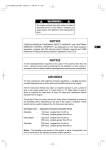
(f) After 20 to 30 seconds of warm-up is completed,
turn the engine switch to "
" (RUN) position.
(See Fig. 3-e)
q"
" (CHOKE)
w"
" (RUN)
NOTE
If no generating condition is found out,
please consult nearest ROBIN dealer.
(g) By changing over the LE display in the multi monitor into the "voltage" indication, make sure the generating
voltage is the normal level (approx.120V).
2. USING ELECTRIC POWER
WARNING
■
Make sure that the appliance is switched OFF before connecting it to the generator.
■
Do not move the generator while it is running.
■
Be sure to ground the generator if the connected appliance is grounded. Failure to
ground unit may lead to electrical shock.
GB
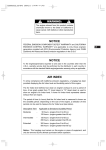
(1) CONTROL PANEL
CONTROL PANEL
1
US
2
GB
MULTI MONITOR
1
3
2
GB
3
GB
MULTI MONITOR
MULTI MONITOR
Hours
V
Hz
AUTO
P-SAVE
Hours
V
Hz
4
7
6
5
4
8
7
GB
6
5
GB
GB
CONTROL PANEL
q MULTI MONITOR
w AC RECEPTACLES (20A)
e AC RECEPTACLES (30A)
GB
GB
AUTO
P-SAVE
8
GB
r GROUND TERMINAL
t DC TERMINALS
y DC CIRCUIT BREAKER
u KEY SWITCH [Electric starter model] GB
i ENGINE SWITCH
MULTI MONITOR
q LE display
Operation hour, voltage and frequency are indicated in turns by means of depressing the LE display
changeover switch. In addition, "O_Lod" (overload) will be indicated when the generator is in the
overload condition or appliance(s) will be out of order.
In this case, stop the engine immediately and check the appliance and/or generator for overloading.
After the check and remedy, restarting the engine will resume displaying in the normal manner.
w Operation hour lamp
Lamp (red) is turned on when changing over into operation hour indication in the LE display.
e Voltage lamp
Lamp (red) is turned on when changing over into voltage indication in the LE display.
r Frequency lamp
Lamp (red) is turned on when changing over into frequency indication in the LE display.
t LE display changeover switch
When depressing this switch, indication in LE display is changed over in turns;
operation hour → voltage → frequency → operation hour.
When starting the engine, operation hour is indicated in LE display at first.
y Auto-power saving switch
When depressing this switch, auto-power saving function is activated.
u Auto-power saving lamp
Lamp (green) is turned on while auto-power saving function is activated.
i Engine oil level warning lamp
When the engine oil level is lower than the specified level, the lamp is turned on.
Then engine will be stopped.
GB
GB
GB
GB
7