1
3.7
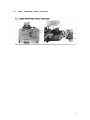
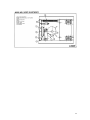
WELDER PUSHBUTTON OPERATING STATION
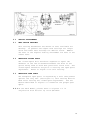
Four pushbutton switches make up the welder operating
station.
3.7.1 WELD BUTTON
This button activates all electrical circuits and initiates
the weld flash cycle after all safety devices have been
closed.
3.7.2 MOTOR BUTTON
This button activates the motor drive circuits only and is
used in adjusting welder spacing without activating the
weld transformer.
3.7.3 ANNEAL BUTTON
This button activates the manually operated anneal circuit
only.
3.7.4 STOP BUTTON
This button terminates all electrical cycles and can be
used with the motor button to aid in making welder
adjustments.
3.8
CLAMP ARMS
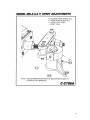
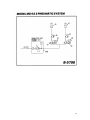
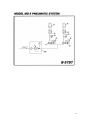
The clamp arms are air operated. The foot controlled air
valves are used to initiate the air clamp cylinders. The
foot valves are located at the bottom of the welder
housing. The right foot pedal operated the right clamp
arm, and the left pedal operates the left clamp arm. To
clamp stock, place it in the proper welding die groove and
press the top edges of the tilt pedal on foot valve. To
release stock, press on bottom edge of foot valve tilt
pedal. CAUTION: Care must be used when clamping stock, be
sure hands are clear of clamp arms. An air regulator with
gauge is located on the left end of the welder and should
be adjusted from 80-90 (PSI). Flow control valves are
factory installed to keep clamp arm movement slowed.
3.9
MOTOR SPEED CONTROL
The motor speed control is located on the right front
panel. A potentiometer located on the control box will
adjust the motor speed. A scale of 1-10 is found on the
potentiometer, 1 is slow and 10 is fast.
6