1
Section 3: Getting Started
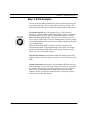
SmartGauge Battery Status Indicator
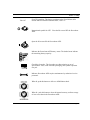
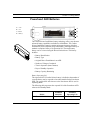
The SmartGauge Battery Status indicator has five (5) LEDs, four (4)
GREEN and one (1) RED. The top four GREEN LEDs display the
remaining capacity of the battery much like a fuel gauge. With use, the
GREEN LEDs gradually go out, from top to bottom, as battery capacity
decreases. When the green LEDs go out and the bottom RED LED lights
up, replace the battery.
When the bottom RED LED initially lights up, upon lid open or at any
time during a rescue, a “Battery low” prompt will be issued once.
However, the Powerheart AED should still be capable of delivering
approximately 9 more defibrillation shocks.
When the Powerheart AED battery cannot deliver any more shocks, it
continuously repeats the “Battery low” prompt. To continue the rescue,
leave the lid “Open”, remove the battery and replace with a fresh battery
within 60 seconds. If battery replacement is longer than 60 seconds the
first rescue will be terminated and a second rescue will begin upon
opening the lid.
Electrodes Indicator
The “Electrodes” LED lights up when the electrodes are:
• Not properly connected to the Powerheart AED
• Not within operational specifications (cold, dried, damaged)
• Disconnected from the patient during a rescue
Service Indicator
The “Service” LED lights up when the Powerheart AED requires
maintenance that can only be performed by qualified service personnel.
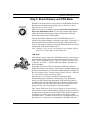
Shock/Continue Button
The Powerheart AED has one button called the “Shock/Continue” button;
it is used for all operations. This button is located on the diagnostic panel
and serves two functions:
• Delivers a defibrillation shock (Shock)
• Clears the internal memory of previous rescue data so that new
rescue data can be stored (Continue)
300282-003 Rev. D0
©2001 Cardiac Science, Inc.
Page 29