1
ENGLISH
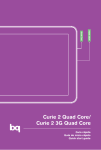
bq Curie 2 / Curie 2 3G
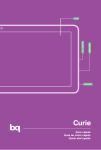
Buttons and ports
Power
Long press to switch on the
device, short press to turn on
the screen when the device is
in suspended mode. Press and
hold for 15 seconds with the
device turn on, it will be reset.
Volume
buttons
Enable the adjustment of
multimedia volume on the
tablet.
MiniHDMI
port
Digital-video outlet which
enables the device to be
connected to an external
screen.
Headphone
jack
Insert your CTIA headphone
cable here in order to listen to
audio played on the device.
MicroUSB
A port which enables your bq
to be connected to a computer
via a USB cable, in order to
transfer files between the
two devices and charge your
tablet.
Front
camera
VGA camera on Curie 2 model
and 2Mp camera Curie 2 3G
model.
55