1
AJ3600_78_corrected port
24/7/07
15:23
Clock Radio
Page 1
English
1
AJ 3600
1
2
LEFT & RIGHT PANEL (See 3)
3
SUPPLIED ACCESSORIES
– 1 X certified AC/DC 7.5V adapter (Sunstrong Inter’l Ind. Ltd.,Model:VD075025F)
User manual
RADIO ON/OFF
BAND
(Input: 110-127V/220-240V ~60/50Hz, Output: 7.5V
ALARM RESET/SLEEP
Manual do usuário
250mA)
5
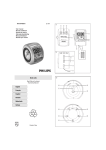
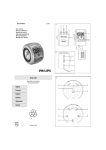
TOP AND FRONT PANEL (See 1)
REPEAT ALARM
AL
BRIGHTNESS CONTROL
4
AL
ON
OFF
PRESET 1
6
7
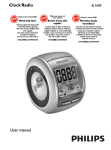
AJ3600 PROJECTION CLOCK RADIO
AL1
AL 2
9
8
2
1
TUNING
2
VOLUME
1 RADIO ON/OFF
– switches the radio on/off; displays radio frequency
– switches off sleep timer
2 BAND – select FM/ MW waveband
3 ALARM RESET / SLEEP
– stops active alarm for 24 hours
– activates the radio for sleep function
– displays/adjusts/switches off sleep timer
4 REPEAT ALARM / BRIGHTNESS CONTROL
– switches off the alarm for a 9 minute period
– changes the brightness of the display illumination
– stops SLEEP function
5 DISPLAY – shows clock/alarm times and status of the set
6 AL 1 (AL
) – switches on/off ALAM 1 radio mode
– displays ALAM 1 time
7 AL 2 (AL
) – switches on/off ALAM 2 buzzer mode
– displays ALAM 2 time
8 Battery compartment – for 4 batteries, type R6, UM3, AA
9 RESET – press if the set / display does not react to operation of any button
DC 7.5V
3
BACK PANEL (See 2)
1
2
3
4
4
Helpful hints:
– When battery-powered, the display illumination is default low to help save energy. Any other use of the BRIGHTNESS CONTROL for a brighter display adjustment
will therefore be effectively limited.
3
Clock radio
Meet Philips at the Internet
http://www.philips.com
E
PR
OJ
EC
TIO
PRO
N
JE
CT
IO
N
O
N
3
RE
FF
VE
RS
/O
2
English
TUNING +/- – tunes to radio stations
VOLUME – adjusts the sound level
DC 7.5V
– socket for AC/DC 7.5V adapter
Pigtail – improves FM reception
1
T
4
ON
A
TE
TI
RO
Português
PR OJE
C
SETTING THE CLOCK
The time is displayed using the 24-hour clock.
1. Check the radio is switched off.
2. Press SET TIME to enter the clock setting mode.
3. Hold down or press HOUR + or MINUTE + repeatedly to set and adjust the
hours and minutes respectively. Release HOUR + or MINUTE + when you
have reached the correct setting.
4. Press SET TIME to confirm.
RADIO
+
UR
AR
M
SE
1
PRESET 1- 5
1
RM
6
7
4
SET
Printed in China
LA
3
5
8
TA
2
TE +
HO
AL
MINU
9
T
2
SE
5
T I ME
PDCC-JH-0730
SLEEP (See 6)
4
About Sleep
This set has a built-in sleep timer, which enables the radio to be automatically
switched off after a set period of time. There are four sleep time options.
5
1 Press RADIO ON/OFF once to switch on the radio.
™ Display shows the radio frequency of the last selected waveband briefly
before returning to the clock time. Your preset station is also shown if you
are listening to a preset. (See 4)
2 Press BAND if you wish to change waveband.
3 Adjust the sound using VOLUME.
4 Press RADIO ON/OFF to switch off.
Helpful hints:
– In standby clock time, to view the current radio frequency,
• Press RADIO ON/OFF once or more;
• For preset stations, press the respective PRESET button (1-5) once or repeatedly.
TUNING TO RADIO STATONS
Automatic tuning
• Press TUNING +/- one second or more to tune to your station.
™The radio automatically tunes to a station of sufficient reception.
Manual tuning
• Press TUNING +/- briefly or repeatedly until you reach the desired frequency.
Helpful hints:
– When battery-powered, the projection lens lights up briefly to help save energy.
– For a longer projection time, please use the supplied 7.5V AC adapter to
operate the set.
MAINTENANCE & SAFETY
RADIO
FM
AL
AL
AL
AL
ON
ON
ON
OFF
PRESET
5
6
USING THE PROJECTION
E
OJ
EC
TIO
PRO
N
Max.180
JE
CT
IO
N
O
N
FF
RE
RS
PR
/O
VE
7
C
1
2
A
TE
PR OJE
ON
MW
TI
SLEEP RADIO
Setting and switching off SLEEP
1 Within 1 second, press ALARM RESET / SLEEP twice until the display shows
SLEEP and SL: 60.
™ The radio is automatically switched on and tunes to the last station.
2 To select other sleep time options, press ALARM RESET / SLEEP again within 1
second before the display returns to clock time.
™ The display shows in sequence: SL : 30, SL : 15 and OFF.
3 To cancel sleep, press either:
– RADIO ON/OFF
– REPEAT ALARM / BRIGHTNESS CONTROL.
– ALARM RESET / SLEEP once or more until SLEEP disappears from the
display.
RO
AL
AL
ON
PRESET
ON
2
T
3
4.
5.
You may have the experience of looking for a clock in the darkness. With this
projection feature, you can conveniently project the clock time onto a surface
e.g. walls ceiling (furniture, glasses not recommended).
Press PROJECTION ON/OFF to switch on.
™ The Projection lens lights up red.
Turn the Projection lens wheel (maximum 180 degree left or right) and also the
set, if necessary, to find a suitable projection surface. (See 7)
To change the projected time upside down, press REVERSE PROJECTION.
To change the projection slightly to a different angle, turn the ROTATE PROJECTION ball (maximum 60 degree left or right.).
Press PROJECTION ON/OFF to switch off.
™ The Projection lens goes out.
• Install the unit near the AC outlet and where the AC power plug can be easily
reached.
• Where the MAINS plug or an appliance coupler is used as the disconnect
device, the disconnet device shall remain readily operable.
• The apparatus shall not be exposed to dripping or splashing.
• If you do not intend to use set for a long time, remove the batteries.
• Do not expose the set to humidity, rain, sand or excessive heat caused by
heating equipment or direct sunlight.
• To clean your set, use a soft damp cloth or chamois leather. Do not use cleaning products, which contain benzene, thinner, etc. as these may harm the
housing.
ENVIROMENTAL INFORMATION
All unnecessary packaging material has been omitted. The packaging can be easily
separated into three materials: cardboard, polystyrene and plastic.
Your set consists of materials which can be recycled if disassembled
by a specialized company. Please observe the local regulations
regarding the disposal of packaging, dead batteries and old equipment.
1
2
3
4
5
6
7
8
9
Projection lens
REVERSE PROJECTION – turns time/hour digits upside down(AC-powered only)
PROJECTION ON/OFF – switches the projection on/off
ROTATE PROJECTION – adjusts projection slightly to a different angle
SET ALARM 1 / PRESET 1 – sets ALARM 1 time
– stores, recalls and shows station 1
SET ALARM 2 / PRESET 2 – sets ALARM 2 time
– stores, recalls and shows station 2
MINUTE + / PRESET 3 – adjusts the minutes for clock and alarm times
– stores, recalls and shows station 3
SET TIME / PRESET 4 – sets the clock time
– stores, recalls and shows station 4
HOUR + / PRESET 5 – adjusts the hours for the clock and alarm times
– stores, recalls and shows station 5
POWER SUPPLY
Batteries (not included)
1 Open battery door and insert four batteries (preferably PHILIPS POWER LIFE or
alkaline), type R6, UM3 or AA as indicated in the compartment.
2 Remove the batteries from the set if they are exhausted or not be used for a
long time.
• When you replace batteries, the preset stations, alarm and clock time settings can be stored for up to 3 minutes. (see 'Self-Powered Back-Up').
Batteries contain chemical substances, so they should be disposed of
properly.
Batteries (battery pack or battery installed) shall not exposed to excessive heat such as sunshine, fire or the like.
Mains adapter
1 Connect the mains adapter to the set's DC 7.5V socket and to the power
socket.
™
indicates the set is now adapter operated.
To improve reception:
For FM, extend and position the pigtail fully to obtain optimum reception.
For MW, the set is provided with a built-in aerial. Direct the aerial by adjusting the
position of your clock radio.
STORING AND USING PRESET STATIONS
You can store up to a total of 10 radio stations in the memory, 5 on each waveband.
1 Tune to your desired station (see TUNING TO RADIO STATIONS).
2 To store a preset, hold down briefly on a PRESET button 1-5 until you hear a double
beep.
™ Display shows the preset number of your station.
3 Repeat steps 1 and 2 to store your other stations.
• You can overwrite a preset station by storing another frequency in its place.
4 Press a.PRESET button 1-5 to listen to a preset station.
USING THE ALARM
GENERAL
Two different alarm times can be set. This can be useful when you need to be
woken up at a different time e.g. during the week and at the weekend:
• ALARM 1 - radio mode
• ALARM 2 - buzzer mode. The gentle wake buzzer alarm increases its beep tone frequency within seconds.
SETTING THE ALARM TIME AND MODE (See 5)
1. Check the radio is switched off.
2. Press AL 1 or AL2 to on.
or AL
icon.
™ Display: ON appears under the respective AL
3. Press and hold SET ALARM 1 or SET ALARM 2 until alarm time digits flash.
4. Hold down or press HOUR + or MINUTE + repeatedly to set and adjust the
hours and minutes respectively. Release HOUR + or MINUTE + when you
have reached the correct setting.
5. After both the hours and minutes are set, press SET ALARM 1 or SET ALARM
2 to confirm the setting.
TROUBLESHOOTING
If a fault occurs, first check the points listed below before taking the set for repair.
If you are unable to remedy a problem by following these hints, consult your dealer or
service centre.
WARNING: Under no circumstances should you try to repair the set yourself, as this
will invalidate the guarantee. Do not open the set as there is a risk of
electric shock!
No sound
– Volume not adjusted
• Adjust the volume
No display backlight / display malfunction/ radio and alarm do not
function
• Make sure your adapter is properly connected to save battery energy!
2 Always disconnect the mains adapter if you are not using the set.
™
indicator goes out.
Helpful hints: To avoid damage to the set, use only the adapter supplied!
The type plate is located on the bottom of the set inside the battery compartment.
SELF-POWERED BACK-UP
The self-powered back-up conveniently allows your preset stations, alarm and clock
time settings to be stored for up to 3 minutes when there is a power interruption e.g.
AC power failure or when changing batteries.The complete clock radio and backlight
illumination will be switched off.
If power supply returns after 3 minutes and the display shows:
• clock time blinking - indicates you need to re-adjust the clock time.
BATTERY LOW MODE
indicates batteries low. Replace with fresh batteries to ensure all the features
on your set will function properly.
BASIC FEATURES
Reset
Should your set receive external interference e.g. static electricity from carpets, thunderstorms, etc. RESET allows you to clear all previous settings and start up again.
• Use a ballpoint pen to press the RESET hole found on the bottom of the set.
Illumination brightness
Press REPEAT ALARM / BRIGHTNESS CONTROL once or more.
• The brightness of the display can be adjusted:
Bright ➟ Medium ➟ Low ➟ Bright (when AC-powered)
Low ➟ Bright ➟ Low ➟ Bright (when battery-powered)
Helpful hints:
– If you have selected AL 1 (AL
), make sure you have properly tuned to a
station before turning off the set.
– If you set and activate the same time for both alarms, only the AL 2 (AL
) will
be activate at the set time.
– When both AL 1 (AL
) and AL 2 (AL
) are turned on, by default the display
shows the alarm time nearest to activation.
– To check the alarm time setting for AL 1 or AL 2, press AL 1 or AL 2 button.
– It is not possible to adjust the alarm time during an alarm call or the repeat alarm
mode.
SWITCHING OFF THE ALARM
There are three ways of switching off the alarm. Unless you cancel the alarm
completely, the 24-hour ALARM RESET will be automatically selected after 59
minutes from the time your alarm first goes off.
24 HOUR ALARM RESET
If you want the alarm mode to be stopped immediately but also wish to retain
the same alarm setting for the following day:
• Press ALARM RESET / SLEEP.
™ You will hear a beep tone confirming 24 hour reset activation.
REPEAT ALARM
This repeats your alarm call at 9 minute intervals.
• During the alarm call, press REPEAT ALARM / BRIGHTNESS CONTROL..
™ Display shows (AL
) or (AL
) flashing during a repeat alarm.
• Repeat if desired (up to a maximum of 6 times).
CANCELING THE ALARM COMPLETELY
• Press AL 1 or AL 2 button once or more until the OFF appears under the
respective (AL
) or (AL
) icon.
The alarm does not function
– Alarm time/ mode not set
• See SETTING THE ALARM
– Volume too low for radio
• Increase the volume
) not tuned to a radio station
– AL 1 (AL
• Check if the set is tuned to a radio station before you set AL1 and when you
switch off the radio.
Blurry projection
– Distance/ angle between the projection surface too large
• Reduce the distance/ angle.
– Set is in Power Low mode
• Connect AC/DC adapter or insert fresh batteries
Display error / no reaction to any controls
– Electrostatic discharge
• Press the RESET hole on the bottom of the set with a ball-pen. Or disconnect
set from AC/DC adaptor and batteries for 5 minutes, then re-plug.
Continuous crackling and hiss noise during MW reception
– Interference from other electrical equipment e.g. TVs, computers, fluorescent
lamps
• Move the clock radio away from electrical equipment
Intermittent crackling sound during FM reception
– Weak signal
• Extend and position the pigtail aerial
The typeplate and production number are located inside the battery
compartment.
AJ3600_78_corrected port
24/7/07
15:23
Page 2
Português
PAINÉIS ESQUERDO E DIREITO (Vide 3)
ACESSÓRIOS FORNECIDOS
– 1 adaptador de CA/CC de 7,5 V certificado
(Alimentação: 110-127V/220-240V ~ 60/50Hz, Saída:7.5V
250mA)
PAINÉIS SUPERIOR E DIANTEIRO (Vide 1)
1 RADIO ON/OFF
– liga/desliga o rádio; visualiza a frequência do rádio
– desliga o temporizador
2 BAND – seleciona as faixas FM/MW
3 ALARM RESET / SLEEP
– pára o alarme deixando-o inativo por 24 horas
– ativa o mode sleep
– visualiza/ regula/ desliga o tempo do sleep
4 REPEAT ALARM / BRIGHTNESS CONTROL
– desliga o alarme por um período de 9 minutos
– altera a luminosidade do visor
– pára a função SLEEP.
5 Visor – visualiza a hora do relógio ou do despertador e o estado do aparelho
) – liga/desliga ALARM 1 modo buzina
6 AL 1 (AL
– indica a hora do ALARM 1
7 AL 2 (AL
) – liga/desliga ALARM 2 modo buzina
– indica a hora do ALARM 2
8 Compartimento das pilhas – para 4 pilhas, tipo R6, UM3, AA
9 RESET – pressione se a unidade / mostrador não reagirem ao funcionamento
de nenhum botão
PAINEL TRASEIRO (Vide 2)
1
2
3
4
TUNING +/- – sintoniza as estações de rádio
VOLUME – ajusta o nível do som
– Tomada para adaptador CA/CC de 7,5 V
DC 7.5V
Antena FM - melhora a recepção de rádio FM
SINTONIZAR ESTAÇÕES DE RÁDIO
• Pressione TUNING +/- para sintonizar uma estação.
™ O rádio sintoniza automaticamente uma estação com um sinal suficientemente
forte.
Sintonização manual
• Pressione TUNING +/- repetidamente até atingir a frequência desejada.
Para melhorar a recepção de rádio:
Para FM, posicione e estenda completamente a antena para obter uma melhor
recepção.
Para MW , a unidade está fornecida com uma antena incorporada. Direcione a antena, ajustando a posição do seu rádio relógio.
MEMORIZAR E UTILIZAR ESTAÇÕES PRÉ-SINTONIZADAS
Pode armazenar na memória um máximo de 10 estações, 5 em cada faixa de
radiofrequência.
1 Sintonize a estação desejada (vide SINTONIZAR ESTAÇÕES DE RÁDIO).
2 Para memorizar uma estação pré-sintonizada, pressione por alguns segundos um
dos botões PRESET (1 a 5) até ouvir um "bip" duplo.
™ O visor indica o número de pré-sintonização da estação.
3 Repita os pontos 1 e 2 para memorizar outras estações.
• Pode substituir uma estação pré-sintonizada memorizando outra frequência no seu
lugar.
4 Pressione um botão PRESET (1 a 5) para ouvir uma estação pré-sintonizada.
UTILIZAR O DESPERTADOR
1 Lentes de projeção
2 REVERSE PROJECTION – Inverte os dígitos projetados do tempo/hora (com o
adaptador AC ligado)
3 PROJECTION ON/OFF – liga/desliga a projeção
4 ROTATE PROJECTION – ajusta ligeiramente a projeção para um ângulo diferente
5 SET ALARM 1 / PRESET 1 – ajusta a hora para o alarme 1
– guarda, chama de novo e indica a estação 1
6 SET ALARM 2 / PRESET 2 – ajusta a hora para o alarme 2
– guarda, chama de novo e indica a estação 2
7 MINUTE + / PRESET 3 – ajusta os minutos para o relógio e hora para o alarme
– guarda, chama de novo e indica a estação 3
8 SET TIME / PRESET 4 – ajusta a hora para o relógio
– guarda, chama de novo e indica a estação 4
9 HOUR + / PRESET 5 – ajusta as horas para o relógio e hora para o alarme
– guarda, chama de novo e indica a estação 5
ALIMENTAÇÃO DE CORRENTE ALTERNADA
Pilhas (não incluídas)
1 Abra o compartimento das pilhas e introduza quatro pilhas (de preferência
PHILIPS POWER LIFE ou alcalinas), tipo R6, UM3 ou AA conforme indicado no
compartimento.
2 Tire as pilhas do compartimento se elas estiverem gastas ou se não vai usar o
aparelho por um período de tempo prolongado.
• Ao substituir as baterias, as estações pré sintonizadas, e as definições para o
alarme e relógio podem ser guardadas até 3 minutos.
As pilhas contém substâncias químicas, pelo que deverão ser deitadas
fora com as devidas precauções.
PROGRAMAR A HORA E O MODO DE DESPERTAR (Vide 5)
1. Certifique-se de que o rádio está desligado.
2. Pressione AL 1 ou AL2.
™ Mostrador: ON aparece por baixo do respectivo ícone AL
ou AL
.
3. Pressione e mantenha pressionado SET ALARM 1 ou SET ALARM 2 até que os
dígitos da hora para alarme fiquem intermitentes.
4. Segure para baixo ou pressione HOUR + ou MINUTES + repetidamente para
ajustar as horas e os minutos respectivamente. Solte HOUR + ou MINUTES
+ quando você tiver alcançado o ajuste correto.
5. Depois de ambos, horas e minutos estarem ajustados, pressione SET
ALARM 1 ou SET ALARM 2 para confirmar os acertos.
Sugestões úteis:
– Se selecionou AL 1 (AL
), certifique-se de que sintonizou devidamente uma
estação antes de desligar o aparelho.
– Se programar e ativar a mesma hora de despertar para os dois toques do despertador, apenas o AL 2 (AL
) será ativado à hora programada.
– Quando ambos AL 1 (AL
) e AL 2 (AL
) são ligados, o mostrador indica por
predefinição a hora para alarme mais próxima de ser ativada.
– Para verificar as definições da hora para os alarmes AL1 ou AL2, pressione o
botão AL1 ou AL2.
– Não é possível ajustar o alarme quando este estiver a soar ou no modo de
repetição de alarme.
DESLIGANDO O ALARME
GERAL
Podem ser programadas duas horas do despertador diferentes. Isto pode ser útil,
por exemplo, se precisar acordar uma hora diferente durante a semana e no fim
de semana.
• ALARM 1 – modo de rádio
• ALARM 2 – modo de besouro. O toque de despertar do besouro começa suavemente e aumenta de intensidade no espaço de poucos segundos.
Existem três possibilidades de desligar o alarme. A menos que você cancele o
alarme completamente, a opção de reinício do alarme em 24 horas será
selecionada automaticamente após 59 minutos desde a primeira vez que o
alarme soa.
• Não exponha a unidade à umidade, chuva, areia ou calor excessivo produzido
por equipamentos aquecedores ou luz solar direta.
• Para limpar a sua unidade, utilize um pano macio umedecido ou uma
camurça. Não utilize produtos de limpeza, os quais contenham benzina,
diluente, etc. uma vez que estes podem danificar a cobertura.
Mostrador sem luz de fundo / mau funcionamento do mostrador / rádio e
alarme não funcionam
INFORMAÇÃO RELATIVA AO AMBIENTE
Todos os materiais de embalagem que eram desnecessários foram eliminados.
Fizemos todo o possível para tornar a embalagem fácil de separar em três materiais: papelão (caixa), poliestireno expansível (blocos amortecedores) e polietileno
(sacos, espuma de proteção).
O seu aparelho é composto de materiais que podem ser reciclados se
forem desmontados por uma empresa especializada. Queira observar as
regulamentações locais relativas à eliminação de materiais de
embalagem, pilhas velhas e equipamento obsoleto.
RESOLUÇÃO DE PROBLEMAS
Se ocorrer uma falha, verifique primeiro os pontos indicados abaixo, antes de levar a
sua unidade para ser reparada.
Se você não poder solucionar o problema seguindo estas sugestões, consulte o seu
distribuidor ou centro de assistência.
AVISO: Você não deverá, sob quaisquer circunstâncias, tentar reparar você mesmo a
unidade, isto invalidará a garantia. Não abra a unidade porque há risco de
choque elétrico!
Sem Som
REINÍCIO DO ALARME EM 24 HORAS
Se você quer que o alarme pare imediatamente mas deseja manter os ajustes
para o dia seguinte:
– Descarga Eletrostática
• Pressione a abertura RESET na base da unidade com uma caneta de ponta
de esfera. Ou desligue a unidade do adaptador AC/DC e das baterias durante
5 minutos, e em seguida volte a conectar
Ruídos contínuos durante a recepção MW
– Interferências de outros equipamentos elétricos ex: TV, computadores, lâmpadas
fluorescentes
• Afaste o rádio relógio do equipamento elétrico
Ruído contínuo do som durante a recepção FM
– Sinal fraco
• Estenda e posicione a antena de FM
O alarme não funciona
–
•
–
•
Hora para o alarme/ o modo não assume
Ver AJUSTAR O ALARME
Volume muito baixo para o rádio
Aumente o volume
)
– Não foi sintonizada uma estação para o AL 1 (AL
• Verifique se o aparelho tem uma estação sintonizada antes de programar o AL1 e
ao desligar.
Projeção embassada
– A distância ou o ângulo de projeção à superfície é muito grande.
• Reduza a distância ou o ângulo
– O volume não está ajustado
• Ajuste o VOLUME
Mostrador sem luz de fundo / o rádio não funciona
– O cabo de alimentação de corrente AC não está devidamente ligada
• Conecte o cabo corretamente
A placa do modelo e o número de produção encontram-se dentro do
compartimento das pilhas.
Adaptador de corrente da rede
1 Ligue o adaptador de corrente da rede à tomada DC 7.5V do aparelho e à
tomada da parede.
™ O
indica que o aparelho está alimentado pelo adaptador.
• Certifique-se de que o adaptador está corretamente ligado para poupar a
energia das pilhas!
2 Desligue sempre o adaptador quando não estiver usando o aparelho.
™ O
indicador desaparece.
Sugestões úteis: Para evitar danificar o aparelho, utilize apenas o adaptador
fornecido!
Os números de modelo e série estão localizados dentro do compartimento das baterias.
MEMÓRIA DE SEGURANÇA AUTO-ALIMENTADA
A memória de segurança auto-alimentada permite que as definições de dia e de hora do
despertador e do relógio sejam armazenadas até 3 minutos quando há uma interrupção na
alimentação de corrente, por exemplo um corte de corrente CA ou quando substitui as pilhas. O rádio-relógio e a iluminação traseira do mostrador serão desligados. Se a alimentação de corrente da rede for restabelecida depois dos 3 minutos, o visor mostrará:
• a hora piscando - isso indica que é preciso voltar a ajustar a hora.
MODO DE BATERIA FRACA
indica bateria fraca. Substitua por baterias novas para assegurar que todas as
funções da sua unidade funcionarão adequadamente.
FUNÇÕES BÁSICAS
Reinicializar (“reset”)
Na eventualidade do visor e das funções eletrônicas do aparelho sofrerem interferência, por ex. eletricidade estática originada por trovoadas, etc., a funçõo RESET
apagará todas as definições anteriores e começará de novo.
• Utilize uma esferográfica para pressionar o orifício RESET que se encontra na base
do aparelho.
• Pressione ALARM RESET / SLEEP.
™ Você escutará um som confirmando a ativação para o reinício em 24
horas. O mostrador do alarme respectivo aparecerá.
REPETIÇÃO DE ALARME
Isto fará repetir o alarme em intervalos de 9 minutos.
• Quando o alarme estiver soando, pressione REPEAT ALARM / BRIGHTNESS CONTROL.
™ No visor, aparece a indicação (AL
) ou (AL
) piscando durante a
repetição do toque de despertar.
• Repita, se o desejar, até um máximo de 6 vezes.
CANCELAR O ALARME COMPLETAMENTE
• Pressione AL1ou AL2 uma vez ou mais até que o ícone OFF apareça por
baixo dos respectivos ícones (AL
) o (AL
).
SLEEP (Vide 6)
Sobre o Sleep
Esta unidade possui incorporado um contador de tempo, permitindo que o rádio
seja desligado automaticamente após um período de tempo ajustado. Existem
quatros opções de ajuste de hora para adormecer.
Ajustar e desligar Sleep
1 Dentro do período de 1 segundo, pressione ALARM RESET/SLEEP duas vezes
até que o mostrador indique SLEEP e SL: 60.
™ O rádio liga-se automaticamente e sintoniza a última estação.
2 Para selecionar as outras opções de tempo para adormecer, pressione ALARM
RESET/SLEEP novamente e dentro do período de 1 segundo, antes do mostrador
regressar ao modo horário.
™ O mostrador indica sequencialmente, e as opções de tempo para adormecer: SL : 30, SL : 15 e OFF.
3 Para cancelar sleep, pressione qualquer:
– RADIO ON/OFF
– REPEAT ALARM / BRIGHTNESS CONTROL.
Intensidade Luminosa
Pressione REPEAT ALARM / BRIGHTNESS CONTROL uma vez ou mais.
• O brilho do mostrador mudará nesta sequência:
Brilhante ➟ Medio ➟ Fraco ➟ Brilhante (com o adaptador AC ligado)
Fraco ➟ Brilhante ➟ Fraco ➟ Brilhante (com as Baterias)
Sugestões úteis:
– Quando alimentado a bateria, a iluminação do visor é predefinida para baixa para
ajudar a poupar energia. Qualquer outra utilização de BRIGHTNESS CONTROL para
uma maior iluminação do visor é, portanto, eficazmente limitada.
Acertar o relógio
A hora é mostrada utilizando o sistema horário de 24-horas.
1. Certifique-se de que o rádio está desligado.
2. Pressione SET TIME para introduzir o modo de acerto do relógio.
3. Segure para baixo ou pressione HOUR + ou MINUTES + repetidamente para
ajustar as horas e os minutos respectivamente. Solte HOUR + ou MINUTES
+ quando você tiver alcançado o ajuste correto.
4. Pressione SET TIME para confirmar.
RÁDIO
1 Pressione uma vez RADIO ON/OFF para ligar o rádio.
™ No visor aparece por momentos a frequência de rádio da última faixa de
radiofrequência selecionada e volta depois a ser visualizada a hora do
relógio. É também indicada a estação pré-sintonizada, se estiver a ouvir
uma destas estações. (Vide 4)
2 Pressione BAND se desejar mudar de faixa de radiofrequência.
3 Ajuste o som utilizando VOLUME.
4 Pressione RADIO ON/OFF.
Sugestões úteis:
– No modo de espera horário, para visualizar a frequência de rádio atual,
• Pressione RADIO ON/OFF uma vez ou mais;
• Para estações pré sintonizadas, pressione o respectivo botão PRESET (1-5) uma
vez ou repetidamente.
– ALARM RESET / SLEEP uma vez ou mais até a indicação SLEEP desaparecer do visor.
UTILIZANDO A PROJEÇÃO
Já deverá ter experimentado olhar para o relógio na escuridão. Com esta
função de projeção, você poderá projetar a hora convenientemente numa
superfície ex., paredes, teto (móveis e vidros não são recomendados).
1 Pressione PROJECTION ON/OFF no aparelho para ligar.
™ Lentes de projeção ilumina-se.
2 Gire a Roda das lentes de projeção (máximo de 180° para esquerda ou direita) e
também a unidade, se necessário, para encontrar uma superfície de projeção adequada. (Vide 7)
3 Para inverter a hora or projetados, pressione REVERSE PROJECTION.
4. Para mudar ligeiramente a projeção para um ângulo diferente, rode a esfera
ROTATE PROJECTION (máximo de 60°para a esquerda / direita).
5. Pressione PROJECTION ON/OFF para desligar o aparelho.
™ Lentes de projeção apaga-se.
Sugestões úteis:
– Quando alimentado a bateria, a lente de projeção acende-se por breves instantes
para ajudar a poupar energia.
– Para um maior tempo de projeção, utilize o transformador de 7.5V AC fornecido para alimentar a unidade.
MANUTENÇÃO
• Instale esta unidade próximo da tomada de CA e onde o cabo de CA possa
ser facilmente alcançado.
• Quando o plug de alimentação de um aparelho for utilizado como dispositivo
de desativação, o dispositivo de desativação deve estar pronto para ser utilizado de imediato.
• O aparelho não deve ser exposto a goteiras ou respingos de água.
• Se você não pretende utilizar a unidade durante um longo período, desligue o
cabo da tomada de parede e retire as baterias para reserva de memória do
relógio.
NOTAS
LISTA
ACRE
CRUZEIRO DO SUL
RIO BRANCO
RIO BRANCO
68-33224432
68-32217642
68-32249116
ALAGOAS
ARAPIRACA
MACEIO
PALMEIRA DOS INDIOS
UNIAO DOS PALMARES
82-5222367
82-32417237
82-4213452
82-32811305
AMAPÁ
MACAPA
SANTANA
96-2175934
96-2811080
AMAZONAS
MANAUS
MANAUS
MANAUS
92-36333035
92-36633366
92-32324252
BAHIA
ALAGOINHAS
BARREIRAS
BOM JESUS DA LAPA
BRUMADO
CAETITE
CAMACARI
CICERO DANTAS
CRUZ DAS ALMAS
ESPLANADA
EUNAPOLIS
FEIRA DE SANTANA
FEIRA DE SANTANA
GANDU
ILHEUS
IRECE
ITABERABA
ITABUNA
ITAPETINGA
JACOBINA
JEQUIE
JUAZEIRO
JUAZEIRO
LAURO DE FREITAS
MURITIBA
PAULO AFONSO
POCOES
RIBEIRA DO POMBAL
SALVADOR
SALVADOR
SALVADOR
SALVADOR
SANTO AMARO
SENHOR DO BONFIM
SERRINHA
STO ANTONIO JESUS
TEIXEIRA DE FREITAS
VALENCA
VITORIA DA CONQUISTA
75-4211128
77-36117592
77-4814335
77-4412381
77-34541183
71-36218288
75-32782767
75-6212839
75-4271454
73-2815181
75-32232882
75-2213427
73-32541664
73-2315995
74-36410202
75-32512358
73-36137777
77-2613003
74-36211323
73-35254141
74-36116456
74-36111002
71-3784021
75-4241908
75-32811349
77-4311890
75-2761853
71-32473659
71-2675000
71-32072070
71-33356233
75-32413171
74-5413143
75-32611794
75-36314470
73-30111600
75-6413710
77-34241183
CEARÁ
BREJO SANTO
CRATEUS
CRATO
FORTALEZA
FORTALEZA
IBIAPINA
IGUATU
ITAPIPOCA
JUAZEIRO DO NORTE
LIMOEIRO DO NORTE
OROS
SOBRAL
TIANGUA
UBAJARA
88-5310133
88-6910019
88-5212501
85-32875506
85-40088555
88-36531223
88-35810512
88-6312030
88-35112667
88-4231938
88-5841271
88-36110605
88-36713336
88-6341233
DISTRITO FEDERAL
BRASILIA
BRASILIA
GAMA
61-32269898
61-33016666
61-5564840
ESPÍRITO SANTO
ALEGRE
ARACRUZ
BAIXO GUANDU
28-35526349
27-32561251
27-37321142
DE
SERVIÇO AUTORIZADO - BRASIL
BARRA S FRANCISCO
CASTELO
COLATINA
GUARAPARI
LINHARES
S GABRIEL DA PALHA
SAO MATEUS
VILA VELHA
VITORIA
27-37562245
28-35420482
27-37222288
27-33614355
27-33710148
27-37271153
27-37633806
27-32891233
27-32233899
GOÍAS
ANAPOLIS
CACU
CALDAS NOVAS
CATALAO
FORMOSA
GOIANIA
GOIANIA
GOIATUBA
INHUMAS
IPAMERI
ITAPURANGA
ITUMBIARA
JUSSARA
LUZIANIA
MINEIROS
PIRES DO RIO
RIALMA
RIO VERDE
TRINDADE
URUACU
62-3243562
64-6561811
64-4532878
64-4412786
61-6318166
62-32919095
62-32292908
94-34952272
62-5111840
62-4511184
62-3551484
64-34310837
62-3731806
61-6228519
64-6618259
64-4611133
62-3971320
64-36210173
62-5051505
62-3571285
MARANHÃO
ACAILANDIA
BACABAL
BALSAS
CAROLINA
CAXIAS
CHAPADINHA
CODO
CODO
COELHO NETO
IMPERATRIZ
PEDREIRAS
PRESIDENTE DUTRA
SANTA INES
SAO JOSE DE RIBAMAR
SAO LUIS
SAO LUIS
99-35381889
99-36212794
99-5410113
98-7311335
99-35212377
98-4711364
99-36611277
99-36612942
98-34731351
99-35244969
99-36423142
99-36631815
98-36537553
98-2241581
98-32323236
98-32315276
MATO GROSSO
ALTA FLORESTA
ALTO ARAGUAIA
BARRA DO GARGAS
CUIABA
LUCAS DO RIO VERDE
PONTES E LACERDA
PRIMAVERA DO LESTE
RONDONOPOLIS
SINOP
TANGARA DA SERRA
VARZEA GRANDE
66-35212460
66-4811726
66-4011394
65-36230421
65-5491333
65-2662326
66-4981682
66-4233888
66-5314592
65-3261431
65-6826502
MATO GROSSO DO SUL
AMAMBAI
CAMPO GRANDE
CAMPO GRANDE
CAMPO GRANDE
DOURADOS
IVINHEMA
NAVIRAI
NOVA ANDRADINA
PONTA PORA
RIO BRILHANTE
TRES LAGOAS
67-4811543
67-33242804
67-3831540
67-3213898
67-4217117
67-4421244
67-4612486
67-4413851
67-4314313
67-4527950
67-5212007
MINAS GERAIS
ALFENAS
ALMENARA
ANDRADAS
ARAXA
ARAXA
ARCOS
BAMBUI
BARBACENA
35-32927104
33-7211234
35-37312970
34-36611132
34-36691869
37-33513455
37-34311473
32-33310283
BELO HORIZONTE
BELO HORIZONTE
BELO HORIZONTE
BELO HORIZONTE
BELO HORIZONTE
BELO HORIZONTE
BELO HORIZONTE
BETIM
BOM DESPACHO
BOM DESPACHO
CARANGOLA
CASSIA
CONGONHAS
CONS LAFAIETE
CONTAGEM
CONTAGEM
CORONEL FABRICIANO
CURVELO
DIVINOPOLIS
FORMIGA
FRUTAL
GOV. VALADARES
GUAXUPE
GUAXUPE
IPATINGA
ITABIRA
ITAJUBA
ITAPECERICA
ITAPECERICA
ITAUNA
ITUIUTABA
JOAO MONLEVADE
JOAO MONLEVADE
JOAO PINHEIRO
JUIZ DE FORA
JUIZ DE FORA
LAGOA DA PRATA
LAVRAS
MANHUACU
MONTE CARMELO
MONTE SANTO DE MINAS
MONTES CLAROS
MURIAE
MUZAMBINHO
NANUQUE
NOVA LIMA
OLIVEIRA
PARA DE MINAS
PARA DE MINAS
PARACATU
PASSOS
PATOS DE MINAS
PATROCINIO
PITANGUI
PIUMHI
POCOS DE CALDAS
POCOS DE CALDAS
PONTE NOVA
POUSO ALEGRE
S SEBASTIAO PARAISO
S SEBASTIAO PARAISO
SANTOS DUMONT
SAO JOAO DEL REI
STO ANTONIO MONTE
TEOFILO OTONI
TIMOTEO
UBA
UBERABA
UBERLANDIA
UBERLANDIA
VARGINHA
VARZEA DA PALMA
VAZANTE
VICOSA
31-32257262
31-32254066
31-34420944
31-34181919
31-32957700
31-34491000
31-21027373
31-35322088
37-35212906
37-35222511
32-37412017
35-35412293
31-37311638
31-37637784
31-33912994
31-33953461
31-38411804
38-37213009
37-32212353
37-33214177
34-34235279
33-32716650
35-35513891
35-35514124
31-38222332
31-38316218
35-36211315
37-33411326
37-33411326
37-32412468
34-32682131
31-38512909
31-38521112
38-35611327
32-30842584
32-32151514
37-32613493
35-38219188
33-33314735
34-38422082
35-35911888
38-32218925
32-37224334
35-5712419
33-36212165
31-35412026
37-33314444
37-32316369
37-32321975
38-36711250
35-35214342
34-38222588
34-38311531
37-32716232
37-33714632
35-37121866
35-37224448
31-38172486
35-34212120
35-35313094
35-35312054
32-32516369
32-33718306
37-32811258
33-35225831
31-38482728
32-35323626
34-33332520
34-32123636
34-32360764
35-32227889
38-37311548
34-38131420
31-38918000
PARÁ
ABAETETUBA
BELEM
BELEM
CAPANEMA
CASTANHAL
ITAITUBA
MARABA
OBIDOS
PARAGOMINAS
91-37512272
91-32690400
91-32421090
91-34621100
91-37215052
93-5181545
94-3211891
93-5472116
91-30110778
PORTO TROMBETAS
SANTAREM
93-35491606
93-35235322
PARAÍBA
CAMPINA GRANDE
ESPERANCA
GUARABIRA
JOAO PESSOA
JOAO PESSOA
JOAO PESSOA
NOVA FLORESTA
SAPE
SOLANEA
83-3212128
83-3612273
83-2711159
83-32469689
83-32446044
83-32210460
83-3741014
83-2832479
83-3631241
PARANÁ
AMPERE
ANTONINA
APUCARANA
ARAPONGAS
ASSIS CHATEAUBRIAND
BANDEIRANTES
CAMPO MOURAO
CASCAVEL
CIANORTE
CURITIBA
CURITIBA
CURITIBA
FOZ DO IGUACU
FOZ DO IGUACU
FRANCISCO BELTRAO
GUARAPUAVA
IBAITI
IBIPORA
IRATI
LAPA
LOANDA
LONDRINA
MANDAGUARI
MARINGA
MEDIANEIRA
PALMEIRA
PARANAGUA
PATO BRANCO
PONTA GROSSA
RIO NEGRO
ROLANDIA
S J DOS PINHAIS
S MIGUEL DO IGUACU
SANTA FE
SAO JORGE D' OESTE
STO ANTONIO PLATINA
TELEMACO BORBA
TOLEDO
UMUARAMA
46-5471605
41-34321782
43-34225306
43-2753723
44-5285181
43-5421711
44-35238970
45-32254005
44-6292842
41-33334764
41-32648791
41-32534391
45-35233029
45-35234115
46-35233230
42-36235325
43-5461162
43-2581863
42-34221337
41-36222410
44-4252053
43-33241002
44-2331335
44-32264620
45-32642580
42-2523006
41-34225804
46-32242786
42-32226590
47-36450251
43-2561947
41-32822522
45-5651429
44-2471147
46-5341305
43-35341809
42-32726044
45-32522471
44-36231233
PERNAMBUCO
BELO JARDIM
CABO STO AGOSTINHO
CAMARAGIBE
CARUARU
FLORESTA
GARANHUNS
GARANHUNS
PAULISTA
RECIFE
RECIFE
RECIFE
RECIFE
SALGUEIRO
SERRA TALHADA
81-37261918
81-35211823
81-34581246
81-37220235
81-8771274
87-37611090
87-37610085
81-34331142
81-32313399
81-21262111
81-34656042
81-34629090
87-38716309
87-38311401
PIAUÍ
CAMPO MAIOR
FLORIANO
OEIRAS
PARNAIBA
PICOS
PICOS
TERESINA
TERESINA
TERESINA
86-32521376
89-5221154
89-4621066
86-3222877
89-4221444
89-34155135
86-32213535
86-32230825
86-32214618
RIO DE JANEIRO
B JESUS ITABAPOANA
BELFORD ROXO
22-38312216
21-27616060