1
Gima S.p.A. - Via Marconi, 1 - 20060 Gessate (MI) Italy
Italia: tel. 199 400 401 - fax 199 400 403
Export: tel. +39 02 953854209/221/225 fax +39 02 95380056
[email protected] - [email protected]
www.gimaitaly.com
BODY FAT MONITOR
M27348-I-G-Rev.1-01.11
MANUALE D’USO E MANUTENZIONE
USE AND MAINTENANCE BOOK
ATTENZIONE: Gli operatori devono leggere e capire completamente questo manuale
prima di utilizzare il prodotto.
ATTENTION: The operators must carefully read and completely understand the present
manual before using the product.
ITALIANO
2
Introduzione:
Ci congratuliamo con Voi per aver acquistato un nostro prodotto.
Attenzione: gli operatori devono leggere e capire completamente questo manuale prima di utilizzare il
prodotto.
Contenuto della confezione:
1) Body Fat Monitor
2) 2 batterie AAA
3) Manuale d’uso
Istruzioni di sicurezza:
Prima di iniziare qualsiasi programma di esercizio fisico si raccomanda di consultare un dottore. Si prega
di fare riferimento alle indicazioni contenute in questo manuale.
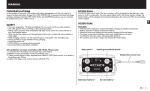
Illustrazione deII'apparecchio:
3
ITALIANO
Caratteristiche:
Modello: 27348
- Funzione analizzatore grasso corporeo
- Funzione analisi percentuale massa grassa
- Funzione BMI (indice massa corporea)
- Funzione calcolo calorie
- Spegnimento automatico (dopo 2 minuti di inutilizzo)
- Funzionalità di memorizzazione: richiama fino a 9 impostazioni personali
- 1 area memoria dedicata a altri utenti (modalità ospite)
- Alimentazione: voltaggio operativo 3.0 Volt
Come effettuare le misurazioni:
(Effettuare la selezione tra modalità utente e ospite).
- Premere il pulsante
per accendere/spegnere il misuratore di grasso corporeo.
- L’icona "Guest" Iampeggierà sullo schermo
o
per selezionare il gruppo di dati visualizzati sullo schermo
- Premere il tasto
- Premere il tasto
per confermare la modalità SET USER DATA. In seguito saranno visualizzati sullo
schermo le regolazioni per “Statura”, “Peso”, “Età” e “Sesso”.
per misurare la percentuale di massa grassa. La scritta “Measuring” e
saranno
- Premere il tasto
visualizzate sullo schermo. (Si veda la tabella sulla percentuale di massa grassa).
- Impugnare delicatamente con entrambe le mani i sensori di misurazione.
L’analizzatore misurerà automaticamente la massa di grasso. I valori BMI, KCAL e la percentuale di massa
grassa saranno visualizzati sullo schermo.
Percentuale massa grassa standard
ITALIANO
4
Indice massa corporea (BMI)
BMI = Peso (in chili) / Altezza (in metri)
Impostazione del numero identificativo personale
Quando la scritta GUEST lampeggia, premere il tasto
o
e selezionare il numero identificativo
personale da 1 - 9
Premere il tasto
per confermare la scelta. Il dispositivo passerà dalla modalità impostazione del
numero identificativo personale a quella STATURE.
5
ITALIANO
Impostazione della statura
Dopo aver confermato la selezione del numero identificativo personale premendo il tasto
visualizzata la scritta STATURE e il valore deII’aItezza Iampeggerà sullo schermo.
o
per impostare il valore inserito.
Premere il tasto
Premere il tasto
per confermare il dato deII’aItezza.
Impostazione del peso
Dopo aver confermato la selezione della statura premendo il tasto
WEIGHT e il valore del peso Iampeggerà sullo schermo.
Premere il tasto
o
per impostare il valore inserito.
Premere il tasto
per confermare il dato del peso.
Impostazione deII’età.
Dopo aver confermato la selezione del peso premendo il tasto
valore dell’età lampeggerà sullo schermo.
Premere il tasto
o
per impostare il valore inserito.
Premere il tasto
per confermare il dato deII’età.
, sarà
, sarà visualizzata la scritta
, sarà visualizzata la scritta AGE e il
Impostazione del sesso
Dopo aver confermato la selezione dell’età premendo il tasto
, sarà visualizzato il genere (MAN/
WOMAN) sullo schermo.
Premere il tasto
o
per impostare il sesso. La scritta MAN/WOMAN sarà mostrata alternativamente
sul display.
per confermare la selezione.
Premere il tasto
Ora tutte le impostazioni sono state inserite e memorizzate. Premere il tasto
per passare alla modalità
di misurazione. Posizionare delicatamente entrambe le mani sui sensori di misurazione.
ll dispositivo misurerà automaticamente il grasso corporeo (durante la rilevazione l’apparecchio emetterà un
segnale acustico “beep”). I valori BMI, KCAL e la percentuale di massa grassa saranno mostrati sullo schermo.
Messaggi di errore visualizzati sul display
Messaggio visualizzato sul display Problema
E1
Fine del tempo disponibile per la misurazione. ll
dispositivo non ha rilevato alcuna informazione
entro 10 secondi dopo che è stato premuto il tasto
. ln alternativa la cute delle mani potrebbe
essere troppo secca.
E2
Errore di rilevazione. Le mani non hanno aderito ai
sensori di misurazione durante la procedura di
analisi.
E3
Errore di calcolo nel risultato. I valori superano il
campo di misurazione del dispositivo.
Come cambiare i valori inseriti:
1) Premere il tasto
per far lampeggiare i dati personali che si desidera modificare.
2) Premere i tasti
o
per modificare le impostazioni.
Nel caso dovessero verificarsi delle anomalie procedere come segue
1) Aprire il vano batterie e togliere gli accumulatori
2) Sostituire le batterie e chiudere il vano
3) Utilizzare un oggetto appuntito e premere il pulsante RESET posto nel foro sul retro dell’apparecchio.
ITALIANO
6
Attenzione
- Installare 2 batterie AAA facendo attenzione a non invertire la polarità
- L’utiIizzo dell’analizzatore di grasso è severamente proibito ai portatori di dispositivi medici elettronici
(come ad esempio pacemaker). La corrente a bassa intensità generata daIl’apparecchio attraversa l’organismo
e potrebbe causare delle interferenze a questa tipologia di dispositivi.
- L’analizzatore di grasso corporeo è stato progettato per I’utente generico. Potrebbero verificarsi degli errori
nei dati rilevati nel caso l’apparecchio sia utilizzato dai seguenti pazienti:
A) Bambini sotto i 10 e adulti oltre i 99 anni di età
B) Atleti professionisti, sportivi e praticanti del bodybuilding
C) Donne in gravidanza, pazienti in emodialisi e persone con sintomi di edema
- Conservare lontano da luce solare
- Fare attenzione a non colpire accidentalmente il dispositivo
- Non pulire con acqua, alcol o prodotti chimici aggressivi (ad esempio solventi etc)
- Non tentare di aprire la scocca dell’apparecchio. Questa operazione potrebbe danneggiare il dispositivo.
- Tenere le batterie fuori dalla portata dei bambini. Nel caso le batterie siano ingerite, consultare
immediatamente un medico
- Non inserire nuove batterie con altre usate. Sostituire le batterie allo stesso tempo.
Specifiche tecniche
Display:
Percentuale massa grassa (0.0 - 99.9%)
BMI (0 - 99.9)
KCAL
Campo di misurazione: Altezza 100 -199.5 cm (39-79 pollici)
Peso 10 - 199.8 Kg (22-440 libbre)
Età (10 - 99 anni)
Sesso (UOMO / DONNA)
Alimentazione:
2 batterie AAA (R03)
Dimensioni unità:
240 x 160 x 43 mm
Peso unità:
305 grammi
Smaltimento: Il prodotto non deve essere smaltito assieme agli altri rifiuti domestici. Gli
utenti devono provvedere allo smaltimento delle apparecchiature da rottamare portandole al
luogo di raccolta indicato per il riciclaggio delle apparecchiature elettriche ed elettroniche. Per
ulteriori informazioni sui luoghi di raccolta, contattare il proprio comune di residenza, il servizio
di smaltimento dei rifiuti locale o il negozio presso il quale è stato acquistato il prodotto. In
caso di smaltimento errato potrebbero venire applicate delle penali, in base alle leggi nazionali.
CONDIZIONI DI GARANZIA GIMA
Ci congratuliamo con Voi per aver acquistato un nostro prodotto. Questo prodotto risponde a standard
qualitativi elevati sia nel materiale che nella fabbricazione. La garanzia è valida per il tempo di 12 mesi dalla
data di fornitura GIMA. Durante il periodo di validità della garanzia si provvederà alla riparazione e/o sostituzione
gratuita di tutte le parti difettose per cause di fabbricazione ben accertate, con esclusione delle spese di
mano d’opera o eventuali trasferte, trasporti e imballaggi. Sono esclusi dalla garanzia tutti i componenti
soggetti ad usura.
La sostituzione o riparazione effettuata durante il periodo di garanzia non hanno l’effetto di prolungare la
durata della garanzia. La garanzia non è valida in caso di: riparazione effettuata da personale non autorizzato
o con pezzi di ricambio non originali, avarie o vizi causati da negligenza, urti o uso improprio. GIMA non
risponde di malfunzionamenti su apparecchiature elettroniche o software derivati da agenti esterni quali:
sbalzi di tensione, campi elettromagnetici, interferenze radio, ecc. La garanzia decade se non viene rispettato
quanto sopra e se il numero di matricola (se presente) risulti asportato, cancellato o alterato. I prodotti
ritenuti difettosi devono essere resi solo e soltanto al rivenditore presso il quale è avvenuto l’acquisto.
Spedizioni inviate direttamente a GIMA verranno respinte.
27348
7
ENGLISH
Introduction
Congratulations on your selections of this product! Before using this unit for the first time, please be sure to
read this instruction manual carefully and use the unit properly. Also, please keep this manual and all
information on hand for future reference.
What customer got:
1) Body Fat Monitor
2) Battery AAA x 2
3) Instruction manual
Safety Instructions:
- Before beginning any exercise program, consult with your doctor or health physician
- Refer to the manual whenever you have a question
Name and functions
ENGLISH
8
Features
Model: 27348
- Body Fat Analyzer Function
- Body Fat Ratio Function
- BMI Function
- Calorie Calculation Function
- Auto Power Off (when no operation is detected for approximate 2 minutes)
- Memory Function stores up to 9 personals data
- 1 personal data for Guest (will be initial after power off)
- Power Bating : 3.0 Volts operating voltage
Operation Instruction
(Select User Mode - Select the guest)
- Press
to turn on/off the Body Fat Monitor
- “Guest” icon will flashes on the screen
- Press
or
key to select the group of present data
- Press
to confirm SET USER DATA mode and will shift to another setting for “Stature”, “Weight”,
“Age” and “Gender”.
- Press
to measure the body fat ratio. The “Measuring” and
icon will display on screen. (Ref to
Body Fat Table)
- Put your hands on both measuring poles lightly. The analyzer will measure the Body Fat automatically.
The BMI, KCAL and Body Fat Ratio will display on screen.
Standard of Body Fat Ratio
9
ENGLISH
Body Mass Index (BMI)
BMI=Weight (in Kilograms) / Height2 (in Meters)
Setting the personal number
- When GUEST is flashing, push the
or
key and select a personal number from 1-9
- Press
key to confirm the personal number. The personal number turns on changes to STATURE
setting mode.
Setting the Stature
- After confirm setting the personal number by
flashes on Screen.
- Press
or
to adjust the setting value
- Press
key to confirm the value of height
, the STATURE will display and the value of height
10
ENGLISH
Setting the Weight
- After confirm the setting height value by
, the WEIGHT will display and the value of weight flashes
on Screen
or
key to adjust the setting value
- Press
- Press
key to confirm the value of weight
Setting the Age
- After confirm the setting weight value by
, the AGE will display and the value of age flashes on
Screen
- Press
or
key to adjust the setting value
- Press
key to confirm the value of age
Setting the Gender
- After confirm the setting age value by
, the gender (MAN/WOMAN) will flashes on screen.
- Press
or
key to change the gender. The display of MAN/WOMAN flashes alternately.
- Press
key to confirm.
All the set items are fixed and stored. Press
to the measuring mode and put your hands on both
measuring poles lightly. The analyzer will measure the Body Fat automatically (you will hear the "beep"
sounds while you are measuring). The BMI, KCAL and Body Fat Batio will display on screen.
Error Display
Error Display
Cause
E1
Measuring timeout. Nothing is detected atter press
"S" key in 10 seconds or the hands in
measurement are too dry
E2
Measuring error. The hands leave the measuring
poles during the measuring
E3
Calculation result error. It is beyond the
measurement of the product
Tips & Hints
To change any values:
1) Press the
key to flash the personal data you want to change
2) Press the
or
key to change the setting
System Reset
To Re-set unit when abnormal conditions happen
1) Open battery door & take out batteries
2) Replace batteries & close the battery door
3) Use a pointed object to press RESET hole on the back of the unit
Caution
- Install AAA x 2 Batteries according to the direction indicated
- The Body Fat Monitor is strictly prohibited for people who have installed electronic medical devices inside
their bodies. Low electrical current that produced the meter will pass through the human body and interfere
with such devices
11
ENGLISH
- The Body Fat Monitor has been designed for average user and students, error in body fat data may occur
when used by following users:
A) Children under 10 and adults over 99 years of age
B) Bodybuilders, professional athletes and likewise
C) Pregnant women, patients undergoing haemodialysis treatment, and people who have edema symptoms
- Avoid direct sunlight
- Do not subject to severe shock
- Never attempt to disassemble it, as it contains precise electronic components
- Do not clean using water, alcohol or thinner etc
- Do not force to open the case, doing so may break the case or bend the clip
- Keep battery away from the reach of children. If swallowed, consult with Physician immediately
- Do not mix old and new batteries. Replace batteries at the same time in pairs.
Specifications
Display:
Set Range:
Power Supply:
Unit Size:
Unit Weight:
Body Fat Percentage (0.0 - 99.9%)
BMI (0 - 99.9)
KCAL
Height 100 - 199.5cm (39-79inch)
Weight 10 - 199.8kgs (22-440Ib)
Age (10 - 99 years)
Gender (MAN /WOMAN)
2 AAA batteries (R03)
240 x 160 x 43mm
305grams
Disposal: The product must not be disposed of along with other domestic waste. The users
must dispose of this equipment by bringing it to a specific recycling point for electric and
electronic equipment.
For further information on recycling points contact the local authorities, the local recycling
center or the shop where the product was purchased. If the equipment is not disposed of
correctly, fines or penalties may be applied in accordance with the national legislation and
regulations.
GIMA WARRANTY CONDITIONS
Congratulations for purchasing a GIMA product.
This product meets high qualitative standards both as regards the material and the production. The warranty
is valid for 12 months from the date of supply of GIMA.
During the period of validity of the warranty, GIMA will repair and/or replace free of charge all the defected
parts due to production reasons. Labor costs and personnel traveling expenses and packaging not included.
All components subject to wear are not included in the warranty.
The repair or replacement performed during the warranty period shall not extend the warranty.
The warranty is void in the following cases: repairs performed by unauthorized personnel or with non-original
spare parts, defects caused by negligence or incorrect use.
GIMA cannot be held responsible for malfunctioning on electronic devices or software due to outside agents
such as: voltage changes, electro-magnetic fields, radio interferences, etc.
The warranty is void if the above regulations are not observed and if the serial code (if available) has been
removed, cancelled or changed.
The defected products must be returned only to the dealer the product was purchased from. Products sent
to GIMA will be rejected.
27348