1
Colf
I
GB
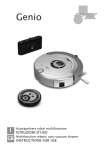
Aspirapolvere robot multifunzione
ISTRUZIONI D’USO
Multifunction robotic auto vacuum cleaner
INSTRUCTIONS FOR USE
6
5
7
3
1
2
4
8
9
10
11
C
6
B
A
Fig. 1
2
I
AVVERTENZE GENERALI
Conservate con cura il presente
manuale e leggetene attentamente le avvertenze; esse forniscono importanti indicazioni riguardanti la
sicurezza, l’uso immediato e futuro dell’apparecchio.
Questo apparecchio, adatto per il solo uso
domestico, dovrà essere destinato solo alla
funzione per il quale è stato espressamente
concepito. Ogni altro uso è da considerarsi
improprio e pericoloso.
Il costruttore non può essere considerato
responsabile per eventuali danni derivanti
da usi impropri, errati ed irragionevoli.
L’installazione dovrà essere effettuata secondo le prescrizioni del costruttore.
Una errata installazione può causare danni
a persone, animali, cose, il costruttore non
può esserne ritenuto responsabile.
La sicurezza delle apparecchiature elettriche è garantita solo se queste sono collegate ad un impianto elettrico provvisto di
idonea messa a terra secondo quanto stabilito dagli attuali standard vigenti in materia di sicurezza elettrica.
Gli elementi dell’imballaggio (sacchetti in
plastica, chiodi, polistirolo espanso, ecc.)
non devono essere lasciati alla portata di
bambini o incapaci in quanto rappresentano potenziali fonti di pericolo.
Prima di collegare l’apparecchio accertarsi
che i dati di targa siano rispondenti a quelli
della rete di distribuzione elettrica.
In caso di incompatibilità tra la presa e la
spina rivolgersi a personale qualificato per
le necessarie operazioni di adeguamento.
Non utilizzare adattatori, prese multiple
e/o prolunghe.
Qualora il loro uso si rendesse indispensabile utilizzare esclusivamente materiale
conforme alle vigenti norme di sicurezza ed
aventi requisiti di compatibilità con apparecchio e rete di distribuzione elettrica.
Utilizzando l’apparecchio per la prima
volta, assicurarsi di aver tolto ogni etichetta
o foglio di protezione.
Se l’apparecchio è dotato di prese d’aria,
assicurarsi che non vengano mai occluse
3
nemmeno parzialmente. L’uso di qualsiasi
apparecchio elettrico comporta l’osservanza di alcune regole fondamentali ed in
particolare: Non immergere o bagnare l’apparecchio; non usarlo vicino ad acqua, in
vasca, nel lavello o in prossimità di altro recipiente con liquidi. Nel caso l’apparecchio
dovesse cadere accidentalmente in acqua
NON cercare di recuperarlo ma innanzitutto
togliere immediatamente la spina dalla
presa di corrente.
Successivamente portarlo in un centro assistenza qualificato per i necessari controlli.
Durante l’uso, l’apparecchio deve essere
lontano da qualsiasi oggetto o sostanza infiammabile od esplosiva.
Non toccare l’apparecchio con mani bagnate o umide.
Non usare l’apparecchio a piedi nudi.
Non tirare l’apparecchio o il cavo per staccare la spina dalla presa.
Non lasciare l’apparecchio esposto ad
agenti atmosferici (pioggia, sole).
Si raccomanda di tenere l’apparecchio fuori
dalla portata di bambini od incapaci e di
non permetterne loro l’utilizzo.
Scollegare la spina dalla presa di corrente
quando l’apparecchio non viene utilizzato
e prima di effettuare qualsiasi operazione
di pulizia o manutenzione.
Il cavo di alimentazione deve essere srotolato per tutta la sua lunghezza al fine di
evitarne il surriscaldamento.
Il cavo di alimentazione non deve essere
avvicinato a fonti di calore e/o superfici taglienti. In caso di cavo di alimentazione
danneggiato, provvedere alla sostituzione
che deve essere effettuata da personale
qualificato. In caso di guasto e/o cattivo
funzionamento spegnere l’apparecchio e
rivolgersi a personale qualificato.
Eventuali manomissioni o interventi effettuati da personale non qualificato fanno
decadere i diritti di garanzia. Per pulire
l’apparecchio usare solo un panno morbido
e non abrasivo.
Quando l’apparecchio, risulta inutilizzabile
e si desidera eliminarlo, asportarne i cavi e
smaltirlo presso un ente qualificato al fine
mente: per motivi igenico-sanitari, il centro
di non contaminare l’ambiente.
• Se nel prodotto vi sono parti in vetro, assistenza respingerà l’apparecchio stesso
senza visionarlo.
queste non sono coperte da garanzia.
ATTENZIONE:
sul prodotto o sulla confeLe parti in plastica del prodotto non sono Il simbolo
zione indica che il prodotto non deve escoperte da garanzia.
sere considerato come un normale rifiuto
domestico, ma deve essere portato nel
ATTENZIONE:
I danni del cavo di alimentazione, derivanti punto di raccolta appropriato per il ricidall’usura non sono coperti da garanzia; claggio di apparecchiature elettriche ed
l’eventuale riparazione sarà pertanto a ca- elettroniche.
Provvedendo a smaltire questo prodotto in
rico del proprietario.
modo appropriato, si contribuisce a evitare
potenziali conseguenze negative per l’amATTENZIONE:
Se si rendesse necessario portare o spedire biente e per la salute, che potrebbero deril’apparecchio al centro assistenza autoriz- vare da uno smaltimento inadeguato del
zato, si raccomanda di pulirlo accurata- prodotto.
Per informazioni più dettagliate sul ricimente in tutte le sue parti.
Se l’apparecchio risultasse anche minima- claggio di questo prodotto, contattare l’ufmente sporco o incrostato o presentasse ficio comunale, il servizio locale di
depositi di cibo, depositi calcarei, depositi smaltimento rifiuti o il negozio in cui è
di polvere o altro; esternamente o interna- stato acquistato il prodotto.
Pericolo di lesioni
• I bambini e gli animali domestici devono
essere sorvegliati per garantire che non
giochino o entrino in contatto con l’apparecchi per evitare che si facciano male o
rovinino lo stesso.
I bambini non devono quindi salire sul
prodotto.
• Tenere i bambini e gli animali lontani dal
materiale di confezionamento. Pericolo di
soffocamento!
• Questo dispositivo non deve essere utilizzato da persone (bambini compresi) con
ridotte capacità sensoriali, ridotte facoltà
mentali o che non abbiano adeguata espeAvviso di uso improprio
rienza e/o la conoscenza di tali dispositivo,
• NON aspirare:
- Sostanze liquide o umide (ad es. shampo, a meno che non siano sorvegliate da una
persona responsabile della loro sicurezza,
detersivi, tappeti bagnati ...ecc.)
- Ceneri ardenti, mozziconi di sigarette, o che abbiano ricevuto istruzioni da una
persona su come utilizzare il dispositivo.
fiammiferi ...ecc.
- Sostanze infiammabili o esplosive.
Pericolo di incendio
- Polveri molto sottili (ad es. polvere di ce• Non utilizzare il dispositivo se gas facilmento, cenere, toner ...ecc.)
- Oggetti duri come ad es. grossi pezzi di mente infiammabili sono presenti nell'aria.
vetro rotto, sassi ...ecc.
Avvertenze particolari
Destinazione d'uso
• Questo dispositivo è stato progettato per
aspirare normale polvere domestica. Esso
è destinato esclusivamente ad un uso privato, interno e non è adatto per usi commerciali.
• Il dispositivo non è adatto per tappeti o
moquette.
• Il dispositivo deve essere utilizzato solo
come descritto nelle istruzioni per l'uso.
Ogni altro uso è considerato non conforme.
4
Pericolo di scosse elettriche
• ATTENZIONE: pericolo di vita per folgorazione! Non tentate di riparare il dispositivo o il trasformatorei, contattare sempre
il Servizio Clienti per garantire la propria
sicurezza.
• Non immergere mai l'apparecchio in
acqua o altri liquidi per evitare il rischio di
scosse elettriche.
• Non toccare il dispositivo con le mani
bagnate. Non utilizzare all'aperto o in ambienti con alta umidità.
• Non aspirare liquidi. Non versare liquidi
all'interno del contenitore della polvere.
• Conservare l'apparecchio solo in ambienti interni asciutti.
• In caso di danni/malfunzionamenti (ad
esempio rumori, odori o sviluppo di fumi),
spegnere immediatamente il dispositivo e
contattare il Servizio Clienti.
• Trasportare sempre il dispositivo per il
manico e mai per il cavo di alimentazione,
trattare il cavo di alimentazione sempre
con cura. Non schiacciare il cavo in porte
o farlo passare sopra asperità taglienti
come angoli o bordi. Tenere il cavo lontano da superfici calde.
• Collegare l'adattatore solo ad una presa
di corrente la cui tensione di rete corrisponda ai dati sulla targhetta del dispositivo. La presa di corrente deve essere
ancora accessibile dopo che è stato fatto
il collegamento.
• In caso di temporali o guasti nella
scheda o se l’apparecchio non si ricarica,
togliere la spina dalla presa di corrente.
• Per staccare la spina dalla presa di corrente, non tirare mai il cavo di alimentazione. Toccare la spina solo con le mani
asciutte.
Pericolo da batterie
• Se la batteria perdesse, non permettere
che pelle, occhi e mucose vengano in contatto con l'acido.
Se ci fosse contatto con l'acido della batteria, lavare immediatamente le zone colpite
con abbondante acqua pulita e contattare
immediatamente il medico.
• Se la batteria perdesse, rimuoverla immediatamente senza entrare in contatto
con l’acido. Pulire i contatti prima di inserire una nuova batteria.
• La batteria non deve essere smontata,
gettata nel fuoco, immersa in liquidi o
mandata in corto circuito.
5
Assistenza durante il funzionamento
• Il filtro, la spazzola per pavimenti e il
contenitore polvere devono essere completamente asciutti dopo il lavaggio prima
che possano essere reinseriti.
• Ai fini della propria sicurezza, controllare ogni volta prima dell'uso, che il dispositivo non presenti danni. In caso di difetti,
il dispositivo non dovrà più essere utilizzato fino al controllo del Centro Assistenza Autorizzato.
• Il collegamento dei cavi non deve comportare un pericolo di inciampare.
• Utilizzare solo accessori originali.
• Prima di avviare il dispositivo, è necessario assicurarsi che il pavimento sia privo
di oggetti che potrebbero impigliarsi tra le
spazzole ole ruote del dispositivo di pulizia. Assicurarsi che il dispositivo non
possa rimanere impigliato in cavi o tende.
• Non appoggiare oggetti sul dispositivo.
• Proteggere l'apparecchio da calore,
fiamme libere, luce solare diretta, umidità, e da collisioni. Non far cadere il dispositivo.
• Non inserire oggetti nelle aperture del
dispositivo e fare in modo che queste non
si intasino.
• Se accidentalmente entrassero liquidi o
corpi estranei nel dispositivo, spegnerlo
immediatamente. Asportare la batteria, riportarlo alle condizioni di utilizzo ottimali
e ispezionarlo prima di riprovare ad utilizzarlo.
• Prima di controllare che il dispositivo
non abbia ostruzioni o prima di rimuoverla, spegnere il dispositivo.
• In caso di danni / guasti, spegnere il dispositivo immediatamente.
• Non cercare di lubrificare i rulli con lubrificante o olio.
Prima dell'uso iniziale
• Lasciare il dispositivo in un luogo asciutto
e pulito e non accessibile ai bambini e/o Prima di poter utilizzare questo dispositivo, è necessario:
animali.
• Togliere dagli imballaggi gli elementi
forniti.
Condizioni di garanzia
Sono esclusi dalla garanzia: tutti i difetti ei • Caricare completamente la batteria.
danni causati da usi impropri manipolaDisimballaggio degli elementi forniti
zione o tentativi non autorizzati di ripaAttenzione!
rare.
• Tenere i bambini e gli animali lontani dal
Lo stesso vale per la normale usura.
materiale di confezionamento. Pericolo di
soffocamento!
Ciò che viene fornito
• Disimballare tutte le parti e verificare gli
• 1 aspirapolvere robot pulizia incl.
elementi forniti per assicurarsi che essi
batteria
• 1 adattatore di rete con cavo di rete e sono completi (si veda il capitolo "Quello
che è fornito"); anche verificare la presenza
spina
di eventuali danni dovuti al trasporto.
• Queste istruzioni per l'uso
Se trovate eventuali danni ai componenti,
non usarli e contattare il nostro Servizio
Panoramica del dispositivo
Clienti (vedere la sezione "Servizio Clienti").
1 Ruota
2 Contenitore con filtro antipolvere
Carica della batteria
3 pulsante di rilascio del contenitore
Ci vogliono circa 6 ore con batteria scarica
della polvere (Il secondo pulsante è
per una ricaricara massima.
situato sul lato del contenitore della
1. Inserire lo spinotto all'estremità del cavo
polvere)
di alimentazione nella presa di connes4 Bumper
sione sul retro del dispositivo.
5 Maniglia
2. Inserire l'adattatore di rete in una presa
6 Presa di collegamento con spia
di corrente idonea a riceverlo.
di controllo rossa
3. Dopo di che, la procedura di ricarica ini7 Tasto Start / Stop
zia. Si accende la spia di controllo rossa
8 Sensore da 8 Step (4 x)
sopra al prodotto. Se la spia non si ac9 Vano batteria
cende, questo indica che la batteria ha an10 Piano cover pennello
cora carica e non necessita di essere
11 Spazzola per pavimenti
ricaricata. E’ sempre meglio permettere al
dispositivo di scaricare completamente la
Funzioni di base
• Questo aspirapolvere robot aspira lo batteria prima di ricaricarla nuovamente.
4. Quando la batteria è carica, la spia di
sporco sciolto.
Per pulire più efficiente, ha una rotazione controllo rossa si spegne. Scollegare il dispositivo dalla rete elettrica.
piano pennello.
• Quando il dispositivo urta un muro o altri
Preparazione della Camera
ostacoli, cambia la sua direzione di marAttenzione!
cia.
• I sensori sicurezza sul fondo del dispo- • Se si utilizza il dispositivo in una stanza
sitivo sono in grado di riconoscere gradini per la prima volta, controllarla per rimuoo depressioni in modo che il dispositivo vere eventuali ostacoli in modo che il dispositivo possa pulire l'intera stanza.
non possa cadere.
• Il dispositivo può essere trasportato co- • Il dispositivo non è adatto per tappeti o
moquette.
modamente utilizzando la maniglia.
6
tasto START/STOP di nuovo; si sente un
rumore beep) anche se la batteria è scarica
bisogna spegnere l’apparecchio e ricaricare la batteria.
5. Dopo ogni utilizzo, svuotare il contenitore della polvere, pulire la spazzola per
pavimenti e rimuovere eventuali sporcizie
nel modo descritto nel capitolo seguente.
• Rimuovere eventuali oggetti da terra che
possono rimanere impigliati nella spazzola
per pavimenti o impedire al dispositivo di
pulire. In particolare, non lasciare i sacchi
di plastica sul pavimento.
• Assicurarsi che non
vi siano cavi, corde o
frange, ad esempio
da tende, tovaglie e
tappeti, accessibili al
dispositivo. Se necessario, ripiegare i bordi
sfrangiati di tappeti sotto il tappeto.
• Rimuovere tutti gli oggetti che potrebbero essere rovesciati (ad esempio vasi,
piccole lampade, decorazioni).
• La distanza tra due oggetti (ad esempio
una parete e un mobile) deve essere almeno 40 cm in modo che il dispositivo
puossa passare.
• Per impedire che il prodotto rimanga
bloccato sotto alcuni mobili di altezza critica, bloccare il suo percorso, per esempio
con vasi di fiori, o oggetti pesanti urtando
i quali il prodotto devia percorso.
Pulizia e manutenzione
Attenzione!
• Durante i lavori di pulizia e manutenzione, il dispositivo non deve essere collegato alla rete elettrica e deve essere
spento.
• Solo il contenitore della polvere, il filtro,
la spazzola pavimento e la spazzola (dopo
che sono stati rimossi dal dispositivo!)
possono essere lavate con acqua tiepida.
Il dispositivo non deve essere immerso in
acqua o altri liquidi.
• Nessuna parte del dispositivo può essere
messo in una lavatrice o lavastoviglie!
Assicurarsi che prima e dopo ogni uso che
le aperture del dispositivo siano libere.
Per garantire buone prestazioni del dispoIl funzionamento del dispositivo
sitivo, è necessario svuotare il contenitore
Attenzione!
• Non lasciare il dispositivo acceso incu- della polvere, pulire il filtro e la spazzola
stodito in modo da poter intervenire se vi per il pavimento dopo ogni uso.
fossero mobili/oggetti che intralciano i
Svuotamento del contenitore
suoi movimenti.
della polvere e pulizia del filtro
• Se durante la pulizia qualcosa blocca
l’apparecchio, intervenire immediatamente 1. Premere i due pulsanti di sgancio del
contenitore polveri in modo che si sblocchi
per rimuovere l'ostacolo.
1. Assicurarsi che il contenitore della pol- e sollevarlo, fuori dal dispositivo.
vere, il filtro, la spazzola pavimenti e il 2. Svuotare il contenitore della polvere in
coperchio spazzola siano inseriti nel di- una pattumiera.
spositivo e che siano pulite (vedi capitolo Prima di rimontare estrarre il filtro (A) dal
supporto filtro (B) e poi smontare il filtro
"Pulizia e manutenzione").
2. Posizionare il dispositivo nel centro del contenitore della polvere (C).
3. Svuotare l'immondizia fuori del contedella stanza da pulire.
3. Premere il tasto START/STOP per accen- nitore della polvere nel bidone delle imdere il dispositivo. Si sente un rumore e il mondizie e spazzolare i due parti del filtro.
È possibile anche sciacquare il contenitore
segnale acustico
dispositivo parte. Quando il dispositivo per la polvere e le parti del filtro sotto
urta un ostacolo, corregge la sua direzione acqua corrente.
Lasciate asciugare completamente tutti i
di marcia.
4. Quando il pavimento sarà pulito il di- componenti prima di rimontare il tutto.
spositivo potrà essere spento (premere il 4. Prima di rimontare il contenitore della
7
Dati tecnici
Modello: PC-R001
Periferica: "Clean Maxx®" Premium 2 in 1
Robot Vacuum Cleaner
Uscita: 35 W
Diametro: 36.2 cm
Altezza: 14,8 cm
Batteria: 11,1 V; 1800 mA
Durata carica batteria: ca. 6 ore
Durata di funzionamento: ca. 50 minuti
Capacità contenitore polvere: ca. 500 ml
Rumorosità: ca. 70 db
polvere al suo posto, pulire il vano contenitore con una spazzola.
Spegnere il dispositivo capovolto e anche
spazzolare il fondo del dispositivo.
Se necessario, pulire il dispositivo con un
panno asciutto o leggermente umido.
5. Collocare il filtro (A) nel supporto filtro
(B) e poi inserire il filtro+supporto nel contenitore polvere (C).
Posizionare il contenitore della polvere nel
dispositivo.
Pulizia della Floor
• Spegnere il dispositivo e capovolto, rimuovere tutti i capelli e la sporcizia catturata nella spazzola e nelle ruote.
• Per rendere più facile la pulizia, è anche
possibile rimuovere il coperchio pennello:
1. Svitare le 4 viti sul coperchio spazzole
(vedi Fig. 1) con un cacciavite adatto e rimuovere il coperchio.
2. Rimuovere la spazzola per pavimenti dal
dispositivo.
3. Ora è possibile pulire le spazzole e il
coperchio. Se si sciacquano le due parti
con acqua, consentire a tutti i componenti
di asciugare completamente prima di rimontarli.
4. Prima di reinserire la spazzola per pavimenti e la copertura, pulire con un pennello il vano dispositivo con una spazzola.
5. Posizionare la spazzola per pavimenti
nel dispositivo. Si noti che dal lato con la
ruota dentata deve essere agganciata la
cinghia di trazione.
6. Chiudere il coperchio spazzole e serrare
le 4 viti di nuovo.
Adattatore
Modello: LK-D240040
Tensione di alimentazione:
230 V AC, 50 Hz
Tensione di uscita: 14,4 V DC, 300 mA
Classe di protezione: II
Pulizia del corpo
• Non utilizzare detergenti corrosivi o
abrasivi per pulire il dispositivo.
Questi potrebbero danneggiare la superficie. Se necessario, è sufficiente pulire il dispositivo con un panno umido.
8
GB
GENERAL SAFETY
REQUIREMENTS
Carefully read the requirements in
this manual and keep in a safe
place. It contains important instructions on
the safety, use and future of your appliance.
This appliance is only for domestic use and
must only to be used for the purpose it was
specifically designed.
Any other use is considered improper and
dangerous.
The manufacturer cannot be held responsible for any damages caused by improper,
incorrect and negligent use. The installation must be carried out according to the
manufacturer’s instructions. The manufacturer shall not be held responsible for any
damages to people, animals or objects
caused by incorrect installation. The safety
of the electrical equipment is only guaranteed if it is connected to an electrical installation equipped with a suitable earthing
system in compliance with the current
standards on electrical safety.
Do not leave parts of packaging (plastic
bags, foam polystyrene, nails, etc) within
reach of children or incapacitated people
since they are potential sources of danger.
Before connecting the appliance, check that
the technical data on the rating label corresponds to those of the main electricity
network.
In case of incompatibility between the outlet and the plug, contact a qualified electrician for the necessary adjustments.
Do not use adaptors, multiple plugs and
extension leads.
However, if absolutely necessary only use
materials that conform to the current safety
standards and that are compatible with the
appliance and the main electricity network.
On using the appliance for the first time,
remove any labels or protective sheets.
9
If the appliance is equipped with air inlets,
make sure they are never blocked not even
partially.
The use of any electrical appliance involves
the observance of some fundamental rules.
In particular:
Do not immerge the appliance in water and
do not wet; do not use it near water, in the
tub, washbasin or near other recipients
with liquids. If the appliance should accidentally fall in water, DO NOT try to touch
it but immediately disconnect the plug
from the mains power.
Then bring it to an authorised service centre for the necessary controls.
During use, the appliance must be kept
away from any inflammable objects or substances or explosives.
Do not touch the appliance with wet hands
or feet.
Do not use the appliance with bare feet.
Do not pull on the power cord or on the appliance itself to disconnect the plug from
the power outlet.
Do not leave the appliance exposed to atmospheric agents (sun, rain…)
Keep the appliance out of reach of children
or incapacitated people and do not let them
use it.
Disconnect the plug from the power outlet
when the appliance is not being used and
before carrying out any cleaning or maintenance.
The power cord must be completely unwound to prevent it from overheating.
The power cord must be kept away from
heat sources and/or sharp edges.
If power cord is damaged, have it replaced
by qualified personnel.
Switch off and contact a qualified technician if the appliance should breakdown
and/or not function properly.
Any tampering or interventions executed
by unqualified people will cancel the guarantee.
Use a soft and non-abrasive cloth to clean
the appliance.
When the appliance is unserviceable and
must be eliminated, remove its cords and
dispose of it at an authorised disposal
centre in order to protect the environment.
• Warranty does not cover any glass parts
of the product.
ATTENTION:
The damages of the power supply cord,
originate by the wear aren’t covered by
guarantee; the repair will be in charge to
the owner.
ATTENTION:
Warranty does not cover any plastic parts
of the product
ATTENTION:
If the need should arise to take or send the
appliance to an authorised service centre,
make sure to clean all its parts thoroughly.
For hygienic purposes, the service centre
shall reject appliances that are not perfectly clean on the outside or inside without
making any controls or repairs.
The symbol
on the product or on its
packaging indicates that this product may
not be treated as household waste. Instead
it shall be handed over to the applicable
collection point for the recycling of electrical and electronic equipment.
By ensuring this product is disposed of
correctly, you will help prevent potential
negative consequences for the environment and human health, which could
otherwise be caused by inappropriate
waste handling of this product.
For more detailed information about recycling of this product, please contact your
local city office, your household waste disposal service or the shop where you purchased the product.
Danger of Injury
• Children and pets must be supervised to
guarantee that they do not play with
and/or injure themselves on the device.
Children must not sit or ride on the device.
• Keep children and animals away from
the packaging material.
Danger of suffocation!
• This device should not be used by people (including children) with impaired sensory or mental faculties or who do not
have adequate experience and/or knowledge of such devices, unless they are
Warning of Misuse
• On no account should the device be used supervised by a person responsible for
their safety, or have received instructions
to suck up the following:
- Liquids or wet substances (e. g. wet car- from such a person on how to use the device.
pet shampoo).
- Glowing ash, cigarette ends, matches, etc.
Danger of Fire
- Inflammable or explosive substances
- Very fine dust (e. g. concrete dust) or • Do not use the device if highly flammable
gases are present in the air.
toner.
- Pointed, hard objects such as e. g. large
pieces of broken glass.
Safety Instructions
Intended Use
• This device is designed for vacuum cleaning normal household dust. It is intended
only for private indoor use and is not suitable for commercial applications.
• The device is not suitable for plush or
shag carpeting.
• The device must only be used as described in the operating instructions. Any other
use is deemed to be improper.
10
Electric Shock Hazard
• PLEASE NOTE: Acute danger to life from
electrocution! Never try to repair the device or the mains adapter yourself; contact
Customer Service to ensure your own safety.
• Never immerse the device in water or
other liquids to avoid the risk of electric
shock.
• Do not touch the device with wet hands.
Do not operate it outdoors or in rooms
with high humidity.
• Never suck up liquids. Do not pour liquids into the dust container.
• Store the device only in dry indoor
rooms.
• In the event of damage/malfunctions (e.
g. unusual noises, odour or smoke development), switch the device off immediately.
• Always carry the device by the handle
and never by the mains cable or adapter;
always treat the mains cable with care.
Avoid pinching the cable in doors or pulling it over sharp edges or corners. Keep
the cable away from hot surfaces.
• Connect the adapter only to a plug socket whose mains voltage corresponds to
the data on the rating plate of the device.
The mains socket must still be accessible
after the connection has been made.
• In case of thunderstorms or faults in the
adapter or if you are not charging up the
device, remove the mains plug from the
mains socket.
• Always pull the plug, never the mains
cable, to remove the plug from the mains
socket.
Touch the mains plug only with dry hands.
Danger From Batteries
• If the battery has leaked, do not allow
your skin, eyes and mucous membranes to
come into contact with the battery acid.
After contact with battery acid, wash the
areas affected immediately with copious
amounts of clean water and obtain immediate medical attention.
• Remove a leaking battery from the device
immediately. Clean the contacts before inserting a new battery.
• The battery must not be taken apart,
thrown into a fire, immersed in liquids or
shortcircuited.
Care During Operation
• The filter, floor brush and dust container
must be completely dried after washing
before they may be reinserted.
• The device should be used only when it
is fully assembled. The battery, dust container, filter, floor brush and brush cover
must all be inserted.
• In the interests of your own safety, inspect the device for damage every time
before use. In case of defects, the device
may no longer be used until serviced by a
specialist.
• Connected cables must not present a
tripping hazard.
• Use only original manufacturer's accessories.
• Before starting up the device, you must
make sure that the floor is free of any objects that could get caught in the floor
brush or prevent the device from cleaning.
Ensure that the device cannot get caught
in cables or curtains. It could, for example,
get caught in the cable of a table lamp and
pull it off the table.
• Never place heavy objects on the device.
• Protect the device from heat, naked flames, direct sunlight, moisture, and collisions. Do not drop the device.
• Do not insert anything into the openings
of the device and make sure that these do
not become clogged.
• If liquids or foreign bodies get into the
device, switch it off immediately. Have the
device inspected before further use.
• Before you inspect the device for clogging or before removing any clogging,
switch off the device.
• In the event of damage/faults, switch the
device off immediately.
• Do not try to lubricate the rollers with lubricant or oil. This would cause dust and
dirt to increasingly adhere to the rollers.
11
Unpacking the items supplied
• Store the device in a dry, clean place that
is not accessible to children and animals. Please note!
• Keep children and animals away from the
packaging material. Danger of suffocation!
Warranty Terms
The following are excluded from the war- • Unpack all parts and check the items
ranty: all defects and damage caused by supplied to make sure they are complete
improper handling or unauthorised at- (see the "What is Supplied" chapter); also
tempts to repair. The same applies for nor- check for transport damage. If you find any
damage to the components, do not use
mal wear.
them (!), but instead contact our customer
service department (see the "Customer
What is Supplied
Service" chapter).
• 1 robot vacuum cleaner incl. battery
• 1 mains adapter with mains cable and
Charging the Battery
plug
It takes approx. 6 hours for an empty bat• These operating instructions
tery to fully charge up.
1. Insert the plug at the end of the mains
Device Overview
cable into the connecting socket on the
1 Wheel
back of the device.
2 Dust container with filter
2. Insert the mains adapter into a mains
3 Release button of the dust container
socket that is easily accessible.
(The second button is situated on
3. After that, the charging procedure bethe other side of the dust container)
gins. The red control lamp above the con4 Bumper
necting socket.
5 Handle
If the control lamp does not light up, this
6 Connecting socket with red control
is an indication that the battery still has
lamp
power left in it and the battery is not being
7 Start/stop button
charged. Always allow the device to run
8 Step sensor (4 x)
down completely before charging it up
9 Battery compartment
again.
10 Floor brush cover
4. When the battery is charged up, the red
11 Floor brush
control lamp will go out. Disconnect the
device from the mains power. Your robot
Basic Functions
• This robot vacuum cleaner vacuums up vacuum cleaner is now ready for use.
loose dirt. To clean more efficiently, it has
Preparing the Room
a rotating floor brush.
• When the device bumps into a wall or Please note!
other obstacles, it changes its direction of • If you are using the device in a room for
the first time, keep an eye on it in case you
travel.
• The step sensors on the bottom of the need to remove any obstacles so that the
device recognise steps or other depres- device can effectively clean the entire
sions so that the device cannot fall down. room.
• The device can be carried comfortably • The device is not suitable for plush or
shag carpeting.
using the built-in handle.
• Remove any objects from the floor that
may get caught in the floor brush or preBefore Initial Use
Before you can use this device, you must: vent the device from cleaning. In particular, do not leave plastic bags on the floor.
• Unpack the items supplied,
• Fully charge up the battery.
12
• Make sure that no
cables, cords or fringes, for example from
curtains, tablecloths
or rugs, are accessible
to the device. If necessary, fold the fringed
edges of rugs under the rug.
• Remove all objects that could be tipped
over (e. g. vases, small lamps, decorations).
• The distance between two objects (e. g.
a wall and a piece of furniture) must be at
least 40 cm so that the device can get
through.
• The device can get stuck under furniture
which it can just about get under. Block its
path, for example with flower pots that are
heavy enough not to get knocked over.
Operating the Device
Please note!
• Do not leave the device switched on
unattended so that you can intervene if
any furniture/objects get in the way.
• If during cleaning something gets stuck
in the floor brush and impedes the device,
switch the device off immediately and remove the obstacle.
1. Make sure that the dust container, the
filter, the floor brush and the brush cover
are inserted in the device and are clean
and that the device is free of any contamination (see the "Cleaning and Maintenance" chapter).
2. Place the device in the middle of the
room to be cleaned.
3. Press the start/stop button to turn the
device on.
You will hear a beep noise and the device
will set off. If the device bumps into an obstacle, it corrects its direction of travel.
4. The floor will be cleaned until the device
is switched off (press the start/stop button
again; you will hear a beep noise) or the
battery no longer has any power left in it.
In both cases, the device will come to a
standstill.
If the battery is empty, charge it up in the
manner described in the "Before Initial
Use" chapter, "Charging the Battery" section.
5. After each use, empty the dust container, clean the floor brush and remove any
contamination in the manner described in
the following chapter.
Cleaning and Maintenance
Please note!
• During cleaning and maintenance work,
the device must not be connected to the
power mains and must be switched off.
• Only the dust container, the filter, the
floor brush and the brush cover may (after
they have been removed from the device!)
be rinsed with warm water.
The device must not be immersed in water
or any other liquids.
• No part of the device may be placed in a
washing machine or dishwasher!
Ensure before and after each use that the
openings of the device are clear.
To ensure good performance of the device,
you should empty the dust container and
clean the filter and the floor brush after
every use.
Emptying the Dust Container
and Cleaning the Filter
1. Press the two release buttons on the
dust container so that it releases and lift
the container up and out of the device.
2. Hold the dust container over a dustbin.
First pull the filter insert (A) out of the filter
mount (B) and then the filter mount out of
the dust container (C).
3. Shake the dirt out of the dust container
into the dustbin and brush off the two
parts of the filter.
You can also rinse the dust container and
the filter parts under running water.
Let all components dry completely before
you put them back together.
4. Before putting the dust container into
place again, clean out the container compartment in the device with a brush.
Turn the device upside down and also
brush off the bottom of the device. If necessary, wipe down the device with a dry
13
Technical Data
Model: PC-R001
Device: "Clean Maxx®" Premium 2 in 1
Robot Vacuum Cleaner
Output: 35 W
Diameter: 36.2 cm
Cleaning the Floor Brush
Height: 14.8 cm
• Turn the device upside down and remove Battery: 11,1 V; 1800 mAH
any hair and dirt which has become caught Battery charge duration: approx. 6 hours
in the floor brush.
Operating duration: approx. 50 minutes
• To make it easier to clean, you can also Dust container capacity: approx. 500 ml
remove the brush cover:
Noise emission: approx. 70 db
1. Unscrew the 4 screws on the brush
cover (see Fig. 1)
Adapter
using a suitable screwdriver and remove
Model: LK-D240040
the cover.
Voltage supply: 230 V AC, 50 Hz
2. Remove the floor brush from the device. Output voltage: 14,4 V DC, 300 mA
3. You can now clean the brush and the Protection class: II
cover. If you rinse the two parts with water,
allow all components to dry completely
before you put them back together.
4. Before you reinsert the floor brush and
the cover, clean out the brush compartment in the device with a brush.
5. Place the floor brush into the device
again. Please note that the side with the
toothed wheel must be hooked into the fan
belt.
6. Close the brush cover and tighten the 4
screws again.
or slightly damp cloth.
5. Place the filter insert (A) back into the
filter mount (B) and then place the filter
mount back into the dust container (C).
Place the dust container into the device.
Cleaning the Housing
• Do not use corrosive or abrasive cleaning
agents or cleaning pads to clean the device.
These could damage the surface. If necessary, just wipe down the device with a
damp cloth.
14
GARANZIA
La durata della garanzia decorre dalla data di acquisto dell’apparecchio, comprovata dal timbro del rivenditore e cessa dopo il periodo
prescritto anche se l’apparecchio non é stato usato. Rientrano nella garanzia tutte le sostituzioni o riparazioni che si rendessero necessarie per difetti di materiale o di fabbricazione. La garanzia decade qualora l’apparecchio venga manomesso o quando il difetto
sia dovuto ad uso improprio. Le sostituzioni o le riparazioni contemplate nella garanzia vengono effettuate gratuitamente per merce
resa franco nostri centri assistenza. Sono a carico dell’utente le sole spese di trasporto. Le parti o gli apparecchi sostituiti diventano
di nostra proprietà.
GUARANTEE
The validity of the guarantee starts from the purchasing date certified by the seller’s stamp and expires at the end of the indicated
period, even when the device has not been used. The guarantee covers all substitutions or repairs due to material or manufacturing
defects. The guarantee has no validity in case of device tampering or when the defect is due to incorrect or improper use of the
same. Substitutions and repair covered by the guarantee are made free of any charge for goods delivered free our service company
representative. Only the freight will be at buyer’s expense. All replaced parts or devices will become our property.
GARANTIE
La validité de la garantie commence à partir de la date d’achat de l’appareil, attestée par la timbre du revendeur et termine après la
période prescrit, même si l’appareil n’a pas été utilisé. Rentrent dans la garantie: toutes les substitutions ou réparations qui seraient
nécessaires par défauts de matériel ou de fabrication. La garantie n’est pas valable si l’appareil a été manumis ou si le défaut est dû
à usage impropre. Les substitutions ou les réparations couvertes par la garantie sont faites gratuitement pour marchandise rendue
franco nos centres d’assistance. Sont à la charge de l’acheteur simplement les frais de transport. Les pièces et les appareils substitués
deviennent de notre propriété.
GARANTIE
Die Garantiedauer läuft vom Einkaufsdatum der Gerätes an das durch den Stempel des Verkäufres nachgewiesen ist, und verfällt
nach der vorgeschriebenen Zeit, auch wenn das Gerät nicht gebraucht worden ist. Die Garantie schliesst alle Ersetzungen oder Reparaturen ein, die wegen schadhaften Materials oder fehlerhafter Herstellung erfordert würden. Die Garantie verfällt, wenn das Gerät
zerbrochen wird oder der Fehler auf ungeeigneten Gebrauch zurückzuführen ist. Die von der Garantie vorgesehenen Ersetzungen
oder Reparaturen werden für ab unserren Kundenzentren gelieferte Ware kostenlos ausgeführt. Nur die Frachtkosten gehen zu Lasten
des Verbrauchers. Die Ersetzen Teile oder Geräte werden unser Eigentum.
GARANTIA
El período de garantia inicia en la fecha de compra del aparato comprobada por el sello del vendedor y termina después del período
prescrito aunque el aparato no sea usado. Entran en la garantia todas las sustituciones o reparaciones que sean necesarias por defectos de materiales o de fabricación. La garantia se pierde cuando el aparato sea reparado en un centro de asistencia no autorizado
o cuando el defecto es causado por un uso inapropiado. Las sustituciones o las reparaciones contempladas en la garantia vienen
efectuadas gratuitamente. Solamente son a cargo del usuario los gastos de transporte. Las partes o los aparatos sustituidos permanecen en nuestro poder.
GARANTIA
A validade da garantia começa a partir da data da compra do aparelho, comprovada pelo carimbo do vendedor e termina após o periodo indicado, mesmo se o aparelho não tiver sido utilizado. A garantia cobre todas as substituições ou reparações que sejam necessárias, devido a defeitos do material ou de fabrico. A garantia perde a validade se o aparelho fôr indevidamente utilizado ou se o
defeito fôr devido a utilizaçao imprópria do mesmo. As substituições ou reparações cobertas pela garantia sâo efectuadas gratuitamente, sendo a mercadoria entregue sem despesas nos nossos centros de assistència. Apenas fiçarao a cargo do comprador as despesas de transporte. As peças ou os aparelhos substituidos serâo de nossa propriedade.
ΕΓΓΥΗΣΗ
Η διάρκεια της εγγύησης τίθεται σε ισχύ από την ημερομηνία αγοράς της συσκευής, με βάση την σφραγίδα του καταστηματάρχη
και έως ότου παρέλθει η προβλεπόμενη περίοδος ακόμα και στην περίπτωση που η συσκευή δεν έχει χρησιμοποιηθεί. Η εγγύηση
καλύπτει όλες τις αντικαταστάσεις ή/και επισκευές που αποδεικνύονται αναγκαίες για ελαττώματα υλικών ή κατασκευής. Η
εγγύηση παύει να ισχύει εάν στην συσκευή γίνουν αυθαίρετες παρεμβάσεις ή όταν η δυσλειτουργία προκληθεί από ακατάλληλη
χρήση. Οι προβλεπόμενες από την εγγύηση αντικαταστάσεις και οι επισκευές γίνονται δωρεάν για προϊόντα που στέλνονται
ελεύθερης παράδοσης στα κέντρα εξυπηρέτησης πελατών μας. Ο χρήστης αναλαμβάνει μόνο τα έξοδα μεταφοράς. Τα
εξαρτήματα ή οι συσκευές που αντικαθιστώνται παραμένουν στην δική μας ιδιοκτησία.
ГАРАНТИЯ
Гарантийный срок начинается с даты приобретения устройства, засведетельствованый печатями магазина, и прекращается
после установленного срока, даже если устройство не используется. Покрытые гарантии с любой замены или ремонта
могут оказаться необходимыми в связи с дефектами материалов или изготовления. Гарантия истекает, если устройство
изменено или когда дефект связан с неправильным использованием. Замена или ремонт согласно данной гарантии
осуществляется бесплатно для товаров в наших сервисных центрах. Расходы представляет только транспортировка. Части
замененного оборудования становятся нашей собственностью.
2
GARANZIA GUARANTEE GARANTIE GARANTIE GARANTIA GARANTIA ΕΓΓΥΗΣΗ ГАрАНТиЯ
ANNI YEARS ANS JAHRE AñOS ANOS χρόνια роки ГоДА
internet: www.johnson.it
MOD. Colf
Compilare all’atto dell’acquisto
Check before purchasing
DATA ACQUISTO
PURCHASE DATE
Allegare scontrino fiscale con timbro del rivenditore
Seller’s stamp
La presente garanzia non é valida se incompleta
This certificate of guarantee has to be dulyfilled
in to be valid
e-mail: [email protected]
MOD. Colf
DATA ACQUISTO
PURCHASE DATE
DATA RIPARAZIONE
REPARE DATE
TIMBRO CENTRO ASSISTENZA
AFTER SALES SERVICE CENTER STAMP