1
MISURATORE DI PRESSIONE AUTOMATICO
AUTOMATIC BLOOD PRESSURE MONITOR
MANUALE DI ISTRUZIONI
INSTRUCTIONS MANUAL
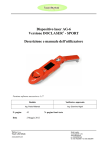
DESCRIZIONE DEI COMPONENTI / PARTS DESCRIPTION
Tubo Aria
Air Tube
Bracciale/Cuff
Modalità/Mode key
Pulsante/Button Start/Off
Memoria “M1” e Regolazione
Memory-Recall 1 and Adjust function
Memoria “M2” e Selezione
Memory-Recall 2 and Set function
Borsa Viaggio
Travel Bag
Alimentatore 230Vac/6Vdc
6Vdc adapter
Cavo USB
CD-rom con software PC
USB cable
CD-rom with PC software
La confezione comprende:
- Unità principale
- Bracciale diametro 23-33cm con tubo di connessione
- Alimentatore 230V/50Hz - 6VDC 500mA – Modello TFYN06175EU
- Cavo USB
- CD-rom con software per PC
- Astuccio per il trasporto
- 4 pile alcaline LR06 tipo AA – 1.5V
- Manuale d’istruzioni per l’uso
The pack includes:
- Main Unit
- Cuff for 23-33cm diameter with air tube
- Adapter 230V/50Hz - 6VDC 500mA – Model TFYN061175EU
- USB cable
- CD-rom with software for PC
- Travel Bag
- 4 alkaline batteries LR06 type AA – 1.5V
- Instruction Manual
3
INDICE / TABLE OF CONTENTS
1. INTRODUZIONE/INTRODUCTION
1.1 Caratteristiche di REALCHECK PRO 2/ Features of REALCHECK PRO 2
1.2 Informazioni importanti sull’auto-misurazione / Important information about
self-measurement
2. INFORMAZIONI SULLA PRESSIONE ARTERIOSA E NORME PER LA CORRETTA
MISURAZIONE / INFORMATION REGARDING BLOOD PRESSURE AND HOW TO
MEASURE IT CORRECTLY
2.1 L’ipertensione arteriosa/ Hypertension
3. NORME GENERALI DI SICUREZZA/IMPORTANT SAFETY RULES
4. MESSA IN FUNZIONE DELLO SFIGMOMANOMETRO/ PUTTING THE BLOOD PRESSURE MONITOR INTO OPERATION
4.1 Inserire le batterie / Inserting the batteries
4.2 Sostituzione delle batterie / Battery replacement
4.3 Utilizzo con alimentatore DC di rete elettrica / Use with DC adapter
4.4 Simbologia del Display / Display Explanation
4.5 Regolazione dei parametri / Setting
4.5.1 Ora e data / Clock and Date
4.5.2 Sveglia / Clock Alarms
4.5.3 Connessione PC / PC connection
5. COME EFFETTUARE UNA MISURAZIONE / HOW TO MEASURE YOUR BLOOD
PRESSURE
5.1 Prima della misurazione / Before the measurement
5.2 Fonti comuni d’errore / Common sources of error
5.3 Collegamento ed applicazione del bracciale / Fitting the cuff
5.4 Procedura di misurazione / Measuring procedure
5.5 Interruzione della misurazione prima del termine / Fast interruption during
a measurement
5.6 Indicazione degli ultimi valori misurati / Memory-displaying the last measurement
- Further information
6. CURA, STOCCAGGIO E RIPARAZIONI / CARE, STORAGE AND REPAIR
7. MESSAGGI DI ERRORE / ERROR MESSAGES
8. ANALISI DEI POSSIBILI GUASTI / TROUBLESHOOTING
9. SPECIFICHE TECNICHE / TECHNICAL CHARACTERISTICS
10. SIMBOLOGIA UTILIZZATA / SYMBOLS
- SMALTIMENTO / DISPOSAL
11. GARANZIA / WARRANTY
4
1. INTRODUZIONE
1.1 Caratteristiche di REALCHECK PRO 2
È uno sfigmomanometro digitale completamente automatizzato tramite il quale, grazie
ad un procedimento di misurazione oscillometrico, si rende possibile una misurazione
particolarmente celere ed affidabile della pressione arteriosa sistolica e diastolica e
della frequenza del battito cardiaco.
Il modello REALCHECK PRO 2 utilizza la tecnologia QMS (Quick Measuring System)
che permette una più rapida e confortevole esecuzione di lettura dei parametri di
pressione.
Con la tecnologia QMS, durante la prima fase di gonfiaggio del bracciale l'apparecchio
percepisce la pressione corretta sul braccio e, da quel momento, continua a gonfiare
in modo uniforme.
Una volta percepito il valore della pressione sanguigna, l'apparecchio misura per
primi, i valori della pressione Diastolica e poi quelli della pressione Sistolica. Appena
misurato il valore della pressione Sistolica, la pompa di gonfiaggio si apre sgonfiando
rapidamente il bracciale. In questo modo il tempo di misurazione si accorcia e
diminuisce il senso di costrizione percepito dall’utilizzatore durante la misurazione
rendendola molto più confortevole.
L’apparecchio offre una precisione di misurazione molto elevata, testata clinicamente,
ed è stato progettato per essere utilizzato con la massima facilità.
REALCHECK PRO 2 dispone di un display a cristalli liquidi di grandi dimensioni, grazie
al quale è possibile leggere chiaramente lo stato di esercizio e la pressione del bracciale
durante l’intera durata della misurazione.
Prima dell’utilizzo si prega di leggere attentamente e per intero questo manuale e di
conservarlo in un luogo sicuro. Per ulteriori domande in merito alla pressione sanguigna
e alla sua misurazione, si prega di contattare il medico.
Attenzione!
1.2 Informazioni importanti sull’auto-misurazione
• Non dimenticare: auto-misurazione significa Controllo, non diagnosi o trattamento.
I valori insoliti devono essere sempre discussi con il medico.
Qualsiasi modifica ai dosaggi di qualsiasi farmaco prescritto dal medico curante
deve essere discusso col medico stesso.
• Il display del battito non è adatto per controllare la frequenza dei pacemaker
cardiaci!
• Le aritmie possono causare errori di misurazione, perciò si consiglia di prestare
particolare attenzione all’utilizzo nel caso in cui si presentino sintomi di aritmia. Per
la valutazione consultare il medico.
2. INFORMAZIONI SULLA PRESSIONE ARTERIOSA E NORME
PER LA CORRETTA MISURAZIONE
2.1 L’ipertensione arteriosa
L’ipertensione arteriosa rappresenta uno dei più importanti fattori di rischio vascolare
ed è direttamente correlata con le principali cause di mortalità nel mondo occidentale
(infarto cardiaco ed ictus celebrale) .
Il controllo della pressione arteriosa deve quindi essere considerato un indicatore
dello stato di salute del nostro sistema cardiovascolare.
Come tutte le "variabili biologiche", la pressione arteriosa è mutevole e regolata/influenzata da numerosi parametri, interni (ormoni, stress, ansia, etc.) ed esterni
(temperatura, fumo, caffé, etc.) al nostro organismo; esprime la pressione che il sangue,
in seguito all’azione del cuore, esercita sulle arterie: pressione massima
o sistolica – pressione minima o diastolica.
5
Tende ad aumentare con l’aumentare dell’età ed è influenzata dalle stagioni, dal clima
e dall’altitudine.
La sua misurazione (in millimetri di Mercurio – mmHg - ) consente di definire lo stato
di normalità, o lo stato di ipertensione in base a limiti stabiliti a livello internazionale:
pressione diastolica
(mmHg)
WHO - ISH Classificazione della pressione sanguigna
fascia di ipertensione
fascia normale-alta
fascia normale
pressione sistolica (mmHg)
Fig. 1
Fonte: linee guida (1999) Organizzazione Mondiale della Sanita’(WHO)
- Societa’ Internazionale di Ipertensione (ISH).
Le variazioni della pressione arteriosa in risposta a stimoli diversi nell’arco della
giornata rendono difficile il giudizio sulla base di una singola misurazione; pertanto
è consigliabile effettuare due misurazioni al giorno (una al mattino dopo il risveglio
ed una nel tardo pomeriggio).
Uno stato persistente di ipertensione richiede un adeguato trattamento farmacologico
sotto attento controllo medico, oltre che la correzione delle abitudini di vita (consumo
di sale, vita sedentaria, obesità, fumo, consumo di alcolici, stress).
In questo caso, la misurazione della pressione arteriosa consente di verificare l’efficacia
del controllo ottenibile con le misure adottate. L’auto-misurazione della pressione
arteriosa rappresenta un sistema pratico, facilmente ripetibile quando effettuato con
apparecchi attendibili ed utile in quanto "protegge" da quello stato di agitazione che
si genera quando la pressione viene misurata dal medico in ambulatorio o in ospedale
(sindrome da "camice bianco") e che può alterarne i valori.
Tuttavia è bene sottolineare che la possibilità del controllo autonomo della pressione
arteriosa non va confuso con la tentazione di evitare il controllo medico; tantomeno
deve indurre all’autoterapia.
È indispensabile pertanto che la frequenza delle misurazioni, i risultati delle
misurazioni ed eventuali correttivi siano concertati con il proprio medico
curante: in ogni caso non è consigliabile modificare di propria iniziativa i
dosaggi o i farmaci prescritti dal medico.
SI PREGA DI LEGGERE ATTENTAMENTE IL MANUALE D’USO PRIMA DI OGNI
UTILIZZO.
NON SMONTARE MAI L’APPARECCHIO. PER QUALSIASI INTERVENTO
CONTATTARE IL SERVIZIO CLIENTI DEL DISTRIBUTORE
PER INFORMAZIONI PARTICOLARI SULLA PROPRIA PRESSIONE ARTERIOSA
CONSULTARE IL MEDICO.
UTILIZZARE SOLO ALIMENTATORE DC ORIGINALE
6
3. NORME GENERALI DI SICUREZZA
1. Prima di utilizzare tale dispositivo è opportuno controllare l’etichetta dati e verificare
il tipo di batteria da utilizzare.
2. Il dispositivo medico necessita di particolari precauzioni per quanto concerne la
compatibilità elettromagnetica e deve essere installato e utilizzato secondo le
informazioni fornite nel presente manuale.
3. Rispettare le norme di sicurezza e in particolare:
• Il dispositivo non deve essere utilizzato da bambini e/o disabili senza la dovuta
sorveglianza di un adulto in possesso delle piene facoltà cognitive.
• Si raccomanda comunque l’utilizzo del dispositivo solo da parte di adulti.
• Non utilizzare il dispositivo nel caso in cui sia stato conservato a basse
temperature. In questo caso lasciare il dispositivo a temperatura ambiente per
almeno 1 ora prima dell’utilizzo.
• Non esporre lo strumento a condizioni ambientali estreme, e/o raggi del sole
diretti.
• IL DISPOSITIVO NON E’ PROTETTO DALLE INFILTRAZIONI DI ACQUA.
• Pulire l’apparecchio con panno morbido e asciutto. Non usare benzina, diluenti
e/o solventi. Le macchie sul bracciale possono essere tolte con cautela con
panno umido. nessuna parte del dispositivo può essere lavata.
• Rimuovere le batterie nel caso il dispositivo rimanga inutilizzato per lungo tempo.
Un’eventuale perdita di liquido dalle batterie potrebbe danneggiarlo.TENERE
LE BATTERIE FUORI DALLA PORTATA DEI BAMBINI!
• Evitare di piegare eccessivamente o attorcigliare il bracciale e il tubo.
• Tenere il bracciale lontano da oggetti taglienti o acuminati.
• Evitare di far cadere l’apparecchio o comunque maneggiarlo sempre con
attenzione.
4. In caso si verifichino mal funzionamenti e/o problemi, contattare il servizio tecnico
del distributore.
Non aprire mai l’apparecchio! Altrimenti la taratura del fabbricante diventa
nulla.
5. Tale dispositivo deve essere destinato esclusivamente all’uso per cui è
stato progettato così come descritto all’interno del presente manuale. Ogni
uso diverso da quello per cui il dispositivo è destinato, è da considerarsi improprio
e quindi potenzialmente pericoloso e per tale motivo, fabbricante e distributore
non possono essere considerati responsabili per danni causati al prodotto, a cose,
animali o persone, derivanti da un improprio, erroneo e/o irragionevole utilizzo.
6. Sugli utenti con battiti prematuri striali o ventricolari, fibrillazione striale, problemi
circolatori o renali gravi o su pazienti che abbiano subito ictus o siano in stato di
incoscienza, le misurazioni possono essere difficoltose e/o imprecise; si raccomanda
di consultare sempre il medico di riferimento.
7. Per operazioni di riparazione rivolgersi esclusivamente al servizio tecnico del
Distributore. L’utilizzo di batterie o alimentatore non conformi a quelle riportate
sull’etichetta dati riportata sul fondo e il mancato rispetto di quanto sopra riportato,
può compromettere la sicurezza e la funzionalità del dispositivo.
8. Il collegamento a impianti non conformi, l’uso di prolunghe o adattatori non previsti
nel presente manuale, la connessione a reti di distribuzione elettrica non corrispondenti ai dati di targa riportati sul fondo, una installazione errata o l’alterazione
di una parte qualsiasi del dispositivo, sollevano fabbricante e distributore da
qualsiasi responsabilità per danni al prodotto, a cose, animali o persone.
7
4. MESSA IN FUNZIONE DELLO SFIGMOMANOMETRO
4.1 Inserire le batterie
Dopo aver tolto dalla confezione l’apparecchio, prima di tutto inserire le batterie. Lo
scomparto delle batterie si trova sul fondo dell’apparecchio (vedi illustrazione).
a) Togliere il coperchio nel modo indicato in Fig. 2.
b) Inserire le batterie (4 x tipo AA 1.5V), rispettando la polarità indicata (Fig. 3), e
richiudere il coperchio.
Attenzione, le batterie originali contenute nella confezione possono avere una durata
inferiore a quella attesa, ciò a causa dei tempi di stoccaggio.
Fig. 2
Fig. 3
4.2 Sostituzione delle batterie
1. Per evitare di perdere i dati registrati e le impostazioni data e ora, è necessario
sostituire le batterie quando il dispositivo è in modalità orologio (solo data e ora su
schermo non illuminato).
2. Se il tempo impiegato a sostituire le batterie eccede i 10 secondi, i dati delle
misurazioni registrate verranno perse e le impostazioni dell’orologio annullate.
3. Quando le batterie vengono inserite per la prima volta o sostituite in un tempo
superiore ai 10 secondi, il dispositivo azzera automaticamente tutte le funzioni
visualizzando sullo schermo tutti i simboli (Fig. 4A) per circa 1 secondo per passare
poi alla sola visualizzazione dei dati dell’orologio (Fig. 4B).
Per ovviare alla perdita dei dati, attaccare l’alimentatore di rete durante la sostituzione
delle batterie e staccarlo poi a sostituzione avvenuta.
Fig. 4A
Fig. 4B
Fig. 4C
Nota: Se dopo aver inserito o sostituito le batterie il prodotto non si accende
automaticamente, togliere le batterie, attendere qualche minuto e quindi reinserire le
batterie
4. Quando appare sullo schermo il simbolo di batteria scarica (Fig. 4C) è necessario
sostituire al più presto e contemporaneamente tutte le 4 batterie. Non lasciare all’interno
8
del dispositivo batterie scariche.
5. Non Utilizzare batterie ricaricabili. Usare solo batterie del tipo indicato in questo manuale.
6. Rimuovere le batterie in caso l’apparecchio venga utilizzato per lungo tempo con
l’alimentatore in dotazione.
4.3 Utilizzo con alimentatore DC di rete elettrica
Il prodotto può essere messo in funzione anche con l’alimentatore DC in dotazione. E’
sufficiente collegare il connettore dell’alimentatore alla presa situata sul lato destro del
dispositivo ed inserire quindi la spina dell’alimentatore ad una presa di corrente corrispondente.
Utilizzare solo l’alimentatore in dotazione o un suo ricambio originale. Solo questo modello
di adattatore è infatti certificato per essere utilizzato con il vostro REALCHECK PRO 2.
Nel caso in cui l’apparecchio venga utilizzato per lungo tempo con l’alimentatore in
dotazione, rimuovere le batterie.
4.4 Simbologia del Display
*ICONE DI
INTERPRETAZIONE
Pulsazione/Battito Irregolare
Icona Ipertensione
Pressione Sistolica (Max)
Icona Normale - Alta
Icona Normale
Pressione Diastolica (Min)
Icona Ipotensione
Pulsazioni al minuto
Memoria M2
Numero registrazione memoria
Orologio
Media ultime 3 misurazioni
Icona Allarme
Data (mese/giorno)
Batteria scarica
Memoria M1
ha anche funzione di indicare una eventuale irregolarità
L’icona delle pulsazioni
del battito cardiaco (Aritmia). Infatti, se il battito cardiaco, al termine della misurazione
risulta irregolare, l’icona delle pulsazioni (Fig. 5) lampeggerà automaticamente.
* ICONE DI INTERPRETAZIONE
Questo metodo di interpretazione (4 icone per quattro diverse definizioni della lettura)
e comunicazione dei dati è una prima chiave di lettura della pressione sanguigna e
segue le linee guida della tabella sottostante.
Figura
Definizione
Sistolica (mmHg)
Diastolica (mmHg)
Ipertensione
Normale - Alta
Normale
Ipotensione
Dati Tabella in accordo con:
Definizione e classificazione della pressione sanguigna (1999) di WHO (OMS - Organizzazione
Mondiale della Sanità) - ISH (Società Internazionale di Ipertensione)
Linee guida 2003 della ESH (Società Europea di Ipertensione) - ESC (Società Europea di Cardiologia)
9
4.5 Regolazione dei parametri
Per entrare nella modalità di regolazione dei parametri del dispositivo è sufficiente
premere una sola volta il pulsante “Mode”, quindi ad ogni successiva pressione del
pulsante scorreranno le tre modalità Data e Ora (indicazione CL lampeggiante),
Allarme/Sveglia (indicazione AL lampeggiante), connessione computer (indicazione
PC lampeggiante)
4.5.1 Ora e Data
Premere il pulsante “Mode”per entrare nella modalità
Regolazione, quindi premerlo una seconda volta, per entrare
nella modalità Orologio, sullo schermo apparirà l’indicazione
“CL” lampeggiante (vedi immagine).
Anno 2000
Mese
Giorno
Ora* Minuti
Premere quindi il pulsante “Set” per spostarsi sui vari
parametri di questa modalità che devono essere configurati
e utilizzare il pulsante “Adjust” per impostarli come voluto.
La sequenza dei dati che ad ogni pressione del pulante
Set lampeggeranno sullo schermo è: Anno, Mese, Giorno,
Ore, Minuti. Quando il dato che volete modificare
lampeggia, potete procedere alla sua regolazione premendo
il pulsante “Adjust” sino ad arrivare al dato corretto.
Esempio: se volete modificare l’ora indicata, dopo essere
entrati nella modalità orologio come sopra descritto,
premete il pulsante “Set” sino a quando il parametro Ora*
lampeggia (vedi immagine), quindi premete il pulsante
“Adjust” per correggere il dato a vostro piacimento.
Premere quindi di nuovo il pulsante “Set” per completare
la regolazione e passare al dato successivo
Per chiudere la sessione di regolazione premere il pulsante
Off al termine delle regolazioni desiderate.
4.5.2 Sveglia
E’ possibile settare il dispositivo con tre allarmi giornalieri per ricordarsi della
somministrazione di un farmaco o di effettuare la misurazione della pressione.
Premere il pulsante “Mode”per entrare nella modalità Regolazione, quindi premerlo
altre due volte sino a quando
sullo schermo non lampeggia l’indicazione “AL”. A
questo punto premendo il
pulsante “Set” il dispositivo
entra nella modalità Sveglia
e l’indicazione “01” lampeggerà sullo schermo.
A questo punto premete il
pulsante “Adjust” per
scorrere le tre differenti
sveglie (01-02-03) e premete il pulsante “Set” per selezionarla, quindi nuovamente il
pulsante “Adjust” per attivare l’allarme (il simbolo
apparirà sullo schermo).
A questo punto selezionate ore e minuti utilizzando il pulsante “Set” e regolate a
vostro piacimento le impostazioni utilizzando il pulsante “Adjust”.
10
Per chiudere la sessione di regolazione premere il pulsante ”Off”
al termine delle regolazioni desiderate. Se gli allarmi sono stati
attivati correttamente sullo schermo
apparirà il simbolo
Per interrompere l’allarme sonoro premete il pulsante
“Start/Off”, ma ricordate che gli
allarmi rimangono attivi per tutti
i giorni seguenti fino a quando la loro regolazione non viene disattivata con
la medesima procedura sopra descritta.
In qualsiasi momento è possibile modificare l'ora regolata nei 3 allarmi, seguendo la
normale procedura di regolazione.
4.5.3 Connessione PC
Attenzione: Si tratta di una funzione per il salvataggio e la susseguente gestione dati
sul vostro PC. Questa funzione non interagisce in nessun modo con i parametri di
funzionamento del dispositivo.
Per un corretto utilizzo di questa funzione, è necessaria la gestione di una persona
pratica nell’uso di Personal Computer.
Software adatto per installazione per Win98SE/ME/Win2K/XP/2003/Vista32.
Innanzitutto installare su un PC i software necessari all’uso,
utilizzando il CD-rom in dotazione.
Stampare quindi le istruzioni di impiego contenute nel
CD-rom in dotazione e procedere come descritto nelle
stesse.
Per connettere REALCHECK PRO 2 al PC su cui sono
stati installati i programmi contenuti nel CD-rom, utilizzare
il cavo USB in dotazione.
Premere il pulsante “Mode”per entrare nella modalità
Regolazione, quindi premerlo di nuovo sino a quando
sullo schermo non lampeggia l’indicazione “PC”.
A questo punto premendo il pulsante “Set” il dispositivo
entra nella modalità di settaggio e l’indicazione“M1”
lampeggerà sullo schermo. Con il
pulsante “Adjust”, potete a questo
punto selezionare la memoria che
intendete scaricare (M1 o M2).
Se il PC è già acceso e pronto per
entrare in funzione (già settato
come indicato sulle istruzioni
contenute sul CD-rom), premete a
questo punto il pulsante “Set”, i
dati verranno automaticamente
scaricati sul PC.
5. COME EFFETTUARE UNA MISURAZIONE
5.1 Prima della misurazione:
• Evitare di mangiare, fumare e fare esercizio immediatamente prima della misurazione.
Tutti questi fattori influenzano il risultato della misurazione. Trovare il tempo per cercare
di rilassarsi, sedendosi in una poltrona in un’atmosfera tranquilla per circa dieci minuti
11
prima della misurazione.
• Se si indossano indumenti molto aderenti al braccio, toglierli.
• Misurare sempre sullo stesso braccio (normalmente il sinistro).
• Cercare di effettuare le misurazioni regolarmente alle stesse ore del giorno, perché
la pressione sanguigna cambia durante il corso della giornata.
5.2 Fonti comuni d’errore:
Nota: Per avere misurazioni della pressione sanguigna comparabili devono
esserci sempre le stesse condizioni! Di solito queste sono sempre condizioni
di tranquillità.
• Qualsiasi sforzo effettuato dal paziente per sostenere il braccio può aumentare la
pressione sanguigna. Assicurarsi di sedere in una posizione comoda e rilassata e
durante la misurazione non attivare nessuno dei muscoli del braccio su cui è applicato
l’apparecchio. Eventualmente usare un cuscino come supporto.
• Se il bracciale viene applicato molto al di sotto (o al di sopra) dell’altezza del cuore,
la misurazione verrà alterata indicando una pressione maggiore (o minore) rispetto
al valore reale.
• Le dimensioni del bracciale dovranno essere adeguate alla circonferenza del braccio,
misurata a metà braccio, tra spalla e gomito, con i muscoli rilassati. Sul bracciale
sono riportate le misure limite della circonferenza del braccio entro le quali esso
può essere impiegato; qualora la circonferenza del braccio del paziente non rientrasse
in tali misure, rivolgersi a rivenditori specializzati.
Attenzione: usare solamente il bracciale in dotazione o un suo ricambio
originale!
• Un bracciale che non sia ben chiuso o un tubo che sporge troppo lateralmente,
possono essere causa di misurazioni falsate.
• Evitare forti campi elettrici e/o elettromagnetici nelle immediate vicinanze del
dispositivo (ad esempio cellulari, forni a microonde ecc..). Questi possono causare
una temporanea mancanza di precisione nella misurazione.
• Si raccomanda l’utilizzo di batterie alcaline.
• I risultati delle misurazioni devono essere oggetto di consultazione con il medico.
Si raccomanda di non valutare da soli i risultati delle misurazioni effettuate. Prendere
le eventuali medicine dopo istruzioni del medico.
• Tale dispositivo medico può smettere di funzionare se si verifica nelle vicinanze una
forte interferenza elettrostatica.
• Non utilizzare il dispositivo nel caso in cui sia stato conservato a basse temperature.
In questo caso lasciare il dispositivo a temperatura ambiente per almeno 1 ora prima
12
dell’uso.
• Le aritmie possono causare errori di misurazione, perciò si consiglia di prestare
particolare attenzione all’utilizzo nel caso in cui si presentino sintomi di aritmia.
5.3 Collegamento ed applicazione del bracciale
a) Collegamento del bracciale. Innestare il tubo del bracciale nell’apposita apertura
(A) sulla sinistra dell’apparecchio come indicato dall’illustrazione.
b) Passare l’estremità del bracciale (con fermo di gomma integrato) attraverso l’archetto
metallico (B), formando un laccio. La chiusura a strappo si dovrà trovare all’esterno.
(Se il bracciale è già preparato come descritto, saltare questo passo.)
c) Infilare il bracciale sul braccio sinistro in modo tale che il tubo, sia rivolto verso
l’avambraccio.
d) Applicare il bracciale al braccio come illustrato sulla figura, avendo cura che il bordo
inferiore si trovi 2–3 cm al di sopra dell’incavo del gomito e che l’uscita del tubo in
gomma dal bracciale sia situata sulla parte interna del braccio.
Arteria Principale
(Brachiale)
Importante: il segno di riferimento (simbolo ) si dovrà trovare direttamente sopra
all’arteria brachiale, sulla parte interna del braccio.
e) Tendere l’estremità libera del bracciale e chiuderlo con la chiusura a strappo.
f) Assicurare il bracciale con la chiusura a strappo in modo da farlo aderire comodamente
13
al braccio ma non troppo stretto. Inoltre, il braccio non dovrà venir stretto da maniche
rimboccate: in caso contrario, l’indumento andrà tolto.
g) Distendere il braccio sul tavolo (il palmo della mano dovrà essere rivolto verso l’alto)
in modo tale che il bracciale si venga a trovare all’altezza del cuore. Aver cura di non
piegare nessun tubo.
h) Rimanere tranquillamente seduti per due minuti prima di iniziare la misurazione.
i) Se la linea "INDEX" si trova nella fascia OK indicata sul bordo superiore del bracciale,
questo bracciale è adatto per voi. Se la linea "INDEX" si trova fuori della fascia OK,
può essere necessario utilizzare un bracciale speciale.
Nota bene:
Qualora non fosse possibile applicare il bracciale al braccio sinistro, esso potrà essere
applicato anche al braccio destro. L’importante è che le misurazioni vengano effettuate
sempre sullo stesso braccio.
5.4 Procedura di misurazione
1. Premere il pulsante Start per accendere il dispositivo
2. Lo schermo si accenderà visualizzando con modalità lampeggiante l’indicazione 00.
3. Dopo circa 2-3 secondi il dispositivo è pronto per la misurazione e comincerà a
gonfiare automaticamente il bracciale visualizzando continuamente sullo schermo
l’aumento della pressione.
4. Nel caso venga rilevata dal dispositivo l’esigenza
di incrementare la pressione di misurazione, lo stesso
procederà automaticamente ad utilizzare una pressione
di misurazione più idonea ai parametri del corpo.
Durante la misurazione la pressione del bracciale può
risultare fastidiosa, ma è necessario non muovere il
bracciale o il prodotto. Restare calmi sino a misurazione
ultimata.
6. Durante la misurazione, oltre a rilevare i valori di
pressione e una loro eventuale anomalia, il dispositivo
rileva e monitorizza il battito cardiaco (ogni segnale
del battito è indicato sullo schermo con l’icona a forma
di cuore) ed una sua eventuale irregolarità (Aritmia),
segnalandola sullo schermo alla fine della misurazione.
7. Al termine della misurazione il bracciale si sgonfia automaticamente e i valori di
pressione sistolica e diastolica e il numero di pulsazioni al minuto appaiono sullo
schermo insieme ad una icona di interpretazione automatica (come indicato al paragrafo
4.4 di questo manuale) e al simbolo del cuore (lampeggiante o fisso come figure sotto).
14
Icona interpretazione
misurazione
Battito Irregolare
(Icona lampeggiante)
Battito Regolare
(Icona fissa)
Nota: Si consiglia di consultare il medico nel caso al termine della misurazione sullo
schermo lampeggi una delle seguenti icone:
Misurati valori di Ipertensione
Misurati valori di Ipotensione
Misurato un battito cardiaco irregolare. Contemporaneamente le lettere “IH”
appariranno sotto il numero di pulsazioni al minuto registrate.
8. I dati rimangono sullo schermo sino a quando non viene
premuto nuovamente il pulsante Start o sino a quando il dispositivo non si setta sulla modalità Orologio, circa 2 minuti
dopo il termine della misurazione.
9. Mentre i dati misurati sono ancora sullo schermo, premere
il pulsante “M1” o “M2” per effettuarne la registrazione nella
memoria del dispositivo.
10, Il dispositivo è dotato di una funzione che permette di
visualizzare la media delle ultime tre misurazioni effettuate, così
da identificare una più corretta misurazione della pressione
sanguigna.
5.5 Interruzione della misurazione prima del termine
Se per qualsiasi motivo è necessario interrompere una misurazione della pressione
sanguigna (ad es. il paziente si sente male), il pulsante Start/Off può essere premuto
in qualsiasi momento. L’apparecchio abbasserà immediatamente e automaticamente
la pressione del bracciale.
5.6 Indicazione degli ultimi valori misurati
Il dispositivo è in grado di memorizzare sino a 60 misurazioni complete per ogni
pulsante di Memoria (120 in totale) e, per ogni registrazione, vengono memorizzati i
valori di pressione sistolica, diastolica, pulsazioni cardiache, data e ora della misurazione
e simboli relativi alla misurazione.
Quando viene premuto il pulsante “M1” appariranno le indicazioni “M1” e “AVG”
(media) e i valori medi relativi alle ultime tre misurazioni effettuate. Per leggere i dati
delle singole misurazioni premere nuovamente il pulsante M1 facendole scorrere una
alla volta (sullo schermo apparirà anche il numero di ogni misurazione in ordine dalla
più recente “1” a ritroso).
Tenere premuto il pulsante M1 per più di 2 secondi per scorrere velocemente i dati
in memoria.
15
Se richiamate i dati del pulsante “M1” sullo schermo apparirà l’indicazione M1 e le
relative registrazioni. Se premete il pulsante “M2” sullo schermo apparirà l’indicazione
M2 e le relative registrazioni.
Numero misurazione
Premendo M1
Premendo M1
Premendo M2
Premendo M2
Numero misurazione
NOTA: Quando le memorie del dispositivo sono piene, verranno automaticamente
cancellati i dati della misurazioni più vecchie, una per ogni nuova misurazione registrata.
Per cancellare tutti i dati registrati è sufficiente lasciare il dispositivo senza batterie
per più di 10 secondi (e/o scollegare l’alimentatore DC di rete dal dispositivo).
Ulteriori informazioni
Le misurazioni non devono avvenire una dietro l’altra, altrimenti i risultati potremmo
essere falsati. Prima di ripetere una misurazione bisogna aspettare alcuni minuti
(almeno 15) in una posizione rilassata, seduti o distesi.
6. CURA, STOCCAGGIO E RIPARAZIONI
1. E’ necessario proteggere sempre il dispositivo da eccessiva umidità e calore, luce
solare diretta, urti e cadute, solventi, alcol e prodotti per la pulizia.
2. Rimuovere dall’apposito vano la batteria nel caso non si utilizzi il dispositivo per
lungo tempo ed assicurarsi di tenere la batteria lontano dalla portata dei bambini.
3. Tenere il bracciale lontano da superfici taglienti, non tirarlo o attorcigliarlo.
4. Utilizzare solo un panno soffice ed asciutto per pulire il dispositivo.
5. I bracciali sono componenti delicate e devono essere conservati e trattati con cura.
I bracciali possono essere puliti con un panno umido.
ATTENZIONE: Per nessun motivo devono essere lavate le parti del dispositivo
e del bracciale.
Tenere sempre il dispositivo, la batteria e ogni accessorio lontano dalla portata
dei bambini.
16
7. MESSAGGI DI ERRORE
INDICAZIONE
EVIDENZA
POSSIBILE CAUSA E SOLUZIONE
Voltaggio di alimentazione troppo basso o problema
tecnico al circuito elettrico interno.Rimuovere e provare
a sostituire le batterie. Se il dispositivo è utilizzato
con l’alimentatore DC verificare che la presa di corrente
a cui è stato collegato sia conforme ai dati di targa
indicati sull’alimentatore stesso. Se dopo questi
controlli il dispositivo continua a non funzionare,
contattare il servizio clienti del Distributore.
Il dispositivo non effettua
misurazione
1. Il bracciale non è correttamente fissato, fissarlo
correttamente e ripetere la misura.
2. Il bracciale è danneggiato, sostituirlo.
3. Pompa, valvola di scarico o sgonfiaggio difettose,
contattare il distributore.
Pressione al bracciale
non sufficiente o
problema nella fase
di sgonfiaggio
1. L’utilizzatore si è mosso o ha parlato durante la
misurazione.
2. La posizione o la procedura di misurazione non
sono quelle corrette.
3. L’utilizzatore è agitato.
4. Ripetere la misurazione seguendo le
indicazioni del manuale e consultare il
medico in caso di persistenza del problema.
Durante la misurazione il valore della pressione al
bracciale cresce gradualmente e il suo valore appare
sul Display.
1. Se il valore indicato sullo schermo non supera i
300 mmHg, controllare la posizione del bracciale e
ripetere la misurazione. In caso di persistenza del
problema consultare il medico.
2. Se il valore indicato sullo schermo è superiore ai
300 mmHg, contattare il servizio clienti del distributore.
1. Connettore aria bloccato.
2. Regolatore della pressione di gonfiaggio difettoso.
3. Sensore della pressione difettoso
In tutti i casi, controllare e ripetere la misura e/o
contattare il distributore.
Interferenze e rumori
anomali
Risultati anormali
della lettura
Pressione elevata al
bracciale
Sostituire contemporaneamente le 4 batterie scariche
con batterie nuove.
Batterie scariche
8. ANALISI DEI POSSIBILI GUASTI
PROBLEMA
Le batterie sono inserite ma il
display non si accende e non c’è
indicazione di errore.
POSSIBILE MOTIVAZIONE
1. Le batterie sono inserite in modo non
corretto (polarità invertita).
2. Le batterie sono scariche.
3. I contatti delle batterie sono sporchi o
ossidati.
Quando l’alimentatore DC è
collegato nessuna indicazione
appare sullo schermo quando viene
premuto il tasto START.
1. L’alimentatore è collegato ad una presa
con alimentazione non idonea.
2. L’alimentatore non è connesso
correttamente al connettore DC posto
sul lato dell’apparecchio.
3. L’alimentatore è danneggiato.
17
RIMEDIO
1. Estrarre le batterie, attendere
qualche minuto quindi reinserirle
con calma e in modo corretto.
2. Sostituire le batterie.
3. Pulire i contatti delle batterie con
un panno asciutto.
1. Controllare bene se i dati
dell’alimentatore sono idonei alla
vostra presa di corrente.
2. Collegare le connessioni
dell’alimentatore.
3. Inserire le batterie nel dispositivo
e controllare se funziona. Nel caso
il dispositivo funzioni con le batterie
l’alimentatore è danneggiato e deve
essere sostituito.
PROBLEMA
Nessun gonfiaggio del bracciale o
la pressione non gonfia il bracciale.
POSSIBILE MOTIVAZIONE
1. Il bracciale è posizionato in modo non
corretto.
2. Il bracciale non è collegato
correttamente al dispositivo.
RIMEDIO
1. Controllare e sistemare la
posizione del bracciale e ripetere la
misurazione.
2. Controllare e sistemare la
connessione del bracciale al
prodotto e ripetere poi la
misurazione.
Il segnale di batteria scarica appare
sullo schermo.
Batterie esaurite.
Importante: Per evitare di perdere
i dati memorizzati è necessario
eseguire l’operazione con
dispositivo in modalità Orologio
(ovvero con solo data e ora sullo
schermo).
Non è possibile effettuare la
misurazione e sullo schermo appare
un messaggio di errore.
1. Il bracciale non è correttamente avvolto
al braccio.
2. L’utilizzatore è agitato.
3. La posizione assunta durante la
misurazione non è corretta.
1. Avvolgere correttamente il
bracciale al braccio e ripetere la
misurazione.
2. Sedersi e rilassarsi. Restare
tranquilli durante la misurazione.
3. Mantenere il bracciale alla stessa
altezza del cuore durante la
misurazione.
Se il paziente è affetto da seri
problemi cardiaci, la misurazione
corretta della pressione può essere
difficoltosa.
In normali circostanze di
misurazione, la misurazione della
pressione a casa può essere
differente da quella in
ospedale/clinica ed ogni
misurazione può avere risultati
differenti.
1. Le differenze di lettura possono
dipendere da condizioni di misura
differenti.
2. I valori della pressione sanguigna
variano in base alle condizioni fisiologiche
e psicologiche del corpo.
Registrare ogni giorno i valori della
vostra pressione e discutete gli
stessi con il medico.
9. SPECIFICHE TECNICHE
Modello
Dimensioni
Peso
Metodo di misurazione
Campo di misurazione
Accuratezza della misurazione
Gonfiaggio
Sgonfiaggio rapido
Trasmissione dati registrati
Spegnimento
Batterie
Memoria
Temperatura e umidità di funzionamento
Temperatura e umidità di stoccaggio
Dimensione bracciale
REALCHECK PRO 2
131 x 128 x 86 mm
Circa 400g esclusa la batteria
Quick Measuring System (QMS)
Da 20 a 280 mmHg (pressione)
Da 40 a 200 battiti/minuto (pulsazioni)
± 3 mmHg per la pressione sistolica e diastolica
± 5% sul valore letto per le pulsazioni
Automatico
Automatico
Connessione a PC con cavo USB
Automatico (2 minuti)
4x1.5V LR06 batterie alcaline tipo AA
Doppio canale da 60 registrazioni di memoria (totale 120)
Da +10°C a + 40°C, tra 15% e 85%RH
Da -5°C a + 50°C, tra 15% e 90%RH
Adatto per braccio con dimensione da 23 a 33 cm
Nota: Le specifiche possono essere soggette a variazioni senza obbligo di informazione
18
Istruzioni e dichiarazione del Fabbricante – Immunità Elettromagnetica
(come richiesto dalla normative EN 60601-1-2:2001)
Il dispositivo REALCHECK PRO 2 per la misura della pressione sanguigna è prodotto per l’uso unicamente
nell’ambiente elettromagnetico specificato qui di seguito. Il cliente e / o l’utente del suddetto modello
devono assicurarsi che l’uso avvenga nelle suddette condizioni.
Test di Immunità
Livello del test IEC 60601
Conformità
Guida all’ambiente
elettromagnetico
Scarica elettrostatica (ESD)
± 6 kV contatto
± 6 kV contatto
Il pavimento deve essere
IEC 61000-4-2
± 8 kV aria
± 8 kV aria
possibilmente in legno,
cemento o ceramica. Se il
pavimento è ricoperto da
materiale sintetico, l’umidità
relativa può essere almeno
del 30%.
Transitori veloci / butst
IEC/EN 61000-4-4
Surge IEC/EN 61000-4-5
Buchi di tensione, brevi
interruzioni e variazioni di
tensione IEC/EN 61000-4-11
Campo magnetico a
frequenza di energia
IEC / EN 61000-4-8
Non Applicabile
-
-
Non Applicabile
-
-
Non Applicabile
-
-
3 A/m
3 A/m
Il campo magnetico
dovrebbe essere quello di
un ambiente commerciale o
ospedaliero.
Istruzioni e dichiarazione del Fabbricante – Immunità Elettromagnetica
(come richiesto dalla normative EN 60601-1-2:2001)
Il dispositivo REALCHECK PRO 2 per la misura della pressione sanguigna è prodotto per l’uso unicamente
nell’ambiente elettromagnetico specificato qui di seguito. Il cliente e / o l’utente del suddetto modello
devono assicurarsi che l’uso avvenga nelle suddette condizioni.
Prova di immunità IEC / EN 60601 test level Conformità
Guida all’ambiente elettromagnetico
La strumentazione per la comunicazione RF
portatile e mobile non dovrebbe essere utilizzata
Immunità condotte
Non Applicabile
nelle vicinanze di alcuna parte del modello
IEC / EN 61000-4-6
REALCHECK PRO 2 per la misurazione della
pressione del sangue, inclusi I cavi, a meno della
Immunità radiate
3V/m
3V/m
distanza di sicurezza raccomandata, calcolata
IEC / EN 61000-4-3
80MHz-2.5GHz
con l’equazione applicabile alla frequenza del
trasmettitore.
d=
d=
3,5
E1
7
E1
P 80MHz to 800MHz
P 800MHz to 2,5GHz
Dove P risulta essere la massima energia in uscita
del trasmettitore in Watt (w) secondo le istruzioni
del produttore del trasmettitore stesso e la
distanza raccomandata è espressa in metri (m).
La forza del campo da un trasmettitore RF fisso,
come determinata da un punto di sorveglianza
elettromagnetica (a) dovrebbe essere inferiore al
livello di ogni grado di frequenza (b). Si possono
verificare interferenze nelle vicinanze di
strumentazioni che riportano il seguente simbolo:
19
Nota 1: a 80MHz e a 800MHz si applica il più alto grado di frequenza.
Nota 2 : Le presenti indicazioni non sono applicabili in qualunque situazione. La propagazione elettromagnetica varia con l’assorbimento
e la riflessione da parte di strutture, oggetti e persone.
(a) La forza del campo prodotto da un trasmettitore fisso, come un ripetitore per telefonia mobile o fissa, radio amatoriale,
stazioni radio AM e FM e reti televisive non può essere prevista in teoria in maniera accurate. Per determinare l’ambiente
elettromagnetico dovuto ad un trasmettitore RF fisso, si dovrebbe adottare un sito di sorveglianza. Se la forza di campo
misurata nel luogo in cui si usa il dispositivo supera il livello di conformità degli RF applicabile descritto come sopra,
si dovrà monitorare il dispositivo al fine di verificare che operi in maniera corretta. Se si osserva un’anomalia delle
performance dello strumento sarà necessario adottare ulteriori misure precauzionali, quali un ri-orientamento o un
riposizionamento dello strumento stesso.
(b) Oltre il gruppo di frequenza da 150KHz a 80MHz, il campo magnetico dovrebbe essere inferiore a 3V/m
10. SIMBOLOGIA UTILIZZATA
Apparecchio Tipo BF
Marchio di conformità alla direttiva 93/42/CE
Attenzione! Consultare il manuale d’uso
Conservare in luogo fresco ed asciutto
Temperatura di conservazione
Apparecchio con classe di isolamento II
~
Start
Off
M1 – M2
Mode
Adjust
Set
Corrente alternata
Corrente continua
Acceso
Spento
Canale memoria M1 – Canale Memoria M2
Modalità
Regolazione
Settaggio
Si considerano responsabili in materia di sicurezza, prestazioni ed affidabilità il fabbricante, il distributore, il montatore, l’installatore o
l’importatore solamente se l’impianto elettrico al quale l’apparecchio viene collegato è costruito secondo D.L.46/90
SMALTIMENTO
INFORMAZIONE AGLI UTENTI
Ai sensi dell’art. 13 del Decreto Legislativo 25 Luglio 2005, n.151
"Attuazione delle Direttive 2002/95/CE, 2002/96/CE e 2003/108/CE, relative alla riduzione dell’uso di sostanze pericolose nelle
apparecchiature elettriche ed elettroniche, nonché allo smaltimento dei rifiuti"
Il simbolo del cassonetto barrato riportato sull’apparecchiatura o sulla confezione indica che il prodotto alla fine della propria
vita utile deve essere raccolto separatamente dagli altri rifiuti. L’utente dovrà, pertanto, conferire l’apparecchiatura giunta a fine
vita agli idonei centri di raccolta differenziata dei rifiuti elettronici ed elettrotecnici, oppure riconsegnarla al rivenditore al momento
dell’acquisto di una nuova apparecchiatura di tipo equivalente, in ragione di uno a uno.
L’adeguata raccolta differenziata per l’avvio successivo dell’apparecchiatura dimessa al riciclaggio, al trattamento e allo
smaltimento ambientalmente compatibile contribuisce ad evitare effetti negativi sull’ambiente e sulla salute e favorisce il reimpiego
e/o riciclo dei materiali di cui è composta l’apparecchiatura. Lo smaltimento abusivo del prodotto da parte dell’utente comporta
l’applicazione delle sanzioni amministrative previste dalla normativa vigente.
20
11. GARANZIA
Condizioni di garanzia
• L’apparecchio è garantito 24 mesi dalla data di acquisto contro qualsiasi difetto
dei materiali o di costruzione, a condizione che non siano effettuati, sull’apparecchio,
interventi o manomissioni.
• La garanzia è valida dalla data di acquisto del prodotto certificata dallo scontrino
fiscale o dalla fattura di acquisto, da allegare tassativamente, al tagliando di
garanzia sotto riportato compilato in ogni sua parte.
• La garanzia consiste nella sostituzione e/o riparazione gratuita dei componenti
difettosi all’origine. Le spese di trasporto, consegna e ritiro dell’apparecchio, sono
a carico del Cliente.
La garanzia non comprende:
• Gli accessori forniti a corredo e le parti soggette a normale usura.
• Gli interventi per difetti presunti o di comodo.
• Gli interventi per avarie o vizi per uso improprio, trascuratezza o negligenza e se
il danneggiamento non è imputabile al produttore (caduta accidentale, trasporto
non accurato, ecc.).
La garanzia non comporta alcun risarcimento di danni, diretti o indiretti, di qualsiasi
natura, verso persone, animali o cose derivanti dall’uso improprio del prodotto o dal
suo periodo di inefficienza.
NEL RISPETTO DELLE SUDDETTE CONDIZIONI, PER L’ESERCIZIO DELLA GARANZIA INVIARE
L’APPARECCHIO UNITAMENTE AL TAGLIANDO SOTTORIPORTATO, CONVALIDATO DAL CERTIFICATO
DI ACQUISTO A: SSL HEALTHCARE ITALIA S.P.A. VIA MARCO EMILIO LEPIDO, 178/5
– BOLOGNA (ITALY).
TAGLIANDO DA RESTITUIRE IN CASO DI SOSTITUZIONE/RIPARAZIONE
LA GARANZIA E’ VALIDA SOLO ALLEGANDO LO SCONTRINO
FISCALE O FATTURA DI ACQUISTO
Apparecchio Tipo/Modello:
Lotto:
N.Serie: (SN)
Data di acquisto:
DATI DELL’ACQUIRENTE
Cognome e Nome:
Indirizzo:
Telefono:
Descrizione del difetto:
Autorizzo l’uso delle informazioni riportate ai sensi
della Legge 196/03 sulla Privacy
Firma per accettazione delle condizioni di garanzia
21
22
1. INTRODUCTION
1.1 Features of the REALCHECK PRO 2
REALCHECK PRO 2 features QMS technology (Quick Measuring System) for a quicker and
easier reading of pressure parameters.
QMS - "Initially the cuff inflates to detect the right pressure on the arm, then cuff inflation
stabilizes and goes on steadily. After detecting the blood pressure value the unit reads the
Diastolic and Systolic values. As soon as the Systolic value has been measured, the inflation
pump stops deflating the cuff rapidly, thus shortening the measuring time and improving
patient comfort during measurement."
Once the reading has been taken, the rapid deflating process commences and the display
shows the systolic and diastolic pressure together with the heart rates. The high precision
has been clinically tested and the system has been specially designed for the utmost ease
of use.
REALCHECK PRO 2 features a large LCD display that permits clear reading of the functional
status and cuff pressure throughout the measurement process.
Before using, read the contents of this manual carefully and then store it in a safe place.
Contact a physician for further queries concerning blood pressure and how to measure it.
Attention!
1.2 Important information about self-measurement
• Do not forget: self-measurement means Control, not diagnosis or treatment.
Unusual values must always be discussed with the doctor.
Any change in dosage of medications prescribed by the doctor should be discussed with
him/her personally.
• The pulse display is not suitable for checking the frequency of heart pacemakers!
• In cases of cardiac irregularity (Arrhythmia), measurements made with this instrument
should only be evaluated after consultation with the doctor.
2. INFORMATION REGARDING BLOOD PRESSURE AND HOW TO
MEASURE IT CORRECTLY
diastolic pressure (mmHg)
2.1 Hypertension
Hypertension is one of the most important vascular risk factors and is directly linked to the
main causes of death in the western world (heart attack and ictus). Checking the arterial
pressure must then be considered an indication of the health of the cardiovascular system.
Like all biological variables, blood pressure is changeable and is influenced by numerous
parameters which can be internal, (hormones, stress, anxiety etc.) or external (temperature,
smoke, coffee etc.), to our organism; it indicates the pressure that the blood, pumped by the
heart, exerts on the arteries: maximum or systolic pressure – minimum or diastolic pressure.
WHO - ISH Blood Pressure Classification Chart
Hypertension Range
Normal - High Range
Normal Range
systolic pressure (mmHg)
Source: Guideline (1999) World Health Organization (WHO)
- International society of Hypertension (ISH)
23
Fig. 1
It tends to increase with age and is influenced by the seasons, the climate and the altitude.
By measuring it (in millimetres of Mercury – mmHg -) normal conditions can be established,
as well a situation of hypertension.
Variations in blood pressure in response to diverse stimuli during the day make it hard to judge
on the basis of a single measuring. It is consequently advisable to measure it twice a day
(once in the morning on waking and once in the late afternoon).
Persistent hypertension should be treated with medications under the strict supervision of a
doctor, and certain habits should be corrected (salt consumption, a sedentary way of life,
obesity, smoke, alcohol, stress).
The measuring of blood pressure enables you to verify the effectiveness of the measures
adopted to keep the situation under control. Monitoring your own blood pressure is a practical
and easy-to-repeat process when reliable devices are used and has the added advantage of
reducing the feeling of unease often experienced by patients having their blood pressure
taken in doctors’ surgeries or hospitals, which can result in altered values.
However it is important to underline that the option to measure your own blood pressure
should not become a reason to avoid a visit to the doctor , and it certainly should not lead
to ‘do-it-yourself’ treatment.
It is therefore essential that frequency of measuring, the results of the measuring and
eventual therapies should be agreed with your doctor. It is always unwise to alter doses,
or drugs prescribed by your doctor, on your own initiative.
READ INSTRUCTION MANUAL CAREFULLY BEFORE USE
THE DEVICE MUST NOT BE DISASSEMBLED
FOR ANY PROBLEM PLEASE CONTACT THE TECHNICAL SERVICE OF DISTRIBUTOR
FOR SPECIFIC INFORMATION ON YOUR OWN BLOOD PRESSURE PLEASE CONTACT
A DOCTOR
USE ONLY THE ORIGINAL DC ADAPTER
3. IMPORTANT SAFETY RULES
1.
2.
3.
Before using the device , always check the electrical requirements on manufacturer label
and verify the type of battery to use itself.
Particular precautions must be made concerning electromagnetic compatibility. The
medical device must be set-up and used according to information supplied with the
present manual;
Respect the safety rules and particularly:
• Children and/or disable persons may only use the device under the supervision of an
adult in possession of his/her full faculties.
• If the device is stored at low temperature, do not use immediately. Leave the device
at room temperature for at least one hour.
• Avoid extreme environmental conditions and the exposure to direct sunlight.
• NEVER DIP ANY PART OF THE DEVICE AND ACCESSORIES IN WATER, IT ISN’T
WATER PROOF.
• The device must be used only by adult people.
• Cleaning the device with soft and dry cloth. Do not use petrol, thinners or similar
solvents. Spot on the cuff can be removed carefully with a damp cloth. Do not wash
any part of the device.
• If you do not use the device for a long time, please take the batteries off. KEEP THE
BATTERIES OUT OF THE REACH OF CHILDREN.
• It is recommended the use of alkaline batteries.
• Do not wash or iron the cuff
24
4.
5.
6.
7.
8.
• Do not squeeze the air hoses nor the cuff
• Keep the cuff away from cutting edges and do not twist it
• Avoid to drop the device or threat it roughly in any way.
The device must not be disassembled. For any problem please contact the Technical
Service of the Distributor. Failure to comply with the above invalidates the safety of
the device and the guarantee claims.
This medical device must be used exclusively for the use for which it has been
designed and as described in this manual. Any different use must be considered
incorrect and therefore dangerous; the manufacturer and the distributor cannot be
considered liable for damage caused to people, things or animals by improper, incorrect
and/or unreasonable use.
Measurement on people with serious peripheral circulation or renal problems, people
who have had an ictus or if are unconscious and the case of serious arrhythmia may be
difficult and bring extra error; it is recommended to consult the physician.
In case of malfunctions contact the technical service of the distributor. If by technical
check the device will result opened by user, the guarantee will be expired.
The manufacturer and distributor cannot be considered liable for damages to people,
things or animals, caused by connection to electrical installations which do not conform
to safety regulations, use of adapter or extension cables not mentioned in this manual,
connection to main socks with voltage and frequency not in compliance with data printed
on rating label of your device, repairs or changes by user or people not authorized.
4. PUTTING THE BLOOD-PRESSURE MONITOR INTO OPERATION
4.1 Inserting the batteries
After you have unpacked your device, first insert the batteries. The battery compartment is
located
on the underside of the device (see illustration).
a) Remove cover as illustrated in Fig. 2
b) Insert the batteries (4 x size AA 1,5V), thereby observing the indicated polarity (Fig.3)
and close the cover.
Caution, the life span of the batteries included can be shorter than expected in consequence
of storage period.
Fig. 2
Fig. 3
4.2 Battery replacement
1. In order to keep the record of reading and timer information, please replace batteries under
the Clock mode (only date and clock on the Display not lighted).
2. If the replacements process exceeds 10 seconds, the data will be cleared out and the timer
information will be reset.
3. When you install or replace the batteries over 10 seconds, the device will automatically
25
reset and display all symbols on the LCD for 1 seconds (Fig. 4A), then shows the information
of clock (Fig. 4B). To avoid the clear of memory plug the adaptor DC during the battery
replacement, and unplug it once done it
Fig. 4A
Fig. 4B
Fig. 4C
Note: If the device cannot be actuated, please remove the batteries and wait some minutes,
then replace the batteries again.
4. When weak battery symbol appears on the display (Fig. 4C), please replace with four new
batteries
at the same time. Do not leave exhaust batteries into device compartment.
5. Do not use rechargeable batteries. Use only batteries in compliance with specification
declared in this manual.
6. Remove the batteries from the compartment if the device will be used with DC adapter for
long periods.
4.3 Use with DC adaptor
This device can operate with DC adapter accessory and enclosed in the box. To operate with
adaptor, you must only connect the DC connector to the plug on the right of the device and
connect the adapter to a main power socket adapt to your adapter. Please use only the
enclosed adapter or its original spare part. In fact only this adapter model is certified for use
with you REALCHECK PRO 2. Remove the batteries from the compartment if the device will
be used with DC adapter for long periods
4.4 Display Explanation
*INTERPRETATION
ICONS
Pulse/IH mark
Hypertension
Systolic pressure
Borderline
Normal
Diastolic pressure
Hypotension
Pulse rate per minute
Memory / Recall 2
Memory sets
Time
Average mark
Alarm mark
Date
Weak battery mark
Memory / Recall 1
also has function to advise, at the end of measurement, in case of Irregular
The Pulse mark
Heartbeat (arrhythmia). When Heartbeat results irregular the Pulse mark (Fig. 5) will flash
automatically at the end of measurement.
26
Data in accordance with:
(1999) WHO (World Health Organization) / ISH (International Society of Hypertension) Definitions
and Classification of Blood Pressure Level
2003 ESH(European Society of Hypertension) / ESC(European Society of Cardiology) Guidelines
*INTERPRETATION ICONS
These 4 symbols are a quick, convenient way of gauging the condition of one’s blood pressure,
following the table below.
4.5 Setting
Press one time the “Mode” key and device will enter in the setting mode for Clock, Alarm,
Pc linkage settings. To any other press of “Mode” key you can see the different setting modes
in the following sequence: Clock ad Date (with CL indication blinking on the display), Alarms
(with AL indication blinking on the display), PC connection (with PC indication blinking on the
display).
4.5.1 Clock and Date
Press the “Mode” key a first time to enter in the setting mode
and a second time to set the Clock mode, the indication “CL”
will blink on the display (as in the picture).
Press now the “Set” key to enter in the Clock mode and move
along the data that you need to set and use the “Adjust” key
to modify these.
The sequence of number appeared on the display is Year, Month,
Day, Hour, Minutes. Press the “Set” key to the number that you
want to adjust, when this number blinks on the display, you can
press “Adjust” key to increase and change so it.
Year 2000
Month Day
Hour*
Minutes
Example: after to be entered in the Clock mode as explained,
if you want to adjust the Hour, press the “Set” key until when
the numbers of Hour* blinks on the display, after press the
“Adjust” key to increase and change it. After to have finished
the Hour setting, press again the “Set” key to pass to other
data.
To close the setting mode, when you have finished your setting
procedures, press the Off key.
4.5.2 Clock Alarms
There are three sets of day alarm that you can set to remind to
take medication or to measure your pressure.
key to enter in the setting mode and press it other two times
to open the Alarm Mode, that will be indicated you by “AL”
indication blinking on the display. Now press the “Set” key and
the device will enter in the Clock Alarm Mode and the indication
27
“01” will blink on the display,
this means that you are in the
first set of Alarm.
For the second and third set
you can press the “Adjust” key
(sequence 01 – 02 - 03 will
appear blinking on the display).
When one of this alarm number
blink on the display you must
press the “Set” key to select
it (when selected the number of alarm will stop to blink) and after you must press the “Adjust”
key to active the the alarm (the symbol will appear on the display)
Now the alarms are activated and you can adjust the time (hours and minutes) using the “Set”
key to select the data and “Adjust” key to modify the data.
To close the alarm settings press the ”Off” key after to have finished your adjustments. If you
have properly activated the alarms,
the symbol
will be displayed.
To turn off the alarm press the
“Start/Off” key but remember that the
alarms will be active for all days until
you will change their setting by On to
Off status, using the same procedure
already described above. In any moment it is possible to modify the data
memorized in the alarms, following the
normal set procedure.
4.5.3 PC connection
Attention: This function is only to save and manage on your PC the measuring data recorded
in the device memories. This function cannot change or manage
any parameters or setting of your device.
To use correctly this function it is necessary, for the user, an
experience in using of Personal Computer.
First of all, please proceed to install all software required for
use and contained in the enclosed CD-rom.
Print and read very well the instructions of use and follow them
carefully.
Adapt for Win98SE/ME/Win2K/XP/2003/Vista32.
To connect REALCKECK PRO 2 to your PC where you have
installed the software, use the USB cable enclosed in the pack.
Press the “Mode” key to enter in the setting mode and press
again until the “PC” indication will blink on the display.
Now press “Set” key and the device
will enter in the PC linkage mode and
the M1 indication will blink on the
display. With “Adjust” key you can
select the memory channel (M1 or M2)
that you want download on your PC.
If the PC is connected and ready to
work (as indicated in the instruction
you have downloaded by CD-rom),
28
you can proceed with the automatic download, pressing the “Set” key. Remember that you
will download the data from the Memory which blinks on the display (M1 if the “M1” mark is
blinking and M2 if the “M2” mark is blinking).
5. HOW TO MEASURE YOUR BLOOD PRESSURE
5.1 Before the measurement:
• Avoid eating, smoking as well as all forms of exercise before the measurement. All these
factors influence the measurement result. Try and find time to relax by sitting in an armchair
in a quite atmosphere for about ten minutes before the measurement.
• Remove any garment that fits closely to your upper arm.
• Measure always on the same arm (normally left).
• Attempt to carry out the measurements regularly at the same time of day, since the bloodpressure changes during the course of the day.
5.2 Common sources of error:
Note: Comparable blood-pressure measurements always require the same conditions!
These are normally always quiet conditions.
• All efforts by the patient to support the arm can increase the blood-pressure. Make sure
you are in a comfortable, relaxed position and do not activate any of the muscles in the
measurement arm during the measurement. Use a cushion for support if necessary.
• If the arm artery lies considerably lower (or higher) than the heart, an erroneously higher
(or lower) blood-pressure will be measured!
• Cuff which is too narrow or too short result in false measurement values. Selecting the
correct cuff is very important. The cuff size depends upon the circumference of the arm
(measured in the centre). The cuff range is printed on the cuff. If this is not suitable for your
use, please contact the Technical Service of the distributor.
Warning: Do not use cuffs other than the original cuff contained in this pack.
• A loose cuff or a kinked tube may cause false measurement values.
• Please avoid strong electromagnetism interference, (such as mobile telephone, microwave
oven, etc). This can cause low accuracy in the measurement.
• Use only alkaline batteries.
• Do not judge the measuring results and adjust your treatment yourself, it may be dangerous.
Please give measuring results to physician to make a diagnose. Please take your medications
as by physician’s instructions.
• This equipment may stop working if there is a strong interference of electrostatic discharge.
• If the device is stored at low temperature, do not use it immediately. Leave the device at
room temperature for at least one hour before using it.
• The Arrhythmia may cause mistakes in the measurements, so is good to use with great
caution the device on peoples that have arrhythmia symptoms.
29
5.3 Fitting the cuff
a) Close the cuff with the Velcro closer in such a way that it lies comfortably and is not too
tight. Connect the armband tube to the appropriate opening on the left of the apparatus as
shown in the illustration.
b) Pass the end of the cuff (with sewn-in rubber stopper) through the metal stirrup so that a
loop is formed. The Velcro closer must be facing outwards.(Ignore this step if the cuff has
already been prepared.)
c) Push the cuff over the left upper arm so that the tube points in the direction of the lower
arm.
d) Lay the cuff on the arm as illustrated. Make certain that the lower edge of the cuff lies
approximately 2 to 3 cm above the elbow and the air tube lays on the inner side of the arm.
Main Artery
(Brachial)
Important! Ensure that the reference sign (symbol ) is over the Brachial Artery that is placed
on the inside of the arm.
e) Tighten the free end of the cuff and close the cuff with the closer.
30
f) There must be no free space between the arm and the cuff as this would influence the result.
Clothing must not restrict the arm. Any piece of clothing which does (e.g. a pullover) must
be taken off.
g) Lay the arm on the table (palm upwards) so that the cuff is at the same height as the heart.
Make sure that the tube is not kinked.
h) Remain seated quietly for two minutes before starting the measurement.
i) If the "INDEX" line falls within the OK range, indicated at the edge of the cuff, this cuff is
suitable for the use. If the "INDEX" line falls out of the OK range, it could be necessary a
special cuff.
Note:
If it is not possible to fit the cuff to the left arm, it can also be placed on the right one. However
all measurements should be made using the same arm.
5.4 Measuring procedure
1. Press Start button to operate the device.
2. The display will switch on with the indication 00 blinking.
3. About 2-3 seconds later, the pressure will be reset, then the cuff begins to inflate and the
pressure value will be displayed.
4. This monitor will inflate automatically if the system detects
that your body requires more pressure for measurement.
5. The cuff pressure will fall slowly during measuring. Do
not shake the cuff or the monitor. Keep quiet.
6. Along with the measurement, besides the values of blood
pressure which can detect if your blood pressure has
problem or not, the heartbeat rate is also recorded (along
with the measurements, the heart sign will appear on the
display, blinking to any heartbeat) and detected if you have
an irregular heartbeat(arrhythmia) or not, the heartbeat
reading is indicated on the display at the end of
measurement.
7. After finishing measurement the cuff deflates rapidly and
automatically and the values of systolic and diastolic
pressures and pulse rate will be displayed on the display together an automatic interpretation
symbol (as indicated at paragraph 4.4 of this instruction manual) and the heart symbol (blinking
or fix as below pictures).
31
Automatic
interpretation symbol
Regular Heartbeat
(Fix symbol)
IH – Irregular Heartbeat
(Blinking symbol)
Note: It is recommended to consult a physician if one of following symbols appear blinking
on the display at the end of measurement:
Hypertensive values was detected
Hypotensive values was detective
An irregular heartbeat was detected. At the same time, the words “IH” (Irregular
Heartbeat) will appear under the number of pulses recorded.
8. The measuring results will be shown until the Start button is pushed
again or till automatic switch off 2 minutes later.
9. When the results was shown, press “M1” or “M2” key to record
data in the Memory Set.
10. This device has average function. it will average the latest three
measurements, which can help you to get your blood pressure values
more correctly. Never rely on single blood pressure readings.
5.5 Fast interruption during a measurement
If it is necessary to interrupt a blood pressure measurement for any reason (e.g. the patient
feels unwell), the Start/Off button can simply be pressed at any time. The device immediately
reduces the cuff pressure.
5.6 Memory - displaying the last measurement
The device can store twin 60 sets (total of 120sets) of recorded data, and each set data
includes values of diastolic and systolic pressure, pulse rate and date/time with lively figure.
When “M1” is pressed, “01” will be displayed the symbols “M1” and “AVG” (average) and the
average value of last three measurements recorded. To read the values of any measurement
press again the M1 key, one time for any measurement (on the display will be displayed the
record number of any measurement recorded, by more recently “1” to more old “2”, ”3”, …
etc…)
Keep pressed for more than 2 seconds the M1 key to get data faster.
If your press the M1 key on he display will be displayed the “M1” symbol and its recorded
data, if you press the “M2” key will be displayed the “M2” symbol and its recorded data.
32
Record number
If M1 is pressed
If M1 is pressed
If M2 is pressed
If M2 is pressed
Record number
NOTE: When the memories are full, the records will be erased one to one starting by more
old when you record a new measurement. To erase all the recorded data you must take off
the batteries for more than 10 seconds (or to disconnect the DC adapter by the unit).
Further information
Measurements should not occur soon after each other, since otherwise, the results will be
falsified. Wait therefore for several minutes (at least 15 min.) in a relaxed position, sitting or
lying, before repeating a measurement.
6. CARE, STORAGE AND REPAIR
1.It’s necessary to protect this device against high moisture and heat, direct sunlight, shock,
solvents, alcohol.
2.Remove the batteries if the device will be unused for a long time, and keep the batteries
out of the reach of children.
3.Keep the cuff away from sharp subjects and don’t extend or twist the cuff.
4.Use only soft and dry cloth to clean the device.
5.The cuff is delicate and must be handled with care. You can clean the cuff cover with damp
cloth.
WARNING: Under no circumstances any part of device and its accessories could be
washed.
Keep the device and all of its accessories out of the reach of children.
33
7. ERROR MESSAGE
INDICATION
PROBLEM
CAUSE AND SOLUTION
Device doesn’t
measure.
Low Voltage or interior circuit problem. Remove
and change the batteries. If the device is used
with DC adapter, please check that the main
connection plug is in compliance with rating
indicated on the adapter. If after these checks
the monitor still does not work, contact the
customer service of Distributor.
Inflation not enough
or deflation fault
1. Cuff is not fastened well, please refasten it
again according to the instruction.
2. Cuff is broken, change it with new one.
3. Pump, venting or deflation valve fail, please
refer to the distributor.
1. Move or talk during measurement.
2. Posture, etc. was different for each
measurement.
3. User is too nervous.
4. Repeat the measurement following the
manual and consult physician if the problem
persists.
Interferences and
noises
Abnormal
measurement
When measuring, the value will increase and
be shown on the display.
1. If the value is not over 300 mmHg, check the
good position of cuff and repeat the measure.
If it still does not work please consult a physician.
2. If the value is over 300 mmHg, please contact
the customer service of Distributor.
Over safety
pressure
1. Air pipe blocked.
2. Inflation controller failure.
3. Pressure sensor fault.
Please check and repeat the measurement
and/or ask to your distributor.
Low Battery
Replace with four new batteries at the same
time.
8. TROUBLESHOOTING
TROUBLE
Though the batteries are
installed, there is no indication
on the display or the wrong
indication.
CHECK POINT
1. The batteries are not good
positioned.
2. The batteries are exhausted.
3. The polarity of batteries is wrong.
4. The contacts of batteries
compartment is dirty.
SOLUTION
1. Remove batteries and wait
some minutes before install yet
these.
2. Replace the batteries.
3. Install the batteries correctly.
4. Clean the battery terminals
with dry cloth.
With the DC adapter installed,
there is no indication on the
display when the START button
is pressed.
1. The adapter is connected to a
main socket with different rating.
2. The adapter is not well connected
to the main socket or to the device.
3. The adapter is damaged.
1. Check if data on the adapter
are suitable for the main socket.
2. Check the connections of
adapter to the device and main
socket.
3. Insert batteries in the device
and check if with batteries the
device works. If yes, the adapter
must be changed because
damaged.
34
TROUBLE
The inflation action cannot be
done or the air pressure cannot
rise.
CHECK POINT
1. The cuff position is not correct.
2. The cuff connection is not correct.
SOLUTION
1. Check the cuff position and
repeat the measurement.
2. Check the cuff connection
and repeat the measurement.
The weak battery sign appears
on the display.
Battery low.
Replace the batteries
Important: In order to store the
previous measurement data,
ensure the replace action is
done under the Clock mode.
The blood pressure cannot be
taken and on the display
appears error message.
1. The cuff is not well fastened.
2. User is nervous.
3. The posture is not correct.
1. Re-fasten the cuff.
2. Sit down and relax. Keep
quiet during the measurement.
3. Keep the cuff and heart at
the same height during the
measurement.
If the patient has severe heart
problem, then the blood
pressure may not be read
correctly.
Under normal measurement
circumstances, the reading at
home is different from that of
the clinics, or each
measurement has various
reading.
1. The variation is due to the different
environments.
2. The blood pressure changes with
physiological or psychological status.
Record everyday value trend
and consult it with a physician.
9. TECHNICAL CHARACTERISTICS
Model
Size
Weight
Measuring method
Measuring range
Measuring accuracy
Inflation
Rapid deflation
Data Trasmission
Operating out
Batteries
Memory
Operation temperature and humidity
Storage temperature and humidity
Cuff size
REALCHECK PRO 2
131(W) x 128(H) x 86(D)mm
Approximately 400g not including batteries
Oscillometry
20 to 280 mmHg (pressure)
40 to 200 beats/minute (pulse rate)
± 3 mmHg for systolic and diastolic pressure
± 5% of the reading for the pulse rate
Automatic
Automatic valve
Connection to PC with USB cable
Automatic (after 2 minutes)
4x1.5V LR06 alkaline batteries type AA
Twin zones (60x2 memories)
+10°C to + 40°C, 15% to 85%RH
-5°C to + 50°C, 15% to 90%RH
Applicable for arm size 23-33 cm
Notes: Specification are subject to change without further notice.
35
Guidance and manufacture’s declaration – Electromagnetic immunity
(as request by regulation EN 60601-1-2:2001)
The model Automatic Blood Pressure Monitor is tended for use in the electromagnetic
environment specified below. The customer or the user of the model Automatic Blood
Pressure Monitor should assure that is used in such an environment.
Immunity test
IEC 60601 test level
Compliance level
Electromagnetic
environmet-guidance
Electrostatic discharge
± 6 kV contact
± 6 kV contact
Floor should be wood,
(ESD) IEC 61000-4-2
± 8 kV air
± 8 kV air
concrete or ceramic tile.
If floors are covered with
synthetic material the
relative humidity should
be at least 30%.
Electrical fast transient /
burst IEC 61000-4-4
Surge IEC 61000-4-5
Not applicable
-
-
Not applicable
-
-
Voltage dips, short
interruptions and voltage
variations on power supply
input lines IEC 61000-4-11
Not applicable
-
-
Power frequency magnetic
field IEC 61000-4-8
3 A/m
3 A/m
Power frequency
magnetic fields should be
at levels characteristic of
a typical location in a
typical commercial or
hospital environment
Guidance and manufacture’s declaration – Electromagnetic immunity
(as request by regulation EN 60601-1-2:2001)
The model REALCHEK PRO 2 Blood Pressure Monitor is intended for use in the electromagnetic environment
specified below. The customer or the user of this device should assure that is used in
such an environment.
Immunity test
IEC / EN 60601 test level Compliance Electromagnetic environmet-guidance
level
Portable and mobile RF communications
Conducted RF
Not applicable
equipment should be used no closer to any part
IEC 61000-4-6
of the REALCHECK PRO 2 Blood Pressure
Monitor, including cables, than the recommended
Ratiated RF
3V/m
3V/m
separation distance calculated from the equation
IEC 61000-4-3
80MHz-2.5GHz
applicable to the frequency of the transmitter.
d=
d=
3,5
E1
7
E1
P 80MHz to 800MHz
P 800MHz to 2,5GHz
Where P is the maximum out put power rating
of the transmitter in watts (W) according to the
transmitter manufacturer and is recommended
separation distance in meters (m). Field strength
from fixed RF transmitters, as determined by an
electromagnetic site survey (a), should be less
than the compliance level in each frequency
range (b).
Interference may occur in the vicinity of equipment
marked with the following symbol:
36
Note 1 At 80MHz and 800MHz the higher frequency range applies.
Note 2 These guidelines may not apply in all situations. Electromagnetic propagation is affected by
absorption and reflection from structures, objects and people.
(a) Field strength from fixed transmitters, such as base stations for radio telephones and land
mobile radios, amateur radio, AM and FM radio broadcast and TV broadcast cannot be
predicted theoretically will accuracy. To asses the electromagnetic environment due to fixed
RF transmitters, an electromagnetic site survey should be considered. If the measured field
strength in the location in which the device is used exceeds the applicable RF compliance
level above, the REALCHECK PRO 2 Blood Pressure Monitor should be observed to verify
normal operation. If abnormal performance is observed additional measures may be necessary,
such as re-orienting or relocating the device.
(b) Over the frequency range 150KHz to 80MHz, field strength should be less than 3V/m
10. SIMBOLOGY
Type BF
CE marking in conformity with EC directive 93/42/EEC
Warning, consult the instruction manual
To keep in dry and cool place
Storage temperature
Insulation Class II
~
Start
Off
M1 - M2
Mode
Adjust
Set
Alternate Current
Direct Current
Start
Off
M1 Memory / Recall - M2 Memory / Recall
Mode of setting
Data Adjust
Setting
DISPOSAL
INQUIRY FOR USER
In respect of art. 13 Decreto Legislativo 25 Luglio 2005, n.151
"Actuation of European directives 2002/95/EC, 2002/96/EC and 2003/108/EC, for reduction in use of dangerous
substances in the electric and electronic device and for garbage disposal"
The symbol as over applied on the device or its packaging means that at the end of its useful life the product must not
be disposed of with domestic waste. At the end of device useful, the user will must deliver it to the able collecting
centres for electric and electronic garbage, or give back to the retailer in the moment of equivalent new device purchasing,
one against one.
Disposing of the product separately prevents possible negative consequences for the environment and for health,
deriving from inadequate disposal. It also allows the recovery of materials of witch it’s made up in order to obtain an
important saving of energy and resources and to avoid negative effects to the ambient and health. In case of abusive
disposal of device by user, will be applied administrative endorsements in compliance with current standard.
37
11. WARRANTY
Warranty conditions
• The unit is covered by a 2-year warranty against defects in materials and
workmanship. The warranty does not extend to units that have undergone
unauthorised repairs or been tampered with.
• The warranty period commences on the purchase date. It is mandatory to attach
the sales receipt or invoice serving as proof of the purchase date to the warranty
certificate below, which must be filled out in every part.
• Under the warranty, any components with manufacturing defects will be
replaced and/or repaired free of charge. The Purchaser will bear all expenses for
transporting, delivering and collecting the unit.
The warranty does not cover:
• The accessories supplied with the unit or parts subject to normal wear.
• Repair of unsubstantiated defects.
• Repairs of units that have failed or been rendered defective as a result of
improper use, carelessness or negligence or if the damage is not attributable to
the manufacturer (accidental falls, careless transport, etc.).
The warranty does not cover any direct or indirect damage or injury caused to
persons, animals or property as a result of improper use of the product or during
its period of inefficiency.
WHEN SUBMITTING A WARRANTY CLAIM, IN OBSERVANCE OF THE ABOVE CONDITIONS, SEND
THE UNIT TOGETHER WITH THE CERTIFICATE BELOW AND PROOF OF PURCHASE TO:
SSL HEALTHCARE ITALIA S.P.A. VIA MARCO EMILIO LEPIDO, 178/5 - BOLOGNA
(ITALY).
CERTIFICATE TO BE RETURNED IN CASE OF REPLACEMENT/REPAIRS
THE WARRANTY IS VALID ONLY IF THE SALES RECEIPT OR INVOICE
IS ATTACHED
Unit Type/Model:
Lot:
Serial No: (SN)
Date of purchase:
PURCHASER'S DETAILS
Last Name and Name:
Address:
Telephone:
Description of the defect:
I hereby authorise the use of the above information
in accordance with the Law on Privacy 196/03
Signature confirming acceptance of warranty conditions
38
Medical Device
Classe IIa
(DIR 93/42/CEE)
Fabbricante/Manufacturer:
CA.MI snc
Via Ugo La Malfa, 31
43010 Pilastro (PR) - Italy
Rev. 0-01/2008
Distributore/Distributor
SSL Healthcare Italia SPA
Via M.E.Lepido, 178/5
40132 Bologna - Italy