1
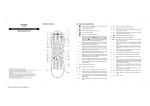
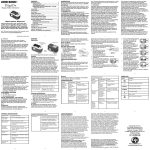
PRODUCT DIAGRAM
(Front Side)
Universal Remote Control (URC)
Cover
1
2
3
4
5
6
7
Operating Instructions
Control Remoto Universal (CRU)
Instrucciones De Operacion
(Back Side)
8
9
12
13
10
11
i
Cov
4
er
1
2
3
5
6
7
Cov
1
,.er
2
abc
4
ghi
5
jkl
mno
7
8
tuv
wxyz
4
pqrs
0
Cov
er
1
380 x 360mm (fold to 95 x 180mm)
Revised on 12/28/10
3
def
6
9
GB
GB
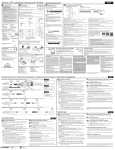
KEY FUNCTION DESCRIPTIONS
1.
Turns on or off a home entertainment device.
2.
Turns the remote to TV mode.
3.
4.
19.
Recalls the last channel, also LIVE function when in shift mode,
which is to command your PVR/DVR cable box to return to
watching live TV.
Turns the remote to (STB) set top box mode.
20.
Play when in DVD, VCR, CD or DVR mode.
Turns the TV to DVD mode.
21.
Pause when in DVD, VCR, CD or DVR mode.
5.
Turns the TV to auxiliary device mode.
22.
6.
Press once to access secondary functions of certain buttons.
The indicator light under the
button will light. If no button is
pressed within 8 seconds or press it again (While the indicator
light under the
button is lit), the unit will automatically return
to primary functions and the indicator light will go out.
Rewind when in DVD, VCR, CD or DVR mode, also SKIP back
function when in shift mode.
23.
Fast-forward when in DVD, VCR, CD or DVR mode, also SKIP
forward function when in shift mode.
24.
Record when in DVD, VCR, CD or DVR mode.
25.
Stop when in DVD, VCR, CD or DVR mode.
26.
Accesses additional cable features (See your cable converter's
manual).
Displays program guide. also VIDEO ON DEMAND function
when in shift mode.
27.
Exits out of your cable converters menu and guide, also BACK
function when in shift mode, which is to return to the previous
MENU screen.
Separate the main and sub-channel numbers, also SETTINGS
when in shift mode, which is to display available interactive
services.
28.
Cycles through your favorite channels stored in your cable
converter, also CC function when in shift mode, which is to
toggle between Closed-Captions.
Channel enter, use after direct channel number to change to
selected channel immediately, also ZOOM in screen when in
shift mode.
29.
7.
Enter the menu for the selected AV device, also DVR/LIST
function when in shift mode, which is to display a list of
recorded shows on your PVR/DVR cable box.
8.
9.
10.
11.
i
Picture in picture, also PIP SWAP function when in shift mode,
which is to switch images and sound between the main and
window pictures (if available on your TV or cable service).
13.
Scrolls through different AV source modes, also AUDIO function
when in shift mode.
15.
Enter numbers for direct channel selection.
Displays the current channel and program information, also
ASPECT function when in shift mode which is to change the
aspect ratio of the show you are watching.
12.
14.
0-9
CH
Changes channel up and down, also PAGE+ and PAGE- when
in shift mode, which is to page up (or page down) through
menu screens and the program guide.
VOL
Changes volume up and down, also DAY+ and DAY- when in
shift mode, which is to move a day forward on your cable
converter's program guide.
16.
Confirms choices in menus and displays the i-search banner.
17.
Use the cursor keys to move the cursor in the program guide
and menu screens and to navigate within the interactive service.
18.
Turns the sound on or off, also ACTIVE function when in shift
mode.
2
3
GB
Congratulations! Your Universal Remote Control (URC) is a state-of-the-art
device which integrates many different infra-red remote controls to deliver
instant A/V action to your fingertips.
Before operating the remote, please read thoroughly (1) the inside of the
coversheet and (2) this manual. Then store them for future reference.
1 HOW TO INSTALL THE BATTERIES
Alkaline batteries are recommended. The batteries required are 2 x AAA 1.5V
or equivelent.
1. Remove the battery cover on the back of your URC.
2. Insert the batteries observing the "+/-" marks inside the battery
compartment.
3. Push the battery cover back in place.
NOTE:
The memory inside the remote will retain its settings for short periods of time
with the batteries removed (When changing batteries for instance).
2 HOW TO SET UP THE URC
By entering Device Code
You may setup the URC by following the code entering instructions.
1. Referring to the DEVICE CODE LIST, look up the 4-digit Device Code
which corresponds to the brand of your A/V equipment. If there is more
than one Device Code listed under your brand, start from the first code.
2. Press the desired Device Mode Key (e.g. TV).
3. Hold down "CH +" and "VOL -" on the URC simultaneously for 2 seconds
until the indicator light under the power key lights up.
4. Use the number keys "0" - "9" to enter your 4-digit Device Code. The
indicator should go out after the 4th digit is entered.
Turn on your device (e.g. TV), then try the function keys on the URC. If your
device (e.g. TV) responds to your activated function correctly, you have
entered the right Device Code. Otherwise, repeat the above steps with the
next available Device Codes until your device (e.g. TV) responds to your
activated function, and most keys work correctly.
* Simply repeat the above procedures to enter the Device Codes for your
DVD and AUX devices. (Remember to press the correct Device Mode Key
in step 2 above)
GB
By Searching Through the Library
If you cannot identify a correct Device Code for your equipment from the
Device Code list, you may search for the code in the library:1. Turn on your device manually (e.g. TV).
2. Press a desired Device Mode Key (e.g. TV).
3. Hold down "CH +" and "VOL -" on the URC simultaneously for 2 seconds
until the indicator under the power key lights up.
4. Enter a corresponding Magic Search Code from the following table. The
indicator light under the power key should go out after the 4th digit is
entered.
DEVICE TYPE:
TV
VCR
STB
CTV
DVD
MAGIC SEARCH CODE:
0001 0002 0003 0004 0005
(e.g. press "TV" device mode key, then press "CH +" and "VOL -", and
enter TV Magic Search Code 0001.)
5. Press the same desired device mode key again as in step 2 above. (e.g. TV)
6. Hold down "CH +" & "VOL -" simultaneously for 2 seconds until the
indicator light under the power key lights up, and your URC is ready to start
searching.
7. Aim the URC at your device (e.g. TV), press the " " key slowly and
repeatedly until the device has been turned off.
Once your device has been turned off, immediately press Device Mode Key
(e.g. TV) to lock the code, the indicator light under the power key will go out.
* Simply repeat the above setup procedures to search for the Device Code
for your VCR, STB, DVD or CTV. (Remember to press the correct Device
Mode Key and correct Magic Search Code in step 2-5 above)
IMPORTANT:
- If the power on/off function of your device is not infra-red controlled, you
need to follow steps 2 to 6 above and start searching:- Press "
" and another function key alternately until your device
responds to the expected function, then press the same Device Mode
Key (e.g. TV) to lock in the code.
e.g. Press "
Press "
" & "1" alternately, or ;
" & " " alternately.
Note:
Note:
If the indicator light under the power key flashes twice in step 4, a wrong
Device Code has been entered. You are required to repeat step 2 to 4
again.
Suggestion :
- If you cannot find a correct Device Code for your equipment, see 2.
HOW TO SET UP THE URC - By Searching Through the Library.
- For future reference you are recommended to take a note of your Device
Codes in the space provided on the product's back label after setting up
the URC correctly.
- DVD, CTV and other device codes can be searched for and locked into
any device modes. Simply press the corresponding device mode key in
step 2 & 5 and enter an appropriate Magic Search Code for your DVD,
CTV and other devices.
- Each time you press the " ", the URC will skip to the next code and
send out a POWER signal trying to turn off your device.
If you fail to stop pressing " " in time when your device has been turned
off, turn your device on again immediately. Before the indicator under the
power key goes out, press " "on the URC to skip backward. Repeat
step 7 above and lock in the code.
- If the indicator light under the power key flashes twice after your
pressing of " " key, you are already at the last code of the library. Press
"CH +" and "VOL -" to resume the URC and repeat the above
procedures carefully to search again.
4
5
GB
GB
Macro Power
3 OPERATING THE URC
Macro Power allows you to turn two of your A/V equipment on/off
simultaneously.
Normal Operation
Once you have set up the URC for your A/V equipment, it works like your
original remote control. To operate, just aim it at your equipment, press an
appropriate device mode key and invoke the desired function by pressing a
corresponding key on the URC. The indicator light under the power key
flashes during signal transmission and as confirmation of key touch.
Punch Through
Punch Through Channel
Punch through channel allows you to operate channel up and down without
having to switch the device modes repeatedly even when your URC is in other
operating modes.
To activate the punch through channel setting:
1. Press desired Device Mode Key of the device in use.
2. Press and Hold "CH +" key.
3. Press desired Device Mode Key of the device you want to change the
channel on.
4. Release "CH +" (the indicator light under the power key flashes once if the
setting is activated).
To deactivate the punch through channel setting:
1. Press desired Device Mode Key of the device in use.
2. Press and Hold "CH -" key.
3. Press desired device Mode Key of the device you want to change the
channel on.
4. Release "CH -" (the indicator light under the power key flashes twice if the
setting is activated).
Punch Through Volume
Punch through volume allows you to operate volume up and down without
having to switch the device modes repeatedly even when your URC is in other
operating modes.
To activate the punch through volume setting:
1. Press desired Device Mode Key of the device in use.
2. Press and Hold "VOL +" key.
3. Press desired Device Mode Key of the device you want to change the
volume on.
4. Release "VOL +" (the indicator light under the power key flashes once if the
setting is activated).
To deactivate the punch through volume setting:
1. Press desired Device Mode Key of the device in use.
2. Press and Hold "VOL -" key.
3. Press desired Device Mode Key of the device you want to change the
volume on.
4. Release "VOL -" (the indicator light under the power key flashes twice if the
setting is deactivated).
6
To activate the macro power setting:
1. Press desired Device Mode Key (e.g. TV).
2. Press and Hold " " key.
3. Press desired Device Mode Key (e.g. STB).
4. Release " " (the indicator light under the power key flashes once if the
setting is activated).
To deactivate the macro power setting:
1. Press desired Device Mode Key (e.g. TV).
2. Press and Hold " " key.
3. Press desired Device Mode Key (e.g. STB).
4. Release " " (the indicator light under the power key flashes twice if the
setting is deactivated).
4 MAINTENANCE
1. Do not expose your URC to dust, strong sunlight, humidity, high
temperatures or mechanical shocks.
2. Do not use old and new batteries together as old batteries tend to leak.
3. Do not use corrosive or abrasive cleansers on your URC.
4. Keep the unit dust free by wiping it with a soft, dry cloth.
5. Do not disassemble your URC, it contains no user-serviceable parts.
5 TROUBLESHOOTING
Q. My URC does not work at all!
A. Check your A/V device, if the device's main switch is turned off, your URC
cannot operate your device.
A. Check whether your batteries are inserted properly and are in the correct
+/- position.
A. Check whether you have pressed the corresponding device mode key for
your device.
A. If the batteries are low, replace the batteries.
Q. If several Device Codes are listed under the brand of my A/V device, how
can I select the correct Device Code?
A. To seek the correct Device Code for your A/V device, test the codes one by
one until most keys work properly.
Q. My A/V equipment responds only to some of the commands.
A. You have set a code for which only some commands work properly but
some do not. Try other codes until most keys work properly.
7
ES
ES
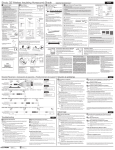
DESCRIPCIÓN DE LAS PRINCIPALES FUNCIONES
1.
Activa o desactiva un dispositivo de entretenimiento en el hogar.
2.
Activa el control remoto al modo de TV.
3.
Activa el control remoto (STB) establecer el modo de top box.
4.
Enciende el televisor en el modo DVD.
5.
6.
7.
18.
Activa el sonido encendido o apagado, también funcionan
ACTIVO cuando en modo de cambio.
19.
Recuerda el último canal, en vivo la función en el modo de
desplazamiento, que consiste en mandar su PVR / DVR de
cable para volver a ver la televisión en vivo.
Enciende el televisor en modo de dispositivo auxiliar.
20.
Coloque la función PLAY para DVD, VCR, CD o modo DVR.
Pulse una vez para acceder a las funciones secundarias de
ciertos botones. La luz indicadora en el botón se ilumina. Si
ningún botón se presiona dentro de 8 segundos pulse de
nuevo (mientras la luz del indicador en el botón de encendido),
la unidad volverá automáticamente a las funciones de principal
y la luz indicadora se apagará.
21.
Modo Pausa para DVD, VCR, CD o modo DVR.
22.
Rebobinar cuando en DVD, VCR, CD o DVR, también Saltar
función hacia atrás en el modo de desplazamiento.
23.
Avance rápido cuando está en DVD, VCR, CD o DVR, también
PASE adelante la función en el modo de desplazamiento.
24.
Grabar cuando en DVD, VCR, CD o DVR.
25.
Pare cuando en DVD, VCR, CD o DVR.
Entre en el menú para seleccionar el dispositivo AV, también
DVR / LISTA función en el modo de desplazamiento, que
consiste en mostrar una lista de programas grabados en su
PVR / DVR de cable.
8.
Muestra la guía de programas. También VIDEO sobre función
de demanda en el modo de desplazamiento.
26.
Permite acceder a funciones adicionales de cable (véase el
cable conversor manual).
9.
EXIT es para salir de su menú de convertidores de cable,
también la función VOLVER en el modo de desplazamiento,
que es volver a la anterior pantalla MENU.
27.
Separe los números de sub-canal principal y, también
AJUSTES en el modo de desplazamiento, que es mostrar la
disposición interactiva los servicios.
10.
Ciclos a través de sus canales favoritos almacenados en el
cable convertidor, también CC función en el modo de
desplazamiento, que es alternar con subtítulos.
28.
Canal de entrada, usar después del número de canal directo
para cambiar a canal seleccionado inmediatamente, también
ZOOM en pantalla cuando está en modo de cambio.
Muestra el canal actual y la información del programa, también
función ASPECTO en el modo de cambio que es cambiar la
relación de aspecto del programa que está viendo.
29.
11.
i
12.
Imagen en imagen, también la función PIP SWAP en el modo
de desplazamiento, que es para pasar las imágenes y el
sonido entre el principal e imágenes de la ventana (si está
disponible en su TV o servicio de cable).
13.
Se desplaza a través de diferentes modos de fuente de AV,
también la función AUDIO en el modo de desplazamiento.
14.
15.
CH
VOL
0-9
Introduzca los números para la selección directa de canales.
Los cambios de canal arriba y abajo, también PAGE + y PAGEcuando en el modo de desplazamiento, que es a la página de
arriba (o retroceder) a través pantallas de menú y la guía de
programas.
Los cambios de volumen hacia arriba y hacia abajo, también
DIA DIA + y-cuando en modo de cambio, que es pasar un día
hacia delante en el cable convertidor de guía de programas.
16.
Confirma las selecciones en los menús y muestra la bandera i
en la búsqueda.
17.
Utilice las teclas del cursor para mover el cursor en la guía de
programas y las pantallas de menú y para navegar dentro del
servicio interactivo.
8
9
ES
!Felicidades! Su mando a distancia URC es un avanzado producto
tecnológico que integra la funcionalidad de multitud de diferentes mandos
para proporcionar control instantáneo de sus dispositivos de A/V.
Antes de usar el mando a distancia y para disfrutar al máximo de sus
prestaciones, lea detenidamente este manual. Consérvelo para futuras
consultas.
1 COMO COLOCAR LAS PILAS
Se necesitan 2 pilas o baterías AAA.
1. Saque la tapa de las pilas situada en la parte posterior del mando.
2. Vigile la polaridad de las pilas ayudandose por las marcas "+/–" dentro del
compartimento de las mismas.
3. Introduzca las pilas.
4. Vuelva a poner la tapa en su sitio.
2 COMO PROGRAMAR EL MANDO
2.1
Mediante la introducción de un código (preprograma)
Siga las siguientes instrucciones:
1. Busque en la "lista de códigos", al final de este manual, el código de 4
dígitos que se corresponda con la marca de su equipo A/V. Si existe más
de un código bajo su marca, inténtelo desde el primer código.
2. Pulse la tecla del tipo de equipo que desea programar (Ej: TV).
3. Mantenga presionada simultáneamente las teclas "CH +" y "VOL –"
durante 2 segundos hasta que el LED se encienda.
4. Use las teclas numéricas "0" - "9" para introducir su código de 4 digitos. El
LED se apaga.
Encienda su equipo recién programado (Ej: TV), y pruebe las funciones en el
mando. Si su equipo responde correctamente a su función solicitada, ha
entrado el código de equipo correcto. En caso contrario repita los pasos
anteriores con el siguiente de los códigos disponibles hasta que su equipo
responda.
* Simplemente repita los procedimientos citados para introducir los códigos
de equipo para su DVD o AUX.
Nota:
- Si el LED indicador parpadea 6 veces durante el mencionado
procedimiento, es que ha introducido un código incorrecto. Deberá
repetir los pasos 2, 3 y 4 nuevamente.
- Al introducir un nuevo código de equipo pre-programado,
automáticamente se borrarán y reemplazarán todos los comandos
anteriores en el tipo de equipo seleccionado.
Sugerencia:
- Si no encuentra un código correcto para su equipo, vea el apartado "2.2
Mediante la búsqueda automática de códigos".
ES
2.2
Mediante la búsqueda automática de códigos
Si no encuentra un código correcto para su equipo en el listado de códigos,
utilice nuestro método de búsqueda de códigos. Repita las siguientes
instrucciones para cada uno de los aparatos que desea controlar con el URC:1. Encienda el equipo manualmente (Ej: TV).
2. Pulse la tecla del equipo deseado (Ej: TV).
3. Mantenga presionadas las teclas "CH +" y "VOL –" en el mando
simultáneamente por 2 segundos hasta que el LED se ilumine.
4. Introduzca el código de búsqueda automática correspondiente según la
siguiente tabla:
TIPO DE EQUIPO:
CÓDIGO DE BÚSQUEDA:
TV
0001
STB
0003
CTV
0004
DVD
0005
Nota: Tenga en cuenta que independientemente de a qué botón de
dispositivo vincule esa preprogramación (TV, DVD, STB) utilizará estos
mismos códigos.
(Ej: pulse la tecla del modo "TV", luego "CH +" y "VOL –" simultáneamente,
a continuación teclee el código para TV "0001".)
5. Vuelva a pulsar la misma tecla del modo deseado como en el paso 2. (Ej:
TV)
6. Vuelva a pulsar simultáneamente las teclas "CH +" y "VOL –" durante unos
segundos hasta que el LED se ilumine, con lo que el mando estará listo
para comenzar la búsqueda.
7. Apunte el mando hacia su equipo (Ej: TV) y pulse la tecla " " lenta,
paciente y repetidamente hasta que el equipo se desconecte. En cuanto
éste se apague, pulse inmediatamente las teclas "CH +" y "VOL –" para
guardar el código. El LED se apagará.
* Repita los procedimientos mencionados para la búsqueda de los códigos
de equipo para su VCR, STB o DVD. (No olvide pulsar la tecla correcta del
tipo de equipo.)
Nota:
- Puede almacenar los códigos de DVD u otros equipos en cualquiera de
los modos excepto en "TV" y "VCR". Simplemente pulse la tecla del tipo
de equipo en los pasos 2 y 5 e introduzca un Código de búsqueda
apropiado para DVD u otros equipos.
- Cada vez que pulse la tecla " ", el mando pasará al siguiente código y
enviará una señal tratando de apagar su equipo. Si se ha pasado
pulsando la tecla y el equipo ya se ha apagado, encienda
inmediatamente el equipo otra vez. Antes de que el LED del mando se
apague, presione la tecla " " del mismo para omitir lo anterior. Repita
el paso 7 y guarde el código.
- Si el LED parpadea 2 veces después de presionar la tecla " ", indica
que está en el último código de la lista. Pulse las teclas "CH +" y "VOL –"
nuevamente para reanudar el mando y repetir cuidadosamente los
procedimientos indicados para la siguiente búsqueda.
- Es recomendable que anote su código de dispositivo en el espacio
provisto en la etiqueta trasera para referencia futura.
10
VCR
0002
11
ES
- Si la función de encendido/apagado de su equipo no es controlada por
infrarrojos, deberá efectuar los pasos 2 a 6 citados y comenzar la
búsqueda.
- Presione alternativamente " " y otra tecla de función importante hasta
que su equipo responda a las funciones esperadas; pulse las teclas
"CH+" y "VOL–" para guardar el código.
ej. Pulsar " " y "1" alternativamente o pulsar " " y "
" alternativamente.
3 MANEJO DEL MANDO
3.1
1. Pulse la tecla del modo de dispositivo deseado (Ej. TV).
2. Mantenga la tecla "VOL –" pulsada.
3. Pulse la tecla del modo de dispositivo para la que quiera cambiar el canal
(Ej: STB).
4. Suelte la tecla "VOL –". (el LED parpadeará una vez si el ajuste se ha
desactivado).
Función macro
Esta función permite encender/apagar simultáneamente dos de sus
dispositivos.
Para activar esta función siga los siguientes pasos:
Uso Normal
Una vez programado el URC para utilizar con su equipo A/V, éste funcionará
igual que su mando original. Para operar sólo apunte éste a su equipo,
presione la tecla apropiada del tipo de dispositivo, y podrá usar la función
deseada presionando la tecla correspondiente en su nuevo mando URC.
3.2
ES
Para desactivar la función multi-dispositivo para volumen:
IMPORTANTE:
Función Directa
Permite controlar el volumen y los canales del TV, sin tener que cambiar el
tipo de dispositivo continuamente aún cuando el mando esté en otro modo
operativo.
Canal:
Para activar la función directa del canal debe de seguir los siguientes pasos.
1. Seleccione el tipo de equipo del cual quiera controlar los canales (Ej. TV).
2. Pulse y mantenga la tecla "CH +".
3. Seleccione el tipo de equipo con el que lo quiere vincular (Ej: STB)
1. Seleccione uno de los dispositivos deseados pulsando el botón
correspondiente. (Ej. TV).
2. Pulse y mantenga la tecla " ".
3. Seleccione el tipo de dispositivo con el que quiera vincularlo. (Ej: STB)
4. Suelte la tecla " ". El indicador parpadeará indicando que la función ha
sido activada.
Para desactivar esta función no tiene más que repetir el proceso anterior y se
desactivará.
Para desactivar la función multi-dispositivo para Macro Power:
1. Pulse la tecla del modo de dispositivo deseado (Ej. TV).
2. Mantenga pulsada la tecla " ".
3. Pulse la tecla del modo de dispositivo para la que quiera cambiar el canal
(Ej: STB).
4. Suelte la tecla " ". (el LED parpadeará dos veces si la funcion se ha
desactivado).
4. Suelte la tecla "CH +". El indicador parpadeará indicando que la función ha
sido activada.
Para desactivar dicha función repita los pasos pero presione “CH –” en lugar
de “CH +”.
Para desactivar la función multi-dispositivo para canales:
1. Pulse la tecla del modo de dispositivo deseado (Ej. TV).
2. Mantenga la tecla "CH –" pulsada.
3. Pulse la tecla del modo de dispositivo para la que quiera cambiar el canal
(Ej: STB).
4. Suelte la tecla "CH –". (el LED parpadeará una vez si el ajuste se ha
desactivado).
Volumen:
Para activar la función directa del volumen debe de seguir los siguientes
pasos.
1.
2.
3.
4.
Seleccione el tipo de equipo del cual quiera controlar el volumen (Ej. TV).
Pulse y mantenga la tecla "VOL+".
Seleccione el tipo de equipo con el que lo quiere vincular (Ej: STB)
Suelte la tecla "VOL+". El indicador parpadeará indicando que la función
ha sido activada.
Para desactivar dicha función repita los pasos pero presione "VOL –" en lugar
de "VOL+".
12
4 MANTENIMIENTO
1. No exponga su URC al polvo, sol, humedad, alta temperatura, o caidas.
2. No mezcle pilas viejas y nuevas, ya que las viejas tienden a tener escape
de ácido.
3. No use limpiadores corrosivos o abrasivos.
4. Mantenga el mando libre de polvo, limpiándolo con un paño suave y seco.
5. No desarme su URC, éste no contiene partes servibles para otros usos.
5 RESOLUCIÓN DE PROBLEMAS
P. Mi mando no funciona.
R. Compruebe si el aparato A/V que desea controlar está con el interruptor en
posición de apagado y enciéndalo.
R. Compruebe que las pilas estén correctamente colocadas, con sus
respectivas polaridades +/–.
R. Compruebe si ha pulsado la tecla correspondiente para su dispositivo.
R. Si las pilas están gastadas, debe reemplazarlas.
P. Si existen varios códigos de equipos que corresponden a la marca de mi
equipo A/V, cómo podría seleccionar el código correcto?
R. Para buscar el código correcto de su equipo A/V, debe probar uno por uno
hasta que la mayoría de las teclas funcione correctamente. También puede
usar la función de aprendizaje para personalizar los iconos que no
funcionan como desea.
13
F820-8363-0000