1
Atlas 4A ENG.fm Page 1 Thursday, April 12, 2007 1:25 PM
ATLAS 4-Device
Universal Remote Control
Control Remoto Universal
Users Guide
Guía del Usuario
PREPROGRAMMED FOR YOUR SET-TOP BOX
Preprogamado PARA SU SET-TOP BOX (aparato
integrado de convertidor y decodificador)
Atlas 4A ENG.fm Page 2 Thursday, April 12, 2007 1:25 PM
TABLE OF CONTENTS
Introduction . . . . . . . . . . . . . . . . . . . . . . . . . . . . . . . . . . . . . . . . . . . . 3
Features and Functions . . . . . . . . . . . . . . . . . . . . . . . . . . . . . . . . . . . 4
Key Charts. . . . . . . . . . . . . . . . . . . . . . . . . . . . . . . . . . . . . . . . . 5
Device Table . . . . . . . . . . . . . . . . . . . . . . . . . . . . . . . . . . . . . . . 7
Installing Batteries . . . . . . . . . . . . . . . . . . . . . . . . . . . . . . . . . . . . . . . 7
Programming Device Control . . . . . . . . . . . . . . . . . . . . . . . . . . . . . . . 8
Searching for Your Code . . . . . . . . . . . . . . . . . . . . . . . . . . . . . . . . . 10
Checking the Codes . . . . . . . . . . . . . . . . . . . . . . . . . . . . . . . . . . . . . 11
Programming Channel Control Lock . . . . . . . . . . . . . . . . . . . . . . . . 11
Unlocking Channel Control. . . . . . . . . . . . . . . . . . . . . . . . . . . 12
Locking Channel Control to CBL. . . . . . . . . . . . . . . . . . . . . . . 12
Changing Volume Lock . . . . . . . . . . . . . . . . . . . . . . . . . . . . . . . . . . . 12
Unlocking Volume Control for a Single Device (Individual
Volume Unlock) . . . . . . . . . . . . . . . . . . . . . . . . . . . . . . . . . 13
Unlocking All Volume Control (Global Volume Unlock) . . . . . 13
Locking Volume Control To One Mode (Global Volume Lock) 14
Programming ID Lock. . . . . . . . . . . . . . . . . . . . . . . . . . . . . . . . . . . . 14
Programming the Macro Key . . . . . . . . . . . . . . . . . . . . . . . . . . . . . . 15
Programming the Macro Key . . . . . . . . . . . . . . . . . . . . . . . . . 15
Clearing a Macro Key . . . . . . . . . . . . . . . . . . . . . . . . . . . . . . . 16
Using the Master Power Key. . . . . . . . . . . . . . . . . . . . . . . . . . . . . . . 16
Programming the Master Power Key . . . . . . . . . . . . . . . . . . . 16
Using the Master Power Key. . . . . . . . . . . . . . . . . . . . . . . . . . 17
Clearing the Master Power Key . . . . . . . . . . . . . . . . . . . . . . . 17
Re-Assigning Device Keys. . . . . . . . . . . . . . . . . . . . . . . . . . . . . . . . . 18
Troubleshooting . . . . . . . . . . . . . . . . . . . . . . . . . . . . . . . . . . . . . . . . 19
Additional Information . . . . . . . . . . . . . . . . . . . . . . . . . . . . . . . . . . . 20
Additional Information . . . . . . . . . . . . . . . . . . . . . . . . . . . . . . . . . . . 20
Manufacturer’s Codes (Códigos de Fabricante) . . . . . . . . . . . . . . . 41
Setup Codes for Audio Amplifiers. . . . . . . . . . . . . . . . . . . . . . 41
Setup Codes for Audio Receivers. . . . . . . . . . . . . . . . . . . . . . 41
Setup Codes for Audio Accessories . . . . . . . . . . . . . . . . . . . . 44
Setup Codes for Cable Boxes/Converters . . . . . . . . . . . . . . . 44
Setup Codes for DVD Players . . . . . . . . . . . . . . . . . . . . . . . . . 46
Setup Codes for DVD Recorders. . . . . . . . . . . . . . . . . . . . . . . 51
Setup Codes for DVD Combos. . . . . . . . . . . . . . . . . . . . . . . . . 51
Satellite Receivers and DVR/PVR Systems. . . . . . . . . . . . . . . 52
Setup Codes for Satellite Receivers . . . . . . . . . . . . . . . . . . . 52
Setup Codes for TVs . . . . . . . . . . . . . . . . . . . . . . . . . . . . . . . . 54
Setup Codes for TVs (DLP) . . . . . . . . . . . . . . . . . . . . . . . . . . . 62
Setup Codes for TVs (HDTV) . . . . . . . . . . . . . . . . . . . . . . . . . . 62
Setup Codes for TVs (LCD) . . . . . . . . . . . . . . . . . . . . . . . . . . . 65
Setup Codes for TV/DVD Combos . . . . . . . . . . . . . . . . . . . . . . 65
Setup Codes for TV/VCR Combos . . . . . . . . . . . . . . . . . . . . . . 66
Setup Codes for TV/VCR/DVD Combos . . . . . . . . . . . . . . . . . . 68
Setup Codes for VCRs . . . . . . . . . . . . . . . . . . . . . . . . . . . . . . . 69
www.urcsupport.com
2
Atlas 4A ENG.fm Page 3 Thursday, April 12, 2007 1:25 PM
INTRODUCTION
The Atlas 4-Device Universal Remote Control by
Universal Electronics is our latest generation universal
remote control. Its sophisticated technology allows you
to consolidate up to five of your original home
entertainment remote controls into one easy-to-use
product. Moreover, its packed with advanced features
such as:
• Preprogrammed control to operate the cable
converter supplied by your cable service provider
• Programmable Master Power key for master on/off
control of your home entertainment equipment with
a single keystroke
• Programmable Macro Key to allow you to activate
certain keys in a specific order
• Channel Lock to lock channel selection only to the
cable converter
• Volume Lock to lock volume controls to one mode or
individual modes
• Device Key Re-Assignment to remotely control a
second (duplicate) device
• Code Search to help program control of older or
discontinued components
• Color-coded keys to quickly locate popular
functions
• Code library for popular video and audio devices
Before using the product, you will need to install the
enclosed batteries and also perform some programming
to operate the specific home entertainment devices you
wish to control.
Please follow the instructions detailed in this manual to
set up the unit and then start enjoying your new remote
control and cable service.
www.urcsupport.com
3
Atlas 4A ENG.fm Page 4 Thursday, April 12, 2007 1:25 PM
FEATURES AND FUNCTIONS
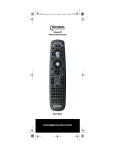
Use the illustration below to locate features on the Atlas
4-Device Universal Remote Control and then study the
Key Charts (on the next three pages) to learn how they
function.
To find out what type of devices can be controlled by
each device key after programming, see “Device Table”
on page 7 .
www.urcsupport.com
4
Atlas 4A ENG.fm Page 5 Thursday, April 12, 2007 1:25 PM
Key Charts
Key
Function
Use SETUP for all programming
sequences. Also use to turn
backlighting on and off, if applicable.
Press PWR once to turn on or off a home
entertainment device. For MASTER
POWER control, see “Using the Master
Power Key” on page 16.
Press AUD, VCR, TV, or CBL once to
select a home entertainment device to
control. Also see “Device Table” on
page 7.
Each device key has an embedded LED
(red light) that blinks upon selection
and indicates the remote control is
working and (after programming) is
sending signals.
Use GUIDE to display the program
guide.
Press SETTINGS once to display available
interactive services.
Use INFO to display the current channel
and program information.
Use DAY+ (or DAY-) to move a day
forward (or back) on your cable
converter’s program guide.
Use the Cursor keys to move the cursor
in the program guide and menu screens
and to navigate within the interactive
service.
Use OK/SELECT to choose options, PPV
events, and to tune to programs from
the program guide.
Use PAGE+ (or PAGE-) to page up (or
page down) through menu screens and
the program guide.
Use EXIT to exit out of your cable
converters menu and guide.
Use A, B, or C to access additional cable
features (see your cable converter’s
manual).
www.urcsupport.com
5
Atlas 4A ENG.fm Page 6 Thursday, April 12, 2007 1:25 PM
Key
Function
Use VOL+ (or VOL-) to raise (or lower)
the audio volume.
Use FAV to cycle through your favorite
channels stored in your cable converter.
Use CH+ (or CH-) to select the next
higher (or lower) channel.
For DVD players, use these keys to skip
forward (or reverse) through chapters.
For amplifiers/receivers, use these keys
to select the next higher (or lower)
preset station.
Press MUTE once to turn the sound off
or on.
Press LAST once to recall the last
channel.
Reserved for use as a Macro key (see
“Programming the Macro Key” on
page 15).
In all modes except CBL, use REW, PLAY,
FFWD, STOP, and PAUSE to control a
VCR, DVD player, or a PVR (after
selecting a desired device). To record in
the VCR mode, press REC twice.
In the CBL mode, use these keys to
control the DVR/PVR functions of the
set-top box.
Use the keypad numbers (1-9, and 0) to
directly tune channels (e.g., 09).
For amplifiers/receivers, use the keypad
numbers to select inputs 1 through 10.
Press ENTER once to enter a channel
number on some cable systems.
Press STAR as an optional key on your
numeric keypad.
Use BYPASS to control the Bypass
function of your set-top box.
Press TV/VCR to change your video
source (for example, from TV to VCR).
www.urcsupport.com
6
Atlas 4A ENG.fm Page 7 Thursday, April 12, 2007 1:25 PM
Device Table
NOTE:
Please refer to the table below when
performing the instructions in
“Programming Device Control” on page 8 or
“Searching for Your Code” on page 10.
After programming, the Atlas 4-Device Universal
Remote Control will be able to control the following
types of devices:
Device Key
Controls these types of devices
VCR, TV/VCR Combo, PVR, or extra
DVD Player
Audio Amplifier, Tuner, Receiver, or
Audio Accessories
Television
Cable Box (Converter), Satellite
Receiver, or Video Accessories
INSTALLING BATTERIES
1
2
1.
2.
3
On the back of the remote control, push the
tab and lift off the battery cover.
Locate the two (2) enclosed AA batteries.
Match the + and - marks with those in the
battery case, then insert them.
www.urcsupport.com
7
Atlas 4A ENG.fm Page 8 Thursday, April 12, 2007 1:25 PM
3.
4.
NOTE:
Align the covers keys with the cases holes and
press the cover back into place. The tab should
click when the cover is locked.
Test the remote control by pressing any mode
key (e.g., TV). If the batteries are inserted
correctly, the LED (red light) will blink once.
When batteries need replacement, the remote
control will cease to operate. Replace the
batteries and the unit will be restored to its
full functionality, complete with your favorite
settings.
PROGRAMMING DEVICE CONTROL
The Atlas 4-Device Universal Remote Control is
preprogrammed to operate the cable box (converter)
provided by your cable system, an RCA TV, a Toshiba
DVD player, and a Pioneer audio receiver. To control
devices other than the default brands, perform the
following steps; otherwise skip this section.
NOTE:
If you have another brand of cable converter
or a satellite receiver you would like to control,
you’ll need to unlock the cable ID Lock before
changing the converter code (see “Programming ID Lock” on page 14).
1.
Turn on a device and, if applicable, insert
video media, (e.g., cassette or disc).
NOTE: Please read steps 2 through 4 completely
before proceeding. Highlight or write down
the codes and device you wish to program
before moving on to step 2.
2.
On the remote control, press a device key once
(i.e., AUD, VCR, TV, or CBL); it will blink once.
Then press and hold SETUP until the selected
mode key blinks twice.
3.
Use the “Manufacturer’s Codes (Códigos de
Fabricante)” starting on page 41) to locate the
type of device and brand name and then enter
the first four-digit code for your device. If
performed correctly, the selected mode key
will blink twice.
www.urcsupport.com
8
Atlas 4A ENG.fm Page 9 Thursday, April 12, 2007 1:25 PM
NOTE:
4.
NOTE:
5.
If the selected mode key emits a long blink,
the entry is invalid. Repeat steps 2 through 3
and try entering the same code again.
Aim the remote control at the device and
press PWR once. The device should turn off. If
it does not, repeat steps 2 through 3, trying
each code for your brand until you find one
that works. If it still does not respond, try
searching for the code (see “Searching for
Your Code” on page 10).
If the device does not have a PWR key, press
the(Play) key.
Repeat steps 1 through 4 for each device you
want the remote control to operate. For future
reference, write down each working device
code in the boxes on the following page.
VCR Code
Device Type:___________________
DVD Code
Device Type:___________________
AUD Code
Device Type:___________________
CBL Code
Device Type:___________________
TV Code
Device Type:___________________
www.urcsupport.com
9
Atlas 4A ENG.fm Page 10 Thursday, April 12, 2007 1:25 PM
SEARCHING FOR YOUR CODE
If your home entertainment device does not respond to
the Atlas 4-Device Universal Remote Control after trying
all of the codes listed for your brand, or if your brand is
not listed at all, try searching for your code.
For example, to search for a code for your TV:
1.
Turn on your TV.
2.
On the remote control, press TV once; it will
blink once. Then press and hold SETUP until
the TV key blinks twice.
3.
Enter 9 9 1. The TV key will blink twice.
4.
Aim the remote control at the TV and press
PWR once.
5.
Press and release the CH+ key continuously,
then stop when the TV turns off.
NOTE:
In the search mode, the remote control will
send IR codes from its library to the selected
device, starting with the most popular code
first.
Press PWR. The TV should turn on, then press
SETUP to lock in the code.
6.
NOTE:
If the TV does not turn on during step 6, then
slowly press and release CH- to go back
through the codes, then press SETUP when the
TV turns on.
7.
To search for the codes of your other devices,
repeat steps 1 through 6, but substitute the
appropriate key (e.g., AUD, VCR,or CBL) for the
device you are searching for.
www.urcsupport.com
10
Atlas 4A ENG.fm Page 11 Thursday, April 12, 2007 1:25 PM
CHECKING THE CODES
If you have set up the Atlas 4-Device Universal Remote
Control by searching for your device code (on the
previous page), you may need to find out which fourdigit code is operating your equipment.
For example, to find out which code is operating your TV:
1.
On the remote control, press TV once; it will
blink once. Then press and hold SETUP until
the TV key blinks twice.
2.
Enter 9 9 0. The TV key will blink twice.
3.
To view the code for the first digit, press 1
once. Count the number of times the TV key
blinks (e.g., 3 blinks = 3) and write down the
number in the leftmost TV Code box on
page 9.
If a code digit is 0, the selected mode key will
not blink.
Repeat step 3 three more times for the
remaining digits. Use 2 for the second digit, 3
for the third digit, and 4 for the fourth digit.
Finish writing down the code in the TV Code
boxes on page 9.
NOTE:
4.
5.
To check for other device codes, repeat steps 1
through 4, but substitute the appropriate key
(e.g., AUD, VCR,or CBL) for the device you are
checking. Write down the codes in the
appropriate boxes on page 9.
PROGRAMMING CHANNEL CONTROL LOCK
By default, the remote control’s channel-control
capabilities are locked to the cable converter. The
affected keys* are 1 through 0, CH+, CH-, and LAST. This
will guarantee that you do not inadvertently change a
channel on your TV or VCR. However, you can deactivate this feature to allow full access to these keys in
the TV and VCR modes.
*NOTE: This feature does not affect the AUD mode.
www.urcsupport.com
11
Atlas 4A ENG.fm Page 12 Thursday, April 12, 2007 1:25 PM
Unlocking Channel Control
1.
On the remote control, press CBL once; it will
blink once. Press and hold SETUP until the
CBL key blinks twice.
2.
Enter 9 7 3. The CBL key will blink twice.
3.
Press CH- once. The CBL key will blink four
times.
Now the remote control will provide TV and VCR
channel-control capabilities while in the TV or VCR
mode.
Locking Channel Control to CBL
1.
On the remote control, press CBL once; it will
blink once. Press and hold SETUP until the
CBL key blinks twice.
2.
Enter 9 7 3.The CBL key will blink twice.
3.
Press CH+ once. The CBL key will blink twice.
Now, regardless of what mode you select (except AUD),
the channel keys will only change channels on your cable
converter.
CHANGING VOLUME LOCK
Volume Lock allows you to control the volume through
the device identified as having your primary speaker(s),
regardless of which mode you are using. On the Atlas 4Device Universal Remote Control, Global Volume Lock is
set to TV, so you can control TV volume while in the VCR,
TV or CBL mode. You can perform Individual Volume
Unlock on a selected device to set its volume control for
independent operation.
www.urcsupport.com
12
Atlas 4A ENG.fm Page 13 Thursday, April 12, 2007 1:25 PM
NOTE:
The audio mode’s (AUD) volume controls are
active regardless of Volume Lock settings.
However, if you lock the volume controls to
the AUD mode, you will have control of the
audio device’s volume in all other modes (i.e.,
VCR, TV, and CBL). This can be an advantage
if, for example, you always listen to home
entertainment devices through your receiver’s
speakers.
Unlocking Volume Control for a Single Device
(Individual Volume Unlock)
1.
Assuming Global Volume Lock is active, select
a mode on the remote control that you want to
unlock (e.g., CBL) and press it once. Next,
press and hold SETUP until the device key
blinks twice.
2.
Enter 9 9 3. The last-selected device key will
blink twice.
3.
Press VOL- once. The last-selected device key
will blink four times.
4.
Repeat steps 1 through 3 for each device you
want volume to be unlocked.
Now, after you select a device that has volume unlocked
(e.g., CBL), pressing VOL+, VOL-,or MUTE, will control
only that device’s volume.
Unlocking All Volume Control (Global Volume Unlock)
NOTE:
Performing these instructions will set independent volume control for all programmed
devices.
1.
On the remote control, press and hold SETUP
until the last-selected device key blinks twice.
2.
Enter 9 9 3. The last-selected device key will
blink twice.
3.
Press VOL+ once. The last-selected device key
will blink four times.
www.urcsupport.com
13
Atlas 4A ENG.fm Page 14 Thursday, April 12, 2007 1:25 PM
Locking Volume Control To One Mode (Global
Volume Lock)
NOTE:
The audio mode’s volume controls are active
regardless of Volume Lock settings. However,
if you lock the volume controls to the AUD
mode, you will control the audio device’s volume in all other modes (i.e., VCR,TV, or CBL).
This can be an advantage if, for example, you
always listen to home entertainment devices
through your receiver’s speakers.
1.
On the remote control, press and hold SETUP
until the last-selected device key blinks twice.
2.
Enter 9 9 3. The last-selected device key will
blink twice.
3.
Select a mode (e.g., TV or AUD) which you
want to use to control the volume. The
selected device key will blink twice.
Now, when you press VOL+, VOL-,or MUTE, the volume of
the selected device (e.g., TV) is controlled regardless of
mode.
PROGRAMMING ID LOCK
The Atlas 4-Device Universal Remote Control is locked
at the factory to operate your cable provider’s set top
box. However, if you have another brand or model of
cable converter or satellite service that you would like to
control, then you’ll need to perform the following steps
to unlock the ID Lock, enter a new manufacturer’s code,
and lock the ID Lock again.
1.
Turn on the cable converter.
2.
On the remote control, press CBL once; it will
blink once. Then press and hold SETUP until
the CBL key blinks twice.
3.
Enter 9 8 2. The CBL key will blink four
times, indicating ID Lock is unlocked.
www.urcsupport.com
14
Atlas 4A ENG.fm Page 15 Thursday, April 12, 2007 1:25 PM
4.
5.
6.
Perform the instructions under
“Programming Device Control” on page 8 to
program device control for the desired cable
converter or satellite receiver.
When you are done, perform steps 5 and 6 on
this page to again lock the cable ID Lock.
On the remote control, press CBL once; it will
blink once. Then press and hold SETUP until
the CBL key blinks twice.
Enter 9 8 2. The CBL key will blink twice,
indicating ID Lock is again locked.
PROGRAMMING THE MACRO KEY
The Atlas 4-Device Universal Remote Control includes
one macro key (located directly below the SETTINGS
key). The macro key allows you to set up key macros to
activate certain keys in a specific order. For example, you
can set up a key macro to change the channels on your
TV, raise or lower the volume, and start recording on
your VCR, all with the touch of one key. If you want to
change the macros stored in a previously-programmed
macro key, you’ll need to clear the key first (see
“Clearing a Macro Key” on page 16).
Programming the Macro Key
1.
On the remote control, press and hold SETUP
until it blinks twice.
2.
Enter 9 9 5. The SETUP key blinks twice.
3.
4.
Press the MACRO key once.
Press the key sequence you want to program
into the macro. For example, to turn on your
TV and raise its volume, press TV followed by
VOL+.
www.urcsupport.com
15
Atlas 4A ENG.fm Page 16 Thursday, April 12, 2007 1:25 PM
NOTE:
5.
6.
NOTE:
You can program up to 15 key presses into one
macro.
Press and hold SETUP until it blinks twice.
To add another macro, repeat steps 1 through
5, substituting the new key sequence to be
added in step 4.
Programming more than five macros on the
same macro key overwrites previous settings.
Clearing a Macro Key
1.
On the remote control, press and hold SETUP
until it blinks twice.
2.
Enter 9 9 5. The SETUP key blinks twice.
3.
4.
Press the MACRO key once.
Press and hold SETUP until it blinks twice.
This macro key is now clear and ready for
reprogramming (see “Programming the Macro Key” on
page 15). If desired, repeat these to clear another TuneIn key.
USING THE MASTER POWER KEY
The Atlas 4-Device Universal Remote Control has a
unique feature that allows you to sequentially turn up to
five of your home entertainment devices on or off with a
single key press.
NOTE:
MASTER POWER (PWR) only works in the CBL
mode. If it is not programmed, only the cable
converter will turn on or off. In any other
mode, pressing MASTER POWER (PWR) once
will turn the selected device on or off.
Programming the Master Power Key
1.
On the remote control, press and hold SETUP
until the last-selected device key blinks twice.
www.urcsupport.com
16
Atlas 4A ENG.fm Page 17 Thursday, April 12, 2007 1:25 PM
2.
Enter 9 9 5. The last-selected device key
blinks twice.
3.
Press PWR once.
4.
For the first device you want in the power on
sequence, press a device key (e.g., CBL) once.
Then press PWR once. For the second device
in the power sequence, press its key once (e.g,
TV). Then press PWR.
5.
Repeat step 4 up to four more times to add the
second, third, fourth, and fifth device, as
desired.
To save the settings and exit the program:
Press CBL once.
6.
a.
b.
Press and hold SETUP until the CBL key blinks
twice.
Using the Master Power Key
1.
After programming, point the remote control
at the devices. Press CBL once.
2.
Press PWR once to sequentially turn the
programmed home entertainment devices on
or off.
You will see the devices turn on or off according to the
programmed sequence.
Clearing the Master Power Key
1.
On the remote control, press and hold SETUP
until the last-selected device key blinks twice.
2.
Enter 9 9 5. The last-selected device key
blinks twice.
www.urcsupport.com
17
Atlas 4A ENG.fm Page 18 Thursday, April 12, 2007 1:25 PM
3.
Press and release PWR.
4.
Press and hold SETUP until the CBL key blinks
twice.
RE-ASSIGNING DEVICE KEYS
The Atlas 4-Device Universal Remote Control can be set
up to control a second device of an already-assigned
type. For example, to have the unit control a TV, a Cable
Converter, and two audio devices (for example, two
audio receivers), re-assign the unused VCR key to
operate the second audio device as follows:
NOTE:
VCR is preset at the factory to control an RCA
VCR. Performing the steps below will overwrite those settings.
1.
On the remote control, press VCR once; it will
blink once. Then press and hold SETUP until
the VCR key blinks twice.
2.
Enter 9 9 2. The VCR key will blink twice.
3.
Press AUD once, then press VCR once. The VCR
key will blink twice.
The VCR key is now ready to be programmed for your
second audio device. See “Programming Device
Control” on page 8. To re-assign other device keys,
repeat these and substitute the key sequence using the
following chart:
NOTE:
Only one device can be assigned to an unused
device key at a time.
To Re-Assign
Perform Key Sequence
VCR as 2nd
AUD key
VCRÆSETUPÆ9Æ9Æ2ÆAUDÆVCR
VCR as 2nd
TV key
VCRÆSETUPÆ9Æ9Æ2ÆTVÆVCR
VCR as 2nd
CBL key
VCRÆSETUPÆ9Æ9Æ2ÆCBLÆVCR
www.urcsupport.com
18
Atlas 4A ENG.fm Page 19 Thursday, April 12, 2007 1:25 PM
To Re-Assign
VCR back to
VCR
Perform Key Sequence
VCRÆSETUPÆ9Æ9Æ2ÆVCRÆVCR
To re-assign another unused device key, substitute it for
the VCR key above and then perform the sequence. For
example, to re-assign an unused AUD key as a second TV
key, perform AUDÆSETUPÆ9Æ9Æ2ÆTVÆAUD.
When a re-assignment is done, the selected device key
(e.g., AUD) will blink twice to confirm your choice. At
that time, you will need to program device control (see
“Programming Device Control” on page 8).
TROUBLESHOOTING
PROBLEM: Device key does not blink when you press a
key.
SOLUTION: Replace the batteries with two (2) new AA
batteries (see “Installing Batteries” on page 7).
PROBLEM: Device key blinks when you press a key, but
home entertainment device does not respond.
SOLUTION: Make sure you are aiming the remote control
at your home entertainment device and that you are
within 15 feet of the device you are trying to control.
PROBLEM: The remote control does not control home
entertainment devices or commands are not performing
properly.
SOLUTION: Try all listed codes for the device brand
being set up. Make sure all devices can be operated with
an infrared remote control.
PROBLEM: TV/VCR Combo does not respond properly.
SOLUTION: Use the VCR codes for your brand. Some
combo units may require both a TV code and a VCR
code for full operation (see page 10).
PROBLEM: No volume on a second TV.
SOLUTION: Follow instructions under “Changing
Volume Lock” on page 12.
PROBLEM: PLAY and STOP keys do not work on a
Motorola DCT-2000 cable converter.
SOLUTION: Re-program the CBL key for cable code 0476
(see “Programming Device Control” on page 8).
PROBLEM: Tried Search Method and still could not find
a working code.
SOLUTION: Try the Search Method again after clearing
out the device key as follows:
a. Press and hold SETUP until device key blinks twice.
b. Enter 9 9 2.
www.urcsupport.com
19
Atlas 4A ENG.fm Page 20 Thursday, April 12, 2007 1:25 PM
c. Press and release the device key to be cleared twice.
PROBLEM: Remote control does not turn on Sony or
Sharp TV/VCR Combo.
SOLUTION: For power on, these products require
programming TV codes on the remote control. For Sony,
use TV code 0000 and VCR code 0032. For Sharp, use
TV code 0093 and VCR code 0048.
ADDITIONAL INFORMATION
This product does not have any user-serviceable parts.
Opening the case, except for the battery cover, may cause
permanent damage to your Atlas 4-Device Universal Remote
Control.
• For help via the Internet, visit us at:
www.urcsupport.com
©Copyright 2006 by Universal Electronics Inc. No part of this
publication may be reproduced, transmitted, transcribed,
stored in any retrieval system, or translated to any language, in
any form or by any means, electronic, mechanical, magnetic,
optical, manual, or otherwise, without prior written
permission of Universal Electronics Inc.
M4AB06
4/07
www.urcsupport.com
20
Atlas 4A ENG.fm Page 21 Thursday, April 12, 2007 1:25 PM
ÍNDICE
Introducción . . . . . . . . . . . . . . . . . . . . . . . . . . . . . . . . . . . . . . . . . . . 22
Características y Funciones. . . . . . . . . . . . . . . . . . . . . . . . . . . . . . . 23
Tabla de Botones . . . . . . . . . . . . . . . . . . . . . . . . . . . . . . . . . . 24
Tabla de Dispositivos . . . . . . . . . . . . . . . . . . . . . . . . . . . . . . . 26
Instalación de Baterías . . . . . . . . . . . . . . . . . . . . . . . . . . . . . . . . . . 27
Programación del Control de Dispositivos. . . . . . . . . . . . . . . . . . . . 28
Búsqueda de Su Código . . . . . . . . . . . . . . . . . . . . . . . . . . . . . . . . . . 29
Verificación de los Códigos . . . . . . . . . . . . . . . . . . . . . . . . . . . . . . . 30
Programación del Bloqueo del Control de Canales. . . . . . . . . . . . . 31
Desbloqueo del Control de Canales . . . . . . . . . . . . . . . . . . . . 31
Bloqueo del Control de Canales de CBL. . . . . . . . . . . . . . . . . 32
Cambio del Bloqueo del Volumen. . . . . . . . . . . . . . . . . . . . . . . . . . . 32
Desbloqueo del Control de Volumen para un Solo Aparato
(Desbloqueo de Volumen Individual). . . . . . . . . . . . . . . . . 32
Desbloquear Todos los Controles de Volumen (Desbloqueo de
Volumen Global). . . . . . . . . . . . . . . . . . . . . . . . . . . . . . . . . 33
Bloquear el Control de Volumen en una Modalidad (Bloqueo de
Volumen Global). . . . . . . . . . . . . . . . . . . . . . . . . . . . . . . . . 33
Programación del Bloqueo de Id de Cable . . . . . . . . . . . . . . . . . . . 34
Programación del Botón Macro . . . . . . . . . . . . . . . . . . . . . . . . . . . . 35
Programación del Botón Macro . . . . . . . . . . . . . . . . . . . . . . . 35
Borrado de un Botón Macro . . . . . . . . . . . . . . . . . . . . . . . . . . 36
Uso del Botón de Encendido Maestro. . . . . . . . . . . . . . . . . . . . . . . . 37
Uso del Botón de Encendido Maestro . . . . . . . . . . . . . . . . . . 37
Uso del Botón de Encendido Maestro . . . . . . . . . . . . . . . . . . 37
Borrado del Botón de Encendido Maestro . . . . . . . . . . . . . . . 37
Reasignación de Botones de Dispositivo . . . . . . . . . . . . . . . . . . . . . 38
Solución de Problemas. . . . . . . . . . . . . . . . . . . . . . . . . . . . . . . . . . . 39
Información Adicional . . . . . . . . . . . . . . . . . . . . . . . . . . . . . . . . . . . 40
Manufacturer’s Codes (Códigos de Fabricante) . . . . . . . . . . . . . . . 41
Códigos de configuración para los amplificadores de audio 41
Códigos de configuración para los receptores de audio . . . 41
Códigos de configuración para los accesorios de audio . . . 44
Códigos de configuración para los convertidores/cajas de
cable . . . . . . . . . . . . . . . . . . . . . . . . . . . . . . . . . . . . . . . . . 44
Códigos de configuración para reproductores de DVD . . . . . 46
Códigos de configuración para grabadoras de DVD . . . . . . . 51
Códigos de configuración para conjuntos de DVD . . . . . . . . 51
Receptores de satélite y sistemas de DVR/PVR. . . . . . . . . . . 52
Códigos de configuración para los receptores de satélite . . 53
Códigos de configuración para Televisor . . . . . . . . . . . . . . . 54
Setup Codes for TVs (DLP) . . . . . . . . . . . . . . . . . . . . . . . . . . . 62
Códigos de configuración para Televisor (HDTV). . . . . . . . . . 62
Códigos de configuración para Televisor (LCD). . . . . . . . . . . 63
Códigos de configuración para conjuntos de TV/DVD . . . . . . 66
Códigos de configuración para conjuntos de TV/VCR . . . . . . 66
Códigos de configuración para conjuntos de TV/VCR/DVD . . 68
Códigos de configuración para VCR . . . . . . . . . . . . . . . . . . . 69
www.urcsupport.com
21
Atlas 4A ENG.fm Page 22 Thursday, April 12, 2007 1:25 PM
INTRODUCCIÓN
El control remoto del Control Remoto Universal Atlas 4Device por Universal Electronics es nuestro control
remoto universal de generación más reciente. La
tecnología sofisticada con la que cuenta le permite
consolidar hasta cinco de los controles remotos
originales de entretenimiento del hogar en un producto
que fácil de utilizar. Además, cuenta con características
avanzadas como:
• Control preprogramado para poner en
funcionamiento el convertidor de cable que le
proporciona su proveedor de servicio de cable
• Botón programable de encendido maestro para el
control maestro de encendido/apagado de su equipo
de entretenimiento en el hogar con una sola
pulsación
• El botón macro le permite programar botones
macros para activar ciertos botones en un orden
específicor
• Bloqueo de canales para bloquear la selección de
canales únicamente para el convertidor de cables
• Bloqueo de volumen para bloquear los controles de
volumen a un modo o modos individuales
• Reasignación de botones de dispositivo para
controlar de manera remota un segundo dispositivo
(duplicado)
• Búsqueda de código para ayudar al control de
programas de componentes antiguos o
descontinuados
• Botones codificados por color para localizar
rápidamente las funciones más utilizadas
• Biblioteca de códigos para dispositivos de vídeo y
audio más conocidos
Es necesario instalar las baterías que se incluyen antes
de utilizar el producto y también realizar alguna
programación para poner en funcionamiento los
dispositivos específicos de entretenimiento en el hogar
que desea controlar.
Siga las instrucciones que se describen en este manual
para configurar la unidad y luego empezar a disfrutar de
su nuevo control remoto y servicio de cable.
www.urcsupport.com
22
Atlas 4A ENG.fm Page 23 Thursday, April 12, 2007 1:25 PM
CARACTERÍSTICAS Y FUNCIONES
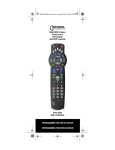
Use la ilustración de abajo para localizar las opciones en
el Control Remoto Universal Atlas 4-Device y luego
estudie la Tabla de Botones (en las próximas tres
páginas) para aprender cómo funcionan.
Para saber qué tipo de dispositivos pueden ser
controlados por cada botón de dispositivo después de la
programación, vea “Tabla de Dispositivos” en la
página 26.
www.urcsupport.com
23
Atlas 4A ENG.fm Page 24 Thursday, April 12, 2007 1:25 PM
Tabla de Botones
Botón
Función
Use SETUP (Configuración) para todas
las secuencias de programación. Úselo
también para encender y apagar la
iluminación de fondo,si es pertinente.
Presione PWR (Encendido) una vez para
encender o apagar un dispositivo
doméstico.
Para el control Master Power
(Encendido maestro) vea “USO del
Botón de Encendido Maestro” en la
página 36.
Presione AUD, VCR, TV o CBL para
seleccionar un dispositivo doméstico
que quiera controlar. También vea la
“Tabla de Dispositivos” en la pagina 26.
Cada botón de dispositivo tiene un LED
incorporado (luz roja) que parpadea
cuando es seleccionado e indica que el
control remoto está funcionando y
que(después de la programación) está
enviando señales.
Use GUIDE (Guía) para desplegar la guía
del programa.
Presione SETTINGS (Configuraciones)
una vez para exhibir los servicios
interactivos disponibles.
Use INFO para exhibir el canal actual y
la información del programa.
Use DAY+ (o DAY-) (Día + o Día -) para
adelantar (o para retroceder) un día en
la guía de programa de su convertidor
de cable.
Use los botones del cursor para mover el
cursor en la guía del programa y
pantallas del menú y para navegar en el
servicio interactivo.
Use OK/SELECT (Aceptar/seleccionar)
para elegir opciones, eventos PPV y
para sintonizar programas desde la guía
del programa.
Use PAGE+ (o PAGE-) (Página + o
Página -) para adelantar (o retroceder)
páginas en las pantallas del menú y la
guía de programa.
www.urcsupport.com
24
Atlas 4A ENG.fm Page 25 Thursday, April 12, 2007 1:25 PM
Botón
Función
Use EXIT (Salir) para salir del menú y
guía de su convertidor de cable.
Use A, B o C para acceder a las opciones
de cable adicionales (vea el manual de
su convertidor de cable).
Use VOL+ (o VOL-) para subir (o bajar)
el volumen del sonido.
Use FAV (Favoritos) para recorrer sus
canales favoritos en el convertidor de
cable.
Use CH+ (o CH-) para subir (o bajar) el
canal.
Para los reproductores de DVD, use
estos botones para saltar, adelantar(o
retroceder) capítulos.
Para amplificadores /receptores, use
estos botones para subir (o bajar) la
estación prefijada.
Presione MUTE (Silencioso) una vez
para desactivar y activar el sonido.
Presione LAST (Último) una vez para
volver al último canal.
Reservado para su uso como botón
Macro (vea “Programación del Botón
Macro” en la página 35).
En todas las modalidades excepto CBL,
use REW (rebobinar), PLAY
(reproducir), FFWD (adelantar), STOP
(detener) y PAUSE (pausa) para
controlar su VCR, DVD o un PVR
(después de seleccionar el dispositivo
deseado). Para grabar en la modalidad
VCR, presione REC dos veces.
En la modalidad CBL, use esos botones
para controlar las funciones DVR/PVR
de la caja de cable o satélite.
Use los botones numerados (1-9 y 0)
para sintonizar los canales
directamente (ejemplo: 09).
Para amplificadores /receptores, use los
botones numerados para seleccionar las
entradas del 1 a 10.
www.urcsupport.com
25
Atlas 4A ENG.fm Page 26 Thursday, April 12, 2007 1:25 PM
Botón
Función
Presione ENTER una vez para ingresar el
número de un canal en algunos
sistemas de cable.
Presione STAR como un botón opcional
en la botonera numerada.
Use BYPASS para controlar la función
Bypass del set-top box.
Presione TV/VCR para cambiar la fuente
de orígen de su video (por ejemplo, de
TV a VCR).
Tabla de Dispositivos
NOTA:
Por favor, remítase a la tabla de abajo cuando
ejecute las instrucciones en “Programación
del Control de Dispositivos” en la página 28 o
“Búsqueda de Su Código” en la página 29.
Después de la programación, el Control Remoto
Universal Atlas 4-Device será capaz de controlar los
siguientes tipos de dispositivo:
Botón de
Dispositivo
Controla este tipo de dispositivos
VCR, conjunto de TV/VCR, PVR o
reproductor de DVD adicional
Amplificador de audio, sintonizador,
receptor o accesorios de audio
Televisor
Caja de cable (convertidor), receptor de
satélite o accesorios de video
www.urcsupport.com
26
Atlas 4A ENG.fm Page 27 Thursday, April 12, 2007 1:25 PM
INSTALACIÓN DE BATERÍAS
1
2
1.
2.
3.
4.
NOTA:
3
En la parte de atrás del control remoto
presione la aleta y levante la tapa de las
baterías.
Localice las dos (2) baterías AA que se
incluyen. Haga coincidir las marcas + y - con
aquellas en el compartimiento y luego
insértelas.
Alinee los picos de la tapa con los agujeros del
compartimiento y presione la tapa en su lugar.
La aleta debe hacer un sonido cuando la tapa
se cierre.
Pruebe el control remoto presionando
cualquier botón de modalidad (ej: TV). Si las
baterías fueron insertadas correctamente, el
LED (luz roja) parpadeará una vez.
Cuando las baterías necesitan ser remplazadas el control remoto dejará de operar. Cambie las baterías y la unidad será restaurada a
su funcionalidad plena, con sus ajustes favoritos.
www.urcsupport.com
27
Atlas 4A ENG.fm Page 28 Thursday, April 12, 2007 1:25 PM
PROGRAMACIÓN DEL CONTROL DE
DISPOSITIVOS
El Control Remoto Universal Atlas 4-Device está
preprogramado para operar la caja de cable
(convertidor) provisto por su sistema de cable, una TV
RCA, un reproductor de DVD Toshiba y un receptor de
audio Pioneer. Para controlar otros dispositivos que no
sean las marcas por defecto, ejecute los siguientes pasos;
si no es así, salte esta sección.
NOTA:
Si tiene otra marca de convertidor de cable o
un receptor de satélite que le gustaría controlar, tendrá que abrir la Identificación de Bloqueo del cable antes de cambiar el código del
convertidor (vea “Programación del Bloqueo
de Id de Cable” en la página 34).
1.
Encienda un aparato y, si es posible, inserte
un medio de video (ej: un cassette o un
disco).
NOTA: Por favor, lea los pasos 2-4 por completo antes
de proceder. Subraye o anote los códigos y dispositivo que desee programar antes de continuar con el 2do. paso.
2.
En el control remoto, presione un botón de
dispositivo una vez (es decir, AUD, VCR, TV o
CBL); parpadeará una vez. Luego presione y
sostenga SETUP hasta que la modalidad
seleccionada parpardee dos veces.
3.
NOTA:
4.
NOTA:
Use los "Códigos de Fabricante"(comienzan
en la página 41) para localizar el tipo de
dispositivo y el nombre de la marca y luego
ingresar el primer código de cuatro dígitos de
su dispositivo. Si es ejecutado correctamente,
la modalidad seleccionada parpadeará dos
veces.
Si la modalidad seleccionada hace un parpadeo largo, la entrada es inválida. Repita los
pasos 2 y 3 e intente ingresar el mismo código
de nuevo.
Apunte el control remoto hacia el aparato y
presione PWR una vez. El dispositivo debería
apagarse. Si no lo hace, repita los pasos 2 y 3,
probando cada código con su marca hasta que
encuentre uno que funcione.
Si aún no responde, intente buscar el código
(vea “Búsqueda de Su Código” en la
página 29).
Si el dispositivo no tiene un botón PWR
(encendido), presione el botón (Reproducir).
www.urcsupport.com
28
Atlas 4A ENG.fm Page 29 Thursday, April 12, 2007 1:25 PM
5.
Repita los pasos 1-4 para cada dispositivo que
quiera operar con el control remoto . Para
referencia futura, anote el código que
funciona con cada dispositivo en los casilleros
de la página siguiente.
Código de VCR
Tipo de dispositivo: __________________
Código de DVD
Tipo de dispositivo: __________________
Código de AUD
Código de CBL
Tipo de dispositivo: __________________
Código de TV
Tipo de dispositivo: __________________
BÚSQUEDA DE SU CÓDIGO
Si su dispositivo doméstico no responde al Control
Remoto Universal Atlas 4-Device después de probar
todos los códigos listados para su marca, o si su marca
no está en la lista, pruebe buscar su código.
Por ejemplo, para buscar el código para su TV:
1.
Encienda su TV.
2.
En el control remoto, presione TV una vez;
papadeará una vez. Luego presione y sostenga
SETUP hasta que el botón TV parpadee dos
veces.
www.urcsupport.com
29
Atlas 4A ENG.fm Page 30 Thursday, April 12, 2007 1:25 PM
3.
Ingrese 9 9 1. El botón TV parpadeará una
vez.
4.
Apunte el control remoto hacia la TV y
presione PWR una vez.
5.
Presione y suelte el botón CH+ repetidamente.
Luego deténgase cuando la TV se apague.
NOTA:
En el modo de búsqueda, el control remoto
enviará códigos IR desde su biblioteca al dispositivo seleccionado, empezando primero
con el código más utilizado.
Presione PWR. La TV debería encenderse.
Luego presione SETUP para guardar el código.
6.
NOTA:
Si la TV no se enciende durante el paso 6,
entonces presione y suelte CH- lentamente
para retroceder a los otros códigos. Luego
presione SETUP cuando la TV se encienda.
7.
Para buscar los códigos de sus otros
dispositivos, repita los pasos 1-6, pero cambie
el botón correspondiente al dispositivo que
está buscando (ej: AUD, VCR o CBL).
VERIFICACIÓN DE LOS CÓDIGOS
Si ajustó el Control Remoto Universal Atlas 4-Device
buscando el código de su dispositivo (en la página
anterior), podrá tener que averiguar qué código de
cuatro dígitos está operando su equipo.
Por ejemplo, para averiguar qué código está operando su
TV:
1.
En el control remoto, presione TV una vez;
parpadeará una vez. Luego presione y
sostenga SETUP hasta que el botón TV
parpadee dos veces.
2.
Ingrese 9 9 0. El botón TV parpadeará dos
veces.
www.urcsupport.com
30
Atlas 4A ENG.fm Page 31 Thursday, April 12, 2007 1:25 PM
3.
NOTA:
4.
5.
Para ver el código para el primer dígito,
presione 1 una vez. Cuente el número de veces
que el botón TV parpadea (ej: 3 parpadeos =
3)y anote el número en el extremo izquierdo
del casillero de Código de TV en la página 10.
Si el dígito del código es 0, el botón de modo
seleccionado no brillará intermitentemente.
Repita el paso 3 tres veces más para los dígitos
restantes. Use 2 para el segundo dígito, 3 para
el tercero y 4 para el cuarto dígito. Termine de
anotar el código en los casilleros del Código
de TV en la página 29.
Para verificar otros códigos, repita los pasos
1-4, pero cambie el botón correspondiente
con el del dispositivo que está verificando (ej:
AUD, VCR o CBL). Anote los códigos en los
casilleros correspondientes en la página 29.
PROGRAMACIÓN DEL BLOQUEO DEL CONTROL
DE CANALES
Por defecto, la capacidad de control de canales del
control remoto están bloqueadas por el convertidor de
cable. Los botones afectados van del 1 al 0, CH+, CH- y
LAST (último). Esto garantizará que usted no cambie un
canal en su TV o VCR sin darse cuenta. Sin embargo,
usted puede desactivar esta opción para permitir el
acceso completo a estos botones en las modalidades TV
y VCR.
*NOTA:
Esta opción no afecta el modo AUD.
Desbloqueo del Control de Canales
1.
En el control remoto, presione CBL una vez;
parpadeará una vez. Presione y sostenga
SETUP hasta que el botón CBL parpadee dos
veces.
2.
Ingrese 9 7 3. El botón CBL parpadeará dos
veces.
3.
Presione CH- una vez . El botón CBL
parpadeará cuatro veces.
Ahora el control remoto tendrá capacidad de control de
canales de TV y VCR mientras esté en la modalidad TV
o VCR.
www.urcsupport.com
31
Atlas 4A ENG.fm Page 32 Thursday, April 12, 2007 1:25 PM
Bloqueo del Control de Canales de CBL
1.
En el control remoto presione CBL una vez;
parpadeará una vez. Presione y sostenga
SETUP hasta que el botón CBL parpadee dos
veces.
2.
Ingrese 9 7 3.El botón CBL parpadeará dos
veces.
3.
Presione CH+ una vez. El botón CBL
parpadeará dos veces.
Ahora, independientemente del botón que seleccione
(excepto AUD), los botones de canal sólo cambiarán
canales en su convertidor de cable.
CAMBIO DEL BLOQUEO DEL VOLUMEN
El bloqueo del volumen le permite controlar el volumen
a través del dispositivo identificado como poseedor de
su altoparlante(s) principal(es), independientemente de
la modalidad que esté usando. En el Control Remoto
Universal Atlas 4-Device, el Bloqueo de Volumen Global
está ajustado para TV, para que usted pueda controlar el
volumen de la TV mientras esté en modo VCR, TV o CBL.
Usted puede ejecutar el Desbloqueo de Volumen
Individual en un dispositivo seleccionado para que su
control de volumen pueda operar independientemente.
NOTA:
Los controles de volumen de la modalidad
audio (AUD) están activos independientemente de los ajustes del Bloqueo de Volumen.
Sin embargo, si usted bloquea los controles de
volumen para el modo AUD, tendrá control del
volumen del dispositivo de audio en todos las
otras modalidades (es decir, VCR, TV, y CBL).
Esto puede ser una ventaja si, por ejemplo,
usted siempre escucha a dispositivos del
hogar a través de los altoparlantes de sus
receptores.
Desbloqueo del Control de Volumen para un Solo
Aparato (Desbloqueo de Volumen Individual)
1.
Suponiendo que el Bloqueo de Volumen está
activo, seleccione una modalidad en el control
remoto que quiera desbloquear (ej: CBL)y
presiónelo una vez. Luego, presione y
sostenga SETUP hasta que el botón del
dispositivo parapadee dos veces.
www.urcsupport.com
32
Atlas 4A ENG.fm Page 33 Thursday, April 12, 2007 1:25 PM
2.
Ingrese 9 9 3. El botón del dispositivo
seleccionado por última vez parpadeará dos
veces.
3.
Presione VOL- una vez. El botón del
dispositivo seleccionado por última vez
parpadeará cuatro veces.
4.
Repita los pasos 1-3 para cada dispositivo
cuyo volumen quiera desbloquear.
Ahora, después de que seleccione un dispositivo cuyo
volumen está desbloqueado (ej: CBL), presionando
VOL+, VOL- o MUTE, usted controlará el volumen de sólo
aquel dispositivo.
Desbloquear Todos los Controles de Volumen
(Desbloqueo de Volumen Global)
NOTA:
Ejecutar estas instrucciones ajustará el control
de volumen independiente para todos los dispositivos programados.
1.
En el control remoto, presione y sostenga
SETUP hasta que el botón del dispositivo
seleccionado último parapadee dos veces.
2.
Ingrese 9 9 3. El botón del dispositivo
seleccionado último parpadeará dos veces.
3.
Presione VOL+ una vez. El botón del
dispositivo seleccionado último parpadeará
cuatro veces.
Bloquear el Control de Volumen en una Modalidad
(Bloqueo de Volumen Global)
NOTA:
Los controles de volumen de la modalidad de
audio están activos independientemente de
los ajustes del Bloqueo de Volumen. Sin
embargo, si bloquea los controles de volumen
en el modo AUD, usted controlará el volumen
del dispositivo de audio en todos las otras
modalidades (es decir, VCR, TV o CBL). Esto
puede ser una ventaja si, por ejemplo, usted
siempre escucha sus dispositivos de entreten-
www.urcsupport.com
33
Atlas 4A ENG.fm Page 34 Thursday, April 12, 2007 1:25 PM
1.
imiento a través de los altoparlantes de sus
receptores.
En el control remoto, presione y sostenga
SETUP hasta que el botón seleccionado último
parpadee dos veces.
2.
Ingrese 9 9 3. El botón seleccionado último
parpadeará dos veces.
3.
Seleccione un modo (ej: TV o AUD) que usted
quiera usar para controlar el volumen. EL
botón seleccionado parpadeará dos veces
Ahora, cuando presione VOL+, VOL- o MUTE, el volumen
del dispositivo seleccionado (ej: TV) estará controlado
independientemente del modo.
PROGRAMACIÓN DEL BLOQUEO DE ID DE
CABLE
El Control Remoto Universal Atlas 4-Device está
bloqueado desde fábrica para operar su caja de cable.
Sin embargo, si usted tiene otra marca o modelo de
convertidor de cable o servicio de satélite que le gustaría
controlar, entonces deberá ejecutar los siguientes pasos
para desbloquear la Identificación de Bloqueo, ingresar
un nuevo código de manufactura y bloquear la
Identificación de Bloqueo de nuevo.
1.
Encienda el convertidor de cable.
2.
En el control remoto, presione CBL una vez;
parpadeará una vez. Luego presione y
sostenga SETUP hasta que el botón CBL
parpadee dos veces.
3.
Ingrese 9 8 2. El botón CBL parpadeará
cuatro veces, indicando que la Identificación
de Bloqueo está desbloqueada.
4.
Ejecute las instrucciones de “Programación
del Control de Dispositivos” en la página 28
para programar el control del dispositivo para
el convertidor de cable o receptor de satélite
deseado.
www.urcsupport.com
34
Atlas 4A ENG.fm Page 35 Thursday, April 12, 2007 1:25 PM
5.
6.
7.
Cuando haya terminado, ejecute los pasos 5 y
6 en esta página para bloquear de nuevo la
Identificación del cable.
En el control remoto, presione CBL una vez;
parpadeará una vez. Luego presione y
sostenga SETUP hasta que el botón CBL
parpadee dos veces.
Ingrese 9 8 2. El botón CBL parpadeará dos
veces, indicando que la Identificación de
Bloqueo está nuevamente activada.
PROGRAMACIÓN DEL BOTÓN MACRO
El Control Remoto Universal Atlas 4-Device incluye un
botón macro (localizado directamente bajo el botón
SETTINGS). El botón macro le permite programar
botones macros para activar ciertos botones en un
orden específico. Por ejemplo, usted puede ajustar un
botón macro para cambiar los canales de su TV, subir o
bajar el volumen y comenzar a grabar en su VCR, todo
con el toque de un botón. Si usted desea cambiar los
macros almacenados en un botón macro previamente
programado, tendrá que borrar el botón primero (vea
“Borrado de un Botón Macro” en la página 36).
Programación del Botón Macro
1.
En el control remoto, presione y sostenga
SETUP hasta que parpadee dos veces.
2.
Ingrese 9 9 5. El botón SETUP parpadeará
dos veces.
3.
4.
Presione el botón MACRO una vez.
Presione la secuencia de botones que usted
desea programar en el macro. Por ejemplo,
para encender su TV y subir su volumen
presione TV seguido de VOL+.
www.urcsupport.com
35
Atlas 4A ENG.fm Page 36 Thursday, April 12, 2007 1:25 PM
NOTA:
5.
6.
NOTA:
Puede programar hasta 15 botones en un
macro..
Presione y sostenga SETUP hasta que
parapadee dos veces.
Para agregar otro macro, repita los pasos 1-5,
sustituyendo la nueva secuencia de botones
que se agregará en el paso 4.
Programar más de cinco macros en el mismo
botón macro borra ajustes previos.
Borrado de un Botón Macro
1.
En el control remoto, presione y sostenga
SETUP hasta que parpadee dos veces.
2.
Ingrese 9 9 5. El botón SETUP parpadeará
dos veces.
3.
4.
Presione el botón MACRO una vez.
Presione y sostenga SETUP hasta que
parpadee dos veces.
Este botón macro ha sido ahora borrado y está listo para
ser reprogramado (vea “Programación del Botón
Macro” en la página 35). Si lo desea, repita estos pasos
para borrar otro botón de canal preprogramado.
USO DEL BOTÓN DE ENCENDIDO MAESTRO
El Control Remoto Universal Atlas 4-Device tiene una
opción única que le permite encender o apagar en
secuencia hasta cinco de sus dispositivos con presionar
sólo un botón.
NOTA:
El ENCENDIDO MAESTRO (PWR) únicamente
funciona en el modo CBL. Si no está programado, únicamente se encenderá o apagará el
convertidor de cable. En cualquier otro modo,
la presión del ENCENDIDO MAESTRO (PWR)
una vez encenderá o apagará el dispositivo
seleccionado.
www.urcsupport.com
36
Atlas 4A ENG.fm Page 37 Thursday, April 12, 2007 1:25 PM
Programación del Botón de Encendido Maestro
1.
En el control remoto, presione y sostenga
SETUP hasta que el botón que haya
seleccionado último parpadee dos veces.
2.
Ingrese 9 9 5. El botón de dispositivo
seleccionado último parpadeará dos veces.
3.
Presione PWR una vez para encender o apagar
los dispositivos programados.
4.
For the first device you want in the power on
sequence, press a device key (e.g., CBL) once.
Then press PWR once. For the second device
in the power sequence, press its key once (e.g,
TV). Then press PWR.
5.
Repita el paso 4 hasta cuatro veces más para
agregar el segundo, tercero, cuarto y quinto
dispositivo, como usted quiera.
Para guardar los ajustes y salir del programa:
Presione CBL una vez.
6.
a.
b.
Presione y sostenga SETUP hasta que el botón
CBL parpadee dos veces.
Uso del Botón de Encendido Maestro
1.
Después de programar, apunte el control
remoto hacia los dispositivos. Presione CBL
una vez.
2.
Presione PWR una vez para encender o apagar
los dispositivos programados.
Usted verá los dispositivos encenderse o apagarse de
acuerdo con la secuencia programada.
Borrado del Botón de Encendido Maestro
1.
En el control remoto, presione y sostenga
SETUP hasta que el botón de dispositivo
seleccionado por última vez parpadee dos
veces.
www.urcsupport.com
37
Atlas 4A ENG.fm Page 38 Thursday, April 12, 2007 1:25 PM
2.
Ingrese 9 9 5. El botón de dispositivo
seleccionado por última vez parpadeará dos
veces.
3.
Presione y suelte PWR.
4.
Presione y sostenga SETUP hasta que el botón
CBL parpadee dos veces.
REASIGNACIÓN DE BOTONES DE DISPOSITIVO
El Control Remoto Universal Atlas 4-Device puede ser
ajustado para controlar un segundo dispositivo de un
tipo ya asignado. Por ejemplo, para que la unidad
controle una TV, un convertidor de cable y dos
dispositivos de audio (por ejemplo, dos receptores de
audio), reasigne el botón VCR no usado para operar el
segundo dispositivo de audio como sigue:
NOTA:
VCR está prefijado desde fábrica para controlar un VCR marca RCA. Al ejecutar los pasos
de abajo borrará esos ajustes.
1.
En el control remoto, presione VCR una vez;
parpadeará una vez. Luego presione y
sostenga SETUP hasta que el botón VCR
parpadee dos veces.
2.
Ingrese 9 9 2. El botón VCR parpadeará dos
veces
3.
Presione AUD una vez, luego presione VCR una
vez. El botón VCR parpadeará dos veces.
El botón VCR está ahora listo para ser programado para
su segundo dispositivo de audio. Vea “Programación del
Control de Dispositivos” en la página 28. Para reasignar
otros botones de dispositivos, repita estos pasos y
cambie la secuencia de botones siguiendo la siguiente
tabla:
www.urcsupport.com
38
Atlas 4A ENG.fm Page 39 Thursday, April 12, 2007 1:25 PM
NOTA:
Sólo un dispositivo por vez puede ser asignado a un botón sin uso.
Para
Reasignar
Ejecute la Secuencia de Botones
VCR como 2º VCRÆSETUPÆ9Æ9Æ2ÆAUDÆVCR
botón AUD
VCR como 2º VCRÆSETUPÆ9Æ9Æ2ÆTVÆVCR
botón TV
VCR como 2º VCRÆSETUPÆ9Æ9Æ2ÆCBLÆVCR
botón CBL
VCR de vuelta VCRÆSETUPÆ9Æ9Æ2ÆVCRÆVCR
a VCR
Para reasignar otro botón sin uso, sustitúyalo con el
botón VCR de arriba y luego ejecute la secuencia. Por
ejemplo, para reasignar un botón AUD sin uso como un
segundo botón de TV ejecute
AUDÆSETUPÆ9Æ9Æ2ÆTVÆAUD.
Cuando una reasignación es realizada, el botón de
dispositivo seleccionado (ej: AUD) parpadeará dos veces
para confirmar su opción. En ese momentó usted
deberá programar el control de dispositivos (vea
“Programación del Control de Dispositivos” en la
página 28).
SOLUCIÓN DE PROBLEMAS
PROBLEMA: El botón del dispositivo no brilla
intermitentemente cuando presiona un botón
SOLUCIÓN: Reemplace las baterías con dos (2) baterías
AA nuevas (consulte "Instalación de baterías" en la
página 27).
PROBLEMA: El botón del dispositivo brilla
intermitentemente cuando presiona un botón, pero el
dispositivo del entretenimiento del hogar no responde.
SOLUCIÓN: Asegúrese de que esté apuntando el control
remoto a su dispositivo de entretenimiento del hogar y
que esté a quince pies del dispositivo que intenta
controlar.
PROBLEMA: El control remoto no controla los
dispositivos de entretenimiento del hogar o los
comandos no funcionan correctamente.
SOLUCIÓN: Intente todos los códigos enumerados para
la marca del dispositivo que está configurando.
Asegúrese de que todos los dispositivos se puedan poner
en funcionamiento por medio de un control remoto
infrarrojo.
www.urcsupport.com
39
Atlas 4A ENG.fm Page 40 Thursday, April 12, 2007 1:25 PM
PROBLEMA: El conjunto de TV/VCR no responde
adecuadamente.
SOLUCIÓN: Utilice los códigos de VCR para su marca. Es
posible que algunas unidades combinadas necesiten un
código de televisor y un código de VCR para un
funcionamiento completo (consulte la página 69).
PROBLEMA: No hay volumen en un segundo televisor.
SOLUCIÓN: Siga las instrucciones que se encuentran en
“Cambio del Bloqueo del Volumen” en la página 32.
PROBLEMA: Los botones PLAY (Reproducir) y STOP
(Detener) no funcionan en un convertidor de cable
Motorola DCT-2000.
SOLUCIÓN: Vuelva a programar el botón CBL para el
código de cable 0476 (consulte "Programación de
control de dispositivo" en la página “Programación del
Control de Dispositivos” en la pagina 28).
PROBLEMA: Ya llevó a cabo el método de búsqueda y
todavía no encuentra un código que funcione.
SOLUCIÓN: Lleve a cabo de nuevo el método de
búsqueda después de borrar el botón del dispositivo tal
y como se muestra:
a. Mantenga presionado SETUP (Configuración)
hasta que el botón del dispositivo brille
intermitentemente dos veces..
b. Ingrese 9 9 2.
c. Presione y suelte dos veces el botón del dispositivo
que va a borrar.
PROBLEMA: El control remoto no enciende un conjunto
de TV/VCR Sony o Sharp.
SOLUCIÓN: Para encender estos productos es necesario
programar los códigos de TV en el control remoto. Para
Sony, utilice el código de TV 0000 y el código VCR 0032.
Para Sharp, utilice el código de TV 0093 y el código de
VCR 0048.
INFORMACIÓN ADICIONAL
Este producto no tiene ninguna parte a la que el usuario le
pueda dar servicio. La apertura de la caja, excepto la cubierta
de la batería, puede ocasionar daño permanente en su Control
Remoto Universal Atlas 4-Device.
• Para obtener ayuda por medio de Internet, visítenos en:
www.urcsupport.com
©Copyright 2006 por Universal Electronics Inc. No se puede
reproducir, transmitir, transcribir, almacenar en ningún
sistema de recuperación o traducir a ningún idioma ninguna
parte de esta publicación, de ninguna forma o por ningún
medio, electrónico, mecánico, magnético, óptico, manual o
cualquier otro, sin previa autorización escrita de Universal
Electronics Inc.
M4AB06
4/07
www.urcsupport.com
40
Atlas 4A ENG.fm Page 41 Thursday, April 12, 2007 1:25 PM
MANUFACTURER’S CODES (CÓDIGOS DE
FABRICANTE)
Setup Codes for Audio Amplifiers
Códigos de configuración para los amplificadores de
audio
Adcom
Bose
Durabrand
Elan
GE
Harman/Kardon
JVC
Left Coast
Lenoxx
Luxman
Marantz
McIntosh
Nakamichi
NEC
Optimus
Parasound
Philips
Pioneer
Polk Audio
RCA
Realistic
Sansui
Shure
Sony
Soundesign
Victor
Wards
Yamaha
0577, 1100
0674
1561
0647
0078
0892
0331
0892
1561
0165
0892, 0321
0251
0321
0264
0395, 0823
0246
0892
0823
0892
0823
0395
0321
0264
0689, 0815, 1126
0078, 0211
0331
0078, 0211
0354, 0133
Setup Codes for Audio Receivers
Códigos de configuración para los receptores de
audio
ADC
Aiwa
0531
1405, 0189, 0121, 0405,
1243, 1388, 1641
www.urcsupport.com
41
Atlas 4A ENG.fm Page 42 Thursday, April 12, 2007 1:25 PM
Akai
Alco
Amphion Media Works
AMW
Anam
Apex Digital
Arcam
Audiotronic
Audiovox
B&K
BK
Bose
Cambridge Soundworks
Capetronic
Carver
Classic
Coby
Curtis Mathes
Daewoo
Delphi
Denon
Fisher
Gateway
Go Video
Harman/Kardon
Hitachi
Integra
JBL
JVC
Kenwood
KLH
Koss
Lasonic
LG
Linn
Liquid Video
Magnavox
Marantz
Mitsubishi
1512
1390
1563, 1615
1563, 1615
1609, 1074
1257, 1430, 1774
1120
1189
1390, 1627
0701, 0820, 0840
0702
1229, 1629, 1841, 1933
1370
0531
1189, 0189
1352
1389
0080
1250
1414
1360, 0004, 1142
1801
1517
1532
0110, 0189, 0891, 1304,
1306
1801
0135, 1298, 1320
0110, 1306
1374, 1495, 1811, 1871
1313, 1570, 1569, 0186
1390, 1412, 1428
1366, 1497
1798
1293
0189
1497
1189, 1269, 0189, 0391,
0531, 1514
1189, 1269, 0189, 1289
1393
www.urcsupport.com
42
Atlas 4A ENG.fm Page 43 Thursday, April 12, 2007 1:25 PM
Norcent
Nova
Onkyo
Optimus
Oritron
Panasonic
Philips
Pioneer
Polaroid
Polk Audio
Proscan
RCA
Rio
Samsung
Sansui
Sanyo
Sharp
Sharper Image
Sherwood
Sirius
Sonic Blue
Sony
Soundesign
Stereophonics
Sunfire
Teac
Technics
Thorens
Toshiba
Venturer
Wards
XM
1389
1389
0135, 0842, 1298, 1320,
1531
1023, 0080, 0186, 0531,
0670, 1074
1366, 1497
1308, 1518, 0309, 0367,
1288, 1316, 1548, 1633,
1763, 1764
1189, 1269, 0189, 0391,
1120, 1266
1023, 0014, 0080, 0150,
0244, 0531, 0630, 1384
1508
0189, 1289, 1414
1254
1023, 1609, 1254, 0080,
0531, 1074, 1390, 1511
1869
1295, 1500
0189
1251, 1469, 1801
0186, 1286
1556
1077, 1517, 1653
1627, 1811, 1987
1532, 1869
1058, 1441, 1258, 1759,
1622, 0474, 1349, 1406,
1442, 1558, 1658, 1758,
1858
0670
1023
1313
1074, 1390, 1528
1308, 1518, 0309
1189
1788
1390
0189, 0014, 0080
1406, 1414
www.urcsupport.com
43
Atlas 4A ENG.fm Page 44 Thursday, April 12, 2007 1:25 PM
Yamaha
0176, 0186, 1176, 1276,
1331, 1375
0857, 1293
Zenith
Setup Codes for Audio Accessories
Códigos de configuración para los accesorios de
audio
Accurian
Altec Lansing
Apple
Cambridge Soundworks
Creative
D-Link
DLO
Integra
iPort
Marantz
Motorola
NaviPod
Netgear
Omnifi
Onkyo
Roku
Sonance
SSI
Yamaha
1106
0607, 1056, 1485
1115, 1644
1530
0872
1522
1155
1789
1917
1491
1464
1644
1785
1605
1789
1828
1917
1522
1809, 1810
Setup Codes for Cable Boxes/Converters
Códigos de configuración para los convertidores/
cajas de cable
ABC
Americast
Amino
Bell & Howell
Bell South
Clearmaster
ClearMax
Coolmax
Digeo
Digi
Director
0003, 0008, 0014, 0017
0899
1602, 1822
0014
0899
0883
0883
0883
1187
0637
0476
www.urcsupport.com
44
Atlas 4A ENG.fm Page 45 Thursday, April 12, 2007 1:25 PM
Dumont
General Instrument
GoldStar
Hamlin
i3 Micro
Jerrold
Memorex
Motorola
Multitech
Myrio
Pace
Panasonic
Panther
Paragon
Philips
Pioneer
Pulsar
Quasar
RadioShack
RCA
Regal
Runco
Samsung
Sasktel
Scientific Atlanta
Sejin
Sony
Starcom
Supercable
Supermax
Thomson
Tocom
Torx
Toshiba
Tristar
V2
Viewmaster
Vision
0637
0476, 0810, 0276, 0003
0144
0009, 0273
1602
0476, 0810, 0276, 0003,
0012, 0014
0000
1376, 0476, 0810, 0276,
1187, 1254, 1106, 1540
0883
1602, 1822
1376, 1877, 0237, 0008
1376, 1877, 0000, 0107
0637
0000
1305, 0317
1877, 0877, 0144, 0533
0000
0000
0883
1256
0279, 0273
0000
1376, 1877, 0144
1737
1877, 0877, 0477, 0008,
0017
1602
1006
0003
0276
0883
1256
0012
0003
0000
0883
0883
0883
0883
www.urcsupport.com
45
Atlas 4A ENG.fm Page 46 Thursday, April 12, 2007 1:25 PM
Vortex View
Zenith
0883
0000, 0525, 0899
Setup Codes for Cable/DVR/PVR Combos
Códigos de configuración para reproductores de DVD
Americast
Amino
Digeo
General Instrument
Jerrold
Motorola
Myrio
Pace
Panasonic
Pioneer
RCA
Sasktel
Samsung
Scientific Atlanta
Sony
Supercable
Thomson
Zenith
0899
1822
1187
0476, 0810
0476, 0810
1376, 0810, 1187, 1106,
1540, 0476
1822
1376,1877, 0237
1376, 1877
1877, 0877
1256
1737
1376, 1877
1877, 0877
1006
0276
1256
0899
Setup Codes for DVD Players
Códigos de configuración para reproductores de DVD
Accurian
Adcom
Advent
Aiwa
Akai
Alco
Allegro
Amphion Media Works
AMW
Apex Digital
Arrgo
Aspire Digital
Audiologic
1072, 1416
1094
1016
0641
0695, 0770, 0899, 1089
0790
0869
0872, 1245
0872, 1245
0672, 0717, 0755, 0794,
0796, 0797, 0830, 1004,
1020, 1056, 1061, 1100
1023
1168, 1407
0736
www.urcsupport.com
46
Atlas 4A ENG.fm Page 47 Thursday, April 12, 2007 1:25 PM
Audiovox
Axion
B&K
BBK
Bel Canto Design
Blaupunkt
Blue Parade
Broksonic
Buffalo
Cary Audio Design
CAVS
Centrios
Cinea
Cinego
CineVision
Citizen
Coby
Craig
Curtis Mathes
CyberHome
D-Link
Daewoo
Denon
Desay
Diamond Vision
Disney
Dual
Durabrand
DVD2000
Emerson
Enterprise
ESA
Fisher
Funai
Gateway
GE
0790, 1041, 1071, 1072,
1121, 1122
1071, 1072
0655, 0662
1224
1571
0717
0571
0695, 0868, 1419
1882
1477
1057
1577
0831
1399
0876, 0833, 0869
1277
0778, 0852, 1086, 1107,
1165, 1177, 1351
0831
1087
0816, 0874, 1023, 1024,
1117, 1129, 1502, 1537
1881
0784, 0705, 0833, 0869,
1169, 1172, 1234, 1242,
1441, 1443
0490, 0634
1407, 1455
1316, 1609, 1610
0675, 1270
1068, 1085
1127
0521
0591, 0675, 0821, 1268
0591
0821, 1268, 1443
0670, 1919
0675, 1268, 1334
1073, 1077, 1158
0522, 0815, 0717
www.urcsupport.com
47
Atlas 4A ENG.fm Page 48 Thursday, April 12, 2007 1:25 PM
Go Video
Go Vision
GoldStar
GPX
Greenhill
Harman/Kardon
Hitachi
Hiteker
iLo
Initial
Innovative Technology
Insignia
Integra
Jaton
JBL
Jensen
JSI
JVC
jWin
Kawasaki
Kenwood
KLH
Konka
Koss
Kreisen
Landel
Lasonic
Lenoxx
LG
LiteOn
Loewe
Magnavox
Malata
Marantz
McIntosh
0744, 0715, 0741, 0783,
0833, 0869, 1044, 1075,
1099, 1144, 1158, 1304,
1443, 1730
1071, 1072
0741
0699, 0769
0717
0582, 0702
0573, 0664, 1247, 1919
0672
1348, 1472
0717, 1472
1542
1268
0627
1078
0702
1016
1423
0558, 0623, 0867, 1164,
1275, 1602, 1863
1049, 1051
0790
0490, 0534, 0682, 0737
0717, 0790, 1020, 1149,
1261
0711, 0719, 0720, 0721
0651, 0896, 1423
1421
0826
0798, 1173
1127
0591, 0741, 0801, 0869,
1526
1058, 1158, 1416, 1440
0511
0503, 0539, 0646, 0675,
0821, 1268, 1506
0782, 1159
0539
1273
www.urcsupport.com
48
Atlas 4A ENG.fm Page 49 Thursday, April 12, 2007 1:25 PM
Memorex
Microsoft
Mintek
Mitsubishi
Momitsu
NAD
Nakamichi
NEC
Nesa
NeuNeo
Next Base
NexxTech
Norcent
Onkyo
Oppo
OptoMedia Electronics
Oritron
Panasonic
Philips
Pioneer
Polaroid
Polk Audio
Portland
Presidian
Prima
Primare
Princeton
Proscan
ProVision
Qwestar
RCA
Rio
RJTech
Rotel
Rowa
Sampo
0695, 0831, 1270
0522, 1708
0839, 0717, 1472
1521, 0521
1082
0741
1222
0785
0717, 1603
1454
0826
1402
1003, 0872, 1107, 1265,
1457
0503, 0627, 0792
1224, 1525
0896
0651
0490, 0632, 0703, 1362,
1462, 1490, 1762
0503, 0539, 0646, 0675,
0854, 1260, 1267, 1354
0525, 0571, 0631, 0632
1020, 1061, 1086, 1245,
1316, 1478, 1480, 1482
0539
0770
0675, 1072
1016
1467
0674
0522
0778
0651
0522, 0571, 0717, 0790,
0822, 1022, 1132, 1193
0869
1360
0623, 1178
0823
0698, 0752, 1501
www.urcsupport.com
49
Atlas 4A ENG.fm Page 50 Thursday, April 12, 2007 1:25 PM
Samsung
Sansui
Sanyo
Sensory Science
Sharp
Sharper Image
Sherwood
Shinsonic
Sigma Designs
Sonic Blue
Sony
Sound Mobile
Sova
Sungale
Superscan
SVA
Sylvania
Symphonic
TAG McLaren
Teac
Technics
Technosonic
Techwood
Terapin
Theta Digital
Toshiba
Tredex
Urban Concepts
US Logic
Valor
Venturer
Vialta
Vizio
Vocopro
Xbox
Xwave
0490, 0573, 0820, 0899,
1044, 1075
0695
0670, 0695, 0873, 1919
1158
0630, 0675, 0752, 1256
1117
0633, 0770, 1043, 1077,
1889
0533, 0839
0674
0869, 1099
0533, 1533, 0864, 1033,
1431, 1432, 1433, 1548,
1892
1298
1122
1074, 1532
0821
0860, 1105
0675, 0821, 1268
0675, 0821
0894
0790, 0809
0490, 0703
0730
0692
1031
0571
0503, 0695, 1045, 1154,
1854
0799, 0800, 0803, 0804
0503
0839
1298
0790
1509
1064, 1226
1027, 1360
0522, 1708
1001
www.urcsupport.com
50
Atlas 4A ENG.fm Page 51 Thursday, April 12, 2007 1:25 PM
Yamaha
Zenith
Zoece
0490, 0539, 0545
0503, 0591, 0741, 0869
1265
Setup Codes for DVD Recorders
Códigos de configuración para grabadoras de DVD
Accurian
Apex Digital
Aspire Digital
Coby
CyberHome
Funai
Gateway
Go Video
iLo
JVC
Kreisen
LG
LiteOn
Magnavox
Panasonic
Philips
Pioneer
Polaroid
RCA
Samsung
Sensory Science
Sharp
Sony
Sylvania
Zenith
1416
1056
1168
1086
1129, 1502
0675, 1334
1073, 1158
0741, 1158, 1304, 1730
1348
1164, 1275
1421
0741
1158, 1416, 1440
0646, 0675, 1506
0490
0646
0631
1086
0522
0490
1158
0675
1033, 1431, 1432, 1433
0675
0741
Setup Codes for DVD Combos
Códigos de configuración para conjuntos de DVD
Akai
Audiovox
iLo
Initial
LG
Mintek
RCA
0695
1071, 1121, 1122
1472
1472
1526
1472
1193
www.urcsupport.com
51
Atlas 4A ENG.fm Page 52 Thursday, April 12, 2007 1:25 PM
Satellite Receivers and DVR/PVR Systems
Receptores de satélite y sistemas de DVR/PVR
Setup Codes for Satellite Receivers
Códigos de configuración para los receptores de
satélite
AlphaStar
Amino
Chaparral
Coolsat
Crossdigital
DirecTV
0772
1615
0216
1806
1109
1377, 0392, 0566, 0639,
1639, 1142, 0247, 0749,
1749, 0724, 0819, 1856,
1076, 1108, 0099, 1109,
1392, 1414, 1442, 1443,
1444, 1609, 1640
Dish Network System
1505, 1005, 0775, 1170,
1775
Dishpro
1505, 1005, 0775, 1775
Echostar
1505, 1005, 0775, 1170,
1775
Expressvu
0775, 1775
GE
0566
General Instrument
0869
GOI
0775, 1775
Goodmans
1246
Hisense
1535
Hitachi
0819, 1250
HTS
0775, 1775
Hughes Network Systems 1142, 0749, 1749, 1442,
1443, 1444
Humax
1790
iLo
1535
JVC
0775, 1170, 1775
LG
1226, 1414
Magnavox
0724, 0722
Memorex
0724
Mitsubishi
0749
Motorola
0869
NEC
1270
Next Level
0869
Panasonic
0247, 0701
Pansat
1807
www.urcsupport.com
52
Atlas 4A ENG.fm Page 53 Thursday, April 12, 2007 1:25 PM
Paysat
Philips
Proscan
Proton
RadioShack
RCA
Samsung
Sanyo
SKY
Sony
Star Choice
Tivo
Toshiba
UltimateTV
Ultrasat
Uniden
US Digital
USDTV
Voom
Zenith
0724
1142, 0749, 1749, 0724,
1076, 0722, 0099, 1442
0392, 0566
1535
0869
0566, 0855, 0143, 1392
1377, 1276, 1108, 1109,
1442, 1609
1219
0856
0639, 1639, 1640
0869
1142, 1442, 1443, 1444
0749, 1749, 0790, 1285
1392, 1640
1806
0724, 0722
1535
1535
0869
1856, 0856
Setup Codes for DVR/PVR Systems
Códigos de configuración para los sistemas de DVR/
PVR
Amino
DirecTV
1615
1377, 0392, 0639, 1142, 1076,
0099, 1392, 1442, 1443, 1444,
1640
Dish Network System 1505, 0775
Dishpro
1505, 0775
Echostar
1505, 0775, 1170
Expressvu
0775
Hughes Network Systems 1142, 1442, 1443, 1444, 0739
JVC
1170
Motorola
0869
Philips
1142, 1442, 0739
Proscan
0392
RCA
1392
Samsung
1442, 0739
Sony
0639, 1640
www.urcsupport.com
53
Atlas 4A ENG.fm Page 54 Thursday, April 12, 2007 1:25 PM
Star Choice
0869
Setup Codes for TVs
Códigos de configuración para Televisor
A-Mark
Abex
Accurian
Action
Admira
Advent
Adventura
Aiko
Aiwa
Akai
Alaron
Albatron
Ambassador
America Action
Ampro
Anam
Anam National
AOC
Apex Digital
Archer
Astar
Audiovox
Aventura
Axion
Belcor
Bell & Howell
BenQ
Bradford
Brockwood
Broksonic
Byd:sign
0003
0032
1803
0873l
0093, 0463
0761, 0783, 0815, 0817, 0842,
1933
0046
0092
0701
0812, 0702, 0030, 0098, 0672,
1207, 1903, 1935
0179, 0183, 0216
0700, 0843
0177
0180
0751
0180, 0004, 0009, 0068
0055, 0161
0030, 0003, 0019, 0052, 0137,
0185, 1365
0748, 0879, 0765, 0767, 0890,
1217, 1943
0003
1548
0451, 0180, 0092, 0003, 0623,
0710, 0802, 0846, 0875, 1284,
1937, 1951, 1952
0171
1937
0019
0154, 0016
1032, 1315
0180
0019
0236, 0463, 0003, 1935, 1938
1309, 1311
www.urcsupport.com
54
Atlas 4A ENG.fm Page 55 Thursday, April 12, 2007 1:25 PM
Cadia
Candle
Carnivale
Carver
CCE
Celebrity
Celera
Champion
Changhong
Cinego
Citizen
Clairtone
Clarion
Commercial Solutions
Concerto
Contec
Craig
Crosley
Crown
Curtis Mathes
CXC
CyberHome
Cytron
Daewoo
Daytron
Dell
Denon
Denstar
Diamond Vision
Dumont
Durabrand
Dwin
Dynatech
Electroband
Electrograph
1283
0030, 0046, 0056, 0186
0030
0054, 0170
0217, 0329
0000
0765
1362
0765
1986
0060, 0030, 0092, 0039, 0046,
0056, 0186, 0280
0185
0180
1447, 0047
0056
0180, 0157, 0158, 0185
0180, 0161
0054
0180, 0039
0047, 0054, 0154, 0451, 0093,
0060, 0702, 0030, 0145, 0166,
1347, 1147, 0747, 0466, 0056,
0039, 0016
0180
0794
1326
0451, 0092, 1661, 0019, 0039,
0066, 0067, 0091, 0623, 0661,
0672
0019
1080, 1178, 1264, 1403
0145, 0511
0628
1996, 1997
0017, 0019
0463, 0180, 0178, 0171, 1034,
0003
0720, 0774
0049
0000, 0185
1623, 1755
www.urcsupport.com
55
Atlas 4A ENG.fm Page 56 Thursday, April 12, 2007 1:25 PM
Electrohome
Emerson
Emprex
Envision
Epson
ESA
Fisher
FlexVision
Fujitsu
Funai
Futuretech
Gateway
GE
Gibralter
Go Video
GoldStar
Goodmans
Gradiente
Grunpy
Haier
Hallmark
Hannspree
Hantarex
Harley Davidson
Harman/Kardon
Harvard
Havermy
Helios
Hello Kitty
Hewlett Packard
Hisense
0381, 0389, 0409
0154, 0236, 0463, 0180, 0178,
0171, 1963, 1944, 0623, 0282,
0280, 0270, 0185, 0183, 0182,
0181, 0179, 0177, 0158, 0039,
0038, 0019
1422, 1546
0030, 0813, 1365
0833, 0840, 1290
0812, 0171, 1944, 1963
0154, 0159
0710
0179, 0186, 0683, 0809, 0853
0180, 0171, 0179, 1271, 1963
0180
1001, 1002, 1003, 1004, 1755,
1756
1447, 0047, 0051, 0451, 0178,
1347, 0747, 0282, 0279, 0251,
0174, 0138, 0135, 0055, 0029,
0027, 0021
0017, 0030, 0019
0886
0178, 0030, 0001, 0002, 0019,
0032, 0106, 0409
0360
0392
0180, 0179
1034, 0768
0178
1348, 1351, 1352
1338
0043, 0179
0054, 0078
0180, 0068
0093
0865
0451
1088, 1089, 1101, 1494, 1502
0748
www.urcsupport.com
56
Atlas 4A ENG.fm Page 57 Thursday, April 12, 2007 1:25 PM
Hitachi
HP
Hyundai
iLo
Infinity
Initial
Insignia
Inteq
Janeil
JBL
JCB
Jensen
JVC
Kamp
Kawasho
Kaypani
KEC
Kenwood
KLH
Kloss
KMC
Konka
Kost
KTV
LG
Loewe
Logik
Luxman
LXI
Magnavox
Majestic
1145, 0145, 0016, 0032, 0038,
0056, 0095, 0097, 0151, 0173,
0227, 0279, 0409, 0413, 0797,
1960
1088, 1089, 1101, 1494, 1502
0849, 1219, 1294
1286, 1603, 1990
0054
1603, 1990
0171, 1204, 1326, 1517, 1963,
2002
0017
0046
0054
0000
0761, 0050, 0815, 0817, 1299,
1933
0053, 0036, 0069, 0160, 0169,
0182, 0731, 1253
0216
0158, 0216, 0308
0052
0180
0030, 0019
0765, 0767, 1962
0024, 0046, 0078
0106
0628, 0632, 0638, 0703, 0707
1262, 1483
0180, 0030, 0039, 0183, 0185,
0217, 0280
1265, 0178, 0442, 0700, 0829,
0856, 1178, 1325, 1423, 1758,
1993
0136
0016
0056
0047, 0054, 0154, 0156, 0178,
0148, 0747
1454, 0054, 0030, 0706, 1963,
1944, 1525, 1254, 1198, 0802,
0386, 0230, 0187, 0186, 0179,
0096, 0036, 0028, 0024, 0020
0015, 0016
www.urcsupport.com
57
Atlas 4A ENG.fm Page 58 Thursday, April 12, 2007 1:25 PM
Marantz
Matsushita
Maxent
Megapower
Megatron
MEI
Memorex
MGA
Midland
Mintek
Minutz
Mitsubishi
Monivision
Motorola
Moxell
MTC
Multitech
NAD
NEC
Neovia
NetTV
Nikko
Noblex
Norcent
Norwood Micro
Noshi
NTC
Olevia
Olympus
Onwa
Optimus
Optoma
Optonica
Orion
0054, 0030, 0444, 0704, 0854,
0855, 1154, 1398
0250, 0650
0762, 1211, 1755
0700
0178, 0145, 0003
0185
0154, 0463, 0150, 0178, 0016,
0106, 0179
0150, 0178, 0030, 0019, 0155
0047, 0017, 0051, 0032, 0039,
0135, 0747
1603, 1990
0021
0093, 1250, 0150, 0178, 0014,
0019, 0098, 0155, 0331, 0358,
0836, 0868, 1550
0700, 0843
0093, 0055, 0835
0835
0060, 0030, 0019, 0049, 0056,
0091, 0185, 0216
0180, 0049, 0217
0156, 0178, 0866
0030, 0019, 0036, 0056, 0170,
0434, 0497, 0882, 1398, 1704
1338
0762, 1755
0178, 0030, 0092, 0317
0430
0748, 0824, 1089, 1365, 1589,
1590, 1591
1286, 1296, 1303
0018
0092
1144, 1240, 1331, 1610
1342
0180
0154, 0250, 0166, 0650
0887
0093, 0165
0236, 0463, 1463, 0179
www.urcsupport.com
58
Atlas 4A ENG.fm Page 59 Thursday, April 12, 2007 1:25 PM
Panasonic
Penney
Petters
Philco
Philips
Pilot
Pioneer
Polaroid
Portland
Prima
Princeton
Prism
Proscan
Proton
Protron
Proview
Pulsar
Quasar
RadioShack
RCA
Realistic
Rhapsody
Runco
Sampo
0250, 0051, 0055, 0162, 0226,
0338, 0375, 0650, 1291, 1410,
1941, 1946, 1947
0047, 0156, 0051, 0060, 0178,
0030, 1347, 0747, 0309, 0149,
0138, 0135, 0110, 0039, 0032,
0027, 0021, 0019, 0018, 0003,
0002
1523
0054, 0030, 0019, 0020, 0028,
0096, 0302
1454, 0054, 0690, 1154, 1483
0030, 0019, 0039
0166, 0038, 0172, 0679, 0866,
1260, 1398
0765, 0865, 1262, 1276, 1314,
1316, 1326, 1327, 1328, 1341,
1498, 1523, 1991, 1992
0092, 0019, 0039
0761, 0783, 0815, 0817, 1933
0700, 0717
0051
1447, 0047, 0747, 1347
0178, 0003, 0031, 0052, 0466
1320, 1323
0835, 1401, 1498
0017, 0019
0250, 0051, 0055, 0165, 0219,
0650
0047, 0154, 0180, 0178, 0030,
0019, 0032, 0039, 0056, 0165,
0409, 0747
1447, 0047, 2002, 1958, 1953,
1948, 1547, 1347, 1247, 1147,
1047, 0747, 0679, 0278, 0174,
0135, 0090, 0038, 0029, 0019,
0018
0154, 0180, 0178, 0030, 0019,
0032, 0039, 0056, 0165
0183, 0185, 0216
0017, 0030, 0251, 0497, 0603,
1398
0030, 0032, 0039, 0052, 0100,
0110, 0762, 1755
www.urcsupport.com
59
Atlas 4A ENG.fm Page 60 Thursday, April 12, 2007 1:25 PM
Samsung
Samsux
Sansui
Sanyo
Sceptre
Scimitsu
Scotch
Scott
Sears
Sharp
Sheng Chia
Sherwood
Shogun
Signature
Signet
SIM2 Multimedia
Simpson
Sony
Soundesign
Sova
Soyo
Spectricon
Squareview
SSS
Starlite
Studio Experience
Superscan
Supre-Macy
Supreme
SVA
0060, 0812, 0702, 0178, 0030,
1903, 1575, 1395, 1312, 1060,
0814, 0766, 0427, 0408, 0329,
0056, 0032, 0019
0039
0463, 1409, 1935
0154, 0088, 0107, 0146, 0159,
0232, 0484, 0799, 0893, 1142
0878, 1217, 1360, 1599
0019
0178
0236, 0180, 0178, 0019, 0179,
0309
0047, 0054, 0154, 0156, 0178,
0171, 0015, 0056, 0146, 0148,
0149, 0159, 0168, 0179, 0281,
0747
0093, 0039, 0153, 0157, 0165,
0220, 0281, 0386, 0398, 0491,
0688, 0689, 0818, 0851, 1602
0093
1399
0019
0016
1262
1297
0186, 0187
1100, 0000, 0011, 0080, 0111,
0273, 0353, 0810, 0834, 1317
0180, 0178, 0179, 0186
1320, 1952
1520
0003, 0137
0171
0180, 0019
0180
0843
0093, 0864
0046
0000
0748, 0587, 0768, 0865, 0870,
0871, 0872
www.urcsupport.com
60
Atlas 4A ENG.fm Page 61 Thursday, April 12, 2007 1:25 PM
Sylvania
Symphonic
Syntax
Tandy
Tatung
Technics
Technol Ace
Technovox
Techview
Techwood
Teknika
Telefunken
Tera
Thomson
TMK
TNCi
Toshiba
Tosonic
Totevision
Trical
TVS
Ultra
Universal
Universum
US Logic
Vector Research
Victor
Video Concepts
Vidikron
Vidtech
Viewsonic
Viking
Viore
0054, 0030, 0171, 0020, 0028,
0065, 0096, 0381, 1271, 1944,
1963
0180, 0171, 1944
1144, 1240, 1331
0093
0003, 0049, 0055, 0396, 1101,
1285, 1286, 1287, 1288, 1361,
1756
0250, 0051
0179
0007
0847
0051, 0003, 0056
0054, 0180, 0150, 0060, 0092,
0016, 0019, 0039, 0056, 0175,
0179, 0186, 0312, 0322
0702, 0056, 0074
0031
0209, 0210
0178, 0056, 0177
0017
0154, 1256, 0156, 1265, 0060,
1945, 1935, 1704, 1656, 1635,
1356, 1343, 1325, 1306, 1156,
0845, 0832, 0650, 0149, 0036
0185
0039
0157
0463
0391, 1323
0027
1337
1286, 1303
0030
0053
0098
0054, 0242, 1398
0178, 0019, 0036
0797, 0857, 0864, 0885, 1330,
1342, 1578, 1627, 1755
0046, 0312
1207
www.urcsupport.com
61
Atlas 4A ENG.fm Page 62 Thursday, April 12, 2007 1:25 PM
Visart
Vizio
Wards
Waycon
Westinghouse
White Westinghouse
Wyse
Yamaha
Zenith
Zonda
1336
0864, 0885, 1499, 1756, 1758
0054, 0178, 0030, 1156, 0866,
0202, 0179, 0174, 0165, 0111,
0096, 0080, 0056, 0029, 0028,
0027, 0021, 0020, 0019, 0016
0156
0885, 0889, 0890, 1282, 1577
0463, 0623
1365
0030, 0019, 0769, 0797, 0833,
0839
0017, 0463, 1265, 0178, 0092,
0016
0003
Setup Codes for TVs (DLP)
Códigos de configuración para Televisor (DLP)
Hewlett Packard
HP
LG
Magnavox
Mitsubishi
Optoma
Panasonic
RCA
Samsung
SVA
Toshiba
Vizio
1494
1494
1265
1525
1250
0887
1291
1447
0812, 1060, 1312
0872
1265, 1306
1499
Setup Codes for TVs (HDTV)
Códigos de configuración para Televisor (HDTV)
Advent
Hitachi
Marantz
Mitsubishi
Panasonic
Pioneer
Princeton
RCA
0842
1960
0854
0150
0250, 0650, 1291
0679
0717
1447
www.urcsupport.com
62
Atlas 4A ENG.fm Page 63 Thursday, April 12, 2007 1:25 PM
Samsung
Sharp
Toshiba
0812, 0702
0688, 0689
1256
Setup Codes for TVs (LCD)
Códigos de configuración para Televisor (LCD)
Accurian
Action
Akai
AOC
Apex Digital
Astar
Audiovox
BenQ
Byd:sign
Cadia
CyberHome
Dell
Emprex
Envision
FlexVision
Funai
Go Video
Hannspree
Hewlett Packard
HP
Hyundai
iLo
Initial
Insignia
Jensen
Kost
LG
Magnavox
Marantz
Maxent
Mintek
Mitsubishi
NetTV
1803
0873
1935
1365
0890, 1217
1548
0180, 0710, 0802, 0846,
0875, 1284, 1937, 1951,
1952
1315
1309, 1311
1283
0794
1080, 1178, 1264
1422, 1546
0813, 1365
0710
0171
0886
1348, 1351
1088
1088
0849, 1219, 1294
1286, 1603, 1990
1603, 1990
1204, 1517, 2002
1299
1262
0856, 1178, 1993
1454, 0802, 1198
0855
0762, 1211
1603, 1990
1250
0762
www.urcsupport.com
63
Atlas 4A ENG.fm Page 64 Thursday, April 12, 2007 1:25 PM
Norcent
Norwood Micro
Olevia
Panasonic
Petters
Philips
Polaroid
Protron
Proview
RCA
Sampo
Samsung
Sansui
Sanyo
Sceptre
Sharp
Sherwood
Signet
Sony
Sova
Soyo
Superscan
SVA
Sylvania
Symphonic
Syntax
Tatung
Techview
Toshiba
Ultra
US Logic
Vidikron
Viewsonic
Visart
Vizio
Westinghouse
Wyse
1365, 1589, 1591
1286, 1296
1144, 1240, 1331, 1610
0650, 1941
1523
1454, 1483
1262, 1276, 1316, 1341,
1498, 1523
1320, 1323
1401
0047, 1958
0762
0812, 0766, 0814, 1395,
1575
1409
1142
0878, 1217, 1360, 1599
0093, 0818, 1602
1399
1262
0810
1320
1520
0864
0587, 0870, 0871
0171, 1271
0171
1144, 1240, 1331
1286
0847
0845, 1343, 1635, 1656
1323
1286
1398
0857, 0864, 0885, 1330,
1578, 1627
1336
0864, 0885, 1756
0885, 0889, 0890, 1282,
1577
1365
www.urcsupport.com
64
Atlas 4A ENG.fm Page 65 Thursday, April 12, 2007 1:25 PM
Zenith
1265
Setup Codes for TV/DVD Combos
Códigos de configuración para conjuntos de TV/DVD
Controlled by the TV
Accurian
Advent
Akai
Apex Digital
Audiovox
Axion
Broksonic
Cinego
Diamond Vision
Emerson
ESA
Funai
Hitachi
iLo
Initial
Insignia
Jensen
KLH
LG
Magnavox
Mintek
Panasonic
Polaroid
Prima
RCA
Samsung
Sansui
Sova
Sylvania
Toshiba
1803
1933
1935
1943
1937, 1951, 1952
1937
1935
1986
1997
1963
1963
1963
1960
1990
1990
1963, 2002
1933
1962
1993
1963
1990
1941
1991
1933
1948, 1958, 2002
1903
1935
1952
1963
1635, 1935
Controlled by the DVD
Advent
Akai
Apex Digital
Audiovox
1016
0695
0830
1071, 1121, 1122
www.urcsupport.com
65
Atlas 4A ENG.fm Page 66 Thursday, April 12, 2007 1:25 PM
Axion
Broksonic
Cinego
Diamond Vision
Emerson
ESA
Funai
Go Vision
Hitachi
iLo
Initial
Insignia
Jensen
KLH
Konka
LG
Magnavox
Mintek
Panasonic
Philips
Polaroid
Prima
RCA
Samsung
Sansui
Sova
Sylvania
Toshiba
1071
0695
1399
1610
0675, 1268
1268
1268
1071
1247
1472
1472
1268
1016
1261
0719, 0720
1526
1268
1472
1490
0854, 1260
1480
1016
1022, 1193
0899
0695
1122
0675, 1268
0695
Setup Codes for TV/VCR Combos
Códigos de configuración para conjuntos de TV/VCR
Controlled by the TV
America Action
Audiovox
Emerson
0180
0180
0236
www.urcsupport.com
66
Atlas 4A ENG.fm Page 67 Thursday, April 12, 2007 1:25 PM
Controlled by the VCR
America Action
Audiovox
Broksonic
Citizen
Colt
Curtis Mathes
Daewoo
Emerson
Funai
GE
GoldStar
Harley Davidson
Hitachi
LG
Lloyd's
Magnasonic
Magnavox
Magnin
Memorex
MGA
Mitsubishi
Optimus
Orion
Panasonic
Penney
Quasar
RadioShack
RCA
Samsung
Sansui
Sanyo
Sears
Sony
Sylvania
Symphonic
Thomas
Toshiba
0278
0278
0002, 0479, 1479
1278
0072
1035
0637, 1278
0002, 0294, 0479, 0593,
1278, 1479
0000
0240, 0807, 1035, 1060
1237
0000
0000
1037
0000
0593, 1278
0000, 0593, 1781
0240
0162, 0454, 1037, 1162,
1237, 1262
0240
0807
0162, 0454, 0593, 1162,
1262
0002, 0479, 1479
0162, 1035, 1162, 1262
0240, 1035, 1237
0162, 1035, 1162
0000, 1037
0240, 0807, 1035, 1060
1014
0000, 0479, 1479
0240
0000, 1237
0000, 1232
1781
0000, 0593
0000
0845, 1145
www.urcsupport.com
67
Atlas 4A ENG.fm Page 68 Thursday, April 12, 2007 1:25 PM
White Westinghouse
Zenith
0637
0000, 0479, 0637, 1479
Setup Codes for TV/VCR/DVD Combos
Códigos de configuración para conjuntos de TV/VCR/
DVD
Controlled by the TV
Akai
Broksonic
Diamond Vision
Emerson
ESA
Magnavox
Panasonic
Polaroid
RCA
Sylvania
Symphonic
Toshiba
1903
1938
1996
1944
1944
1944
1946, 1947
1992
1953
1944
1944
1945
Controlled by the DVD
Akai
Broksonic
Diamond Vision
Emerson
ESA
Funai
Magnavox
Panasonic
Polaroid
RCA
Sharp
Superscan
Sylvania
Symphonic
Toshiba
0899
0868
1609
0821
0821
1334
0821
1362, 1462
1482
1132
0630
0821
0821
0821
1045
Controlled by the VCR
Sharp
0807
www.urcsupport.com
68
Atlas 4A ENG.fm Page 69 Thursday, April 12, 2007 1:25 PM
Setup Codes for VCRs
Códigos de configuración para VCR
ABS
Admiral
Adventura
Aiko
Aiwa
Akai
Alienware
America Action
American High
Asha
Audiovox
Beaumark
Bell & Howell
Broksonic
Calix
Canon
Capehart
Carver
CCE
Citizen
Colt
Craig
Curtis Mathes
Cybernex
CyberPower
Daewoo
Daytron
Dell
Denon
DirecTV
Durabrand
Dynatech
Electrohome
1972
0048, 0209
0000
0278
0037, 0000, 0124, 0307,
0468
0041, 0049, 0053, 0061,
0106, 0175
1972
0278
0035
0240
0037, 0278
0240
0104
0184, 0121, 0209, 0002,
0211, 0295, 0361, 0479,
1479, 1815
0037
0035, 0102
0020
0081
0072, 0278
0037, 0278, 1278
0072
0037, 0047, 0240, 0072,
0271
0060, 0035, 0162, 0041,
0760, 1035
0240, 0051
1972
0045, 0278, 0020, 0561,
0637, 1278
0020
1972
0042
0739
0039, 0038
0000
0037
www.urcsupport.com
69
Atlas 4A ENG.fm Page 70 Thursday, April 12, 2007 1:25 PM
Electrophonic
Emerex
Emerson
0037
0032
0037, 0184, 0000, 0121,
0043, 0209, 0002, 0278,
1479, 1278, 0637, 1593,
0593, 0561, 0510, 0479,
0361, 0295, 0294, 0212,
0211, 0208, 0088, 0068,
0061, 0036
Fisher
0047, 0104, 0054, 0066
Fuji
0035, 0033
Funai
0000, 0593, 1593
Garrard
0000
Gateway
1972
GE
0060, 0035, 0240, 0065,
0202, 0760, 0761, 0807,
1035, 1060
Go Video
0232, 0279, 0432, 0526,
0643
GoldStar
0037, 0038, 0018, 1237
Gradiente
0000, 0408
Grundig
0195
Harley Davidson
0000
Harman/Kardon
0081, 0038, 0075
Harwood
0072, 0068
Headquarter
0046
Hewlett Packard
1972
HI-Q
0047
Hitachi
0000, 0042, 0041, 0065,
0082, 0089, 0105, 0166
Howard Computers
1972
HP
1972
Hughes Network Systems 0042, 0739
Humax
0739
Hush
1972
iBUYPOWER
1972
Jensen
0041
JVC
0067, 0041, 0008, 0206,
0207, 0384, 1707
KEC
0037, 0278
Keen
0693
Kenwood
0067, 0041, 0038, 0384
KLH
0072
www.urcsupport.com
70
Atlas 4A ENG.fm Page 71 Thursday, April 12, 2007 1:25 PM
Kodak
LG
Linksys
Lloyd's
Logik
LXI
Magnasonic
Magnavox
Magnin
Marantz
Marta
Matsushita
Media Center PC
MEI
Memorex
MGA
MGN Technology
Microsoft
Mind
Minolta
Mitsubishi
Motorola
MTC
Multitech
NAD
NEC
Nikko
Nikon
Niveus Media
Noblex
Northgate
Olympus
Onkyo
0035, 0037
1037
1972
0000, 0208
0072
0037
0593, 1278
0035, 0039, 0081, 0000,
0149, 0110, 0563, 0593,
1593, 1781
0240
0035, 0081
0037
0035, 0162, 1162
1972
0035
0035, 0162, 0037, 0048,
0039, 0047, 0240, 0000,
0104, 0209, 0046, 0307,
0454, 0479, 1037, 1162,
1237, 1262
0240, 0043, 0061
0240
1972
1972
0042, 0105
0067, 0043, 0061, 0075,
0173, 0443, 0807
0035, 0048
0240, 0000
0000, 0072
0058
0104, 0067, 0041, 0038,
0040, 0050, 0082
0037
0034
1972
0240
1972
0035, 0226
0222
www.urcsupport.com
71
Atlas 4A ENG.fm Page 72 Thursday, April 12, 2007 1:25 PM
Optimus
Optonica
Orion
Panasonic
Penney
Pentax
Philco
Philips
Pilot
Pioneer
Polk Audio
Portland
Presidian
Profitronic
Proscan
Protec
Pulsar
Quarter
Quartz
Quasar
RadioShack
Radix
Randex
RCA
Realistic
ReplayTV
Ricavision
Ricoh
1062, 0162, 0037, 0048,
0104, 0058, 0432, 0454,
0593, 1048, 1162, 1262
0062
0184, 0209, 0002, 0295,
0479, 1479
1062, 0035, 0162, 0077,
0102, 0225, 0226, 0227,
0378, 0454, 0616, 1035,
1162, 1262
0035, 0037, 0240, 0042,
0038, 0040, 0054, 1035,
1237
0042, 0065, 0105
0035
0035, 0081, 0062, 0110,
0618, 0739, 1081, 1181
0037
0067, 0058
0081
0020
1593
0240
0060, 0202, 0760, 0761,
1060
0072
0039, 0051
0046
0046
0035, 0162, 0077, 0454,
1035, 1162
0000, 1037
0037
0037
0060, 0240, 0042, 0149,
0058, 0065, 0077, 0105,
0106, 0202, 0760, 0761,
0807, 0880, 1035, 1060
0035, 0037, 0048, 0047,
0000, 0104, 0046, 0062,
0066
0614, 0616
1972
0034
www.urcsupport.com
72
Atlas 4A ENG.fm Page 73 Thursday, April 12, 2007 1:25 PM
Runco
Salora
Samsung
Samtron
Sanky
Sansui
Sanyo
Scott
Sears
Sharp
Shintom
Shogun
Singer
Sonic Blue
Sony
Stack 9
STS
Sylvania
Symphonic
Systemax
Tagar Systems
Tatung
Teac
Technics
Teknika
Thomas
Tivo
TMK
Toshiba
Totevision
Touch
Unitech
0039
0075
0240, 0045, 0051, 0053,
0739, 1014
0643
0048, 0039
0000, 0067, 0209, 0041,
0082, 0271, 0479, 1479
0047, 0240, 0104, 0046,
0159
0184, 0045, 0121, 0043,
0210, 0211, 0212
0035, 0037, 0047, 0000,
0042, 0104, 0046, 0054,
0066, 0105, 1237
0048, 0062, 0807, 0848
0072
0240, 0051
0072
0614, 0616
0035, 0032, 0033, 0000,
0011, 0034, 0636, 1032,
1232, 1972
1972
0042
0035, 0081, 0000, 0043,
0110, 0593, 1593, 1781
0000, 0593, 1593
1972
1972
0041
0000, 0041
0035, 0162
0035, 0037, 0000, 0052
0000
0618, 0636, 0739, 1996
0240, 0036, 0208
0045, 0043, 0066, 0210,
0212, 0366, 0845, 1008,
1145, 1972, 1996
0037, 0240
1972
0240
www.urcsupport.com
73
Atlas 4A ENG.fm Page 74 Thursday, April 12, 2007 1:25 PM
Vector
Vector Research
Video Concepts
Videomagic
Videosonic
Viewsonic
Villain
Voodoo
Wards
White Westinghouse
XR-1000
Yamaha
Zenith
ZT Group
0045
0038, 0040
0045, 0040, 0061
0037
0240
1972
0000
1972
0060, 0035, 0048, 0047,
0081, 0240, 0000, 0042,
0072, 0149, 0062, 0212,
0760
0209, 0072, 0637
0035, 0000, 0072
0038
0039, 0033, 0000, 0209,
0034, 0479, 0637, 1139,
1479
1972
www.urcsupport.com
74
Atlas 4A ENG.fm Page 75 Thursday, April 12, 2007 1:25 PM
NOTES
Atlas 4A ENG.fm Page 76 Thursday, April 12, 2007 1:25 PM
M4AB06
Revision 1.0
www.urcsupport.com
76