1
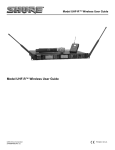
Model UHF-R™ Wireless User Guide
Model UHF-R™ Wireless User Guide . . . . . . . . . . . . . . . . . . . . 5
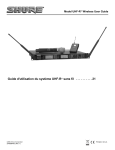
Guide d'utilisation du système UHF-R™ sans fil . . . . . . . . . 21
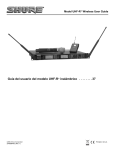
Guía del usuario del modelo UHF-R™ inalámbrico . . . . . . . 37
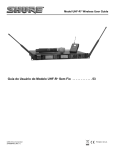
Guia do Usuário do Modelo UHF-R™ Sem Fio . . . . . . . . . . . 53
©2006, Shure Incorporated
27NS8849B (Rev. 2)
Printed in U.S.A.
English
! IMPORTANT SAFETY INSTRUCTIONS !
1.
2.
3.
4.
5.
6.
7.
8.
9.
10.
READ these instructions.
KEEP these instructions.
HEED all warnings.
FOLLOW all instructions.
DO NOT use this apparatus near water.
CLEAN ONLY with dry cloth.
DO NOT block any ventilation openings. Install in accordance with the manufacturer's instructions.
DO NOT install near any heat sources such as radiators, heat registers, stoves,
or other apparatus (including amplifiers) that produce heat.
DO NOT defeat the safety purpose of the polarized or grounding-type plug. A
polarized plug has two blades with one wider than the other. A grounding type
plug has two blades and a third grounding prong. The wider blade or the third
prong are provided for your safety. If the provided plug does not fit into your outlet, consult an electrician for replacement of the obsolete outlet.
PROTECT the power cord from being walked on or pinched, particularly at plugs,
convenience receptacles, and the point where they exit from the apparatus.
11.
12.
13.
14.
15.
This symbol indicates that there are important operating and
maintenance instructions in the literature accompanying this unit.
ONLY USE attachments/accessories specified by the manufacturer.
USE only with a cart, stand, tripod, bracket, or table
specified by the manufacturer, or sold with the
apparatus. When a cart is used, use caution when
moving the cart/apparatus combination to avoid
injury from tip-over.
UNPLUG this apparatus during lightning storms or when unused for long periods of
time.
REFER all servicing to qualified service personnel. Servicing is required when the
apparatus has been damaged in any way, such as power-supply cord or plug is damaged, liquid has been spilled or objects have fallen into the apparatus, the apparatus
has been exposed to rain or moisture, does not operate normally, or has been
dropped.
DO NOT expose the apparatus to dripping and splashing. DO NOT put objects filled
with liquids, such as vases, on the apparatus.
This symbol indicates that dangerous voltage constituting a
risk of electric shock is present within this unit.
WARNING: Voltages in this equipment are hazardous to life. No user-serviceable parts inside. Refer all servicing to qualified service personnel. The
safety certifications do not apply when the operating voltage is changed from the factory setting.
! CONSIGNES DE SÉCURITÉ IMPORTANTES !
1.
2.
3.
4.
5.
6.
7.
8.
9.
LIRE ces consignes.
CONSERVER ces consignes.
OBSERVER tous les avertissements.
SUIVRE toutes les consignes.
NE PAS utiliser cet appareil à proximité de l'eau.
NETTOYER UNIQUEMENT avec un chiffon sec.
NE PAS obstruer les ouvertures de ventilation. Installer en respectant les consignes du fabricant.
Ne pas installer à proximité d'une source de chaleur telle qu'un radiateur, une
bouche de chaleur, un poêle ou d'autres appareils (dont les amplificateurs) produisant de la chaleur.
NE PAS détériorer la sécurité de la fiche polarisée ou de la fiche de terre. Une
fiche polarisée comporte deux lames dont l'une est plus large que l'autre. Une
fiche de terre comporte deux lames et une troisième broche de mise à la terre.
La lame la plus large ou la troisième broche assure la sécurité de l'utilisateur. Si
la fiche fournie ne s'adapte pas à la prise électrique, demander à un électricien
de remplacer la prise hors normes.
Ce symbole indique que la documentation fournie avec l'appareil contient
des instructions d'utilisation et d'entretien importantes.
10.
11.
12.
13.
14.
15.
PROTÉGER le cordon d'alimentation afin que personne ne marche dessus et que
rien ne le pince, en particulier au niveau des fiches, des prises de courant et du point
de sortie de l'appareil.
UTILISER UNIQUEMENT les accessoires spécifiés par le fabricant.
UTILISER uniquement avec un chariot, un pied, un trépied,
un support ou une table spécifié par le fabricant ou vendu
avec l'appareil. Si un chariot est utilisé, déplacer l'ensemble
chariot-appareil avec précaution afin de ne pas le renverser,
ce qui pourrait entraîner des blessures.
DÉBRANCHER l'appareil pendant les orages ou quand il ne sera pas utilisé pendant
longtemps.
CONFIER toute réparation à du personnel qualifié. Des réparations sont nécessaires
si l'appareil est endommagé de quelque façon que ce soit, comme par exemple : cordon ou prise d'alimentation endommagé, liquide renversé ou objet tombé à l'intérieur
de l'appareil, exposition de l'appareil à la pluie ou à l'humidité, appareil qui ne marche
pas normalement ou que l'on a fait tomber.
NE PAS exposer cet appareil aux égouttures et aux éclaboussements. NE PAS poser
des objets contenant de l'eau, comme des vases, sur l'appareil.
Ce symbole indique la présence d'une tension dangereuse dans
l'appareil constituant un risque de choc électrique.
AVERTISSEMENT : Les tensions à l'intérieur de cet équipement peuvent être mortelles. Aucune pièce interne réparable par l'utilisateur. Confier toute réparation à du personnel qualifié. Les certifications de sécurité sont invalidées lorsque le réglage de tension d'usine est changé.
3
Shure UHF-R Wireless
! INSTRUCCIONES IMPORTANTES DE SEGURIDAD !
1.
2.
3.
4.
5.
6.
7.
8.
9.
LEA estas instrucciones.
CONSERVE estas instrucciones.
PRESTE ATENCION a todas las advertencias.
SIGA todas las instrucciones.
NO utilice este aparato cerca del agua.
LIMPIESE UNICAMENTE con un trapo seco.
NO obstruya ninguna de las aberturas de ventilación. Instálese según lo
indicado en las instrucciones del fabricante.
No instale el aparato cerca de fuentes de calor tales como radiadores, registros
de calefacción, estufas u otros aparatos (incluyendo amplificadores) que
produzcan calor.
NO anule la función de seguridad del enchufe polarizado o con clavija de
puesta a tierra. Un enchufe polarizado tiene dos patas, una más ancha que la
otra. Un enchufe con puesta a tierra tiene dos patas y una tercera clavija con
puesta a tierra. La pata más ancha o la tercera clavija se proporciona para su
seguridad. Si el tomacorriente no es del tipo apropiado para el enchufe, consulte a un electricista para que sustituya el tomacorriente de estilo anticuado.
10.
11.
12.
13.
14.
15.
Este símbolo indica que la literatura que acompaña a esta
unidad contiene instrucciones importantes de funcionamiento
y mantenimiento.
PROTEJA el cable eléctrico para evitar que personas lo pisen o estrujen, particularmente en sus enchufes, en los tomacorrientes y en el punto en el cual sale del
aparato.
UTILICE únicamente los accesorios especificados por el fabricante.
UTILICESE únicamente con un carro, pedestal, trípode,
escuadra o mesa del tipo especificado por el fabricante o vendido con el aparato. Si se usa un carro, el mismo debe moverse con sumo cuidado para evitar que se vuelque con el
aparato.
DESENCHUFE el aparato durante las tormentas eléctricas, o si no va a ser utilizado
por un lapso prolongado.
TODA reparación debe ser llevada a cabo por técnicos calificados. El aparato
requiere reparación si ha sufrido cualquier tipo de daño, incluyendo los daños al
cordón o enchufe eléctrico, si se derrama líquido sobre el aparato o si caen objetos
en su interior, si ha sido expuesto a la lluvia o la humedad, si no funciona de modo
normal, o si se ha caído.
NO exponga este aparato a chorros o salpicaduras de líquidos. NO coloque objetos
llenos con líquido, tales como floreros, sobre el aparato.
Este símbolo indica que la unidad contiene niveles de voltaje
peligrosos que representan un riesgo de choques eléctricos.
ADVERTENCIA: Los voltajes presentes en este equipo representan un riesgo para la vida. No contiene componentes reparables por el
usuario. Toda reparación debe ser llevada a cabo por técnicos calificados. Las certificaciones de seguridad no tienen vigencia cuando el
voltaje de funcionamiento de la unidad es cambiado a un valor distinto al ajustado en fábrica.
! IMPORTANTES INSTRUÇÕES DE SEGURANÇA !
1.
2.
3.
4.
5.
6.
7.
8.
9.
10.
LEIA estas instruções.
GUARDE estas instruções.
PRESTE ATENÇÃO a todas as advertências.
SIGA todas as instruções.
NÃO use este aparelho perto de água.
LIMPE SOMENTE com um pano seco.
NÃO bloqueie nenhuma das aberturas de ventilação. Instale de acordo com as
instruções do fabricante.
NÃO instale próximo de nenhuma fonte de calor, tais como radiadores, bocais
de aquecimento, fornos ou outros aparelhos que produzam calor (inclusive
amplificadores).
NÃO inutilize as características de segurança do conector polarizado ou
com pino de aterramento. Um conector polarizado possui duas lâminas com
uma mais larga do que a outra. Um conector com pino de aterramento possui duas lâminas e um terceiro pino de aterramento. É fornecida uma
lâmina mais larga ou o terceiro pino para a sua segurança. Se por acaso o
conector não se encaixar na tomada, chame um eletricista para substituir a
tomada obsoleta.
PROTEJA o cabo de alimentação, evitando que seja pisado ou que enrosque,
especialmente nos conectores, nas tomadas elétricas de emprego geral e no
ponto onde elas saem do aparelho.
Este símbolo indica que existem instruções operação e
manutenção importantes na literatura que acompanha esta
unidade.
11.
12.
13.
14.
15.
USE SOMENTE acessórios/apetrechos especificados pelo fabricante.
USE somente com um carrinho, pedestal, tripé,
suporte ou mesa especificados pelo fabricante ou
vendidos com o aparelho. Quando utilizar um carrinho, tenha cuidado ao movimentar o conjunto aparelho/carrinho para evitar danos com a queda do
mesmo.
DESLIGUE este aparelho da tomada elétrica durante tempestades com relâmpagos
ou quando não seja utilizado por longo período.
DEIXE toda a manutenção sob a responsabilidade de uma equipe de manutenção
qualificada. É necessário realizar a manutenção quando por algum motivo o aparelho tiver sido danificado de alguma forma, como por exemplo por dano do cabo de
alimentação elétrica ou do seu conector, por derramamento de líquido ou queda de
objetos no aparelho, se o aparelho tiver sido exposto à chuva ou à umidade, não
esteja operando normalmente ou tenha sofrido queda.
NÃO exponha o aparelho a respingos ou goteiras. NÃO coloque objetos cheios
de líquidos, tais como vasos, em cima do aparelho.
Este símbolo indica que existe nesta unidade tensão perigosa
que apresenta risco de choque elétrico.
ATENÇÃO:As tensões neste equipamento podem causar acidentes fatais. Dentro dele não há nenhuma peça na qual se possa efetuar
manutenção. Deixe toda a manutenção a cargo de equipe de manutenção qualificada. As certificações de segurança perderão a validade
quando a tensão de operação ajustada na fábrica for alterada.
4
English
Contents
Important Safety Instructions . . . . . . . . . . . . . . . . . . . . . . . . . . . . . . . . . . . . . . . . . . . . . . 3
Feature Overview . . . . . . . . . . . . . . . . . . . . . . . . . . . . . . . . . . . . . . . . . . . . . . . . . . . . . . 6
System Components . . . . . . . . . . . . . . . . . . . . . . . . . . . . . . . . . . . . . . . . . . . . . . . . . . . . 7
Receiver Controls and Connectors . . . . . . . . . . . . . . . . . . . . . . . . . . . . . . . . . . . . . . . . . 8
Receiver LCD Interface . . . . . . . . . . . . . . . . . . . . . . . . . . . . . . . . . . . . . . . . . . . . . . . . . . 9
Receiver Parameters . . . . . . . . . . . . . . . . . . . . . . . . . . . . . . . . . . . . . . . . . . . . . . . . . . . . 9
Automatic Frequency Selection . . . . . . . . . . . . . . . . . . . . . . . . . . . . . . . . . . . . . . . . . . . 11
Networking Receivers . . . . . . . . . . . . . . . . . . . . . . . . . . . . . . . . . . . . . . . . . . . . . . . . . . 12
Handheld and Bodypack Transmitter Controls and Connectors . . . . . . . . . . . . . . . . . . 13
Transmitter LCD Interface . . . . . . . . . . . . . . . . . . . . . . . . . . . . . . . . . . . . . . . . . . . . . . . 13
Transmitter Batteries . . . . . . . . . . . . . . . . . . . . . . . . . . . . . . . . . . . . . . . . . . . . . . . . . . . 13
Transmitter Parameters . . . . . . . . . . . . . . . . . . . . . . . . . . . . . . . . . . . . . . . . . . . . . . . . . 14
Setting Transmitter Gain . . . . . . . . . . . . . . . . . . . . . . . . . . . . . . . . . . . . . . . . . . . . . . . . 14
RF Safety Mode . . . . . . . . . . . . . . . . . . . . . . . . . . . . . . . . . . . . . . . . . . . . . . . . . . . . . . 14
Automatic Transmitter Sync . . . . . . . . . . . . . . . . . . . . . . . . . . . . . . . . . . . . . . . . . . . . . 15
Troubleshooting . . . . . . . . . . . . . . . . . . . . . . . . . . . . . . . . . . . . . . . . . . . . . . . . . . . . . . . 16
Specifications . . . . . . . . . . . . . . . . . . . . . . . . . . . . . . . . . . . . . . . . . . . . . . . . . . . . . . . . 17
Replacement Parts and Accessories . . . . . . . . . . . . . . . . . . . . . . . . . . . . . . . . . . . . . . 19
UHF-R Wireless System Compatibility Guide . . . . . . . . . . . . . . . . . . . . . . . . . . . . . . . . 71
5
Shure UHF-R Wireless
Feature Overview
The UHF-R™ Wireless Microphone System uses the latest wireless technology, delivers outstanding audio clarity, and is rugged and
reliable. It is easy to set up and operate with advanced features for professional installations requiring multiple wireless microphone
systems.
Frequency Band Selection
Shure offers wireless systems in a selection of bands that conform to the different government regulations of specific nations or geographic regions. These regulations help limit radio frequency (RF) interference among different wireless devices and prevent interference with local public communications channels, such as television and emergency broadcasts.
The system’s band and frequency range are identified on the face of the receiver and transmitter. For example, “H4 518–578 MHz.”
For information on bands available in your area, consult your local dealer or phone Shure. More information is also available at Shure’s
website (www.shure.com).
Groups and Channels
To transmit audio through a wireless system, the transmitter and receiver must be set to the same radio frequency, or channel. A wide
selection of channels allows more microphones to be used at the same time, since each microphone must operate on a different channel. It also provides a greater choice of open channels—those that are free from interference from television broadcasts, electronic
devices, or other wireless systems.
A group is a selection of compatible channels. Wireless microphones work better together when set to channels in the same group.
Automatic Frequency Selection
The following features scan the RF environment to find the best group and channel settings for a particular installation.
• Group Scan—finds the group with the most open channels, then sets all networked receivers to channels in that group.
• Channel Scan—finds the first open channel in the currently selected group and sets the receiver to that channel.
Follow the steps on page 11 for instructions on using these features.
Automatic Transmitter Sync
This feature automatically transfers the group and channel settings from a receiver to a transmitter. You can also program other transmitter settings on a receiver and transfer those settings too. See page 15.
Interface Lock
This feature locks the receiver and transmitters so that users cannot change settings. The transmitter power switch can also be disabled so that the transmitter remains on if the power switch is accidentally toggled during a performance.
Audio Gain Structure
The following settings allow you to adjust audio gain throughout the system:
• Sensitivity (bodypack only). A 25 dB range of gain adjustment at the bodypack transmitter input.
• Transmitter Gain. A 30dB range of audio gain adjustment within the transmitter (affects audio level at the receiver, as indicated by
the Audio LEDS.)
• Output Level. 32 dB of attenuation at the receiver output, plus a mute setting.
• Mic/Line switch. –30 dB pad for matching audio levels at the receiver XLR output.
Networking
Each receiver has an RJ-45 port on the back for connecting to other receivers over an Ethernet network. Networking receivers allows
you to automatically set channels for all the receivers with a single group scan command. You can also control and monitor all networked receivers through the Shure Wireless Workbench PC software.
Shure Wireless Workbench Software
The Shure Wireless Workbench software on the supplied CD includes a variety of useful tools for installing and managing multiple
wireless systems. Simply install the software on your computer and connect it to a network of receivers to monitor and control receivers
and transmitters throughout the network. (See page 12 for more information on networking.)
Instructions on using the Wireless Workbench software are available in the online help files after you install the software.
6
English
System Components
All systems include:
Two Antenna Cables
Shure’s Wireless Workbench Software
UR4S or UR4D Receiver
(UR4D pictured)
IEC Power Cable
Two 1/2 Wave Antennas
Transmitter Carrying Case
2 Antenna hole plugs
4 Rack Mount Screws with Washers
IEC Power Extension Cable
AA Batteries
Ethernet Network Cable with “Ruggedized” plug
Bodypack Systems Include:
Handheld Systems Include:
SM58®,
쐃 Microphone Head (choice of
SM86, Beta
87A™, Beta 87C™ or KSM9/BK, KSM9/SL)
58A®,
Beta
쐇 UR2 handheld transmitter
쐋 Microphone clip
쐃
쐇
Threaded TA4F Adapter
쐋
UR1 Bodypack Transmitter
7
Shure UHF-R Wireless
Receiver Controls and Connectors
18
17
2
4
5
RF
XX YYY-ZZZ MHz
Audio
Navigate
Monitor
Control
POWER
OFF
UR4S
Wireless Receiver
with Audio Reference Conpanding
ENTER
OL
3
sync
push
Monitor Clip
EXIT
A
push
B
�
6
antenna B in
receiver outputs
balanced low Z
7
networking
8
antenna A in
200Ω
network
activity
line
12.7V
out
mic
150mA
9
10
11
12
lift
GND
13
14
ethernet
RJ-45
15
쐃 SYNC Infrared (IR) port. Transmits group, channel, and other
settings to a transmitter. See page 15.
쐇 Squelch LEDs.
17
11
• Monitor Clip LED indicates headphone audio is clipping.
• Dual models: Push the knob to switch from receiver one to receiver two.
• Blue (On) = Transmitter signal detected
쐊 Power switch. Powers the unit on and off.
• Off = no signal or signal squelched because of poor reception
or no tonekey
쐎 AC mains power input, IEC connector. 100–240 Vac.
NOTE: The receiver will not output audio unless at least
one blue LED is illuminated.
쐋 RF LEDs. Indicate RF signal strength from the transmitter at
each antenna and diversity condition.
• Amber = normal
• Red = overload (greater than –25 dBm)
쐏 Audio LEDs. Indicate audio signal strength from transmitter.
• Green = signal present
• Yellow = normal peak
• Red = overload
To correct this level, adjust the transmitter gain.
쐄 Indicates the name and range of receiver frequency band.
쐂 LCD Interface. Provides a convenient way to program the
receiver from the front panel (see detail on next page).
쐆 Monitor. 1/4” output jack and volume knob for headphones.
8
16
12.7V
out
150mA
쐅 AC mains power passthrough (unswitched). Use with an IEC
extension cable to supply AC power to another device.
쐈 Diversity antenna inputs A and B.
Note: Antenna inputs are DC biased. Use only antenna
combiners and accessories listed in page 19. Some
types of antenna splitters or other products may short
the DC power and damage the receiver.
쐉 Mic/Line switch. Changes output level –30 dB (XLR output
only).
씈 Electrically balanced XLR output jack
씉 Lift/GND switch. Lifts ground from Pin 1 of the XLR connector (default = GND).
씊 Impedance balanced 1/4” output jack (200Ω)
씋 USB jack for computer interface.
씌 RJ-45 jack for Ethernet network interface. Accepts both regular and “ruggedized” RJ-45 plugs.
씍 Temperature-activated fan ensures top performance in high
temperature environments. Clean fan screen as needed to
English
Receiver LCD Interface
Menu Access
Press the Navigate key next to the
menu item you want to select.
SHURE
Radio
524-025 MHz TV: 32
Audio
G: 3 Ch: 1 Out: -0dB
Util
+ +12 dB
Hi
Accept Changes
After changing a parameter, the ENTER button flashes.
Press it to save the value.
Cursor Control
Push the Control wheel to move the
cursor to the next item.
Turn the Control wheel to change a
parameter value.
F, P, FP Sync
Transmitter Status Display
Everything under the dotted line reflects
the settings for the transmitter, if present.
(main title screen only).
Exit/Cancel
Press the Exit button to cancel changes and
return to the previous menu.
Receiver Parameters
Use the following instructions to set parameters through the LCD interface.
NOTE: After adjusting a parameter, you must press the flashing ENTER button to accept the change.
Group and Channel
Menu: Radio
• Push the Control wheel to move the cursor to the Group (G)
or Channel (Ch) parameter.
• Turn the Control wheel to change the parameter.
Frequency
Menu: Radio
• Push the Control wheel to move the cursor to the integer
value (741.000 MHz) or fractional value (741.025).
• Turn the Control wheel to change the value.
Automatic Transmitter Sync
Menu: Sync
• See page 15.
Receiver Name
Menu: Util
• Turn the Control wheel to change the letter.
• Push the Control wheel to move to the next letter.
Output Level
Menu: Audio
This setting adjusts the signal level at the XLR and 1/4” audio
output jacks.
• Turn the Control wheel to change the relative level in dB.
(0 dB to –32 dB).
• Turn the wheel all the way down to mute the outputs.
Squelch
Menu: Radio > Squelch
• Turn the Control wheel to change the parameter
Receiver Lock
When locked, the receiver settings cannot be changed from the
front panel. However, you can still navigate the LCD menu to
view the settings (and turn the lock off).
Menu: Util > Lock
• Turn the Control wheel to toggle the lock on or off (ON or
OFF).
LCD View
Menu: Util > Title
• Turn the Control wheel to mark an item for display.
• Push the Control wheel to move to the next item.
LCD Contrast
Menu: Util > Contrast
• Turn the Control wheel to increase or decrease contrast.
Tonekey
Menu: Radio > Squelch > Tonekey
Tonekey squelch mutes the outputs unless the receiver detects
a transmitter. Tonekey should be left on (On) except for certain
troubleshooting operations.
9
Shure UHF-R Wireless
Network Parameters
NOTE:
• The receiver reboots after you press ENTER to accept network parameter changes
• In dual models (UR4D), these settings affect both receivers
(the dual receiver is treated as a single network device).
Set the Receiver Network Mode
Menu: Util > Network
1. Push the Control wheel to move the cursor to the Mode
parameter.
2. Turn the Control wheel to set the receiver to one of the
following values:
• DHCP: use this setting when connecting the receiver to a
DHCP server.
• Manual: allows you to set the receiver to a specific IP address or subnet.
IP Address and Subnet
Menu: Util > Network
NOTE: To change these settings, the network mode must be
set to Manual.
1. Push the Control wheel to move the cursor to any of the
following parameters:
• IP (IP address)
• Sub (Subnet mask)
2. Turn the Control wheel to change the value.
10
Device ID
Assists in identifying receivers through the Wireless Workbench Software (has no effect on network identification).
Menu: Util > Network
1. Push the Control wheel to move the cursor to the
DevID parameter.
2. Turn the Control wheel to set the receiver to change the
value.
Custom Groups
This feature allows you to create your own groups of
frequencies.
Creating new groups...
Menu: Radio > Custom
1. Turn the Control wheel to select a custom group number
(U1, U2, U3, etc.)
2. Push the Control wheel to move to the
Channel parameter and turn it to select a
channel (01, 02, 03, etc.)
3. Push the Control wheel to move to the Freq parameter
and select a frequency for that channel.
4. Push the NEXT menu key to select a frequency for the
next channel in that group.
English
Automatic Frequency Selection
Follow these steps to use the channel scan and group scan features.
Before you begin...
• Install the receivers in the location where they will be used and power them on.
• Mute all inputs on mixing devices connected to receivers.
• Turn off all bodypack or handheld transmitters for the systems you are setting up.
• Turn on potential sources of interference such as other wireless systems or devices, computers, CD players, effects processors, and
digital rack equipment so they are operating as they would be during the presentation or performance.
Single Receiver
1.
2.
3.
4.
5.
Select Radio > Scan > Chan Scan using the Navigate keys on the receiver LCD interface.
Turn the Control wheel to select a group.
Press Chan Scan. The display indicates that the receiver is searching. Once it has finished, it displays the selected channel.
Press the flashing ENTER button to accept the suggested channel.
Sync the transmitter (see page 15).
Networked or Dual Receivers
With networked or dual receivers, you can take advantage of the group scan feature to set group and channel settings for all the receivers at the same time. (See page 12 for instructions on networking.)
Perform a group scan from any receiver...
1. Select Radio > Scan > Group Scan using the Navigate keys on the receiver LCD interface. The display indicates that
the receiver is searching (Scan In Progress). Once it has finished, it displays the group with the most open channels.
2. If you wish, turn the Control wheel to change groups. The number of open channels for each group is displayed.
3. Press the flashing ENTER button to set all receivers to open channels in that group.
NOTE: The group scan feature only works for receivers in the same frequency band. For example, if you did a group scan on a
“H4” band receiver, all “H4” band receivers would be set up, but not “J5” band receivers.
Multiple Receivers—Not Networked
If your receivers are not networked (or in different bands), the group scan cannot automatically set their group and channel settings.
However, you can still take advantage of the group scan feature to find the group with the most open channels and the channel scan
feature to find open channels in that group.
Find the group with the most open channels...
Perform a group scan using the steps for a networked receiver (above). However, make a note of the selected group before pressing
the flashing ENTER button to accept it.
Set the receivers to open channels in that group...
Perform a channel scan on the remaining receivers using the steps for a single receiver (above). Make sure to select the same group
for each receiver before performing the channel scan.
IMPORTANT: After setting the channel for the first receiver, immediately sync the transmitter for that receiver and leave it on so
that the next receiver detects that channel during its channel scan. Otherwise, all the receivers will be set to the same open
channel.
NOTE: Receivers in different bands (H4, J5, L3, etc.) do not need to be set to the same group.
11
Shure UHF-R Wireless
Networking Receivers
Basic Network
Connect receivers to an Ethernet router with DHCP service. Use Ethernet switches to extend the network for larger installations.
Computer
(optional)
Router with DHCP
Use the receiver’s default network setting
(Util > Network > Mode = DHCP).
Accessing the Network with a Computer
If you want to use the Wireless Workbench software, connect your computer to
the network and install the software from the CD that came with the receiver.
Make sure your computer is configured for DHCP (from Control Panel, click Network Connections. Double-click on Local Area Connection. Select Internet Protocol (TCP/IP) and click Properties. Select Obtain IP address automatically and
Obtain DNS server address automatically and click OK).
Computer
(optional)
Router with DHCP
NOTE: Some security software or firewall settings on your computer can prevent
you from connecting to the receivers. If using firewall software, allow connections
on port 2201.
Switch
Using USB...
Connect the computer to the USB port on any of the receivers to access the
whole network.
Ethernet
Switch
USB
Static IP Addressing
The receiver also supports static IP addressing. Assign your own IP addresses ( Util > Network > Mode = Manual). See
“Network Parameters” on page 10.
NOTE: Dual receivers use a single IP address, which may be set through either LCD interface.
Existing UHF Network Installations
Both Shure’s UHF-R receivers and legacy UHF receivers can be networked to the same PC and accessed using the latest Wireless
Workbench software.
U888
UHF
12
RS-232
USB
UHF-R
English
Handheld and Bodypack Transmitter Controls and Connectors
쐆
�
쐊
쐋
�
쐅
쐇
�
�
쐎
�
�
쐏
쐄
쐂
쐃 Interchangeable microphone head (BETA 87A pictured).
쐆 Flexible Antenna.
쐇 LCD Panel.
쐊 Power LED.
쐋 Power Switch.
쐎 4-Pin Microphone Input Jack.
쐏 Control buttons for LCD interface.
쐅 Reversible Belt Clip.
쐄 Infrared (IR) port. See page 15.
쐂 Battery compartment.
Transmitter LCD Interface
Up Arrow Key. Scroll up
or increase a value.
779.475MHz
exit Key. Move to the left, or exit
without saving changes.
enter Key. Press to select parameters
and accept the selected value.
Down Arrow Key. Scroll
down or decrease a value.
Main Menu
Transmitter Batteries
Transmitters operate on standard AA batteries. Turn off the transmitter before changing the batteries.
The battery fuel gauge displayed on the transmitter LCD gives an indication of remaining battery life, as shown below.
Transmitter Display
Approximate Hours Remaining
(alkaline batteries)
Normal Power
High Power*
7.5 to 9.5
5.75 to 7.5
4 to 5.75
2 to 4
15 minutes to 2 hours
5 to 6
4 to 5
3 to 4
1.5 to 3
10 minutes to 1.5
* High power setting not available with models sold in countries that prohibit its use.
13
Shure UHF-R Wireless
Transmitter Parameters
Press ENTER from the main menu to access the following parameters:
G:34 Ch:21
Group (G) and Channel (Ch). Must match the receiver’s settings.
Frequency (MHz). Manual frequency selection in 0.025 MHz increments.
779.475MHZ
Gain (Gain). Adjusts audio level from –10 dB to +20 dB.
Gain +20dB
Sensitivity (Sens) (bodypack only).
Sets audio input to +15 dB, 0 dB, or –10 dB.
SHURE INC.
Name Display. 12-digit ASCII.
Use the following key combinations to access additional features and parameters:
hold
tap
LCD Panel
Changes LCD Panel
hold
tap
Frequency Lock
Toggles setting. When enabled, frequency cannot be changed, and a
transmitter sync will not overwrite the frequency setting.
Lock Indicators
Power Lock
hold
tap
Power Lock
Toggles power lock. When locked, power switch does not turn off
transmitter.
hold
hold
RF power level setting*
Use the arrow keys to select normal (10 mW) or high power (50/100 mW**). Use the normal power setting
to conserve batteries or prevent RF overload at the receiver.
Frequency Lock
* High power setting not available with models sold in countries that prohibit its use.
** High power value varies with model.
Setting Transmitter Gain
Adjust the transmitter gain and input sensitivity so that the Audio LEDs on the receiver peak within the yellow range during use. On
the bodypack transmitter, you can change the sensitivity setting to compensate for different audio levels when connecting different
intruments or microphones to the input.
To adjust gain, turn on the transmitter and press the enter button. Scroll down to the Gain parameter or the Sens parameter
(bodypack only) and press enter again. Use the arrow keys to adjust the setting and press enter to save it (Exit cancels without
saving).
RF Safety Mode
This special feature temporarily mutes RF broadcast. This allows you to change frequency settings on a transmitter without accidentally
“cutting in” on a channel being used by another transmitter.
1. Turn the transmitter off.
2. Hold down exit key while turning on the transmitter power (for handheld microphones, you need to pull the battery cover off the
handle). The LCD flashes while the unit is in RF safety mode.
3. Change group and channel settings as you normally would—the transmitter will not broadcast.
4. Power the transmitter off and on to exit RF safety mode.
14
English
Automatic Transmitter Sync
This feature automatically updates a bodypack or handheld transmitter’s group and channel settings to match those of a selected
receiver.
To perform a transmitter sync...
1. Open the transmitter battery cover to display the infrared (IR) port.
2. With the IR port exposed to the receiver, select Sync > sync from the receiver LCD interface.
The display on the receiver indicates whether the sync was successful. If the sync fails, try again, making sure that the IR port on the
transmitter is exposed and directly faces the IR port on the receiver.
NOTE: Close the battery door before performing a sync on other transmitters.
®
RF
Audio
ABJ
779-810 MHz
Navigate
RF
Audio
ABJ
779-810 MHz
Navigate
Monitor
Control
Power
1
OL
OL
ENTER
2
push
UR4D
Monitor Clip
Wireless Receiver
with Audio Reference
Companding
EXIT
sync
sync
To transfer other transmitter settings...
Optionally, you can transfer other transmitter settings from a receiver when you perform a sync. Use the following steps:
1. Select Sync > Setup from the receiver LCD interface.
2. Turn the Control wheel to change parameter settings.
3. Push the Control wheel to move to the next parameter.
4. Push the flashing ENTER button to save the settings.
The transmitter settings you set on the receiver remain for future syncs.
NOTE: If you don’t want the sync to send a setting, set the parameter to No Change
Available Settings...
The following settings are available from the Sync > Setup menu:
• Sensitivity (Sens) bodypack only
• Gain (Gain)
• RF Power (Pwr)
• Power and Frequency Lock (Lock), which has the following values:
Power lock only: (Pwr Only)
Frequency lock only: (Freq only)
Both: (Freq and Pwr)
Neither: (Unlocked)
• Custom Groups (CG):
On (ON): Send custom groups to transmitters during sync
Off (OFF): Do not send custom groups (reduces sync time)
15
Shure UHF-R Wireless
Troubleshooting
Issue
No sound
Faint Sound or Distortion
Lack of range, unwanted noise bursts, or
drop outs
Cannot turn transmitter off or change frequency
settings, or can’t program receiver
Excessive hum or buzzing
See Solution...
Power, Cables, or RF
Gain
RF
Interface Locks
Ground lift
Power
Make sure that the transmitter and receiver are receiving
sufficient voltage. The receiver requires at least 90 Vac. Check
the battery indicator on the transmitter and replace battery if
necessary.
Gain
Adjust the transmitter gain and sensitivity settings
(see page 14) or the receiver output level (page 9), or toggle
the mic/line switch on the back of the receiver.
Cables
Check that all cables and connectors are in working order.
Ground Lift
Lifting the ground on pin 1 of the XLR output on the receiver
can sometimes remove hum or buzz in the audio signal. Set the
GND/LIFT switch on the receiver to LIFT if you are using the
XLR connector.
Interface Locks
Both the transmitter and receiver can be locked to prevent accidental changes. On transmitters, look for a lock symbol on the
LCD and use the key combinations illustrated on page 14 to
turn it off.
To turn off the receiver interface lock, see page 9.
Radio Frequency (RF)
Using the RF LEDs
If neither blue RF LED is illuminated, then the receiver is not detecting the presence of a transmitter.
The amber RF LEDs indicate the amount of signal being received. This signal could be from the transmitter, or it could be
from an interfering source, such as a television broadcast. Turn
the transmitter off. If more than one or two of the amber RF
LEDs are still illuminated, then that channel has too much interference, and you should try a different channel.
The red RF LED indicates RF overload. This will usually not
cause a problem unless you are using more than one system
at the same time, in which case, it can cause interference between systems.
16
Compatibility
• Perform a transmitter sync, or make sure the transmitter and
receiver are set to the same group and channel.
• Look at the label on the transmitter and receiver to make sure
they are in the same band (H4, J5, L3, etc...).
Reducing Interference
• Use a different channel or perform an automatic group or
channel scan (see page 11).
• For multiple systems, check that all systems are set to channels in the same group (systems in different bands do not
need to be set to the same group).
• Maintain a line of sight between transmitter and receiver antennas
• Move receiver antennas away from metal objects or other
sources of RF interference (such as CD players, computers,
digital effects, network switches, network cables and Personal Stereo Monitor (PSM) wireless systems).
• Eliminate RF overload (see below).
Increasing Range
If the transmitter is more than 6 to 60 m (20 to 200 ft) from the
receiver antenna, you may be able to increase range by doing
one of the following:
• Reduce interference (see above)
• Increase transmitter RF power level (see page 14).
• Use an active directional antenna, antenna distribution system, or other antenna accessory to increase RF range (see
page 19).
Eliminating RF Overload
If you see the red RF LED on a receiver, reduce the transmitter
RF power level (see page 14) or move the transmitter further
away from the receiver—at least 6 m (20 ft). If you are using active antennas, reduce antenna or amplifier gain.
English
Specifications
Frequency Range and Transmitter Output Power
Band
Range
H4E,
H4
J5E,
J5
L3E,
L3
Q5
R9
Q6
A24
518-578 MHz
Transmitter power (mW)
Handheld
Bodypack
10 / 50
10 / 50
10 / 50
10 / 100
578-638 MHz
(578-608, 614-638)
10 / 50
10 / 50
10 / 50
10 / 100
638-698 MHz
10 / 50
10 / 50
10 / 50
10 / 100
740-814 MHz
790-865
740-752 MHz
779-788 / 797-806
MHz
JBX 806-810 MHZ
Q10 740-798 MHz
10 / 50
10 / 50
10
10
10 / 50
10 / 50
10
10
10
10 / 50
10
10 / 50
NOTE
This Radio equipment is intended for use in musical professional
entertainment and similar applications.
This Radio apparatus may be capable of operating on some frequencies not authorized in your region. Please contact your national
authority to obtain information on authorized frequencies and RF
power levels for wireless microphone products.
RF Carrier Frequency Range
518-865 MHz, depending on region
Working Range
UR1, UR2: 150 m (500 ft.), under typical conditions
500 m (1600 ft) line-of-sight, outdoors
for a single system
NOTE: Actual working range depends on RF signal absorption, reflection and
interference
Audio Frequency Response
40 – 18,000 Hz, (+1 dB, –3 dB).
NOTE: Overall system frequency response depends on the microphone
element
Gain Adjustment Range
UR1: –20 to +35 dB
UR2: –10 to +20 dB
Modulation
FM (45 kHz max. deviation), compander system with pre- and
de-emphasis
RF Power Output
See table above.
Dynamic Range
>105 dB, A-weighted
Image Rejection
>110 dB typical
RF Sensitivity
UR4S
UR4D
–110 dBm Typical
12 dB SINAD
–107 dBm Typical
12 dB SINAD
–105 dBm Typical
30 dB SINAD
–102 dBm Typical
30 dB SINAD
Spurious Rejection
>90 dB typical
Ultimate Quieting (ref. 45 kHz deviation)
>100 dB, A-weighted
Signal Polarity
Positive pressure on microphone diaphragm (or positive voltage
applied to tip of WA302 phone plug) produces positive voltage
on XLR output pin 2 with respect to XLR pin 3 and on the tip of
the 1/4-inch output jack.
System Distortion (ref. ± 45 kHz deviation, 1 kHz modulation)
<0.3% Total Harmonic Distortion typical
Power Requirements
UR1, UR2: Two 1.5V AA batteries
UR4:100 to 240 Vac, 50/60 Hz
Current Drain
UR1, UR2: 180 mA max. (normal RF power setting)
240 mA max. (high RF power setting)
UR4D, UR4S: 0.8 Amps max.
Battery Life (Typical)
UR1, UR2: 9.5 hours (low power)
6 hours (high power)
Operating Temperature Range
–18° to +57° C (0° to +135° F)
NOTE: Battery characteristics may limit this range
NOTE: Electrical safety approval is based on a maximum
ambient temperature of 35°C (95°F).
Overall Dimensions
UR1: 98 mm L x 60 mm W x 17 mm D (3.84 x 2.38 x 0.66 in.)
UR2/SM58: 261 mm L x 51 mm Dia. (10.27 x 2 in.)
UR2/SM86: 261 mm L x 51 mm Dia. (10.27 x 2 in.)
UR2/SM87A: 254 mm x 51 mm Dia. (10 x 2 in.)
UR2/KSM9/BK, UR2/KSM9/SL: 250 mm x 49 mm Dia.
(9 7/8 x 1 15/16 in.)
UR2/BETA 58: 258 mm L x 51 mm Dia. (10.15 x 2 in.)
UR2/BETA 87A, UR2/BETA 87C: 254 mm x 51 mm
Dia. (10 x 2 in.)
UR4S/UR4D: 44 mm H x 483 mm W x 366 mm D
(1.72 x 19.00 x 14.39 in.)
Net Weight
UR1: 97 g (3.4 oz.) without battery
UR2/SM58: 356 g (12.6 oz.) without battery
UR2/BETA 58: 314 g (11.1oz.) without battery
UR2/SM86: 317 g (11.2 oz.) without battery
UR2/SM87A: 298 g (10.5 oz.) without battery
UR2/KSM9/BK, UR2/KSM9/SL: 410 g (14.5 oz.) without battery
UR2/BETA 87A, U2/BETA 87C: 325 g (11.5 oz) without battery
UR4S: 4.8 kg (10.6 lbs)
UR4D: 5.0 kg (11.0 lbs)
Housing:
UR1: Cast magnesium
UR2: Aluminum die-cast handle and aluminum machined
battery cup
UR4S, UR4D: Galvanized steel
Wiring
MICROPHONE
ELEMENT
TA4F
Connector
TA4M
Connector
UR1 MIC JACK BOARD
Active Load
Audio
Ground
NOTE: LAVALIER MIC TIES PINS 3 AND 4 TOGETHER—GUITAR CABLE DOES NOT.
17
Shure UHF-R Wireless
Inputs and Outputs
UR1 Transmitter Audio Input
Receiver Input
Connector:
4-Pin male mini connector (TA4M)
Antenna
Power
Input Configuration:
Unbalanced, active
Connector Type:
BNC
IEC
Actual Impedance:
>1 MΩ
Actual Impedance:
50 Ω
-
Maximum Input Level:
1 kHz, 1% THD
+10 dBu (sensitivity 0 dB)
+20 dBu (sensitivity –10 dB)
Nominal Input Level:
–95 to –30 dBm
100-240 VAC,50/60 Hz
–20 dBm
240 VAC, + 10%, 50/60 Hz
TA4M Connector
Pin Assignments:
Pin 1: Ground
Pin 2: +5 Vdc bias
Pin 3: Audio
Pin 4: Tied through active load (on main
board) to Ground.
(On instrument adapter cable, Pin 4
floats)
Maximum Input
Level:
Pin Assignments:
Shell = Ground
Center = Signal
IEC Standard
Bias Voltage*
12.2 Vdc @ 150 mA
maximum
N/A
UR1 Transmitter RF Output
* For remote antenna amplifiers
Receiver Audio Output
Connector:
SMA
Actual Impedance:
50 Ω
Pin Assignments:
Shell = Ground
Center = Signal
UR2 Transmitter Audio Input
Input Configuration:
Unbalanced, active
Actual Impedance:
>1 MΩ
Maximum Input Level:
1 kHz, 1% THD
+4.8 dBu
Monitor (1/4”
Headphone)
1/4” Phone
XLR
Output Configuration:
Unbalanced
mono, 1/4 inch
Impedance
Balanced
Electrically
Balanced
Actual Impedance:
50 Ω
200 Ω
200 Ω (active
balanced)
(150 Ω mic)
Maximum Output Level
1 Watt @ 63 Ω
+18 dBu
+24 dBu
(–6 dBu mic)
with 100 Hz
modulating tone
Pin Assignments:
Tip = Hot
Ring = Hot
Sleeve = Gnd
Tip = Hot
1 = Ground
Ring = no signal 2 = Audio +
Sleeve = Gnd
3 = Audio –
Phantom Power
Protection?
No
Yes
UR2 Transmitter RF Output
Connector:
SMA
Actual Impedance:
50 Ω
Pin Assignments:
Shell = Ground
Center = Signal
Yes
Computer/Network Interface
Ethernet
USB*
RJ45
USB Series B Receptacle
* USB-IF logo is a trademark of Universal Serial Bus Implementers Forum, Inc.
XLR
1/4” Monitor/headphone
1/4” Phone
18
English
Replacement Parts and Accessories
Furnished Accessories
Antenna Combiners and Accessories
Microphone Stand Adapter (UR2)
WA371
Zipper Bag (UR1)
26A13
Zipper Bag (UR2)
26A14
Antenna Extension Cables (2)
95A9023
Hardware Kit, Locking Connector
WA340
Antenna (UR1), 518-578 MHz
UA710
Antenna (UR1), 578-698 MHz
UA720
Antenna (UR1), 740-865 MHz
UA730
Two Antennas (UR4), Band
Dependent (see table)
UA820
Transmitter Carrying Case
• Antennas and receivers must be from the same frequency
band.
• The supplied 1/2 wave antennas can be remotely mounted or
mounted directly to the UA845.
• Antennas and cables for use with the UA845 can also be
used with stand-alone UHF-R receivers.
Passive Antenna/Splitter Combiner Kit
(recommended for 2 receivers)
UA221
UHF Antenna Power Distribution Amplifier
(recommended for 3 or more receivers)
UA845-
95A9053
U.S.A.
UA845US
Europe
UA845E
UK
Optional Accessories
UA845UK
SM58 Head with Grille
RPW112
1/2 Wave, Omnidirectional, Wideband
Antenna
SM86 Head with Grille
RPW114
Active Directional Wideband Antenna
UA870WB
BETA 58 Head with Grille
RPW118
Wideband In-Line RF Amplifier
UA830WB
BETA 87A Head with Grille
RPW120
Passive Unidirectional Wideband Antenna
PA805WB
BETA 87C Head with Grille
RPW122
1/2 wave antennas (2)
SM87A Head with Grille
RPW116
H4E, H4 Bands
RPW180
J5E, J5 Bands
UA820J
RPW184
L3E, L3 Bands
UA820L3
RK143G
Q5, Q6, Q10 Bands
UA820Q
Matte Silver Grille (SM86)
RPM266
R9, ABJ Bands
UA820A
Matte Silver Grille (BETA 58)
RK265G
25’ Antenna Cable (RG-8/X)
UA825
Black Grille (SM87)
RK214G
50’ Antenna Cable (RG-8/X)
UA850
Matte Silver Grille (BETA 87A)
RK312
100’ Antenna Cable
UA8100
KSM9/SL Head with Grille
KSM9/BK Head with Grille
Matte Silver Grille (SM58)
Matte Silver Grille (BETA 87C)
RK312
Black Grille (BETA 58)
RK323G
Black Grille (BETA 87A/BETA 87C)
RK324G
Popper Stopper™ Windscreen
A85WS
Belt Clip
44A8031
Body-Pack Pouch (Black), UR1
WA580B
Body-Pack Pouch (White), UR1
WA580W
UA860WB
UA820H4
Architects' and Engineers' Specifications
The wireless system shall operate in the UHF band between 518 MHz and 865 MHz, with the specific range being dependent on the
user's locale. The system shall include the option of changing the operating frequency in order to avoid RF interference, enabling up
to 108 systems to operate simultaneously in the same location. Preconfigured group, channel and frequency setups shall be available
to ensure that multiple systems in use do not interfere with one another.
All transmitters shall be powered by 2 AA batteries and shall have a power on/off switch. The bodypack will have an LED indicating
that power is on. Available transmitters shall include: a body pack for use with electric guitars, basses, and other electric instruments,
and a handheld microphone for vocals. The transmitters shall have a DC/DC converter to ensure consistent performance, even if battery voltages change.
The receiver shall have a user-programmable, menu-driven LCD showing group, channel, frequency, name, squelch level, and
locked/unlocked status. The system shall use technology such as MARCAD signal combining circuitry to improve reception, minimize
signal dropouts, and achieve the best possible signal-to-noise ratio. An equalizer, tone key squelch, and noise squelch circuitry shall
be built into the system to provide optimal sound quality and minimize unwanted noise. The receiver shall include dual RF meters (one
for each antenna), an audio level meter, and a Networking Interface connector for computer control and monitoring. The receiver shall
have a volume control and an adjustable noise squelch control.
The system shall be the Shure UHF-R Wireless.
19
Shure UHF-R Wireless
Certification
UR1, UR2: Type Accepted under FCC Parts 74 (FCC ID: "DD4UR1" & "DD4UR2"). Certified by IC in Canada under RSS-123 and RSS102 ("IC: 616A-UR1" and "IC: 616A-UR2"). Meets the essential requirements of the European R&TTE Directive 99/5/EC (ETSI EN 300422 Parts 1 & 2, EN 301 489 Parts 1 & 9) and is eligible to carry the CE marking.
UR4S, UR4D: Authorized under the Declaration Of Conformity provision of FCC Part 15. Certified under Industry Canada to RSS-123
("IC: 616A-UR4"). Meets the essential requirements of the European R&TTE Directive 99/5/EC (EN 301 489 Parts 1 & 9, EN 300 422
Parts 1 and 2). Eligible to carry the CE marking.
Conforms to Australian EMC requirements and is eligible for C-Tick marking.
N108
Have been granted the following Country Safety Approvals:
cULus Mark for US and Canada: Meets UL6500 and CSA/CAN E60065. UL GS-Certified to EN60065.
LICENSING INFORMATION:
Licensing: A ministerial license to operate this equipment may be required in certain areas. Consult your national authority for possible
requirements.
Changes or modifications not expressly approved by Shure Incorporated could void your authority to operate the equipment. Licensing of
Shure wireless microphone equipment is the user's responsibility, and licensability depends on the user's classification and application,
and on the selected frequency. Shure strongly urges the user to contact the appropriate telecommunications authority concerning proper
licensing, and before choosing and ordering frequencies.
Information to User
This equipment has been tested and found to comply with the limits for a Class B digital device, pursuant to Part 15 of the FCC Rules.
These limits are designed to provide reasonable protection against harmful interference in a residential installation. This equipment generates, uses and can radiate radio frequency energy and, if not installed and used in accordance with the instructions, may cause harmful
interference to radio communications. However, there is no guarantee that interference will not occur in a particular installation. If this
equipment does cause harmful interference to radio or television reception, which can be determined by turning the equipment off and on,
the user is encouraged to try to correct the interference by one or more of the following measures:
• Reorient or relocate the receiving antenna.
• Increase the separation between the equipment and receiver.
• Connect the equipment into an outlet on a circuit different from that to which the receiver is connected.
• Consult the dealer or an experienced radio/TV technician for help.
This Class B digital apparatus complies with Canadian ICES-003.
Cet appareil numérique de la classe B est conforme à la norme NMB-003 du Canada.
Operation of this device is subject to the following two conditions: (1) this device may not cause interference, and (2) this device must
accept any interference, including interference that may cause undesired operation of the device.
Note: EMC conformance testing is based on the use of supplied and recommended cable types. The use of other cable types may
degrade EMC performance
20
Guide d'utilisation du système UHF-R™
sans fil
Table des matières
Présentation des caractéristiques . . . . . . . . . . . . . . . . . . . . . . . . . . . . . . . . . . . . . . . . .22
Composants des systèmes . . . . . . . . . . . . . . . . . . . . . . . . . . . . . . . . . . . . . . . . . . . . . .23
Commandes et connecteurs du récepteur . . . . . . . . . . . . . . . . . . . . . . . . . . . . . . . . . .24
Interface à cristaux liquides du récepteur . . . . . . . . . . . . . . . . . . . . . . . . . . . . . . . . . . .25
Paramètres du récepteur . . . . . . . . . . . . . . . . . . . . . . . . . . . . . . . . . . . . . . . . . . . . . . . .25
Sélection automatique des fréquences . . . . . . . . . . . . . . . . . . . . . . . . . . . . . . . . . . . . .27
Mise en réseau de récepteurs . . . . . . . . . . . . . . . . . . . . . . . . . . . . . . . . . . . . . . . . . . . .28
Commandes et connecteurs de l'émetteur boîtier ceinture et à main . . . . . . . . . . . . . .29
Interface à cristaux liquides de l'émetteur . . . . . . . . . . . . . . . . . . . . . . . . . . . . . . . . . . .29
Piles de l'émetteur . . . . . . . . . . . . . . . . . . . . . . . . . . . . . . . . . . . . . . . . . . . . . . . . . . . . .29
Paramètres de l'émetteur . . . . . . . . . . . . . . . . . . . . . . . . . . . . . . . . . . . . . . . . . . . . . . .30
Réglage du gain de l'émetteur . . . . . . . . . . . . . . . . . . . . . . . . . . . . . . . . . . . . . . . . . . . .30
Mode de sécurité HF . . . . . . . . . . . . . . . . . . . . . . . . . . . . . . . . . . . . . . . . . . . . . . . . . . .30
Synchronisation automatique de l'émetteur . . . . . . . . . . . . . . . . . . . . . . . . . . . . . . . . .31
Dépannage . . . . . . . . . . . . . . . . . . . . . . . . . . . . . . . . . . . . . . . . . . . . . . . . . . . . . . . . . .32
Caractéristiques . . . . . . . . . . . . . . . . . . . . . . . . . . . . . . . . . . . . . . . . . . . . . . . . . . . . . . .33
Pièces de rechange et accessoires . . . . . . . . . . . . . . . . . . . . . . . . . . . . . . . . . . . . . . . .35
Guide de Compatibilité du Système UHF-R sans fil. . . . . . . . . . . . . . . . . . . . . . . . . . . .71
UHF-R sans fil Shure
Présentation des caractéristiques
Le système de microphone sans fil UHF-R™ utilise les technologies sans fil les plus récentes, offre une pureté audio exceptionnelle
ainsi que robustesse et fiabilité. Ses fonctions avancées permettent aux installations professionnelles nécessitant plusieurs systèmes
de microphones sans fil de bénéficier d'une installation et d'un fonctionnement aisés.
Sélection de la bande de fréquence
Shure offre des systèmes sans fil avec une sélection de bandes conformes aux différentes réglementations gouvernementales des
différents pays ou régions. Ces réglementations limitent les parasites HF (radiofréquence) entre les différents appareils sans fil et éliminent les parasites avec les canaux de communication publics locaux, tels que les diffusions télévisées et d'urgence.
La bande et la gamme de fréquences du système sont identifiées sur la face avant du récepteur et de l'émetteur. Par exemple, «
H4 518–578 MHz ».
Pour plus d'informations sur les bandes disponibles dans la région, consulter le distributeur local ou appeler Shure. Des informations
plus détaillées sont également disponibles sur le site Internet de Shure (www.shure.com).
Groupes et canaux
Pour émettre un son avec un système sans fil, l'émetteur et le récepteur doivent être réglés sur la même fréquence radio ou le même
canal. Une grande sélection de canaux permet l'utilisation simultanée d'un plus grand nombre de microphones, étant donné que chaque microphone doit fonctionner sur un canal différent. Cela offre également un plus grand choix de canaux ouverts — soumis à aucune source de parasites provenant des diffusions télévisées, appareils électroniques ou d'autres systèmes sans fil.
Un groupe est un ensemble de canaux compatibles. Les microphones sans fil fonctionnant simultanément sont plus performants lorsqu'ils sont réglés sur des canaux appartenant au même groupe.
Sélection automatique des fréquences
Les fonctions suivantes balayent l'environnement HF à la recherche des meilleurs paramètres de groupe et de canal pour une installation donnée.
• Balayage des groupes — recherche le groupe possédant le plus de canaux ouverts, puis règle tous les récepteurs en réseau sur
les canaux de ce groupe.
• Balayage des canaux — recherche le premier canal ouvert du groupe actuellement sélectionné et règle le récepteur sur ce canal.
Suivre les étapes de la page 27 pour en savoir plus sur l'utilisation de ces fonctions.
Synchronisation automatique de l'émetteur
Cette fonction transfert automatiquement les paramètres de groupe et de canal du récepteur à l'émetteur. Il est également possible
de programmer d'autres paramètres de l'émetteur à partir d'un récepteur et de les transférer. Voir page 31.
Verrouillage de l'interface
Cette fonction verrouille le récepteur et l'émetteur de façon à ce que les utilisateurs ne puissent pas modifier les paramètres. L'interrupteur d'alimentation de l'émetteur peut également être verrouillé de façon à ce qu'il reste allumé en cas de basculement accidentel
lors d'un concert.
Structure de gain audio
Les paramètres suivants permettent d'ajuster le gain audio dans le système :
• Sensibilité (boîtier ceinture uniquement). Une plage de 25 dB de réglage de gain au niveau de l'entrée de l'émetteur boîtier ceinture.
• Gain de l'émetteur. Une plage de 30 dB de réglage de gain audio au niveau de l'émetteur (affecte le niveau audio du récepteur, comme indiqué par les DEL Audio.)
• Niveau de sortie. 32 dB d'atténuation au niveau de la sortie du récepteur, plus un paramètre de coupure du son.
• Commutateur Mic/Line (Micro/ligne). atténuateur –30 dB pour que les niveaux audio s'accordent à la sortie XLR du récepteur.
Réseau
Chaque récepteur est équipé d'un port RJ-45 à l'arrière pour se connecter à d'autres récepteurs via un réseau Ethernet. Le réseautage
de récepteurs permet de régler automatiquement les canaux de tous les récepteurs à l'aide d'une seule commande de balayage des
groupes. Il est également possible de contrôler et de surveiller tous les récepteurs en réseau par l'intermédiaire du logiciel pour PC
Wireless Workbench Shure.
Logiciel Wireless Workbench Shure
Le logiciel Wireless Workbench Shure sur le CD fourni comprend de nombreux outils utiles pour l'installation et la gestion de plusieurs
systèmes sans fil. Il suffit d'installer le logiciel sur l'ordinateur et de le connecter à un réseau de récepteurs pour surveiller et contrôler
les récepteurs et émetteurs par l'intermédiaire du réseau. (Voir la page 28 pour plus d'informations sur le réseau.)
Les instructions d'utilisation du logiciel Wireless Workbench sont disponibles dans les fichiers d'aide en ligne une fois le logiciel installé.
22
Français
Composants des systèmes
Tous les systèmes comprennent :
Deux câbles d'antenne
Logiciel Wireless Workbench Shure
Récepteur UR4S ou UR4D
(UR4D illustré)
Câble d'alimentation IEC
Deux antennes demi-onde
Mallette de transport pour émetteur
2 obturateurs de trou d’antenne
4 vis avec rondelles pour montage en rack
Piles AA
Rallonge de câble d'alimentation IEC
Câble réseau Ethernet avec connecteur « robuste »
Les systèmes à main comprennent :
Les systèmes boîtier ceinture comprennent :
SM58®,
쐃 Capsule de microphone (choix entre
SM86, Beta
58A®, Beta 87A™, Beta 87C™, ou KSM9/BK, KSM9/SL)
쐇 Émetteur à main UR2
쐋 Pince de microphone
쐃
쐇
Adaptateur fileté TA4F
쐋
Émetteur boîtier ceinture
UR1
23
UHF-R sans fil Shure
Commandes et connecteurs du récepteur
18
17
2
4
5
RF
XX YYY-ZZZ MHz
Audio
Navigate
Monitor
Control
POWER
OFF
UR4S
Wireless Receiver
with Audio Reference Conpanding
ENTER
OL
3
sync
A
push
B
�
6
antenna B in
push
Monitor Clip
EXIT
receiver outputs
balanced low Z
7
networking
8
antenna A in
200Ω
network
activity
line
12.7V
out
mic
150mA
9
10
11
12
lift
GND
13
14
ethernet
RJ-45
15
16
17
12.7V
out
150mA
11
쐃 Port infrarouge (IR) SYNC Transmet le groupe, le canal et
d'autres paramètres vers un émetteur. Voir page 31.
쐊 Interrupteur Power. Met le système sous tension et hors tension.
쐇 DEL de squelch.
• Bleue (Allumée) = signal de l'émetteur détecté
쐎 Entrée secteur électrique c.a., connecteur IEC.
100 – 240 V c.a.
• Éteinte = aucun signal ou signal coupé dû à une mauvaise réception ou à l'absence d'accord silencieux par tonalité (Tonekey)
쐅 Renvoi du secteur électrique c.a. (non commuté). À utiliser
avec une rallonge de câble IEC pour l'alimentation c.a. d'un
autre appareil.
REMARQUE : Le récepteur n'émet aucun signal audio
de sortie sauf si au moins une DEL bleue est allumée.
쐋 DEL RF. Indiquent l'intensité du signal HF de l'émetteur au
niveau de chaque antenne et les états Diversity.
• Jaune = normal
• Rouge = surcharge (plus de –25 dBm)
쐏 DEL Audio. Indiquent l'intensité du signal audio de l'émetteur.
쐈 Entrées d'antenne Diversity A et B.
Remarque : Les entrées antenne sont polarisées par
courant continu. Utiliser uniquement les répartiteurs
d'antenne et les accessoires répertoriés à la page 35.
Certains types de coupleurs d'antennes ou d'autres
produits peuvent provoquer un court-circuit en courant
continu et endommager le récepteur.
• Verte = signal présent
쐉 Commutateur Mic/Line. Modifie le niveau de sortie –30 dB
(sortie XLR uniquement).
• Jaune = pointe normale
씈 Prise de sortie XLR à symétrique électronique
• Rouge = surcharge
씉 InterrupteurLift/GND. Débranche la masse de la broche 1
du connecteur XLR (valeur par défaut = MASSE).
Pour corriger ce niveau, régler le gain de l'émetteur.
쐄 Indique le nom et la bande de fréquences du récepteur.
씊 Prise de sortie 1/4 po à impédance symétrique (200 Ω)
쐂 Interface à cristaux liquides. Offre un moyen pratique pour
programmer le récepteur depuis le panneau frontal (voir les
détails à la page suivante).
씋 Prise USB pour interface ordinateur.
쐆 Écoute. Prise de sortie 1/4 po et bouton de réglage du
volume pour casque.
씍 Le ventilateur thermostatique assure une performance de
qualité supérieure dans les environnements à température
élevée. Nettoyer la grille de protection du ventilateur selon les
besoins pour enlever la poussière.
• DEL Monitor Clip indiquant l'écrêtage du signal audio
fourni au casque.
• Modèles doubles : Enfoncer le bouton pour passer du récepteur un au récepteur deux.
24
씌 Prise RJ-45 pour interface réseau Ethernet. Accepte les connecteurs RJ-45 standard et « robuste ».
Français
Interface à cristaux liquides du récepteur
Accès au menu
Appuyer sur la touche Navigate située
à côté de l'élément de menu à
sélectionner.
SHURE
Radio
524-025 MHz TV: 32
Audio
G: 3 Ch: 1 Out: -0dB
Util
+ +12 dB
Hi
Validation des changements
Après changement d'un paramètre, le bouton ENTER (Entrée)
clignote. Appuyer dessus pour enregistrer la valeur.
Contrôle du curseur
Pousser le bouton de commande
Control pour déplacer le curseur sur
l'élément suivant.
F, P, FP Sync
Tourner le bouton de commande
Control pour modifier la valeur d'un
paramètre.
Écran d'état de l'émetteur
Tout ce qui se trouve en dessous de la ligne en pointillés représente les paramètres de l'émetteur, le cas échéant. (écran
de titre principal uniquement).
Quitter/Annuler
Appuyer sur le bouton Exit pour annuler les
changements et retourner au menu précédent.
Paramètres du récepteur
Suivre les instructions suivantes pour régler les paramètres par l'intermédiaire de l'interface à cristaux liquides.
REMARQUE : Après réglage d'un paramètre, appuyer sur le bouton ENTER qui clignote pour accepter le changement.
Groupe et canal
Menu : Radio
• Pousser le bouton de commande Control pour déplacer le
curseur sur le paramètre du groupe (G) ou du canal (Ch).
• Tourner le bouton de commande Control pour modifier le
paramètre.
Fréquence
Menu : Radio
• Pousser le bouton de commande Control pour déplacer le
curseur sur la valeur entière (741,000 MHz) ou sur la valeur fractionnaire (741,025).
• Tourner le bouton de commande Control pour modifier la
valeur.
Synchronisation automatique de l'émetteur
Menu : Sync
• Voir page 31.
Nom du récepteur
Menu : Util
• Tourner le bouton de commande Control pour modifier la
lettre.
• Pousser le bouton de commande Control pour déplacer le
curseur sur la lettre suivante.
Niveau de sortie
Squelch
Menu : Radio > Squelch
• Tourner le bouton de commande Control pour modifier le
paramètre
Verrouillage du récepteur
Une fois verrouillés, il est impossible de modifier les paramètres du récepteur sur le panneau frontal. Toutefois, il est possible de parcourir le menu à cristaux liquides pour visualiser les
paramètres (et déverrouiller le système).
Menu : Util > Lock
• Tourner le bouton de commande Control pour passer du
verrouillage au déverrouillage (ON ou OFF).
Affichage à cristaux liquides
Menu : Util > Title
• Tourner le bouton de commande Control pour marquer un
élément à afficher.
• Pousser le bouton de commande Control pour déplacer le
curseur sur l'élément suivant.
Contraste à cristaux liquides
Menu : Util > Contrast
• Tourner le bouton de commande Control pour augmenter
ou diminuer le contraste.
ToneKey
Menu : Audio
Menu : Radio > Squelch > Tonekey
Ce paramètre règle le niveau du signal sur les prises de sortie
audio XLR et 1/4 po.
L'accord silencieux par tonalité ToneKey supprime le signal
audio des sorties sauf si le récepteur détecte un émetteur. Le
bouton Tonekey (accord silencieux par tonalité) doit rester en
position de marche (On) sauf en cas de dépannage.
• Tourner le bouton de commande Control pour modifier le
niveau relatif en dB. (0 dB à –32 dB).
• Tourner complètement le bouton de commande vers le bas
pour supprimer le signal audio des sorties.
25
UHF-R sans fil Shure
Paramètres réseau
REMARQUE :
• Le récepteur redémarre après avoir appuyé sur le bouton
ENTER pour accepter les changements des paramètres
réseau
• Pour les modèles doubles (UR4D), ces paramètres affectent
les deux récepteurs (le récepteur double est traité comme
un appareil réseau simple).
Configuration du mode réseau du récepteur
Menu : Util > Network
1. Pousser le bouton de commande Control pour déplacer
le curseur sur le paramètre Mode.
2. Tourner le bouton de commande Control pour régler le
récepteur sur l'une des valeurs suivantes :
• DHCP : utiliser ce paramètre pour connecter le récepteur à
un serveur DHCP.
• Manual (Manuel) : permet de régler le récepteur sur une
adresse IP, un sous-réseau.
Adresse IP, sous-réseau et passerelle
Menu : Util > Network
REMARQUE : Pour modifier ces paramètres, le mode réseau
doit être réglé sur Manual.
1. Pousser le bouton de commande Control pour déplacer
le curseur sur l'un des paramètres suivants :
• IP (adresse IP)
• Sub (Masque de sous-réseau)
2. Tourner le bouton de commande Control pour
modifier la valeur.
26
Code appareil
Facilite l'identification des récepteurs par l'intermédiaire du logiciel Wireless Workbench (aucun effet sur l'identification réseau).
Menu : Util > Network
1. Pousser le bouton de commande Control pour déplacer
le curseur sur le paramètre DevID.
2. Tourner le bouton de commande Control afin de configurer le récepteur pour qu'il change la valeur.
Groupes personnalisés
Cette fonction permet de créer des groupes de fréquences.
Création de nouveaux groupes...
Menu : Radio > Custom
1. Tourner le bouton de commande Control pour sélectionner un numéro de groupe personnalisé (U1, U2, U3, etc.)
2. Pousser le bouton de commande Control pour déplacer
le paramètre Channel et le tourner pour sélectionner un
canal (01, 02, 03, etc.)
3. Pousser le bouton de commande Control pour passer au
paramètre Freq et sélectionner une fréquence pour ce
canal.
4. Appuyer sur la touche du menu NEXT pour sélectionner
une fréquence du canal suivant de ce groupe.
Français
Sélection automatique des fréquences
Suivre ces étapes pour utiliser les fonctions de balayage des canaux et balayage des groupes.
Avant de commencer...
• Installer les récepteurs sur leur lieu d'utilisation et les mettre sous tension.
• Couper toutes les entrées sur les appareils de mélange branchés aux récepteurs.
• Éteindre tous les émetteurs boîtier ceinture et à main des systèmes en cours d'installation.
• Allumer toutes les sources potentielles de parasites telles que d'autres systèmes ou instruments sans fil, ordinateurs, lecteurs de CD,
processeurs d'effets et équipement numérique en rack pour qu'ils fonctionnent dans les mêmes conditions que lors d'une présentation
ou d'un concert.
Récepteur simple
1. Sélectionner Radio > Scan > Chan Scan à l'aide des touches Navigate sur l'interface à cristaux liquides du récepteur.
2. Tourner le bouton de commande Control pour sélectionner un groupe.
3. Appuyer sur Chan Scan. L'écran indique que le récepteur effectue une recherche. Une fois la recherche terminée, il affiche le
canal sélectionné.
4. Appuyer sur le bouton ENTER qui clignote pour accepter le canal proposé.
5. Synchroniser l'émetteur (voir page 31).
Récepteurs doubles ou en réseau
Avec les récepteurs doubles ou en réseau, il est possible de profiter des fonctions de balayage des groupes pour régler simultanément
les paramètres de groupe et de canal de tous les récepteurs. (Voir la page 28 pour plus d'informations sur le réseau.)
Exécution d'un balayage de groupes à partir de n'importe quel récepteur...
1. Sélectionner Radio > Scan > Group Scan à l'aide des touches Navigate sur l'interface à cristaux liquides du récepteur.
L'écran indique que le récepteur effectue une recherche (Scan In Progress). Une fois la recherche terminée, il affiche le
groupe contenant le plus grand nombre de canaux ouverts.
2. Au besoin, tourner le bouton de commande Control pour changer de groupe. Le nombre de canaux ouverts de chaque groupe
est affiché.
3. Appuyer sur le bouton ENTER qui clignote pour régler tous les récepteurs sur des canaux ouverts de ce groupe.
REMARQUE : La fonction de balayage des groupes fonctionne uniquement pour les récepteurs présentant la même bande de
fréquence. Par exemple, en cas de réalisation d'un balayage des groupes sur un récepteur en bande « H4 », tous les
récepteurs en bande « H4 » seront réglés, mais pas les récepteurs en bande « J5 ».
Récepteurs multiples — Non en réseau
Si les récepteurs ne sont pas en réseau (ou présentent des bandes différentes), le balayage des groupes est incapable de régler automatiquement leurs paramètres de groupe et de canal. Toutefois, il est toujours possible de profiter de la fonction de balayage des groupes pour localiser le groupe présentant le plus grand nombre de canaux ouverts et de la fonction de balayage des canaux pour
localiser les canaux ouverts de ce groupe.
Localisation du groupe présentant le plus grand nombre de canaux ouverts...
Exécuter un balayage de groupes en suivant les étapes pour un récepteur en réseau (ci-dessus). Toutefois, noter le groupe sélectionné avant d'appuyer sur le bouton ENTER qui clignote pour l'accepter.
Configuration des récepteurs sur les canaux ouverts de ce groupe...
Exécuter un balayage de canaux sur les récepteurs restants en suivant les étapes pour un récepteur simple (ci-dessus). S'assurer de
sélectionner le même groupe pour chaque récepteur avant de procéder au balayage des canaux.
IMPORTANT : Après configuration du canal pour le premier récepteur, synchroniser immédiatement l'émetteur de ce récepteur
et le laisser sous tension pour que le récepteur suivant puisse détecter ce canal lors du balayage. Sinon, tous les récepteurs
seront réglés sur le même canal ouvert.
REMARQUE : Il n'est pas nécessaire de régler les récepteurs fonctionnant sur des bandes différentes (H4, J5, L3, etc.) sur le
même groupe.
27
UHF-R sans fil Shure
Mise en réseau de récepteurs
Réseau de base
Brancher les récepteurs à un routeur Ethernet avec service DHCP. Utiliser des
interrupteurs Ethernet pour étendre le réseau pour des installations plus importantes.
Ordinateur
(en option)
Routeur avec DHCP
Utiliser le paramètre de réseau par défaut du récepteur
(Util > Network > Mode = DHCP).
Accès au réseau par l'intermédiaire d'un ordinateur
Pour utiliser le logiciel Wireless Workbench, brancher l'ordinateur au réseau et
installer le logiciel à partir du CD accompagnant le récepteur. S'assurer que l'ordinateur est configuré pour le service DHCP (dans Panneau de configuration, cliquer sur Connexions réseau. Double-cliquer sur Connexion au réseau local.
Sélectionner Protocole Internet (TCP/IP) et cliquer sur Propriétés. Sélectionner
Obtenir une adresse IP automatiquement et Obtenir les adresses des serveurs
DNS automatiquement et cliquer sur OK).
Ordinateur (en option)
Routeur avec DHCP
Interrupteur
REMARQUE : Certains logiciels de protection ou paramètres de protection antiintrusion sur l'ordinateur peuvent empêcher de se connecter aux récepteurs. En
cas d'utilisation d'un logiciel de protection anti-intrusion, permettre les connexions au port 2201.
Utilisation du port USB...
Raccorder l'ordinateur au port USB de l'un quelconque des récepteurs pour accéder à l'ensemble du réseau.
Interrupteur
Ethernet
USB
Adressage IP statique
Le récepteur prend également en charge l'adressage IP statique. Il est possible d'attribuer ses propres adresses IP ( Util >
Network > Mode = Manual). Voir “Paramètres réseau” on page 26.
REMARQUE : Les récepteurs doubles utilisent une seule adresse IP, qui peut être réglée par l'intermédiaire de l'interface à cristaux
liquides de l'un ou l’autre des récepteurs.
Installations de réseaux UHF existants
Les récepteurs série UHF de génération précédente et les récepteurs UHF-R de Shure peuvent être mis en réseau sur le même ordinateur et sont accessibles en utilisant la dernière version du logiciel Wireless Workbench.
U888
UHF
28
RS-232
USB
UHF-R
Français
Commandes et connecteurs de l'émetteur boîtier ceinture et à main
쐆
�
쐊
쐋
쐎
�
쐅
쐇
�
�
�
�
쐏
쐄
쐂
쐃 Capsule de microphone interchangeable (BETA 87A illustrée).
쐆 Antenne flexible.
쐇 Panneau d’affichage à cristaux liquides.
쐊 DEL d'alimentation.
쐋 Interrupteur d'alimentation.
쐎 Prise d’entrée à 4 broches du microphone.
쐏 Boutons de commande de l'interface à cristaux liquides.
쐅 Pince pour ceinture réversible.
쐄 Port infrarouge (IR). Voir page 31.
쐂 Compartiment pile.
Interface à cristaux liquides de l'émetteur
Touche Flèche vers le haut. Pour faire défiler vers
le haut ou augmenter une valeur.
779.475MHz
Touche exit (Quitter). Pour se
déplacer vers la gauche ou quitter
sans enregistrer les changements.
Touche enter (Entrée). Appuyer dessus
pour sélectionner les paramètres et
accepter la valeur sélectionnée.
Touche Flèche vers le bas. Pour faire défiler vers le
bas ou diminuer une valeur.
Menu principal
Piles de l'émetteur
Les émetteurs fonctionnent avec des piles AA standard. Éteindre l'émetteur avant de remplacer les piles.
La jauge de charge de pile sur l'écran à cristaux liquides de l'émetteur donne une indication de l'autonomie restante de la pile, comme
indiqué ci-dessous.
Écran de l'émetteur
Nombre approximatif d'heures restantes
(piles alcalines)
Puissance normale
Puissance élevée*
7,5 à 9,5
5,75 à 7,5
4 à 5,75
2à4
15 minutes à 2 heures
5à6
4à5
3à4
1,5 à 3
10 minutes à 1,5 heures
* Paramètre de puissance élevée non disponible sur les modèles vendus dans les pays qui interdisent son utilisation.
29
UHF-R sans fil Shure
Paramètres de l'émetteur
Appuyer sur ENTER (Entrée) dans le menu principal pour accéder aux paramètres suivants :
G:34 Ch:21
Groupe (G) et canal (Ch). Doivent correspondre aux paramètres du récepteur.
Fréquence (MHz). Sélection manuelle de la fréquence par pas de 0,025 MHz.
779.475MHZ
Gain (Gain). Règle le niveau audio de –10 dB à + 20 dB.
Gain +20dB
Sensibilité (Sens) (boîtier ceinture uniquement).
Règle l'entrée audio sur +15 dB, 0 dB ou –10 dB.
SHURE INC.
Affichage du nom. ASCII à 12 caractères.
Utiliser les combinaisons de touches suivantes pour accéder aux autres fonctions et paramètres :
maintien
tapotement
maintien
tapotement
maintien
tapotement
maintien
maintien
Indicateurs de
verrouillage
Panneau d’affichage à cristaux liquides
Change le panneau d'affichage à cristaux liquides
Verrouillage de la fréquence
Passe d'un paramètre à l'autre. Une fois activée, il est impossible de
modifier la fréquence, et la synchronisation de l'émetteur n'écrase pas
le paramètre de fréquence.
Verrouillage de l'alimentation
Verrouille/déverrouille l'alimentation. Une fois verrouillé, l'interrupteur
d'alimentation est incapable de mettre l'émetteur hors tension.
Verrouillage de
l'alimentation
Verrouillage de la
fréquence
Paramètre de niveau de puissance HF*
Utiliser les touches fléchées pour sélectionner puissance normale (10 mW) ou puissance élevée
(50/100 mW**). Utiliser le paramètre de puissance normale pour économiser les piles ou empêcher toute
surcharge radioélectrique du récepteur.
* Paramètre de puissance élevée non disponible sur les modèles vendus dans les pays qui interdisent son
utilisation.
** La valeur de puissance élevée varie en fonction du modèle.
Réglage du gain de l'émetteur
Régler le gain de l'émetteur et la sensibilité de son signal d'entrée de façon à ce que les DEL Audio du récepteur atteignent le niveau
jaune en cours d'utilisation. Sur l'émetteur boîtier ceinture, il est possible de modifier le paramètre de sensibilité pour compenser les
différences de niveau audio lors de la connexion de différents instruments ou microphones sur l'entrée.
Pour régler le gain, allumer l'émetteur et appuyer sur le bouton enter (entrée). Faire défiler vers le bas jusqu'au paramètre Gain ou
Sens (boîtier ceinture uniquement) et appuyer à nouveau sur le bouton enter. Utiliser les touches fléchées pour régler le paramètre
et appuyer sur le bouton enter pour l'enregistrer (le bouton Exit (Quitter) annule cette action sans enregistrer le changement).
Mode de sécurité HF
Cette fonction spéciale suspend temporairement la diffusion de signaux radioélectriques. Il est donc possible de modifier les paramètres
de fréquence sur un émetteur sans « s'infiltrer » par inadvertance dans un canal en cours d'utilisation par un autre émetteur.
1. Mettre l'émetteur hors tension.
2. Maintenir la touche exit enfoncée lors de la mise sous tension de l'émetteur (pour les émetteurs à main, il est nécessaire de retirer le couvercle des piles du corps). La DEL clignote lorsque l'unité est en mode de sécurité HF.
3. Modifier les paramètres de groupe et de canal comme d'habitude, l'émetteur n'émettra aucun signal HF.
4. Mettre l'émetteur hors tension puis sous tension pour quitter le mode de sécurité HF.
30
Français
Synchronisation automatique de l'émetteur
Cette fonction met automatiquement à jour les paramètres de canal et de groupe d'un émetteur à main ou boîtier ceinture pour qu'il
corresponde à ceux du récepteur sélectionné.
Pour exécuter la synchronisation d'un émetteur...
1.Ouvrir le couvercle des piles de l’émetteur pour exposer le port infrarouge (IR).
2.Une fois le port IR exposé au récepteur, sélectionner Sync > Sync dans l'interface à cristaux liquides du récepteur.
L'écran du récepteur indique si la synchronisation a réussi. En cas d'échec de la synchronisation, essayer de nouveau, en s’assurant
que le port IR sur l'émetteur est exposé et fait directement face au port IR du récepteur.
REMARQUE : Fermer la porte du compartiment pile avant de procéder à une synchronisation sur d'autres émetteurs.
®
RF
Audio
ABJ
779-810 MHz
Navigate
RF
Audio
ABJ
779-810 MHz
Navigate
Monitor
Control
Power
1
OL
OL
ENTER
2
push
UR4D
Monitor Clip
Wireless Receiver
with Audio Reference
Companding
EXIT
sync
sync
Pour transférer d'autres paramètres de l'émetteur...
Il est également possible de transférer d'autres paramètres de l'émetteur à partir d'un récepteur lors de l'exécution d'une synchronisation. Procéder comme suit :
1.Sélectionner Sync > Setup dans l'interface à cristaux liquides du récepteur.
2.Tourner le bouton de commande Control pour modifier les paramètres.
3.Pousser le bouton de commande Control pour passer au paramètre suivant.
4.Appuyer sur le bouton ENTER qui clignote pour enregistrer les paramètres.
Les paramètres de l'émetteur réglés sur le récepteur sont conservés pour les synchronisations suivantes.
REMARQUE : Si l'on désire qu’un paramètre ne soit pas transmis lors de la synchronisation, régler le paramètre sur No
Change
Paramètres disponibles...
Les paramètres suivants sont disponibles dans le menu Sync > Setup:
• Sensibilité (Sens) du boîtier ceinture uniquement
• Gain (Gain)
• Puissance HF (Pwr)
• Verrouillage de l'alimentation et de la fréquence (Lock), avec les valeurs suivantes :
Verrouillage de l'alimentation uniquement : (Pwr Only)
Verrouillage de la fréquence uniquement : (Freq only)
Les deux : (Freq and Pwr)
Aucune : (Unlocked)
• Groupes personnalisés (CG) :
Activé (ON) : Envoyer les groupes personnalisés aux émetteurs durant la synchronisation
Désactivé (OFF) : Ne pas envoyer les groupes personnalisés (réduit le temps de synchronisation)
31
UHF-R sans fil Shure
Dépannage
Problème
Pas de son
Son faible ou distorsion
Courte portée, salves de parasites ou perte
de signal
Voir Solution...
Alimentation, câbles ou HF
Gain
HF
Impossible d'éteindre l'émetteur, de modifier les
paramètres de fréquence ou de programmer le
récepteur
Verrouillages de l'interface
Ronflement ou buzz excessif
Suppression de la masse
Alimentation
S'assurer que la tension d'alimentation de l'émetteur et du récepteur est suffisante. Le récepteur requiert au moins 90 V c.a.
Vérifier l'indicateur d'autonomie des piles sur l'émetteur et les
remplacer au besoin.
Gain
Régler les paramètres de gain et de sensibilité de l'émetteur
(voir la page 30), le niveau de sortie du récepteur (page 25) ou
basculer le commutateur mic/line situé au dos du récepteur.
Câbles
S'assurer que tous les câbles et connecteurs sont en ordre de
fonctionnement.
Débranchement de la masse
Il arrive quelquefois que le débranchement de la masse de la
broche 1 de la sortie XLR du récepteur supprime également le
ronflement ou le buzz du signal audio. Régler le commutateur
GND/LIFT du récepteur sur LIFT en cas d'utilisation d'un connecteur XLR.
Verrouillages de l'interface
L'émetteur et le récepteur peuvent tous les deux être verrouillés pour éviter toute modification accidentelle. Rechercher
un symbole de verrouillage sur l'écran à cristaux liquides des
émetteurs et utiliser les combinaisons de touches illustrées à la
page 30 pour procéder au déverrouillage.
Pour déverrouiller l'interface du récepteur, voir la page 25.
Fréquence radio (HF)
Utilisation des DEL RF
Si aucune DEL RF bleue n'est allumée, cela signifie que le récepteur ne détecte la présence d'aucun émetteur.
Les DEL RF jaunes indiquent l'intensité du signal reçu. Ce signal peut provenir de l'émetteur ou d'une source de parasites,
telle que la diffusion télévisée. Mettre l'émetteur hors tension. Si
plus d'une ou deux DEL RF jaunes sont encore allumées, cela
signifie que ce canal rencontre trop de parasites et qu'il faut essayer un canal différent.
La DEL RF rouge indique une surcharge radioélectrique. Cela
ne crée habituellement aucun problème sauf en cas d'utilisation simultanée de plusieurs systèmes, ce qui génère des parasites entre les systèmes.
32
Compatibilité
• Exécuter la synchronisation de l'émetteur ou s'assurer que
l'émetteur et le récepteur sont réglés sur le même groupe et
le même canal.
• Examiner l'étiquette figurant sur l'émetteur et le récepteur
pour s'assurer qu'ils se trouvent tous les deux dans la même
bande (H4, J5, L3, etc...).
Réduction des parasites
• Utiliser un autre canal ou exécuter un balayage de groupes
ou de canaux automatique (voir la page 27).
• Pour les systèmes multiples, s'assurer que tous les systèmes
sont réglés sur des canaux appartenant au même groupe (il
n'est pas nécessaire de régler les systèmes fonctionnant sur
des bandes différentes sur le même groupe).
• Conserver une ligne de visée entre les antennes d'émetteur
et de récepteur
• Éloigner les antennes de récepteur de tout objet métallique
ou d'autres sources de parasites HF (telles que les lecteurs
de CD, ordinateurs, effets numériques les interrupteurs et les
câbles de réseau et les systèmes de retour stéréo personnel
(PSM) sans fil).
• Supprimer la surcharge radioélectrique (voir ci-dessous).
Augmentation de la portée
Si l'émetteur est situé à plus de 6 à 60 m (20 à 200 pieds) de
l’antenne du récepteur, il est possible d'augmenter la portée en
procédant comme suit :
• Réduire les parasites (voir ci-dessus)
• Augmenter le niveau de puissance radioélectrique de l'émetteur (voir la page 30).
• Utiliser une antenne directionnelle active, un système répartiteur d'antenne ou tout autre accessoire d'antenne pour
augmenter la portée de fréquences radioélectriques (voir la
page 35).
Suppression de la surcharge radioélectrique
Si la DEL RF rouge est allumée sur un récepteur, réduire le niveau de puissance radioélectrique de l'émetteur (voir la page
30) ou éloigner l'émetteur du récepteur d'une distance d'au
moins 6 m (20 pieds). En cas d'utilisation d'antennes actives,
réduire le gain de l'amplificateur ou de l'antenne.
Français
Caractéristiques
Gamme de fréquences et puissance de sortie de l’émetteur
Bandes Gamme
Puissance de l'émetteur (mW)
À main
Boîtier ceinture
H4E, 518 à 578 MHz
H4
J5E, J5 578 à 638 MHz
10 / 50
10 / 50
10 / 50
10 / 100
10 / 50
10 / 50
10 / 50
10 / 100
L3E, L3 638 à 698 MHz
10 / 50
10 / 50
10 / 50
10 / 100
(578-608, 614-638)
Q5
R9
Q6
A24
740 à 814 MHz
10 / 50
10 / 50
790 à 865 MHz
10 / 50
10 / 50
740 à 752 MHz
10
10
779 à 788 / 797 à
806 MHz
10
10
JBX
Q10
806 à 810 MHz
10
10
740 à 798 MHz
10 / 50
10 / 50
REMARQUE
Ce matériel radio est prévu pour une utilisation en spectacles
musicaux professionnels et applications similaires.
Il est possible que cet appareil radio soit capable de fonctionner sur
certaines fréquences non autorisées localement. Se mettre en rapport
avec les autorités compétentes pour obtenir les informations sur les
fréquences et niveaux de puissance HF autorisés pour les systèmes
de microphones sans fil.
Gamme de fréquences porteuses HF
518 à 865 MHz, selon la région
Plage de fonctionnement
UR1, UR2 : 150 m (500 pi), dans des conditions normales
500 m (1600 ft) en ligne de visée, à l'extérieur,
pour un système unique
REMARQUE : La portée réelle dépend de l'absorption et de la réflexion
des signaux HF et des parasites
Réponse en fréquence audio
40 à 18000 Hz, (+1 dB, -3 dB).
REMARQUE : La réponse en fréquence du système global dépend de
l'élément microphone utilisé
Plage de réglage de gain
UR1 : –20 à +35 dB
UR2 : –10 à +20 dB
Modulation
FM (45 kHz max. de déviation), système à compression-expansion avec préaccentuation et désaccentuation
Puissance de sortie HF
Voir le tableau ci-dessus.
Plage dynamique
>105 dB, pondéré en A
Suppression de la fréquence-image
>110 dB typique
Sensibilité HF
UR4S
UR4D
–110 dBm typique
12 dB SINAD
–107 dBm typique
12 dB SINAD
–105 dBm typique
30 dB SINAD
–102 dBm typique
30 dB SINAD
Suppression des fréquences parasites
>90 dB typique
Atténuation limite (réf. 45 kHz de déviation)
>100 dB, pondéré en A
Polarité du signal
Une pression positive sur le diaphragme du microphone (ou une
tension positive appliquée à la pointe de la prise WA302) produit
une tension positive à la broche 2 de la sortie XLR par rapport
à la broche 3 XLR et à la pointe de la prise de sortie 1/4 po.
Distorsion système (réf. ±45 kHz de déviation, 1 kHz de modulation)
<0,3 % de distorsion harmonique totale typique
Alimentation
UR1, UR2 : Deux piles AA de 1,5 V
UR4 : 100 à 240 V c.a., 50/60 Hz
Consommation de courant
UR1, UR2 : 180 mA max. (paramètre de puissance HF normale)
240 mA max. (paramètre de puissance HF élevée)
UR4D : 0,8 A max.
UR4S : 0,8 A max.
Durée utile de la pile (typique)
UR1, UR2 : 9,5 heures (alimentation faible)
6 heures (alimentation élevée)
Plage de températures de fonctionnement
–18 à +57 °C (0 à +135 °F)
REMARQUE : Les caractéristiques des piles peuvent limiter cette plage de
variations
REMARQUE : L'homologation de sécurité électrique
est basée sur une température ambiante maximale de
35 °C (95 °F.)
Dimensions hors tout
UR1 : 98 mm L x 60 mm l x 17 mm P (3,84 x 2,38 x 0,66 po)
UR2/SM58 : 261 mm L x 51 mm diam. (10,27 x 2 po)
UR2/SM86 : 261 mm L x 51mm diam. (10,27 x 2 po)
UR2/SM87A : 254 mm x 51 mm diam. (10 x 2 po)
UR2/BETA 58 : 258 mm L x 51 mm diam. (10,15 x 2 po)
UR2/BETA 87A, UR2/BETA 87C : 254 mm x 51 mm diam.
(10 x 2 po)
UR2/KSM9/BK, UR2/KSM9/SL : 250 mm L x 49 mm diam.
(9 7/8 x 1 15/16 po)
UR4S/UR4D : 44 mm H x 483 mm l x 366 mm P
(1,72 x 19,000 x 14,39 po)
Poids net
UR1 :97 g (3.4 oz) sans pile
UR2/SM58 :356 g (12,6 oz) sans pile
UR2/BETA 58 : 314 g (11,1 oz) sans pile
UR2/SM86 : 317 g (11,2 oz) sans pile
UR2/SM87A : 298 g (10,5 oz) sans pile
UR2/BETA 87A, U2/BETA 87C : 325 g (11,5 oz) sans pile
UR2/KSM9/BK, UR2/KSM9/SL : 410 g (14,5 oz) sans pile
UR4S : 4,8 kg (10,6 lb)
UR4D : 5,0 kg (11,0 lb)
Boîtier :
UR1 : Magnésium moulé
UR2 : Corps en aluminium moulé sous pression et réceptacle
des piles usiné en aluminium
UR4S, UR4D : Acier galvanisé
Câblage
ÉLÉMENT
MICROPHONE
Connecteur
TA4F
Connecteur
TA4M
SCHÉMA DE PRISE DE
MICRO UR1
Charge active
Audio
Masse
REMARQUE : LE MICRO-CRAVATE RELIE ENSEMBLE LES BROCHES 3 ET 4 ; LE CÂBLE DE GUITARE NE
LE FAIT PAS.
33
UHF-R sans fil Shure
Entrées et sorties
Entrée audio de l'émetteur UR1
Connecteur :
Entrée du récepteur
Connecteur mâle miniature à 4 broches
(TA4M)
Configuration d'entrée :
Asymétrique, active
Impédance réelle :
>1 MΩ
Niveau d'entrée maximum :
1 kHz, 1% THD
+10 dBu (Sensibilité 0 dB)
+20 dBu (Sensibilité –10 dB)
Connecteur TA4M
Repérage des broches :
Broche 1 : Masse
Broche 2 : Polarisation de +5 V c.c.
Broche 3 : Audio
Broche 4 : Charge active (sur la carte
principale) reliée à la masse.
(Sur le câble d'adaptateur d'instrument,
la broche 4 est isolée)
Antenne
Alimentation
Type de connecteur :
BNC
IEC
Impédance réelle :
50 Ω
-
Niveau nominal
d'entrée :
–95 à –30 dBm
100-240 V c.a., 50/60 Hz
Niveau d'entrée
maximum :
–20 dBm
240 V c.a., + 10 %, 50/60
Hz
Repérage des
broches :
Capot = masse
Centre = signal
Norme IEC
Tension de
polarisation*
12,2 V c.c. à 150 mA
maximum
S. O.
* Pour les amplificateurs à antenne à distance
Sortie audio du récepteur
Sortie HF de l'émetteur UR1
Connecteur :
SMA
Impédance réelle :
50 Ω
Repérage des broches :
Capot = masse
Centre = signal
Entrée audio de l'émetteur UR2
Configuration d'entrée :
Asymétrique, active
Impédance réelle :
>1 MΩ
Niveau d'entrée maximum :
1 kHz, 1% THD
+4.8 dBu
Retour (écouteur Prise pour
XLR
de 1/4 po)
écouteur de 1/4
po
Configuration de sortie : Mono
Impédance
asymétrique, 6,35 symétrique
mm
Symétrique
électronique
Impédance réelle :
50 Ω
200 Ω
200 Ω
(symétrique,
active)
(150 Ω micro)
Niveau de sortie
maximum
1 watt à 63 Ω
+18 dBu
+24 dBu
(–6 dBu micro)
avec tonalité de
modulation de
100 Hz (XLR).
Repérage des broches :
Pointe = positif
Anneau = positif
Tige = masse
Pointe = positif
1 = masse
Anneau = aucun 2 = audio +
signal
3 = audio –
Tige = masse
Protection de
l'alimentation fantôme ?
Non
Oui
Sortie HF de l'émetteur UR2
Connecteur :
SMA
Impédance réelle :
50 Ω
Repérage des broches :
Capot = masse
Centre = signal
Oui
Ordinateur/Interface réseau
Ethernet
USB
RJ45
Prise femelle USB série B
* Le logo USB-IF est une marque commerciale de Universal Serial Bus Implementers
Forum, Inc.
XLR
Retour/écouteur de 1/4 po
Prise pour écouteur de 1/4 po
34
Français
Pièces de rechange et accessoires
Accessoires fournis
Répartiteurs d’antenne et accessoires
Pince micro pour émetteur main (UR2)
WA371
Sac à glissière (UR1)
26A13
Sac à glissière (UR2)
26A14
Rallonges de câble d’antenne (2)
95A9023
Kit de matériel, connecteur à verrouillage
WA340
Antenne (UR1), 518 à 578 MHz
UA710
Antenne (UR1), 578 à 698 MHz
UA720
Antenne (UR1), 740 à 865 MHz
UA730
Deux antennes (UR4), dépendant de la
bande (voir tableau)
UA820
Mallette de transport pour émetteur
95A9053
•
Les antennes et les récepteurs doivent fonctionner sur la
même bande de fréquences.
•
Les antennes demi-onde fournies peuvent être montées à
distance ou montées directement sur le UA845.
•
Les antennes et les câbles à utiliser avec le UA845 peuvent
également servir pour des récepteurs UHF-R autonomes.
Kit coupleur/combineur passif d'antennes
(recommandé pour 2 récepteurs)
Distributeur d'antennes UHF (recommandé pour 3 UA845
récepteurs ou plus)
États-Unis
Accessoires en option
UA221
Europe
UA845US
UA845E
Royaume-Uni
UA845UK
UA860WB
Capsule SM58 avec grille
RPW112
Antenne demi-onde, omnidirectionnelle à large
bande
Capsule SM86 avec grille
RPW114
Antenne directionnelle active à large bande
UA870WB
Capsule BETA 58 avec grille
RPW118
Amplificateur en ligne HF à large bande
UA830WB
PA805WB
Capsule BETA 87A avec grille
RPW120
Antenne unidirectionnelle passive à large bande
Capsule BETA 87C avec grille
RPW122
Antennes demi-onde (2)
Capsule SM87A avec grille
RPW116
Bandes H4E et H4
Capsule KSM9/SL avec grille
RPW180
Bandes J5E et J5
UA820J
UA820L3
Capsule KSM9/BK avec grille
RPW184
Bandes L3E et L3
Grille argent mat (SM58)
RK143G
Bandes Q5, Q6 et Q10
Grille argent mat (SM86)
RPM266
Grille argent mat (BETA 58)
RK265G
Câble d'antenne de 25 pi (RG-8/X)
Bandes R9 et ABJ
UA820H4
UA820Q
UA820A
UA825
Grille noire (SM87)
RK214G
Câble d'antenne de 50 pi (RG-8/X)
UA850
Grille argent mat (BETA 87A)
RK312
Câble d’antenne de 100 pi
UA8100
Grille argent mat (BETA 87C)
RK312
Grille noire (BETA 58)
RK323G
Grille noire (BETA 87A/BETA 87C)
RK324G
Pince pour ceinture
44A8031
Sacoche pour système boîtier ceinture
(noire), UR1
WA580B
Sacoche pour système boîtier ceinture
(blanche), UR1
WA580W
Bonnette anti-vent Popper Stopper™
A85WS
Spécifications pour les architectes et les ingénieurs
Le système sans fil doit fonctionner sur la bande UHF entre 518 MHz et 865 MHz, dont la gamme spécifique varie en fonction de la
région de l'utilisateur. Le système doit comporter une option permettant de modifier la fréquence de fonctionnement pour éviter les
parasites HF, autorisant le fonctionnement simultané d'un maximum de 108 systèmes sur le même emplacement. Des programmes
d'installation de fréquences, de canaux et de groupes préconfigurés doivent être disponibles pour s'assurer que les systèmes multiples
fonctionnant simultanément ne rencontrent aucun parasite.
Tous les émetteurs doivent être alimentés par deux piles AA et comporter un interrupteur de marche/arrêt (on/off). L'émetteur boîtier
ceinture sera équipé d'une DEL pour indiquer sa mise sous tension. Les émetteurs disponibles doivent comporter : un émetteur boîtier
ceinture à utiliser avec des guitares électriques, des basses et d'autres instruments électriques, ainsi qu'un microphone à main pour
le chant. Les émetteurs doivent être équipés d'un convertisseur continu-continu pour garantir le maintien de performances constantes,
même si la tension des piles change.
Le récepteur doit être équipé d'un écran à cristaux liquides à menus et programmable par l'utilisateur affichant le groupe, le canal, la
fréquence, le nom, le niveau du squelch et l'état verrouillé/déverrouillé. Le système doit utiliser la technologie de circuit MARCAD pour
assurer une meilleure réception, réduire les pertes de niveau du signal et atteindre le meilleur rapport signal/bruit. Un squelch à contrôle de bruit et à pilote tonal doit être intégrés au système pour fournir une qualité sonore optimale et réduire les bruits indésirables.
Le récepteur doit comporter des vumètres HF doubles (un pour chaque antenne), un vumètre de niveau audio et un connecteur d'interface réseau pour surveiller et contrôler l'ordinateur. Le récepteur doit être équipé d'une commande de volume et d'une commande
de squelch réglable.
Le système doit être le système UHF-R sans fil de Shure.
35
UHF-R sans fil Shure
Homologation
UR1, UR2 : Type accepté aux termes de la partie 74 des réglementations FCC (organisme fédéral réglementant les communications aux
U.S.A.) (ID FCC : « DD4UR1 » et « DD4UR2 »). Homologués par IC au Canada selon RSS-123 et RSS-102 (« IC : 616A-UR1 » et « IC:
616A-UR2 »). Conformes aux exigences essentielles de la directive européenne R&TTE 99/5/CE (parties 1 et 2 de l'ETSI EN 300-422 et
parties 1 et 9 de l'EN 301 489) et autorisés à porter la marque CE.
UR4S, UR4D : Autorisés aux termes de la clause de Déclaration de conformité de la partie 15 des réglementations FCC. Homologués par
Industrie Canada selon RSS-123 (« IC : 616A-UR4 »). Conformes aux exigences essentielles de la directive européenne R&TTE 99/5/CE
(parties 1 et 9 de l'EN 301 489 et parties 1 et 2 de l'EN 300 422). Autorisés à porter la marque CE.
Conformes aux exigences CEM australiennes et autorisés à porter la marque C-Tick.
N108
Ont obtenu les homologations de sécurité des pays suivants :
Marque cULus pour les États-Unis et le Canada : Conformes aux normes UL6500 et CSA/CAN E60065. Certifiés UL GS selon EN60065.
RENSEIGNEMENTS SUR L'OCTROI DE LICENCE :
Autorisation d'utilisation : Une licence officielle d'utilisation de ce matériel peut être requise dans certains pays. Consulter les autorités
compétentes pour les exigences possibles.
Tout changement ou modification n'ayant pas fait l'objet d'une autorisation expresse de Shure Incorporated peut entraîner la nullité du
droit d'utilisation de l'équipement. La licence d’utilisation de l'équipement du microphone sans fil Shure demeure la responsabilité de
l'utilisateur, et elle dépend de la classification de l'utilisateur et de l'application prévue par lui ainsi que de la fréquence sélectionnée. Shure
recommande vivement de se mettre en rapport avec les autorités compétentes des télécommunications pour l'obtention des autorisations
nécessaires, ainsi qu'avant de choisir et de commander des fréquences.
Avis à l'utilisateur
Cet équipement a été testé et déclaré conforme aux limites pour appareils numériques de classe B, selon la section 15 des règlements
de la FCC. Ces limites sont destinées à assurer une protection raisonnable contre les interférences nuisibles dans une installation résidentielle. Cet équipement produit, utilise et peut émettre de l'énergie de radiofréquence et, s'il n'est pas installé et utilisé conformément
aux présentes instructions, peut causer des interférences nuisibles aux communications radio. Il n'existe toutefois aucune garantie que
de telles interférences ne se produiront pas dans une installation particulière. Si cet équipement produit des interférences nuisibles à la
réception d'émissions de radio ou de télévision, ce qui peut être établi en mettant l'appareil sous, puis hors tension, il est recommandé à
l'utilisateur d'essayer de corriger le problème en prenant l'une ou plusieurs des mesures suivantes :
•
Réorienter ou déplacer l'antenne réceptrice.
•
Augmenter la distance séparant l'équipement du récepteur.
•
Brancher l'appareil sur un circuit différent de celui du récepteur.
•
Consulter le distributeur ou un technicien radio et télévision.
Cet appareil numérique de classe B est conforme à l'ICES-003 (Canada).
Cet appareil numérique de la classe B est conforme à la norme NMB-003 du Canada.
L'utilisation de ce dispositif est sujette aux deux conditions suivantes : (1) ce dispositif ne doit pas causer de parasites et (2) ce dispositif
doit accepter tous les parasites, y compris ceux qui pourraient provoquer un fonctionnement non souhaitable du dispositif.
Remarque : Essais de conformité CEM basés sur l'utilisation des types de câbles fournis et recommandés. L'usage d'autres types
de câble peut dégrader la performance CEM
36
Guía del usuario del modelo UHF-R™
inalámbrico
Contenido
Descripción general . . . . . . . . . . . . . . . . . . . . . . . . . . . . . . . . . . . . . . . . . . . . . . . . . . . .38
Componentes del sistema . . . . . . . . . . . . . . . . . . . . . . . . . . . . . . . . . . . . . . . . . . . . . . .39
Controles y conectores del receptor . . . . . . . . . . . . . . . . . . . . . . . . . . . . . . . . . . . . . . .40
Interfase LCD del receptor . . . . . . . . . . . . . . . . . . . . . . . . . . . . . . . . . . . . . . . . . . . . . .41
Parámetros del receptor . . . . . . . . . . . . . . . . . . . . . . . . . . . . . . . . . . . . . . . . . . . . . . . .41
Selección automática de frecuencias . . . . . . . . . . . . . . . . . . . . . . . . . . . . . . . . . . . . . .43
Conexión de receptores en red . . . . . . . . . . . . . . . . . . . . . . . . . . . . . . . . . . . . . . . . . . .44
Controles y conectores del transmisor de mano y del transmisor portátil . . . . . . . . . . .45
Interfase LCD del transmisor . . . . . . . . . . . . . . . . . . . . . . . . . . . . . . . . . . . . . . . . . . . . .45
Pilas del transmisor . . . . . . . . . . . . . . . . . . . . . . . . . . . . . . . . . . . . . . . . . . . . . . . . . . . .45
Parámetros del transmisor . . . . . . . . . . . . . . . . . . . . . . . . . . . . . . . . . . . . . . . . . . . . . .46
Configuración de la ganancia del transmisor . . . . . . . . . . . . . . . . . . . . . . . . . . . . . . . .46
Modo de seguridad de RF . . . . . . . . . . . . . . . . . . . . . . . . . . . . . . . . . . . . . . . . . . . . . . .46
Sincronización automática del transmisor . . . . . . . . . . . . . . . . . . . . . . . . . . . . . . . . . . .47
Localización de averías . . . . . . . . . . . . . . . . . . . . . . . . . . . . . . . . . . . . . . . . . . . . . . . . .48
Especificaciones . . . . . . . . . . . . . . . . . . . . . . . . . . . . . . . . . . . . . . . . . . . . . . . . . . . . . .49
Piezas de repuesto y accesorios . . . . . . . . . . . . . . . . . . . . . . . . . . . . . . . . . . . . . . . . . .51
Guia de compatibilidad de sistemas inalámbricos de UHF-R . . . . . . . . . . . . . . . . . . . .71
Sistema inalámbrico Shure UHF-R
Descripción general
El sistema de micrófono inalámbrico UHF-R™ usa la más avanzada tecnología inalámbrica, entrega una claridad de audio sobresaliente y es resistente y confiable. Es fácil de configurar y utilizar, y cuenta con características avanzadas para instalaciones profesionales que requieren múltiples sistemas inalámbricos.
Selección de banda de frecuencias
Shure ofrece sistemas inalámbricos en una selección de bandas que cumplen con los diferentes reglamentos gubernamentales de
naciones o regiones geográficas específicas. Estos reglamentos ayudan a limitar la interferencia de radiofrecuencia (RF) entre los
diferentes dispositivos inalámbricos y evitan la interferencia con los canales de comunicaciones públicos locales, como la televisión
y la radiodifusión de emergencia.
El rango de bandas y frecuencias del sistema está identificado en el frente del receptor y transmisor. Por ejemplo, “H4 518–578 MHz.”
Para más información en cuanto a las bandas disponibles en su zona, consulte al distribuidor local de Shure o llame por teléfono a
Shure. También hay más información disponible en el sitio Web de Shure (www.shure.com).
Grupos y canales
Para transmitir audio a través de un sistema inalámbrico, el transmisor y el receptor deben ajustarse a la misma radiofrecuencia, o
canal. Una amplia selección de canales permite usar más micrófonos simultáneamente, dado que cada micrófono debe funcionar en
un canal diferente. También proporciona una mayor selección de canales abiertos—aquéllos que están libres de interferencia de emisiones de televisión, dispositivos electrónicos u otros sistemas inalámbricos.
Un grupo es una selección de canales compatibles. Los micrófonos inalámbricos trabajan mejor juntos cuando se configuran en canales de un mismo grupo.
Selección automática de frecuencias
Las siguientes funciones exploran el entorno de RF para encontrar la mejor configuración de grupo y canal para una instalación específica.
• Exploración de grupo—busca el grupo con la mayor cantidad de canales abiertos, luego configura todos los receptores conectados
en red a canales de ese grupo.
• Exploración de canal—busca el primer canal abierto en el grupo actualmente seleccionado y configura el receptor en ese canal.
Siga los pasos indicados en la página 43 para las instrucciones sobre cómo usar esas funciones.
Sincronización automática del transmisor
Esta función transfiere automáticamente las configuraciones de grupo y canal de un receptor a un transmisor. También puede programar otras configuraciones del transmisor en un receptor y transferirlas. Vea la página 47.
Seguro de la interfase
Esta función bloquea el receptor y los transmisores de manera que los usuarios no puedan cambiar las configuraciones. El interruptor
de alimentación del transmisor también se puede inhabilitar de manera que el transmisor permanezca encendido si el interruptor de
alimentación es conmutado accidentalmente durante una función.
Estructura de ganancia de audio
Las siguientes funciones permiten ajustar la ganancia de audio en todo el sistema:
• Sensibilidad (portátil solamente). Rango de 25 dB de ajuste de ganancia de audio en la entrada del transmisor portátil.
• Ganancia del transmisor. Rango de 30 dB de ajuste de ganancia de audio en el transmisor (afecta el nivel de audio en el receptor,
como lo indican los LED de Audio).
• Nivel de salida. 32 dB de atenuación en la salida del receptor, más un ajuste de silenciamiento.
• Conmutador de micrófono/línea. atenuador de –30 dB para ajustar niveles de audio en la salida XLR del receptor.
Conexión en red
Cada receptor tiene un puerto RJ-45 en la parte posterior para conectar otros receptores en una red Ethernet. Conexión de receptores
en red le permite fijar automáticamente los canales para todos los receptores con un único comando de exploración de grupo. También
puede controlar y monitorear todos los receptores conectados en red mediante el software Shure Wireless Workbench.
Software Shure Wireless Workbench
El software Shure Wireless Workbench en el CD provisto incluye una variedad de herramientas útiles para instalar y administrar múltiples sistemas inalámbricos. Simplemente instale el software en la computadora y conéctela a la red de receptores para monitorear
y controlar los receptores y transmisores en toda la red. (Para más información sobre la conexión en red, vea la página 44.)
Las instrucciones para usar el software Wireless Workbench están disponibles en los archivos de ayuda en línea después de instalar
el software.
38
Español
Componentes del sistema
Todos los sistemas incluyen:
Dos cables para antena
Software Wireless Workbench de Shure
Receptor UR4S o UR4D
(se ilustra el UR4D)
Cable de alimentación IEC
Dos antenas de 1/2 onda
2 tapones para agujeros de antena
4 tornillos para montaje en rack con arandelas
Pilas AA
Caja de transporte del transmisor
Cable de extensión para cable de alimentación IEC
Cable de red Ethernet con enchufe “reforzado”
Los sistemas de mano incluyen:
쐃
Los sistemas portátiles incluyen:
Cabeza de micrófono (SM58®, SM86, Beta 58A®, Beta 87A™
Beta 87C™, o KSM9/BK, KSM9/SL)
쐇 Transmisor de mano UR2
쐋 Pinza para micrófono
쐃
쐇
Adaptador TA4F roscado
쐋
Transmisor portátil UR1
39
Sistema inalámbrico Shure UHF-R
Controles y conectores del receptor
18
17
2
4
5
RF
XX YYY-ZZZ MHz
Audio
Navigate
Monitor
Control
POWER
OFF
UR4S
Wireless Receiver
with Audio Reference Conpanding
ENTER
OL
3
sync
A
push
B
�
6
antenna B in
push
Monitor Clip
EXIT
receiver outputs
balanced low Z
7
networking
8
antenna A in
200Ω
network
activity
line
12.7V
out
mic
150mA
9
10
11
12
lift
GND
13
14
ethernet
RJ-45
15
16
17
12.7V
out
150mA
11
쐃 Puerto infrarrojo (IR) SYNC (sincronización). Transmite las
configuraciones de grupo, canal y otras a un transmisor. Vea
la página 47.
쐊 Interruptor Power (alimentación). Enciende y apaga la unidad.
쐇 LED de silenciamiento:
쐅 Paso de alimentación de CA de la línea (no conmutada). Se
usa con un cable de extensión IEC para suministrar alimentación de CA a otro dispositivo.
• Azul (encendido) = Señal de transmisor detectada
• Apagado = sin señal o señal silenciada por recepción deficiente o no hay tono clave.
NOTA: El receptor no producirá audio a menos que por
lo menos un LED azul esté iluminado.
쐋 LED de RF. Indican la intensidad de la señal de RF del transmisor en cada antena y condición de diversidad.
• Ambar = normal
• Rojo = sobrecarga (mayor que –25 dBm)
쐏 LED de audio. Indican la intensidad de la señal de audio del
transmisor.
• Verde = señal presente
• Amarillo = pico normal
• Rojo = sobrecarga
Para corregir este nivel, ajuste la ganancia del transmisor.
쐄 Indica el nombre y gama de la banda de frecuencias del
receptor.
쐂 Interfase de LCD. Proporciona un modo conveniente de programar el receptor desde el panel delantero (vea el detalle en
la página siguiente).
쐆 Monitor. Jack de salida de 1/4 pulg y perilla de volumen para
audífonos.
• El LED Monitor Clip (monitor del limitador) indica que el
audio de los audífonos está siendo distorsionado por sobrecarga.
• Modelos dobles: Oprima la perilla para conmutar del receptor
uno al receptor dos.
40
쐎 Entrada de alimentación de CA de la línea, conector IEC.
100–240 VCA.
쐈 Entradas A y B de antena de diversidad.
Nota: Las entradas para antena tienen polarización de
CC. Utilice únicamente los combinadores de antena y
accesorios indicados en la página 51. Algunos tipos de
bifurcadores de antena y otros productos pueden poner
el suministro de CC en cortocircuito y dañar el receptor.
쐉 Conmutador Mic/Line (micrófono-línea). Cambia el nivel de
salida –30 dB (salida XLR solamente).
씈 Jack de salida XLR eléctricamente equilibrada
씉 Conmutador Lift/GND (levantar/tierra). Levanta la conexión
a tierra de la clavija 1 del conector XLR (por omisión = GND
[tierra]).
씊 Jack de salida de 1/4 pulg de impedancia equilibrada (200 Ω)
씋 Jack USB para interfase con la computadora.
씌 Jack RJ-45 para interfase con la red Ethernet. Acepta conectores RJ-45 normal y "reforzado".
씍 El ventilador activado por temperatura asegura el rendimiento
óptimo en entornos con temperaturas elevadas. Limpie la rejilla del ventilador según sea necesario para quitarle el polvo.
Español
Interfase LCD del receptor
Acceso al menú
Oprima la tecla Navigate (desplazarse)
próxima al elemento de menú que desea
seleccionar.
SHURE
Radio
524-025 MHz TV: 32
Audio
Hi
Después de cambiar un parámetro, el botón ENTER (introducir) destella.
Presiónelo para guardar los cambios.
Control del cursor
Oprima la rueda de Control para mover
el cursor al elemento siguiente.
Util
G: 3 Ch: 1 Out: -0dB
+ +12 dB
Aceptar cambios
Gire la rueda de Control para cambiar el
valor de un parámetro.
F, P, FP Sync
Pantalla de estado del
transmisor
Salir/Cancelar
Todo lo que se encuentra debajo de la línea
Oprima el botón Exit (salir) para cancelar los
de puntos refleja las configuraciones del
transmisor, si lo hay. (Sólo en la pantalla de cambios y volver al menú anterior.
título principal.)
Parámetros del receptor
Utilice las instrucciones siguientes para fijar los parámetros a través de la interfase LCD.
NOTA: Después de ajustar un parámetro, debe oprimir el botón destellante ENTER para aceptar el cambio.
Grupo y canal
Menú: Radio
• Oprima la rueda de Control para mover el cursor al parámetro de grupo (G) o canal (Ch).
• Gire la rueda de Control para cambiar el parámetro.
Frecuencia
Menú: Radio
• Oprima la rueda de Control para mover el cursor al valor
entero (741,000 MHz) o fraccionario (741,025).
• Gire la rueda de Control para cambiar el valor.
Sincronización automática del transmisor
Menú: Sync
• Vea la página 47.
Nombre del receptor
Menú: Util
• Gire la rueda de Control para cambiar la letra.
• Oprima la rueda de Control para moverse a la letra
siguiente.
Nivel de salida
Menú: Audio
Esta configuración ajusta el nivel de señal en los jacks de salida de audio XLR y de 1/4 pulg.
• Gire la rueda de Control para cambiar el nivel relativo
en dB. (0 dB a –32 dB.)
• Gire la rueda al nivel mínimo para silenciar las salidas.
Silenciamiento
Menú: Radio > Squelch (radio, silenciamiento)
• Gire la rueda de Control para cambiar el parámetro
Bloqueo del receptor
Cuando está bloqueado, los valores de configuración del receptor no se pueden cambiar desde el panel delantero. Sin
embargo, puede desplazarse por el menú LCD para ver las
configuraciones (y desbloquear el receptor).
Menú: Util > Lock (utilidades, bloqueo)
• Gire la rueda de Control para conmutar entre bloqueado y
desbloqueado (ON u OFF).
Visualización de la pantalla LCD
Menú: Util > Title (utilidades, título)
• Gire la rueda de Control para marcar un elemento para ser
visualizado.
• Oprima la rueda de Control para moverse al elemento siguiente.
Contraste de pantalla LCD
Menú: Util > Contrast (utilidades, contraste)
• Gire la rueda de Control para aumentar o reducir el contraste.
Tono clave
Menú: Radio > Squelch > Tonekey (radio, silenciamiento, tono clave)
El silenciamiento por tono clave silencia las salidas a menos
que el receptor detecte un transmisor. El tono clave debe dejarse activado (On) excepto para ciertas operaciones de localización de averías.
41
Sistema inalámbrico Shure UHF-R
Parámetros de la red
NOTA:
•
Elreceptor se reinicializa después de que oprima ENTER
para aceptar los cambios en los parámetros de la red
•
En los modelos dobles (UR4D), estas configuraciones
afectan a ambos receptores (el receptor doble se trata
como un solo dispositivo de la red).
Configuración del modo de la red de receptores
Menú: Util > Network (utilidades, red)
1. Oprima la rueda de Control para mover el cursor al parámetro Mode (modo).
2. Gire la rueda de Control para configurar el receptor en
uno de los siguientes valores:
• DHCP: utilice esta configuración cuando conecta el receptor
a un servidor DHCP.
• Manual: permite configurar el receptor en una dirección IP,
o subred.
Dirección IP, subred
Menú: Util > Network (utilidades, red)
NOTA: Para cambiar estas configuraciones, el modo de la red
debe estar configurado en Manual.
1. Oprima la rueda de Control para mover el cursor a cualquiera de los siguientes parámetros:
• IP (dirección IP)
• Sub (máscara de subred)
2. Gire la rueda de Control para cambiar el valor.
42
N° de identificación de dispositivo
Ayuda a identificar los receptores en el software Wireless Workbench (no tiene efecto en la identificación de la red).
Menú: Util > Network (utilidades, red)
1. Oprima la rueda de Control para mover el cursor al parámetro DevID (identificación de dispositivo).
2. Gire la rueda de Control para configurar el receptor para
cambiar el valor.
Grupos especiales
Esta función le permite crear sus propios grupos de frecuencias.
Creación de grupos nuevos...
Menú: Radio > Custom (radio, especial)
1. Gire la rueda de Control para seleccionar un número de
grupo especial (U1, U2, U3, etc.)
2. Oprima la rueda de Control para moverse al parámetro
Ch (canal) y gírela para seleccionar un canal (01, 02, 03,
etc.)
3. Oprima la rueda de Control para moverse al parámetro
Freq (frecuencia) y seleccione una frecuencia para ese
canal.
4. Oprima la tecla de menú NEXT (siguiente) para seleccionar una frecuencia para el canal siguiente de ese grupo.
Español
Selección automática de frecuencias
Siga estos pasos para utilizar las funciones de exploración de canal y exploración de grupo.
Antes de comenzar...
• Instale los receptores en la ubicación en la que serán usados y enciéndalos.
• Silencie todas las entradas en los dispositivos mezcladores conectados a los receptores.
• Apague todos los transmisores portátiles y de mano para los sistemas que está configurando.
• Encienda otras posibles fuentes de interferencia como otros sistemas o dispositivos inalámbricos, computadoras, reproductores de
CD, procesadores de efectos y equipo digital del rack de manera que estén funcionando como funcionarían durante la presentación
o función.
Receptor único
1. Seleccione Radio > Scan > Chan Scan (radio, explorar, explorar canal) utilizando las teclas Navigate en la interfase
LCD del receptor.
2. Gire la rueda de Control para seleccionar un grupo.
3. Oprima Chan Scan. La pantalla indica que el receptor está buscando. Una vez que haya terminado, muestra el canal seleccionado.
4. Oprima el botón destellante ENTER para aceptar el canal sugerido.
5. Sincronice el transmisor (vea la página 47).
Receptores conectados en red o dobles
Con receptores conectados en red o dobles puede aprovechar la función de exploración de grupo para configurar los valores de grupo
y canal para todos los receptores simultáneamente. (Para instrucciones sobre la conexión en red, vea la página 44.)
Efectúe una exploración de grupo desde cualquier receptor...
1. Seleccione Radio > Scan > Group Scan (radio, explorar, explorar grupo) utilizando las teclas Navigate en la interfase
LCD del receptor. La pantalla indica que el receptor está buscando (Scan In Progress). Una vez que ha terminado, muestra el grupo con la mayor cantidad de canales abiertos.
2. Si lo desea, gire la rueda de Control para cambiar el grupo. Se muestra la cantidad de canales abiertos para cada grupo.
3. Oprima el botón destellante ENTER para configurar todos los receptores en los canales abiertos de ese grupo.
NOTA: La función de exploración de grupo sólo funciona para receptores en la misma banda de frecuencias. Por ejemplo, si
hiciera una exploración de grupo en un receptor de la banda “H4”, todos los receptores de la banda “H4” serían configurados,
pero no los receptores de la banda “J5”.
Múltiples receptores—No conectados en red
Si sus receptores no están conectados en red (o están en bandas diferentes), la exploración de grupo no puede configurar automáticamente sus valores de grupo y canal. Sin embargo, puede aprovechar la función de exploración de grupo para buscar el grupo con
la mayor cantidad de canales abiertos y la función de exploración de canal para encontrar los canales abiertos de ese grupo
Busque el grupo con la mayor cantidad de canales abiertos...
Efectúe una exploración de grupo utilizando los pasos para un receptor conectado en red (como se indicó anteriormente). Sin embargo, tome nota del grupo seleccionado antes de oprimir el botón destellante ENTER para aceptarlo.
Configure los receptores para abrir canales en ese grupo...
Efectúe una exploración de canal en los receptores restantes utilizando los pasos para un receptor único (como se indicó anteriormente). Asegúrese de seleccionar el mismo grupo para cada receptor antes de efectuar la exploración de canal.
IMPORTANTE: Después de configurar el canal para el primer receptor, sincronice inmediatamente el transmisor para ese
receptor y déjelo encendido de manera que el receptor siguiente detecte ese canal durante su exploración de canal. En caso
contrario, todos los receptores se configurarán en el mismo canal abierto.
NOTA: Los receptores de diferentes bandas (H4, J5, L3, etc.) no necesitan ser configurados para el mismo grupo.
43
Sistema inalámbrico Shure UHF-R
Conexión de receptores en red
Red básica
Conecte los receptores a un encaminador de Ethernet con servicio de DHCP.
Utilice conmutadores de Ethernet para extender la red para instalaciones más
grandes.
Computadora
(opcional)
Encaminador con DHCP
Utilice los valores por omisión de red del receptor.
(Util > Network > Mode = DHCP).
Acceso a la red con computadora
Si desea utilizar el software Wireless Workbench, conecte una computadora a la
red e instale el software contenido en el CD incluido con el receptor. Compruebe
que la computadora esté configurada para DHCP (desde el Panel de control,
haga clic en Conexiones de red. Haga doble clic en Conexión de área local. Seleccione Protocolo de Internet (TCP/IP) y haga clic en Propiedades. Seleccione
Obtener dirección IP automáticamente y Obtener dirección de servidor DNS automáticamente y haga clic en Aceptar).
Computadora
(opcional)
Encaminador con DHCP
Conmutador
NOTA: La configuración de algunos programas o servidores de seguridad en su
computadora puede impedir la conexión a los receptores. Si se está usando software de servidor de seguridad, configúrelo para permitir las conexiones en el
puerto 2201.
Usando USB...
Conecte la computadora al puerto de USB de cualquiera de los receptores para
obtener acceso a toda la red.
Conmutador
Ethernet
USB
Direccionamiento de IP estático
El receptor también admite direccionamiento de IP estático. Designe sus propias direcciones de IP ( Util > Network > Mode
= Manual). Vea la “Parámetros de la red” on page 42.
NOTA: Los receptores dobles usan una única dirección IP, que se puede configurar mediante cualquiera de las interfases LCD.
Instalaciones de redes UHF existentes
Los receptores UHF-R y los receptores UHF anteriores de Shure pueden conectarse en red a la misma computadora y se puede acceder a los mismos usando el software Wireless Workbench más actualizado.
U888
UHF
44
RS-232
USB
UHF-R
Español
Controles y conectores del transmisor de mano y del transmisor portátil
쐆
�
쐊
쐋
쐎
�
쐅
쐇
�
�
�
�
쐏
쐄
쐂
쐃 Cabeza de micrófono intercambiable (se ilustra la BETA 87A).
쐆 Antena flexible.
쐇 Panel de LCD.
쐊 LED de alimentación.
쐋 Interruptor de encendido.
쐎 Jack de entrada de micrófono con 4 clavijas.
쐏 Botones de control para la interfase LCD.
쐅 Gancho para cinturón reversible.
쐄 Puerto infrarrojo (IR). Vea la página 47.
쐂 Compartimiento de pilas.
Interfase LCD del transmisor
Tecla de flecha arriba. Para desplazarse
hacia arriba o incrementar un valor.
779.475MHz
Tecla exit. Para moverse a la
izquierda o salir sin guardar los
cambios.
Tecla enter. Oprima para seleccionar
parámetros y aceptar el valor
seleccionado.
Tecla de flecha abajo. Para desplazarse
hacia abajo o reducir un valor.
Menú principal
Pilas del transmisor
Los transmisores funcionan con pilas AA estándar. Apague el transmisor antes de cambiar las pilas.
El medidor de carga de la pila mostrado en la pantalla LCD del transmisor proporciona una indicación de la carga restante de la pila,
como se muestra a continuación.
Pantalla del transmisor
Horas restantes aproximadas
(pilas alcalinas)
Potencia normal
Alta potencia*
7,5 a 9,5
5,75 a 7,5
4 a 5,75
2a4
15 minutos a 2 horas
5a6
4a5
3a4
1,5 a 3
10 minutos a 1,5 horas
* La configuración de alta potencia no está disponible en los modelos vendidos en los países que prohiben su
utilización.
45
Sistema inalámbrico Shure UHF-R
Parámetros del transmisor
Oprima ENTER en el menú principal para acceder a los siguientes parámetros:
G:34 Ch:21
Grupo (G) y canal (Ch). Debe coincidir con las configuraciones del receptor.
Frecuencia (MHz). Selección de frecuencia manual en incrementos de 0,025 MHz.
779.475MHZ
Ganancia (Gain). Ajusta el nivel de audio desde –10 dB hasta +20 dB.
Gain +20dB
Sensibilidad (Sens) (portátil solamente).
Configura la entrada de audio en +15 dB, 0 dB ó –10 dB.
SHURE INC.
Nombre visualizado. 12 dígitos ASCII.
Utilice las siguientes combinaciones de teclas para acceder a otras funciones y parámetros:
mantenga
oprimida
pulse
Panel de LCD
Cambia el panel de LCD
mantenga
oprimida
pulse
Bloqueo de frecuencia
Alterna la configuración. Cuando está habilitado, la frecuencia no se
puede cambiar y una sincronización de transmisor no sobreescribirá la
configuración de frecuencia.
mantenga
oprimida
mantenga
oprimida
pulse
mantenga
oprimida
Bloqueo de alimentación
Conmuta el bloqueo de alimentación. Cuando está bloqueado, el
interruptor de alimentación no apaga el transmisor.
Indicadores de bloqueo
Bloqueo de
alimentación
Bloqueo de frecuencia
Configuración de nivel de potencia de RF*
Utilice las teclas de flecha para seleccionar la potencia normal (10 mW) o alta (50/100 mW**). Use la
configuración de potencia normal para conservar la carga de las pilas o evitar la sobrecarga de RF en el
receptor.
* La configuración de alta potencia no está disponible en los modelos vendidos en los países que prohiben su
utilización.
** El valor de alta potencia varía con el modelo.
Configuración de la ganancia del transmisor
Ajuste la ganancia del transmisor y la sensibilidad de entrada de manera que los LED de audio en el pico del receptor queden dentro
de la gama amarilla durante el uso. En el transmisor portátil, puede cambiar la configuración de sensibilidad para compensar los diferentes niveles de audio al conectar diferentes instrumentos o micrófonos a la entrada.
Para ajustar la ganancia, encienda el transmisor y oprima el botón enter. Desplácese hacia abajo hasta el parámetro Gain o el
parámetro Sens (portátil solamente) y oprima enter nuevamente. Utilice las teclas de flecha para ajustar las configuraciones y oprima enter para guardarlas (exit cancela sin guardar).
Modo de seguridad de RF
Esta función especial silencia temporalmente la radiodifusión de RF. Esto le permite cambiar las configuraciones de frecuencia en un
transmisor sin entrar accidentalmente en un canal que está siendo usado por otro transmisor.
1. Apague el transmisor.
2. Mantenga oprimida la tecla exit mientras enciende el transmisor (en los micrófonos de mano, debe sacar la cubierta de las pilas
de la empuñadura). La pantalla LCD destella mientras la unidad está en modo de seguridad de RF.
3. Cambie las configuraciones de grupo y canal como lo haría normalmente—el transmisor no responderá a los cambios.
4. Apague y encienda el transmisor para salir del modo de seguridad de RF.
46
Español
Sincronización automática del transmisor
Esta función actualiza automáticamente las configuraciones de grupo y canal de un transmisor portátil o manual para igualar aquéllas
de un receptor seleccionado.
Para efectuar la sincronización de un transmisor...
1. Abra la cubierta de las pilas del transmisor para descubrir el puerto infrarrojo (IR).
2. Con el puerto IR descubierto y orientado hacia el receptor, seleccione Sync > Sync (sincronización, enviar) en la interfase
LCD del receptor.
La pantalla del receptor indica si la sincronización ha sido exitosa. Si la sincronización falla, intente nuevamente, asegurándose de
que el puerto IR en el transmisor esté expuesto y esté directamente orientado al puerto IR en el receptor.
NOTA: Cierre la puerta de las pilas antes de efectuar una sincronización en otros transmisores.
®
RF
Audio
ABJ
779-810 MHz
Navigate
RF
Audio
ABJ
779-810 MHz
Navigate
Monitor
Control
Power
1
OL
OL
ENTER
2
push
UR4D
Monitor Clip
Wireless Receiver
with Audio Reference
Companding
EXIT
sync
sync
Para transferir otras configuraciones del transmisor...
Opcionalmente, puede transferir otras configuraciones de un transmisor desde un receptor cuando efectúa una sincronización. Siga
estos pasos:
1. Seleccione Sync > Setup (sincronización, configuración) en la interfase LCD del receptor.
2. Gire la rueda de Control para cambiar las configuraciones de parámetros.
3. Oprima la rueda de Control para moverse al parámetro siguiente.
4. Oprima el botón destellante ENTER para guardar las configuraciones.
Las configuraciones del transmisor que usted establece en el receptor se mantienen para futuras sincronizaciones.
NOTA: Si no desea que la sincronización envíe una configuración, configure el parámetro en No Change (sin cambio).
Configuraciones disponibles...
Las siguientes configuraciones están disponibles en el menú Sync > Setup (sincronización, configuración):
• Sensibilidad (Sens), portátil solamente
• Ganancia (Gain)
• Potencia de RF (Pwr)
• Bloqueo de alimentación y frecuencia (Lock), que tiene los siguientes valores:
Bloqueo de alimentación solamente: (Pwr Only)
Bloqueo de frecuencia solamente: (Freq only)
Ambos: (Freq and Pwr)
Ninguno: (Unlocked)
• Grupos especiales (CG):
Activado (ON): Envía grupos especiales a los transmisores durante la sincronización
Desactivado (OFF): No envía grupos especiales (acorta el tiempo de sincronización)
47
Sistema inalámbrico Shure UHF-R
Localización de averías
Problema
Falta de sonido
Sonido débil o distorsión
Vea la solución...
Alimentación, cables o RF
Ganancia
Falta de alcance, ráfagas de ruidos indeseados o
pérdidas de señal
RF
No se puede apagar el transmisor o cambiar las
configuraciones de frecuencia, o no se puede
programar un receptor
Bloqueos de la interfase
Zumbido o ruido de fondo Excesivo
Levante de conexión a tierra
Alimentación
Asegúrese que el transmisor y el receptor estén recibiendo suficiente voltaje. El receptor requiere 90 VCA como mínimo. Revise el indicador de pila del transmisor y reemplace la pila si es
necesario.
Ganancia
Ajuste las configuraciones de ganancia y sensibilidad del
transmisor (vea la página 46) o el nivel de salida del receptor
(página 41), o conmute el interruptor mic/line en la parte
posterior del receptor.
Cables
Verifique que todos los cables y conectores estén en buenas
condiciones.
Levante de conexión a tierra
Levantar la tierra en la clavija 1 de la salida XLR en el receptor
a veces puede eliminar el zumbido o ruido de fondo en la señal
de audio. Si está usando el conector XLR, configure el interruptor GND/LIFT del receptor en LIFT.
Bloqueos de la interfase
El transmisor y el receptor se pueden bloquear para evitar
cambios accidentales. En los transmisores, busque el símbolo
de candado en la pantalla LCD y utilice las combinaciones de
teclas ilustradas en la página 46 para apagarlo.
Para apagar el bloqueo de la interfase del receptor, vea la
página 41.
Radiofrecuencia (RF)
Uso de los LED de RF
Si ningún LED azul de RF está iluminado, el receptor no está
detectando la presencia de un transmisor.
Los LED ámbar de RF indican la cantidad de señal que se está
recibiendo. Esta señal puede ser del transmisor, o puede ser
de una fuente de interferencia, como una emisión de televisión.
Apague el transmisor. Si más de uno o dos LED ámbar de RF
están aún iluminados, ese canal tiene mucha interferencia y
debe probar un canal diferente.
El LED rojo de RF indica sobrecarga de RF. Esto normalmente
no causará un problema, salvo que esté usando más de un sistema simultáneamente, en cuyo caso puede causar interferencia entre los sistemas.
48
Compatibilidad
• Efectúe una sincronización del transmisor o asegúrese que el
transmisor y el receptor estén configurados en el mismo grupo y canal.
• Observe la etiqueta del transmisor y el receptor para asegurarse que estén en la misma banda (H4, J5, L3, etc...).
Reducción de interferencia
• Utilice un canal diferente o efectúe una exploración automática de grupo o canal (vea la página 43).
• En los sistemas múltiples, verifique que todos los sistemas
estén configurados en el mismo grupo (los sistemas configurados en diferentes bandas no necesitan ser configurados en
el mismo grupo).
• Mantenga una trayectoria visual entre las antenas del transmisor y del receptor
• Mueva las antenas de receptor separándolas de objetos metálicos y otras fuentes de interferencia de RF (tales como reproductores de CD, computadoras, efectos digitales,
conmutadores de red, cables de red y sistemas inalámbricos
de monitoreo estereofónico personal [PSM]).
• Elimine la sobrecarga de RF (vea a continuación).
Incremento del alcance
Si el transmisor está a más de 6 a 60 m (20 a 200 pies) de la
antena del receptor, puede ser posible incrementar el alcance
haciendo lo siguiente:
• Reduzca la interferencia (vea lo indicado anteriormente)
• Incremente el nivel de potencia de RF del transmisor (vea la
página 46).
• Use una antena direccional activa, un sistema de distribución
de antenas u otro accesorio de antena para incrementar el alcance de RF (vea la página 51).
Eliminación de la sobrecarga de RF
Si ve el LED rojo de RF en un receptor, reduzca el nivel de potencia de RF del transmisor (vea la página 46) o mueva el
transmisor a una ubicación más separada del receptor—como
mínimo 6 m (20 pies). Si está usando antenas activas, reduzca
la ganancia de antena o del amplificador.
Español
Especificaciones
Rango de frecuencias y potencia de salida del transmisor
Banda
H4E,
H4
J5E,
J5
L3E,
L3
Q5
R9
Q6
A24
JBX
Q10
Gama
Potencia del transmisor
(mW)
De mano
Portátil
518-578 MHz
10 / 50
10 / 50
10 / 50
10 / 100
578-638 MHz
(578-608, 614-638)
10 / 50
10 / 50
10 / 50
10 / 100
638-690MHz
10 / 50
10 / 50
10 / 50
10 / 100
740-814 MHz
10 / 50
10 / 50
798-865 MHz
10 / 50
10 / 50
740-752 MHz
10
10
779-788 / 797-806 MHz
10
10
806-810 MHZ
10
10
740-798 MHz
10 / 50
10 / 50
NOTA
Este equipo de radio está destinado para uso en presentaciones
musicales profesionales y situaciones similares.
Este aparato de radio es capaz de funcionar en algunas frecuencias
no autorizadas para su región. Por favor comuníquese con las
autoridades nacionales para obtener información sobre las
frecuencias autorizadas y los niveles de potencia de radiofrecuencia
para los micrófonos inalámbricos.
Rango de frecuencias portadoras
518-865 MHz, depende de la región
Alcance
UR1, UR2: 150 m (500 pies) bajo condiciones típicas
500 m (1600 pies) de trayectoria visual,
a la intemperie, con un solo sistema
NOTA: El alcance real depende de los niveles de absorción, reflexión e
interferencia de la señal de RF
Respuesta de audiofrecuencia
40 -18.000 Hz (+1 dB, –3 dB).
NOTA: La respuesta de frecuencia total del sistema depende del elemento
de micrófono utilizado
Rango de ajuste de ganancia
UR1: –20 a +35 dB
UR2: –10 a +20 dB
Modulación
FM (45 kHz de desviación máxima), sistema de compresor/expansor y filtros de preénfasis y deénfasis
Potencia de salida RF
Vea la tabla de más arriba.
Rango dinámico
>105 dB con ponderación A
Rechazo de imágenes
>110 dB típico
Sensibilidad de RF
UR4S
UR4D
–110 dBm, típico
12 dB SINAD
–107 dBm, típico
12 dB SINAD
–105 dBm, típico
30 dB SINAD
–102 dBm, típico
30 dB SINAD
Rechazo de señales espurias
>90 dB típico
Silenciamiento máximo (ref. desviación de 45 kHz)
>100 dB (ponderación A)
Polaridad de la señal
Una presión positiva en el diafragma del micrófono (o un voltaje
positivo aplicado a la punta del conector tipo audífono WA302)
produce un voltaje positivo en la clavija 2 de salida XLR con respecto a la clavija 3 de XLR y con respecto a la punta del jack
de salida de 1/4 pulg.
Distorsión de sistema (ref. desviación de ±45 kHz, modulación de 1 kHz)
Distorsión armónica total: <0,3% típica
Requisitos de alimentación
UR1, UR2: Dos pilas AA de 1,5 V
UR4:100 a 240 VCA, 50/60 Hz
Consumo de corriente
UR1, UR2: 180 mA máx. (ajuste normal de potencia de RF)
240 mA máx. (ajuste alto de potencia de RF)
UR4D: 0,8 A máx.
UR4S: 0,8 A máx.
Duración de la pila (típica)
UR1, UR2: 9,5 horas (con baja potencia)
6 horas (con alta potencia)
Gama de temperatura de funcionamiento
–18 a +57°C (0 a +135°F)
NOTA: Las características de la pila podrían limitar este cambio de gama
NOTA: La aprobación de seguridad eléctrica supone
una temperatura ambiente máxima de 35°C (95F°).
Dimensiones totales
UR1: 98 mm lar. x 60 mm an. x 17 mm prof. (3,84 x 2,38 x 0,66
pulg)
UR2/SM58: 261 mm (largo) x 51 mm (diám.) (10,27 x 2 pulg)
UR2/SM86: 261 mm (largo) x 51 mm (diám.) (10,27 x 2 pulg)
UR2/SM87A: 254 mm x 51 mm (diám.) (10 x 2 pulg)
UR2/BETA 58: 258 mm (largo) x 51 mm (diám.) (10,15 x 2 pulg)
UR2/BETA 87A, UR2/BETA 87C: 254 mm x 51 mm
(diám.) (10 x 2 pulg)
UR2/KSM9/BK, UR2/KSM9/SL: 250 mm (largo) x 49 mm
(diám) (9 7/8 x 1 15/16 pulg)
UR4S/UR4D: 44 mm (alt.) x 483 mm (an.) x 366 mm
(prof.)(1,72x 19,000 x 14,39 pulg)
Peso neto
UR1: 97 g (3,4 onzas) sin pila
UR2/SM58: 356 g (12,6 onzas) sin pila
UR2/BETA 58: 314 g (11,1 onzas) sin pila
UR2/SM86: 317 g (11,2 onzas) sin pila
UR2/BETA 87A, U2/BETA 87C: 325 g (11,5 onzas) sin pila
UR2/KSM9/BK, UR2/KSM9/SL: 410 g (14.5 onzas) sin pila
UR4S: 4,8 kg (10,6 lb)
UR4D: 5,0 kg (11,0 lb)
Caja:
UR1: Magnesio fundido
UR2: Empuñadura de aluminio fundido a troquel y cavidad de
pila de aluminio fresado
UR4S, UR4D: Acero galvanizado
Alambrado
ELEMENTO DEL
MICROFONO
Conector TA4F
Conector
TA4M
TARJETA DE JACKS PARA
MICROFONOS UR1
Carga activa
Audio
Tierra
NOTA: EN EL MICROFONO DE CORBATA SE CONECTAN LAS CLAVIJAS 3 Y 4 ENTRE SI—EN EL CABLE
DE GUITARRA NO.
49
Sistema inalámbrico Shure UHF-R
Entradas y salidas
Entrada de audio de transmisor UR1
Conector:
Entrada a receptor
Conector macho miniatura de 4 clavijas
(TA4M)
Configuración de entrada:
Desequilibrada, activa
Impedancia real:
>1 MΩ
Nivel máximo de entrada:
1 kHz, 1% THD
+10 dBu (0 dB sensibilildad)
+20 dBu (–10 dB sensibilidad).
Conector TA4M
Designación de clavijas:
Clavija 1: Tierra
Clavija 2: Polarización de +5 VCC
Clavija 3: Audio
Clavija 4: Conectada a tierra a través
de la carga activa (en la tarjeta
principal).
(En el cable adaptador para
instrumento, la clavija 4 flota)
Salida de RF del transmisor UR1
Antena
Alimentación
Tipo de conector:
BNC
IEC
Impedancia real:
50 Ω
-
Nivel nominal de
entrada:
–95 a –30 dBm
100-240 VCA, 50/60 Hz
Nivel máximo de
entrada:
(–20 dBm
240 VCA, + 10%, 50/60
Hz
Designación de
clavijas:
Casco = Tierra
Centro = Señal
Estándar IEC
Polarización de
voltaje*
12,2 VCC a 150 mA máx.
N/C
* Para amplificadores de antenas en punto remoto
Salida de audio del receptor
Monitor (jack de
audífono de 1/4
pulg)
Conector:
SMA
Impedancia real:
50 Ω
Designación de clavijas:
Casco = Tierra
Centro = Señal
Entrada de audio del transmisor UR2
Configuración de entrada:
Desequilibrada, activa
Impedancia real:
>1 MΩ
Nivel máximo de entrada:
1 kHz, 1% THD
+4.8 dBu
Jack de
XLR
audífono de 1/4
pulg
Configuración de salida: Monofónica
desequilibrada,
1/4 pulg
Impedancia
equilibrada
Eléctricamente
equilibrada
Impedancia real:
50 Ω
200 Ω
200 Ω
(equilibrada,
activa)
(150 Ω mic)
Nivel máximo de salida
1 W a 63 Ω
+18 dBu
+24 dBu
(–6 dBu mic) con
tono de modulación de 100 Hz
(XLR)
Salida de RF del transmisor UR2
Conector:
SMA
Impedancia real:
50 Ω
Designación de clavijas:
Casco = Tierra
Centro = Señal
Designación de clavijas: Punta = Señal
Punta = Señal
1 = Tierra
Anillo = Señal
Anillo = sin señal 2 = Audio +
Manguito = Tierra Manguito =
3 = Audio –
Tierra
¿Protección de fuente de No
alimentación Phantom?
Sí
Sí
Conexión de computadora/red
Ethernet
USB
RJ45
Receptáculo serie B USB
* El logotipo USB-IF es una marca registrada de Universal Serial Bus Implementers
Forum, Inc.
XLR
Monitor/audífono de 1/4 pulg
Jack de audífono de 1/4 pulg
50
Español
Piezas de repuesto y accesorios
Accesorios suministrados
Combinadores de antenas y accesorios
Pedestal para micrófono (UR2)
WA371
Bolsa con cremallera (UR1)
26A13
Bolsa con cremallera (UR2)
26A14
Cables de extensión para antena (2)
95A9023
Juego de tornillería, conector con traba
WA340
Antena (UR1), 518-578 MHz
UA710
Antena (UR1), 578-698 MHz
UA720
Antena (UR1), 740-865 MHz
UA730
Dos antenas (UR4), dependen de la banda UA820
(vea la tabla)
Estuche de transporte del transmisor
95A9053
•
Las antenas y receptores deberán corresponder a una misma banda de frecuencias.
•
Las antenas de 1/2 onda provistas pueden utilizarse montadas de manera remota o montadas directamente al UA845.
•
Las antenas y cables para usar con el UA845 también pueden usarse con receptores UHF-R independientes.
Juego de bifurcador/combinador pasivo de
antenas (recomendado para sistemas con 2
receptores)
UA221
Amplificador de distribución de potencia de
antenas UHF (recomendado para sistemas con 3
ó más receptores)
UA845
EE.UU.
Europa
Accesorios opcionales
Cabeza de SM58 con rejilla
RPW112
Cabeza de SM86 con rejilla
RPW114
Cabeza de BETA 58 con rejilla
RPW118
Cabeza de BETA 87A con rejilla
RPW120
Cabeza de BETA 87C con rejilla
RPW122
Cabeza de SM87A con rejilla
RPW116
Cabeza de KSM9/SL con rejilla
RPW180
Cabeza de KSM9/BK con rejilla
RPW184
Rejilla plateada mate (SM58)
RK143G
Rejilla plateada mate (SM86)
RPM266
Rejilla plateada mate (BETA 58)
RK265G
Rejilla negra (SM87)
RK214G
Rejilla plateada mate (BETA 87A)
RK312
Rejilla plateada mate (BETA 87C)
RK312
Rejilla negra (BETA 58)
RK323G
Rejilla negra (BETA 87A/BETA 87C)
RK324G
Gancho para cinturón
44A8031
Bolsa de transmisor portátil (negra), UR1
WA580B
Bolsa de transmisor portátil (blanca), UR1
WA580W
Paravientos Popper Stopper™
A85WS
UA845US
UA845E
Reino Unido
UA845UK
Antena de 1/2 onda, omnidireccional, de banda
ancha
UA860WB
Antena direccional de banda ancha activa
UA870WB
Amplificador de RF de banda ancha en línea
UA830WB
Antena unidireccional de banda ancha pasiva
PA805WB
Antenas de 1/2 onda (2)
Bandas H4E, H4
UA820H4
Bandas J5E, J5
UA820J
Bandas L3E, L3
UA820L3
Bandas Q5, Q6, Q10
Bandas R9, ABJ
Cable de antena de 25 pies (RG-8/X)
UA820Q
UA820A
UA825
Cable de antena de 50 pies (RG-8/X)
UA850
Cable de antena de 100 pies
UA8100
Especificaciones para arquitectos e ingenieros
El sistema inalámbrico debe funcionar en la banda UHF entre 518 MHz y 865 MHz, con la gama específica dependiente de la ubicación del usuario. El sistema incluirá la opción de cambiar la frecuencia de funcionamiento a fin de evitar la interferencia de RF, permitiendo funcionar simultáneamente hasta 108 sistemas en la misma ubicación. Se dispondrá de ajustes de grupo, canal y frecuencia
preconfigurados para asegurar que los sistemas múltiples en uso no interfieran entre sí.
Todos los transmisores estarán alimentados por dos pilas tamaño AA y tendrán un interruptor de alimentación. El transmisor portátil
tendrá un LED que indica que la alimentación está conectada. Los transmisores disponibles incluirán: un transmisor portátil para usar
con guitarras y bajos eléctricos y otros instrumentos eléctricos y un micrófono de mano para vocalistas. Los transmisores tendrán un
convertidor de CC/CC para asegurar un rendimiento uniforme, aun si cambian los voltajes de las pilas.
El receptor tendrá una pantalla LCD programable por el usuario y accionada mediante menús que indica el estado de grupo, canal,
frecuencia, nombre, nivel de silenciamiento y bloqueo/desbloqueo. El sistema usará una tecnología como la de combinación de circuitos de señal MARCAD para mejorar la recepción, minimizar las pérdidas de señal y lograr la mejor relación señal-ruido posible. El
sistema contará con un ecualizador, silenciamiento por tono clave y un circuito silenciador de ruidos integrados para proporcionar óptima calidad de sonido y minimizar el ruido indeseado. El receptor incluirá medidores de RF dobles (uno para cada antena), un medidor de nivel de audio y una conexión a red para control y monitoreo por computadora. El receptor tendrá un control de volumen y
un control de silenciador de ruido ajustable.
El sistema será el inalámbrico Shure UHF-R.
51
Sistema inalámbrico Shure UHF-R
Certificaciones
UR1, UR2: Aceptado por espécimen bajo las normas de la FCC (Comisión Federal de Comunicaciones de los EE.UU.), parte 74 (IDENT.
FCC: "DD4UR1" y "DD4UR2"). Homologado en Canadá por IC bajo las normas RSS-123 y RSS-102 ("IC: 616A-UR1" e "IC: 616A-UR2").
Cumple con los requisitos esenciales de la directriz europea 99/5/EC de RTTE (ETSI EN 300-422 Partes 1 y 2, EN 301 489 Partes 1 y 9)
y califica para llevar la marca CE.
UR4S, UR4D: Autorizado bajo la provisión de Declaración de Homologación (DoC) de las normas de la FCC, parte 15. Homologado en
Canadá por Industry Canada (IC) bajo la norma RSS-123 ("IC: 616A-UR4"). Cumple con los requisitos esenciales de la directriz europea
99/5/EC de RTTE (EN 301 489 Partes 1 y 9, EN 300 422 Partes 1 y 2). Califica para portar la marca CE.
Cumple los requisitos australianos en materia de EMC y califica para llevar la marca "C-Tick".
N108
Cuenta con las siguientes aprobaciones de seguridad de país:
cULus Marca para EE.UU. y Canadá: Cumple con la normativa UL6500 y CSA/CAN E60065. Certificado por UL GS según la norma
EN60065.
INFORMACION PARA OBTENCION DE LICENCIAS:
Licencia de uso: Se puede requerir una licencia ministerial para utilizar este equipo en algunas áreas. Consulte a la autoridad nacional
sobre los posibles requisitos.
Las modificaciones o los cambios efectuados sin la aprobación expresa de Shure Incorporated podrían anular la autorización concedida
para usar el equipo. La obtención de licencias de operación para equipos de micrófonos inalámbricos Shure es responsabilidad del
usuario, y la otorgabilidad de licencias dependerá de la clasificación y la aplicación del usuario y de la frecuencia seleccionada. Shure
recomienda enfáticamente al usuario ponerse en contacto con las autoridades de telecomunicaciones correspondientes respecto a la
obtención de licencias antes de seleccionar y solicitar frecuencias.
Información para el usuario
Este equipo ha sido probado y hallado en cumplimiento con los límites establecidos para un equipo digital categoría B, según la parte 1
de las normas de la FCC. Estos límites están diseñados para brindar una protección razonable contra interferencias perjudiciales en instalaciones residenciales. Este equipo genera, emplea y puede emitir energía de radiofrecuencia y, si no se instala y utiliza de acuerdo
con las instrucciones, es posible que cause interferencias perjudiciales a las comunicaciones por radio. Sin embargo, no se garantiza que
no se produzcan interferencias en una instalación concreta. Si se determina que el presente equipo ocasiona interferencias dañinas a la
recepción de señales de radio o televisión, lo que puede verificarse al encender y apagar el equipo, se recomienda al usuario corregir la
interferencia tomando una o más de las siguientes medidas:
•
Cambie la orientación o la posición de la antena del receptor.
•
Aumente la distancia entre el equipo y el receptor.
•
Conecte el equipo a un tomacorriente de un circuito diferente al cual se ha conectado el receptor.
•
Consulte al concesionario o a un técnico de radio/TV con experiencia para recibir ayuda.
Este aparato digital de categoría B cumple la norma canadiense ICES-003.
Cet appareil numérique de la classe B est conforme à la norme NMB-003 du Canada.
El uso de este dispositivo está sujeto a las dos condiciones siguientes: (1) no se permite que este dispositivo cause interferencias y (2)
este dispositivo deberá aceptar cualquier interferencia, incluso la que pudiera causar su mal funcionamiento.
Nota: Las pruebas de conformidad con las normas de EMC suponen el uso de cables de los tipos provistos y recomendados. Si se
usan cables de otro tipo se puede degradar el rendimiento de EMC
52
Guia do Usuário do Modelo UHF-R™ Sem Fio
Sumário
Sumário . . . . . . . . . . . . . . . . . . . . . . . . . . . . . . . . . . . . . . . . . . . . . . . . . . . . . . . . . . . . .53
Visão Geral dos Recursos . . . . . . . . . . . . . . . . . . . . . . . . . . . . . . . . . . . . . . . . . . . . . . .54
Componentes do Sistema . . . . . . . . . . . . . . . . . . . . . . . . . . . . . . . . . . . . . . . . . . . . . . .55
Conectores e Controles do Receptor . . . . . . . . . . . . . . . . . . . . . . . . . . . . . . . . . . . . . .56
Interface do Painel LCD do Receptor . . . . . . . . . . . . . . . . . . . . . . . . . . . . . . . . . . . . . .57
Parâmetros do Receptor . . . . . . . . . . . . . . . . . . . . . . . . . . . . . . . . . . . . . . . . . . . . . . . .57
Seleção Automática de Freqüência . . . . . . . . . . . . . . . . . . . . . . . . . . . . . . . . . . . . . . . .59
Receptores em Rede . . . . . . . . . . . . . . . . . . . . . . . . . . . . . . . . . . . . . . . . . . . . . . . . . . .60
Controles e Conectores do Transmissor de Mão e de Corpo . . . . . . . . . . . . . . . . . . . .61
Interface do Painel LCD do Transmissor . . . . . . . . . . . . . . . . . . . . . . . . . . . . . . . . . . . .61
Pilhas do Transmissor . . . . . . . . . . . . . . . . . . . . . . . . . . . . . . . . . . . . . . . . . . . . . . . . . .61
Parâmetros do Transmissor . . . . . . . . . . . . . . . . . . . . . . . . . . . . . . . . . . . . . . . . . . . . .62
Ajuste do Ganho do Transmissor . . . . . . . . . . . . . . . . . . . . . . . . . . . . . . . . . . . . . . . . .62
Modo de Segurança de RF . . . . . . . . . . . . . . . . . . . . . . . . . . . . . . . . . . . . . . . . . . . . . .62
Sincronismo Automático do Transmissor . . . . . . . . . . . . . . . . . . . . . . . . . . . . . . . . . . .63
Solução de problemas . . . . . . . . . . . . . . . . . . . . . . . . . . . . . . . . . . . . . . . . . . . . . . . . . .64
Especificações . . . . . . . . . . . . . . . . . . . . . . . . . . . . . . . . . . . . . . . . . . . . . . . . . . . . . . . .65
Peças de Reposição e Acessórios . . . . . . . . . . . . . . . . . . . . . . . . . . . . . . . . . . . . . . . .67
Guia da Compatibilidade do Systema sem fio UHF-R . . . . . . . . . . . . . . . . . . . . . . . . . .71
UHF-R Sem Fio da Shure
Visão Geral dos Recursos
O Sistema de Microfone sem Fio UHF-R™ usa a mais moderna tecnologia sem fio, proporciona excelente pureza de áudio e é resistente e confiável. Fácil de montar e operar, possui recursos avançados para instalações profissionais que necessitam de vários sistemas de microfone sem fio.
Seleção da Banda de Freqüência
A Shure oferece sistemas sem fio em diversas bandas, que atendem às diferentes regulamentações regionais ou nacionais. Estas
regulamentações ajudam a limitar a interferência de radiofreqüência (RF) entre os diferentes dispositivos sem fio e evitam interferência com os canais locais de comunicações públicas, tais como a televisão e as estações radiodifusoras de emergência.
A banda e a faixa de freqüência do sistema são identificadas na parte dianteira do receptor e do transmissor. Como, por exemplo,
“H4 518–578 MHz”.
Para obter informações sobre as bandas disponíveis na sua localidade, consulte seu revendedor local ou ligue para a Shure. Encontram-se também disponíveis mais informações no site da Shure (www.shure.com).
Grupos e Canais
Para transmitir áudio através de um sistema sem fio, o transmissor e o receptor devem estar na mesma freqüência ou canal. Um
grande número de canais permite que sejam usados mais microfones ao mesmo tempo, uma vez que cada microfone deve operar
em um canal diferente. Permite também uma maior opção de canais vagos—aqueles que não sofrem interferência da televisão, de
dispositivos eletrônicos e de outros sistemas sem fio.
Um grupo é uma seleção de canais compatíveis. Os microfones sem fio funcionam melhor juntos quando configurados para canais
do mesmo grupo.
Seleção Automática de Freqüência
Os recursos a seguir efetuam uma varredura no ambiente de RF a fim de encontrar as melhores configurações de grupo e canal para
uma instalação específica.
• Procura de Grupo—encontra o grupo com o maior número de canais vagos e, em seguida, configura todos os receptores em rede
para os canais deste grupo.
• Procura de Canal—encontra o primeiro canal vago no grupo selecionado e configura o receptor para este canal.
Siga as etapas na 59 sobre como usar estes recursos.
Sincronismo Automático do Transmissor
Este recurso transfere automaticamente as configurações de grupo e de canal de um receptor para um transmissor. É possível também programar outras configurações de transmissor em um receptor e transferi-las também. Consulte a 63.
Bloqueio da Interface
Este recurso bloqueia o receptor e os transmissores para que os usuários não possam alterar as configurações. O interruptor liga/desliga do transmissor também pode ser desativado, de modo que o transmissor permaneça ligado caso seja acidentalmente acionado
durante uma apresentação.
Estrutura de Ganho de Áudio
As seguintes configurações permitem o ajuste do ganho de áudio em todo o sistema:
• Sensibilidade (somente no transmissor do corpo). Um ajuste de ganho de até 25 dB na entrada do transmissor portátil.
• Ganho do Transmissor. Um ajuste de áudio de até 30dB no transmissor (afeta o nível de áudio no receptor, conforme indicado pelos
LED de Áudio.)
• Nível de Saída. 32 dB de atenuação na saída do receptor, além de emudecimento da saída (Mute).
• Interruptor Mic/Line (mic/linha). atenuador de –30 dB para casamento dos níveis de áudio na saída XLR do receptor.
Uso em Rede
Cada receptor tem uma porta RJ-45 na parte traseira para se conectar a outros receptores em uma rede Ethernet. O uso dos receptores em rede permite a configuração automática de canais para todos os receptores com um simples comando de procura de grupo.
É possível também controlar e monitorar todos os receptores em rede pelo programa Ambiente Sem Fio da Shure, para PC.
Programa Ambiente Sem Fio da Shure
O programa Ambiente Sem Fio da Shure, fornecido no CD incluso, possui uma variedade de ferramentas úteis para a instalação e
gerenciamento de múltiplos sistemas sem fio. Simplesmente instale o programa no seu computador e conecte-o a uma rede de receptores para monitorar e controlar os receptores e os transmissores pela rede. (Consulte a 60 para mais informações sobre o uso
em rede.)
As instruções sobre como utilizar o programa Ambiente Sem Fio estão nos arquivos de ajuda on-line, disponíveis após a instalação
do programa.
54
Português
Componentes do Sistema
Todos os sistemas incluem:
Dois Cabos de Antena
Programa Ambiente Sem Fio da Shure
Receptor UR4S ou UR4D (mostrado o UR4D)
Cabo de Força Padrão IEC (International
Electrotechnical Commission - Comissão Eletrotécnica Internacional)
Duas Antenas de 1/2 Comprimento de
Onda
2 plugues para orifício de antena
4 parafusos de montagem em rack com arruelas
Pilhas AA
Maleta de Transporte do Transmissor
Extensão de Cabo de Força Padrão IEC
Cabo de Rede Ethernet com plugue "reforçado"
Os Sistemas de Corpo Incluem:
Os Sistemas de Mão Incluem:
SM58®,
쐃 Cápsula de Microfone (opção do
SM86, Beta
Beta 87A™, Beta 87C™, ou KSM9/BK, KSM9/SL)
58A®,
쐇 Transmissor de mão UR2
쐋 Cachimbo de microfone
쐃
쐇
Adaptador Rosqueado TA4F
쐋
Transmissor Portátil UR1
55
UHF-R Sem Fio da Shure
Conectores e Controles do Receptor
18
17
2
4
5
RF
XX YYY-ZZZ MHz
Audio
Navigate
Monitor
Control
POWER
OFF
UR4S
Wireless Receiver
with Audio Reference Conpanding
ENTER
OL
3
sync
A
push
B
�
6
antenna B in
push
Monitor Clip
EXIT
receiver outputs
balanced low Z
7
networking
8
antenna A in
200Ω
network
activity
line
12.7V
out
mic
150mA
9
10
11
12
lift
GND
13
14
ethernet
RJ-45
15
16
17
12.7V
out
150mA
11
쐃 Sync - Porta de Infravermelho (IR) de SINCRONISMO.
Transmite configurações de grupo, canal e outras para um
transmissor. Consulte a 63.
쐊 Interruptor Liga/Desliga. Liga e desliga a unidade.
쐇 LED do Supressor de Ruído (Squelch)
쐅 Saída auxiliar de alimentação elétrica AC (não chaveada). Utilize um cabo de extensão padrão IEC para fornecer alimentação AC para um outro aparelho.
• Azul (Ligado) = detectado sinal do Transmissor
• Desligado = sem sinal ou sinal atenuado pelo supressor de
ruído devido à má recepção ou sem tecla de tom.
OBSERVAÇÃO: O receptor não terá saída de áudio a
menos que haja pelo menos um LED azul aceso.
쐋 LED de RF. Indicam a intensidade do sinal de RF do transmissor em cada antena e em cada condição de diversidade.
• Âmbar = normal
• Vermelho = sobrecarga (maior que –25 dBm)
쐏 LED de Áudio. Indicam a intensidade do sinal de áudio do
transmissor.
• Verde = sinal presente
• Amarelo = pico normal
• Vermelho = sobrecarga
Para corrigir este nível, ajuste o ganho do transmissor.
쐎 Entrada de energia elétrica AC, conector padrão IEC. 100–
240 Vca.
쐈 Entradas A e B da antena de diversidade.
Observação: As entradas da antena são polarizadas
em CC. Utilize somente combinadores e acessórios de
antenas listados na página 67. Alguns tipos de
divisores de antena ou outros produtos podem causar
um curto circuito na alimentação elétrica CC e danificar
o receptor.
쐉 Interruptor Mic/Line (mic/linha). Altera o nível de saída
–30 dB (somente saída XLR).
씈 Conector de saída XLR balanceado eletricamente
씉 Lift/GND_InterruptorIsolação/ATERR. Suspende o aterramento do Pino 1 do conector XLR (padrão = ATERR).
씊 Conector de saída de 1/4 de polegada com impedância balanceada (200Ω)
쐄 Indica o nome e a faixa de freqüência da banda do receptor.
씋 Conector USB para interface com computador.
쐂 Interface do Painel LCD. Permite uma maneira conveniente
de programar o receptor a partir do painel dianteiro (consulte
os detalhes na próxima página).
씌 Conector RJ-45 para interface com rede Ethernet. Aceita
tanto plugues RJ-45 normais como "reforçados".
쐆 Monitor. Conector de saída de 1/4 de polegada e botão de
volume para fones auriculares.
• Saturação do Monitor o LED indica que o áudio do fone
auricular está sendo cortado por saturação.
• Modelos duplos: Aperte o botão para mudar do receptor um
para o dois.
56
씍 A ventoinha ativada pela temperatura garante um excelente
desempenho em ambientes com altas temperaturas. Limpe a
tela da ventoinha, caso necessário, para retirar a poeira.
Português
Interface do Painel LCD do Receptor
Acesso ao Menu
Aperte a tecla Navigate próxima ao
item do menu que deseja selecionar.
SHURE
Radio
524-025 MHz TV: 32
Audio
Hi
Após a alteração de um parâmetro, o botão ENTER fica piscando.
Aperte-o para gravar o valor.
Controle do Cursor
Aperte o volante Control para mover o
cursor para o próximo item.
Util
G: 3 Ch: 1 Out: -0dB
+ +12 dB
Aceitar Alterações
Gire o volante Control para alterar o
valor do parâmetro.
F, P, FP Sync
Mostrador de Status do
Transmissor
Tudo abaixo da linha pontilhada reflete as
configurações para o transmissor, caso
presentes. (somente na tela principal).
Sair/Cancelar
Aperte o botão Exit para cancelar as alterações e voltar ao menu anterior.
Parâmetros do Receptor
Utilize as instruções a seguir para configurar os parâmetros na interface do painel LCD.
OBSERVAÇÃO: Após ajustar um parâmetro, aperte o botão ENTER, que estará piscando, para aceitar a alteração.
Grupo e Canal
Menu: Rádio
• Aperte o volante Control para mover o cursor para o parâmetro Grupo (G) ou Canal (Ch).
• Gire o volante Control para alterar o parâmetro.
Freqüência
Menu: Rádio
• Aperte o volante Control para mover o cursor para o valor
inteiro (741,000 Mhz) ou fracionário (741.025).
• Gire o volante Control para alterar o valor.
Sincronismo Automático do Transmissor
Menu: Sync
• Consulte a 63.
Nome do Receptor
Menu: Util
• Gire o volante Control para alterar a letra.
• Aperte o volante Control para passar para a próxima letra.
Nível de Saída
Menu: Audio
Esta configuração ajusta o nível de sinal nos conectores de saída de áudio XLR e de 1/4 de polegada.
• Gire o volante Control para alterar o nível relativo em dB.
(0 dB a –32 dB).
• Gire o volante todo no sentido anti-horário para emudecer as
saídas.
Supressor de ruído
Menu: Radio > Squelch
• Gire o volante Control para alterar o parâmetro
Bloqueio do Receptor
Quando bloqueadas, as configurações do receptor não podem
ser alteradas a partir do painel dianteiro. Entretanto, é possível
navegar pelo menu no painel LCD para visualizar as configurações (e desativar o bloqueio).
Menu: Util > Lock
• Gire o volante Control para ativar ou desativar o bloqueio
(LIGADO ou "ON"DESLIGADO ou "OFF").
Visualização no Painel LCD
Menu: Util > Title
• Gire o volante Control para marcar um item para exibição.
• Aperte o volante Control para passar para o próximo item.
Contraste do Painel LCD
Menu: Util > Contrast
• Gire o volante Control para aumentar ou diminuir o
contraste.
Tecla de tom
Menu: Radio > Squelch > Tonekey
O recurso Tonekey/ Squelch emudece as saídas, a menos que
o receptor detecte um transmissor. A tecla de tom deve ser deixada em On (Ligada) exceto para certas operações de solução de problemas.
57
UHF-R Sem Fio da Shure
Parâmetros da Rede
OBSERVAÇÃO:
• O receptor reinicializa após o usuário apertar ENTER para
aceitar as alterações feitas no parâmetro de rede
• Em modelos duplos (UR4D), estas configurações afetam ambos receptores (o receptor duplo é tratado como um único
dispositivo de rede).
Configuração do Modo de Rede do Receptor
Menu: Util > Network
1. Aperte o volante Control para passar o cursor para o
parâmetro Mode.
2. Gire o volante Control para configurar o receptor em um
dos seguintes valores:
• DHCP: use esta configuração quando estiver conectando o
receptor a um servidor DHCP.
• Manual: permite configurar o receptor com um endereço
IP ou sub-rede.
Endereço IP, Sub-rede
Menu: Util > Network
OBSERVAÇÃO: Para alterar essas configurações, o modo de
rede deve ser configurado para Manual.
1. Aperte o volante Control para passar o cursor para qualquer dos seguintes parâmetros:
• IP (endereço IP)
• Sub (máscara de sub-rede)
2. Gire o volante Control para alterar o valor.
58
ID do Dispositivo
Ajuda a identificar receptores no Programa Ambiente Sem Fio
(não tem nenhum efeito na identificação da rede)
Menu: Util > Network
1. Aperte o volante Control para mover o cursor para o
parâmetroDevID.
2. Gire o volante Control para configurar o receptor para
alterar o valor.
Grupos Personalizados
Este recurso permite criar seus próprios grupos de freqüências.
Criação de novos grupos...
Menu: Radio > Custom
1. Gire o volante Control para selecionar um número de um
grupo personalizado (U1, U2, U3, etc.)
2. Aperte o volante Control para passar para o parâmetro
Channel e gire-o para selecionar um canal (01, 02,
03, etc.)
3. Aperte o volante Control para passar para o parâmetro
Freq e selecione uma freqüência para aquele canal.
4. Aperte a tecla NEXT do menu para selecionar uma freqüência para o próximo canal daquele grupo.
Português
Seleção Automática de Freqüência
Siga estes passos para usar os recursos de procura de canal e de grupo.
Antes de começar...
• Instale os receptores no local onde serão usados e ligue-os.
• SIlencie todas as entradas nos dispositivos de mixagem para os receptores.
• Antes de iniciar a configuração, desligue todos os transmissores, portáteis ou de mão, dos sistemas a serem configurados.
• Ligue todas as fontes potenciais de interferência tais como, outros sistemas ou dispositivos sem fio, computadores, toca-CD, processadores de efeitos e equipamentos digitais de rack,de modo que eles operem como se espera que façam durante o show ou apresentação.
Receptor Único
1. Selecione Radio > Scan > Chan Scan usando as teclas Navigate na interface do painel LCD do receptor.
2. Gire o volante Control para selecionar um grupo.
3. Aperte Chan Scan para que a unidade busque o Canal. O mostrador indica que o receptor está procurando. Uma vez concluída a busca, o canal selecionado será exibido.
4. Aperte o botão ENTER, que estará piscando, para aceitar o canal sugerido.
5. Sincronize o transmissor (consulte a 63).
Receptores em Rede ou Duplos
Com receptores em rede ou duplos é possível se beneficiar do recurso de procura de grupo para ajustar as configurações de grupo
e canal para todos os receptores ao mesmo tempo. (Consulte a 60 sobre as instruções de emprego da rede).
Realize uma procura de grupo a partir de qualquer receptor...
1. Selecione Radio [Rádio] > Scan [Procurar] > Group Scan [Procurar Grupo]usando as teclas
Navigate [Navegar] na interface do painel LCD do receptor. O mostrador indica que o receptor está procurando (Scan In
Progress). Uma vez concluída a busca, o grupo com o maior número de canais vagos será exibido.
2. Caso deseje, gire o volante Control para alterar os grupos. É exibido o número de canais vagos em cada grupo.
3. Aperte o botão ENTER, que estará piscando, para configurar todos os receptores daquele grupo.
OBSERVAÇÃO: O recurso de procura de grupo somente funciona para receptores na mesma banda de freqüência. Por
exemplo, se foi efetuada uma procura de grupo em um receptor da banda “H4”, todos os receptores desta banda serão
configurados, mas não os da banda “J5”.
Receptores Múltiplos—Fora da Rede
Caso os receptores não estejam em rede (ou em bandas diferentes), a procura de grupo não pode ajustar automaticamente as configurações de grupo e canal. No entanto, ainda é possível se beneficiar do recurso de procura de grupo para encontrar o grupo com
o maior número de canais vagos e do recurso de procura de canal para encontrar canais vagos naquele grupo.
Encontre o grupo com o maior número de canais vagos...
Realize uma procura de grupo usando os passos para um receptor em rede (acima). No entanto, anote o grupo selecionado antes de
apertar o botão ENTER, que estará piscando, para aceitá-lo.
Configure os receptores para os canais vagos naquele grupo...
Realize uma procura de canal nos demais receptores utilizando as etapas para um receptor único (acima). Assegure-se de selecionar
o mesmo grupo para cada receptor antes de realizar a procura de canal.
IMPORTANTE: Após configurar o canal para o primeiro receptor, sincronize imediatamente o transmissor para aquele receptor
e deixe-o ligado de modo que o próximo receptor detecte aquele canal durante sua procura de canal. Do contrário, todos os
receptores serão configurados para o mesmo canal vago.
OBSERVAÇÃO: Receptores em bandas diferentes (H4, J5, L3, etc.) não necessitam ser configurados no mesmo grupo.
59
UHF-R Sem Fio da Shure
Receptores em Rede
Rede Básica
Conecte os receptores a um roteador Ethernet com serviço DHCP. Use switches
Ethernet para ampliar a rede para instalações maiores.
Computador
(opcional)
Roteador com DHCP
Use a configuração padrão de rede do receptor
(Util > Network > Mode = DHCP).
Acesso a Rede com um Computador
Se quiser usar o programa Ambiente Sem Fio, conecte o seu computador à rede
e instale o programa do CD que acompanha o seu receptor. Certifique-se de que
o seu computador esteja configurado para DHPC (noPainel de de Controle, clique em Conexões de Rede. Dê um clique duplo em Conexão de Rede Local. Selecione Protocolo Internet (TCP/IP) e clique em Propriedades. Selecione Obter
um endereço IP automaticamente e Obter endereço servidor DNS automaticamente e clique em OK).
Computador
(opcional)
Roteador com DHCP
OBSERVAÇÃO: Algumas configurações do programa de segurança ou do firewall em seu computador, podem evitar que você se conecte aos receptores.
Se estiver usando um programa firewall, permita conexões na porta 2201.
Switch
Utilização do USB...
Conecte o computador à porta USB em qualquer um dos receptores para ter
acesso à toda a rede.
Switch
Ethernet
USB
Endereçamento com IP Estático
O receptor permite também endereçamento com IP estático. Estabeleça o seu próprio endereço IP ( Util > Network > Mode
= Manual). Consulte “Parâmetros da Rede” pagina 58.
OBSERVAÇÃO: Os receptores duplos usam um único endereço IP, que pode ser configurado por meio de qualquer interface do painel LCD.
Instalações atuais de Rede UHF Pré-existentes
Tanto os receptores UHF-R quanto os antigos UHF da Shure podem ser ligados em rede ao mesmo PC e acessados usando a última
versão do programa Ambiente Sem Fio.
U888
UHF
60
RS-232
USB
UHF-R
Português
Controles e Conectores do Transmissor de Mão e de Corpo
쐆
�
쐊
쐋
쐎
�
쐅
쐇
�
�
�
�
쐏
쐄
쐂
쐃 Cápsula de microfone intercambiável (mostrado o BETA 87A)
쐆 Antena Flexível.
쐇 Painel LCD.
쐊 LED de alimentação elétrica:
쐋 Interruptor de Alimentação Elétrica (Liga/Desliga).
쐎 Conector de 4 Pinos de Entrada do Microfone.
쐏 Botões de controle para a interface do painel LCD.
쐅 Presilha para cinto reversivel.
쐄 Porta de Infravermelho (IR). Consulte a 63.
쐂 Compartimento da pilha.
Interface do Painel LCD do Transmissor
Tecla da Seta para Cima. Paginar
para cima ou aumentar uma unidade.
779.475MHz
TeclaExit. Navegar para a
esquerda ou sair sem gravar as
alterações.
TeclaEnter. Pressionar para selecionar
os parâmetros e aceitar o valor
selecionado.
Tecla da Seta para Baixo. Paginar
para baixo ou diminuir uma unidade.
Menu Principal
Pilhas do Transmissor
Os transmissores operam com pilhas AA padrão. Desligue o transmissor antes de trocar as pilhas.
O medidor de carga da pilha mostrado no painel LCD do transmissor fornece uma indicação da vida útil restante da pilha, conforme
mostrado abaixo.
Mostrador do
Transmissor
Resta(m) Aproximadamente Hora(s)
(pilhas alcalina)
Potência Normal
Alta Potência*
7,5 a 9,5
5,75 a 7,5
4 a 5,75
2a4
15 minutos a 2 horas
5a6
4a5
3a4
1,5 a 3
10 minutos a 1,5 horas
* A configuração de alta potência não está disponível nos modelos vendidos em países que proíbem o seu uso.
61
UHF-R Sem Fio da Shure
Parâmetros do Transmissor
Aperte ENTER a partir do menu principal para acessar os seguintes parâmetros:
G:34 Ch:21
Grupo (G) e Canal (Ch). Deve coincidir com as configurações do receptor.
Freqüência (MHz). Seleção manual da freqüência em incrementos de 0,025 MHz.
779.475MHZ
Ganho (Gain). Ajusta o nível de áudio de –10 dB a +20 dB.
Gain +20dB
Sensibilidade ( Sens) (somente no transmissor de corpo).
Configura a entrada de áudio para +15 dB, 0 dB ou –10 dB.
SHURE INC.
Exibição do Nome. 12 dígitos ASCII.
Use as seguintes combinações de tecla para acessar recursos e parâmetros adicionais:
mantenha
apertado
mantenha
apertado
mantenha
apertado
mantenha
apertado
bata
bata
bata
mantenha
apertado
Indicadores de Bloqueio
Painel LCD
Painel LCD de Alterações
Bloqueio de Freqüência
Alterna a configuração. Quando o bloqueio é habilitado, a freqüência
não pode ser alterada e um sincronismo do transmissor não irá se
sobrepor à configuração da freqüência.
Bloqueio de Alimentação Elétrica
Alterna o bloqueio de alimentação elétrica. Quando bloqueado, o
interruptor de liga/desliga não desliga o transmissor.
Bloqueio de
Alimentação
Elétrica
Bloqueio de
Freqüência
Configuração do nível de potência de RF*
Use as teclas de seta para selecionar potência normal (10 mW) ou alta potência (50/100 mW**). Use a
configuração de potência normal para poupar as pilhas ou evitar sobrecarga de RF no receptor.
* A configuração de alta potência não está disponível nos modelos vendidos em países que proíbem o seu uso.
** O valor de alta potência varia com o modelo.
Ajuste do Ganho do Transmissor
Ajuste o ganho do transmissor e a sensibilidade da entrada de modo que os LED de Áudio no receptor tenham o seu pico dentro da
faixa amarela durante a utilização. No transmissor de corpo é possível alterar a configuração de sensibilidade para compensar os
diferentes níveis de áudio ao conectar diferentes instrumentos ou microfones à entrada.
Para ajustar o ganho, ligue o transmissor e aperte o botão enter. Pagine para baixo para o parâmetro Ganho ou para o parâmetro
Sens (somente no portátil) e aperte novamente enter. Use as teclas de seta para ajustar a configuração e aperte enter para gravála (ou então Exit que cancela sem gravar).
Modo de Segurança de RF
Este recurso especial bloqueia temporariamente a emissão de RF. Isto permite que você altere as configurações de freqüência em um
transmissor sem “cortar” um canal que estiver sendo utilizado por outro transmissor.
1. Desligue o transmissor.
2. Mantenha apertada a tecla Exit ao ligar o transmissor (para microfones de mão, é preciso retirar a tampa do compartimento de
pilhas do punho). O painel LCD pisca enquanto a unidade estiver no modo de segurança de RF.
3. Altere as configurações de grupo e de canal normalmente—o transmissor não irá transmitir.
4. Desligue e ligue o transmissor para sair do modo de segurança de RF.
62
Português
Sincronismo Automático do Transmissor
Este recurso atualiza automaticamente uma configuração de grupo ou canal de um transmissor portátil ou de mão para coincidir com
a de um receptor selecionado.
Para realizar o sincronismo de um transmissor...
1. Abra a tampa do compartimento da pilha do transmissor para exibir a porta de infravermelho (IR).
2. Com a porta de IR exposta voltada para o receptor, selecione Sync > Sync na interface do painel LCD do receptor.
O mostrador no receptor indica se o sincronismo foi bem sucedido. Caso o sincronismo falhe, tente novamente, assegurando-se de
que a porta de IR no transmissor esteja exposta e voltada diretamente para a porta de IR no receptor.
OBSERVAÇÃO: Feche a porta do compartimento da pilha antes de realizar um sincronismo em outros transmissores.
®
RF
Audio
ABJ
779-810 MHz
Navigate
RF
Audio
ABJ
779-810 MHz
Navigate
Monitor
Control
Power
1
OL
OL
ENTER
2
push
UR4D
Monitor Clip
Wireless Receiver
with Audio Reference
Companding
EXIT
sync
sync
Para transferir outras configurações do transmissor...
Como uma opção, é possível transferir outras configurações do transmissor para um receptor quando for realizar um sincronismo.
Siga as seguintes etapas:
1. Selecione Sync > Setup na interface do painel LCD do receptor.
2. Gire o volante Control para alterar as configurações de parâmetro.
3. Aperte o volante Control para passar para o próximo parâmetro.
4. Aperte o botão ENTER, que está piscando, para gravar as configurações.
As configurações do transmissor ajustadas no receptor permanecem para futuros sincronismos.
OBSERVAÇÃO: Se não desejar que o sincronismo envie uma configuração, ajuste o parâmetro para No Change
Configurações Disponíveis...
As seguintes configurações estão disponíveis a partir do menu Sync > Setup:
• Sensibilidade (Sens) só para o transmissor de corpo (portátil).
• Ganho (Gain)
• Potência de RF(Pwr)
• Bloqueio de Alimentação Elétrica e Freqüência (Lock), que tem os seguintes valores:
Somente bloqueio de alimentação elétrica: (Pwr Only)
Somente bloqueio de freqüência: (Freq only)
Ambas: (Freq and Pwr)
Nenhuma delas: (Unlocked)
• Grupos Personalizados (CG):
Ligado (ON): Envia grupos personalizados aos transmissores durante o sincronismo
Desligado (OFF): Não envia grupos personalizados (reduz tempo de sincronização)
63
UHF-R Sem Fio da Shure
Solução de problemas
Problema
Sem som
Som Fraco ou Distorção
Falta de alcance, aumentos repentinos de ruídos
indesejáveis ou falhas de áudio.
Não é possível desligar o transmissor nem
mudar os ajustes de freqüência, ou não
consegue programar o receptor
Zumbido ou zunido excessivos
Consulte Solução....
Alimentação Elétrica, Cabos ou RF
Ganho
RF
Bloqueios da Interface
Suspensão do Terra
Alimentação Elétrica
Assegure-se de que o transmissor e o receptor estejam recebendo voltagem suficiente. O receptor requer pelo menos 90
Vca. Verifique o indicador da pilha no transmissor e troque-a
caso necessário.
Ganho
Ajuste o ganho do transmissor e as configurações de sensibilidade (consulte a 62) ou o nível de saída do receptor (57), ou
alterne o interruptor mic/line (mic/linha) na parte traseira do receptor.
Cabos
Verifique se todos os cabos e conectores estão em condição
de funcionamento.
Suspensão do Terra
A retirada do aterramento no pino 1 na saída XLR no receptor
algumas vezes pode acabar com o zumbido ou zunido no sinal
de áudio. Ajuste o interruptor GND/LIFT no receptor na posição LIFT se estiver usando o conector XLR.
Bloqueios da Interface
Tanto o transmissor como o receptor podem ser bloqueados
para evitar alterações acidentais. Nos transmissores, procure
um símbolo de bloqueio (ícone de um cadeado) no painel LCD
e use as combinações de tecla apresentadas na 62 para
desligá-los.
Para desligar o bloqueio da interface do receptor, consulte
a 57.
Radiofreqüência (RF)
Uso dos LED de RF
Se nenhum LED azul de RF estiver aceso, então o receptor
não estará detectando a presença de um transmissor.
Os LED âmbar de RF indicam a intensidade do sinal que está
sendo recebida. Este sinal pode ser do transmissor ou de uma
fonte de interferência, tal como uma emissão de televisão. Desligue o transmissor. Se um ou mais LED âmbar de RF ainda estiverem acesos, então aquele canal tem muita interferência e
deve-se tentar um canal diferente.
O LED vermelho de RF indica sobrecarga de RF. Isto normalmente não causaria um problema a menos que esteja usando
mais de um sistema ao mesmo tempo, caso em que pode haver interferência entre os sistemas.
64
Compatibilidade
• Realize um sincronismo do transmissor ou assegure-se de
que o transmissor e o receptor estejam configurados no mesmo grupo e canal.
• Olhe na etiqueta do transmissor e do receptor para assegurar-se de que estejam na mesma banda (H4, J5, L3, etc...).
Redução da Interferência
• Use um canal diferente ou realize uma procura automática de
grupo ou canal (consulte a 59).
• Para sistemas múltiplos, verifique se todos os sistemas estejam configurados para os canais no mesmo grupo (os sistemas em diferentes bandas não necessitam ser configurados
no mesmo grupo).
• Mantenha uma linha de vista entre as antenas do transmissor
e do receptor.
• Mova as antenas afastando-as de objetos metálicos ou outras fontes de interferência de RF (tais como toca-CD, computadores, efeitos digitais, switches de rede, cabos de rede e
sistemas sem fio de Monitor Pessoal Estéreo)
• Elimine a sobrecarga de RF (consulte abaixo).
Aumento do Alcance
Se o transmissor estiver distante de 6 a 60 m (20 a 200 pés)
da antena do receptor, talvez seja possível aumentar o alcance
fazendo o seguinte:
• Reduza a interferência (consulte acima)
• Aumente o nível de potência de RF (consulte a 62).
• Use uma antena ativa direcional, sistema de distribuição de
antena ou outro acessório de antena para aumentar o alcance de RF (consulte a página 67).
Eliminação da Sobrecarga de RF
Se verificar o acendimento do LED vermelho de RF em um receptor, reduza o nível de potência de RF (consulte a 62) ou
mova o transmissor para longe do receptor—pelo menos 6 m
(20 pés). Se estiver usando antenas ativas, reduza o ganho da
antena ou do amplificador.
Português
Especificações
Faixa de Freqüência e Potência de Saída do Transmissor
Banda
Faixa
Potência do transmissor
(mW)
De Mão
Portátil
H4E, 518-578 MHz
H4
J5E, J5 578-638 MHz
10 / 50
10 / 50
10 / 50
10 / 100
10 / 50
10 / 50
10 / 50
10 / 100
L3E, L3 638-698 MHz
10 / 50
10 / 50
10 / 50
10 / 100
740-814 MHz
10 / 50
10 / 50
790-865 MHz
10 / 50
10 / 50
740-752 MHz
10
10
779-788 / 797-806 MHz
10
10
806-810 MHZ
10
10
740-798 MHz
10 / 50
10 / 50
(578-608, 614-638)
Q5
R9
Q6
A24
JBX
Q10
OBSERVAÇÃO
Este equipamento de rádio foi projetado para uso em aplicações
profissionais de entretenimento musical e em aplicações similares.
Este equipamento de Rádio pode ter a capacidade de operar em algumas freqüências não autorizadas na sua região. Entre em contato
com o órgão nacional responsável para obter informações sobre as
freqüências autorizadas e níveis de potência de RF para microfones
sem fio.
Faixa de freqüência da portadora de RF
518-865 MHz, dependendo da região
Faixa de Trabalho
UR1, UR2: 150 m (500 pés) em condições normais
500 m (1600 pés) Linha de visada (alcance do
transmissor ao receptor), em ambiente externo,
para um único sistema
OBSERVAÇÃO:A faixa real de operação depende da interferência,
reflexão e absorção do sinal de RF
Resposta da freqüência de áudio
40-18.000 Hz, (+1dB, –3 dB)
OBSERVAÇÃO: A resposta de freqüência do sistema, como um todo,
depende do elemento do microfone (cápsula).
Faixa de ajuste de ganho
UR1: –20 a +35 dB
UR2: –10 a +20 dB
Modulação
FM (desvio máximo de 45 kHz), sistema compressor e expansor com pré- e de-ênfase.
Saída de potência RF
Consulte a tabela acima.
Faixa Dinâmica
>105 dB, ponderação-A.
Rejeição de imagem
>110 dB normal
Sensibilidade de RF
UR4S
UR4D
–110 dBm Normal
12 dB SINAD
–107 dBm Normal
12 dB SINAD
–105 dBm Normal
30 dB SINAD
–102 dBm Normal
30 dB SINAD
Rejeição a espúrios
>90 dB normal
Máximo silêncio (ref. 45 kHz de desvio)
>100 dB, ponderação-A.
Polaridade do Sinal
Pressão positiva no diafragma do microfone (ou tensão positiva
aplicada na ponta do plugue de fone WA302) produz uma tensão positiva no pino 2 da saída XLR em relação ao pino 3 da
saída XLR e na ponta do conector de saída de 1/4 de polegada.
Distorção do Sistema (ref. desvio de ±45 kHz, modulação de
1 kHz)
Distorção Harmônica Total Normal <0,3%
Requisitos de Alimentação Elétrica
UR1, UR2: Duas pilhas AA de 1,5V
UR4: 100 a 240 Vca, 50/60 Hz
Consumo de corrente
UR1, UR2: 180 mA máx. (configuração de potência normal de
RF)
240 mA máx. (configuração de alta potência de RF)
UR4D: 0,8 A máx.
UR4S: 0,8 A máx.
Vida da Pilha (Normal)
UR1, UR2: 9,5 horas (baixa potência)
6 horas (alta potência)
Faixa de Temperatura de Operação
–18° a +57° C (0° a +135° F)
OBSERVAÇÃO: As características da pilha podem limitar esta faixa de variação
OBSERVAÇÃO: A aprovação da segurança elétrica se
baseia em uma temperatura ambiente máxima de 35ºC (95Fº).
Dimensões Totais
UR1: 98 mm C x 60 mm L x 17 mm P (3,84 x 2,38 x 0,66 pol.)
UR2/SM58: 261 mm C x 51 mm Dia. (10,27 x 2 pol.)
UR2/SM86: 261 mm C x 51 mm Dia. (10,27 x 2 pol.)
UR2/SM87A: 254 mm x 51 mm Dia. (10 x 2 pol.)
UR2/BETA 58: 258 mm C x 51 mm Dia. (10,15 x 2 pol.)
UR2/BETA 87A, UR2/BETA 87C: 254 mm C x 51 mm Dia.
(10 x 2 pol.)
UR2/KSM9/BK, UR2/KSM9/SL: 250 mm C x 49 mm Dia.
(9 7/8 x 1 15/16 pol.)
UR4S/UR4D: 44 mm A x 483 mm L x 366 mm P
(1,72 x 19,000 x 14,39 pol.)
Peso Líquido
UR1:97 g (3,4 onças) sem pilhas
UR2/SM58: 356 g (12,6 onças) sem pilhas
UR2/BETA 58: 314 g (11,1 onças) sem pilhas
UR2/SM86: 317 g (11,2 onças) sem pilhas
UR2/SM87A: 298 g (10,5 onças) sem pilhas
UR2/BETA 87A, U2/BETA 87C: 325 g (11,5 onças) sem bateria.
UR2/KSM9/BK, UR2/KSM9/SL: 410 g (14,5 onças)
UR4S: 4,8 kg (10,6 lb.)
UR4D:5,0 kg (11,0 lb.)
Proteção do Microfone:
UR1: Magnésio fundido
UR2: Alça de alumínio fundido sob pressão e cuba da pilha em
alumínio usinado
UR4S, UR4D: Aço galvanizado
Fiação
ELEMENTO DO
MICROFONE
Conector TA4F
Conector
TA4M
PAINEL DE CONECTOR
DE MIC UR1
Carga Ativa
Áudio
Terra
OBSERVAÇÃO: MIC DE LAPELA UNE OS PINOS 3 E 4—O CABO DA GUITARRA NÃO.
65
UHF-R Sem Fio da Shure
Entradas e Saidas
Entrada de Áudio do Transmissor UR1
Conector:
Conector mini macho de 4 pinos
(TA4M)
Configuração de Entrada:
Desbalanceada, ativa
Impedância Real:
>1 MΩ
Nível de Entrada Máximo:
1 kHz, 1% THD
+10 dBu (sensibilidade 0 dB)
+20 dBu (–10 dB sensibilidade)
Conector TA4M
Designação dos Pinos:
Pino 1: Terra
Pino 2: Tensão de polarização de +5
Vcc
Pino 3: Áudio
Pino 4: Ligado através de carga ativa
(no painel principal) à Terra.
(Cabo adaptador no instrumento, Pino
4 flutua)
Saída de RF do Transmissor UR1
Entrada do Receptor
Antena
Alimentação Elétrica
Tipo de Conector:
BNC
IEC (International
Electroctechnical
Commission - Comissão
Eletrotécnica
Internacional)
Impedância Real:
50 Ω
-
Nível de Entrada
Nominal:
–95 a –30 dBm
100-240 VCA, 50/60 Hz
Nível de Entrada
Máximo:
-20 dBm
240 VCA, + 10%, 50/60
Hz
Designação dos Pinos: Invólucro = Terra
Centro = Sinal
Padrão IEC (International
Electroctechnical
Commission - Comissão
Eletrotécnica
Internacional)
Tensão de polarização * 12,2 Vcc @ 150mA máximo N/D
Conector:
SMA
Impedância Real:
50 Ω
Designação dos Pinos:
Invólucro = Terra
Centro = Sinal
* Para amplificadores de antenas remotas
Saída de Áudio do Receptor
Monitor (Fone
auricular de 1/4
pol.)
Fone de 1/4"
XLR
Configuração de Saída:
Mono
Desbalanceada,
1/4 polegada
Impedância
balanceada
Balanceada
eletricamente
Impedância Real:
50 Ω
200 Ω
200 Ω (ativa
balanceada)
(mic 150 Ω)
Nível Máximo de Saída
1 Watt @ 63 Ω
+18 dBu
+24 dBu
(–6 dBu mic)
com tom de
modulação de
100 Hz (XLR)
Designação dos Pinos:
Ponta = Vivo
Anel = Vivo
Carcaça = Terra
Ponta = Vivo
1 = Terra
Anel = sem sinal 2 = Áudio +
Carcaça = Terra 3 = Áudio –
Proteção contra
Alimentação Fantasma
(Remota)?
Não
Sim
Entrada de Áudio do Transmissor UR2
Configuração de Entrada:
Desbalanceada, ativa
Impedância Real:
>1 MΩ (carga ativa)
Nível de Entrada Máximo:
1 kHz, 1% THD
+4.8 dBu
Saída de RF do Transmissor UR2
Conector:
SMA
Impedância Real:
50 Ω
Designação dos Pinos:
Invólucro = Terra
Centro = Sinal
Sim
Computador/Interface de Rede
Ethernet
USB
RJ45
Conector USB tipo B
* O logotipo USB-IF é uma marca registrada da Universal Serial Bus Implementers
Forum, Inc.
XLR
Monitor/Fone auricular de 1/4 pol
Fone de 1/4"
66
Português
Peças de Reposição e Acessórios
Acessórios Inclusos
Combinadores e Acessórios de Antena
Adaptador para pedestal de microfone
(UR2)
WA371
•
As antenas e os receptores devem ser da mesma banda de
freqüência.
•
As antenas de 1/2 comprimento de onda, fornecidas com o
equipamento, podem ser montadas remota ou diretamente
no UA845.
•
As antenas e os cabos são para uso com o UA845 e também
podem ser usadas com receptores autônomos (stand alone)
UHF-R.
Bolsa com zíper (UR1)
26A13
Bolsa com zíper (UR2)
26A14
Cabos de Extensão da Antena (2)
95A9023
Kit de Ferragem, Conector de Bloqueio
WA340
Antena (UR1), 518-578 MHz
UA710
Antena (UR1), 578-698 MHz
UA720
Antena (UR1), 840-865 MHz
UA730
Duas Antenas (UR4), Dependentes da
Banda (consulte a tabela)
UA820
Maleta de Transporte do Transmissor
95A9053
Kit Combinado Divisor/Antena Passiva
(recomendado para 2 receptores)
UA221
Amplificador de Distribuição de Potência da
Antena de UHF (recomendado para 3 ou mais
receptores)
UA845
E.U.A.
Acessórios Opcionais
Europa
Cápsula com globo SM58
RPW112
Cápsula com globo SM86
RPW114
Cápsula com globo BETA 58
RPW118
Cápsula com globo BETA 87A
RPW120
Cápsula com globo BETA 87C
RPW122
Cápsula com globo SM87A
RPW116
Cápsula com globo KSM9/SL
RPW180
Cápsula com globo KSM9/BK
RPW184
Globo prata fosco (SM58)
RK143G
Globo prata fosco (SM86)
RPM266
Globo prata fosco (BETA 58)
RK265G
Globo preto (SM87)
RK214G
Globo prata fosco (BETA 87A)
RK312
Globo prata fosco (BETA 87C)
RK312
Globo preto (BETA 58)
RK323G
Globo preto (BETA 87A/BETA 87C)
RK324G
Presilha para cinto
44A8031
Bolsa do transmissor portátil (preta), UR1
WA580B
Bolsa do transmissor portátil (branca), UR1
WA580W
Tela de ventos Popper Stopper™
A85WS
GB
UA845US
UA845E
UA845UK
Antena de Banda Larga, Onidirecional, de 1/2
Comprimento de Onda
UA860WB
Antena de Banda Larga Direcional Ativa
UA870WB
Amplificador de RF de Banda Larga em Linha
UA830WB
Antena de Banda Larga Unidirecional Passiva
PA805WB
Antenas de 1/2 comprimento de onda (2)
Bandas H4, H4E
UA820H4
Bandas J5, J5E
UA820J
Bandas L3, L3E
UA820L3
Bandas Q5, Q6, e Q10
Bandas R9 e ABJ
Cabo de Antena de 33 metros (25’) (RG-8/X)
UA820Q
UA820A
UA825
Cabo de Antena de 33 metros (50’) (RG-8/X)
UA850
Cabo de Antena de 33 metros (100’)
UA8100
Especificações de Arquitetos e Engenheiros
O sistema sem fio operará na banda de UHF entre 518 MHz e 865 MHz, com a faixa específica dependendo do local do usuário. O
sistema incluirá a opção de alteração da freqüência de operação de modo a evitar interferência de RF, permitindo que até 108 sistemas operem simultaneamente no mesmo local. Ajustes predefinidos de grupo, canal e freqüência estão disponíveis para assegurar
que sistemas múltiplos em uso não interfiram uns com os outros.
Todos os transmissores devem ser alimentados por 2 pilhas AA e ter um interruptor liga/desliga. O transmissor de corpo terá um LED
para indicar que está ligado. Os transmissores disponíveis incluirão: para ser usado junto ao corpo, para uso com guitarras elétricas,
baixos e outros equipamentos elétricos e um microfone de mão para vocais. Os transmissores devem ter um conversor DC/DC para
assegurar um desempenho consistente, mesmo que as voltagens da pilha se alterem.
O receptor terá um painel LCD com uma interface com um menu, programável pelo usuário mostrando o grupo, canal, freqüência,
nome, supressor de ruído e status de bloqueado/desbloqueado. O sistema usará tecnologia tal como o circuito MARCAD de combinação de sinal para melhorar a recepção, minimizar as quedas de sinal e obter a melhor relação sinal-ruído possível. Deverá ser incluído no sistema um equalizador, uma tecla de tom de supressão de ruído para permitir uma qualidade de som ótima e minimizar o
ruído indesejado. O receptor incluirá dois medidores de RF (um para cada antena), um medidor de nível de áudio e um conector de
rede para controle e monitoração por computador. O receptor deverá ter um controle de volume e um controle de supressão de ruído
ajustáveis.
O sistema será o Shure UHF-R Sem Fio.
67
UHF-R Sem Fio da Shure
Certificação
UR1, UR2: Modelo que está em conformidade com as normas da Parte 74 da CFC dos EUA (FCC) (ID do CFC dos EUA: "DD4UR1" &
"DD4UR2"). Certificado pelo IC no Canadá sob a RSS -123 e RSS-102 ("IC: 616A-UR1" e "IC: 616A-UR2"). Atende aos requisitos essenciais da Diretiva 99/5/CE R&TTE Européia (ETSI EN 300-422 Partes 1 & 2, EN 301 489 Partes 1 & 9) e qualifica-se para exibir a marca
CE.
UR4S, UR4D: Autorizado sob a cláusula de Declaração de Conformidade fornecida pelo CFC dos EUA (FCC) Parte 15. Certificado pela
Indústria Canadense sob RSS-123 ("IC: 616A-UR4"). Atende aos requisitos essenciais da Diretiva 99/5/CE R&TTE Européia (EN 301
489 Partes 1 & 9, EN 300 422 Partes 1 e 2). Com direito de portar a marca da CE.
Atende aos requisitos australianos de compatibilidade eletromagnética e com direito de portar a marca C-Tick.
N108
Foram concedidas as seguintes Aprovações Nacionais de Segurança:
Marca dos cULus para EUA e Canadá: De acordo com a UL65000 e CSA/CAN E60065. Marca GS da UL (Underwriter's Laboratories)
para EN60065.
INFORMAÇÕES SOBRE A LICENÇA:
Licença: Em determinados locais, pode ser necessário obter uma autorização ministerial para operar este equipamento. Consulte a sua
autoridade nacional sobre possíveis requisitos.
Alterações ou modificações não expressamente aprovadas pela Shure Incorporated podem anular a autorização do usuário para a
operação do equipamento. A licença do equipamento de microfone sem fio da Shure é de responsabilidade do usuário e a licença
depende da classificação e da aplicação do usuário e da freqüência selecionada. A Shure recomenda enfaticamente ao usuário contatar
a devida autoridade de telecomunicações com relação à devida licença antes de escolher e encomendar as freqüências.
Informações para o Usuário
Este equipamento foi testado e está de acordo com os limites para um dispositivo digital Classe B, segundo a Parte 15 das Normas do
FCC. Estes limites foram projetados para fornecer razoável proteção contra interferência prejudicial em uma instalação residencial. Este
equipamento gera, usa e pode irradiar energia de radiofreqüência e, se não for instalado e usado conforme as instruções, pode causar
interferência prejudicial às comunicações de rádio. Entretanto, não há garantias de que não ocorrerão interferências em uma determinada
instalação. Se este equipamento causar interferência prejudicial à recepção de rádio ou televisão, o que pode ser determinado ao se
desligar e ligar o equipamento, o usuário deve tentar corrigir a interferência tomando uma das seguintes medidas:
•
Reoriente ou mude de lugar a antena receptora.
•
Aumente a distância entre o equipamento e o receptor.
•
Conecte o equipamento em uma tomada de um circuito diferente do circuito da tomada onde o receptor está conectado.
•
Consulte o revendedor do equipamento ou um técnico de rádio/televisão experiente para obter ajuda.
Este dispositivo digital Classe B está de acordo com a norma canadense ICES-003.
Cet appareil numérique de la classe B est conforme à la norme NMB-003 du Canada.
A operação deste dispositivo está sujeita às seguintes condições: (1) este dispositivo não pode causar interferência; e (2) este dispositivo
deve aceitar quaisquer interferências, incluindo algumas que possam causar operação não desejada do dispositivo.
Observação: O teste de compatibilidade eletromagnética é baseado no uso dos tipos de cabos recomendados e fornecidos com o
equipamento. O uso de outros tipos de cabos pode degradar o desempenho da compatibilidade eletromagnética
68
FREQUENCY BANDS H4, H4E, J5, J5E, L3, L3E, Q5, Q9, R9, A24, JBX, Q6 AND Q10
SYSTÈMES COMPATIBLES EN FRéQUENCE DANS LA BANDES H4, H4E, J5, J5E, L3, L3E, Q5, Q9. R9, A24, JBX, Q6 ET Q10
FREQUENZKOMPATIBLE SYSTEME IM FREQUENZBEREICH H4, H4E, J5, J5E, L3, L3E, Q5, Q9. R9, A24, JBX, Q6 UND Q10
SISTEMAS CON FRECUENCIAS COMPATIBLES EN LAS BANDAS H4, H4E, J5, J5E, L3, L3E, Q5, Q9, R9, A24, JBX, Q6 Y Q10
SISTEMI COMPATIBILI IN FREQUENZA NELLA BANDAS H4, H4E, J5, J5E, L3, L3E, Q5, Q9, R9, A24, JBX, Q6 E Q10
SISTEMAS COM FREQÜÊNCIAS COMPATÍVEIS DA NA FAIXA H4, H4E, J5, J5E, L3, L3E, Q5, Q9, R9, A24, JBX, Q6 E Q10
H4 FREQUENCY BAND (518.000 - 578.000 MHz)
Channel
1
2
3
4
5
6
7
8
9
10
11
12
13
14
15
16
17
18
19
20
21
22
23
24
25
26
27
28
29
30
31
32
33
34
35
36
37
38
39
40
TV
22 & 27
TV
23 & 28
TV
24 & 29
TV
25 & 30
TV
26 & 31
Group 1
518.350
518.850
519.575
520.500
521.625
522.450
523.075
523.475
548.125
548.650
549.675
551.025
551.750
552.150
552.975
553.600
Group 2
524.350
524.850
525.575
526.500
527.625
528.450
529.075
529.475
554.125
554.650
555.675
557.025
557.750
558.150
558.975
559.600
Group 3
530.350
530.850
531.575
532.500
533.625
534.450
535.075
535.475
560.125
560.650
561.675
563.025
563.750
564.150
564.975
565.600
Group 4
536.350
536.850
537.575
538.500
539.625
540.450
541.075
541.475
566.125
566.650
567.675
569.025
569.750
570.150
570.975
571.600
Group 5
542.350
542.850
543.575
544.500
545.625
546.450
547.075
547.475
572.125
572.650
573.675
575.025
575.750
576.150
576.975
577.600
All Bands
All Bands
Group 6
519.000
519.425
522.100
524.525
525.525
526.075
527.325
528.100
537.475
540.450
541.600
544.925
551.625
553.300
555.300
557.075
561.100
566.000
567.550
574.475
518.350
544.325
548.550
554.050
559.900
520.125
535.025
550.450
573.625
575.850
522.650
531.375
538.475
539.100
554.450
564.775
Group 7
519.250
521.625
525.800
526.375
528.075
533.950
535.500
538.350
542.400
543.475
547.350
553.625
561.075
565.700
569.050
570.775
571.550
572.800
573.425
573.825
519.875
520.275
522.425
546.925
555.750
521.050
536.475
537.250
539.250
544.000
548.950
552.050
561.975
566.200
567.125
575.050
Full
Spectrum
Full
Spectrum
Full
Spectrum
Group 8
518.100
518.825
519.350
520.375
521.725
522.350
525.150
530.250
530.675
532.750
534.625
543.475
544.700
547.325
548.775
549.700
553.450
556.275
561.050
562.600
564.700
571.450
574.450
575.300
575.700
576.650
577.150
523.850
548.300
572.750
529.350
533.950
537.925
561.950
565.525
566.575
570.775
535.750
551.700
569.425
Group 9
518.900
519.625
520.150
521.175
522.525
523.150
525.950
531.050
531.475
533.550
535.425
544.275
545.500
548.125
549.575
550.500
554.250
557.075
561.850
563.400
565.500
572.250
575.250
576.100
576.500
577.450
577.950
524.650
549.100
573.550
530.150
534.750
538.725
562.750
566.325
567.375
571.575
536.550
552.500
570.225
Group 10
518.050
518.550
519.500
519.900
520.750
523.750
530.500
532.600
534.150
538.925
541.750
545.500
546.425
547.875
550.500
551.725
560.575
562.450
564.525
564.950
570.050
572.850
573.475
574.825
575.850
576.375
577.100
522.450
546.900
571.350
524.425
528.625
529.675
533.250
557.275
561.250
565.850
525.775
543.500
559.450
71
J5 FREQUENCY BAND (578.000 - 607.975 - 614.025 - 638.000 MHz)
Channel
1
2
3
4
5
6
7
8
9
10
11
12
13
14
15
16
17
18
19
20
21
22
23
24
25
26
27
28
29
30
31
32
33
34
35
36
37
38
39
40
72
TV
32 & 37
TV
33 & 38
TV
34 & 39
TV
35 & 40
TV
36 & 41
All Bands
All Bands
Full
Spectrum
Full
Spectrum
Full
Spectrum
Group 1
578.350
578.850
579.575
580.500
581.625
582.450
583.075
583.475
Group 2
584.350
584.850
585.575
586.500
587.625
588.450
589.075
589.475
614.125
614.650
615.675
617.025
617.750
618.150
618.975
619.600
Group 3
590.350
590.850
591.575
592.500
593.625
594.450
595.075
595.475
620.125
620.650
621.675
623.025
623.750
624.150
624.975
625.600
Group 4
596.350
596.850
597.575
598.500
599.625
600.450
601.075
601.475
626.125
626.650
627.675
629.025
629.750
630.150
630.975
631.600
Group 5
602.350
602.850
603.575
604.500
605.625
606.450
607.075
607.475
632.125
632.650
633.675
635.025
635.750
636.150
636.975
637.600
Group 6
578.625
579.125
584.825
586.475
587.750
588.500
592.950
598.975
599.875
615.900
617.600
618.400
621.350
621.750
627.925
629.975
631.025
633.175
635.050
636.650
585.400
587.300
602.025
616.425
619.975
591.225
603.075
605.650
628.625
631.700
580.225
592.500
601.575
606.075
607.575
633.650
Group 7
581.650
586.625
588.025
592.275
595.225
597.675
601.750
602.175
604.300
607.675
614.425
620.650
622.025
623.800
625.000
630.175
632.250
633.750
636.275
637.075
587.450
598.975
627.775
632.825
637.575
583.175
588.950
590.825
596.900
599.425
600.700
614.975
616.700
619.525
623.050
635.775
Group 8
578.375
579.400
581.750
582.625
584.675
587.350
588.825
589.225
594.200
594.725
596.975
603.475
606.050
607.725
616.200
619.250
620.600
622.525
628.650
630.200
631.175
632.375
632.875
635.825
636.900
637.625
581.200
586.450
592.725
597.900
598.600
604.000
605.350
614.450
615.600
617.150
620.175
621.725
623.850
634.225
Group 9
578.125
578.550
579.200
580.600
581.150
584.500
585.375
588.950
591.175
593.925
595.225
604.150
604.875
606.275
618.025
620.825
621.975
625.325
627.250
630.500
632.325
633.100
635.275
636.175
636.700
637.700
582.425
587.650
588.050
598.350
599.575
600.600
603.700
607.075
614.925
615.600
617.025
619.900
622.500
631.150
Group 10
578.100
579.125
581.475
582.350
584.400
587.075
588.550
588.950
593.925
594.450
596.700
603.200
605.775
607.450
615.925
618.975
620.325
622.250
628.375
629.925
630.900
632.100
632.600
635.550
636.625
637.350
580.925
586.175
592.450
597.625
598.325
603.725
605.075
614.175
615.325
616.875
619.900
621.450
623.575
633.950
L3 FREQUENCY BAND (638.000 - 698.000 MHz)
Channel
1
2
3
4
5
6
7
8
9
10
11
12
13
14
15
16
17
18
19
20
21
22
23
24
25
26
27
28
29
30
31
32
33
34
35
36
37
38
39
40
TV
42 & 47
TV
43 & 48
TV
44 & 49
TV
45 & 50
TV
46 & 51
All Bands
All Bands
Full
Spectrum
Full
Spectrum
Full
Spectrum
Group 1
638.350
638.850
639.575
640.500
641.625
642.450
643.075
643.475
668.125
668.650
669.675
671.025
671.750
672.150
672.975
673.600
Group 2
644.350
644.850
645.575
646.500
647.625
648.450
649.075
649.475
674.125
674.650
675.675
677.025
677.750
678.150
678.975
679.600
Group 3
650.350
650.850
651.575
652.500
653.625
654.450
655.075
655.475
680.125
680.650
681.675
683.025
683.750
684.150
684.975
685.600
Group 4
656.350
656.850
657.575
658.500
659.625
660.450
661.075
661.475
686.125
686.650
687.675
689.025
689.750
690.150
690.975
691.600
Group 5
662.350
662.850
663.575
664.500
665.625
666.450
667.075
667.475
692.125
692.650
693.675
695.025
695.750
696.150
696.975
697.600
Group 6
643.775
644.375
651.900
654.150
660.375
661.125
662.875
664.300
667.125
669.500
679.000
683.525
688.825
689.750
690.425
691.500
693.525
694.725
697.075
697.575
649.125
658.825
662.200
677.025
682.675
650.050
651.450
671.075
677.600
695.200
647.450
648.400
666.000
675.900
679.525
696.250
Group 7
Group 8
638.100
638.825
639.350
640.375
641.725
642.350
645.150
650.250
650.675
652.750
654.625
663.475
664.700
667.325
668.775
669.700
673.450
676.275
681.050
682.600
684.700
691.450
694.450
695.300
695.700
696.650
697.150
643.850
668.300
692.750
649.350
653.950
657.925
681.950
685.525
686.575
690.775
655.750
671.700
689.425
Group 9
638.900
639.625
640.150
641.175
642.525
643.150
645.950
651.050
651.475
653.550
655.425
664.275
665.500
668.125
669.575
670.500
674.250
677.075
681.850
683.400
685.500
692.250
695.250
696.100
696.500
697.450
697.950
644.650
669.100
693.550
650.150
654.750
658.725
682.750
686.325
687.375
691.575
656.550
672.500
690.225
Group 10
638.050
638.550
639.500
639.900
640.750
643.750
650.500
652.600
654.150
658.925
661.750
665.500
666.425
667.875
670.500
671.725
680.575
682.450
684.525
684.950
690.050
692.850
693.475
694.825
695.850
696.375
697.100
642.450
666.900
691.350
644.425
648.625
649.675
653.250
677.275
681.250
685.850
645.775
663.500
679.450
649.800
650.800
653.000
659.550
660.775
661.350
665.425
668.050
675.575
679.750
683.450
684.875
686.800
691.750
692.300
693.050
693.500
695.550
696.200
697.100
645.875
658.800
663.675
664.800
678.400
646.825
648.050
651.275
657.075
662.350
674.950
679.350
680.750
682.500
685.450
689.700
73
Q9 FREQUENCY BAND (740.000-805.975 MHz)
74
TV
59 & 64
TV
60 & 65
TV
61 & 66
TV
62 & 67
TV
63 & 68
Channel
Group 1
1
2
3
4
5
6
7
8
9
10
11
12
13
14
15
16
17
18
19
20
21
22
23
24
25
26
27
28
29
30
31
32
33
34
35
36
37
38
39
40
41
42
43
44
740.350
740.850
741.575
742.500
743.625
744.450
745.075
745.475
770.125
770.650
771.675
773.025
773.750
774.150
774.975
775.600
Group 2
746.350
746.850
747.575
748.500
749.625
750.450
751.075
751.475
776.125
776.650
777.675
779.025
779.750
780.150
780.975
781.600
Group 3
752.350
752.850
753.575
754.500
755.625
756.450
757.075
757.475
782.125
782.650
783.675
785.025
785.750
786.150
786.975
787.600
Group 4
758.350
758.850
759.575
760.500
761.625
762.450
763.075
763.475
788.125
788.650
789.675
791.025
791.750
792.150
792.975
793.600
Group 5
764.350
764.850
765.575
766.500
767.625
768.450
769.075
769.475
794.125
794.650
795.675
797.025
797.750
798.150
798.975
799.600
TV
TV
59 & 62 & 69 60 & 65 & 68
Full
Spectrum
Full
Spectrum
Full
Spectrum
Group 10
740.225
740.925
742.300
744.975
745.575
746.725
750.675
751.675
753.625
754.100
766.325
771.125
771.825
773.400
773.975
779.675
781.150
783.075
787.200
797.475
798.250
799.825
800.300
801.175
802.875
803.850
805.100
741.375
744.175
754.975
755.375
756.075
759.675
768.475
769.400
769.975
778.750
782.000
784.750
786.775
787.825
791.875
798.750
804.300
Group 6
Group 7
Group 8
Group 9
740.050
740.575
742.000
743.725
744.625
745.250
758.300
758.700
759.425
760.750
761.750
763.600
800.175
800.875
801.275
802.125
803.825
804.325
805.300
805.900
746.075
746.925
747.325
748.075
749.775
750.275
751.250
751.875
776.125
776.550
779.100
780.100
780.775
781.875
795.200
796.550
797.325
798.850
799.750
740.025
740.725
742.100
744.775
745.375
746.525
750.475
751.475
753.425
753.900
766.125
770.925
771.625
773.200
773.775
779.475
780.950
782.875
787.000
797.275
798.050
799.625
800.100
800.975
802.675
803.650
804.900
743.925
767.450
779.875
783.700
805.925
754.725
756.725
759.275
770.500
796.775
804.175
757.775
768.425
769.800
778.550
784.325
798.575
741.075
742.325
743.300
745.000
745.875
746.350
747.925
748.700
758.975
763.100
765.025
766.500
772.200
772.775
774.350
775.050
779.850
792.075
792.550
794.500
795.500
799.450
800.600
801.200
803.875
805.250
805.950
740.050
762.275
766.100
778.525
802.050
741.800
749.200
775.475
786.700
789.250
791.250
747.400
761.650
767.425
776.175
777.550
788.200
H4E FREQUENCY BAND (518.000 - 578.000 MHz)
Channel
1
2
3
4
5
6
7
8
9
10
11
12
13
14
15
16
17
18
19
20
21
22
23
24
25
26
27
28
29
30
31
32
33
34
35
36
37
38
39
40
Full Range
max. # of
comp. frequencies
(option 1)
Group 1
518.100
518.825
519.350
520.375
521.725
522.350
525.150
530.250
530.675
532.750
534.625
543.475
544.700
547.325
548.775
549.700
553.450
556.275
561.050
562.600
564.700
571.450
574.450
575.300
575.700
576.650
577.150
523.850
548.300
572.750
529.350
533.950
537.925
561.950
565.525
566.575
570.775
535.750
551.700
569.425
Full Range
max. # of
comp. frequencies
(option 2)
Group 2
518.900
519.625
520.150
521.175
522.525
523.150
525.950
531.050
531.475
533.550
535.425
544.275
545.500
548.125
549.575
550.500
554.250
557.075
561.850
563.400
565.500
572.250
575.250
576.100
576.500
577.450
577.950
524.650
549.100
573.550
530.150
534.750
538.725
562.750
566.325
567.375
571.575
536.550
552.500
570.225
France
preferred:
User Group
A
(option 1
Group 3
518.750
519.500
521.250
523.250
524.250
527.500
535.250
536.500
543.750
547.750
548.250
550.750
552.500
561.750
567.500
571.250
574.750
575.750
577.250
577.750
520.500
521.750
530.500
531.250
534.750
537.250
540.250
546.500
551.500
554.500
555.500
560.500
563.500
564.250
569.250
570.500
France
preferred:
User Group
A
(option 2)
Group 4
518.750
519.500
520.500
521.750
523.250
526.750
527.250
531.500
537.250
547.500
550.750
554.500
562.500
563.500
569.250
571.750
572.250
575.750
576.500
577.750
528.500
529.250
530.500
538.500
540.250
543.750
544.500
545.750
551.500
552.500
556.250
558.750
559.750
567.500
568.500
569.750
France
preferred:
User Group
B
(option 1)
Group 5
518.100
521.500
522.975
525.700
532.500
532.900
534.500
538.975
544.775
546.975
550.100
561.500
565.300
565.700
568.025
572.500
574.100
576.025
577.500
520.775
534.100
538.225
540.900
541.700
546.225
549.700
552.025
560.775
564.500
566.500
573.700
France
preferred:
User Group
B
(option 2)
Group 6
518.500
520.025
522.225
522.975
524.900
530.225
536.775
540.900
545.500
549.300
550.500
556.500
556.900
568.025
570.975
572.900
573.700
576.025
577.500
518.100
525.300
528.775
533.300
533.700
546.225
549.700
552.025
554.975
565.700
568.775
572.500
France
preferred:
User Group
C
(option 1)
Group 7
520.225
522.025
522.775
525.900
526.300
533.500
535.000
536.225
541.500
550.300
557.100
560.975
562.775
568.225
570.775
572.000
572.700
574.300
576.975
520.975
525.100
536.975
540.000
542.300
556.000
556.700
557.900
566.300
575.000
576.225
France
preferred:
User Group
C
(option 2)
Group 8
518.300
519.000
522.025
524.000
530.025
532.700
533.500
533.900
542.300
546.775
549.900
560.225
560.975
568.225
570.775
572.700
573.100
574.300
576.975
520.975
528.225
540.700
544.225
550.300
556.000
556.700
557.100
557.900
562.775
566.300
All Bands
All Bands
Group 9
518.500
522.250
523.675
524.500
526.350
528.000
528.500
531.900
535.075
542.700
543.425
552.550
553.725
565.425
566.025
568.125
571.675
572.150
573.675
576.650
536.075
556.975
560.575
519.125
521.700
539.550
554.600
558.050
539.025
540.725
545.100
556.125
557.400
570.000
Group 10
518.575
520.300
521.750
522.300
526.350
527.525
527.975
531.800
535.400
536.275
540.975
547.975
551.225
551.950
552.950
557.250
558.400
558.800
561.800
568.375
525.650
553.600
567.575
523.575
533.050
556.700
566.125
572.000
518.050
536.675
538.375
571.175
573.100
575.250
J5E FREQUENCY BAND (578.000 - 638.000 MHz)
Channel
1
2
3
4
5
6
7
8
9
10
11
12
13
14
15
16
17
18
19
Full Range
max. # of
comp. frequencies
(option 1)
Group 1
578.375
579.400
581.750
582.625
584.675
587.350
588.825
589.225
594.200
594.725
596.975
603.475
606.050
607.725
616.200
619.250
620.600
622.525
628.650
Full Range
max. # of
comp. frequencies
(option 2)
Group 2
578.375
579.100
580.175
583.125
583.625
584.825
585.800
587.350
593.475
595.400
596.750
599.800
608.275
609.950
612.525
619.025
621.275
621.800
626.775
France
preferred:
User Group
A
(option 1)
Group 3
578.500
579.250
579.750
583.250
585.750
587.500
593.250
595.500
598.750
610.500
611.250
615.500
623.250
623.750
625.750
631.750
633.250
634.500
635.500
France
preferred:
User Group
A
(option 2)
Group 4
578.500
579.250
582.750
583.250
585.750
591.750
593.250
595.500
604.250
607.500
608.500
609.250
617.750
623.250
623.750
625.750
633.250
634.500
635.500
France
preferred:
User Group
B
(option 1)
Group 5
578.225
578.975
580.900
582.500
585.500
593.500
594.975
597.300
604.900
605.700
606.100
610.975
624.775
626.975
628.900
630.500
636.500
636.900
637.700
France
preferred:
User Group
B
(option 2)
Group 6
578.225
578.975
580.900
581.300
582.500
586.975
592.025
598.500
606.100
608.775
609.500
610.975
620.900
624.775
628.900
630.500
634.225
634.975
637.300
France
preferred:
User Group
C
(option 1)
Group 7
578.775
580.000
582.300
583.000
584.975
589.100
592.225
597.100
597.900
605.500
608.975
610.775
621.500
623.000
628.000
628.700
634.775
636.700
637.100
France
preferred:
User Group
C
(option 2)
Group 8
580.000
580.700
581.100
581.900
584.975
591.000
594.775
597.500
605.900
606.300
608.225
610.775
621.100
624.975
626.775
631.000
634.025
634.775
636.000
All Bands
All Bands
Group 9
589.375
590.525
591.175
595.300
596.350
600.375
601.875
602.825
604.925
605.700
616.900
622.650
624.875
626.100
626.750
630.300
631.050
632.050
633.600
Group 10
581.050
582.400
583.950
584.950
585.700
589.250
589.900
591.125
593.350
599.100
610.300
611.075
613.175
614.125
615.625
619.650
620.700
624.825
625.475
75
J5E FREQUENCY BAND (578.000 - 638.000 MHz) (Continued)
Channel
20
21
22
23
24
25
26
27
28
29
30
31
32
33
34
35
36
37
38
39
40
Group 1
630.200
631.175
632.375
632.875
635.825
636.900
637.625
581.200
586.450
592.725
597.900
598.600
604.000
605.350
614.450
615.600
617.150
620.175
621.725
623.850
634.225
Group 2
627.175
628.650
631.325
633.375
634.250
636.600
637.625
581.775
592.150
594.275
595.825
598.850
600.400
601.550
610.650
612.000
617.400
618.100
623.275
629.550
634.800
Group 3
636.250
583.750
585.250
599.500
600.500
601.750
602.500
603.750
606.750
608.500
609.250
612.250
619.500
620.250
625.250
626.500
633.750
Group 4
636.250
580.250
587.750
590.750
594.500
599.750
601.750
602.500
603.500
611.250
615.500
619.250
620.250
625.250
626.500
631.500
632.500
Group 5
580.500
584.775
596.900
598.100
598.500
600.775
610.225
616.775
621.700
626.225
630.100
634.225
634.975
Group 6
637.700
586.225
588.500
589.300
600.025
604.500
605.700
614.100
621.700
626.225
626.975
630.100
636.500
Group 7
637.900
578.025
594.025
594.775
596.700
606.300
610.025
621.900
626.775
630.300
631.000
Group 8
637.500
584.225
596.000
598.300
605.100
608.975
620.700
621.900
622.300
624.225
630.300
Group 9
634.950
594.000
620.625
629.750
579.850
580.950
586.800
608.200
622.150
598.250
606.250
611.900
612.950
617.900
634.100
Group 10
626.625
586.250
595.375
622.000
593.850
607.800
629.200
635.050
636.150
581.900
598.100
603.050
604.100
609.750
617.750
France
preferred:
User Group
C
(option 2)
Group 8
639.000
640.225
640.975
642.025
644.700
652.700
653.100
660.000
662.300
668.700
669.500
680.975
685.900
687.000
692.700
693.900
694.300
696.225
696.975
650.775
656.225
663.000
664.975
672.225
682.775
685.100
686.300
All Bands
All Bands
Group 9
647.625
654.200
657.200
657.600
658.750
663.050
664.050
664.775
668.025
675.025
679.725
680.600
684.200
688.025
688.475
689.650
693.700
694.250
695.700
697.425
648.425
662.400
690.350
644.000
649.875
659.300
682.950
692.425
640.750
642.900
644.825
677.625
679.325
697.950
Group 10
639.350
642.325
643.850
644.325
647.875
649.975
650.575
662.275
663.450
672.575
673.300
680.925
684.100
687.500
688.000
689.650
691.500
692.325
693.750
697.500
655.425
659.025
679.925
657.950
661.400
676.450
694.300
696.875
646.000
658.600
659.875
670.900
675.275
676.975
L3E FREQUENCY BAND (638.00 - 698.000 MHz)
Channel
1
2
3
4
5
6
7
8
9
10
11
12
13
14
15
16
17
18
19
20
21
22
23
24
25
26
27
28
29
30
31
32
33
34
35
36
37
38
39
40
76
Full Range
max. # of
comp. frequencies
(option 1)
Group 1
638.100
638.825
639.350
640.375
641.725
642.350
645.150
650.250
650.675
652.750
654.625
663.475
664.700
667.325
668.775
669.700
673.450
676.275
681.050
682.600
684.700
691.450
694.450
695.300
695.700
696.650
697.150
643.850
668.300
692.750
649.350
653.950
657.925
681.950
685.525
686.575
690.775
655.750
671.700
689.425
Full Range
max. # of
comp. frequencies
(option 2)
Group 2
638.900
639.625
640.150
641.175
642.525
643.150
645.950
651.050
651.475
653.550
655.425
664.275
665.500
668.125
669.575
670.500
674.250
677.075
681.850
683.400
685.500
692.250
695.250
696.100
696.500
697.450
697.950
644.650
669.100
693.550
650.150
654.750
658.725
682.750
686.325
687.375
691.575
656.550
672.500
690.225
France
preferred:
User Group
A
(option 1)
Group 3
639.500
640.500
641.250
641.750
643.250
646.750
651.500
655.500
667.250
672.500
673.750
679.250
679.750
681.250
683.750
687.500
692.250
695.500
696.500
697.250
638.750
647.250
649.250
649.750
650.500
660.250
662.750
664.500
666.500
671.500
674.500
684.250
689.750
691.750
697.750
France
preferred:
User Group
A
(option 2)
Group 4
639.500
640.500
641.750
643.250
643.750
647.250
655.500
657.250
665.750
671.750
672.500
675.250
676.250
682.500
684.250
687.500
691.750
695.750
697.250
697.750
641.250
647.750
648.500
657.750
658.500
662.750
663.500
665.250
667.500
671.250
674.500
688.500
689.250
691.250
695.250
France
preferred:
User Group
B
(option 1)
Group 5
640.775
642.225
645.300
646.100
648.025
650.975
660.500
660.900
662.100
668.500
672.775
680.025
681.500
690.975
692.900
694.100
694.500
696.775
697.500
638.100
648.775
650.225
661.700
666.225
666.975
669.300
669.700
682.225
685.700
686.100
France
preferred:
User Group
B
(option 2)
Group 6
638.500
640.775
645.300
650.225
650.975
652.900
654.100
654.500
658.225
670.500
678.100
680.775
682.975
684.900
686.500
692.900
693.700
696.025
697.500
638.100
644.900
648.775
657.500
666.975
669.300
670.100
672.775
684.500
692.500
694.100
France
preferred:
User Group
C
(option 1)
Group 7
640.225
640.975
642.025
644.700
646.300
653.100
653.500
656.975
661.100
666.025
666.775
680.225
682.025
685.500
688.225
692.000
692.700
693.100
693.900
696.975
652.000
658.025
658.775
668.000
680.975
684.700
685.900
Q5 FREQUENCY BAND (740.000 - 814.000 MHz)
Channel
1
2
3
4
5
6
7
8
9
10
11
12
13
14
15
16
17
18
19
20
21
22
23
24
25
26
27
28
29
30
31
32
33
34
35
36
37
38
39
40
41
42
43
44
45
46
47
48
Full Range
max. # of
comp. frequencies
(option 1)
Group 1
740.300
740.825
742.400
742.800
745.000
745.975
748.850
749.950
753.350
756.100
764.875
770.150
771.800
772.575
774.325
776.625
782.700
783.975
784.650
787.725
795.175
800.475
801.325
803.950
808.400
809.325
809.975
811.350
811.900
813.150
813.575
754.400
768.000
778.000
781.975
802.950
743.550
750.400
751.425
785.600
798.375
807.800
767.400
768.950
769.700
790.275
795.625
799.175
Full Range
max. # of
comp. frequencies
(option 2)
Group 2
740.425
740.850
742.100
742.650
744.025
744.675
745.600
750.050
752.625
753.525
758.825
766.275
769.350
770.025
771.300
777.375
779.675
781.425
782.200
783.850
789.125
797.900
800.650
804.050
805.150
808.025
809.000
811.200
811.600
813.175
813.700
751.050
772.025
776.000
786.000
799.600
746.200
755.625
768.400
802.575
803.600
810.450
754.825
758.375
763.725
784.300
785.050
786.600
Full Range
max. # of
comp. frequencies
(option 3)
Group 3
740.100
740.625
742.200
742.600
744.800
745.775
748.650
749.750
753.150
755.900
764.675
769.950
771.600
772.375
774.125
776.425
782.500
783.775
784.450
787.525
794.975
800.275
801.125
803.750
808.200
809.125
809.775
811.150
811.700
812.950
813.375
754.200
767.800
777.800
781.775
802.750
743.350
750.200
751.225
785.400
798.175
807.600
767.200
768.750
769.500
790.075
795.425
798.975
Full Range
max. # of
comp. frequencies
(option 4)
Group 4
740.625
741.050
742.300
742.850
744.225
744.875
745.800
750.250
752.825
753.725
759.025
766.475
769.550
770.225
771.500
777.575
779.875
781.625
782.400
784.050
789.325
798.100
800.850
804.250
805.350
808.225
809.200
811.400
811.800
813.375
813.900
751.250
772.225
776.200
786.200
799.800
746.400
755.825
768.600
802.775
803.800
810.650
755.025
758.575
763.925
784.500
785.250
786.800
France
preferred:
User Group
A
(option 1)
Group 5
740.250
742.750
743.250
744.500
746.500
747.250
752.500
759.750
767.500
768.500
769.750
771.750
772.250
786.500
794.500
796.250
799.750
803.500
806.750
807.500
809.750
811.750
812.250
748.250
750.750
755.750
759.250
762.500
763.500
766.750
770.500
775.500
779.500
782.750
783.250
784.500
785.250
788.250
791.750
795.500
798.750
800.500
808.500
810.500
France
preferred:
User Group
A
(option 2)
Group 6
740.250
743.250
743.750
745.250
746.500
753.750
755.500
763.500
769.250
771.250
772.250
774.750
775.500
785.750
791.750
795.500
800.500
801.250
803.250
807.500
808.500
809.750
811.500
745.750
750.750
752.500
753.250
754.500
758.750
760.500
767.500
770.500
776.500
777.750
779.250
782.750
784.500
785.250
786.500
788.250
796.250
801.750
810.500
812.250
France
preferred:
User Group
A
(option 3)
Group 7
742.750
743.500
745.250
746.500
747.500
751.750
753.250
753.750
758.750
771.750
775.500
776.500
777.750
787.500
791.500
799.750
801.750
803.250
804.250
807.500
809.250
809.750
810.500
744.500
745.750
751.250
754.500
755.500
759.500
760.500
766.750
770.500
771.250
779.500
782.750
784.500
785.250
785.750
786.500
790.750
793.250
800.500
808.500
812.250
France
preferred:
User Group
B
(option 1)
Group 8
740.900
741.300
742.100
744.025
745.500
749.300
754.225
760.025
770.975
774.100
774.500
781.300
782.500
784.025
786.225
786.975
802.975
806.100
808.025
809.500
812.500
813.300
813.700
746.225
753.500
758.100
758.500
765.300
768.775
769.500
772.900
788.900
797.300
801.500
France
preferred:
User Group
B
(option 2)
Group 9
740.500
740.900
742.100
744.025
744.775
746.225
756.900
761.500
764.500
770.975
772.900
773.300
776.775
778.225
778.975
796.500
797.700
806.500
808.025
810.225
810.975
813.700
753.500
754.975
757.700
766.500
781.700
788.500
789.300
792.025
792.775
797.300
798.500
800.775
France
preferred:
User Group
B
(option 3)
Group 10
740.900
741.300
746.975
748.900
749.700
752.025
753.500
764.500
768.775
774.100
776.025
778.975
781.700
782.500
784.775
796.500
800.775
804.500
805.700
810.225
810.975
812.900
813.300
744.775
746.225
750.100
765.300
768.025
772.500
773.700
781.300
792.025
794.975
797.300
Germany
preferred:
User Group
3B 790-814
MHz
Group 17
790.300
791.250
792.950
794.875
795.400
796.150
798.700
801.775
807.950
808.375
809.775
812.625
Germany
preferred:
User Group
3C 790-814
MHz
Group 18
790.350
791.300
794.925
795.450
801.000
803.450
806.350
806.750
808.425
809.825
813.650
793.825
Germany
preferred:
User Group
3D 790-814
MHz
Group 19
790.400
790.800
798.800
803.500
804.725
805.700
806.400
808.475
809.050
809.875
810.975
792.475
Germany
preferred:
User Group
4 790-814
MHz
Group 20
791.475
792.525
793.200
795.625
797.125
802.525
804.850
805.250
808.550
809.950
811.550
812.850
Q5 (Continued)
Channel
1
2
3
4
5
6
7
8
9
10
11
12
France
preferred:
User Group
C
(option 1)
Group11
741.100
741.900
742.300
743.000
748.700
751.000
754.025
765.500
768.225
768.975
770.025
775.000
France
preferred:
User Group
C
(option 2)
Group 12
740.700
741.100
742.300
743.000
750.300
752.975
757.900
759.000
770.775
772.700
774.300
778.025
France
preferred:
User Group
C
(option 3)
Group 13
741.100
741.500
742.300
744.975
746.025
748.000
752.225
757.500
759.000
773.100
773.500
776.225
Germany
preferred:
User Group
1 790-814
MHz
Group 14
790.100
791.050
793.575
794.675
803.200
804.425
806.100
806.500
811.200
811.950
813.400
813.900
Germany
preferred:
User Group
2 790-814
MHz
Group 15
790.100
791.575
792.050
794.425
796.250
797.500
799.575
806.600
809.325
810.425
812.950
813.900
Germany
preferred:
User Group
3A 790-814
MHz
Group 16
790.250
792.325
792.900
793.725
795.350
799.900
800.900
807.200
810.825
812.100
812.575
794.825
77
Q5 (Continued)
13
14
15
16
17
18
19
20
21
22
23
24
25
26
27
28
29
30
31
32
33
34
35
36
778.775
780.700
783.000
797.500
797.900
799.000
805.100
806.300
808.225
808.975
810.775
813.100
746.775
749.100
752.225
754.775
756.700
764.000
782.300
784.225
784.975
788.000
792.225
813.900
781.100
782.300
784.975
786.775
797.900
800.225
804.000
805.100
807.000
808.225
812.700
813.500
744.225
748.700
749.100
752.225
754.775
764.000
768.225
772.000
780.700
791.000
794.025
794.775
776.975
780.000
781.900
784.225
788.700
802.025
804.700
805.100
805.900
810.025
812.000
813.500
752.975
754.025
756.700
774.300
782.300
788.000
789.100
789.900
792.975
802.775
806.300
810.775
796.425
797.400
797.900
800.750
790.600
805.500
805.900
808.800
808.325
811.350
806.700
810.875
811.400
813.600
796.675
797.650
809.000
810.925
793.875
794.975
795.500
796.725
813.775
799.400
810.525
Q5 (Continued)
Germany
preferred:
User
Group 4
790-814
MHz
(option 2)
Germany Optimized: Optimized: Optimized: Optimized: Optimized:
preferred: TV oh. 55
TV oh. 56
TV oh. 57
TV oh. 58
TV oh. 59
Fixed In742-750
750-758
758-766
766-774
774-782
stallations
MHz
MHz
MHz
MHz
MHz
742-790
MHz
Broadcasters
preferred:
TV oh. 60
782-790
MHz
Optimized: Optimized: Netherlands Combined
preferred: UHF-R Q5
TV oh. 61
TV oh. 62
TV oh. 63
790-798
and R9:
798-806
806-814
MHz
max. # of
MHz
MHz
compatible
Combined
UHF-R Q5
and R9:
max. # of
compatible
Channel Group 21 Group 22 Group 23 Group 24 Group 25 Group 26 Group 27 Group 28 Group 29 Group 30 Group 31 Group 32 Group 33
1
790.925
742.750
742.100
750.100
758.100
766.100
774.100
782.225
790.100
798.100
742.000
740.175
806.100
2
791.400
744.625
742.925
750.925
758.925
766.925
774.925
782.650
790.925
798.925
743.200
740.900
806.925
3
792.625
745.100
743.525
751.525
759.525
767.525
775.525
783.900
791.525
799.525
743.850
742.300
807.525
4
795.025
745.975
744.575
752.575
760.575
768.575
776.575
784.625
792.575
800.575
744.800
742.850
808.575
5
795.650
747.650
745.900
753.900
761.900
769.900
777.900
785.775
793.900
801.900
748.175
743.975
809.900
6
797.050
748.225
747.650
755.650
763.650
771.650
779.650
786.400
795.650
803.650
748.650
746.550
811.650
7
802.000
753.225
748.050
756.050
764.050
772.050
780.050
787.325
796.050
804.050
749.500
747.550
812.050
8
803.575
754.750
749.200
757.200
765.200
773.200
781.200
787.850
797.200
805.200
751.250
751.525
813.200
9
805.750
755.950
749.900
757.900
765.900
773.900
781.900
788.675
797.900
805.900
752.750
751.925
813.900
10
810.300
759.350
746.600
754.600
762.600
770.600
778.600
794.600
802.600
758.025
765.325
810.600
11
811.050
762.275
760.925
766.550
12
812.850
770.100
770.900
767.425
13
813.775
774.375
774.450
773.025
14
799.400
775.775
776.400
773.525
15
808.550
777.500
777.475
776.625
16
779.750
778.875
777.950
17
782.550
783.075
781.950
18
784.475
796.800
783.775
19
785.975
797.975
798.600
20
787.050
804.325
804.250
21
788.350
806.225
808.800
22
788.875
741.200
748.175
23
743.500
773.450
752.600
24
772.075
775.700
770.875
25
755.450
810.100
778.900
26
756.750
745.475
783.375
27
770.825
754.900
766.125
28
772.725
762.625
771.775
29
776.450
768.825
786.450
30
789.875
783.575
802.075
31
760.000
797.575
812.900
32
783.925
755.525
745.950
33
756.650
749.375
34
758.975
763.475
35
781.700
788.125
36
807.675
800.900
78
R9 FREQUENCY BAND (790.000-865.000 MHz)
Channel
1
2
3
4
5
6
7
8
9
10
11
12
13
14
15
16
17
18
19
20
21
22
23
24
25
26
27
28
29
30
31
32
33
34
35
36
37
38
39
40
41
42
43
44
45
46
47
Full Range
max. # of
compatible
frequencies
(option 1)
Full Range
max. # of
compatible
frequencies
(option 2)
Full Range
max. # of
compatible
frequencies
(option 3)
Full Range
max. # of
compatible
frequencies
(option 4)
Group 1
790.650
791.900
794.200
795.275
795.975
797.425
797.975
802.175
803.725
804.650
808.600
814.550
817.550
823.625
828.275
829.100
830.625
831.625
833.275
833.875
841.575
846.050
851.950
855.900
856.825
858.425
859.050
860.550
863.400
863.825
864.625
799.275
822.150
830.225
847.400
807.375
810.825
815.825
816.300
820.250
821.050
839.850
842.400
843.925
845.150
846.625
853.775
Group 2
791.300
792.050
793.225
793.875
795.375
798.050
798.475
800.925
805.425
806.700
809.050
812.050
823.825
825.000
826.550
829.700
831.500
832.550
842.775
844.100
846.575
851.125
853.475
857.750
858.525
858.950
860.725
863.350
863.900
864.875
794.775
799.800
825.575
827.075
845.700
855.450
811.600
813.825
819.850
841.075
845.100
847.800
813.400
816.725
818.975
840.675
856.100
Group 3
790.725
791.825
792.500
794.950
795.375
796.900
801.725
802.675
803.975
804.750
809.275
817.225
820.550
823.175
827.825
829.375
829.875
830.625
834.825
842.650
844.050
845.900
853.025
855.000
855.600
856.725
859.050
859.450
863.625
864.350
801.000
822.000
827.200
860.975
864.875
791.425
803.425
808.825
834.400
840.050
851.950
861.800
807.475
822.425
835.800
840.500
843.525
Group 4
790.525
791.125
791.925
794.025
795.850
798.125
801.725
802.750
803.225
809.975
816.025
818.000
818.575
819.375
821.500
822.400
828.575
829.250
830.275
835.075
843.050
851.975
852.800
855.125
856.475
856.975
858.025
861.575
863.625
864.325
792.450
827.450
845.000
845.600
794.775
795.175
806.125
809.225
811.875
813.275
830.700
831.725
834.425
843.750
847.250
848.375
849.900
Optimized:
TV oh. 61-63
& TV oh. 6769 & EU
harmonized:
790-814 &
838-862 MHz
& 863-865
MHz
Group 5
790.175
793.025
793.425
798.225
799.100
799.600
800.675
801.325
805.975
809.900
810.875
813.450
838.175
838.975
840.125
841.875
843.225
847.975
850.975
851.475
853.125
855.625
857.475
861.475
863.775
864.175
864.825
790.800
794.350
794.775
804.225
805.400
806.800
808.600
811.475
840.800
843.850
844.275
849.325
860.725
Optimized: Germany
Germany
Germany
Germany
Germany
TV oh. 61-63 preferred: preferred: preferred: preferred: preferred:
& TV oh. 69 User Group User Group User Group User Group User Group
& EU
4 790-814
4 790-814 3A 790-814 3B 790-814 3C 790-814
harmonized:
MHz &
MHz &
MHz &
MHz &
MHz &
790-814 &
838-865
854-865
838-865
838-865
838-865
854-862 MHz
MHz
MHz
MHz
MHz
MHz
& 863-865
(only
(indoor and
MHz
indoor)
outdoor)
Group 6
Group 7
Group 8
Group 9
Group 11
Group 10
790.525
792.550
792.625
790.250
790.350
791.950
791.775
794.000
793.175
792.325
791.300
793.775
792.400
794.525
794.025
792.900
794.925
794.875
793.550
797.200
795.625
793.725
796.675
798.300
796.150
799.400
797.750
794.825
800.425
800.950
797.100
801.200
801.225
799.200
805.650
806.300
803.025
802.175
805.100
799.900
806.350
806.700
804.500
805.750
807.425
804.100
808.425
808.375
805.000
809.125
810.100
810.825
809.000
811.400
807.225
811.575
810.525
812.100
809.825
812.150
810.525
812.825
811.600
812.575
811.450
813.600
812.100
813.250
813.300
839.200
839.300
838.300
813.450
840.625
854.950
839.900
840.425
840.375
854.325
841.425
856.625
840.325
841.825
840.950
843.450
854.975
843.725
857.475
842.825
841.775
855.900
845.100
857.950
844.100
849.000
843.400
857.700
845.800
859.050
846.250
852.675
846.700
858.850
848.525
859.725
847.200
853.650
847.950
860.750
849.125
861.175
856.900
858.925
855.950
863.175
853.800
861.750
857.725
859.450
856.950
864.000
855.400
791.450
860.100
860.675
860.150
864.475
857.950
801.950
795.350
793.825
860.625
792.825
859.650
805.775
807.200
801.000
791.250
795.750
861.150
863.525
807.900
806.750
795.400
805.750
795.700
864.200
811.350
813.650
797.600
806.300
800.625
856.325
854.350
808.950
807.875
810.100
859.350
857.825
854.700
810.975
810.550
860.575
861.650
859.400
811.700
839.475
863.100
863.250
863.125
857.225
849.925
863.675
863.750
861.300
854.950
864.475
864.825
857.200
863.200
863.675
79
R9 (Continued)
Germany
Germany
Germany
France
France
France
France
France
France
Optimized: Optimized:
preferred: preferred: preferred: preferred: preferred: preferred: preferred: preferred: preferred: TV oh. 61
TV oh. 62
User Group User Group User Group User Group User Group User Group User Group User Group User Group
790-798
798-806
3D 790-814 2 790-814
1 790-814
A
A
B
B
C
C
MHz
MHz
MHz &
MHz &
MHz &
(option 1) (option 2) (option 1) (option 2) (option 1) (option 2)
838-865
838-862
838-862
MHz
MHz
MHz
Group 13
Group 14
Group 15
Group 16
Group 17
Group 18
Group 19
Group 20
Channel Group 12
Group 21
Group 22
1
790.400
790.100
791.050
791.500
790.750
790.500
792.775
790.300
791.000
790.100
798.100
2
791.350
793.325
792.175
792.500
791.750
792.025
794.225
791.000
794.775
790.925
798.925
3
794.975
794.425
792.750
793.750
793.250
794.225
794.975
792.975
797.100
791.525
799.525
4
796.725
796.950
795.200
795.250
793.750
794.975
796.900
797.100
797.500
792.575
800.575
5
800.475
797.900
796.425
795.750
794.500
796.900
798.100
797.900
798.300
793.900
801.900
6
805.700
800.050
799.750
800.500
799.500
797.300
798.500
800.975
802.775
795.650
803.650
7
806.400
806.100
802.675
801.250
801.750
801.500
801.500
806.300
808.975
796.050
804.050
8
808.475
807.575
805.400
807.750
808.500
809.500
806.500
813.500
813.100
797.200
805.200
9
809.050
808.050
806.100
811.250
817.750
812.900
810.975
818.025
820.000
797.900
805.900
10
809.875
808.800
811.950
819.500
820.250
821.300
822.100
820.000
822.300
794.600
802.600
11
811.500
813.500
813.400
822.750
823.250
822.500
824.025
822.300
823.000
12
839.350
838.100
838.100
824.500
823.750
826.225
826.225
824.975
824.225
13
840.475
840.050
838.500
825.750
826.500
826.975
826.975
828.000
828.000
14
841.875
840.800
843.950
827.250
827.500
828.500
829.300
828.700
829.100
15
843.500
843.825
851.200
828.250
828.250
828.900
829.700
829.100
829.500
16
849.050
844.250
852.425
790.750
795.500
798.500
805.300
792.225
790.300
17
852.725
846.100
853.400
798.750
802.500
802.975
809.500
796.700
807.000
18
853.700
849.325
854.100
799.500
803.750
810.225
812.900
800.225
812.700
19
858.975
853.900
856.175
809.250
806.750
813.300
813.300
812.700
814.300
20
859.500
859.825
856.750
810.500
811.500
814.500
814.100
816.975
816.225
21
860.725
860.950
857.575
812.250
814.750
816.775
822.500
826.025
824.975
22
793.875
861.500
858.675
815.750
815.500
863.150
863.125
863.150
863.125
23
801.050
790.600
797.900
816.500
816.500
863.550
863.525
863.550
863.525
24
806.800
791.575
807.050
817.750
818.500
864.175
864.175
864.175
864.175
25
813.700
792.800
807.750
823.500
819.750
864.600
864.625
864.600
864.625
26
854.400
811.250
859.200
863.150
825.250
27
857.875
811.825
861.400
863.550
863.125
28
861.700
812.950
864.175
863.525
29
863.300
855.575
864.600
864.175
30
856.050
864.625
31
859.250
R9 (Continued)
Netherlands Netherlands Optimized:
FIN
FIN
Sweden
Sweden
NOR / DEN
Optimized
Optimized
preferred:
preferred: TV Ch. 61-63
preferred:
preferred:
preferred:
preferred:
preferred: TVchannels: TV channels:
TV Ch. 63
TV Ch. 63 790-814 MHz 790-822 MHz 790-822 MHz 800-814 MHz 800-814 MHz 800-820 MHz TV Ch. 67
TV Ch. 68
806-814 MHz 806-814 MHz
(option 1)
(option 2)
(option 1)
(option 2)
838-846 MHz 846-854 MHz
(option 1)
(option 2)
Group 24
Group 25
Group 26
Group 27
Group 28
Group 29
Group 30
Group 31
Group 32
Channel Group 23
1
806.100
806.100
790.150
790.775
790.675
800.300
800.125
800.325
838.100
846.100
2
806.925
806.800
791.200
791.175
791.825
800.700
801.125
801.800
838.925
846.925
3
807.525
807.950
794.200
792.125
792.575
801.975
803.125
802.200
839.525
847.525
4
808.575
808.350
795.375
792.650
794.225
802.500
803.775
802.950
840.575
848.575
5
809.900
810.100
796.875
794.325
794.875
804.075
805.675
805.825
841.900
849.900
6
811.650
811.425
797.825
801.550
796.925
806.950
807.050
807.950
843.650
851.650
7
812.050
812.475
801.650
802.400
800.325
808.325
809.925
810.475
844.050
852.050
8
813.200
813.075
803.350
805.200
805.550
810.225
811.500
811.075
845.200
853.200
9
813.900
813.900
806.125
806.450
806.800
810.875
812.025
812.450
845.900
853.900
10
810.600
809.400
808.675
811.675
809.600
812.875
813.300
814.825
842.600
850.600
11
809.425
815.075
810.450
813.875
813.700
817.800
12
811.550
817.125
817.675
803.450
804.925
818.300
13
812.950
817.775
819.350
809.075
810.550
819.575
14
813.350
819.425
819.875
800.850
15
790.775
820.175
820.825
804.600
16
794.900
821.325
821.225
813.250
17
805.275
794.800
795.325
816.675
18
806.750
799.400
797.425
807.600
799.900
801.750
19
20
810.375
804.200
802.775
21
807.375
804.625
22
809.225
807.800
23
810.250
812.100
24
814.575
812.600
25
816.675
817.200
80
R9 (Continued)
BEL / TUR /
UK
preferred:
TV Ch. 69 &
EU
harmonized
854-862 &
863-865
MHz
Channel Group 33
1
854.225
2
855.525
3
855.925
4
856.550
5
857.950
6
859.550
7
860.725
8
861.450
9
864.050
10
864.550
11
854.750
12
13
14
15
16
17
18
19
20
21
22
23
24
25
26
27
28
29
30
31
32
33
34
35
36
Optimized:
U.K.
U.K.
TV Ch. 67- preferred: preferred:
69 & EU “Ch. 69 Co- “Ch. 69 Coharmonized ordinate
ordinate
838-862 & frequencies frequencies
863-865
SET 1"
SET 2"
MHz
Group 34
838.650
840.225
841.325
843.700
845.000
850.675
852.675
853.250
855.150
856.050
859.225
860.625
863.600
864.400
864.800
838.250
839.625
843.275
847.500
854.475
857.325
Group 35
855.675
856.375
856.800
857.425
860.600
Group 36
856.500
857.500
858.250
858.700
859.525
U.K.
U.K.
U.K.
U.K.
EU
Combined Combined
preferred:
preferred:
preferred:
preferred: harmonized UHF-R Q5 UHF-R Q5
“Ch. 69 Co- "Ch. 69 Co"Ch. 69
"Ch. 69
band:
and R9:
and R9:
ordinated
ordinated
Shared
Shared
optimized
max. # of
max. # of
frequencies frequencies frequencies" frequencies"
for
compatible compatible
INDOORS" OUTDOORS" (option 1)
(option 2)
863 - 865 (option 1) (option 2)
MHz
Group 37
854.500
855.000
855.900
856.600
857.100
857.850
858.900
859.500
860.475
860.925
861.700
Group 38
854.375
854.850
855.725
856.400
856.850
857.625
858.625
859.950
860.650
861.075
861.900
Group 39
854.900
855.900
856.575
857.950
858.650
860.400
861.200
861.750
Group 40
855.275
855.900
857.950
858.650
860.400
860.900
861.750
Group 41
863.125
863.525
864.175
864.625
Group 42
791.925
793.425
796.250
802.725
808.450
809.450
811.450
823.200
824.350
826.800
828.075
830.800
837.000
839.275
840.850
850.675
851.175
852.850
854.250
857.125
864.475
831.375
852.175
858.975
863.300
805.700
834.350
835.175
835.575
848.800
861.825
791.075
794.225
823.925
848.300
861.025
Group 43
796.050
796.900
798.025
803.000
806.700
811.825
812.250
815.125
828.625
829.500
836.825
838.400
840.425
846.975
847.525
848.725
851.800
853.925
857.425
861.125
863.475
803.525
825.125
830.800
853.250
863.900
823.975
831.900
839.300
860.075
864.550
791.525
817.550
825.775
832.425
855.125
81
A24 FREQUENCY BAND (779-778 / 797-806)
Channel
A1
A2
A3
A4
A5
A6
A7
L1
779.125
779.375
780.125
780.750
782.000
782.500
L2
779.250
779.500
780.000
780.875
781.500
781.875
L3
779.625
779.875
780.375
781.250
781.625
782.250
L4
779.750
780.500
781.000
782.125
782.375
782.750
L5
780.625
781.125
781.375
781.750
782.625
L6
780.250
L7
779.125
779.375
779.875
780.500
781.500
782.375
782.750
L8
782.875
783.000
783.125
783.250
783.375
783.500
1
2
3
4
5
6
7
797.125
797.375
798.125
798.750
800.000
800.500
797.250
797.500
798.000
798.875
799.500
799.875
797.625
797.875
798.375
799.250
799.625
800.250
797.750
798.500
799.000
800.125
800.375
800.750
798.625
799.125
799.375
799.750
800.625
798.250
797.125
797.375
797.875
798.500
799.500
800.375
800.750
800.875
801.000
801.125
801.250
801.375
801.500
Channel
A1
A2
A3
A4
A5
A6
A7
H1
783.625
783.875
784.625
785.250
786.500
H2
783.750
784.000
784.500
785.375
786.000
786.375
H3
784.125
784.375
784.875
785.750
786.125
786.750
H4
784.250
785.000
785.500
786.625
786.875
787.250
H5
785.125
785.625
785.875
786.250
787.125
H6
784.750
H7
783.625
783.875
784.375
785.000
786.000
786.875
787.250
H8
787.375
787.500
787.625
787.750
787.875
1
2
3
4
5
6
7
801.625
801.875
802.625
803.250
804.500
805.000
801.750
802.000
802.500
803.375
804.000
804.375
802.125
802.375
802.875
803.750
804.125
804.750
802.250
803.000
803.500
804.625
804.875
805.250
803.125
803.625
803.875
804.250
805.125
802.750
801.625
801.8 75
802.375
803.000
804.000
804.875
805.250
805.375
805.500
805.625
805.750
805.875
Channel
1
2
3
4
5
6
7
8
9
10
82
C1
779.125
779.375
780.875
781.875
783.750
786.125
787.250
C2
779.500
779.875
782.375
784.125
786.500
787.500
787.750
C3
779.250
779.750
780.500
782.000
782.625
783.750
785.750
786.750
C4
779.500
780.000
780.750
782.250
784.000
785.375
786.000
787.000
C5
779.125
779.375
780.125
781.625
783.625
784.250
785.375
786.625
787.000
787.500
C6
779.250
779.500
780.000
781.375
782.500
783.375
784.875
786.125
786.500
787.125
C7
779.250
780.000
780.500
781.500
781.875
784.000
785.625
786.750
787.375
787.625
C8
779.250
780.750
781.625
782.000
783.625
784.250
785.375
786.750
787.250
787.500
C9
779.500
780.250
780.750
781.750
782.125
784.250
785.875
787.000
787.625
787.875
Channel
E1
E2
E3
E4
E5
E6
E7
E8
E9
1
2
3
4
5
6
7
8
9
10
797.125
797.375
798.875
799.875
801.750
804.125
805.250
797.500
797.875
800.375
802.125
804.500
805.500
805.750
797.250
797.750
798.500
800.000
800.625
801.750
803.750
804.750
797.500
798.000
798.750
800.250
802.000
803.375
804.000
805.000
797.125
797.375
798.125
799.625
801.625
802.250
803.375
804.625
805.000
805.500
797.250
797.500
798.000
799.375
800.500
801.375
802.875
804.125
804.500
805.125
797.250
798.000
798.500
799.500
799.875
802.000
803.625
804.750
805.375
805.625
797.250
798.750
799.625
800.000
801.625
802.250
803.375
804.750
805.250
805.500
797.500
798.250
798.750
799.750
800.125
802.250
803.875
805.000
805.625
805.875
Channel
F1
F2
F3
F4
F5
F6
F7
F8
F9
1
2
3
4
5
6
7
8
9
797.125
797.875
798.250
799.750
801.875
802.875
804.250
797.250
797.500
798.750
799.500
802.250
802.750
805.125
799.000
800.125
801.500
803.500
804.250
805.875
797.625
798.000
799.000
800.250
802.000
803.500
797.375
797.750
798.875
801.625
804.125
797.125
797.375
797.750
798.750
799.875
801.375
803.625
804.375
804.875
797.375
797.625
798.875
799.250
800.250
801.000
803.000
805.250
797.250
797.500
797.875
799.625
801.000
802.250
803.875
805.000
805.875
797.125
797.500
799.125
800.125
802.000
804.250
804.750
805.500
JBX FREQUENCY BAND (806-125, 809.750 MHz)
Channel
1
2
3
4
5
6
7
Group 1
806.125
806.375
807.125
807.750
809.000
809.500
Group 2
806.250
806.500
807.000
807.875
808.500
808.875
Group 3
806.625
806.875
807.375
808.250
808.625
809.250
Group 4
806.750
807.500
808.000
809.125
809.375
809.750
Group 5
807.625
808.125
808.375
808.750
809.625
Group 6
807.250
Group 7
806.125
806.375
806.875
807.500
808.500
809.375
809.750
Channel
F1
F2
F3
F4
F5
F6
F7
F8
F9
807.625
808.750
809.375
809.750
806.375
808.125
809.000
809.375
809.625
807.000
807.250
807.750
808.875
809.750
806.125
806.375
807.125
807.750
809.000
809.500
806.750
808.750
809.625
806.125
808.500
809.125
809.625
806.875
808.375
809.125
808.000
808.625
809.500
809.750
1
2
3
4
5
6
7
8
9
10
11
12
806.250
806.750
809.500
809.750
Q6 FREQUENCY BAND (740.125 - 751.875 MHz)
Channel
1
2
3
4
5
6
7
8
9
10
11
12
13
14
15
Group 1
740.275
741.000
741.450
742.425
742.850
743.600
744.050
745.050
747.450
748.425
748.900
749.625
750.150
751.050
751.600
Group 2
740.275
740.825
741.725
742.250
742.975
743.450
744.425
746.825
747.825
748.275
749.025
749.450
750.425
750.875
751.600
Group 3
740.250
740.900
741.325
742.075
743.025
743.475
744.525
745.375
747.925
748.375
749.200
749.625
750.250
751.100
751.600
Group 4
740.275
740.800
742.550
743.350
743.775
745.525
748.125
748.925
749.350
751.250
751.775
Group 5
740.375
741.275
741.700
743.450
743.925
744.775
746.975
748.700
749.600
750.925
751.650
83
Q10 FREQUENCY BAND (740.000 - 797.900)
Channel
1
2
3
4
5
6
7
8
9
10
11
12
13
14
15
16
17
18
19
20
21
22
23
24
25
26
27
28
29
30
31
32
33
34
35
36
37
38
84
Works with
UA G1
Group 1
740.450
741.425
743.075
745.350
746.050
747.350
748.150
751.875
753.625
756.050
757.150
763.525
764.950
749.725
752.350
754.650
756.750
761.400
762.675
Works with
UA G2
Group 2
740.600
742.500
743.000
744.050
744.700
746.700
749.000
752.125
754.650
756.100
757.900
760.925
768.675
741.700
746.150
747.950
756.850
758.700
759.250
761.975
Works with
UA G3
Group 3
740.550
740.975
742.750
747.875
748.750
753.225
754.225
755.550
756.325
758.200
758.825
762.550
767.425
741.750
743.475
746.650
751.350
751.925
753.625
792.150
Works with
UA G4
Group 4
740.075
740.500
742.025
747.550
748.800
749.650
753.650
756.800
760.550
761.500
762.200
763.350
765.850
767.850
741.150
744.200
746.100
752.525
754.400
755.775
766.975
784.550
Works with
UA G5
Group 5
741.350
742.150
745.725
747.000
748.050
749.525
750.700
753.550
755.325
756.700
758.300
758.700
768.800
745.000
751.425
757.375
759.650
760.325
764.400
779.675
789.350
790.350
791.850
792.650
Works with
UA G6
Group 6
740.550
744.350
744.975
745.800
749.100
755.175
756.250
756.725
758.725
759.450
761.650
766.225
771.450
741.675
753.425
754.425
760.425
772.225
792.275
795.000
Works with
UA G7
Group 7
740.300
741.400
741.925
742.825
745.800
747.950
749.475
752.575
755.925
756.550
758.325
761.525
766.775
746.625
747.150
750.750
753.775
757.775
759.825
776.575
779.600
Full
Spectrum
Full
Spectrum
Full
Spectrum
Group 8
740.000
740.625
742.450
742.975
743.800
746.625
748.825
749.225
755.750
759.075
761.025
769.125
769.725
770.575
774.075
775.100
776.900
778.050
781.725
788.800
792.675
794.300
794.900
796.825
747.325
750.000
782.950
797.325
763.450
763.925
764.650
765.575
783.700
792.050
741.675
761.750
786.075
790.000
Group 9
741.075
743.000
743.600
745.225
749.100
756.175
759.850
761.000
762.800
763.825
767.325
768.175
768.775
776.875
778.825
782.150
788.675
789.075
791.275
794.100
794.925
795.450
797.275
797.900
740.575
754.950
787.900
790.575
745.850
754.200
772.325
773.250
773.975
774.450
747.900
751.825
776.150
796.225
Group 10
740.200
740.825
742.650
743.175
744.000
746.825
749.025
749.425
755.950
759.275
761.225
769.325
769.925
770.775
774.275
775.300
777.100
778.250
781.925
789.000
792.875
794.500
795.100
797.025
747.525
750.200
783.150
797.525
763.650
764.125
764.850
765.775
783.900
792.250
741.875
761.950
786.275
790.200
EU DECLARATION OF CONFORMITY
We,
of
Shure Incorporated
5800 Touhy Avenue
Niles, Illinois, 60714-4608 U.S.A.
Phone: (847) 600-2000
Web: www.Shure.com
Declare under our sole responsibility that the following product
Model: UR1, UR2
Description: Body Pack and Handheld UHF Transmitters
Model: UR4S, UR4D
Description: UHF Receivers
conforms to the essential requirements and other relevant previsions of the R&TTE Directive
(1999/5/EC).
The products comply with the following product family, harmonized or national standards:
EN 301 489-1 V1.4.1 (2002-08)
EN 301 489-9 V1.2.1 (2002-08)
EN 300 422-1 V1.2.2 (2000-08)
EN 300 422-2 V1.1.1 (2000-08)
In addition, the UR4S and UR4D products comply with the following product family,
harmonized or national standard;
EN60065
EN61000-3-2:2000 Amendment A1:1998; A2:1998; A14:2000
EN 61000-3-3 Amendment A1:2001
The technical documentation is kept at:
Shure Incorporated, Corporate Quality Engineering Division
SHURE Europe GmbH, EMEA Approval
Manufacturer: Shure Incorporated
Signed: __________________________________ Date: 6 January 2005
Name and Title: Craig Kozokar, EMC Project Engineer, Corporate Quality Engineering Division
European Representative: SHURE Europe GmbH
Signed: __________________________________ Date: 6 January 2005
Name and Title: Wolfgang Bilz, Dipl. Ing. (FH), EMEA Approval
SHURE Europe GmbH
Headquarters Europe, Middle East & Africa
Wannenäcker Str. 28
D-74078 Heilbronn, Germany
Phone: +49 - (0)7131 - 7214 - 0
Fax: +49 - (0)7131 - 7214 - 14
85
)&&'(&/$5$7,212)&21)250,7<
6KXUH,QFRUSRUDWHG
:7RXK\$YHQXH
1LOHV,/86$
000
'HFODUHXQGHURXUVROHUHVSRQVLELOLW\WKDWWKHIROORZLQJSURGXFW
:H
RI
0RGHO
856DQG85' 'HVFULSWLRQ
8+)5HFHLYHUV
+DVEHHQWHVWHGDQGIRXQGWRFRPSO\ZLWKWKHOLPLWVIRUDQXQLQWHQWLRQDOUDGLDWRUGHYLFHDQG
DSSURYHGXQGHUWKH'HFODUDWLRQRI&RQIRUPLW\SURYLVLRQRIWKH3DUWRIWKH)&&UXOHV
2SHUDWLRQLVVXEMHFWWRWKHIROORZLQJWZRFRQGLWLRQV
7KLVGHYLFHPD\QRWFDXVHKDUPIXOLQWHUIHUHQFH
7KLVGHYLFHPXVWDFFHSWDQ\LQWHUIHUHQFHUHFHLYHGLQFOXGLQJLQWHUIHUHQFHWKDWPD\
FDXVHXQGHVLUHGRSHUDWLRQ
6LJQHG
1DPH7LWOH
'DWH
-DQXDU\
&UDLJ.R]RNDU
(0&3URMHFW(QJLQHHU&RUSRUDWH4XDOLW\6KXUH,QFRUSRUDWHG
SHURE Incorporated http://www.shure.com
United States, Canada, Latin America, Caribbean:
5800 W. Touhy Avenue, Niles, IL 60714-4608, U.S.A.
Phone: 847-600-2000 U.S. Fax: 847-600-1212 Intl Fax: 847-600-6446
Europe, Middle East, Africa:
Shure Europe GmbH, Phone: 49-7131-72140 Fax: 49-7131-721414
Asia, Pacific:
Shure Asia Limited, Phone: 852-2893-4290 Fax: 852-2893-4055
SHURE Incorporated http://www.shure.com
Estados Unidos, Canadá, Latinoamérica, Caribe:
5800 W. Touhy Avenue, Niles, IL 60714-4608, EE.UU.
Teléfono: 847-600-2000 (dentro de los EE.UU.) Fax: 847-600-1212
Fax internacional: 847-600-6446
Europa, Medio Oriente, Africa:
Shure Europe GmbH, teléfono: 49-7131-72140 Fax: 49-7131-721414
Asia, Pacífico:
Shure Asia Limited, teléfono: 852-2893-4290 Fax: 852-2893-4055
SHURE Incorporated http://www.shure.com
États-Unis, Canada, Amérique latine, Caraïbes :
5800 W. Touhy Avenue, Niles, IL 60714-4608, U.S.A.
Téléphone : 847-600-2000 Télécopie aux États-Unis : 847-600-1212 Télécopie
internationale : 847-600-6446
Europe, Moyen-Orient, Afrique :
Shure Europe GmbH, Téléphone : 49-7131-72140 Télécopie : 49-7131-721414
Asie, Pacifique :
Shure Asia Limited, Téléphone : 852-2893-4290 Télécopie : 852-2893-4055
SHURE Incorporated http://www.shure.com
Estados Unidos, Canadá, América Latina, Caribe:
5800 W. Touhy Avenue, Niles, IL 60714-4608, EUA
Telefone: 847-600-2000 Fax nos EUA: 847-600-1212
Fax Internacional: 847-600-6446
Europa, Oriente Médio, África:
Shure Europe GmbH,Telefone: 49-7131-72140 Fax: 49-7131-721414
Ásia, Pacífico:
Shure Asia Limited, Telefone: 852-2893-4290 Fax: 852-2893-4055
86